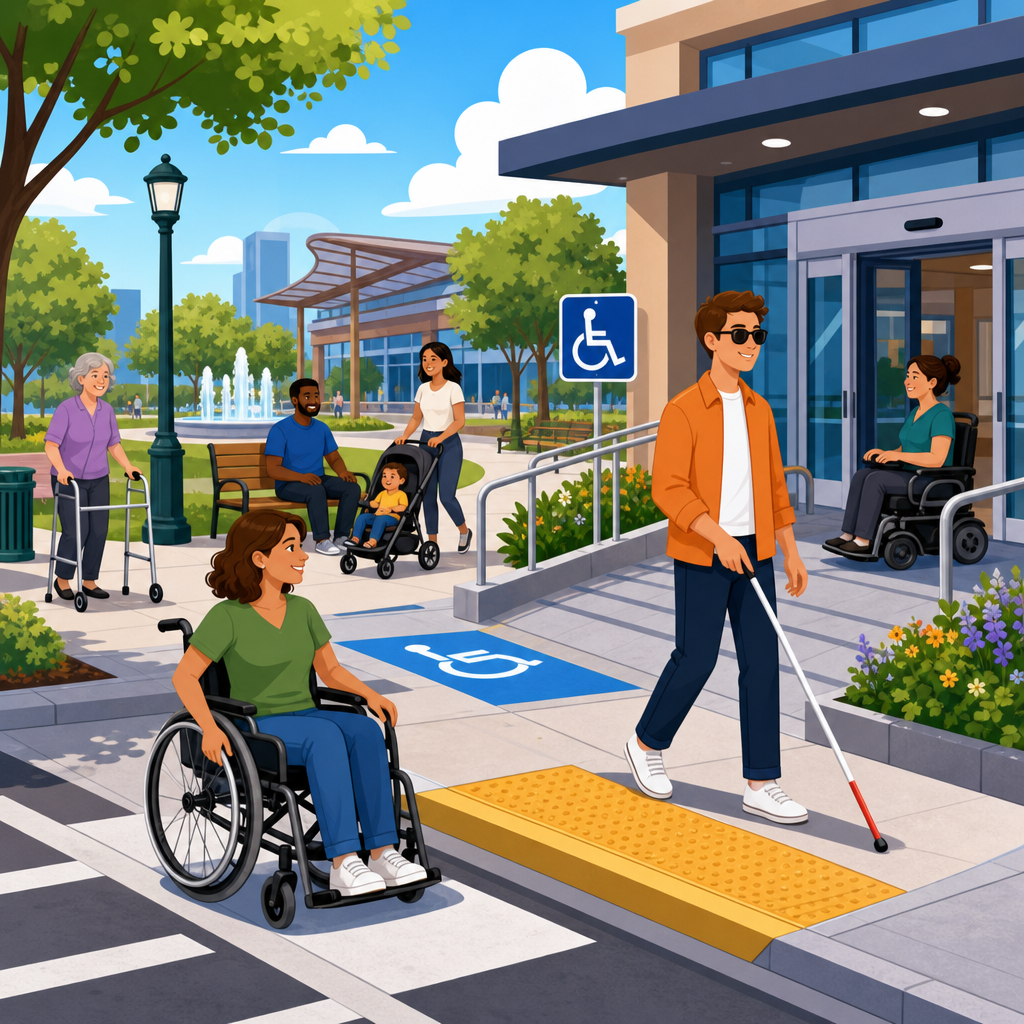
Updates in ADA compliance for public spaces increasingly revolve around technology, because accessibility is no longer limited to ramps, curb cuts, door widths, and restroom clearances. Today, public entities, property owners, retailers, schools, transportation agencies, healthcare systems, and cultural institutions must think about digital kiosks, mobile apps, web-based reservations, electronic wayfinding, connected security systems, captioned media, and emergency communication tools alongside the built environment. In practice, ADA compliance for public spaces now means making both physical and digital touchpoints usable by people with disabilities.
The Americans with Disabilities Act establishes broad civil rights protections, while standards and guidance from the Department of Justice, the Department of Transportation, the Access Board, and related agencies shape how accessibility is interpreted in real settings. Key terms matter. A public space can include government buildings, transit stations, parks, hotels, restaurants, stores, stadiums, hospitals, campuses, and other places open to the public. Accessibility means people with disabilities can approach, enter, use, understand, and benefit from the environment with equivalent independence and dignity. Technology accessibility refers to features such as screen-reader compatibility, keyboard navigation, tactile controls, audio output, speech input support, captioning, assistive listening, and accessible authentication.
I have worked with facility teams and digital product owners who assumed accessibility ended once an architect signed off on plans. That assumption now creates risk. Public spaces depend on software-driven systems for check-in, ticketing, parking, elevators, digital signage, queue management, telehealth, and visitor communication. If those systems exclude blind users, deaf users, people with limited dexterity, neurodivergent visitors, or people with cognitive disabilities, the space is not meaningfully accessible even if the doorway clearances are perfect. This is why ADA developments in technology and accessibility matter: they affect compliance, operations, procurement, customer service, and brand trust at the same time.
This hub article explains the major updates, the standards that influence implementation, the technologies drawing scrutiny, and the practical steps organizations should take. It is designed as a foundation for deeper pages on kiosks, websites, transportation technology, audiovisual access, smart buildings, and procurement. If you manage public accommodations or state and local government facilities, the central lesson is straightforward: accessibility now lives in the full user journey, not in isolated physical features.
Why ADA compliance now includes digital systems in public spaces
The most important shift is that courts, regulators, and accessibility professionals increasingly evaluate public access as an end-to-end experience. A visitor may locate a venue on a website, reserve a ticket in an app, navigate parking through a digital display, check in at a kiosk, receive alerts by text, and interact with staff through video or intercom systems. If any essential step is inaccessible, the barrier is real. The legal analysis can vary by title, jurisdiction, and facility type, but operationally the answer is simpler: if technology stands between a person and a service, that technology must be accessible.
For state and local governments, recent federal rulemaking on digital accessibility clarified that web content and mobile apps are a compliance priority, with technical expectations aligning closely with WCAG 2.1 Level AA. That matters for public spaces because municipal buildings, libraries, parks departments, transit agencies, and public universities often deliver core services digitally before a visitor ever arrives. A city recreation center with accessible entrances but an inaccessible class registration portal still blocks equal participation. The same logic applies to digital permit systems, event calendars, online maps, and emergency notices.
Private businesses open to the public face similar pressure through enforcement activity and litigation trends. Hotels, restaurants, retailers, and entertainment venues increasingly rely on digital reservations, loyalty applications, self-service ordering, and tablet-based service models. In reviews I have led, the most common problem is not a dramatic failure but a chain of smaller barriers: unlabeled form fields, payment timeouts, inaccessible CAPTCHA alternatives, touchscreens without tactile orientation, video announcements without captions, or QR-only menus that do not work well with screen readers. Each seems minor in isolation; together, they prevent independent use.
Core standards shaping accessibility decisions
No single document answers every technology question in every public space, so compliance work requires mapping the right authority to the right scenario. The 2010 ADA Standards for Accessible Design remain foundational for the built environment, covering elements such as routes, entrances, toilets, counters, seating, signage, and communication features. For transportation, the ADA and DOT regulations add vehicle, station, stop, and announcement requirements. For information and communication technology, WCAG 2.1 Level AA has become the dominant benchmark because it provides testable success criteria for websites, apps, documents, and many software interfaces.
Section 508 is not the ADA, but its technical framework strongly influences public-sector practice because it incorporates standards for information and communication technology and points to WCAG. EN 301 549, developed in Europe, also shapes procurement language for software, hardware, and ICT products, especially among global vendors. The Access Board continues to influence interpretation through technical guidance, proposed rules, and harmonization efforts. In practical terms, organizations should stop asking whether a product is “ADA compliant” in the abstract and instead ask which standards apply, which user tasks are critical, and what evidence supports accessibility claims.
Vendor claims deserve scrutiny. A VPAT can be useful, but only if it is current, product-specific, and validated through testing. I have seen kiosks marketed as accessible simply because they offered audio output, yet the headphone jack was placed awkwardly, the on-screen flow trapped keyboard users, and the privacy screen reduced readability for low-vision users. Conformance language without scenario testing is not enough. Good accessibility governance pairs standards-based review with task-based usability checks using assistive technology and diverse users.
High-priority technologies changing compliance obligations
The technologies drawing the most attention in public spaces are self-service kiosks, digital signage, mobile apps, online booking systems, audiovisual communication tools, and smart building interfaces. Kiosks are especially important because they replace staffed interactions. In airports, hospitals, quick-service restaurants, parking garages, and government lobbies, kiosks may control check-in, payment, wayfinding, or appointment management. If a blind user cannot privately complete the flow with audio guidance and tactilely discoverable controls, the organization may be forcing dependence on staff assistance where independent access should exist.
Mobile applications are another major issue because many physical spaces now push visitors toward app-first experiences. Hotels use apps for room access, universities use them for campus navigation, transit systems use them for fare purchase, and venues use them for digital tickets. Accessibility here depends on semantic labeling, screen-reader support, scalable text, motion sensitivity options, contrast, focus order, and alternatives to gesture-only interactions. Authentication deserves special attention. If entry to a public space depends on a face scan, unreadable one-time code, or timeout-heavy identity flow, disabled users can be excluded before they reach the door.
Digital signage and emergency messaging are often overlooked. A lobby display that announces queue numbers only visually excludes blind visitors. An evacuation alert delivered only by audio misses deaf visitors. Best practice uses redundant modalities: visible text, spoken output, captions, beaconing, vibration where relevant, and integration with assistive listening systems. The same principle applies to conference spaces, museums, and stadiums using dynamic displays or augmented experiences. Technology can improve access dramatically, but only when communication is delivered in more than one sensory channel.
| Technology | Common accessibility risk | Better implementation |
|---|---|---|
| Self-service kiosk | Touch-only navigation and no private audio | Tactile controls, headphone jack, speech output, reachable components |
| Mobile ticketing app | Unlabeled buttons and inaccessible verification | WCAG-conformant interface, accessible OTP flow, wallet support |
| Digital signage | Visual-only announcements | Text, audio, captions, synchronized alerts |
| Video service counter | No captioning or sign language workflow | Real-time captions, relay integration, clear camera framing |
| Smart entry system | Gesture or face-only authentication | Multiple authentication options, accessible fallback methods |
How technology intersects with physical accessibility
Public-space accessibility now fails most often at the seam between software and hardware. A kiosk may meet software criteria yet still be mounted too high for a wheelchair user. A hearing loop may be installed, but staff may not know how to activate it. A digital directory may include audio output, but glare, ambient noise, and poor placement make it ineffective. Accessibility is achieved in context, not in a laboratory. That means organizations must test installed conditions, not just vendor demos.
Wayfinding illustrates this intersection clearly. Indoor navigation tools can be transformative for blind and low-vision visitors when they combine accessible maps, beacon technology, descriptive landmarks, and step-by-step prompts. Yet they fail when elevators are mislabeled, temporary closures are not updated, or the route assumes stair use. Similarly, accessible parking systems now rely on sensors, QR codes, and mobile payment. If a driver with limited dexterity cannot complete the payment app from a vehicle, the benefit of the physical parking space is undermined by the digital transaction requirement.
Another area is meeting rooms, classrooms, and public hearing spaces. Modern rooms depend on wireless presentation systems, streamed content, digital microphones, and touch-panel controls. Accessibility requires more than an induction loop posted on a wall sign. Captions must be available for live and recorded content. Controls must be operable without fine motor precision. Camera positions should support remote sign language interpretation when needed. In hybrid environments, both in-room and remote participants require equivalent access to audio, visuals, and interaction tools.
Procurement, auditing, and ongoing maintenance
The fastest way to reduce accessibility risk is to build it into procurement. Public spaces increasingly run on third-party platforms, and inaccessible products are expensive to remediate after installation. Contracts should require relevant conformance documentation, disclosure of known gaps, remediation timelines, compatibility with major assistive technologies, and support for accessibility testing before acceptance. Strong teams also require demo scripts covering real tasks, such as booking a room with a screen reader, completing a kiosk transaction without vision, or receiving emergency alerts in multiple formats.
Auditing must go beyond automated scans. Automated tools are useful for catching missing alt text, contrast failures, heading errors, and some code defects, but they do not verify meaningful labels, logical flows, caption quality, tactile discoverability, or user comprehension. I typically advise a layered audit model: standards review, manual expert testing, assistive technology testing, and task-based usability sessions. Tools such as axe, WAVE, JAWS, NVDA, VoiceOver, TalkBack, Dragon, and color contrast analyzers help, but human review remains essential.
Maintenance is where many compliance programs weaken. Public spaces change constantly. Tenants update directories, software versions shift, PDFs are reposted, kiosks get new payment modules, and emergency communication templates evolve. An accessible launch does not guarantee accessible operations six months later. Organizations need content governance, change management checkpoints, staff training, and a documented issue-response process. Accessibility should sit alongside cybersecurity and safety as a routine operational discipline, with owners, deadlines, escalation paths, and retesting requirements.
What organizations should do next
Start by mapping the full visitor journey across physical and digital touchpoints. Identify every point where a person must obtain information, make a decision, authenticate identity, submit payment, communicate with staff, or respond to an emergency instruction. Then rank those touchpoints by criticality. Entry, safety, payment, reservations, service access, and core communication come first. This exercise usually reveals hidden dependencies, such as inaccessible vendor portals powering front-desk operations or building apps required to unlock doors after hours.
Next, align standards to assets. Use the ADA Standards for built features, WCAG 2.1 Level AA for web and app experiences, and product-specific ICT requirements for hardware and software procurement. Require vendors to support testing, not just paperwork. Where legacy systems cannot be fixed immediately, provide equally effective alternative access that is reliable, private where appropriate, and available during the same hours. Temporary workarounds are not a substitute for remediation, but they are better than leaving barriers in place while projects stall.
Finally, create an accessibility roadmap tied to capital planning and digital governance. Public spaces should prioritize kiosks, reservations, digital communications, emergency alerts, and wayfinding because these systems shape independence. Train frontline staff so they understand both the technology and the accommodation process. Review complaints and support logs for recurring barriers. If you treat accessibility as a living system rather than a one-time checklist, your spaces become easier to use for everyone, and your compliance posture becomes far stronger.
Updates in ADA compliance for public spaces point in one direction: accessibility now depends on how buildings, software, devices, and communications work together. The most successful organizations no longer separate physical compliance from digital accessibility. They examine the complete service journey, apply recognized standards, test real tasks, and maintain accessible operations over time. That approach reduces legal exposure, improves customer experience, and makes public services more resilient.
The key takeaway is simple. A public space is only as accessible as its least accessible required interaction. A flawless entrance does not offset an unusable kiosk. A captioned video does not solve an inaccessible ticketing app. A mobile credential does not help if there is no accessible fallback. Compliance therefore requires coordinated design, procurement, testing, and maintenance across both facilities and technology teams.
Use this hub as the starting point for your broader review of ADA developments in technology and accessibility. Assess your highest-impact systems, document gaps, and prioritize fixes that affect entry, communication, safety, and independent use. Then move deeper into the related subtopics, from kiosks and mobile apps to smart buildings and accessible audiovisual systems. The organizations that act now will build public spaces that work better for every visitor.
Frequently Asked Questions
1. How has ADA compliance for public spaces expanded beyond traditional physical accessibility requirements?
ADA compliance in public spaces now extends well beyond familiar physical design features such as ramps, accessible parking, curb cuts, door clearances, elevator access, and restroom layouts. While those core architectural requirements remain essential, current compliance expectations increasingly recognize that accessibility also depends on how people interact with technology throughout a public environment. In practice, that means public entities and private operators must evaluate digital kiosks, self-check-in stations, payment terminals, ticketing systems, mobile apps, online reservation platforms, electronic directories, digital signage, security interfaces, and emergency communication systems as part of the overall accessibility picture.
This shift reflects the reality that many everyday tasks in public spaces are now completed digitally. A visitor may reserve a room online, use a touchscreen to check in, rely on a mobile app for navigation, watch instructional media on a public display, or receive alerts through a connected building system. If any of those tools are not usable by people with disabilities, access can be denied just as effectively as if a staircase blocked the entrance. For example, a kiosk without screen-reader compatibility, tactile controls, voice output, or proper height access may exclude users who are blind, have low vision, or use wheelchairs. Similarly, video content without captions can create barriers for deaf or hard-of-hearing visitors, and app-based directions that do not work with assistive technology can limit independent use of the space.
As a result, organizations should approach ADA compliance as a full user experience issue rather than a checklist limited to the built environment. Accessibility planning now requires coordination among facilities teams, IT departments, architects, procurement staff, legal counsel, and operations managers. The most effective compliance strategies treat physical and digital accessibility as interconnected obligations that together determine whether a public space is truly usable by everyone.
2. What types of technology in public spaces are receiving the most attention in current ADA compliance updates?
The technologies drawing the most scrutiny are those that directly affect access to services, navigation, communication, and safety. Self-service kiosks are among the most significant because they are now common in transportation hubs, hospitals, retail stores, government buildings, hotels, and entertainment venues. These systems often handle check-in, ticketing, payment, registration, and information lookup, so they must be designed for use by people with vision, hearing, mobility, and cognitive disabilities. Key accessibility features may include reachable controls, non-touch input options, audio guidance, headphone jacks, screen-reader support, adjustable timing, color contrast, and simple, consistent workflows.
Mobile apps and websites are another major focus area because many public services begin online before a visitor ever enters the physical space. Reservation systems, event registration portals, transit planning tools, digital maps, class sign-ups, patient intake systems, and customer support portals all need to be accessible. If a person cannot book a service, review information, complete forms, or receive confirmations through an accessible digital platform, the organization may be creating a barrier to participation. This is especially important for schools, municipalities, healthcare systems, museums, and transportation agencies that increasingly depend on digital-first service models.
Electronic wayfinding and digital signage are also becoming more central in compliance discussions. Interactive maps, building directories, room schedulers, queue systems, and visual notification boards should be usable by people with different disabilities. In many environments, emergency communication tools are receiving heightened attention as well. Text-only alerts, audio-only announcements, or inaccessible evacuation messaging may not adequately serve all occupants. Effective systems should communicate critical information in multiple formats, such as visual, audible, and, where appropriate, tactile or device-based notifications. Captioned media, assistive listening technology, connected security systems, and access control interfaces are also increasingly relevant because they shape how people enter, understand, and safely use a public space.
3. Why are websites, mobile apps, and online reservation systems so important to ADA compliance for public spaces?
Websites, mobile apps, and online reservation systems are now often the first point of contact between an organization and the public, which makes them a critical part of accessibility compliance. For many users, access begins long before they arrive at a building. They may need to buy tickets, reserve a meeting room, schedule an appointment, submit documentation, request accommodations, review hours, locate accessible entrances, or understand available services online. If those digital tools are not accessible, users with disabilities may be shut out before they even have the chance to use the physical location.
From a practical standpoint, inaccessible digital platforms create barriers similar to locked doors or missing ramps. A blind user may be unable to complete an online booking form if labels are missing or the interface does not work with screen readers. A person with limited dexterity may struggle with time-sensitive forms or controls that require precise gestures. A deaf user may miss critical information if video instructions are not captioned. Someone with cognitive disabilities may be overwhelmed by inconsistent navigation, confusing error messages, or overly complex workflows. These issues can prevent equal participation in programs, services, and events offered in public spaces.
Organizations should view digital accessibility as a core compliance priority rather than an optional enhancement. That usually means designing and testing websites and apps according to recognized accessibility standards, integrating accessibility into procurement and development processes, and routinely auditing systems as content and features evolve. Reservation and registration tools deserve particular attention because they often involve high-stakes functions such as travel, healthcare access, educational enrollment, housing applications, or entry to public programs. If these systems fail, the user may have no practical alternative. Strong ADA compliance in public spaces increasingly depends on making sure the digital path to access is just as inclusive as the physical destination.
4. What should organizations do to make digital kiosks, wayfinding systems, and emergency communication tools more accessible?
Organizations should start by evaluating how people actually use these systems in real-world settings and identifying where accessibility barriers may occur. For kiosks, that means more than checking whether the device is installed at an accessible height. It also involves reviewing screen readability, voice guidance, compatibility with assistive technology, tactile controls, input flexibility, time limits, transaction complexity, privacy features, and whether a user can complete the task independently. A kiosk that is technically reachable but impossible to navigate without vision or fine motor control may still present a serious access problem.
For electronic wayfinding systems, accessibility should be considered across multiple communication modes. Interactive maps, directories, and navigation displays should provide readable text, strong color contrast, logical layouts, and alternatives for users who cannot rely on visual touch interfaces alone. In some settings, organizations may need audio guidance, accessible mobile integration, simplified navigation instructions, or staff-supported alternatives that provide equivalent access without delay or loss of dignity. Wayfinding is especially important in large campuses, hospitals, transit centers, schools, and cultural venues where independent navigation is central to the user experience.
Emergency communication tools require particularly careful planning because accessibility failures during emergencies can place people at immediate risk. Effective systems should not depend on only one format, such as spoken announcements or flashing lights. Instead, alerts should be delivered through multiple channels so that people with hearing, vision, speech, cognitive, or mobility disabilities can receive and understand urgent information quickly. This may include visual displays, audible alerts, text notifications, app-based messages, and integrated building communication systems. Organizations should also train staff on accessible emergency procedures, test systems regularly, and review whether evacuation and shelter instructions are understandable and usable by diverse populations. Accessibility is strongest when it is built into planning, procurement, user testing, maintenance, and emergency preparedness from the beginning rather than added after complaints arise.
5. How can property owners, public agencies, schools, retailers, and healthcare systems stay current with ADA compliance changes in public spaces?
Staying current requires a proactive, ongoing approach rather than waiting for a renovation, a complaint, or a legal issue. The most effective organizations monitor regulatory developments, review technical guidance, and treat accessibility as a governance and risk management issue that touches facilities, technology, communications, and customer service. Because public spaces now depend heavily on digital infrastructure, compliance teams should include not only architects and facilities personnel, but also IT leaders, web developers, procurement officers, disability services staff, legal advisors, safety coordinators, and operational decision-makers.
A strong strategy usually begins with regular accessibility audits covering both physical and digital environments. That includes entrances, routes, restrooms, seating, counters, and signage, but also websites, apps, self-service devices, digital content, multimedia, online forms, and emergency systems. Procurement policies are equally important. Many accessibility problems enter an organization through purchased software, kiosks, audiovisual systems, ticketing tools, or vendor platforms that were never evaluated for usability by people with disabilities. Requiring accessibility standards in contracts, asking vendors for documentation, and conducting independent testing can prevent costly retrofits later.
Training is another major factor. Staff who manage communications, post web content, purchase equipment, produce video, operate front desks, or assist the public should understand their role in accessibility. Organizations should also engage users with disabilities in testing and feedback whenever possible, because lived experience often reveals barriers that internal teams overlook. Finally, ADA compliance should be reviewed as a continuous process. Technology changes quickly, and a platform that was accessible at launch can become inaccessible after updates, integrations, or content changes. By combining periodic assessments, inclusive procurement, staff education, and real user feedback, organizations can better keep pace with evolving ADA expectations and


