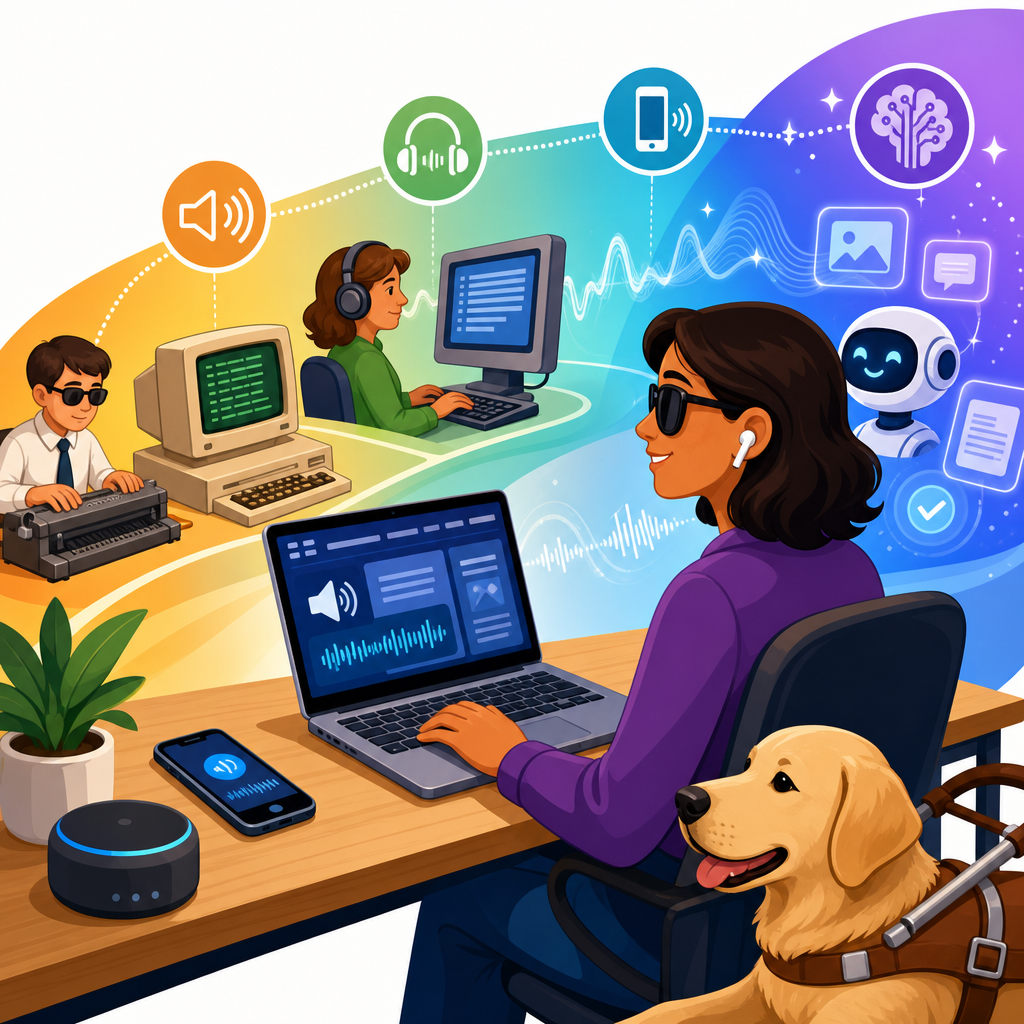
Screen readers have evolved from basic text-to-speech utilities into sophisticated accessibility platforms, and the latest ADA-compatible technologies are reshaping how people with visual, cognitive, and motor disabilities access digital information. In practical terms, a screen reader is software that interprets operating system elements, browser content, documents, and app interfaces, then presents that information through synthesized speech, braille displays, keyboard navigation cues, and increasingly, contextual intelligence. ADA-compatible technologies are tools, design patterns, and interface standards that support effective access under the Americans with Disabilities Act, often aligning with WCAG, Section 508, ARIA specifications, and platform accessibility APIs. This matters because digital accessibility is no longer a niche compliance task; it is a core business, education, healthcare, and public service requirement. I have seen teams treat screen reader support as a final checklist item, only to discover that inaccessible forms, unlabeled buttons, and broken focus order excluded real users from completing essential tasks. The evolution of screen readers therefore reflects a larger shift in accessibility: from reactive accommodation to proactive, standards-based inclusion.
The modern conversation is not just about what screen readers are today, but where ADA developments are heading next. Future trends and predictions in ADA developments include stronger enforcement around digital experiences, broader expectations for mobile and app accessibility, better interoperability between assistive technology and mainstream software, and growing use of artificial intelligence to improve navigation, summarization, and image understanding. For readers following updates and developments, this topic works as a hub because it connects legal expectations, technical implementation, and emerging user needs. Understanding the trajectory of screen reader technology helps organizations plan accessible design systems, procurement policies, content workflows, and testing methods before regulations or litigation force change. It also helps product owners ask the right question: not merely whether content can be read aloud, but whether users can independently perceive, understand, navigate, and complete tasks with confidence.
From Early Command-Line Readers to Integrated Accessibility Ecosystems
Early screen readers were tightly constrained by the computing environments they served. In text-based operating systems, assistive software could often intercept and vocalize displayed characters directly. Graphical user interfaces changed the challenge completely, because screen readers now had to interpret windows, menus, icons, and document structure that were not inherently linear. Products such as JAWS, Window-Eyes, and later NVDA addressed this by relying on accessibility trees, virtual buffers, keyboard command layers, and application-specific scripts. On Apple platforms, VoiceOver integrated deeply into macOS and iOS, showing what happens when accessibility is built into the operating system rather than added later. That shift is one of the most important developments in ADA-compatible technology: accessibility moved closer to the platform layer, where controls, focus, labels, and semantic relationships can be exposed more consistently.
In real testing work, the difference is obvious. Older web experiences often depended on custom JavaScript widgets that looked polished but exposed little usable information to assistive technology. Modern ecosystems perform better when they use native HTML elements, proper heading structure, descriptive labels, and standardized ARIA roles only where necessary. Screen readers now interact with browsers, mobile frameworks, cloud applications, and productivity suites through mature APIs such as Microsoft UI Automation, Apple Accessibility, and Android Accessibility Services. The result is better reliability across environments, though not perfect consistency. A button that works well in Chrome with NVDA may still behave differently in Safari with VoiceOver or in an embedded enterprise application. Future ADA developments will continue pushing vendors toward interoperability, because accessibility failures often happen in the handoff between code, browser, operating system, and assistive technology.
What the Latest ADA-Compatible Screen Reader Technologies Actually Do
Current screen readers do far more than read text aloud. They announce landmarks, form fields, validation errors, heading levels, table relationships, live region updates, and state changes such as expanded or collapsed menus. They allow granular navigation by character, word, line, sentence, heading, link, button, list, region, form control, or table cell. They support refreshable braille, customizable verbosity, language switching, pronunciation dictionaries, and scriptable workflows for professional users in legal, academic, and technical settings. On mobile devices, gesture-based navigation is now mature enough that many users complete banking, shopping, transportation, and healthcare tasks without sighted assistance. This practical independence is the benchmark that ADA-compatible technologies should be measured against.
Several leading tools illustrate the state of the field. JAWS remains dominant in many enterprise and government environments because of its scripting power and long institutional adoption. NVDA has become indispensable because it is free, community-supported, and highly capable in browsers and office applications, making accessible testing feasible for more teams. VoiceOver is central to Apple accessibility, especially on iPhone, where mobile access is often the primary internet pathway. TalkBack plays a similar role on Android. The newest development is not that one tool has replaced another; it is that accessibility expectations now span desktop, mobile, kiosk, PDF, video platforms, and software-as-a-service environments at once. Any ADA strategy that tests only one screen reader on one browser is already behind current practice.
| Technology | Primary Strength | Common Environment | Key ADA-Relevant Use Case |
|---|---|---|---|
| JAWS | Advanced scripting and enterprise compatibility | Windows desktop | Complex internal business systems and government workflows |
| NVDA | Strong web support and no licensing cost | Windows desktop | Browser testing, education, and broad public access |
| VoiceOver | Deep operating system integration | macOS and iOS | Mobile apps, consumer services, and Apple ecosystem access |
| TalkBack | Android accessibility integration | Android devices | Mobile services, public apps, and device diversity testing |
| Refreshable braille displays | Tactile output for silent, precise reading | Paired with desktop or mobile screen readers | Education, coding, finance, and privacy-sensitive work |
Standards, Compliance, and Why ADA Compatibility Depends on Semantics
ADA compatibility is often misunderstood as a software label, when in practice it depends on how well digital products expose meaning and operability. The ADA itself does not prescribe a specific coding standard for websites or apps, but enforcement actions, settlement agreements, and court expectations frequently point organizations toward WCAG conformance as the practical benchmark. In federal contexts, Section 508 updates also reinforce these expectations. For screen readers, the most decisive factor is semantics: headings must actually be headings, buttons must actually be buttons, form fields need programmatic labels, and dynamic content changes must be announced appropriately. If developers replace semantic controls with generic containers and click handlers, the experience degrades immediately.
ARIA can help, but only when used with discipline. The first rule of ARIA remains reliable because it solves a common failure: if a native HTML element has the semantics and behavior you need, use it instead of recreating it. I routinely see accessibility regressions introduced by custom dropdowns, modal dialogs, and tab panels that look modern but trap focus, omit state announcements, or break keyboard interaction patterns. The latest ADA-compatible technologies are making these issues easier to detect through browser inspection tools, automated audits, and component library governance, yet no scanner can fully confirm a usable screen reader experience. Future ADA developments will likely reward organizations that treat accessibility as a design system requirement, not an isolated remediation project. Semantic correctness is the bridge between legal expectation and actual usability.
Artificial Intelligence, Computer Vision, and the Next Wave of Screen Reader Support
Artificial intelligence is already changing how screen readers handle content that was previously opaque or inefficient to navigate. Image recognition can generate descriptions for photos, icons, charts, and unlabeled interface elements, though quality still varies based on context and training data. Optical character recognition helps extract text from scanned PDFs and images that were once unreadable to assistive technology. Language models can support summarization, smarter reading modes, and contextual help that explains what a user can do inside a complex interface. Microsoft, Apple, Google, and specialized accessibility vendors are all moving in this direction. The key prediction is not that AI will replace structured accessibility, but that it will supplement it when source content is incomplete.
That distinction matters. An AI-generated guess about a button icon is not a substitute for a proper accessible name in code. A generated summary of a page cannot replace headings, landmarks, and logical focus order. In other words, future ADA developments will likely treat AI enhancement as additive, not curative. The most promising uses are task acceleration and environmental interpretation: describing surroundings through a phone camera, identifying text on physical objects, summarizing long documents, or helping users jump to likely relevant sections in a page. For organizations, this means two parallel responsibilities. First, continue building standards-compliant interfaces that screen readers can interpret deterministically. Second, monitor assistive AI features because they will change user expectations around speed, context, and autonomy. Teams that ignore this shift may technically pass audits while still delivering frustrating experiences compared with newer, more intelligent interfaces.
Future Trends in ADA Developments Across Web, Mobile, Documents, and Public Services
The future of ADA developments will extend beyond websites into every digital touchpoint that supports daily life. Mobile app accessibility will face greater scrutiny because many essential services are now mobile-first, especially in banking, telehealth, transportation, education, and government benefits. Document accessibility will also become more important, since inaccessible PDFs, slide decks, and forms remain among the most common barriers reported by blind users. In procurement, organizations increasingly ask vendors to provide VPAT documentation, but future practice will place less weight on paperwork alone and more on demonstrated accessibility in real user flows. Public-sector entities and large enterprises are moving toward continuous accessibility monitoring tied to release cycles, component libraries, and bug-triage processes.
Another strong trend is the convergence of accessibility with usability, privacy, and cybersecurity. For example, multifactor authentication often introduces barriers when timed codes, CAPTCHA alternatives, or focus management are poorly implemented. Healthcare portals may satisfy security requirements yet fail if screen reader users cannot review lab results or complete consent forms independently. Kiosks and self-service systems are another frontier. ADA-compatible technologies now include tactile controls, headphone jacks, speech output, and mobile handoff options, but implementations remain uneven. Over the next several years, expect clearer expectations for accessible authentication, accessible digital documents, and omnichannel consistency between web, app, email, PDF, and in-person digital interfaces. The organizations best prepared for these changes will be the ones that map accessibility to actual customer journeys instead of isolated assets.
How Organizations Should Prepare for the Next Generation of Screen Reader Accessibility
Preparation starts with governance. Accessibility needs executive sponsorship, design standards, development requirements, procurement controls, content author training, and test protocols that reflect how screen reader users actually work. A mature program tests with multiple assistive technologies, includes keyboard-only review, validates semantic structure, and checks common failure points such as modals, menus, forms, carousels, alerts, and error recovery. It also addresses non-web assets like PDFs, e-learning modules, and embedded third-party tools. From experience, the most effective teams do not wait for a lawsuit or complaint. They build accessibility acceptance criteria into user stories, require pattern library conformance, and audit releases before defects reach production.
Training is equally important because many barriers originate in content operations, not engineering alone. Editors need to understand heading hierarchy, meaningful link text, alt text judgment, table structure, and document tagging. Designers need to specify focus indicators, error messaging, reading order, and touch target behavior. Developers need to know when to rely on native controls, how to manage focus, how to expose state changes, and how to test with JAWS, NVDA, VoiceOver, or TalkBack. If your organization covers updates and developments in accessibility, this hub topic should guide every related article and initiative: watch enforcement trends, follow platform accessibility releases, evaluate AI features carefully, and test complete workflows with real users whenever possible.
The evolution of screen readers shows a clear direction for ADA-compatible technologies: greater integration, stronger standards alignment, smarter assistance, and broader accountability across every digital channel. What began as software that converted text into speech has become an ecosystem that depends on operating systems, browsers, code semantics, authoring practices, and emerging AI capabilities working together. The most important lesson is simple. Accessibility is not achieved by installing a tool; it is achieved by creating digital experiences that expose structure, meaning, and control in ways assistive technology can reliably interpret. When that happens, screen readers support independent access to work, education, healthcare, commerce, and civic participation.
For organizations planning future ADA developments, the opportunity is to move from reactive remediation to durable accessibility strategy. Use this page as the hub for deeper work on mobile accessibility, accessible documents, AI-assisted accessibility, legal updates, and testing methods. Review your highest-value user journeys, test them with current screen readers, fix semantic and keyboard barriers first, and then evaluate where newer technologies can improve efficiency and understanding. The teams that act now will be better prepared for regulatory change, better aligned with user needs, and better positioned to deliver inclusive digital services at scale. Start with one journey, one audit, and one measurable improvement, then build from there.
Frequently Asked Questions
1. How have screen readers evolved from basic text-to-speech tools into today’s ADA-compatible accessibility platforms?
Screen readers began as relatively simple text-to-speech programs designed to read plain text displayed on a computer screen. Early versions were useful, but limited. They often struggled with graphical interfaces, dynamic web content, and complex application layouts. As operating systems, websites, and software became more visual and interactive, screen readers had to evolve far beyond reading lines of text in sequence. Modern solutions now interpret menus, buttons, form fields, pop-ups, tables, landmarks, alerts, media controls, and interactive application components with far greater accuracy.
Today’s ADA-compatible screen readers function as full accessibility platforms rather than single-purpose utilities. They integrate with browsers, mobile devices, desktop operating systems, enterprise applications, and cloud-based tools. They also support multiple output methods, including synthesized speech, refreshable braille displays, keyboard navigation cues, touch gestures, and customizable verbosity settings. This matters because ADA-aligned digital accessibility is not just about whether content can be read aloud; it is about whether users can independently navigate, understand, and complete tasks in digital environments.
The latest generation of screen readers is also more responsive to modern accessibility standards and development practices. When websites and applications use semantic HTML, ARIA roles, proper heading structures, descriptive labels, and accessible form logic, current screen readers can communicate that structure in meaningful ways. That means users can jump by heading, identify navigation regions, understand button purpose, review error messages, and move efficiently through content instead of listening to every element in a long sequence. In practical terms, the evolution of screen readers reflects a larger shift toward digital inclusion, where accessibility is treated as an essential part of user experience and compliance rather than an afterthought.
2. What are the most important features in the latest screen reader technologies for ADA compliance?
The most important features in current screen reader technologies are the ones that support independent, reliable access across a wide range of digital experiences. First among these is accurate interpretation of semantic structure. A modern screen reader should be able to identify headings, lists, links, buttons, form controls, tables, dialogs, and page regions clearly. This allows users to understand both the content and the layout of a page, which is essential for navigating websites, software interfaces, and digital documents efficiently.
Another critical feature is strong support for dynamic and interactive content. Many modern websites rely on JavaScript-driven components such as dropdown menus, modal windows, tab panels, auto-suggestions, live notifications, and single-page application behavior. Screen readers must be able to announce changes in real time and maintain logical focus so users do not lose their place. Compatibility with ARIA attributes and proper event handling is especially important here because ADA-conscious digital design depends on making these interactions understandable to nonvisual users.
Customization is also a major advancement. Today’s screen readers often allow users to control speech rate, punctuation level, voice profiles, verbosity, keyboard shortcuts, navigation modes, and braille output preferences. These options are not minor conveniences; they are key to usability because different disabilities, tasks, and environments call for different accessibility settings. A legal document, a shopping cart, a medical portal, and a classroom platform may all require different navigation strategies and feedback levels.
Finally, broad compatibility across devices and platforms is a defining feature of the latest technologies. ADA-compatible access now extends beyond desktop websites to mobile apps, PDFs, kiosks, collaboration tools, learning systems, and workplace software. The best screen readers support this wider ecosystem while working smoothly with braille displays, speech recognition tools, keyboard-only workflows, and assistive input devices. In other words, the latest features are valuable not because they are technically impressive, but because they help people complete real-world tasks with confidence, speed, and independence.
3. How do modern screen readers support users with visual, cognitive, and motor disabilities—not just blindness?
Although screen readers are most commonly associated with people who are blind or have low vision, their value extends well beyond that group. Modern screen readers can support users with cognitive and motor disabilities by making digital content more predictable, more navigable, and less dependent on visual interpretation or precise physical input. For example, a user with a motor disability may rely on keyboard commands instead of a mouse. A well-designed screen reader, paired with accessible keyboard navigation, can make it possible to move through menus, activate controls, complete forms, and manage digital tasks without needing fine motor control.
For users with cognitive disabilities, screen readers can reduce complexity by presenting information in a more linear and controlled way. Features such as heading navigation, landmark shortcuts, list summaries, and form field announcements can help users break content into manageable sections. Instead of processing a crowded visual layout, they can move through clearly defined elements one step at a time. Adjustable speech speed, repetition controls, and predictable navigation patterns can also improve comprehension and reduce fatigue. In many cases, these features make content more accessible to users who benefit from structured, guided interaction rather than dense visual interfaces.
Users with low vision also benefit from the combination of speech output and other accessibility tools, such as screen magnification, high-contrast settings, braille support, and synchronized focus tracking. This multimodal access is increasingly important because disability experiences are not one-size-fits-all. A person may have partial vision, dexterity limitations, reading-related disabilities, or multiple overlapping accessibility needs. The newest screen reader technologies are more effective because they are designed to work within this broader reality. They support flexible interaction methods and acknowledge that accessibility is about usable access for a diverse range of people, not a single user profile.
4. What role do web standards and accessible design practices play in how well screen readers perform?
Screen readers are powerful, but they cannot fully compensate for inaccessible design. Their performance depends heavily on the quality of the underlying code and content structure. When developers use proper semantic HTML, screen readers can identify headings as headings, buttons as buttons, and navigation regions as distinct landmarks. That allows users to move quickly through a page and understand relationships between elements. By contrast, when developers build interfaces with generic containers, missing labels, or visually styled elements that lack programmatic meaning, the screen reader may provide confusing, incomplete, or misleading output.
This is why accessible design practices are central to ADA-compatible digital experiences. Clear heading hierarchy, descriptive link text, properly associated form labels, keyboard accessibility, meaningful alt text, focus visibility, error identification, and logical reading order all directly affect what a screen reader user hears and how efficiently that user can complete tasks. Accessible Rich Internet Applications, or ARIA, can also improve communication when used correctly, especially for custom widgets and dynamic updates. However, ARIA is most effective when it supplements good semantic structure rather than replacing it. Poorly implemented ARIA can actually create more confusion, not less.
Compliance-minded organizations should understand that screen reader compatibility is not a final checklist item added at the end of development. It is the result of intentional design, coding, content strategy, and testing throughout the digital lifecycle. The best outcomes happen when teams align ADA obligations with recognized accessibility standards and validate experiences using real screen readers in real user journeys. In short, web standards and accessible design are the foundation that makes modern screen reader technology useful. Without that foundation, even advanced assistive tools will struggle to deliver an equitable experience.
5. How can organizations evaluate whether their websites and digital products work well with the latest screen readers?
Organizations should begin by recognizing that screen reader compatibility is both a technical and user-experience issue. Automated accessibility scanners can help identify common issues such as missing alt text, unlabeled form fields, low contrast, or improper heading structure, but they are only a starting point. To understand whether a website or application truly works with modern screen readers, teams need manual testing that reflects real-world navigation. That includes reviewing how content is announced, whether keyboard focus moves logically, whether modal windows trap focus correctly, whether error messages are spoken at the right time, and whether users can complete core tasks without visual assistance.
Testing should include multiple screen readers and platforms whenever possible, because user experiences can vary across desktop and mobile environments. A site may behave differently with a screen reader on Windows than it does on iOS or Android. Important journeys to test include navigation menus, search, login, checkout, scheduling, document access, media players, account settings, and form submission. Teams should also verify that headings, landmarks, buttons, links, tables, and status messages are exposed correctly. If content updates dynamically, those changes should be announced in a way that is helpful rather than overwhelming.
Perhaps most importantly, organizations should include people with disabilities in usability testing whenever possible. Technical conformance does not always equal practical usability. Real users can reveal friction points that automated tools and internal QA teams often miss, such as confusing language, inefficient workflows, repetitive announcements, or unexpected focus behavior. A strong evaluation process combines standards-based audits, assistive technology testing, developer remediation, and user validation. That approach not only improves ADA readiness but also creates better digital products overall. In the end, successful screen reader support means users can access information, navigate independently, and complete important tasks with dignity and confidence.


