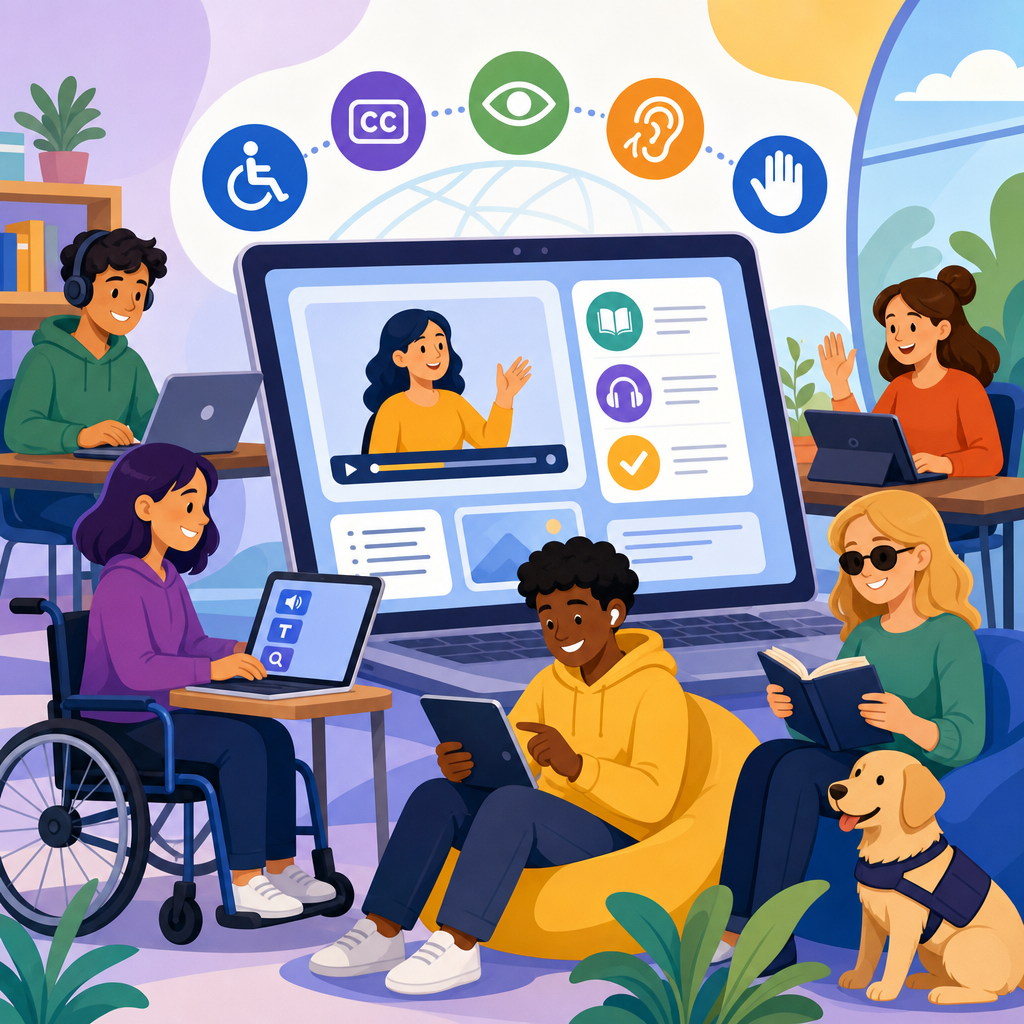
The future of accessible learning is being shaped by the Americans with Disabilities Act, fast-moving education technology, and a growing expectation that every digital classroom must work for every learner. In practical terms, ADA and e-learning platforms now belong in the same strategic conversation because accessibility is no longer a niche compliance task handled after launch. It affects course design, procurement, mobile development, video production, assessment integrity, and student retention.
When I audit learning systems, I define accessible learning as the ability of people with disabilities to perceive, operate, understand, and meaningfully participate in digital education without unnecessary barriers. That includes blind students using screen readers, deaf learners relying on captions and transcripts, students with limited dexterity navigating by keyboard or switch device, and learners with cognitive disabilities who need predictable interfaces and clear instructions. ADA requirements often intersect with Section 504, Section 508, and the Web Content Accessibility Guidelines, especially WCAG 2.1 and the newer WCAG 2.2 success criteria.
This matters because e-learning platforms are now core infrastructure for K-12 schools, universities, workforce training, healthcare education, and corporate compliance programs. A learning management system that cannot be navigated without a mouse, a quiz tool that times out too aggressively, or a video lesson without captions can block participation as surely as a staircase blocks a wheelchair user. Courts, the Department of Justice, and the Department of Education have all pushed digital accessibility toward the center of institutional risk management. Just as important, accessible design improves learning outcomes for many users beyond those who identify as disabled. Captions help non-native speakers, transcripts aid review, and consistent heading structures reduce cognitive load for everyone.
As a hub for updates and developments, this article explains the legal direction, technical standards, platform expectations, procurement issues, and implementation patterns defining ADA developments in technology and accessibility. It also highlights what decision-makers should watch next as artificial intelligence, immersive content, and analytics reshape digital learning environments.
How ADA expectations are changing for digital learning
The ADA was enacted before modern cloud learning platforms existed, yet its core principle of equal access applies squarely to online education. Title II governs state and local public entities, including public colleges and school systems. Title III applies to private entities considered places of public accommodation, and litigation has increasingly treated websites and apps as part of that obligation. In 2024, the Department of Justice finalized a rule under Title II that directly addressed web and mobile accessibility for state and local governments, aligning expectations with WCAG 2.1 Level AA. For educational institutions and vendors serving them, that move matters because it reduces ambiguity about what accessible digital services should look like in practice.
The operational shift is significant. Organizations can no longer rely on a general statement promising accommodation upon request. They need documented accessibility governance, testing workflows, remediation timelines, and procurement language that sets measurable requirements. In my experience, institutions that treated accessibility as a legal notice in the footer are now rebuilding templates, replacing inaccessible plugins, and asking vendors for conformance reports before renewal.
Another important development is the broader understanding of who accessibility affects. Digital barriers appear across enrollment portals, student dashboards, syllabus pages, discussion boards, proctoring tools, and credentialing systems. Accessibility is therefore not limited to course content; it extends across the full learner journey. The most resilient organizations map every touchpoint and identify where barriers can interrupt progress, from account creation to certificate download.
What accessible e-learning platforms must include
An accessible e-learning platform must support keyboard navigation, visible focus states, semantic headings, sufficient color contrast, properly labeled form fields, meaningful link text, and compatibility with assistive technologies such as JAWS, NVDA, VoiceOver, and Dragon NaturallySpeaking. It should allow users to pause moving content, avoid unexpected context changes, and complete tasks without being trapped in inaccessible components. Responsive design is also essential because many learners access training on phones or tablets using built-in accessibility features.
Video and audio accessibility are now baseline expectations, not premium enhancements. Courses should provide synchronized captions, transcripts, audio descriptions where visual details are instructionally necessary, and accessible media players. Assessments require equal care. Timed exams should include adjustable settings or accommodation pathways, drag-and-drop interactions need accessible alternatives, and error messages must clearly explain what went wrong and how to fix it.
Documents embedded inside courses remain a common failure point. PDFs exported from scans without optical character recognition, slide decks with reading-order problems, and spreadsheets lacking headers can undermine an otherwise compliant platform. That is why strong institutions build content authoring standards into faculty training and quality assurance reviews. Platform accessibility and content accessibility are inseparable.
| Area | Common Barrier | Accessible Expectation | Real-World Example |
|---|---|---|---|
| Navigation | Mouse-only menus | Full keyboard support with visible focus | A student tabs through modules in Canvas without losing orientation |
| Video | No captions or transcript | Accurate captions and downloadable transcript | An onboarding course in Moodle supports deaf learners and multilingual staff |
| Assessments | Drag-and-drop only questions | Equivalent keyboard-accessible format | A compliance quiz offers selectable answer lists instead of pointer-dependent actions |
| Documents | Scanned image PDFs | Tagged, readable documents with headings | A university replaces inaccessible reading packets with structured PDFs |
| Mobile use | Tiny tap targets and hidden labels | Responsive layouts and announced controls | A nursing student completes assignments on iPhone using VoiceOver |
Standards, testing, and the role of WCAG in education
WCAG remains the most important technical benchmark for digital accessibility in education because it translates broad legal duties into testable success criteria. The four guiding principles are straightforward: content must be perceivable, operable, understandable, and robust. For e-learning teams, that means images need alt text, interaction patterns must work without a mouse, instructions should be clear and consistent, and code must expose names, roles, and values to assistive technology.
Automated tools help, but they do not prove compliance. Axe, WAVE, Lighthouse, Siteimprove, and browser accessibility inspectors can catch missing labels, color contrast failures, empty buttons, and heading misuse. They cannot reliably judge whether alt text is meaningful, whether captions are accurate, or whether a quiz flow makes sense to a screen reader user under deadline pressure. Manual testing is indispensable, especially for high-stakes learning tasks such as registration, proctored exams, simulations, and certificate completion.
The most effective testing programs combine automated scans, expert review, and user testing with people who use assistive technology daily. When I review a platform, I test templates rather than isolated pages, then validate crucial journeys end to end: logging in, enrolling, opening media, submitting assignments, participating in discussions, and downloading records. That method exposes systemic issues faster than random spot checks. It also produces remediation plans tied to user impact, which is far more useful than a generic defect list.
WCAG 2.2 deserves attention because it strengthens expectations around focus appearance, target size, dragging movements, and accessible authentication. Those updates matter directly in learning systems, where small controls, complex gestures, and multifactor login flows frequently create barriers.
Procurement, vendor accountability, and institutional governance
Many accessibility failures begin before implementation, during procurement. Schools and employers often adopt a learning platform based on features, price, and integration speed, then discover that the gradebook, webinar plugin, or assessment engine is not accessible. A mature procurement process asks vendors for an Accessibility Conformance Report based on the Voluntary Product Accessibility Template, usually called a VPAT. That document is not a guarantee, but it is a starting point for due diligence. Buyers should ask which WCAG version was tested, which user flows were evaluated, whether mobile apps were included, and how recent the assessment is.
Contract language matters just as much. Organizations should require ongoing conformance, notice of material accessibility regressions, remediation commitments, cooperation in disability-related investigations, and a clear support path when learners report barriers. Internal governance should assign ownership across legal, procurement, instructional design, IT, disability services, and content teams. Without named accountability, issues remain unresolved between departments.
Hub-level oversight is especially important in decentralized institutions where faculty can add third-party tools independently. One inaccessible polling app or simulation can compromise access in an otherwise strong course. The best governance models maintain an approved tools list, require accessibility review before adoption, and publish authoring guidance for instructors and training teams.
Emerging technology: AI, immersive learning, and accessibility risks
New technology is expanding access and creating fresh barriers at the same time. Artificial intelligence can speed captioning, transcription, alternative text generation, reading support, and content transformation into multiple formats. Used well, these tools reduce production delays and help institutions scale accessibility across large course libraries. Used poorly, they introduce errors that mislead learners. Auto-captioning in technical courses can miss terminology, medication names, legal phrases, or accented speech, which makes human review essential.
Generative AI is also changing how learners interact with content. Chat-based tutors, summarization tools, and adaptive learning systems can support students with dyslexia, executive function challenges, or language-processing differences. Yet these systems must still be accessible themselves. If the chat interface is not screen-reader compatible, if explanations are displayed in inaccessible diagrams, or if important guidance disappears before a user can review it, the benefit is lost.
Virtual reality, augmented reality, and simulation-based training present a more complex frontier. They can create realistic practice environments for manufacturing, healthcare, and public safety, but many experiences depend on vision, rapid motion, spatial audio, and hand controllers. Accessible alternatives may require keyboard or voice input options, adjustable movement settings, captioned spatial audio cues, descriptive narration, or equivalent desktop modules. Not every immersive experience can be made fully equivalent, so institutions should evaluate whether the learning objective can be delivered through another accessible method before mandating a barrier-heavy format.
Building an accessibility program that improves learning outcomes
The strongest accessible learning programs treat accessibility as a design quality system, not a one-time remediation project. Start with policy, but move quickly into operations: accessible design patterns, content templates, faculty training, release testing, issue tracking, and feedback loops. Every major platform update should trigger regression testing because accessibility often breaks during redesigns, not initial launches. Accessibility statements should explain known limitations and provide a direct way to report barriers, but they should never substitute for remediation.
Training is a decisive factor. Faculty and course creators need practical instruction on heading structure, alt text, table markup, link wording, caption workflows, and accessible assessment design. Developers need standards for ARIA use, focus management, component libraries, and semantic HTML. Support teams need scripts and escalation paths when a learner cannot complete a task. This cross-functional approach consistently outperforms isolated compliance ownership.
The payoff is broader than legal risk reduction. Accessible e-learning platforms reduce abandonment, improve usability, and produce cleaner content architecture that search engines and AI systems can interpret more reliably. They also support aging learners, mobile-first users, people in low-bandwidth conditions, and anyone temporarily impaired by injury or environment. In other words, accessibility strengthens resilience.
Looking ahead, ADA developments in technology and accessibility will continue to push learning platforms toward measurable, testable inclusion. The direction is clear: institutions must buy accessible tools, build accessible content, test real user journeys, and govern accessibility as an ongoing responsibility. For any organization managing digital education, the next step is simple: audit your current e-learning ecosystem, prioritize the highest-impact barriers, and make accessibility a standing requirement for every platform decision.
Frequently Asked Questions
Why are ADA requirements becoming so important for e-learning platforms?
ADA requirements are becoming central to e-learning because digital education is now a primary gateway to instruction, training, certification, and career advancement. When a platform is not accessible, learners with disabilities can be excluded from core parts of the educational experience, including lectures, assignments, discussion boards, quizzes, and support resources. That makes accessibility far more than a technical issue. It is a matter of equal access, institutional risk management, learner success, and brand trust.
What has changed is the scale and visibility of online learning. Schools, universities, employers, and training providers increasingly depend on digital classrooms, mobile learning apps, recorded video, and interactive content. As a result, the ADA is now part of strategic planning for course delivery, procurement decisions, software selection, and product development. Institutions can no longer treat accessibility as a cleanup task after launch because retrofitting inaccessible systems is expensive, slow, and often ineffective. Building accessibility in from the start leads to stronger user experiences for everyone, including learners using screen readers, keyboard navigation, captions, voice input, or alternative formats.
There is also a broader expectation in the market that educational technology should work for all users by default. Accessibility supports usability, retention, and learner confidence. Features such as clear navigation, readable content structure, flexible media, and compatible assessments improve the experience not only for students with documented disabilities, but also for multilingual learners, students on mobile devices, and users in low-bandwidth or noisy environments. In that sense, ADA-aligned accessibility is shaping the future of e-learning because it reflects the baseline standard for inclusive digital education.
What accessibility features should a modern e-learning platform include?
A modern e-learning platform should include accessibility features across every major function, not just the front-end content area. At a foundational level, the platform should support keyboard navigation, proper heading structure, screen reader compatibility, visible focus indicators, sufficient color contrast, resizable text, and forms with clear labels and error messaging. These elements help ensure that learners can move through the platform, understand what is on the screen, and complete tasks without relying on a mouse or visual cues alone.
Media accessibility is equally important. Video content should include accurate captions, and when necessary, transcripts and audio descriptions. Audio-only materials should provide transcripts, while images, charts, and diagrams should include meaningful alternative text or long descriptions when the information is complex. If the platform uses live sessions, it should support live captioning, accessible chat, and controls that can be used with assistive technology. These are no longer optional enhancements. They are core requirements for making instruction available to a wide range of learners.
Assessment and interaction tools also need special attention. Accessible e-learning platforms should support quizzes and exams that can be completed with assistive technology, without breaking timed functions, locking out keyboard users, or creating barriers through drag-and-drop only interactions. Discussion boards, assignment uploads, collaborative whiteboards, and embedded third-party tools should be reviewed for accessibility as well. The most effective platforms also give instructors practical ways to create accessible content through built-in templates, accessibility checkers, document guidance, and prompts that encourage inclusive course design. In short, a truly accessible platform is one where the entire learning journey, from login to completion, can be used independently and effectively by all learners.
How does ADA compliance influence course design and content creation?
ADA compliance has a direct impact on how digital courses are planned, written, recorded, and maintained. Instead of focusing only on legal exposure, strong organizations use accessibility standards to shape course design from the beginning. That means instructors, instructional designers, video teams, and learning platform administrators all play a role. Accessible course design starts with structure: clear headings, logical reading order, consistent navigation, descriptive links, and plain-language instructions. These choices make content easier to follow and reduce confusion for learners using assistive technologies or managing cognitive load.
Content creation practices also change significantly under an accessibility-first approach. Documents need to be tagged properly, slide decks should avoid cluttered layouts and low-contrast text, and multimedia must include captions, transcripts, and accessible controls. Interactive elements should not depend solely on color, hovering, or drag-and-drop gestures. Tables, charts, and infographics must be presented in ways that preserve meaning for nonvisual users. Even the tone and pacing of instructional content matter, because accessible learning is not only about technical compatibility. It is also about clarity, predictability, and multiple ways to engage with the material.
Perhaps most importantly, ADA-driven design encourages flexibility. Learners benefit when they can access content in different formats, review instructions in multiple ways, and complete activities without unnecessary barriers. This has implications for deadlines, testing environments, mobile access, and content updates over time. As e-learning evolves, the institutions that perform best are those that treat accessibility as a design standard embedded into course workflows, quality assurance, faculty training, and publishing processes. That approach creates courses that are more durable, more inclusive, and more effective for the full range of learners.
What are the biggest accessibility challenges facing e-learning platforms in the future?
One of the biggest challenges is the speed of technology adoption. E-learning platforms are constantly adding new features such as AI-driven tutoring, immersive simulations, remote proctoring, analytics dashboards, and third-party integrations. Innovation can improve learning outcomes, but it also creates new accessibility risks when products are released before they are fully tested with assistive technologies or diverse user needs in mind. A platform may appear modern and sophisticated while still presenting major barriers in navigation, media playback, assessment tools, or mobile responsiveness.
Another major challenge is consistency across ecosystems. Few organizations rely on a single platform. Instead, learners move between the learning management system, video hosting tools, virtual classrooms, document repositories, lab software, publisher content, and external apps. Accessibility can break down at any point in that chain, especially when procurement teams do not require meaningful accessibility documentation or when vendors overstate compliance. The future of accessible learning depends on stronger accountability, better vendor review processes, regular audits, and user testing that includes people with disabilities.
There is also an ongoing challenge in culture and execution. Many institutions understand that accessibility matters, but they still struggle to assign ownership, train staff, fund remediation, and maintain standards over time. Accessibility is not a one-time project because content libraries grow, software updates change interfaces, and new courses are constantly produced. The organizations that will lead in the future are the ones that move beyond reactive compliance and build sustainable systems: accessibility policies, design standards, governance teams, procurement requirements, faculty support, and continuous monitoring. That is what allows e-learning accessibility to keep pace with rapid change instead of falling behind it.
How can schools, universities, and training providers prepare for the future of accessible learning?
Preparation starts with recognizing that accessibility must be operational, not aspirational. Schools, universities, and training providers need a coordinated strategy that connects legal obligations, technology planning, academic quality, and student support. A strong first step is to evaluate the current digital learning environment, including the learning platform, course templates, video practices, assessment tools, mobile experiences, and third-party applications. Accessibility audits, usability testing with assistive technology users, and content reviews can reveal where barriers exist and which fixes should be prioritized.
From there, institutions should build accessibility into procurement and development workflows. New e-learning tools should be evaluated before purchase, not after deployment. Contracts should address accessibility expectations, remediation responsibilities, and ongoing product updates. Internally, course creators and faculty need training that goes beyond theory and shows them exactly how to create accessible documents, videos, assignments, and discussion activities. Accessibility support should be practical and repeatable, with checklists, templates, office hours, and built-in review processes that make inclusive design easier to achieve at scale.
Long term, the most future-ready organizations will treat accessible learning as a core marker of educational excellence. That means measuring accessibility as part of quality assurance, involving disability services and IT teams in planning, listening to student feedback, and continuously improving digital learning experiences. It also means understanding that accessible design supports retention, reduces friction, and creates a more resilient learning environment for all students. As expectations continue to rise, institutions that invest now in accessible e-learning platforms and inclusive course design will be better positioned to serve learners effectively, adapt to new technologies, and maintain trust in a rapidly changing education landscape.


