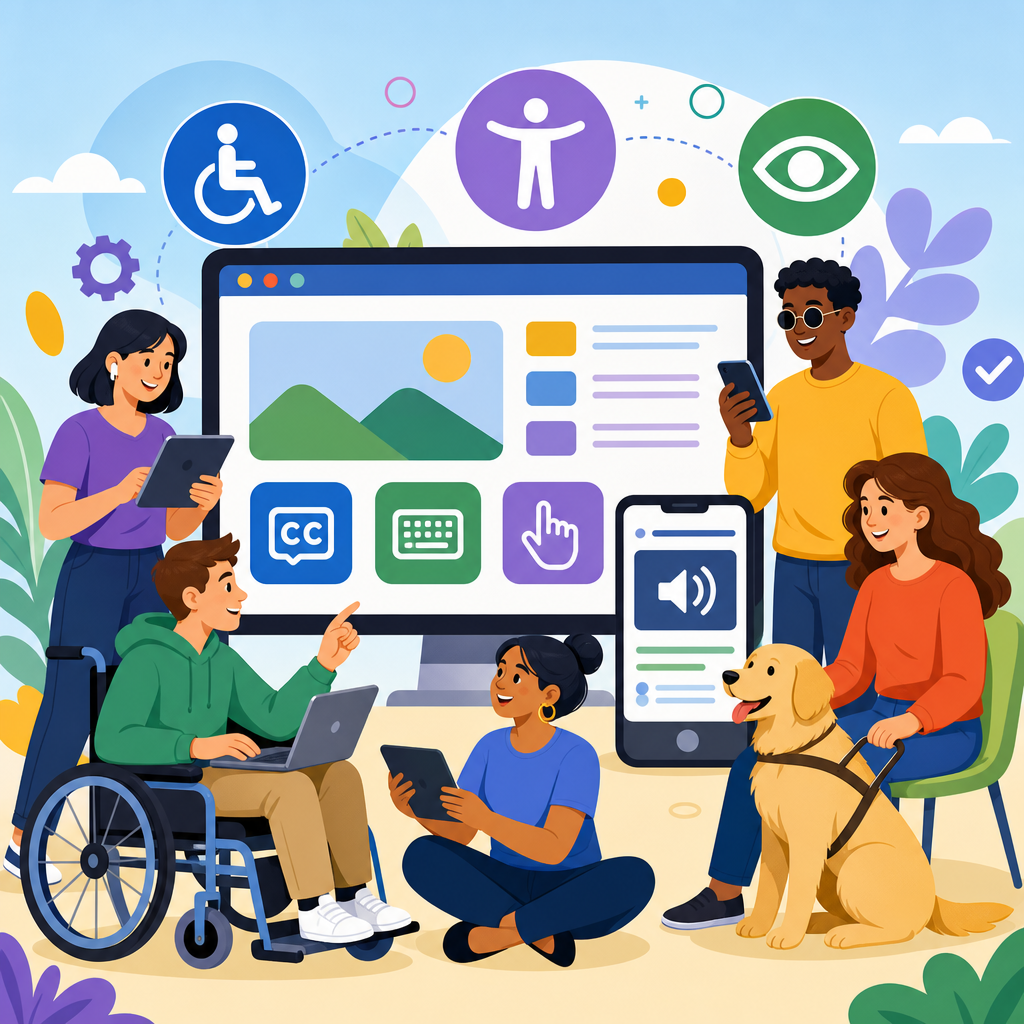
The new ADA guidelines for digital accessibility are reshaping how organizations design websites, apps, documents, kiosks, and customer journeys. In practice, these guidelines refer to how the Americans with Disabilities Act is being interpreted and enforced in digital environments, especially as federal agencies, courts, and businesses align expectations around accessible online services. For companies, schools, hospitals, retailers, and public entities, digital accessibility now means more than adding image alt text or fixing color contrast. It means ensuring that people with disabilities can perceive, understand, navigate, and interact with digital content with comparable ease and independence.
I have worked with teams remediating websites after demand letters, auditing enterprise design systems, and translating legal requirements into product backlogs. The consistent lesson is simple: digital accessibility is no longer a niche compliance project. It is an operational requirement tied to legal risk, procurement, usability, and brand trust. The most important benchmark behind current ADA expectations is Web Content Accessibility Guidelines, commonly called WCAG. While the ADA itself does not list every technical rule for websites, enforcement actions and settlement agreements repeatedly point to WCAG 2.1 Level AA, and increasingly to WCAG 2.2 AA, as the practical standard organizations should follow.
This matters because accessibility gaps block real people from doing everyday tasks. A checkout button that cannot be reached by keyboard can stop a blind shopper using a screen reader. A video without captions can exclude a deaf job applicant. A form with vague error messages can trap users with cognitive disabilities. Digital accessibility also extends beyond websites to mobile apps, PDFs, online learning platforms, reservation systems, patient portals, self-service kiosks, and software used by employees. As technology evolves, ADA developments in technology and accessibility increasingly focus on the full digital ecosystem rather than a single homepage or app screen.
For readers tracking updates and developments, this hub article explains what changed, what standards now matter most, what organizations should prioritize, and where the major compliance risks remain. It also sets up related topics that deserve deeper exploration, including ADA website compliance, mobile accessibility, document remediation, assistive technology testing, procurement language, and accessible design systems. If you need a practical understanding of the new ADA guidelines for digital accessibility, start with this central point: accessibility must be built into strategy, design, development, content publishing, QA, and governance, not added at the end.
What the New ADA Guidelines Mean in Practice
The phrase new ADA guidelines for digital accessibility can be confusing because the ADA is a civil rights law, not a design manual. What has changed is the clarity of expectations. Federal rulemaking, Department of Justice positions, court decisions, and settlement patterns have made digital access obligations harder to dismiss. The most significant recent development is the federal rule requiring state and local governments to make web content and mobile apps accessible according to WCAG 2.1 Level AA, with limited exceptions. Even where that rule applies directly to public entities, it influences expectations across private industry because it signals what regulators consider a reasonable accessibility baseline.
In practical terms, organizations should treat WCAG as the operational definition of accessible digital content. WCAG is organized around four principles: content must be perceivable, operable, understandable, and robust. Those principles translate into testable success criteria, such as sufficient color contrast, keyboard access, predictable navigation, form labels, focus visibility, error identification, and compatibility with assistive technologies. WCAG 2.2 adds stronger support for users with cognitive and motor disabilities through criteria such as Focus Appearance, Dragging Movements, and Accessible Authentication. These are not abstract ideals. They directly affect whether people can complete tasks independently.
The other major shift is enforcement maturity. A decade ago, some teams treated accessibility as uncertain law. That position is much less defensible now. Plaintiffs’ firms actively review consumer-facing websites and apps. Procurement teams increasingly ask vendors for VPATs based on the Voluntary Product Accessibility Template. Enterprise customers expect conformance statements. Regulators and courts look for evidence of ongoing accessibility programs, not one-time scans. When I review organizations that handle accessibility well, they nearly always have documented standards, trained teams, issue tracking, retesting cycles, and executive ownership.
Where Organizations Face the Highest Accessibility Risk
The highest risk usually sits where essential transactions happen. E-commerce checkout, account creation, login, scheduling, bill pay, claims submission, application forms, and telehealth access are common sources of complaints because barriers there have immediate consequences. Accessibility litigation often centers on whether a user could complete a core task, not whether a brand statement existed in the footer. That is why remediation priorities should start with the most business-critical and time-sensitive user journeys.
Mobile apps deserve special attention. Many organizations improved their websites but left native iOS and Android experiences with unlabeled buttons, gesture-only controls, poor screen reader announcements, or fixed text sizes. ADA developments in technology and accessibility increasingly recognize that the app is the primary customer touchpoint. If a banking customer can deposit a check in the app but cannot understand a camera permission prompt or error state with VoiceOver or TalkBack, the service is not meaningfully accessible.
Documents are another frequent blind spot. PDFs, Word files, PowerPoints, menus, forms, and policy documents remain core channels in education, healthcare, government, and financial services. An inaccessible PDF with no tags, incorrect reading order, missing headings, or unmarked tables can be unusable with assistive technology. In audits, I routinely find organizations that fixed navigation menus while still publishing inaccessible board packets, benefits guides, and application forms. For many users, the document is the service.
| Digital asset | Common failure | User impact | Priority action |
|---|---|---|---|
| Website checkout | Keyboard traps, unlabeled fields | Cannot complete purchase | Audit critical path and fix form semantics |
| Mobile app | Unlabeled icons, gesture-only actions | Screen reader and motor access blocked | Test with VoiceOver and TalkBack |
| PDF documents | Missing tags, bad reading order | Content unreadable by assistive tech | Remediate source files and export correctly |
| Video content | No captions or transcripts | Deaf and hard of hearing users excluded | Add accurate captions and transcripts |
| Kiosks | Touch-only interaction, no audio output | Independent use impossible for some users | Provide tactile, audio, and reachable controls |
The Standards, Tools, and Methods That Matter Most
If an organization asks what technical standard to use today, the answer is clear: use WCAG 2.1 Level AA as the minimum baseline, and map roadmaps to WCAG 2.2 AA where feasible. For software procurement and enterprise evaluation, pair that with Section 508 references, EN 301 549 for broader international alignment, and VPAT documentation from vendors. These standards matter because they create a common language for product teams, legal teams, buyers, and auditors. Without a shared standard, accessibility becomes subjective and hard to enforce.
Testing must combine automation and manual review. Automated tools such as axe DevTools, WAVE, Lighthouse, Accessibility Insights, and Siteimprove can quickly catch missing alt text, low contrast, empty buttons, duplicate IDs, and some ARIA issues. But automation only finds part of the problem set. It will not reliably tell you whether focus order makes sense, whether link text is meaningful out of context, whether custom widgets expose correct name, role, and value, or whether instructions are understandable. Manual keyboard testing, screen reader testing, zoom testing, reduced motion review, and mobile assistive technology checks are indispensable.
Assistive technology coverage should reflect actual user environments. On desktop, common combinations include NVDA with Firefox, JAWS with Chrome, and VoiceOver with Safari. On mobile, VoiceOver on iOS and TalkBack on Android are essential. Speech input, switch access, screen magnification, and browser reflow are also relevant depending on your audience. In one remediation project for a healthcare portal, automated scanning showed moderate issues, but manual testing revealed that a date picker announced nothing useful to screen reader users and trapped keyboard focus. That defect blocked appointment booking entirely, making it far more serious than the scan suggested.
Good teams also measure accessibility continuously. They define issue severity, set service-level expectations, track regression rates, and require accessibility acceptance criteria in tickets. Design systems should include accessible component guidance for modals, accordions, tabs, carousels, tables, and forms. Content teams need publishing checklists for heading structure, link purpose, plain language, table markup, captions, and document export settings. Accessibility improves fastest when it is embedded into existing workflows instead of operating as an isolated expert review at the end of a release.
How ADA Developments Affect Websites, Apps, Content, and Emerging Technology
ADA developments in technology and accessibility now extend well beyond traditional websites. Responsive design, single-page applications, AI-powered chat, biometric login, virtual consultations, and self-service hardware all create new accessibility questions. The legal and practical trend is consistent: when a digital tool is part of accessing goods, services, programs, or employment, accessibility obligations follow. That means product owners should evaluate not only pages, but also embedded third-party widgets, identity verification tools, mapping interfaces, payment modules, and chatbot experiences.
Artificial intelligence adds both promise and risk. AI can generate captions, image descriptions, and issue triage suggestions, but it also introduces unreliable outputs. Automatically generated alt text may be too vague for meaningful context. AI chat interfaces may fail keyboard interaction or expose confusing live region announcements. Resume-screening tools and hiring platforms can create separate disability discrimination concerns if accommodations are not built in. The right approach is to treat AI features as standard product features subject to the same accessibility review, usability testing, and documented exception handling as any other release.
Accessibility in authentication is another fast-moving area. Multi-factor authentication, one-time codes, CAPTCHAs, and biometric prompts often create barriers. WCAG 2.2 specifically addresses accessible authentication by discouraging tests that depend on memorization, transcription, or puzzle solving without accessible alternatives. A common example is a login flow that sends a code, times out quickly, blocks paste, and presents an image challenge with poor audio fallback. That flow may appear secure, but it creates unnecessary barriers for users with cognitive disabilities, low vision, or dexterity limitations. Secure design and accessible design can coexist when teams plan for both.
Hardware and hybrid experiences matter too. Retail kiosks, restaurant ordering stations, hotel check-in systems, ticketing machines, and healthcare intake terminals all sit at the intersection of digital accessibility and physical usability. These systems need reachable controls, tactile indicators, audio output, private input methods, screen readability, and enough time to complete tasks. Organizations often overlook them because they are owned by operations rather than web teams. Yet they are part of the same customer journey and carry similar inclusion and legal implications.
Building a Defensible Accessibility Program
A defensible accessibility program starts with governance, not a plugin. Over the years, I have seen organizations waste money on overlays and one-time scans while fundamental barriers remained in code, content, and procurement. A stronger model begins with an accessibility policy, a published commitment statement, a designated owner or steering group, and a standard that teams are required to follow. From there, the work becomes operational: inventory digital assets, rank them by risk and usage, audit representative templates and user flows, remediate issues, and establish a retest schedule.
Training is critical because most accessibility defects are introduced upstream. Designers need to understand color contrast, focus order, component states, and error prevention. Developers need strong semantic HTML practices, accessible JavaScript patterns, ARIA restraint, and screen reader behavior. QA teams need test scripts for keyboard-only navigation, zoom to 200 percent, orientation changes, and mobile assistive technology. Content authors need to know how to create headings, descriptive links, accessible tables, and tagged documents. When these skills are distributed, accessibility scales. When they are concentrated in one specialist, backlogs grow and regressions return.
Vendor management is equally important. Many high-risk barriers originate in third-party booking engines, payment processors, learning tools, HR systems, and customer support software. Procurement should require VPATs, ask targeted follow-up questions, include remediation commitments in contracts, and test critical workflows before purchase. Organizations should also maintain an accessibility feedback channel and respond quickly when users report barriers. Courts and regulators look favorably on evidence that an organization listens, fixes problems, and maintains a genuine improvement process.
The most effective programs connect accessibility to business outcomes. Accessible design reduces abandonment, improves mobile usability, supports aging users, and strengthens search visibility through cleaner structure and clearer content. It also improves resilience as new interfaces emerge. A semantically structured site adapts better to voice interfaces, screen readers, translation tools, and AI retrieval systems than a visually polished but structurally weak one. That is why accessibility should be treated as a quality attribute, like security or performance, with budget, ownership, and measurable goals.
What to Watch Next and Where to Go From Here
The direction of travel is clear. Digital accessibility expectations will keep becoming more explicit, more measurable, and more integrated into mainstream product practice. Public-sector rulemaking will influence private-sector norms. Mobile app scrutiny will increase. Procurement requirements will grow stricter. AI and authentication flows will receive closer review. Organizations that wait for a complaint before acting will spend more, move slower, and rebuild under pressure. Organizations that build accessibility into design systems, release governance, and vendor selection will be in a much stronger position.
For a hub page under updates and developments, the key takeaway is that ADA developments in technology and accessibility are no longer isolated legal headlines. They affect how websites are coded, how apps are tested, how documents are published, how kiosks are designed, how vendors are selected, and how digital strategy is governed. The new ADA guidelines for digital accessibility point toward a practical standard: use WCAG-based requirements, test with real assistive technologies, prioritize critical user journeys, and create an ongoing program instead of a one-time fix.
This hub should lead naturally into deeper articles on ADA website compliance, accessible mobile app design, PDF remediation, VPAT review, accessibility testing methods, kiosk accessibility, and the impact of WCAG 2.2. If you manage digital products, start by auditing your highest-value user flows and documenting the gaps. Then assign ownership, set a standard, and remediate in priority order. The organizations that act now will not only reduce risk; they will deliver digital experiences more people can actually use.
Frequently Asked Questions
What do the new ADA guidelines for digital accessibility actually mean?
The phrase “new ADA guidelines” typically refers to the growing clarity around how the Americans with Disabilities Act applies to digital experiences such as websites, mobile apps, online forms, PDFs, kiosks, and other technology-based services. While the ADA was written before today’s internet economy took shape, regulators, courts, and enforcement agencies have increasingly made it clear that accessibility obligations extend beyond physical spaces and into digital environments. In practical terms, organizations are expected to provide people with disabilities equal access to online content, digital tools, and customer interactions.
For many organizations, this means accessibility is no longer treated as an optional design improvement or a one-time compliance task. It affects how digital products are planned, built, tested, purchased, and maintained over time. A business may need to ensure that navigation works with a keyboard, that videos include captions, that forms are properly labeled for screen readers, that color contrast supports readability, and that downloadable documents are structured for assistive technology. The broader shift is that digital accessibility is now being viewed as part of civil rights, customer service, and risk management all at once.
Who needs to comply with ADA digital accessibility expectations?
A wide range of organizations should take ADA digital accessibility seriously, including private businesses, schools, healthcare systems, retailers, financial institutions, hospitality companies, nonprofits, and public entities. The exact legal obligations may vary depending on the type of organization, its relationship to the public, and which laws or regulations apply, but the overall trend is unmistakable: if an organization serves the public through digital channels, accessibility matters. That includes websites, mobile applications, appointment systems, portals, e-commerce platforms, self-service kiosks, and digital documents used in customer or patient interactions.
Public sector organizations and institutions receiving federal support often face especially direct accessibility requirements, but private-sector organizations are not exempt from scrutiny. Courts and enforcement actions have repeatedly signaled that inaccessible digital services can create barriers equivalent to inaccessible entrances, counters, or restrooms in a physical setting. Even organizations that are uncertain about the exact scope of their obligations should not assume they are outside the conversation. If customers, students, patients, or community members rely on digital tools to access services, accessibility should be considered a baseline operational requirement rather than a niche legal issue.
Are the new ADA guidelines the same as WCAG?
Not exactly, but they are closely connected in practice. The ADA is a civil rights law, while WCAG, or the Web Content Accessibility Guidelines, is a technical framework used to measure and implement digital accessibility. When organizations hear about ADA compliance for websites and apps, WCAG is often the standard they are expected to follow because it provides specific, testable criteria for making digital content usable by people with disabilities. In other words, the ADA establishes the obligation to provide equal access, and WCAG is commonly used as the roadmap for how to meet that obligation in digital environments.
WCAG covers a broad range of accessibility principles, including content that must be perceivable, operable, understandable, and robust. That translates into practical requirements such as text alternatives for images, accessible headings and landmarks, consistent navigation, keyboard functionality, appropriate error identification, and compatibility with assistive technologies like screen readers and voice input tools. Many organizations aim for WCAG 2.1 AA or WCAG 2.2 AA because those levels are widely recognized and frequently referenced in accessibility programs, procurement standards, settlements, and policy guidance. While following WCAG does not automatically eliminate all legal risk, it is one of the clearest and most defensible ways to align digital experiences with ADA accessibility expectations.
What types of digital content and platforms should organizations review first?
Organizations should begin with the digital assets that are most essential to public access, customer service, and core transactions. That usually includes the main website, mobile apps, online forms, scheduling tools, login portals, payment systems, product pages, support content, and any digital pathway tied to revenue, education, healthcare, or government services. If users cannot search for information, complete purchases, request accommodations, fill out forms, access account details, or contact the organization independently, the accessibility issue is likely significant and should be prioritized. The same goes for high-traffic PDFs, benefit documents, patient instructions, enrollment materials, and any downloadable file required to use a service.
It is also important to review third-party technologies and overlooked touchpoints. Accessibility failures often occur in embedded widgets, chat tools, maps, applicant tracking systems, learning platforms, event registration tools, and self-service kiosks. A common mistake is focusing only on the homepage while leaving inaccessible user journeys untouched. A better approach is to map the full experience from start to finish: discovery, decision-making, form completion, payment, confirmation, support, and follow-up communication. Organizations that prioritize high-impact user journeys first can reduce risk faster, improve usability more meaningfully, and create a clearer roadmap for broader accessibility improvements across all digital channels.
How can an organization prepare for and maintain digital ADA compliance over time?
The most effective approach is to treat accessibility as an ongoing program, not a one-time remediation project. A strong starting point includes an accessibility audit, remediation plan, and clear prioritization of the most critical barriers. That audit should evaluate websites, apps, documents, and transactional workflows using both automated tools and manual testing, because many serious issues cannot be detected by software alone. Organizations should also involve people who understand assistive technology and, ideally, incorporate testing from users with disabilities. Once issues are identified, teams need a practical timeline for fixes, ownership across departments, and a method for tracking progress.
Long-term success depends on embedding accessibility into governance, procurement, design, development, content creation, and quality assurance. That may include adopting an accessibility policy, training internal teams, setting WCAG-based standards, requiring vendors to meet accessibility criteria, publishing an accessibility statement, and creating a process for receiving and resolving user feedback. Accessibility should also be considered during redesigns, software updates, document publishing, and platform purchases so new barriers are not introduced after old ones are fixed. Organizations that build accessibility into everyday operations are better positioned to meet ADA expectations, improve user experience for everyone, and reduce the costs and disruptions that come from reactive compliance efforts.


