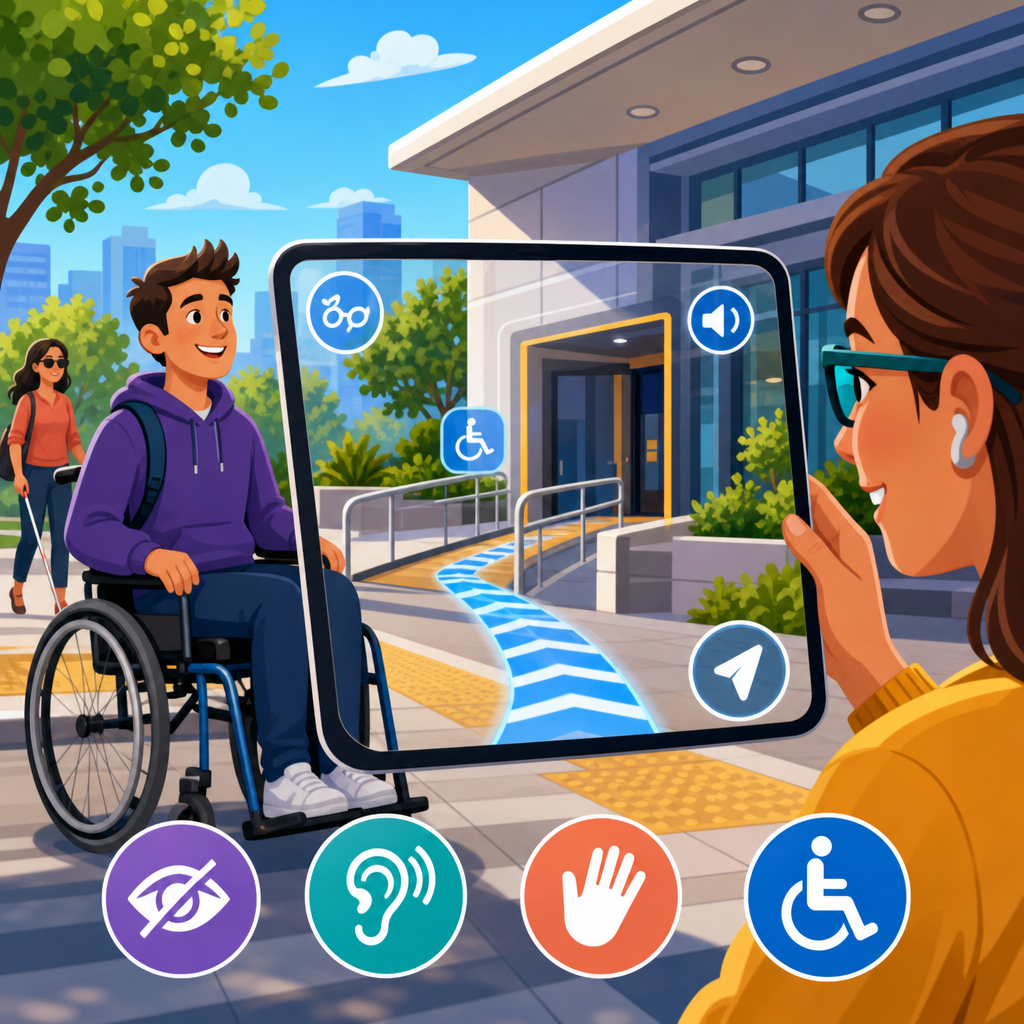
Augmented reality is reshaping ADA accessibility by turning digital information into location-aware guidance, real-time captions, object recognition, and interactive wayfinding that can reduce barriers in schools, stores, workplaces, transit systems, healthcare sites, and public spaces. In this context, augmented reality means software that overlays digital content on a user’s view through a phone, tablet, headset, or wearable device, while ADA accessibility refers to designing environments, services, and communication so people with disabilities have equal access consistent with the Americans with Disabilities Act and related standards. I have worked on digital accessibility and public-facing technology rollouts, and the practical lesson is clear: AR is not a novelty layer added after design decisions are made; it is becoming a delivery mechanism for accommodation itself. That matters because the next phase of ADA development will be shaped less by static compliance checklists alone and more by how organizations provide equivalent access in dynamic, mixed physical-digital environments.
For readers tracking future trends and predictions in ADA developments, this topic sits at the center of a larger shift. Buildings, apps, kiosks, transportation systems, and customer service channels are converging. A museum visitor may use a phone for captions beside an exhibit, a blind traveler may rely on computer vision for landmark identification, and a Deaf employee may use smart glasses for live speech-to-text during a meeting. These are access features, not experimental extras. As regulators, courts, product teams, and disability advocates evaluate such experiences, the central questions will be consistent: Does the tool provide meaningful access, is it reliable in real conditions, does it respect privacy, and can people use it without new barriers? Understanding how augmented reality is shaping ADA accessibility helps organizations prepare for policy changes, procurement requirements, and design expectations that are already emerging across the accessibility landscape.
Why Augmented Reality Matters in the Next Phase of ADA Accessibility
Augmented reality matters because it can bridge gaps between the built environment and the information people need to navigate it. Traditional accessibility measures remain essential: ramps, tactile signage, captioning, accessible websites, hearing loops, and accessible restrooms are foundational, not optional. AR becomes valuable when it extends those foundations with context-sensitive assistance. A visitor entering a hospital can receive step-by-step indoor navigation that accounts for elevator outages. A shopper with low vision can point a phone at a shelf and hear product names, prices, and allergen data. A student with cognitive disabilities can view simplified instructions layered over classroom equipment. These examples show why AR is increasingly relevant to future ADA developments: it offers individualized support at the moment of need.
The strongest use cases share three characteristics. First, they solve a specific barrier, not a vague innovation goal. Second, they work on mainstream devices, which lowers adoption friction and cost. Third, they are designed with disabled users from the beginning. I have seen pilots fail when teams optimized for impressive demos instead of dependable access. For ADA-related deployment, consistency beats novelty. If captions lag, navigation drifts, or voice prompts are incomprehensible in noisy settings, the tool may create frustration rather than access. That is why the next wave of standards discussions will focus on measurable usability, interoperability, and maintenance. AR will shape accessibility policy not because it is futuristic, but because it can make equal access more immediate when implemented responsibly.
Core AR Accessibility Use Cases Across Public and Private Settings
Several AR applications are already influencing how organizations think about disability access. Indoor navigation is one of the most mature. GPS often fails inside complex buildings, so AR systems use visual positioning, Bluetooth beacons, LiDAR, simultaneous localization and mapping, or Wi‑Fi signals to guide users through airports, hospitals, universities, and government buildings. For blind and low-vision users, this can mean spoken turn-by-turn guidance tied to landmarks like reception desks, elevators, and doorways. For wheelchair users, the routing layer can prioritize step-free paths and identify inaccessible entrances before a trip begins.
Communication access is another major area. Live captioning overlaid on a phone or smart glasses can help Deaf and hard-of-hearing users follow conversations, public announcements, lectures, and service interactions. Translation features can also support multilingual access, though accuracy must be verified for technical or legal language. In training and employment settings, AR can present task prompts, safety information, or visual cues that support workers with cognitive disabilities, traumatic brain injury, or memory-related impairments. Retail and hospitality teams are exploring overlays that explain menus, room controls, or self-service kiosks in simplified language or multiple formats.
Object recognition and scene description also have growing relevance. Computer vision tools can identify doors, crosswalk buttons, restroom signs, products, seating areas, and obstacles. Microsoft Seeing AI, while not a pure AR platform, demonstrated how real-time environmental interpretation can support independent navigation and information access. Similar capabilities are being folded into AR interfaces on smartphones and headsets. In cultural institutions, exhibits can offer layered interpretation: sign language avatars, audio description triggers, high-contrast labels, and tactile map orientation paired with visual overlays for companions. The larger trend is that AR lets one environment serve different access needs without forcing every user into the same interaction method.
| AR use case | Primary disability access benefit | Common deployment setting | Main implementation risk |
|---|---|---|---|
| Indoor wayfinding | Navigation support for blind, low-vision, and mobility-impaired users | Hospitals, airports, campuses | Location drift and incomplete route data |
| Live captions on screen or glasses | Communication access for Deaf and hard-of-hearing users | Meetings, classrooms, service desks | Speech recognition errors and lag |
| Object and text recognition | Environmental awareness and reading assistance | Retail, transit, public buildings | Misidentification in low light or clutter |
| Task guidance overlays | Step-by-step support for cognitive accessibility | Workplaces, labs, training centers | Overly complex interfaces and poor customization |
Legal, Standards, and Policy Signals Shaping Future ADA Developments
AR exists inside an evolving legal framework, not outside it. The ADA does not name augmented reality specifically, but its equal access principles apply when AR becomes part of delivering a service, program, or accommodation. Title II affects state and local government services, and Title III affects places of public accommodation. If a venue relies on an AR layer to communicate essential information, that layer must be accessible itself and must not replace a more basic accessible option unless equivalence is truly achieved. That distinction will matter more as organizations digitize wayfinding, customer support, and public information.
Several standards and enforcement trends provide direction. The 2010 ADA Standards for Accessible Design still govern many built-environment requirements. For digital experiences, WCAG 2.1 and increasingly WCAG 2.2 are the operational benchmarks used in procurement, settlement agreements, and accessibility programs. While WCAG was not written specifically for immersive environments, its principles around perceivability, operability, understandability, and robustness are directly relevant to AR interfaces. Captions must be readable, gestures must have alternatives, color cannot carry meaning alone, timing must be adjustable where possible, and interfaces must work with assistive technologies on the host device.
Procurement policy is often where future ADA developments become concrete. Universities, transit agencies, hospital systems, and federal contractors are asking vendors for VPAT documentation based on the Accessible Technology Industry Association format. In practice, that means AR vendors increasingly need to explain keyboard alternatives, screen reader compatibility for companion apps, caption accuracy, color contrast, and motion sensitivity controls. I expect the next few years to bring more guidance from public agencies, more contractual accessibility requirements, and more disputes over whether immersive tools deliver equivalent access in real use. Organizations that document testing with disabled users and map features to recognized standards will be in a far stronger position than those relying on marketing claims.
Design Principles That Make AR Accessibility Effective
Effective AR accessibility starts with multimodal design. Information should be available visually, audibly, and where useful through haptics. A directional arrow on a screen should be paired with spoken guidance and vibration cues. Captions should allow size, contrast, language, and positioning adjustments. Cognitive accessibility requires equally careful design: plain-language labels, predictable interaction patterns, low memory load, and the ability to repeat instructions without penalty. In my experience, the best AR tools remove decision friction. They do not make users hunt for settings every time or decode abstract icons under pressure.
Environmental variability is another design priority. Lighting changes, reflective floors, crowds, and background noise can quickly degrade performance. That is why high-stakes AR access tools need fallback modes. If visual positioning fails, the system should switch to beacon-based navigation or provide a text list of landmarks. If speech recognition confidence drops, the interface should signal uncertainty rather than presenting a wrong caption as fact. For mobility access, routing data must reflect real conditions, including temporary obstructions, steep grades, heavy doors, and elevator outages. Static mapping is not enough in living facilities.
Device choice also affects accessibility outcomes. Phones are familiar and widely available, which makes them practical for public deployments. Smart glasses can improve hands-free use and line-of-sight captions, but they raise cost, comfort, battery, and privacy questions. Head-mounted displays may help in industrial training yet be unsuitable for customers who already use prescription lenses, hearing devices, or other assistive equipment. The right approach is situational. Future-ready organizations will support multiple access channels rather than assuming one device solves every barrier. That is how AR can complement, rather than compete with, established accommodations.
Barriers, Risks, and Limits Organizations Must Address
AR can expand access, but it can also reproduce inequity if deployed carelessly. Cost is the first barrier. Custom development, indoor mapping, maintenance, and hardware support are substantial expenses, especially for large campuses. Smaller organizations may need phased rollouts or vendor partnerships. The second barrier is digital literacy. A technically sound AR tool still fails if users cannot discover it, set permissions, or interpret cues quickly. Staff training, onboarding, and clear signage are therefore part of accessibility, not operational afterthoughts.
Privacy and surveillance concerns are equally important. AR systems may process video feeds, voice data, location trails, and behavioral analytics. In healthcare, education, and employment settings, that raises serious questions about consent, retention, security, and secondary use. The safest pattern is data minimization: collect only what is necessary, process on-device when feasible, and publish clear notices in plain language. Accessibility technology should not force users to trade away privacy for participation. Regulators and courts are likely to scrutinize this balance as immersive tools spread.
There is also a legal and ethical limit that many innovation teams miss: AR is not a justification for removing physical accessibility features. Digital overlays cannot replace compliant signage, safe routes, tactile warnings, or human assistance where those are required. Nor should organizations assume all disabled users want mediated access through a device. Some will prefer traditional accommodations, and ADA-aligned service design must preserve meaningful choice. The future of accessibility is hybrid. AR will be powerful where it fills gaps, personalizes information, and updates in real time. It will be harmful where it becomes a shortcut around inclusive design responsibilities.
Future Trends and Predictions in ADA Developments
Looking ahead, five trends will define how augmented reality shapes ADA accessibility. First, mainstream mobile operating systems will absorb more accessibility intelligence, including scene understanding, environmental text extraction, and conversational guidance, making AR assistance easier to deploy without specialized hardware. Second, indoor mapping will become more standardized as venues build digital twins for operations, safety, and visitor experience. Once those maps exist, accessible routing becomes easier to maintain and audit. Third, captioning and translation quality will improve through better on-device AI models, though organizations will still need human review for high-risk contexts such as legal, medical, and academic communication.
Fourth, procurement and compliance expectations will tighten. Buyers will ask not whether an AR product has accessibility features, but how those features were tested, which standards were used, what error rates were observed, and what alternatives exist when the system fails. Fifth, disability-led co-design will become a differentiator. The strongest products in the next generation will come from teams that include disabled researchers, testers, and decision-makers throughout discovery, prototyping, and governance. That is already visible in sectors where accessibility maturity is higher, such as education technology and public sector digital services.
The practical takeaway is simple. Organizations should start now with an accessibility roadmap for immersive technology: inventory use cases, prioritize high-impact barriers, require accessible procurement documentation, run pilots with disabled participants, measure outcomes in real environments, and maintain non-digital accommodations alongside new tools. Augmented reality is shaping ADA accessibility because it can make environments more understandable, navigable, and responsive for more people. The winners in this next phase will not be the groups chasing flashy demos. They will be the ones building dependable, inclusive systems that treat access as core infrastructure. Review your current accessibility program, identify where real-time contextual guidance could remove barriers, and make AR part of a broader, standards-based plan for equal access.
Frequently Asked Questions
How does augmented reality improve ADA accessibility in everyday environments?
Augmented reality improves ADA accessibility by placing useful, context-aware information directly into a person’s field of view or onto a mobile screen at the moment it is needed. In practical terms, that can mean visual arrows guiding someone to an accessible entrance, captions appearing during a live conversation or presentation, audio prompts that identify nearby features, or object recognition that helps users understand what is around them. Instead of requiring people to search for static signs, printed maps, or staff assistance, AR can deliver step-by-step support in real time.
This matters in schools, stores, offices, hospitals, transit hubs, and other public spaces because accessibility challenges are often situational. A person may need elevator directions in one building, quiet-room information in another, or help locating a low-service counter, ramp, restroom, or exit in a crowded setting. AR can reduce friction by adapting guidance to the user’s location and immediate task. When designed well, it supports ADA goals by making navigation, communication, and information access more equitable for people with a wide range of disabilities, including mobility, hearing, vision, and cognitive disabilities.
It is important to note, however, that AR is most effective when it complements accessible design rather than replacing it. Physical access features, clear signage, usable websites, trained staff, and inclusive service policies still matter. AR becomes a powerful layer on top of those foundations, helping organizations bridge gaps between compliance and truly usable, person-centered accessibility.
What are some real-world examples of AR being used to support people with disabilities?
Real-world applications of AR accessibility are growing across many sectors. In retail and public venues, AR wayfinding tools can guide users to accessible entrances, elevators, fitting rooms, service desks, restrooms, and checkout areas. In transportation settings, AR can help riders find boarding locations, ticket counters, platform changes, and accessible routes through stations. In healthcare facilities, where campuses are often large and confusing, AR overlays can help patients and visitors reach clinics, labs, pharmacies, and check-in points without unnecessary stress or delays.
For people who are deaf or hard of hearing, AR-powered live captioning can make spoken content more accessible during meetings, classroom instruction, tours, customer service interactions, and events. Instead of depending entirely on fixed caption screens or interpreters in every situation, users may be able to view captions on a phone, tablet, or wearable display. For people with low vision or blindness, AR systems paired with computer vision and audio output can identify doors, read signs, detect objects, announce obstacles, or provide orientation cues. While these tools do not replace all traditional accommodations, they can add flexibility and independence.
AR also supports cognitive accessibility. For example, step-by-step visual prompts can help users complete tasks in the correct order, such as checking in at a kiosk, navigating a campus, or following workplace procedures. In educational settings, AR can simplify instructions and reinforce understanding through visual context. In workplaces, AR can assist with onboarding, route planning, safety instructions, and accessible training. These examples show how AR can move accessibility from a passive checklist item to an active, responsive experience that helps people participate more fully in everyday life.
Can augmented reality help organizations meet ADA requirements, or is it only a helpful extra?
Augmented reality can absolutely support ADA compliance efforts, but it should be viewed as a tool that strengthens accessibility rather than a shortcut that automatically satisfies legal obligations. The ADA focuses on equal access to goods, services, programs, employment, and public accommodations. If AR helps a business or institution provide clearer communication, better navigation, or more inclusive service delivery, it can play a meaningful role in advancing those goals. For example, AR guidance to accessible entrances or real-time captioning in public-facing interactions may improve access in ways that align with ADA principles.
That said, organizations should not assume that adding an AR feature alone makes a space or service compliant. If a building lacks a usable ramp, if a website is inaccessible, if communication accommodations are missing, or if policies exclude people with disabilities, AR does not erase those barriers. In fact, AR itself must also be accessible. If the app requires fine motor precision, lacks screen reader compatibility, depends only on visual cues, or works only on expensive devices, it may create new barriers even while trying to solve others.
The strongest approach is to treat AR as part of a broader accessibility strategy that includes ADA-informed design, digital accessibility standards, user testing with people with disabilities, and multiple accommodation options. Organizations should ask whether the AR experience is optional or essential, whether alternatives exist, whether it works across different disabilities, and whether it improves access in a measurable way. When used thoughtfully, AR can help organizations go beyond minimum compliance and create environments that are more usable, inclusive, and welcoming for everyone.
What makes an AR accessibility solution effective and inclusive?
An effective AR accessibility solution starts with inclusive design. That means it should be built around real user needs rather than around the novelty of the technology. The best solutions are simple to activate, easy to understand, accurate in different environments, and flexible enough to support multiple ways of interacting. For example, instructions should be available visually, audibly, and in plain language. Controls should be usable with touch, voice, assistive technology, and, where possible, low-effort gestures. Color contrast, text size, timing, and interface clarity all matter.
Accuracy and reliability are especially important. If an AR wayfinding tool points someone toward the wrong entrance, fails to recognize an obstacle, or delivers inconsistent captions, it can create frustration or safety risks. Effective tools also account for real-world conditions such as glare, noise, poor connectivity, crowded spaces, and device limitations. Inclusive AR should not assume all users have the latest headset or a high-end smartphone. Whenever possible, organizations should provide cross-device access and non-AR alternatives so that accessibility does not depend on one format alone.
Another key factor is direct input from disabled users throughout planning, testing, and improvement. Accessibility is not something that can be fully predicted from a conference room. People with mobility, hearing, vision, speech, cognitive, and sensory disabilities often identify practical barriers that developers and facility managers overlook. Ongoing testing helps ensure the tool works in real environments and remains useful over time. In short, effective AR accessibility is not just about overlaying digital information; it is about delivering trustworthy, understandable, and equitable support in a way that respects how different people move through the world.
What challenges or limitations should organizations consider before adopting AR for ADA accessibility?
Organizations should begin with the understanding that AR is promising, but not universally effective in every setting or for every user. One major challenge is device access. Some people may not own compatible smartphones or wearables, may not want to use them for privacy reasons, or may find them difficult to operate. Battery life, internet connectivity, camera quality, and processing power can all affect performance. If an accessibility feature works only on certain devices or only under ideal technical conditions, its usefulness may be limited.
Privacy and data governance are also serious considerations. Many AR systems rely on cameras, location tracking, environmental scanning, or real-time data processing. In workplaces, schools, healthcare settings, and public venues, organizations need clear policies about what is collected, how it is stored, who can access it, and how user consent is handled. This is especially important when AR is used in sensitive environments involving medical information, employment interactions, or children. Trust is a core part of accessibility, and users need confidence that assistive features will not expose them to unnecessary surveillance or risk.
There are also design and operational limits. AR captions may struggle in noisy environments. Object recognition may be imperfect. Wayfinding may require frequent map updates as spaces change. Staff still need training so they can support users and offer alternatives when technology falls short. Most importantly, organizations should avoid treating AR as a replacement for accessible architecture, communication practices, and customer service. The best implementation strategy is layered: maintain strong physical and digital accessibility, then use AR to add real-time guidance, personalization, and convenience. When organizations plan for these limitations from the start, AR becomes far more likely to deliver meaningful accessibility benefits rather than becoming another underused tech feature.


