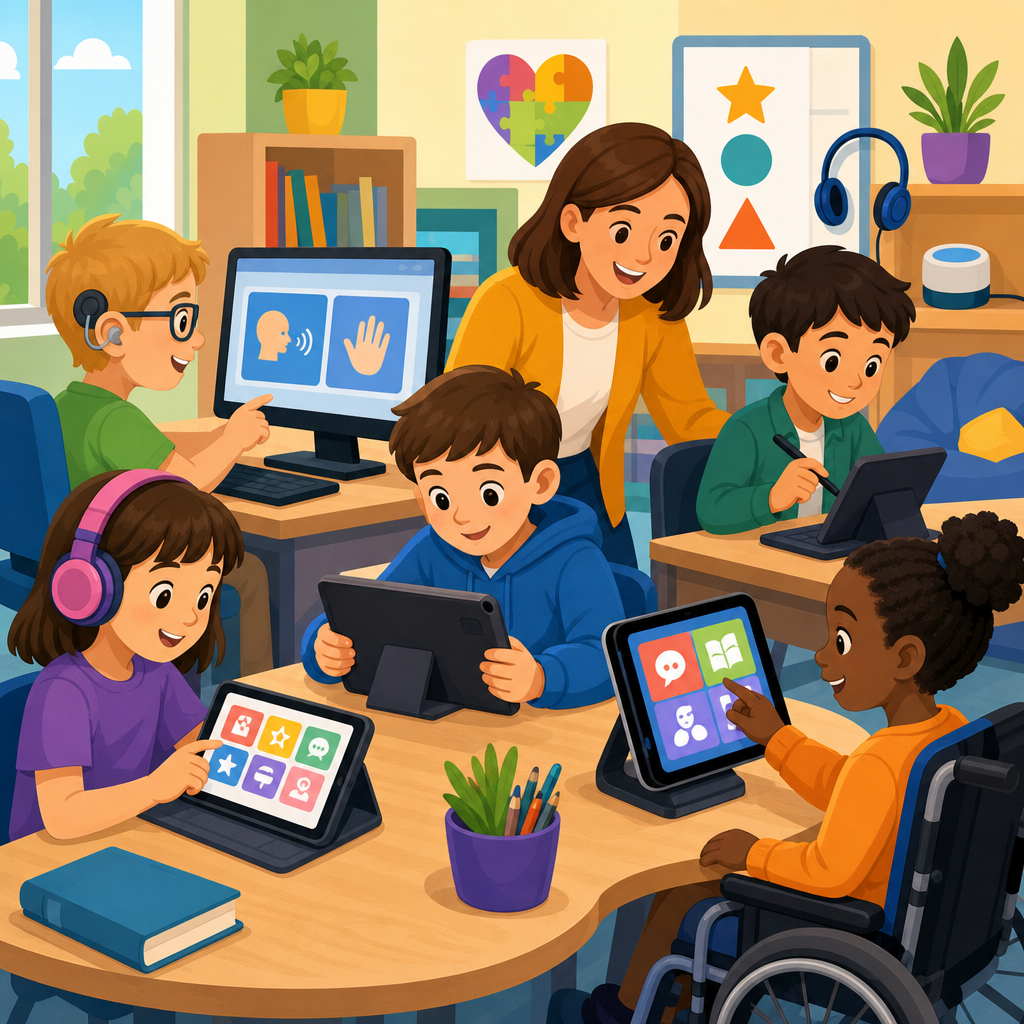
Technology in special education has moved far beyond occasional classroom accommodations and now shapes how schools deliver instruction, communication, assessment, and independence supports for students with disabilities. In practice, accessible technology means digital tools, devices, software, and connected services designed or configured so learners with diverse physical, sensory, cognitive, language, and executive functioning needs can participate meaningfully in school. Special education technology includes assistive technology such as speech-generating devices, text-to-speech software, switch access, alternative keyboards, and screen readers, but it also includes mainstream platforms with accessibility features built in, from tablets and learning management systems to captioned video and collaborative documents. The distinction matters because the most effective programs rarely depend on one specialized device alone; they build an ecosystem where universal design, individualized supports, and educator training work together.
I have seen schools get the best results when they stop treating accessibility as a last-minute fix and start treating it as infrastructure. A student with dyslexia may need structured literacy instruction, but that instruction becomes far more usable when digital texts support synchronized highlighting, annotation, and read-aloud. A student with autism may need visual schedules and predictable routines, and technology can make those supports portable across classrooms, buses, and home. A student with limited speech may need augmentative and alternative communication, but progress accelerates when teachers, therapists, and families all model language on the same system. This is why implementing and advancing accessible technology matters: it improves participation, preserves dignity, supports legal compliance, and helps schools deliver instruction that is consistent, measurable, and scalable.
For districts building a strong Technology and Accessibility strategy, this hub article maps the major tools, decisions, and resources involved in accessible technology implementation. It also connects the operational issues that often determine success, including device selection, procurement standards, staff training, interoperability, data privacy, and progress monitoring. The goal is not to recommend gadgets in isolation, but to show how accessible technology can be planned, deployed, and improved over time so students receive support that fits real classroom demands.
Understanding Accessible Technology in Special Education
Accessible technology in special education is any technology that removes barriers to learning, communication, mobility, participation, or self-management for students with disabilities. That definition includes federally recognized assistive technology under the Individuals with Disabilities Education Act, but schools should think more broadly. A Chromebook with ChromeVox, dictation, and closed captions may be sufficient for one learner. Another student may need a dedicated eye-gaze communication system, adapted seating interface, and environmental control access. Accessibility also overlaps with Section 504 and the Americans with Disabilities Act because digital content, websites, and educational applications must be usable by people with disabilities, not only available in theory.
The most useful planning framework starts with student tasks. Ask what the learner needs to do: read a passage, answer questions, write a paragraph, navigate a campus, join a discussion, regulate transitions, complete a lab, or communicate a medical need. Then identify barriers. Reading may be blocked by decoding difficulty, low vision, or fatigue. Writing may be limited by motor control, spelling, or language formulation. Participation may be blocked by auditory processing, noise sensitivity, or limited expressive speech. Once the barrier is clear, the technology conversation becomes practical rather than abstract. Teams can compare tools based on whether they improve access, accuracy, independence, speed, endurance, and generalization across settings.
Universal Design for Learning is often the right starting point because it reduces the need for retrofitted accommodations. Captioned video, readable fonts, keyboard navigation, flexible response options, alt text, and multiple ways to access instructions benefit many students, not just those with identified disabilities. In my experience, schools that adopt accessible defaults spend less time scrambling for individual workarounds and more time refining high-value supports for students with complex needs.
Core Tool Categories and What They Solve
Special education technology works best when schools understand the function of each category rather than buying by brand recognition. Literacy access tools include text-to-speech, optical character recognition, dyslexia-friendly display settings, digital graphic organizers, word prediction, and speech-to-text. These tools help students who can understand content but struggle to decode, write efficiently, or manage spelling and transcription. Products such as Microsoft Immersive Reader, Read&Write, and built-in Apple accessibility features are widely used because they combine reading supports with mainstream workflows.
Communication tools serve students who need augmentative and alternative communication. These range from low-tech picture boards to robust systems such as TD Snap, Proloquo2Go, LAMP Words for Life, and dedicated speech-generating devices from companies like Tobii Dynavox. The right system depends on language level, motor access, symbol needs, vocabulary organization, and communication environments. A common mistake is selecting a device based on ease of requesting only. Effective AAC supports broader language functions: commenting, asking questions, participating academically, repairing breakdowns, and building social relationships.
Access technologies address how a student physically or digitally controls a device. Examples include switch interfaces, head mice, eye-gaze systems, keyguards, enlarged keyboards, joystick mice, touch accommodations, and screen readers such as JAWS, NVDA, or VoiceOver. Executive functioning and behavior supports include visual timers, task-sequencing apps, digital schedules, reminder systems, token boards, and calming tools for self-regulation. Sensory supports may involve noise reduction headphones, captioning, and personalized display or audio settings. For mathematics, students may need manipulatives apps, equation editors, talking calculators, or digital notation tools that reduce handwriting barriers without lowering conceptual demand.
| Tool category | Primary barrier addressed | Typical examples | Implementation note |
|---|---|---|---|
| Reading and writing support | Decoding, fluency, spelling, written output | Text-to-speech, speech-to-text, word prediction, OCR | Match settings to classroom assignments and test rules |
| AAC | Limited functional speech | Speech-generating devices, symbol-based apps | Train staff and families to model language daily |
| Alternative access | Motor, vision, or control limitations | Switches, eye gaze, screen readers, keyguards | Positioning and mounting are as important as software |
| Executive functioning support | Organization, initiation, transitions, regulation | Visual schedules, timers, checklists, prompts | Use consistently across classes for generalization |
| Sensory and communication access | Auditory, visual, and attention barriers | Captions, amplification, contrast settings, noise control | Build these features into standard classroom practice |
Implementing Accessible Technology in Schools
Implementation succeeds when technology decisions are tied to evaluation, instruction, and support routines. In U.S. schools, assistive technology consideration should happen within the individualized education program process, but meaningful implementation requires more than checking a box. Teams need present-level data, task analysis, trials in authentic environments, and clear criteria for success. If a student uses speech-to-text, define whether success means producing longer written responses, reducing fatigue, improving sentence complexity, or completing grade-level work within allotted time. If a student uses AAC, define goals for spontaneous communication, vocabulary growth, and participation across settings.
Pilot trials are essential. I recommend short, structured trials with baseline data, teacher feedback, student preference, and family input. For example, a middle schooler with dysgraphia may trial built-in dictation, Google voice typing, and a dedicated word prediction tool. The strongest option is not always the most advanced one; it is the tool the student can use reliably during actual lessons, with acceptable accuracy, minimal stigma, and manageable support requirements. The same principle applies to AAC and alternative access. A sophisticated eye-gaze system is valuable only if positioning, calibration, fatigue management, and communication partner training are all addressed.
Procurement should be guided by accessibility standards and interoperability. Vendors should demonstrate keyboard navigation, screen reader compatibility, captioning workflows, data security controls, export options, and device management support. Districts increasingly ask whether products align with the Web Content Accessibility Guidelines and can integrate with identity management and student information systems. This prevents a common failure point: buying tools that work in isolated demos but break inside the district’s technical environment.
Professional development must be role-specific. Teachers need classroom workflows, not just feature tours. Related service providers need methods for embedding tools into therapy and instruction. Paraprofessionals need support strategies that build independence instead of prompt dependence. Families need simple, repeatable guidance for home use. Technology coordinators need deployment, licensing, and troubleshooting procedures. The schools that sustain accessible technology are the ones that convert expertise into routines: onboarding checklists, implementation coaching, model lesson plans, and documented support pathways.
Advancing Practice Through Inclusive Design and Data
Once core supports are in place, the next step is advancing accessible technology so it becomes more effective, equitable, and future-ready. That starts with inclusive digital content design. Teachers and curriculum teams should publish materials in accessible formats from the start: heading structures in documents, meaningful link text, alt text for images, tagged PDFs where possible, high contrast, accessible tables, and captioned multimedia. Learning management systems should be configured so assignments, discussions, and assessments remain navigable by keyboard and screen reader. This benefits students with disabilities immediately and reduces remediation work later.
Data should drive improvement. Track device use, completion rates, participation measures, communication frequency, writing volume, reading access, and independence levels. For AAC, look beyond device ownership to language outcomes and partner responsiveness. For literacy tools, compare access to grade-level text before and after implementation. For executive functioning supports, measure on-time initiation, assignment submission, or reduced adult prompting. In district reviews I have participated in, the strongest programs use both quantitative metrics and observational evidence, because raw usage data alone can be misleading. A device can be switched on daily and still fail to improve meaningful access.
Advancement also means planning for transitions and emerging technology. Students need continuity when moving between grades, schools, and postsecondary environments. File portability, vocabulary backups, login persistence, and training records matter. Artificial intelligence features are increasingly embedded in mainstream platforms, offering live captions, summarization, reading assistance, and writing support. These can help, but schools should evaluate them carefully for accuracy, privacy, bias, and overreliance. AI should not replace explicit instruction, individualized therapy, or human judgment. It should serve as an accessibility layer that expands options while educators maintain control over goals and safeguards.
Resources, Governance, and Long-Term Success
Building a durable accessible technology program requires governance, not just enthusiasm. Districts need clear ownership across special education, curriculum, instructional technology, and information technology teams. Decision rights should be documented: who evaluates tools, who approves purchases, who manages licenses, who handles repairs, who trains staff, and who monitors outcomes. Without governance, schools accumulate disconnected apps, inconsistent practices, and support gaps that frustrate students and teachers alike.
Reliable resources include state assistive technology projects, regional education service agencies, occupational and speech-language specialists, accessibility consultants, and nonprofit organizations focused on blindness, deaf education, autism, learning disabilities, and AAC. Recognized tools for auditing and testing include WAVE, axe DevTools, NVDA, VoiceOver, and built-in accessibility checkers in Microsoft Office and Google Workspace. Districts should also maintain internal resource libraries: approved app lists, comparison guides, setup tutorials, mounting recommendations, captioning procedures, and family-friendly training materials. A hub page like this should connect readers to deeper guidance on AAC selection, accessible procurement, captioning and transcripts, digital document remediation, accessible classroom hardware, inclusive assessment practices, and staff training models.
The central lesson is simple: technology in special education works when schools combine accessible design, individualized support, careful implementation, and continuous review. Tools alone do not create access; informed teams do. When districts choose interoperable platforms, train the adults around the student, collect meaningful outcome data, and refine supports over time, accessible technology becomes a practical engine for learning and independence. Use this hub as the starting point for your broader Technology and Accessibility plan, then audit current barriers, prioritize high-impact improvements, and build a roadmap that gives every learner a usable path to participation and progress.
Frequently Asked Questions
What does technology in special education include, and why is it so important today?
Technology in special education includes far more than a few classroom accommodations. It covers assistive technology, accessible learning platforms, communication tools, adaptive devices, software supports, and digital systems that help students with disabilities access instruction, demonstrate learning, and build independence. This can include text-to-speech, speech-to-text, screen readers, alternative keyboards, visual schedules, augmentative and alternative communication (AAC) devices, captioned video, sensory regulation tools, and learning apps designed for differentiated instruction. It also includes how schools configure mainstream tools so they are usable for students with physical, sensory, cognitive, behavioral, language, and executive functioning needs.
Its importance has grown because education itself has become increasingly digital. Assignments, assessments, communication, and classroom participation often happen through screens, online platforms, and connected devices. If these environments are not accessible, students can be unintentionally excluded from instruction. When technology is thoughtfully selected and implemented, it helps remove barriers rather than simply reacting to them. Students can participate more fully, communicate more effectively, work at their own pace, and engage with content in formats that match their learning profiles. For schools, this means better inclusion, stronger progress monitoring, and more personalized support. In short, technology is now central to how special education services are delivered, not just an optional add-on.
How do assistive technology tools support students with different types of disabilities?
Assistive technology supports students by matching tools to specific access needs, rather than expecting every learner to interact with instruction in the same way. For students with reading challenges such as dyslexia, text-to-speech software, audiobooks, highlighting tools, and font adjustments can improve decoding access and reduce fatigue. For students with writing difficulties, speech-to-text, word prediction, graphic organizers, and adapted keyboards can help them express ideas more clearly and efficiently. Students with visual impairments may rely on screen readers, braille displays, screen magnification, and high-contrast interfaces, while students who are deaf or hard of hearing often benefit from captioning, visual alerts, FM systems, and real-time transcription tools.
For students with autism or communication-related disabilities, AAC apps, picture-based communication systems, social stories, and visual schedule tools can support language development, routines, and self-expression. Students with physical disabilities may need switch access, eye-gaze systems, touch alternatives, or mounting equipment to interact with devices and classroom materials. Learners with attention, executive functioning, or memory challenges can benefit from timers, reminders, task breakdown apps, note-taking supports, and digital planners. The key principle is that effective assistive technology is individualized. The same disability label does not automatically mean the same tool will work for every student. Strong implementation depends on assessment, student preference, training, and ongoing review of how well a tool supports participation and progress.
What should schools consider when choosing special education technology tools and resources?
Schools should begin with student needs, not product features. The most effective technology decisions are driven by questions such as: What barrier is the student facing? What task is difficult to access? What environments need support? What level of independence is realistic and appropriate? From there, teams can evaluate whether a tool improves access to curriculum, communication, mobility, behavior support, organization, or assessment participation. A strong selection process often involves special educators, general educators, related service providers, technology staff, families, and, when appropriate, the student. This collaborative approach helps ensure that tools are practical across classrooms and home settings.
Beyond functionality, schools should also examine accessibility, compatibility, ease of use, training requirements, privacy protections, and long-term sustainability. A tool may look impressive but fail if it does not integrate with existing learning platforms or if staff do not know how to use it consistently. Cost matters, but so does total implementation value, including setup, maintenance, subscriptions, upgrades, and technical support. Schools should also look for evidence of effectiveness, opportunities for trial periods, and flexibility for customization. Most importantly, technology should support educational goals already identified through individualized planning, including IEP-related services and accommodations. The best resource is not necessarily the newest or most expensive one; it is the one that reliably helps a student participate, learn, and grow with dignity and independence.
How can teachers use technology to make instruction more inclusive in everyday classrooms?
Teachers can use technology to build inclusion into daily instruction by offering multiple ways for students to access content, engage with lessons, and show what they know. This often means providing digital text that can be read aloud, captioning videos, using visual supports, sharing recordings of lessons, and allowing students to respond through speaking, typing, selecting images, or using AAC tools. Learning management systems can be organized with clear routines and predictable navigation, which benefits students who need structure and reduced cognitive load. Interactive whiteboards, adaptive software, and digital practice tools can also help teachers differentiate pacing and difficulty without isolating students from peers.
Inclusive use of technology is most effective when it becomes part of the classroom design rather than something added only after a student struggles. For example, posting visual agendas, using timers, sharing assignment checklists, and making materials available in more than one format can support many learners at once. Teachers can also use data from educational technology platforms to identify where students need reteaching, scaffolding, or enrichment. At the same time, inclusion requires balance. Technology should not replace human instruction, relationships, or specialized support. Instead, it should strengthen access, participation, and confidence. When teachers use accessible tools proactively, they create classrooms where students with disabilities can engage more independently and where supports feel natural rather than separate.
What challenges can come with technology in special education, and how can schools address them?
While technology offers major benefits, schools often face challenges with access, consistency, training, and implementation quality. One common issue is uneven availability of devices, internet connectivity, or updated software, which can limit how effectively students use supports across school and home. Another challenge is selecting tools that appear promising but are not actually matched to the student’s needs or daily routines. Even excellent tools can fail if staff members are not trained, if families are not included, or if students are expected to use a system that feels confusing, stigmatizing, or difficult to maintain. Schools also need to think carefully about data privacy, overreliance on automated features, and whether digital tools are truly accessible for all users.
To address these issues, schools need a structured approach. That includes conducting individualized assessments, piloting tools before large-scale adoption, training educators and support staff, and building clear plans for ongoing monitoring. Family communication is especially important because students often need continuity between school and home. Schools should also establish procedures for troubleshooting, updating devices, and reviewing whether a tool is still effective over time. Just as important, technology decisions should be revisited as students develop new skills, face new academic demands, or transition between grade levels. The goal is not simply to provide technology, but to make sure it is used meaningfully, consistently, and in ways that expand access and independence. When schools treat implementation as an ongoing process instead of a one-time purchase, technology becomes a far more powerful resource in special education.


