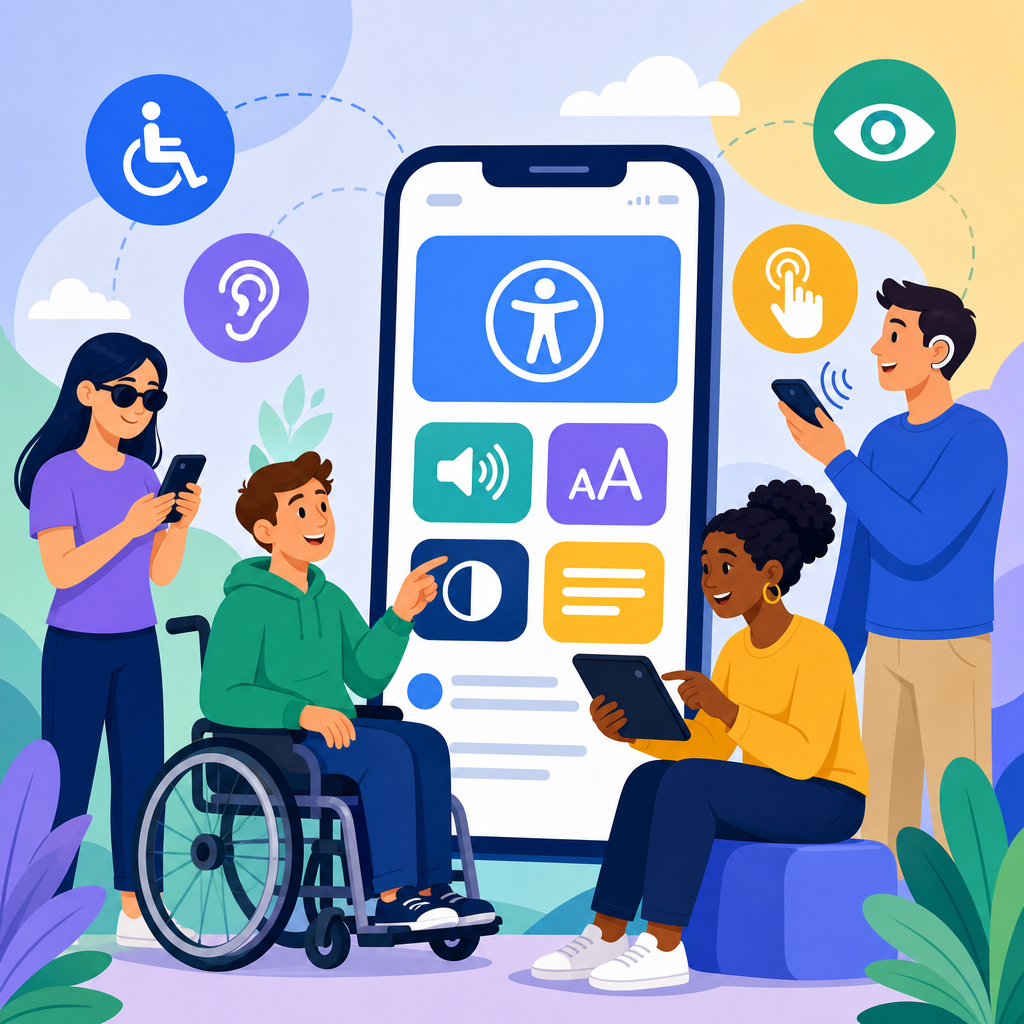
ADA accessibility for mobile applications has moved from a best-practice discussion to a concrete compliance priority, and new guidelines are reshaping how product teams design, build, test, and maintain apps. In this context, ADA accessibility means creating mobile experiences that people with disabilities can perceive, operate, understand, and use with equal effectiveness on iOS and Android devices. The Americans with Disabilities Act predates smartphones, yet its core requirement of equal access now clearly applies to digital services delivered through apps, websites, kiosks, and connected platforms. I have worked with teams retrofitting inaccessible checkout flows, navigation patterns, and authentication screens, and the pattern is consistent: accessibility issues are rarely isolated defects. They usually reflect deeper decisions about design systems, release processes, vendor tools, and quality standards. That is why mobile accessibility now sits at the center of the broader conversation about the future of technology and accessibility.
For organizations building this subtopic hub, mobile applications are the practical frontline where accessibility law, user expectations, and technical innovation meet. New guidance from the Department of Justice, stronger adoption of WCAG 2.1 and 2.2 success criteria, platform-specific rules from Apple and Google, and growing litigation over digital barriers all point in one direction. Accessibility can no longer be handled as a late-stage audit. It has to be built into product strategy, procurement, content design, engineering, analytics, and support. This article explains the new guidelines, the standards behind them, the features that matter most, and the technologies likely to define the next phase of accessible mobile experiences.
What the new guidelines mean for mobile apps
The most important shift is that mobile apps are no longer treated as secondary channels compared with websites. If an organization offers key services through an app, that app must provide equivalent access. In 2024, the Department of Justice finalized a rule under Title II requiring state and local governments to make web content and mobile applications accessible, generally using WCAG 2.1 Level AA as the technical benchmark. Title III businesses do not yet have a single codified app rule, but enforcement actions, settlement agreements, and court decisions have consistently moved toward the same expectation: if your app is part of how customers transact, learn, schedule, pay, or communicate, accessibility is required.
For mobile teams, the phrase “new guidelines” usually refers to three overlapping sources. First, there is legal guidance under the ADA and related state laws. Second, there are recognized accessibility standards such as WCAG, which define measurable outcomes like contrast, focus order, reflow, error identification, and alternative text. Third, there are platform requirements inside Apple’s Human Interface Guidelines, Accessibility Programming Guide, App Store review expectations, Android accessibility guidance, and Google Play quality signals. In real projects, compliance depends on aligning all three rather than treating one checklist as enough.
The practical effect is significant. Teams must now document accessibility requirements in product briefs, include acceptance criteria in user stories, test with screen readers such as VoiceOver and TalkBack, support dynamic text and zoom, ensure controls have accessible names, avoid gesture-only interactions, and maintain accessible authentication, payments, and customer support paths. Apps using third-party SDKs, embedded web views, biometric sign-in, map interfaces, or custom gesture controls face the highest risk if accessibility is not addressed early.
Core standards shaping accessible mobile design
WCAG remains the most widely referenced standard because it converts broad access obligations into testable criteria. The four principles are well known: content must be perceivable, operable, understandable, and robust. On mobile, those principles translate into very concrete requirements. Perceivable means text can scale without breaking layouts, color is not the only way information is conveyed, images and icons have meaningful labels, and audiovisual content includes captions or transcripts. Operable means users can activate controls with assistive technology, focus moves logically, touch targets are large enough, and time limits can be adjusted when possible. Understandable means labels match visible text, errors are specific, instructions are clear, and navigation behaves predictably. Robust means native controls, semantic roles, and accessibility APIs are used correctly so assistive technologies can interpret the interface reliably.
WCAG 2.2 adds emphasis that matters on phones: focus not obscured, dragging alternatives, target size minimum, accessible authentication, and consistent help. Accessible authentication is especially important for banking, healthcare, and retail apps because many older sign-in flows rely on memory tests, distorted CAPTCHAs, or complex gestures. Secure design is still possible without excluding users. Passkeys, password managers, biometric options with alternatives, and one-time codes that work with autofill all improve both security and accessibility when implemented carefully.
Native platform guidance also matters because Apple and Google expose different accessibility APIs and conventions. On iOS, developers need correct traits, labels, hints, custom rotor support where appropriate, and full compatibility with VoiceOver, Switch Control, and Dynamic Type. On Android, teams must define content descriptions appropriately, expose semantics to accessibility services, support TalkBack focus order, and avoid custom controls that hide state information. Cross-platform frameworks such as React Native and Flutter can support accessibility, but only if teams understand how semantics map to each operating system. I have seen accessible design files fail in production because custom components dropped labels or state announcements during implementation.
Common mobile app barriers and how teams fix them
The most frequent barriers are ordinary product decisions that were never tested with disabled users. A bottom navigation bar may look clean visually but become confusing if icons lack text labels. A checkout button may be obvious on screen but have no accessible name. A date picker may require drag gestures that a screen reader user cannot perform. Infinite scrolling may trap keyboard or switch users in a feed with no clear landmark structure. Error messages often appear in red beneath a field without being announced to assistive technology, leaving users unable to complete a form even when they know something went wrong.
Teams fix these issues by combining native semantics, better content design, and disciplined QA. Use standard controls where possible because they already expose role, state, and value information. Give every actionable element a unique accessible name. Announce dynamic changes such as “item added to cart” through the platform’s live-region equivalent. Preserve visible focus indicators and logical reading order. Support landscape and portrait orientation unless a specific function requires one. Respect user settings for reduced motion, larger text, high contrast, and dark mode. When an interaction depends on swiping, dragging, shaking, or long pressing, provide a simple tap-based alternative.
| Barrier | User impact | Recommended fix |
|---|---|---|
| Unlabeled icon buttons | Screen reader users hear “button” with no purpose | Add precise accessibility labels that match the action |
| Low contrast text | Users with low vision cannot read content outdoors or at small sizes | Meet WCAG contrast ratios and test in real device conditions |
| Gesture-only controls | Users with motor disabilities or assistive tech cannot trigger actions | Provide visible buttons and alternative activation methods |
| Custom form errors not announced | Users cannot identify or fix submission problems | Bind error text programmatically and move focus appropriately |
| Text that does not resize | Users relying on larger fonts lose content or functionality | Support Dynamic Type and Android font scaling across screens |
How accessibility fits into the future of technology and accessibility
Mobile accessibility is the hub topic because nearly every emerging technology now reaches users through apps. Artificial intelligence powers voice interfaces, image recognition, real-time captions, and personalized assistance. Wearables extend notifications, health monitoring, and haptic guidance. Internet of Things products rely on companion apps for setup and control. Augmented reality overlays instructions in physical space. Telehealth, digital banking, transportation, and education platforms increasingly assume a mobile-first audience. If the app layer is inaccessible, the promise of these innovations collapses for millions of users.
The future of technology and accessibility is therefore not only about new features; it is about interoperability between inclusive design and new computing models. AI can help generate image descriptions, summarize dense content, or detect contrast failures, but AI output must be reviewed because inaccurate labels can mislead users. Voice control can reduce motor barriers, yet it fails if controls have inconsistent names. Wearables can provide discreet haptic alerts for DeafBlind users, but only if notification settings are configurable and synchronized across devices. AR can support low-vision navigation with spatial cues, but interfaces must avoid overload and provide nonvisual alternatives.
From experience, the strongest accessibility programs treat new technologies as opportunities to deepen inclusive access rather than excuses to postpone fundamentals. A company adding conversational AI to its service app should first ensure the chat interface exposes messages correctly to screen readers, supports speech-to-text and text-to-speech, and preserves a human support path. A transit app experimenting with live camera guidance should also provide high-contrast route instructions, plain-language alerts, and accessible maps. Innovation and compliance are not opposing goals. In mobile products, the most durable innovation is the kind every user can actually reach.
Building an accessibility program for mobile products
High-performing teams do not rely on one annual audit. They create an operating model. Start with policy: define which standards apply, usually WCAG 2.1 or 2.2 Level AA plus platform-specific requirements. Then inventory mobile apps, SDKs, embedded web content, and critical user journeys such as onboarding, search, purchase, scheduling, document upload, and support. Assign ownership across product, design, engineering, QA, legal, procurement, and customer operations. Accessibility fails when everyone assumes someone else is covering it.
Next, integrate accessibility into delivery. Designers should use accessible component libraries in Figma, annotate focus order and labels, and review color tokens against contrast requirements. Engineers should prefer native components, use semantic properties consistently, and test on real devices rather than emulators alone. QA should combine automated scans with manual testing. Useful tools include Xcode Accessibility Inspector, Android Accessibility Scanner, axe DevTools Mobile, Espresso AccessibilityChecks, and XCTest-based assertions. Automated tools are valuable for catching missing labels or color issues, but they cannot judge whether labels are meaningful, reading order makes sense, or a task is understandable from start to finish.
Finally, involve disabled users in research and validation. Moderated usability testing with blind, low-vision, Deaf, hard-of-hearing, neurodivergent, and motor-impaired participants reveals issues no checklist will surface. Measure outcomes that matter: task completion, error recovery, support contacts, abandonment rate, and time on task. Remediate high-impact barriers first, publish an accessibility statement, train support staff, and establish a feedback channel that routes issues to accountable teams. Accessibility maturity is visible when bug fixes turn into product standards, and product standards turn into procurement and governance rules.
What organizations should do next
The new guidelines for ADA accessibility and mobile applications point to a simple conclusion: accessible mobile design is now a core business requirement and a defining part of the future of technology and accessibility. Legal risk is one reason to act, but it is not the strongest one. The stronger reason is service quality. When apps work with screen readers, larger text, captions, alternative input methods, clear language, and predictable navigation, they work better for everyone using a phone in noisy, bright, rushed, or low-connectivity conditions. Accessibility improves completion rates, reduces support burden, and expands audience reach.
For this hub page, the key takeaway is that mobile accessibility connects every article in the broader topic. It influences AI interfaces, wearable experiences, smart-home controls, digital documents, e-learning, ecommerce, healthcare, public services, and workplace tools. Start with a baseline audit of your iOS and Android apps against WCAG 2.1 AA and current platform guidance. Fix the critical user journeys first. Build accessibility criteria into design systems and release gates. Test with disabled users, not only automated scanners. Then use this hub to explore adjacent topics across the future of technology and accessibility and turn compliance work into a stronger product strategy.
Frequently Asked Questions
1. What do the new ADA accessibility guidelines mean for mobile applications?
The new ADA accessibility guidelines make it clear that mobile apps are no longer treated as optional digital extras. They are increasingly viewed as core customer-facing services, which means businesses must provide equal access to users with disabilities on iOS and Android just as they would through a website or physical location. In practical terms, that means product teams need to design mobile experiences so they can be perceived, operated, understood, and used effectively by people with a wide range of disabilities, including visual, auditory, motor, speech, and cognitive disabilities.
Although the Americans with Disabilities Act was written before smartphones became central to daily life, its core principle of equal access still applies. Courts, regulators, and accessibility professionals have increasingly interpreted that obligation to include digital products such as mobile apps, especially when those apps are essential to accessing goods, services, appointments, payments, communications, or account information. The new guidelines reinforce that accessibility should be built into the full mobile lifecycle rather than addressed only after complaints, audits, or legal pressure.
For most organizations, this means accessibility is moving from a best-practice recommendation to a concrete compliance priority. Teams should expect greater scrutiny around screen reader compatibility, color contrast, text scaling, keyboard and switch navigation support, clear labels for controls, meaningful error messaging, captions and transcripts for media, and predictable user flows. It also means documenting accessibility decisions, testing regularly on real devices, and treating accessibility as an ongoing operational responsibility instead of a one-time remediation project.
2. Which mobile accessibility features are most important for ADA compliance on iOS and Android?
The most important features are the ones that directly affect whether a person with a disability can successfully complete tasks in the app. On both iOS and Android, that starts with screen reader compatibility. Interactive elements such as buttons, links, form fields, menus, icons, and custom controls need proper labels, roles, and states so users of VoiceOver or TalkBack can understand what each element does. If a button is unlabeled, a form field is not identified, or a custom component is not announced correctly, the app may become partially or completely unusable for blind or low-vision users.
Visual accessibility is also critical. Text should be readable, color contrast should be strong enough to support users with low vision or color blindness, and information should never be conveyed by color alone. Apps should support dynamic type or larger text settings without breaking layouts, truncating important content, or hiding controls. Zoom and reflow behavior matter as well, particularly for content-heavy interfaces where users may need magnification or larger touch targets to navigate comfortably.
Motor accessibility is another major area. Users may rely on external keyboards, switch control, voice control, assistive touch, or other alternative input methods. Buttons and tap areas need to be large enough, gestures should have simple alternatives, and timed interactions should not penalize users who need more time. From a cognitive accessibility standpoint, apps should use clear language, consistent navigation, plain instructions, helpful confirmations, and descriptive error messages that explain what went wrong and how to fix it. Together, these features form the functional foundation of mobile accessibility and are often the first areas reviewed during audits, user testing, and compliance assessments.
3. How can product teams build ADA accessibility into the mobile app development process?
The most effective approach is to treat accessibility as a built-in product requirement from the beginning rather than a final testing step. During planning, teams should define accessibility acceptance criteria for user stories, design components, and release goals. Designers should create interfaces with sufficient contrast, scalable text, consistent navigation, and accessible interaction patterns. Developers should use native accessibility APIs correctly, provide semantic labels and hints, and avoid creating custom components that fail to communicate properly with assistive technologies.
Testing should happen continuously. Automated scans can help identify some common issues, but they are not enough on their own. Manual testing is essential, especially with screen readers like VoiceOver and TalkBack, keyboard navigation where applicable, zoom settings, orientation changes, reduced motion preferences, and larger text settings. Teams should test real user flows such as registration, login, search, checkout, scheduling, messaging, or account management because accessibility failures often appear in the details of those tasks rather than on static screens.
Cross-functional ownership is especially important. Accessibility should not sit only with legal, QA, or one developer who happens to care about it. Product managers, designers, engineers, QA specialists, content teams, and leadership all play a role. Mature teams also incorporate accessibility reviews into design systems, component libraries, sprint definitions of done, and release checklists. The strongest programs go one step further by involving people with disabilities in usability testing, because direct feedback from real users often reveals barriers that internal teams and automated tools miss. This kind of workflow reduces risk, improves usability for everyone, and makes compliance more achievable over time.
4. What are the legal and business risks of having an inaccessible mobile app?
The legal risk is significant because inaccessible apps can trigger demand letters, lawsuits, regulatory complaints, settlement obligations, and reputational damage. As mobile apps become a primary way consumers access services, organizations are finding it harder to argue that accessibility obligations stop at the website. If an app allows users to shop, make reservations, refill prescriptions, manage accounts, apply for services, access benefits, or communicate with a provider, then barriers in that app can be interpreted as barriers to equal access under the ADA and related state laws.
Beyond litigation, the business risk is often even broader. An inaccessible app can prevent users from completing purchases, signing up for services, or remaining loyal customers. It increases support costs because users who cannot complete tasks independently are more likely to call customer service, abandon transactions, or leave negative reviews. It can also affect enterprise relationships, procurement opportunities, public sector contracts, and investor confidence, particularly as accessibility becomes a more visible governance and brand issue.
There is also a product quality dimension that companies sometimes overlook. Accessibility failures often signal larger usability weaknesses, such as confusing navigation, poor form design, inconsistent interfaces, and fragile code. Fixing those issues typically improves the experience for all users, not just users with disabilities. That is why many organizations now view mobile accessibility as both a compliance function and a competitive advantage. Proactive accessibility work helps reduce legal exposure, expand audience reach, strengthen customer trust, and support a more resilient digital product overall.
5. What should companies do now to prepare their mobile apps for these new accessibility expectations?
First, conduct a thorough accessibility assessment of the current app experience on both iOS and Android. That assessment should include automated testing, manual expert review, and task-based testing with assistive technologies. It should cover high-priority user flows, not just isolated screens. Companies should identify issues by severity, understand which barriers affect core transactions, and map those findings to recognized accessibility standards such as WCAG as applied to mobile environments. This creates a practical baseline and helps separate minor defects from issues that materially block access.
Next, build a remediation and governance plan. High-impact barriers should be prioritized in upcoming releases, with clear owners, deadlines, and verification steps. Organizations should also establish accessibility standards for future work so they are not repeatedly reintroducing the same problems. That often includes updating design systems, coding practices, QA protocols, procurement requirements for third-party tools and SDKs, and documentation for product teams. Training is another essential step because many mobile accessibility failures happen not from bad intent but from lack of familiarity with platform-specific requirements and assistive technology behavior.
Finally, companies should treat accessibility as an ongoing discipline. Mobile operating systems, device settings, app features, and legal expectations all evolve. A one-time audit will not keep an app compliant indefinitely. Regular testing, periodic external reviews, internal accountability, and feedback channels for users with disabilities are all important. Organizations that move early are usually in a stronger position because they can fix issues methodically, improve development practices, and show good-faith effort if questions arise. In the current environment, the smartest strategy is not to wait for a complaint. It is to make accessibility part of how the app is designed, built, and maintained every day.


