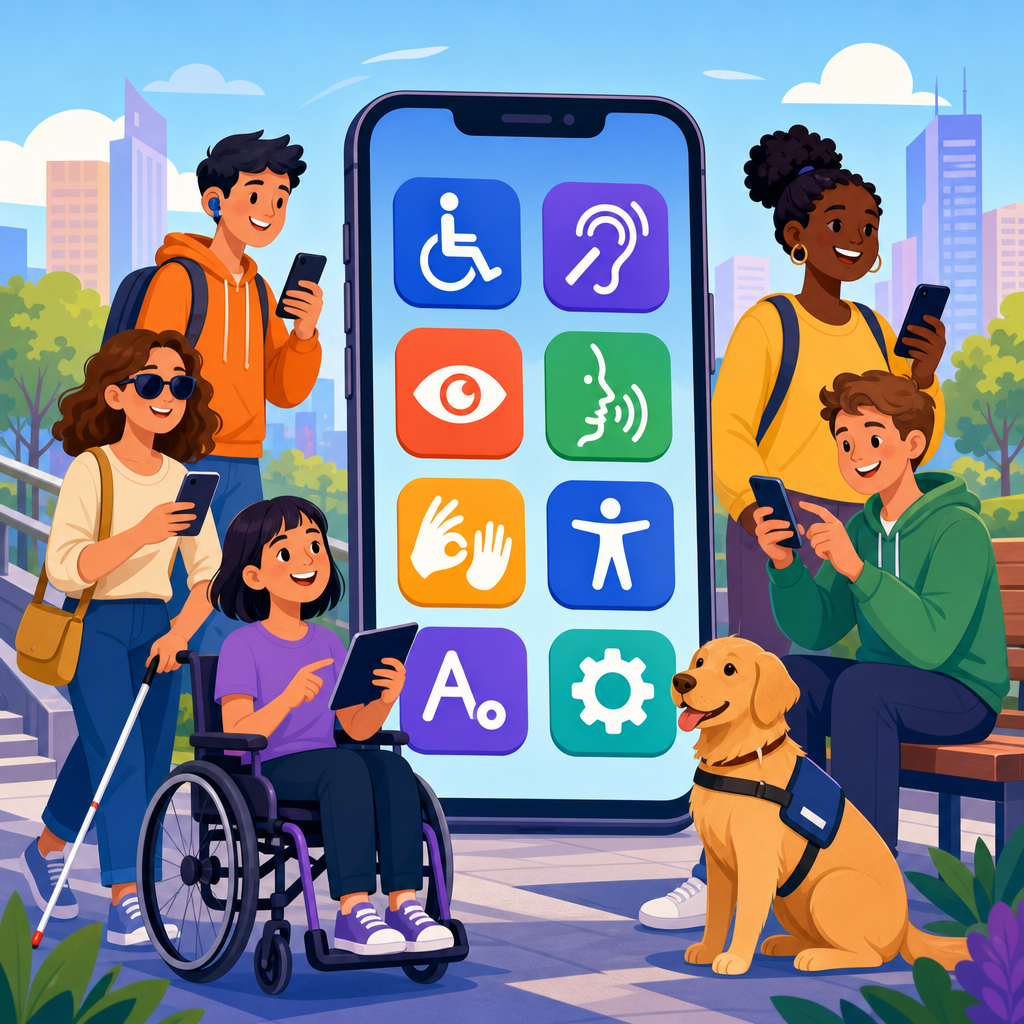
Mobile apps for accessibility have moved from niche assistive tools to mainstream infrastructure, changing how people with disabilities communicate, travel, learn, shop, and work. In practical terms, accessibility means designing technology so people with visual, hearing, motor, cognitive, and speech disabilities can use it effectively, independently, and with dignity. When that design is delivered through a smartphone app, the impact is immediate because the device is already in a pocket, connected to the internet, equipped with sensors, and updated constantly. That combination has made accessible mobile technology one of the most important developments in digital inclusion.
I have worked on accessibility audits for mobile products and have seen the difference a well-designed app can make compared with a poorly adapted website or kiosk. A rider who cannot read a transit sign can use a navigation app with voice guidance. A Deaf user can rely on live captioning during a meeting. A person with low vision can enlarge text, boost contrast, and scan printed labels with optical character recognition. These are not edge cases. The World Health Organization estimates that more than 1.3 billion people experience significant disability, so accessible technology affects a large global population and often improves usability for everyone else.
This hub article explains how implementing and advancing accessible technology works through mobile apps, why adoption is accelerating, which design principles matter most, and where organizations should focus next. It also connects the broader “Technology and Accessibility” topic: inclusive design, assistive features, compliance obligations, product development practices, testing methods, and emerging innovation all meet in the mobile ecosystem. If a company, school, government agency, or nonprofit wants to improve digital access, mobile apps are often the fastest place to create measurable gains because they can combine platform accessibility APIs, personalized settings, cloud intelligence, and real-time feedback in a single experience.
Several forces are driving this rise. Smartphones now include mature accessibility frameworks such as Apple VoiceOver, Android TalkBack, Switch Control, Live Captions, Guided Access, magnification, and system-level text scaling. Regulations such as the Americans with Disabilities Act, Section 508, the European Accessibility Act, and WCAG-based procurement standards have pushed organizations to treat accessibility as a product requirement rather than a charitable add-on. Just as important, app teams have better tools: Figma accessibility plugins, automated scanners, mobile screen reader testing, analytics, and user research panels that include disabled participants. The result is a shift from isolated accommodations to accessible-by-default design.
Why mobile apps have become the center of accessible technology
Mobile apps have become central because smartphones combine hardware and software capabilities that earlier assistive devices provided separately. A single phone includes cameras, microphones, haptics, GPS, accelerometers, biometrics, speech recognition, text-to-speech, and cloud connectivity. For accessibility, that means one app can identify objects, read menus aloud, provide turn-by-turn guidance, caption speech, and alert a caregiver. Apps such as Microsoft Seeing AI, Google Lookout, Be My Eyes, Ava, and Sound Amplifier demonstrate how quickly the phone has become a general-purpose assistive platform.
Cost and convenience matter too. Dedicated assistive hardware can be expensive, stigmatizing, or difficult to update. Mobile apps lower barriers because users already own the device and understand its basic interaction patterns. A college student with dyslexia can use speech-to-text and text-to-speech without buying a separate reading machine. A blind traveler can combine camera-based recognition with maps and rideshare services on the same device. In my experience, adoption rises sharply when accessibility features are embedded in familiar consumer workflows instead of requiring an additional gadget.
Another reason is personalization. Disability is not a single condition, and accessible technology must adapt to varied needs. Mobile operating systems support dynamic type, color inversion, reduced motion, hearing device pairing, voice control, switch input, and custom gestures. Apps that respect these settings become easier to use immediately. This is why platform-native development patterns are so important: when designers or engineers override standard controls, they often break compatibility with screen readers or keyboard navigation. When they build on native components, accessibility improves faster and maintenance gets easier.
Core principles for implementing accessible mobile technology
Implementing accessible technology in mobile apps starts with perceivability, operability, understandability, and robustness. In plain terms, users must be able to perceive content through more than one sense, operate controls without impossible gestures, understand what is happening, and rely on the app across assistive technologies. For example, every icon-only button needs a clear accessible name. Every form field needs a persistent label, not just placeholder text. Every error message should explain what went wrong and how to fix it. Every interactive element should expose the correct role and state to iOS and Android accessibility services.
Touch targets are a common failure point. Apple’s Human Interface Guidelines and Google’s Material guidance both support adequately sized targets, typically around 44 by 44 points on iOS and 48 by 48 density-independent pixels on Android. Small tap areas, tightly packed controls, and swipe-only gestures create barriers for users with motor impairments, tremors, or limited dexterity. I routinely recommend adding visible alternatives for gesture actions, such as buttons for “delete,” “reorder,” or “next,” because hidden gesture dependence excludes users of switch access and screen readers.
Content presentation requires equal attention. Text must reflow cleanly at larger sizes, contrast must remain sufficient, and information cannot depend only on color. Motion-heavy onboarding, auto-advancing carousels, and flashing indicators can create problems for users with vestibular disorders, attention limitations, or photosensitivity. Audio and video need captions and transcripts; live media should support real-time captions where feasible. For cognitive accessibility, plain language, predictable navigation, and step-by-step task design often matter as much as any technical compliance checklist.
| Area | Good accessible practice | Common failure | Real-world example |
|---|---|---|---|
| Navigation | Consistent tab labels and headings | Hidden routes and changing layouts | Banking app keeps “Accounts,” “Payments,” and “Support” in fixed positions |
| Forms | Persistent labels, inline guidance, clear errors | Placeholder-only labels and vague alerts | Insurance app explains required document format before upload |
| Media | Captions, transcripts, audio descriptions when needed | Autoplay video with no text alternative | Training app captions every lesson and indexes transcript text for search |
| Controls | Large targets, keyboard and switch compatibility | Tiny icons and swipe-only actions | Delivery app offers both swipe and button confirmation for orders |
Built-in platform features and assistive app categories
The growth of accessibility apps has been accelerated by operating system support. On iPhone and iPad, VoiceOver, Voice Control, Sound Recognition, Assistive Access, Live Speech, and Personal Voice have expanded what users can do without third-party hardware. On Android, TalkBack, Live Transcribe, Live Caption, Select to Speak, Action Blocks, and Lookout provide similar foundations. Developers can connect to these capabilities through accessibility APIs, semantic labeling, and system preference support, which is why platform literacy is essential for any team implementing accessible technology.
From there, app categories branch into specific use cases. For visual accessibility, apps can read text aloud, identify currency, describe scenes, and support indoor navigation. For hearing accessibility, apps offer speech-to-text, amplified sound, visual alerts, and sign language interpretation services. For motor accessibility, apps work with switch controls, eye tracking accessories, voice commands, and simplified interfaces. For cognitive accessibility, task sequencing, reminder systems, reduced-distraction modes, and symbol-supported communication can improve completion rates and reduce anxiety. Augmentative and alternative communication apps such as Proloquo2Go show how mobile software can become a primary communication channel, not merely a convenience.
Enterprise and public-service apps increasingly matter as well. Accessible healthcare apps allow patients to request refills, review lab results, and join telehealth sessions without inaccessible portals. Transit apps can announce stops, elevators, and route disruptions. Retail apps support barcode scanning, curbside pickup, and chat support for users who cannot navigate a store easily. Education apps can provide captioned lectures, dyslexia-friendly reading modes, and alternative assessment workflows. The hub topic of implementing and advancing accessible technology is therefore broader than assistive apps alone; it includes making every mainstream service app usable by disabled people from the start.
How organizations build accessible apps at scale
Accessible mobile development succeeds when it is integrated into product operations, not postponed to final QA. The strongest teams begin with inclusive research: they recruit disabled users, map critical journeys, and document barriers in context. Design systems then encode accessible patterns for buttons, inputs, modals, focus order, color tokens, and motion behavior. Engineering teams implement semantic components, test with screen readers, and avoid custom widgets unless there is a compelling reason. Quality assurance validates real tasks across devices, orientations, language settings, and assistive technologies. This lifecycle reduces rework and produces more reliable outcomes than after-the-fact remediation.
Standards and tooling support that process. WCAG 2.2 remains the most recognized reference for digital accessibility, even though mobile-specific interpretation requires platform expertise. Organizations also use EN 301 549 in Europe, Section 508 in U.S. federal contexts, and internal mobile accessibility checklists aligned to iOS and Android guidance. Tools such as Accessibility Scanner for Android, Xcode Accessibility Inspector, axe DevTools Mobile, and screen reader walkthroughs help identify issues early. Automated tools are useful, but they do not catch everything. They will flag missing labels, yet often miss confusing flows, poor focus management, or instructions that make sense only visually.
Measurement should go beyond pass-fail compliance. I advise teams to track task completion rates for users of assistive technology, support ticket themes, crash rates by accessibility setting, and defects reopened after usability testing. A retail app may technically pass a checklist and still fail if a blind user cannot complete checkout with Apple Pay or if a user with limited dexterity cannot edit cart quantity without accidental taps. Mature programs tie accessibility metrics to release criteria, procurement rules, and executive accountability. That is how accessible technology advances from isolated fixes to durable operating practice.
Barriers, tradeoffs, and what comes next
The rise of mobile apps for accessibility does not mean the problem is solved. Fragmentation remains a major challenge because device sizes, OS versions, manufacturer overlays, and third-party integrations all affect behavior. AI features add promise and risk: image description, voice interfaces, and real-time transcription can increase access dramatically, yet they can also introduce hallucinations, accent bias, latency, and privacy concerns. For sensitive environments such as healthcare, education, and employment, organizations must evaluate reliability, consent, data storage, and fallback options before deploying AI-driven accessibility features at scale.
Another barrier is organizational misunderstanding. Some leaders still treat accessibility as legal defense rather than product quality, which leads to minimal compliance efforts and poor user outcomes. Others assume accessibility slows innovation, even though the opposite is often true. Features such as captions, voice input, clear error recovery, and simplified flows usually improve conversion and satisfaction for all users. The tradeoff is not innovation versus accessibility; it is short-term shortcutting versus long-term product resilience. Teams that invest early build cleaner architectures, stronger design systems, and broader market reach.
Looking ahead, the most important advances will likely come from multimodal interaction and better personalization. Phones and wearables will combine speech, text, haptics, camera input, environmental sensing, and context awareness to adapt interfaces in real time. More apps will detect when text is too dense, when captions are needed, or when navigation should shift from visual maps to audio guidance. The organizations that lead in accessible mobile technology will be the ones that test with disabled users continuously, publish clear accessibility statements, train teams deeply, and treat inclusion as a core product competency. If you are building under the “Technology and Accessibility” umbrella, start with your mobile app, audit the critical journeys, and make accessibility part of every release.
Frequently Asked Questions
1. What are mobile accessibility apps, and why have they become so important?
Mobile accessibility apps are applications designed to help people with disabilities use digital tools, navigate physical spaces, access information, and complete everyday tasks more independently. They can support a wide range of needs, including screen reading for blind or low-vision users, speech-to-text and captioning for deaf or hard-of-hearing users, alternative communication tools for people with speech disabilities, and simplified interfaces or reminders for users with cognitive disabilities. What makes them especially important today is that they live on devices people already carry everywhere. Instead of relying only on specialized equipment, users can access assistance instantly through a smartphone or tablet that is connected, portable, and familiar.
Their rise reflects a broader shift in how society thinks about accessibility. It is no longer treated as a niche feature reserved for a small group of users. Increasingly, accessibility is understood as essential infrastructure that improves communication, mobility, education, employment, shopping, and participation in daily life. A well-designed mobile app can identify objects through a camera, read text aloud, provide real-time captions in conversation, guide someone through public transit, or enable someone to speak through a text-based communication interface. In each case, the app removes barriers at the exact moment they appear. That immediacy is a major reason mobile accessibility has become such a powerful force.
2. How do mobile apps improve accessibility for people with different types of disabilities?
Mobile apps improve accessibility by translating complex environments, information, and interactions into formats users can actually use. For people with visual disabilities, apps may offer screen readers, magnification, color contrast adjustment, object recognition, text recognition, audio navigation, and barcode scanning to identify products. For people who are deaf or hard of hearing, apps may provide live captioning, sound detection alerts, sign language support, transcription, and video communication tools. Users with motor disabilities may benefit from voice control, switch access compatibility, gesture alternatives, large tap targets, and streamlined interfaces that reduce the need for precise physical input. For cognitive disabilities, effective apps often include predictable navigation, visual cues, task prompts, simple language, timers, and distraction-reducing layouts. For speech disabilities, augmentative and alternative communication apps can turn text, symbols, or prebuilt phrases into spoken language.
The best mobile accessibility apps do more than add isolated features. They create flexible pathways so users can interact in the way that works best for them. A single app may support voice input, text resizing, captions, haptic feedback, and customizable controls all at once. This matters because disability is not one-size-fits-all, and many users have overlapping or situational needs. Accessibility also benefits people beyond the disability community, including older adults, temporary injury patients, and users in noisy, low-light, or hands-busy environments. In that sense, mobile accessibility features often improve usability for everyone while still addressing critical barriers for those who need them most.
3. Why are smartphones such a powerful platform for accessibility compared with older assistive technologies?
Smartphones have transformed accessibility because they combine multiple assistive capabilities in a single, portable device. Older assistive technologies were often expensive, specialized, and limited to one environment or one task. A person might need separate devices for reading text, navigating streets, communicating with others, or receiving auditory alerts. By contrast, a smartphone can do all of those things at once through software. It includes a camera, microphone, speaker, GPS, internet connection, touch interface, vibration motor, and cloud-based services, which gives developers a rich toolkit for solving accessibility problems quickly and creatively.
Another major advantage is speed of adoption and continuous improvement. Mobile apps can be updated regularly, meaning accessibility tools can evolve as user needs change and as new technologies emerge. Artificial intelligence, machine vision, speech recognition, and real-time language processing have made apps more responsive and personalized than ever before. Smartphones also reduce social stigma because they are mainstream devices used by nearly everyone. That matters. When accessibility is built into a common device rather than isolated in separate equipment, users can access support more discreetly and with greater dignity. Just as important, app stores and platform ecosystems make it easier for people to discover tools tailored to their specific needs without waiting for institutional approval or specialized procurement.
4. What should developers and businesses focus on when creating accessible mobile apps?
Developers and businesses should begin with the understanding that accessibility is a design requirement, not a late-stage add-on. The most effective approach is to build with inclusive design principles from the start. That means supporting screen readers, ensuring strong color contrast, offering scalable text, labeling buttons clearly, enabling keyboard or alternative input navigation, providing captions and transcripts for media, reducing unnecessary motion, and creating layouts that remain understandable across devices and assistive technologies. Accessibility should be considered throughout the full user journey, including onboarding, account creation, payments, notifications, customer support, and error recovery. If any step becomes unusable, the overall experience fails.
Just as important, teams should involve disabled users directly in research, testing, and product decisions. Real-world feedback reveals barriers that automated tools often miss, such as confusing workflows, inaccessible gestures, poor caption quality, or inconsistent voice control behavior. Businesses should also align their products with recognized accessibility standards and platform guidelines while treating compliance as the baseline rather than the goal. The real objective is usability, independence, and trust. When companies invest in accessible mobile experiences, they do more than meet legal or ethical expectations. They create products that serve broader audiences, improve customer satisfaction, strengthen brand credibility, and open markets that have historically been underserved.
5. What does the future of mobile apps for accessibility look like?
The future of mobile accessibility is likely to be more intelligent, personalized, and deeply integrated into daily life. We are already seeing apps move beyond static assistive functions into context-aware support that responds in real time. For example, an app may automatically detect text in the environment and read it aloud, identify obstacles while someone is walking, generate captions during live conversations, or adapt interface complexity based on how a user interacts with the device. Advances in artificial intelligence will continue to improve image recognition, voice synthesis, translation, predictive text, and personalized assistance, making apps more useful across a wider range of disability experiences.
At the same time, the future will depend not only on innovation but on responsible implementation. Accessibility apps must be reliable, affordable, privacy-conscious, and designed with input from the communities they serve. The most meaningful progress will come from treating accessibility as a core part of digital infrastructure rather than as a premium feature. As operating systems, wearable devices, smart home tools, and public services become more connected, mobile apps will increasingly act as the central hub that links users to the world around them. That could mean more independence in transportation, education, employment, healthcare, and civic participation. In practical terms, the rise of mobile apps for accessibility points toward a future where inclusion is built into everyday technology and where more people can participate fully, confidently, and on their own terms.


