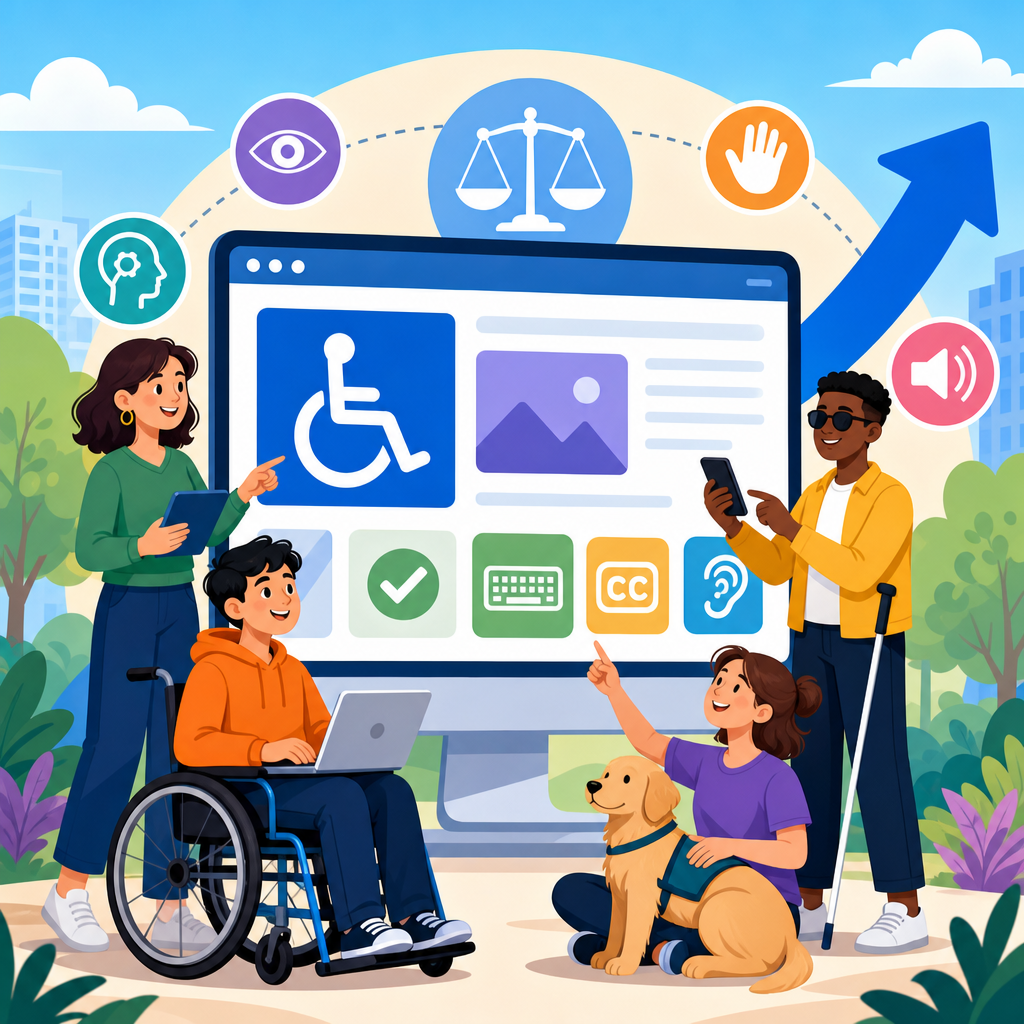
The recent ADA changes affecting web and digital accessibility have moved accessibility from a best-practice discussion into a concrete compliance, product, and customer experience priority for nearly every organization with a digital presence. In practical terms, these changes matter because websites, mobile apps, PDFs, kiosks, online forms, and customer portals are now examined more closely under disability law, federal rulemaking, and enforcement trends than they were even a few years ago. When I audit digital properties for clients, the biggest shift I see is not simply more lawsuits or stricter procurement language; it is that accessibility is now treated as an operational requirement that touches design systems, content workflows, engineering standards, vendor management, and executive risk.
To understand why, it helps to define a few key terms. The Americans with Disabilities Act is the core US civil rights law prohibiting disability discrimination in areas such as public services, employment, transportation, and places of public accommodation. Digital accessibility is the practice of designing and maintaining websites, software, documents, and interactive systems so people with disabilities can perceive, operate, understand, and robustly use them. That includes screen reader users, keyboard-only users, people with low vision, Deaf and hard-of-hearing users, people with cognitive disabilities, and people with limited dexterity. In web work, the most widely recognized technical benchmark is the Web Content Accessibility Guidelines, usually called WCAG, published by the World Wide Web Consortium. Most legal settlements, procurement policies, and remediation roadmaps point to WCAG 2.1 AA or WCAG 2.2 AA as the practical standard.
The phrase recent ADA changes does not mean Congress rewrote the entire ADA statute for the internet. Instead, the landscape has changed through a combination of Department of Justice positions, updated federal regulations, court decisions, rising enforcement, and stronger technical expectations. A major development is the Department of Justice rule under Title II requiring state and local governments to make web content and mobile apps accessible, generally aligned with WCAG 2.1 AA. That rule gives public entities clearer obligations and deadlines. At the same time, private businesses covered under Title III continue to face legal exposure because courts and the DOJ have consistently signaled that inaccessible digital experiences can deny equal access. As a result, organizations are asking more urgent questions: What standard applies, what changed, what is required now, and how should teams respond?
This hub article answers those questions and frames the broader area of ADA developments in technology and accessibility. It explains what has changed, how those changes affect websites and digital products, where legal and technical obligations intersect, and which implementation practices actually reduce risk while improving usability. It also provides context you can use when evaluating related topics such as mobile app accessibility, accessible documents, digital procurement, AI interfaces, and ongoing accessibility monitoring.
What changed in ADA-related digital accessibility requirements
The most important recent change is clarity. For years, many organizations understood that digital accessibility mattered, but they operated in a gray area about exactly what standard regulators and courts expected. That gray area has narrowed. In 2024, the Department of Justice finalized a rule under ADA Title II stating that state and local governments must ensure their web content and mobile applications conform to WCAG 2.1 Level AA, with limited exceptions. This is significant because it converts a long-standing principle of equal access into a more explicit technical compliance expectation. Deadlines vary by entity size, but the message is straightforward: public entities need a documented and active accessibility program, not an informal promise to improve later.
For private-sector organizations, Title III still does not contain a single codified web regulation identical to the Title II rule, but the practical effect is still strong. The DOJ has repeatedly stated that the ADA applies to websites and digital services of public accommodations. Courts across many jurisdictions have accepted that inaccessible websites can violate the ADA, particularly when they block access to goods, services, reservations, healthcare, banking, education, or customer support. That means recent ADA developments in technology and accessibility affect retailers, hospitality brands, law firms, universities, clinics, insurers, software companies, and nonprofits. If a customer must use your digital channel to complete a key task, accessibility is no longer optional.
Another meaningful change is the shift from one-time remediation to continuous governance. Accessibility used to be framed as a redesign project: fix alt text, adjust contrast, label forms, and move on. That model fails because digital experiences constantly change. New templates, plugins, PDF uploads, checkout flows, and embedded widgets can reintroduce barriers every week. The newer legal and operational environment expects a sustained process supported by policy, training, audits, issue tracking, and quality assurance. In every mature program I have helped build, the organizations that make the most progress are the ones that embed accessibility into procurement, design reviews, sprint acceptance criteria, and publishing workflows.
How the changes affect websites, apps, and digital content
The direct impact on websites is that common failures now carry greater compliance and business consequences. The basics remain the basics: images need meaningful alternative text, forms need programmatic labels, headings must reflect page structure, color cannot be the sole means of conveying information, and all interactive elements must work by keyboard. Yet the modern standard goes further. Error prevention in forms, visible focus indicators, logical tab order, reflow at smaller screen widths, text spacing resilience, and accessible authentication flows are now part of the expected baseline. WCAG 2.2 adds success criteria that strengthen focus appearance, dragging alternatives, target size guidance, and accessible help for authentication, all of which matter in real customer journeys.
Mobile apps are equally important. Many organizations still focus legal reviews on the website while ignoring native iOS and Android experiences, even though customers increasingly complete banking, healthcare, retail, and education tasks through apps. Recent ADA changes make that gap risky. Accessible mobile design requires support for screen reader gestures with VoiceOver and TalkBack, sufficient text scaling, proper control labels, predictable focus order, and alternatives to motion- or gesture-dependent interactions. A healthcare portal app, for example, may technically function for sighted users while remaining unusable for a blind patient trying to review lab results, request a refill, or join a telehealth appointment. That is not a minor usability issue; it is an access barrier.
Documents and third-party content are also receiving more scrutiny. Government agencies and regulated industries often publish PDFs, policy notices, tax forms, annual reports, and onboarding packets. If those files are image-based, untagged, or structured incorrectly, screen reader users may receive little or no usable information. I frequently see organizations spend heavily on accessible webpage templates while leaving critical downloadable documents inaccessible. The same problem appears with embedded maps, payment widgets, chat tools, and scheduling systems. Under current enforcement trends, outsourcing a function does not outsource responsibility. If a vendor tool is part of your user journey, its accessibility issues can become your legal and operational problem.
| Digital asset | Common accessibility failure | User impact | Business consequence |
|---|---|---|---|
| Website checkout | Unlabeled form fields and keyboard traps | Users cannot complete purchases independently | Lost revenue and complaint risk |
| Mobile app login | Screen reader focus skips error messages | Users cannot sign in or recover access | Higher support costs and exclusion |
| PDF application form | Missing tags and reading order | Assistive technology cannot interpret content | Noncompliant service delivery |
| Video training portal | No captions or transcripts | Deaf users miss required information | Training inequity and liability exposure |
Why enforcement trends are reshaping accessibility strategy
Enforcement pressure is not limited to formal rulemaking. Demand letters, structured settlements, state law claims, and public complaints have pushed accessibility into boardrooms and procurement teams. Plaintiffs and regulators often focus on high-friction tasks: booking a room, ordering food, applying for benefits, scheduling transportation, paying bills, submitting applications, and accessing account information. Those tasks are easy to test because the barrier is obvious. If a keyboard user cannot reach the date picker or a screen reader user cannot understand an unlabeled payment form, the denial of access is concrete. That is why the most effective accessibility strategies begin by mapping critical user journeys rather than chasing isolated code issues.
Public sector entities face especially clear expectations because the Title II rule establishes a direct standard and timeline. Agencies now need inventories of web pages, applications, forms, and platforms; exception analysis; remediation plans; and governance structures that can survive staff turnover. Educational institutions, counties, cities, library systems, transit agencies, and public health departments should treat accessibility as service delivery infrastructure. When online permitting, emergency alerts, utility payments, or school enrollment are inaccessible, the impact is immediate and public-facing. The rule does allow limited exceptions for archived content, preexisting social media posts, and certain individualized documents, but those exceptions are narrow and should not be treated as a broad safe harbor.
Private organizations should not assume they can wait for a specific Title III web regulation. In practice, many of the same steps are now standard regardless of sector: adopt a written accessibility policy, align to WCAG 2.1 or 2.2 AA, test with assistive technology, document remediation, and provide an accessible feedback channel. I advise clients to think in terms of defensible maturity. If a complaint arrives, can you show executive ownership, regular audits, developer standards, content training, ticket histories, and vendor due diligence? Courts and regulators respond better to organizations that can demonstrate a functioning accessibility program than to those that only react after receiving a legal notice.
What organizations should do now to meet rising expectations
The first step is to establish a realistic accessibility baseline. That starts with an inventory of websites, subdomains, mobile apps, PDFs, embedded tools, and software platforms that customers or employees must use. Then perform a manual accessibility audit against WCAG using qualified testers, because automated scanners alone detect only a fraction of issues. Tools such as axe, WAVE, Lighthouse, and Accessibility Insights are useful for triage, but they cannot reliably judge link purpose, alternative text quality, focus management logic, screen reader announcements, caption accuracy, or task completion barriers. In my experience, organizations often underestimate accessibility debt until they observe users navigating with a keyboard or screen reader through real workflows.
Next, prioritize remediation based on user impact and legal significance. Homepages matter, but the highest priority should usually be transactional and essential service paths: login, registration, search, forms, checkout, account management, help content, and document downloads required to receive a service. Build fixes into the normal development cycle with clear acceptance criteria. Designers should specify focus states, contrast ratios, heading structure, and error behavior. Developers should use semantic HTML, ARIA only when necessary, accessible name computation, and proper state announcements. Content teams should write descriptive links, maintain heading hierarchy, and produce accessible tables and documents. Accessibility succeeds when each role owns part of the standard.
Governance is the final differentiator. A durable program includes an executive sponsor, an accessibility statement with a real contact path, training by job function, release testing, procurement requirements, and recurring audits. Contracts with vendors should reference accessibility conformance reports based on the Voluntary Product Accessibility Template, often called VPAT, but teams should verify claims through testing because self-reported conformance can be incomplete. Create a backlog, assign severity, and track closure rates. Most importantly, involve people with disabilities in testing. Compliance checklists are valuable, but direct user feedback reveals friction that technical conformance alone can miss, especially in complex applications and time-sensitive tasks.
The broader future of ADA developments in technology and accessibility
Looking ahead, ADA developments in technology and accessibility will extend beyond websites into AI-powered interfaces, self-service kiosks, immersive environments, and personalized digital services. The core legal principle will remain stable: if technology is a gateway to a product, service, benefit, or public function, people with disabilities must have equal access. What will evolve is the way that principle is applied to new systems. Generative AI chatbots, for example, must still support keyboard use, readable output, screen reader compatibility, understandable error recovery, and equitable escalation to human support. A conversational interface is not accessible simply because it feels innovative.
Organizations should also expect stronger integration between accessibility, privacy, cybersecurity, and procurement. Identity verification flows offer a clear example. Many anti-fraud systems rely on visual puzzles, timed actions, or device interactions that are difficult for users with disabilities. Recent guidance and WCAG updates push teams toward authentication methods that do not depend on memory tests, dragging movements, or inaccessible CAPTCHAs. Similarly, procurement teams are increasingly requiring accessibility evidence before purchase, not after deployment. That trend matters because inaccessible enterprise platforms can create ADA exposure in both customer-facing and employee-facing contexts, including onboarding, scheduling, benefits, training, and internal communications.
The main lesson is that accessibility is no longer a side initiative owned by a single compliance manager or front-end specialist. It is a cross-functional discipline tied to civil rights, digital quality, and operational resilience. Recent ADA changes have made expectations clearer, deadlines firmer, and enforcement more credible. Organizations that respond strategically will reduce legal risk, improve usability, and serve a broader audience more effectively. Start with an inventory, adopt WCAG-based standards, audit critical journeys, fix the highest-impact barriers, and build governance that keeps accessibility active as technology changes. If this page is your entry point into ADA developments in technology and accessibility, use it as the foundation for deeper work across websites, apps, documents, procurement, and emerging tools.
Frequently Asked Questions
What do the recent ADA changes mean for websites, mobile apps, and other digital experiences?
The recent ADA changes make digital accessibility a much more direct legal, operational, and customer-facing priority. For many organizations, accessibility is no longer treated as a voluntary design improvement or a niche technical issue. Instead, websites, mobile apps, online forms, PDFs, kiosks, customer portals, and other digital tools are increasingly viewed as core parts of how a business serves the public. That matters because if these experiences are not accessible to people with disabilities, the organization may be creating barriers to equal access under the ADA and related enforcement frameworks.
In practical terms, the changes reflect a broader shift toward clearer expectations and stronger scrutiny. Businesses and public entities are seeing more pressure from federal rulemaking, court decisions, demand letters, and public expectations to ensure digital platforms work for people using screen readers, keyboard navigation, captions, voice input, magnification tools, and other assistive technologies. This means accessibility should be built into product development, design systems, procurement, content publishing, and quality assurance processes rather than added as an afterthought. The key takeaway is simple: digital accessibility is now closely tied to compliance, usability, reputation, and customer experience at the same time.
Do the ADA changes apply only to government organizations, or should private businesses pay attention too?
Private businesses should absolutely pay attention. While some recent rulemaking has focused on public-sector requirements, the broader legal and enforcement environment has made it clear that private organizations with a digital presence are not insulated from accessibility obligations. If a company provides services, information, transactions, or customer support online, its digital channels may be examined under disability access principles even if the organization is not a government agency.
This is especially important for businesses in retail, healthcare, banking, education, hospitality, insurance, professional services, and any industry that depends on customer portals, mobile applications, appointment systems, e-commerce, or downloadable documents. A website that cannot be navigated by keyboard, a mobile app without proper screen reader labeling, or a PDF that cannot be interpreted by assistive technology can all become serious access barriers. Even when the legal details vary based on organization type, the practical risk is similar: inaccessible digital experiences can trigger complaints, lost business, legal exposure, and brand damage. For that reason, private companies should treat accessibility as a business-critical standard, not as something relevant only to the public sector.
What types of digital content are most affected by the recent accessibility changes?
The impact goes well beyond traditional websites. While websites remain a major focus, the recent ADA-related changes and enforcement trends affect nearly every digital touchpoint an organization uses to communicate, transact, or deliver services. This includes mobile apps, online forms, PDFs and other downloadable documents, customer portals, self-service kiosks, e-commerce checkout flows, booking systems, video content, digital training platforms, and even embedded third-party tools. If users rely on a digital experience to complete an important task, accessibility should be evaluated there.
Some of the most common problem areas include unlabeled form fields, poor keyboard navigation, missing alternative text, insufficient color contrast, inaccessible menus, videos without captions, documents that are visually formatted but not structurally tagged, and app interfaces that do not work well with screen readers. Organizations are also learning that accessibility issues often accumulate in systems that were never designed with inclusion in mind, such as legacy portals, custom widgets, or vendor platforms. The most affected content is usually the content that is essential to participation: applying for services, paying bills, scheduling appointments, accessing account information, reading notices, signing documents, completing purchases, or getting support. If a person with a disability cannot complete those actions independently, the accessibility issue becomes much more significant.
How should organizations respond if they want to reduce risk and improve compliance?
The best response is to move from reactive fixes to a structured accessibility program. That starts with assessing current digital properties to identify barriers across websites, apps, documents, and user flows. Organizations should review their experiences against recognized accessibility standards, commonly including WCAG, and prioritize high-impact issues first. A good roadmap typically addresses both technical defects and process gaps, because long-term accessibility is not achieved by one remediation project alone. It requires governance, ownership, and repeatable workflows.
From there, organizations should integrate accessibility into design, development, content creation, testing, and procurement. Designers should use accessible patterns from the start. Developers should code for semantic structure, keyboard support, focus visibility, and compatibility with assistive technologies. Content teams should create accessible headings, links, tables, documents, and media. QA teams should test using both automated tools and manual review, including screen reader and keyboard testing. Leadership should also establish policies, training, documentation, and accountability so accessibility remains part of ongoing operations. Many organizations also benefit from publishing an accessibility statement, setting up a feedback channel, and keeping records of remediation efforts. These steps help reduce legal exposure, but they also create better digital experiences for everyone.
Why are these ADA changes important beyond legal compliance?
Legal compliance is only one part of the picture. The recent ADA changes matter because they reinforce a broader truth: accessible digital experiences are better, more usable, and more inclusive for a wide range of people. Accessibility improves the experience for users with permanent disabilities, but it also helps people with temporary impairments, aging-related limitations, situational constraints, and device-specific challenges. Clear structure, captions, keyboard operability, readable contrast, and predictable navigation are not just compliance features; they are quality features.
There is also a strong business case. Accessible digital platforms can expand audience reach, improve conversion rates, reduce abandonment, support SEO through cleaner structure and content clarity, and lower customer support burdens by making self-service tools easier to use. Inaccessible experiences, by contrast, can exclude customers at critical moments and undermine trust. Organizations that take accessibility seriously often find that it improves product maturity, design consistency, and internal collaboration as well. In that sense, the recent ADA changes are important because they push organizations to treat accessibility as part of digital excellence. It is not merely about avoiding complaints; it is about building digital services that more people can actually use, rely on, and benefit from.


