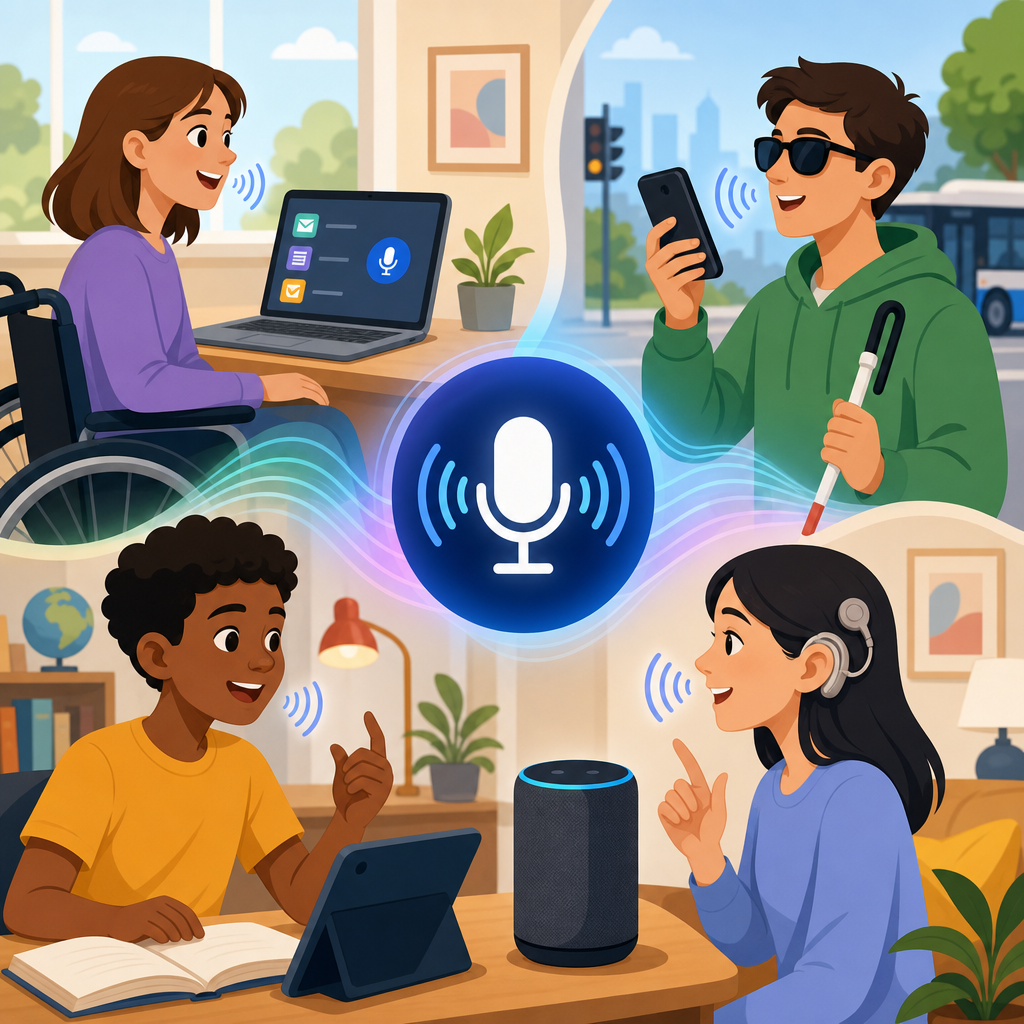
Voice recognition technology empowers individuals with disabilities by turning spoken language into control, communication, and independence. In the accessibility field, voice recognition refers to systems that identify spoken words and convert them into text, commands, or actions across devices, software, and connected environments. It includes speech-to-text dictation, voice command interfaces, speaker-dependent systems trained to a user’s voice, and increasingly, AI-driven assistants that understand context. I have implemented these tools in workplace accommodation plans and seen the difference they make when a person who cannot type efficiently, navigate a touchscreen, or manage complex menus can complete tasks through speech alone.
This matters because disability often creates friction at the point where people interact with technology, not at the point of intelligence, motivation, or skill. A student with dysgraphia may know exactly what to write but struggle to get words onto a page. An employee with repetitive strain injury may perform at a high level but lose productivity when every report requires keyboard use. A person with limited vision may move through digital systems faster by voice than by touch or mouse. Voice recognition reduces those barriers by offering an alternative input method that is hands-free, low-effort, and increasingly accurate across common tasks.
As a hub topic within technology and accessibility, voice recognition also points toward the future of inclusive design. Accessibility is not only compliance with standards such as WCAG or procurement checklists for assistive technology. It is the broader practice of designing products, services, and digital environments so more people can use them effectively. Voice interfaces now intersect with mobile operating systems, smart homes, cars, healthcare devices, collaboration tools, and customer service platforms. That convergence makes this topic central to understanding where accessibility is heading: toward multimodal systems that combine voice, text, touch, vision, automation, and personalization.
The promise is substantial, but the details matter. Accuracy depends on microphone quality, language model training, background noise, accent support, and the user’s speech pattern. Privacy depends on how audio is stored, processed, and shared. True empowerment comes when organizations match the right tool to the right need, train users properly, and build workflows that respect both capability and limitation. Understanding how voice recognition technology empowers individuals with disabilities requires looking at practical benefits, current constraints, and the innovations shaping the next generation of accessible technology.
How Voice Recognition Improves Communication, Computing, and Daily Access
Voice recognition improves access by replacing or supplementing manual input. For people with mobility disabilities, that can mean opening applications, composing emails, navigating the web, and controlling smart home devices without a keyboard or mouse. Dragon NaturallySpeaking set the early standard for high-accuracy desktop dictation, especially in professional settings such as law, medicine, and administration. Today, built-in tools such as Apple Dictation, Windows Voice Access, Android Voice Access, and Google Assistant make similar functions available on mainstream devices. This mainstreaming matters because accessibility works best when assistive features are embedded, not isolated.
For individuals with speech-related communication needs, voice technology intersects with augmentative and alternative communication systems in useful ways. While not every user can rely on conventional speech recognition, many can use customized vocabularies, phrase prediction, or hybrid systems that combine switches, eye tracking, and speech output. In education, I have seen students use dictation to bypass spelling and handwriting barriers while still demonstrating subject mastery. In employment, professionals with chronic pain have used voice commands to complete CRM updates, draft proposals, and manage calendars with far less physical strain. These are not marginal improvements; they often determine whether someone can work comfortably for a full day.
Daily living applications are equally important. Smart speakers and mobile assistants can set reminders for medication, place calls, read messages aloud, control lighting, adjust thermostats, and provide route guidance. For someone with low dexterity, saying “call my daughter,” “turn off the kitchen lights,” or “read my next appointment” removes multiple physical steps. For someone with visual impairment, voice interfaces can shorten navigation time through layered menus. The practical result is greater autonomy at home and less reliance on another person for routine tasks.
Voice recognition also supports cognitive accessibility when designed well. People with traumatic brain injury, ADHD, or certain learning disabilities may find spoken commands easier than remembering multistep navigation. Saying a direct command can reduce cognitive load compared with scanning icons or interpreting dense interfaces. However, systems must use consistent language, offer confirmation prompts, and recover gracefully from errors. A voice interface that requires memorizing exact phrasing is not accessible; one that accepts natural variation and gives clear feedback is.
Who Benefits Most and What Limitations Still Matter
Voice recognition technology benefits many disability groups, but the gains are not uniform. People with upper-limb mobility impairments, arthritis, repetitive strain injuries, spinal cord injuries, muscular dystrophy, and temporary injuries often see immediate value because speech can substitute for hand use. People with visual impairments benefit when voice works alongside screen readers such as JAWS, NVDA, or VoiceOver. People with dyslexia or dysgraphia benefit through faster composition and fewer spelling bottlenecks. Older adults with declining dexterity often benefit even if they do not identify as disabled, which shows how accessibility features frequently become universal usability features.
At the same time, voice recognition is not a universal solution. Users with stutters, dysarthria, aphasia, or speech affected by ALS, cerebral palsy, Parkinson’s disease, or stroke may encounter lower recognition accuracy, especially in consumer tools trained on narrower speech patterns. Accents and dialects also influence performance. Studies from major speech benchmarks have repeatedly shown that error rates can increase for underrepresented language varieties when training data lacks diversity. Background noise, poor microphones, weak internet connectivity, and domain-specific vocabulary further reduce reliability. In healthcare, for example, medication names and technical terminology require custom vocabularies or specialized models.
The key lesson is matching technology to context. In accommodation assessments, I never recommend voice recognition in isolation. I compare task demands, speech profile, fatigue patterns, privacy needs, and environment. A contact center employee in an open office may need noise-canceling microphones and private dictation zones. A student may need both dictation and proofreading support because speech-to-text can produce plausible but incorrect words. A person with fluctuating energy may need voice input one day and switch access another. Accessibility succeeds when systems are flexible enough to support that variation.
| Use Case | Primary Benefit | Common Barrier | Best Practice |
|---|---|---|---|
| Workplace dictation | Reduces keyboard strain and speeds documentation | Open-office noise | Use noise-canceling microphones and custom vocabularies |
| Education writing support | Helps students express ideas without handwriting limits | Editing errors in transcripts | Pair dictation with text review and read-back tools |
| Smart home control | Enables independent control of daily tasks | Ambiguous commands | Set simple routines and clear command structures |
| Mobile navigation | Supports hands-free calling, messaging, and directions | Connectivity and noisy public spaces | Enable offline commands where available |
The Future of Technology and Accessibility: From Voice Commands to Intelligent Environments
The future of technology and accessibility is moving from single-purpose voice command tools toward adaptive, multimodal environments. Instead of asking whether a system supports voice, the better question is whether it lets users choose the best combination of voice, text, touch, gesture, switch input, eye tracking, and automation for each task. Major platforms are already moving in this direction. Apple’s Personal Voice and Live Speech, Microsoft’s Voice Access, Google’s Recorder and Assistant ecosystem, and Amazon Alexa accessibility features all show that voice is becoming one layer in a broader accessibility stack rather than a standalone feature.
Advances in large language models and on-device AI are accelerating this shift. Earlier speech systems were command-driven and brittle: users had to say the right phrase in the right order. Newer systems can infer intent, summarize spoken input, reformat drafts, and complete multistep actions conversationally. For a user with mobility limitations, that means a single spoken request can draft an email, attach a file, and schedule a follow-up. For someone with cognitive fatigue, the system can simplify prompts, break tasks into steps, and confirm each action. These capabilities turn voice recognition from a transcription tool into a practical accessibility interface.
Smart environments will deepen that benefit. In accessible housing, voice can connect with Internet of Things devices, automated doors, appliances, security systems, and environmental controls. In transportation, accessible kiosks and in-car assistants can reduce dependence on small touchscreens. In healthcare, clinicians already use ambient documentation systems to capture notes from conversations, and similar models may help patients manage appointments, medication reminders, and symptom tracking. The strongest future designs will not force users into one modality. They will sense context and offer alternatives automatically, such as switching from speech to text prompts in noisy settings.
Still, the future depends on inclusive development. Vendors must train models on diverse speech samples, including disabled speech, regional accents, and multilingual patterns. Procurement teams should ask for measurable accessibility performance, not generic assurances. Product teams should test with disabled users early and continuously, because post-launch fixes rarely solve foundational design problems. The next generation of accessible technology will be defined less by novelty than by reliability, privacy, and interoperability across the tools people already use.
Implementation, Privacy, and What Organizations Should Do Next
Organizations that want voice recognition to empower individuals with disabilities should begin with task analysis, not product selection. Identify where users face input barriers, what outcomes matter most, and which environments affect performance. Then evaluate tools against concrete criteria: recognition accuracy, custom vocabulary support, offline capability, compatibility with screen readers or AAC systems, audit logging, administrative controls, and data handling. In enterprise settings, Microsoft 365, Google Workspace, Zoom, and contact center platforms now include voice and transcription features, but built-in access is not the same as accessible workflow design. Policies, training, and support determine whether the technology works in practice.
Privacy deserves equal weight. Voice systems may process sensitive health, employment, educational, or household information. Teams should review whether audio is stored, whether transcripts are used for model training, how consent is obtained, and how long records are retained. In regulated settings, legal and security review is essential. Trust breaks quickly if users feel constantly monitored or uncertain about where their speech data goes. The most effective deployments are transparent: they explain processing clearly, provide opt-outs where possible, and use the minimum data necessary.
Training is the other decisive factor. Even excellent tools underperform when users are left to discover commands alone. Effective onboarding includes microphone setup, pronunciation calibration when available, command practice, error correction methods, and realistic guidance about when voice works best or poorly. I have seen adoption rates improve sharply when support teams create role-specific command sets for common tasks rather than handing users a generic manual. Accessibility is operational, not theoretical.
Voice recognition technology empowers individuals with disabilities because it removes unnecessary barriers between intention and action. Its greatest value is not convenience; it is participation in school, work, communication, and daily life with more control and less dependence. As technology and accessibility continue to evolve, the winning approach will be inclusive, multimodal, and grounded in real user needs. Audit your current tools, identify where voice can reduce friction, and build accessibility into every system you deploy.
Frequently Asked Questions
What is voice recognition technology, and how does it help individuals with disabilities?
Voice recognition technology is a broad term for systems that listen to spoken language and translate it into text, commands, or digital actions. In accessibility, this can include speech-to-text dictation for writing emails or documents, voice commands for controlling phones and computers, smart home integration for operating lights or thermostats, and AI assistants that help users navigate tasks hands-free. For individuals with disabilities, this technology can reduce or remove barriers that make traditional keyboards, touchscreens, mice, and other manual controls difficult to use.
Its value comes from turning speech into practical independence. Someone with limited mobility may use voice commands to open apps, send messages, search the web, or control assistive devices without needing physical input. A person with a learning disability or dysgraphia may use dictation to capture ideas more naturally than typing. Users with visual impairments may benefit from a combination of voice input and audio feedback to interact with digital tools more efficiently. In many cases, voice recognition does not just make technology easier to use—it makes participation in work, education, communication, and daily life more accessible and sustainable.
What types of disabilities can benefit most from voice recognition tools?
Voice recognition tools can support a wide range of disabilities, although the specific benefit depends on the person’s needs, environment, and the quality of the technology being used. People with mobility impairments often see major advantages because voice can replace hand-based interaction with devices. This includes individuals with spinal cord injuries, cerebral palsy, muscular dystrophy, arthritis, repetitive strain injuries, or conditions that limit fine motor control. For these users, being able to dictate text, launch applications, navigate menus, and control connected devices by voice can significantly improve access and reduce physical strain.
Voice recognition can also help people with visual impairments by making digital systems more interactive without relying entirely on touch or sight. It may support individuals with learning disabilities, dyslexia, or writing-related difficulties by allowing them to express ideas verbally rather than through typing. For some users with chronic fatigue or pain conditions, voice input can conserve energy and reduce the effort required for everyday tasks. It can even play a role in communication support for certain users with speech-related or neurological conditions when paired with personalized training, adaptive software, or augmentative tools. While it is not a one-size-fits-all solution, it can be highly effective when matched carefully to the user’s abilities and goals.
How does voice recognition improve independence at home, school, and work?
At home, voice recognition can make everyday routines more manageable and less dependent on physical assistance. Users may be able to control lights, locks, televisions, thermostats, appliances, reminders, calendars, and phone calls using spoken commands. For someone with a disability that affects mobility, reach, dexterity, or stamina, these capabilities can create a more accessible living environment and reduce reliance on caregivers for routine tasks. Even simple actions, such as setting alarms, checking the weather, playing music, or creating shopping lists, can contribute meaningfully to autonomy and confidence.
In school settings, voice recognition can help students participate more fully in writing assignments, note-taking, research, and digital navigation. Dictation can support students who struggle with handwriting, typing, spelling, or organizing written output. Teachers and accessibility teams may also incorporate it into individualized accommodations to help students demonstrate knowledge more efficiently. In the workplace, voice recognition can support productivity by enabling hands-free documentation, email composition, scheduling, data entry, and software navigation. For many professionals with disabilities, it can help maintain performance, reduce fatigue, and open access to roles that might otherwise be limited by standard input methods. Across all three settings, the core benefit is the same: voice recognition expands control, reduces barriers, and gives users more direct access to the tools and environments around them.
Are there any limitations or challenges with voice recognition for accessibility?
Yes, and understanding those limitations is important for setting realistic expectations. Voice recognition can be powerful, but it is not perfect. Accuracy can be affected by background noise, poor microphone quality, internet connectivity, speech clarity, accents, dialects, and the complexity of the task. Some systems work better after adapting to a user’s voice over time, while others may still struggle with specialized vocabulary, multilingual speech, or inconsistent speech patterns. For users with disabilities that affect speech production, fatigue, or vocal endurance, voice control may be helpful in some situations but difficult in others.
There are also practical and privacy-related concerns. Speaking commands aloud is not always convenient in shared spaces, classrooms, workplaces, or public settings. Some users may not want sensitive information dictated where others can hear it. In addition, not all apps, websites, and devices support voice navigation equally well, which can create frustrating gaps in accessibility. The best approach is usually to treat voice recognition as part of a broader accessibility strategy rather than a standalone fix. Combining it with keyboards, switch access, screen readers, predictive text, or custom accessibility settings often produces the most reliable and inclusive results.
What should someone look for when choosing the best voice recognition solution for accessibility needs?
The best voice recognition solution is the one that aligns closely with the user’s specific abilities, goals, and daily routines. Start by identifying the main use case: dictation, device control, communication, smart home access, workplace productivity, or a mix of several tasks. Then evaluate accuracy, ease of setup, compatibility with the user’s devices and software, microphone support, language options, and whether the system can learn the user’s voice patterns over time. It is also important to consider whether the tool works offline, requires a constant internet connection, or integrates with other assistive technologies already in use.
Accessibility features should be reviewed in a practical, real-world way. A strong solution should be reliable, flexible, and easy to correct when it makes mistakes. It should allow for custom commands, support everyday applications, and reduce effort rather than add complexity. Cost, subscription requirements, technical support, and training resources also matter, especially for long-term use in educational or professional environments. Whenever possible, users should test different tools before committing. Input from occupational therapists, assistive technology specialists, speech-language pathologists, educators, or workplace accommodation teams can be extremely helpful in identifying the most effective option. The goal is not simply to find advanced technology—it is to find technology that meaningfully improves access, comfort, and independence.


