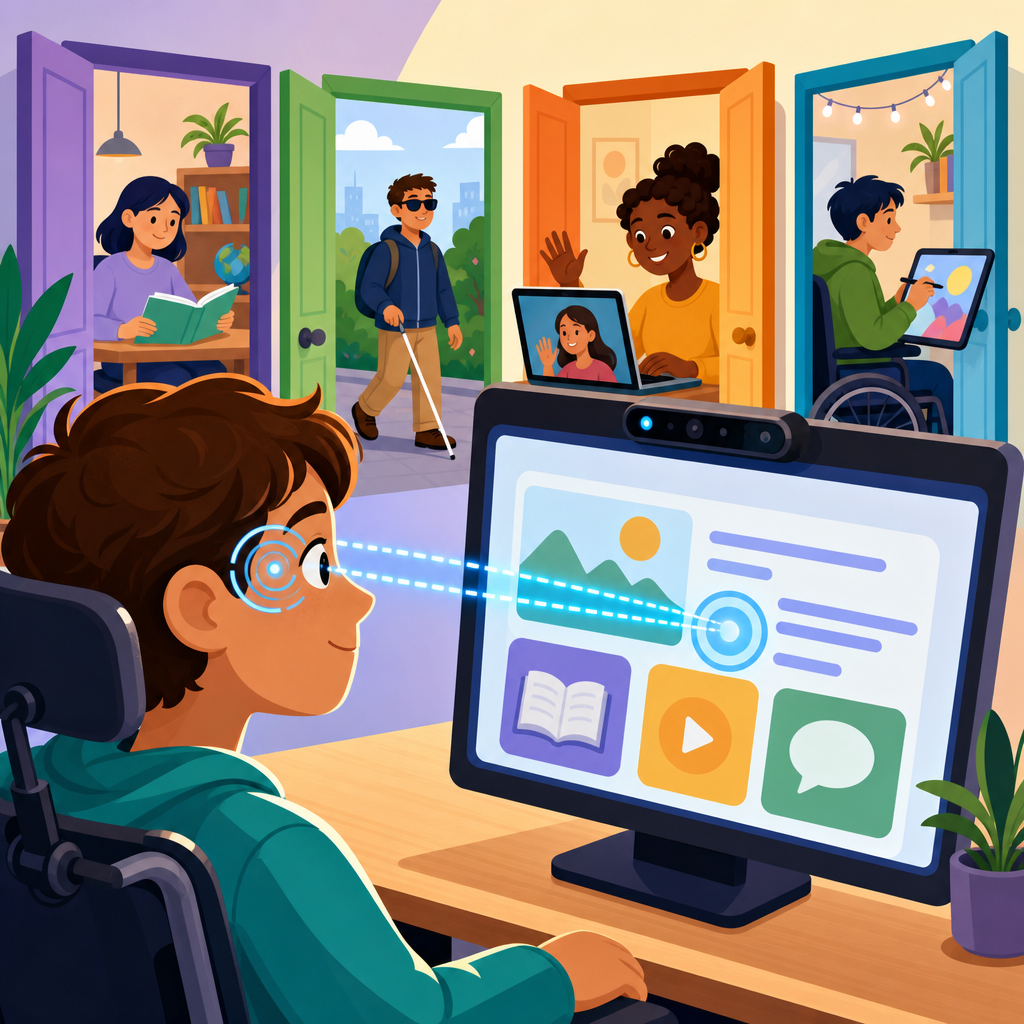
Eye-tracking technology is opening new doors for accessibility by turning gaze into a practical input method for communication, computing, mobility, and independent living. In accessibility work, eye tracking refers to hardware and software that detect where a person is looking, measure eye movement, and translate intentional gaze into commands. For many disabled users, especially people with ALS, cerebral palsy, spinal cord injuries, muscular dystrophy, stroke-related paralysis, or complex communication needs, that capability can replace or supplement keyboards, mice, touchscreens, and switches. I have seen adoption accelerate because the underlying components are no longer limited to research labs. Infrared cameras, computer vision, machine learning calibration, and faster mobile processors have made gaze systems smaller, cheaper, and more accurate, while mainstream platforms now include eye control features that were once available only through specialized assistive technology vendors.
This matters because accessibility is not simply about compliance or convenience; it is about agency. When a person can select letters with their eyes, launch smart-home routines, navigate educational software, or control a powered wheelchair seat function, they gain time, privacy, and self-determination. Eye tracking also sits at the center of a broader shift in the future of technology and accessibility. The field is moving from one-size-fits-all interfaces toward adaptive systems that combine multimodal input, predictive software, environmental sensors, and personalized settings. As a hub topic under technology and accessibility, eye tracking connects to augmentative and alternative communication, inclusive design, wearable computing, gaming access, workplace accommodation, digital health, and human-computer interaction. Understanding where it excels, where it struggles, and where it is heading helps organizations plan smarter products and helps families, clinicians, educators, and policymakers make better decisions.
How Eye-Tracking Technology Works and Why It Fits Accessibility
Most modern eye-tracking systems used for accessibility rely on near-infrared illumination and one or more cameras aimed at the user’s eyes. The software detects features such as the pupil center and corneal reflection, then estimates gaze direction relative to a screen or physical environment. After calibration, the system maps eye position to a cursor location or a set of target areas. In practical use, a person may dwell on a button for a set number of milliseconds, blink deliberately, or pair gaze with a switch to confirm selections. That combination reduces false activations and supports users with different motor profiles.
Accessibility teams value eye tracking because it can preserve access when hand control is limited or fatiguing. It also pairs well with text-to-speech engines, on-screen keyboards, symbol-based AAC vocabularies, and mainstream operating systems. Windows Eye Control, Apple’s eye tracking support for iPad and Vision Pro workflows, Tobii Dynavox communication devices, Irisbond software, and Smartbox systems all show how gaze interaction has matured from niche hardware to an ecosystem. In schools, I have seen students use eye-gaze AAC to participate in class discussions and spelling tasks that were previously inaccessible. In rehabilitation settings, clinicians use gaze data to assess visual attention, train cause-and-effect skills, and determine whether a user is ready for a full communication setup. The key point is directness: eyes are often the most reliable voluntary movement available, and technology can now convert that movement into meaningful digital access.
Current Accessibility Applications Across Communication, Education, Work, and Daily Life
The strongest use case today is communication. People with severe speech and motor impairments use eye tracking to select words, phrases, and symbols on AAC devices. Systems such as TD I-Series devices combine eye gaze with loud speakers, environmental controls, and message banking, allowing users to speak, write emails, browse the web, and control televisions or doors. For someone with ALS, the difference is profound: eye tracking can maintain communication long after hand use and speech decline. That is why neurology clinics and speech-language pathologists increasingly discuss gaze access early rather than waiting until other methods fail.
Education is another major area. Eye tracking supports literacy instruction, accessible testing, and classroom participation. Students can answer multiple-choice questions through dwell selection, read adapted digital books, and use symbol-supported software during learning activities. Teachers can also use recorded gaze paths to understand whether a student is visually scanning left to right, locating targets, or becoming fatigued. In employment, gaze control can enable document review, messaging, meeting participation, coding in constrained contexts, and customer support tasks when combined with macros, voice output, and predictive text. In home environments, eye tracking increasingly links with smart-home platforms such as Alexa, Google Home, or dedicated environmental control units, letting users adjust lights, thermostats, media, and emergency alerts without physical contact.
| Accessibility area | Common eye-tracking use | Practical example | Main limitation |
|---|---|---|---|
| Communication | AAC message selection | User builds sentences on an eye-gaze keyboard and speaks through text-to-speech | Fatigue during long sessions |
| Education | Reading and response tasks | Student selects answers and navigates digital lessons with dwell control | Calibration can drift with seating changes |
| Work | Computer access and messaging | Employee uses gaze plus shortcuts to manage email and documents | Fine cursor precision may be slower than a mouse |
| Home control | Environmental automation | User opens blinds and turns on lights through a gaze-controlled dashboard | Requires reliable integration setup |
| Healthcare | Assessment and symptom tracking | Clinician measures fixation and visual attention during rehab sessions | Clinical interpretation needs training |
The Future of Technology and Accessibility: Where Eye Tracking Is Headed
The future of technology and accessibility will be shaped by systems that adapt to users instead of forcing users to adapt to devices. Eye tracking is central to that shift because gaze is both an input signal and a source of context. A device can infer attention, hesitation, cognitive load, reading progression, and interface confusion from eye movement patterns. That does not mean mind reading; it means better interface responsiveness. If a user repeatedly looks at a control without activating it, software can enlarge targets, simplify options, or surface help. If a person’s gaze pattern suggests fatigue, an AAC system can increase prediction strength, shorten dwell time selectively, or recommend a rest break.
Wearables will push this further. Mixed-reality headsets, smart glasses, and lightweight cameras will make hands-free interaction more mobile than the fixed screen setups common today. Companies building AR and VR devices already use eye tracking for foveated rendering, where the image is rendered in highest detail only where the user is looking. For accessibility, the same hardware can support hands-free menus, live caption positioning, contextual prompts, magnification that follows gaze, and environmental awareness cues. In transportation and public spaces, future accessibility tools may combine gaze with computer vision to identify doors, signs, hazards, and service counters. In healthcare, continuous eye metrics may assist with screening for concussion, fatigue, communication readiness, or neurodegenerative change, though those applications require strong clinical validation before broad use.
Design Principles, Implementation Challenges, and What Organizations Must Get Right
Eye tracking works best when it is treated as part of a full access strategy rather than a standalone gadget. The first requirement is good interface design. Targets must be large, well spaced, and stable. Dwell activation times need user-specific tuning, usually somewhere between roughly 300 and 1000 milliseconds depending on precision, fatigue, and involuntary movement. Visual clutter should be reduced because crowded screens increase accidental selections and scanning effort. High-contrast layouts, predictable navigation, and progressive disclosure help considerably. When I audit software for gaze access, the biggest failures are tiny controls, moving interface elements, and workflows that assume drag-and-drop precision.
There are also technical and human limitations. Bright sunlight, reflective eyeglasses, drooping eyelids, head movement, poor positioning, and changing seating systems can reduce tracking quality. Some users have oculomotor impairments, nystagmus, or attention challenges that make standard calibration difficult. Others can access gaze reliably for short periods but not throughout a full day. Privacy must also be handled carefully because eye movement data can reveal health conditions, reading behavior, interests, and stress patterns. Organizations deploying gaze-enabled products should follow recognized accessibility standards such as WCAG for digital content, use human-centered design methods like inclusive usability testing, and document how biometric or behavioral data is stored. The responsible path is balanced: eye tracking can be transformative, but it is not universal, and alternatives such as switch access, head tracking, voice control, and keyboard navigation should remain available.
What This Means for Buyers, Educators, Developers, and Families
If you are evaluating eye-tracking technology, start with outcomes instead of features. Ask what task the person needs to do: communicate basic needs, write independently, control a computer at work, participate in class, or manage a smart home. Then assess posture, vision, fatigue, lighting, mounting, and support needs. Trial periods are essential. The best setup often includes a mix of tools, such as eye gaze for typing, a switch for confirmation, partner-assisted scanning as backup, and cloud-based phrase libraries for faster communication. Training matters just as much as hardware. Users, caregivers, teachers, and IT teams all need coaching on calibration, positioning, maintenance, and troubleshooting.
As the hub page for the future of technology and accessibility, this topic points to a clear conclusion: eye tracking is no longer an experimental edge case. It is a practical access method today and a foundational interface for the next generation of inclusive products. The organizations that lead in accessibility will build for gaze, voice, touch, switch, and keyboard from the start, not as afterthoughts. The families and professionals who plan early will create smoother transitions as needs change. If you are building, buying, or recommending accessible technology, make eye tracking part of the conversation now, test it against real tasks, and use it to expand independence where traditional input falls short.
Frequently Asked Questions
What is eye-tracking technology, and how does it support accessibility?
Eye-tracking technology uses cameras, infrared light, sensors, and software to detect where a person is looking and how their eyes move across a screen or physical environment. In accessibility settings, that information is translated into meaningful input, allowing a user to move a cursor, select icons, type with an on-screen keyboard, control smart home devices, or communicate through speech-generating software. Rather than relying on hands, voice, or full-body movement, a person can use intentional gaze as a practical way to interact with technology.
This matters because many people live with conditions that make conventional input methods difficult or impossible. Individuals with ALS, cerebral palsy, muscular dystrophy, spinal cord injuries, stroke-related paralysis, and other complex communication or mobility disabilities may still have reliable eye movement even when speech or limb control is limited. Eye tracking can therefore become a bridge to communication, education, work, entertainment, and daily decision-making. It is not just a convenience feature; for many users, it is a primary path to independence and self-expression.
Modern eye-tracking systems are also becoming more flexible. Some are built into dedicated assistive communication devices, while others work with tablets, laptops, wheelchairs, and environmental control systems. As the technology improves, eye tracking is helping expand what accessibility means by making digital tools, communication platforms, and independent living supports more responsive to the way disabled users actually interact with the world.
Who benefits most from eye-tracking accessibility tools?
Eye-tracking accessibility tools can benefit a wide range of people, but they are especially valuable for users who have limited or no reliable hand use, reduced speech, or severe motor impairments. People living with ALS often use eye tracking as the disease progresses and other methods of communication become less effective. Individuals with cerebral palsy may benefit when fine motor control makes keyboards, mice, or touchscreens difficult to use consistently. People with high-level spinal cord injuries, muscular dystrophy, multiple sclerosis, or paralysis after stroke may also use gaze-based systems to access computers and communication tools more independently.
These tools are also important for people with complex communication needs. Someone who cannot speak clearly or at all may use eye tracking with augmentative and alternative communication software to build sentences, make requests, participate in school or work, and maintain relationships. For children, that can mean greater participation in learning and social interaction. For adults, it can mean the ability to manage emails, attend virtual meetings, control home devices, and make personal choices without depending entirely on a caregiver to interpret needs.
That said, eye tracking is not a one-size-fits-all solution. A successful match depends on factors such as visual ability, fatigue, lighting conditions, head positioning, cognitive load, and how consistently a person can control gaze intentionally. Some users may combine eye tracking with switches, voice input, head tracking, or partner-assisted communication. The best outcomes usually come from individualized assessment by assistive technology professionals, speech-language pathologists, occupational therapists, or rehabilitation specialists who can determine whether eye tracking is the right fit and how it should be configured.
How does eye tracking help with communication and everyday computer access?
One of the most powerful uses of eye tracking is communication. A user can look at letters, words, phrases, or symbols on a screen, and the system can register those selections through dwell time, blinking patterns, or another confirmation method. With the right software, these selections can be spoken aloud by a speech-generating device, allowing the user to hold conversations, answer questions, express preferences, and participate more fully in family, school, healthcare, and workplace settings. For someone with severe speech impairment, this can restore a direct voice in daily life.
Beyond communication, eye tracking can provide full or partial computer access. Users can launch apps, browse websites, write messages, scroll through documents, watch videos, and interact with digital interfaces using gaze as a mouse replacement. On-screen keyboards with word prediction, phrase banks, and customizable layouts can make typing faster and less tiring. Some systems also support common operating system functions, such as clicking, dragging, zooming, or navigating menus, which expands access to mainstream software and online services.
Eye tracking also supports everyday independence in practical ways. A user may be able to control lights, TVs, doors, call systems, and other smart home features through a connected environmental control setup. In care environments, that can reduce barriers to requesting help or managing comfort. In education and employment, it can support reading, writing, participation, and digital productivity. The larger impact is that eye tracking can turn gaze into a reliable form of action, helping users move from passive observation to active control.
What are the main challenges or limitations of eye-tracking systems?
Although eye tracking offers major accessibility benefits, it does come with limitations that are important to understand. Accuracy can be affected by lighting conditions, seating position, calibration quality, glasses or contact lenses, involuntary movements, and screen placement. Some users experience fatigue if they rely on gaze for long periods, particularly when interfaces require many precise selections. Dry eyes, fluctuating attention, visual field issues, and changes in posture can also affect performance throughout the day.
There is also a learning curve. Successful eye-tracking use often depends on training, customization, and practice. Dwell time may need to be adjusted so the system can distinguish between simply looking and intentionally selecting. Interface layouts may need larger targets, simpler navigation, or personalized vocabulary. For users with complex disabilities, the system may need to be integrated with mounting equipment, wheelchair positioning, communication software, and caregiver support routines. Without that setup work, even strong technology can feel frustrating or unreliable.
Cost and access remain real barriers as well. Dedicated eye-gaze communication devices and related support services can be expensive, and funding pathways vary by region, insurer, school system, or healthcare provider. Ongoing technical support is another factor, since users may need recalibration, software updates, repairs, or replacement parts. Even so, these challenges do not diminish the value of eye tracking; they highlight why proper assessment, funding advocacy, training, and long-term support are essential to making the technology genuinely accessible.
What should families, caregivers, educators, and organizations consider before choosing an eye-tracking solution?
Before choosing an eye-tracking solution, it is important to start with the user’s goals rather than the device itself. Some people primarily need a way to communicate. Others need computer access, smart home control, classroom participation, or a combination of all three. Understanding where, how, and for how long the system will be used helps narrow the options. A student may need portability and classroom compatibility, while an adult working from home may need strong desktop performance and integration with productivity tools. Matching features to real-life routines is key.
Assessment and trial use are especially valuable. Whenever possible, families and professionals should explore how the person responds to calibration, target size, dwell settings, screen distance, mounting needs, and interface complexity. They should also consider physical positioning, visual endurance, caregiver involvement, and whether the user can access the system consistently across environments. A trial period can reveal whether a device works well only in ideal conditions or whether it remains useful during everyday life, including moments of fatigue or movement.
Training and support should be part of the decision from the beginning. The best outcomes usually happen when users, caregivers, teachers, and therapists all understand how to set up the system, troubleshoot common issues, and build effective communication or access strategies around it. Organizations should also look at funding options, warranty coverage, software compatibility, and future flexibility as needs change over time. Eye-tracking technology can be transformative, but its true value comes from thoughtful implementation that respects the user’s preferences, abilities, and long-term independence.


