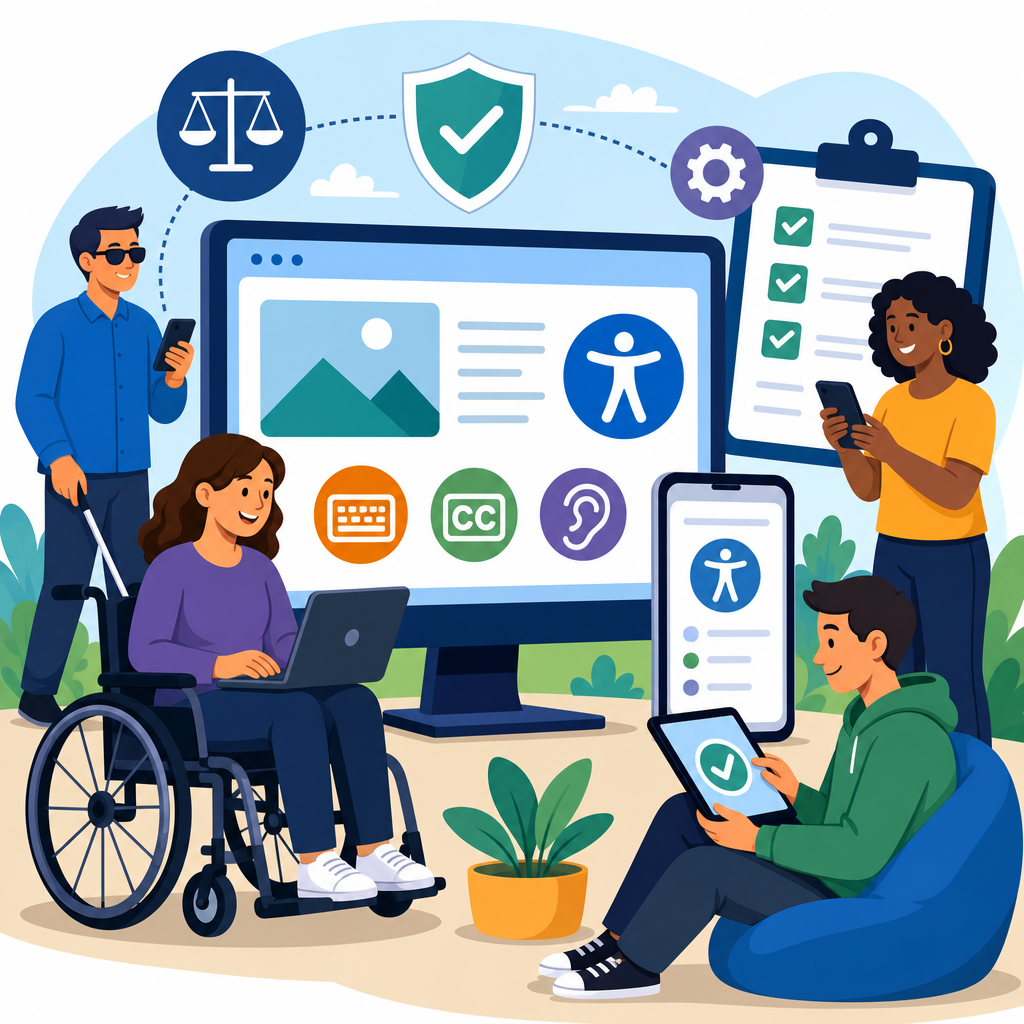
The Americans with Disabilities Act, or ADA, now reaches far beyond ramps, elevators, and parking spaces, shaping how websites, mobile apps, kiosks, documents, and digital services must be designed, tested, and maintained. In the digital age, ADA compliance means giving people with disabilities equal access to online information, transactions, communication tools, and customer support. For organizations operating under the broader Technology and Accessibility umbrella, this issue is no longer optional, because recent regulations, court activity, and enforcement priorities have made digital accessibility a business, legal, and operational requirement.
I have worked with teams remediating enterprise websites, SaaS dashboards, PDFs, and ecommerce flows after audits uncovered barriers that blocked screen reader users, keyboard-only users, Deaf and hard-of-hearing users, and people with cognitive disabilities. The pattern is consistent: accessibility problems rarely come from one dramatic failure. They come from dozens of small decisions, such as unlabeled buttons, missing captions, poor color contrast, inaccessible forms, auto-playing media, and modal dialogs that trap focus. These issues directly affect whether someone can apply for a job, refill a prescription, attend a class, or complete a purchase.
That is why ADA in the digital age matters. The ADA is a civil rights law enacted in 1990 to prohibit discrimination based on disability. In digital practice, organizations usually look to the Web Content Accessibility Guidelines, especially WCAG 2.1 Level AA and increasingly WCAG 2.2, as the technical benchmark for accessible digital experiences. Accessibility itself refers to designing products and content so people with visual, auditory, motor, speech, cognitive, and neurological disabilities can use them effectively. Compliance refers to aligning policies, code, content, procurement, and quality assurance with legal duties and recognized standards. This hub article explains recent regulations and the broader landscape of innovative solutions in Technology and Accessibility, so readers can understand the rules, identify practical tools, and connect related topics across this sub-pillar.
Recent Regulations and What They Mean for Digital Accessibility
Recent regulations have clarified what many legal and accessibility professionals have argued for years: digital services are part of equal access. In April 2024, the U.S. Department of Justice issued a final rule under Title II of the ADA requiring state and local governments to make web content and mobile apps accessible. The rule adopts WCAG 2.1 Level AA as the technical standard, with limited exceptions, and sets phased compliance deadlines based on population size. This was significant because it converted long-standing guidance into a concrete regulatory obligation for public entities.
Even where Title III regulations for private businesses have not been codified in the same way, enforcement and litigation have created a clear expectation that public-facing digital experiences must be accessible. The DOJ has repeatedly stated that the ADA applies to websites and apps of businesses open to the public. Courts have also continued to hear cases involving retailers, restaurants, universities, banks, healthcare systems, and entertainment platforms. Outcomes vary by jurisdiction, especially around whether a website must have a nexus to a physical location, but the overall compliance direction is unmistakable: inaccessible digital services create legal risk.
Other laws intensify this trend. Section 508 governs federal agencies and requires accessible information and communication technology. The Rehabilitation Act also affects contractors and institutions interacting with government systems. In education, Title II, Title III, and Section 504 obligations overlap with accessibility requirements for learning platforms, course materials, and student services. In healthcare, inaccessible patient portals and online intake forms can trigger both ADA scrutiny and patient safety concerns. Internationally, the European Accessibility Act is pushing product and service accessibility across the EU, influencing global design and procurement decisions for companies that serve multiple markets.
For organizations, the practical meaning is simple: digital accessibility should be treated like privacy or cybersecurity, not as a one-time design preference. Regulations now expect durable governance, measurable standards, documented testing, and ongoing maintenance.
Core Technical Standards and the Most Common Failures
The most widely used standard for digital accessibility is WCAG, developed by the World Wide Web Consortium. WCAG is organized around four principles: content must be perceivable, operable, understandable, and robust. Those principles translate into testable success criteria covering text alternatives, captions, keyboard access, contrast, structure, error handling, focus order, reflow, and compatibility with assistive technology. In active remediation work, WCAG 2.1 Level AA remains the baseline target because it is referenced in U.S. federal guidance and the new DOJ Title II rule. WCAG 2.2 adds important refinements, especially around focus appearance, dragging movements, and target size.
The most common failures are predictable. Images without alt text prevent blind users from understanding key content. Form inputs without programmatic labels leave screen reader users guessing what information is required. Low contrast text can become unreadable for users with low vision or color vision deficiencies. Menus that open only on hover block keyboard navigation. Video without captions excludes many Deaf and hard-of-hearing users and also hurts comprehension in noisy or silent environments. Poor heading structure makes pages difficult to navigate. Inaccessible PDFs remain one of the biggest enterprise pain points, especially for healthcare, government, insurance, and higher education.
| Common barrier | User impact | Typical fix |
|---|---|---|
| Missing alternative text | Screen reader users miss meaning or function | Add concise, context-specific alt text or mark decorative images null |
| Unlabeled form fields | Users cannot complete checkout, registration, or support requests | Associate visible labels and instructions with controls in code |
| Keyboard traps | Users cannot move through dialogs, menus, or media players | Manage focus correctly and support full keyboard operation |
| Insufficient color contrast | Text and controls become hard to read | Meet contrast ratios and avoid color-only cues |
| Uncaptioned video | Audio content is unavailable to many users | Provide synchronized captions and transcripts where appropriate |
Automated scanners such as axe, WAVE, Lighthouse, and Accessibility Insights are useful, but they catch only part of the problem. In my audits, automated tools reliably flag missing labels, low contrast, and some ARIA misuse, yet they cannot judge whether alt text is meaningful, whether focus order is logical, or whether error messages truly help users recover. Real compliance requires manual testing with keyboard navigation, screen readers such as NVDA, JAWS, or VoiceOver, zoom and reflow checks, and ideally testing with people with disabilities.
Innovative Solutions in Technology and Accessibility
Innovative solutions in Technology and Accessibility are changing how organizations move from reactive fixes to accessible-by-design systems. The strongest gains come from shifting accessibility upstream into design systems, component libraries, procurement, and content operations. When a design team builds an accessible button, modal, accordion, date picker, and form field once, every product team can reuse those components instead of rediscovering the same failures. This is how mature organizations scale compliance efficiently.
Artificial intelligence is helping, but with limits. AI-assisted captioning has improved dramatically and reduces turnaround time for video libraries, though human review is still necessary for speaker identification, terminology, and punctuation. Image recognition can suggest alt text, yet those suggestions often miss context, which is essential in ecommerce, education, and data visualization. Generative tools can identify likely accessibility defects in code and content, but they should support trained reviewers, not replace them. Accessibility overlays and one-click widgets deserve particular caution. They can offer user preferences like contrast toggles or text resizing, but they do not fix underlying code defects and have been criticized by disability advocates and plaintiffs’ attorneys when marketed as full compliance solutions.
More durable innovation includes accessible design tokens, semantic front-end frameworks, voice interfaces built with fallback controls, real-time captioning, and testing pipelines integrated into CI/CD workflows. Microsoft, Google, Adobe, and Salesforce have all published accessibility guidance or tooling that demonstrates this approach. Adobe Acrobat’s remediation tools, Figma accessibility plugins, Storybook accessibility checks, and GitHub Actions that run axe-core scans are now common parts of digital production. In customer service, accessible chat interfaces, relay-compatible call flows, and well-structured help centers can remove barriers long before a formal complaint appears.
Assistive technology compatibility remains the central measure of success. Screen readers, refreshable braille displays, switch devices, speech recognition software, screen magnifiers, and alternative input hardware all depend on semantic markup, proper focus handling, and predictable interaction patterns. The best innovation is invisible to many users because it simply makes products work for everyone.
Building a Practical Compliance Program Across the Organization
A practical ADA digital compliance program starts with governance. Someone must own accessibility, but ownership cannot sit with one specialist alone. Legal interprets obligations, procurement sets vendor requirements, design establishes accessible patterns, engineering implements them, content teams maintain plain language and structure, QA validates releases, and support teams provide accessible assistance channels. Without this shared model, accessibility becomes a backlog of isolated defects instead of an operating standard.
The first step is an inventory. Identify public websites, authenticated portals, mobile apps, PDFs, videos, kiosks, software platforms, and third-party tools. Then conduct a baseline audit against WCAG 2.1 AA, prioritize high-traffic and high-risk user journeys, and document findings by severity. I usually advise clients to begin with revenue, safety, education, employment, and account-access workflows because those are where barriers create the greatest harm and the greatest legal exposure. A retailer should start with search, product pages, cart, checkout, account login, and customer support. A hospital should start with appointment scheduling, patient portals, intake forms, and telehealth instructions.
Training is the next force multiplier. Developers need to understand semantic HTML, ARIA rules, keyboard support, and focus management. Designers need to master contrast, spacing, error prevention, and accessible interaction states. Content authors need to write descriptive links, headings, tables, and alt text. Procurement teams should require a current VPAT, ask vendors which WCAG version they test against, and verify claims through independent review. A vendor saying its platform is accessible is not evidence; accessible products are demonstrated through testing artifacts, conformance reports, and remediation records.
Policies also matter. Publish an accessibility statement with contact methods for assistance, define internal standards, and set release gates for defects. Track metrics such as issue closure rate, percentage of templates passing audit, caption coverage, and document remediation backlog. The goal is not perfect compliance on paper. The goal is a repeatable program that reduces barriers continuously and responds quickly when users report problems.
Litigation Trends, Risk Management, and the Business Case
Digital accessibility lawsuits in the United States have remained concentrated in ecommerce, food service, hospitality, finance, healthcare, and education because these sectors rely heavily on customer-facing digital transactions. Most claims focus on websites, but mobile apps, PDFs, and multimedia are increasingly included. The risk is not just damages or settlement cost. It includes legal fees, rushed remediation, reputational harm, procurement losses, and customer abandonment. For public entities, regulatory deadlines add another layer of accountability.
Risk management should not be framed only as defense. Accessible digital products perform better for many users, including older adults, people with temporary impairments, users in low-bandwidth environments, and anyone navigating by keyboard shortcuts, voice input, or captions. Clear headings improve scanability. Captions increase video completion. Larger touch targets reduce mobile frustration. Error prevention lowers support volume. This is why accessibility often aligns with conversion optimization, search visibility, and usability, even though its primary purpose is equal access.
The strongest business case combines civil rights, operational efficiency, and market reach. More than one billion people globally live with some form of disability according to the World Health Organization. In the United States, disability intersects with aging, employment, education, and consumer spending at massive scale. Organizations that treat accessibility as part of product quality gain resilience. The next step is straightforward: audit your digital estate, fix priority barriers, and build accessibility into every release.
Frequently Asked Questions
How does the ADA apply to websites, mobile apps, and other digital services?
The ADA increasingly applies to digital experiences because equal access today includes far more than physical spaces. For many organizations, websites, mobile apps, online forms, customer portals, digital documents, self-service kiosks, and even chat and support tools are now considered part of how the public accesses goods, services, programs, and information. In practical terms, that means people with disabilities must be able to navigate, understand, and use digital platforms in a way that is comparable to other users. A website that cannot be used with a screen reader, a mobile app that depends entirely on gestures with no accessible alternative, or a PDF that is unreadable to assistive technology can create barriers similar to an inaccessible entrance or service counter.
Although the ADA was enacted before the modern internet took shape, courts, federal agencies, and enforcement actions have consistently pushed the law into the digital environment. The central principle is equal access. If an organization offers essential information, transactions, scheduling, account management, education, healthcare access, or customer service online, those digital pathways must be accessible. This is especially important for public entities, healthcare providers, schools, retailers, financial institutions, hospitality businesses, and employers whose services increasingly depend on digital interaction. Accessibility is no longer viewed as an optional feature or a specialized enhancement. It is part of core compliance, risk management, and customer experience.
What recent regulations and enforcement trends should organizations pay attention to?
Recent regulatory and enforcement developments make one point clear: digital accessibility is moving from a general expectation to a more explicit compliance priority. Public entities, in particular, have seen clearer direction from the federal government regarding accessibility obligations for web content and mobile applications. At the same time, the Department of Justice has continued to signal that the ADA covers digital access, and private litigation has remained active across industries. This means organizations can no longer assume that uncertainty around technical standards excuses inaction. The trend is toward measurable accessibility, documented remediation efforts, and ongoing governance rather than one-time fixes.
One of the most important practical trends is the continued use of the Web Content Accessibility Guidelines, or WCAG, as the primary benchmark for evaluating digital accessibility. Even when regulations do not spell out every technical detail, WCAG is widely used in settlements, audits, procurement requirements, and internal compliance programs. Organizations should also pay attention to enforcement beyond websites alone. Mobile apps, embedded third-party tools, online booking engines, account dashboards, digital forms, and electronically distributed documents are all receiving greater scrutiny. Another major trend is that regulators and plaintiffs increasingly expect accessibility to be operationalized. That includes accessibility policies, staff training, procurement standards, testing protocols, issue tracking, and timelines for remediation. In short, the compliance conversation has shifted from whether digital accessibility matters to how well an organization can prove it is taking accessibility seriously and sustainably.
What standards are typically used to measure digital ADA compliance?
While the ADA itself does not function as a step-by-step technical manual for websites and apps, the most widely accepted technical framework is the Web Content Accessibility Guidelines, commonly called WCAG. These guidelines are developed by the World Wide Web Consortium and are used around the world to assess whether digital content is perceivable, operable, understandable, and robust for users with disabilities. Organizations commonly target WCAG 2.1 Level AA, and in some settings WCAG 2.2 is becoming increasingly relevant as digital expectations evolve. These standards cover a wide range of accessibility issues, including keyboard navigation, text alternatives for images, color contrast, form labeling, captioning, focus visibility, error identification, and compatibility with assistive technologies such as screen readers and voice input tools.
It is important to understand that meeting a standard is not just about passing an automated scan. True compliance depends on whether real users with disabilities can successfully complete meaningful tasks. For example, a site may technically include alt text on images but still fail if that text is vague or unhelpful. A form may look polished yet remain inaccessible if error messages are not announced properly to assistive technology. That is why strong accessibility programs combine automated testing, manual expert review, user journey analysis, and in many cases testing by people with disabilities. WCAG provides the benchmark, but compliance depends on how accessibility performs in real-world use. Organizations should also remember that accessibility extends beyond webpages to PDFs, videos, mobile interfaces, and integrated third-party tools, all of which should be reviewed against the same broader principles of equal access.
What are the biggest digital accessibility mistakes organizations still make?
One of the biggest mistakes is treating accessibility as a one-time project instead of an ongoing operational responsibility. Many organizations redesign a homepage, run a scan, fix a few issues, and assume they are compliant. In reality, accessibility can break every time new content is added, a plugin is updated, a vendor tool is integrated, or a mobile app release changes navigation. Another common mistake is relying too heavily on automated tools. Automated testing can identify certain problems quickly, but it cannot catch everything, especially issues involving context, usability, reading order, link purpose, meaningful labels, or complex workflows. A clean automated report does not guarantee that a user who relies on assistive technology can complete a purchase, request a service, or submit an application.
Organizations also run into trouble when accessibility is siloed. If legal, IT, design, content, procurement, and customer experience teams are not aligned, gaps appear quickly. For example, developers may fix code-level issues while marketing uploads inaccessible PDFs, or procurement may purchase third-party software with serious barriers built in. Other recurring mistakes include low-contrast text, missing captions, inaccessible forms, poor keyboard support, unlabeled buttons, confusing error messages, and documents that are visually polished but structurally unreadable to screen readers. Perhaps the most costly mistake is waiting until a complaint, demand letter, or audit to act. The organizations that perform best are the ones that build accessibility into design standards, content publishing workflows, vendor review, quality assurance, and governance from the start.
What should an organization do now to improve ADA compliance in the digital age?
The most effective first step is to treat digital accessibility as both a compliance issue and a long-term business function. Start with a structured accessibility assessment of the organization’s most important digital assets, including public-facing websites, mobile apps, customer portals, forms, PDFs, video content, and any high-traffic or high-risk user journeys. Prioritize the experiences that affect essential tasks such as purchasing, scheduling, account access, applications, support requests, and access to critical information. From there, develop a remediation roadmap based on severity, user impact, and legal exposure. This work should not focus only on technical defects. It should also examine policies, workflows, and ownership so accessibility improvements can be sustained over time.
Organizations should also establish an accessibility policy, assign internal accountability, and create processes for testing before and after digital updates go live. Training is essential. Designers need to understand color contrast, focus states, and layout behavior. Developers need to know semantic HTML, ARIA usage, keyboard interaction, and assistive technology compatibility. Content teams need to learn how to write meaningful alt text, structure headings correctly, and publish accessible documents. Procurement teams should evaluate vendors for accessibility before contracts are signed, not after barriers are discovered. It is also wise to provide a clear accessibility statement and a usable method for people to report issues or request assistance. Most importantly, accessibility should become part of routine governance. In the digital age, ADA compliance is not just about avoiding legal risk. It is about creating digital services that more people can use effectively, independently, and with dignity.


