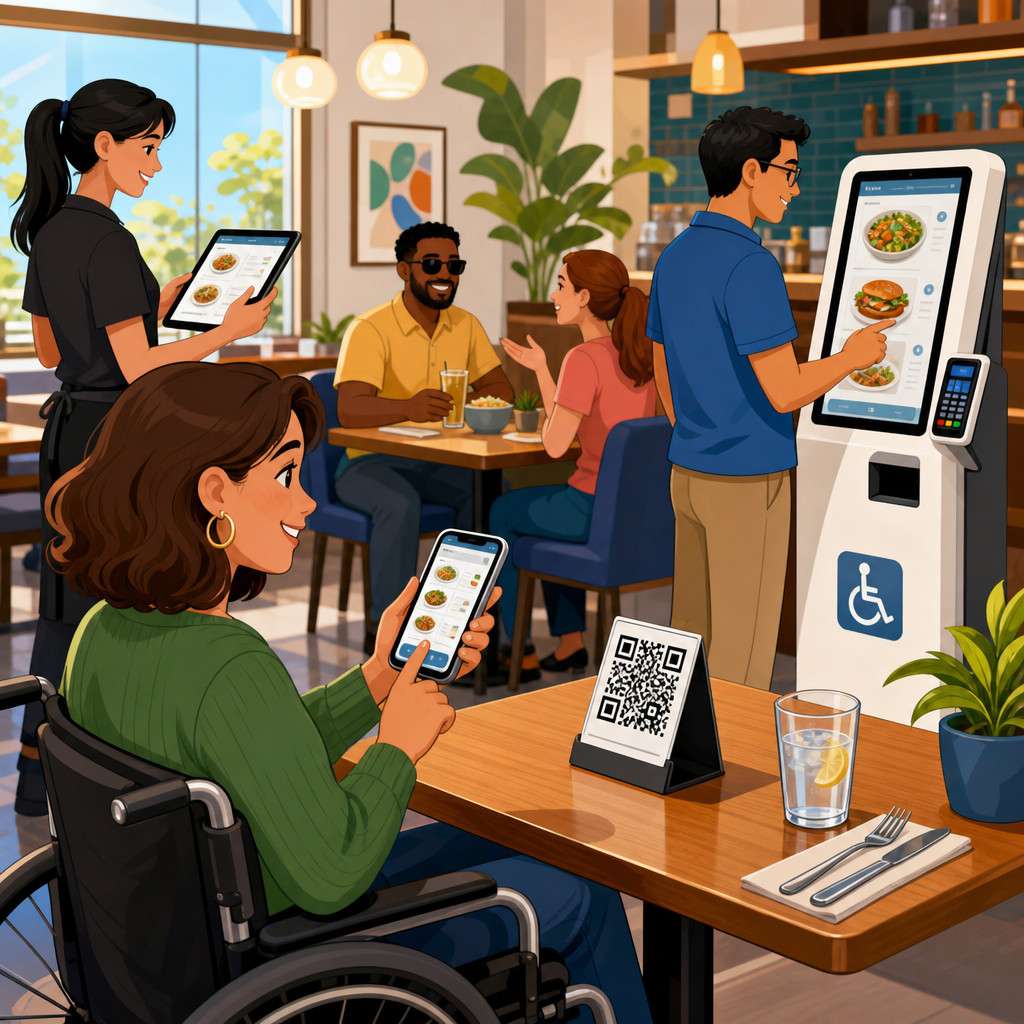
Restaurants now rely on QR menus, mobile ordering apps, self-service kiosks, and digital loyalty tools, but accessibility law has not become optional just because service moved to a screen. ADA rules for restaurants with QR menus, ordering apps, and kiosks matter because a guest who cannot read a menu, complete an order, hear pickup instructions, or navigate a touchscreen may be denied equal access to food service. In practical terms, restaurant accessibility now spans both the built environment and the digital customer journey.
For hospitality and food service operators, the core legal framework starts with the Americans with Disabilities Act. Title III applies to places of public accommodation, including restaurants, bars, cafes, food halls, quick-service chains, stadium concessions, hotel dining venues, and similar businesses serving the public. The ADA requires effective communication, reasonable modifications of policies and practices, and equal access to goods and services. State laws may impose additional duties, but the baseline principle is consistent: if a restaurant offers ordering, menu access, payment, loyalty enrollment, or pickup workflows through digital tools, those tools must be usable by people with disabilities.
Key terms help clarify the issue. A QR menu is a menu accessed by scanning a quick response code, usually on a table tent, receipt, counter sign, or wall placard. An ordering app may be a native mobile app, a progressive web app, or a browser-based ordering flow used for dine-in, pickup, delivery, catering, or room service. A kiosk is a self-service touchscreen used for ordering, payment, wayfinding, or check-in. Accessibility means that people who use screen readers, screen magnifiers, voice control, keyboard navigation, switch devices, captions, transcripts, or alternative input methods can obtain the same information and complete the same tasks with substantially equivalent ease, privacy, and independence.
I have worked with restaurant groups that rolled out digital ordering quickly and assumed a printed menu behind the counter would cover accessibility. It does not. When the menu changes every day, the only version may be online. When discounts are app-only, the app becomes part of the service itself. When a kiosk is the primary ordering channel, staff assistance cannot be the only path unless it truly provides equal speed, dignity, and choice. This hospitality and food service guide explains what compliant restaurant operators need to evaluate, where common failures occur, and how to build a digital dining experience that works for all guests.
How ADA obligations apply to restaurant technology
The ADA does not list every interface pattern by product name, but its requirements clearly extend to modern restaurant technology because digital tools are often the gateway to the restaurant’s services. If a guest must scan a code to view prices, allergens, modifiers, or happy hour restrictions, the menu experience must be accessible. If a guest must use a mobile app to join a waitlist, place a pickup order, redeem rewards, or access delivery-only offers, the app must be accessible. If the restaurant routes most in-store orders through self-service kiosks, the kiosk experience must be accessible as well.
In enforcement and settlement practice, accessibility analysis often looks to the Web Content Accessibility Guidelines, especially WCAG 2.1 Level AA, as the technical benchmark for websites, web apps, and many mobile experiences. While the ADA itself is principles-based, WCAG provides testable success criteria such as text alternatives, color contrast, keyboard access, visible focus, form labels, error identification, and predictable navigation. For kiosks, operators also need to consider physical reach ranges, operable parts, audio output, privacy for accessible features, and compatibility with assistive technology where applicable.
Equal access in hospitality and food service is not limited to checkout. The full guest journey matters: discovering the restaurant online, finding hours and location details, reviewing menu items, understanding allergens, customizing an order, entering payment, receiving confirmation, hearing or seeing pickup alerts, and requesting assistance. If any of those steps break for a disabled user, the restaurant may be providing a materially worse service. That is the legal risk, but it is also an operational problem, because inaccessible systems increase abandonment, staff intervention, refunds, and negative reviews.
QR menus: common barriers and practical fixes
QR menus became widespread because they reduce printing costs, support real-time updates, and integrate with ordering systems. The most common accessibility mistake is treating the QR code itself as the menu solution. The code is only an entry point. The destination must still be accessible on a phone with screen readers such as VoiceOver and TalkBack, with text resizing enabled, and without requiring precise gestures or visual interpretation of unlabeled controls.
A compliant QR menu should open to a page with proper heading structure, readable text, sufficient color contrast, logical tab order, and descriptive link names. Menu categories should be organized semantically, not just visually. Item names, prices, ingredients, and modifiers need to be text, not embedded in images. If the menu uses PDFs, those PDFs must be tagged correctly and readable by assistive technology. In my audits, image-based daily specials and scanned cocktail menus are among the most persistent failures, especially in independent restaurants and hotel outlets.
Restaurants also need an equivalent alternative when a guest cannot or does not want to scan a code. Best practice is simple: provide accessible printed menus in standard large print on request, maintain staff readiness to read or explain items, and ensure that the web menu can be reached through a short URL in addition to the QR code. A code printed low on a reflective table tent may be physically hard to scan for guests with limited dexterity or low vision. Staff should never be trained to say, “It’s all on the QR code,” because that response creates both service friction and legal exposure.
Ordering apps: where digital accessibility succeeds or fails
Restaurant ordering apps introduce more complex accessibility issues than static menus because users must navigate forms, modifiers, location permissions, saved payment tools, and timed promotions. Directly answering the question many operators ask: yes, a restaurant app must be accessible if it is part of how customers access the restaurant’s goods and services. Native iOS and Android apps should support screen reader labels, dynamic type or comparable text scaling, meaningful button names, programmatic error messages, and logical focus movement after actions such as adding an item to a cart.
Problems often appear in item customization. Modifier groups may be built as visually attractive cards with no accessible role, or required selections may not be announced to screen readers. Error states may rely on red outlines alone, which fails users who cannot perceive color differences. Loyalty and coupon flows frequently break because countdown timers, auto-advancing carousels, or modal dialogs trap keyboard or switch users. Delivery address validation can also block completion when autocomplete fields are unlabeled or inaccessible to voice input.
Operators should test routine use cases end to end: browse by category, search for a menu item, filter for gluten-free options, add modifiers, apply a reward, change a pickup time, enter payment, and retrieve the receipt. Include account creation, password reset, and guest checkout. If a customer can earn rewards only through the app but cannot use the reward interface with assistive technology, access is not equal. That issue is especially important in quick-service and coffee chains where discounts, stored value, and personalization drive a large share of repeat visits.
Kiosks: accessibility requirements at the point of order
Self-service kiosks are now central in quick-service restaurants, airports, stadiums, and cafeteria environments because they speed throughput and upsell effectively. They also create immediate access barriers if they rely solely on touch interaction, small text, silent visual prompts, or high mounting heights. A kiosk used for primary ordering should allow operation by guests with vision, hearing, mobility, and dexterity disabilities. In practice, that may include tactilely discernible controls, headphone jacks for private audio guidance, adjustable timing, reachable components, and a workflow that does not require dragging, pinching, or multi-finger gestures.
Restaurants sometimes assume that “staff can help” resolves kiosk accessibility. Assistance can be part of the solution, but not the only one if it strips privacy, slows service, or limits choice. A guest ordering discreetly, reviewing ingredients independently, or paying without disclosing dietary restrictions to an employee is using the same convenience other customers receive. Equal access means preserving that independence whenever the business has made self-service the standard path.
| Restaurant technology | Common barrier | Operational fix | Technical standard to check |
|---|---|---|---|
| QR menu | Image-only menu or inaccessible PDF | Use structured text pages and tagged PDFs only when necessary | Headings, alt text, reading order, contrast, zoom |
| Mobile ordering app | Unlabeled buttons and inaccessible modifiers | Label controls, expose required fields, test with screen readers | Programmatic labels, focus order, error identification |
| Self-service kiosk | Touch-only interaction and unreadable text | Add nonvisual access, reachable hardware, audio prompts | Operable parts, audio output, timing, physical reach |
| Pickup notifications | Audio-only name calls | Provide visual displays and text notifications | Effective communication across hearing and vision needs |
Accessible kiosks also need content parity. If the staffed register can apply discounts, split payments, note allergies, or remove auto-added tips, the kiosk should not force disabled guests into a reduced-function pathway. I have seen chains deploy accessible audio guidance on the home screen but lose usability when users reach combo customization, because the accessible layer did not expose nested options. Testing should mirror real orders, not just demo screens.
Menu content, allergens, and communication duties
Hospitality and food service accessibility is not just about navigation. The substance of menu communication matters. Guests need to understand prices, ingredients, portions, substitutions, limited-time terms, alcohol restrictions, and allergen information. A restaurant cannot communicate those details only through color coding, icons with no text labels, low-contrast footnotes, or hover states that do not work on touch devices. If a vegan icon or spicy indicator is shown, it should also have a text label that assistive technology can identify.
Allergen disclosures deserve particular care. Digital menus often include expandable panels for nuts, dairy, shellfish, gluten, sesame, or cross-contact warnings. Those panels must be keyboard accessible and screen-reader compatible. Restaurants should also avoid overpromising. If kitchens cannot guarantee an allergen-free environment because of shared fryers or prep surfaces, the disclaimer should be clear and accessible. Accurate allergen communication is both a safety issue and a trust issue, especially for chains, university dining programs, hospitals, and hotel banquet operations.
Effective communication also includes receipts, order confirmations, and pickup notices. If curbside instructions are sent only through a map pin that is not labeled accessibly, or if pickup queues are announced only by voice over a noisy counter, some guests will miss their orders. Better systems provide both visual and auditory methods, such as on-screen status, text alerts, vibration-capable app notices, and clearly visible order boards.
How restaurants can build and maintain compliance
The most effective compliance programs in restaurants treat accessibility as part of procurement, design, QA, and frontline operations rather than a one-time remediation project. Start by inventorying every guest-facing touchpoint: website menus, reservation widgets, waitlist tools, gift card flows, catering forms, loyalty portals, native apps, kiosks, and third-party ordering integrations. Then identify who controls each component. A franchisee may own the dining room tablets, corporate may own the app, and a vendor may host the kiosk software. Responsibility must still be assigned clearly.
Next, adopt measurable standards. For web and app experiences, WCAG 2.1 AA remains the practical benchmark. Use manual testing in addition to automated scanning with tools such as axe DevTools, WAVE, Lighthouse, and platform accessibility inspectors. For mobile apps, test with VoiceOver on iOS and TalkBack on Android. For kiosks, perform onsite reviews that include screen glare, reach ranges, queue pressure, headphone access, timeout behavior, and transaction recovery after errors.
Training is equally important. Hosts, cashiers, servers, and managers should know how to offer alternatives without making the guest negotiate for basic access. Vendor contracts should require accessibility conformance, remediation timelines, and indemnity language where appropriate. Finally, establish a simple feedback channel so guests can report barriers and receive prompt assistance. Restaurants that document audits, fixes, staff training, and vendor accountability are far better positioned to reduce complaints and deliver genuinely inclusive service.
ADA rules for restaurants with QR menus, ordering apps, and kiosks are ultimately about equal participation in everyday dining. For hospitality and food service businesses, that means making sure guests can access menu content, place orders, pay, receive notifications, and use loyalty or pickup features without unnecessary barriers. QR codes are not exempt from accessibility requirements, mobile ordering does not avoid public accommodation duties, and kiosks cannot be designed only for sighted touchscreen users. Digital convenience must be available to everyone.
The practical takeaway is straightforward. Review every digital step in the guest journey, compare it to how nondisabled customers use the same service, and fix the gaps. Use WCAG-based testing for web and app tools, evaluate kiosk hardware and software in the field, provide accessible alternatives that preserve independence, and train staff to respond appropriately when help is needed. Operators that do this well reduce legal risk, improve conversion, and create a better guest experience across dine-in, pickup, delivery, and on-premise ordering.
If this page is your hub for hospitality and food service accessibility, use it as the starting point for deeper reviews of restaurant websites, reservation systems, delivery integrations, hotel dining platforms, and self-service devices. Audit what you have, prioritize the highest-risk barriers, and build accessibility into every future rollout.
Frequently Asked Questions
Do ADA rules apply to QR code menus, mobile ordering apps, and self-service kiosks in restaurants?
Yes. Restaurants that are open to the public generally must provide people with disabilities equal access to their goods and services, and that obligation does not disappear when menus, ordering, payment, loyalty programs, or pickup instructions move to a screen. In practice, ADA compliance for restaurants now covers both the physical space and the digital tools customers must use to browse menu items, customize an order, pay, and receive service. If a guest cannot access a QR menu because it is not compatible with a screen reader, cannot complete an order in an app because buttons are unlabeled, or cannot use a kiosk because the interface depends entirely on touch and visual prompts, the restaurant may be creating a barrier to equal access.
Although the ADA was written before modern restaurant technology became standard, its core rule is straightforward: a customer with a disability should be able to obtain substantially the same service as other customers. That means digital barriers can matter just as much as steps at the entrance or inaccessible restrooms. Restaurants should view QR menus, apps, and kiosks as part of the service experience, not as separate tech products outside accessibility law. The safest and most practical approach is to make digital ordering systems accessible from the start and to maintain an effective alternative when a specific tool cannot be made fully usable in every situation.
What makes a QR code menu or digital restaurant menu accessible under the ADA?
An accessible QR menu is not just a printed code placed on the table. The real accessibility question is whether the digital content that opens after scanning can be used by people with a range of disabilities. A compliant approach usually includes a menu page that works with screen readers, has proper heading structure, meaningful link text, sufficient color contrast, readable font sizing, and the ability to zoom without losing information or function. Images of menu pages saved as flat PDFs or picture files are often a problem because they may not be readable by assistive technology. If the menu is only available as an image, many blind or low-vision guests may effectively be shut out.
Accessibility also includes practical usability. Guests should be able to find categories, read descriptions, identify allergens, review modifiers, and understand prices without unnecessary confusion. If the restaurant uses timed pop-ups, moving content, low-contrast text, or menu layouts that break on mobile devices, that can create barriers. Restaurants should also remember that not every customer has the ability or tools to scan a code. A best-practice approach is to offer accessible alternatives immediately, such as a printed large-print menu, a standard print menu, staff assistance on request, and where appropriate a digital menu that can be accessed by a direct web link instead of only by scanning a QR code. The goal is not merely to post menu content online, but to ensure that customers with disabilities can independently and effectively use it.
Do restaurants need an accessible alternative if their kiosk or app is not fully usable by someone with a disability?
Yes, and this is a critical point. If a restaurant relies on a self-service kiosk or ordering app, it should not assume that a staff member stepping in only when someone complains is always enough. The ADA focuses on equal access, which means the restaurant should think in advance about how a guest with a disability will place an order, ask questions, apply discounts, make modifications, pay, and receive pickup information. If the main technology is not fully accessible, there should be an effective alternative that offers a comparable level of convenience, privacy, and accuracy. In some settings, that may include staffed ordering, an accessible point-of-sale station, verbal ordering support, or a fully accessible web-based ordering option.
However, an alternative must be real and reliable, not theoretical. If every customer is directed to a kiosk while disabled guests must wait for a manager, stand in a separate line, or disclose private information in a way others do not, that may still fall short. The better practice is to reduce dependence on workaround solutions and make the primary system accessible. For kiosks, that can include tactile controls, audio output, headphone jacks, screen-reader style navigation, reachable hardware placement, enough clear floor space for wheelchair users, and interfaces that do not require precise gestures or fast response times. For apps, that may include compatibility with iOS and Android accessibility tools, clear focus order, labeled form fields, and error messages that can be understood by assistive technology. A backup option matters, but accessible design is the stronger long-term solution.
What accessibility features should restaurants look for in ordering apps, loyalty platforms, and kiosks?
Restaurants should evaluate digital tools the same way they would evaluate a physical renovation: by asking whether customers with disabilities can actually use them. For mobile apps and web ordering systems, key features often include screen-reader compatibility, properly labeled buttons and fields, keyboard navigability where applicable, color contrast that meets recognized accessibility standards, captions or transcripts for multimedia, predictable navigation, and forms that clearly identify errors and explain how to fix them. Menu customization is especially important in restaurants because customers frequently need to select sizes, sides, substitutions, allergen-related requests, and pickup methods. If those controls are difficult to access or are announced poorly by assistive technology, the ordering process can break down quickly.
For kiosks, restaurants should look beyond visual design and focus on hardware and interaction. A kiosk should generally be placed at an accessible height, allow approach by customers using wheelchairs, and provide non-visual access for blind or low-vision users. Audio guidance, tactile keypads or controls, accessible card readers, and enough time to complete an order are all important. Customers with limited dexterity may need larger touch targets or alternatives to complex gestures. Deaf or hard-of-hearing customers may need visual confirmation of order status instead of spoken-only pickup announcements. Loyalty and rewards systems should also be reviewed because they are part of the dining experience. If a customer cannot sign up, log in, redeem offers, or access coupons because of accessibility barriers, the restaurant may be excluding that guest from benefits available to others.
How can a restaurant reduce ADA risk while improving accessibility across its digital and in-store customer experience?
The most effective strategy is to treat accessibility as an operational standard, not a one-time legal project. Restaurants should start by identifying every point where a customer interacts with technology: QR menus, websites, mobile apps, kiosks, payment terminals, loyalty tools, reservation systems, and pickup notifications. From there, they should review those systems for accessibility barriers, ideally using a combination of automated testing, manual testing, and where possible input from users with disabilities. It is also wise to work with vendors that can explain how their products address accessibility and whether they align with recognized technical standards such as WCAG for digital content. Vendor contracts should address accessibility responsibilities instead of leaving the issue vague.
Just as important, staff should be trained on how to assist customers without delay, confusion, or stigma. Employees should know what alternatives are available when a guest cannot use a QR code, app, or kiosk, and they should be able to provide that help promptly. Restaurants should maintain accessible printed materials where needed, offer direct assistance with ordering and payment, and make sure pickup instructions are communicated in more than one format when possible. Accessibility should also be revisited whenever menu systems, app updates, or kiosk software change, because new barriers can be introduced during routine updates. Taking these steps does more than reduce legal exposure. It helps restaurants serve more customers effectively, protect brand reputation, and create a dining experience that is inclusive in both the built environment and the digital service path.





