Accessible court services determine whether people can actually use the justice system, not merely whether rights exist on paper. In this context, accessibility means that courts provide effective communication, usable forms, and physical access so every person, including people with disabilities, limited English proficiency, low literacy, or age-related needs, can participate fully in hearings, filings, and court programs. I have worked on court-facing service content and know the practical pattern: many barriers are small on their own, but together they can block a case, delay protection, or cause a person to miss a deadline. That is why accessible court services matter across the full path of public services and civic access.
For most court users, the issue begins before anyone enters a courthouse. A person may need a plain-language eviction answer form, a sign language interpreter for a custody hearing, a wheelchair-accessible entrance, real-time captioning for a remote proceeding, or translated instructions explaining service of process. Accessibility also includes digital access, because courts now rely on websites, e-filing portals, online payment systems, text reminders, and video hearings. If these systems are not designed for screen readers, keyboard navigation, color contrast, captioning, and plain instructions, equal access fails at the first step.
Several legal frameworks shape these duties. State and local courts are generally covered by the Americans with Disabilities Act, especially Title II, which requires equal access to public services, programs, and activities. Courts that receive federal funding may also have obligations under Section 504 of the Rehabilitation Act. Language access duties can arise under Title VI of the Civil Rights Act and related federal guidance where recipients of federal funds serve people with limited English proficiency. Building access is shaped by the 2010 ADA Standards for Accessible Design, while digital access increasingly tracks the Web Content Accessibility Guidelines, usually WCAG 2.1 AA as the practical benchmark.
This hub article explains the core rights and systems that make court access real. It covers communication accommodations, accessible forms and websites, physical courthouse access, remote hearings, complaint options, and how this topic connects to the wider public services and civic access landscape. If you need one starting point for understanding accessible court services, this is it.
Communication access in court proceedings
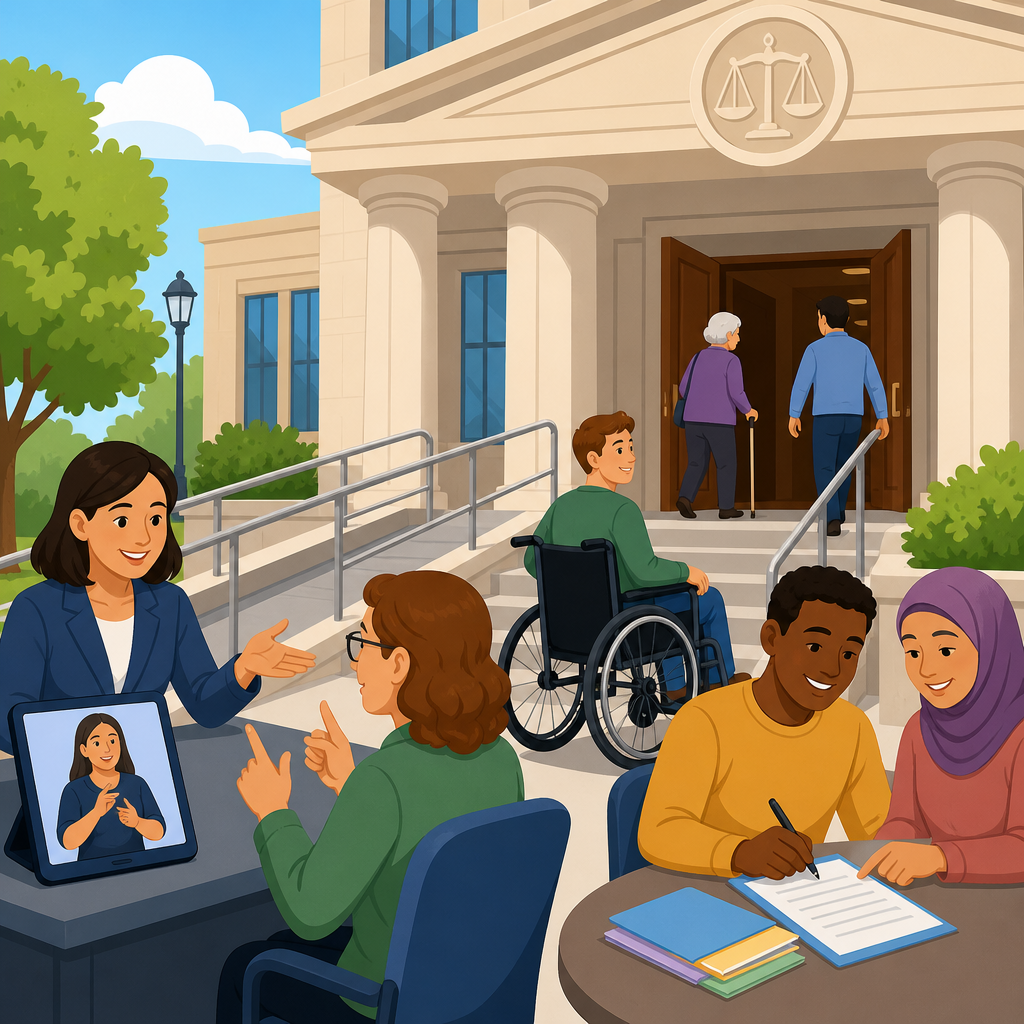
Communication access means a court must provide auxiliary aids and services when needed for effective communication, unless doing so would fundamentally alter the service or create an undue financial and administrative burden. In practice, that often includes qualified sign language interpreters, oral interpreters, CART captioning, assistive listening systems, accessible electronic documents, large print, and help reading forms aloud in a neutral way. The key standard is effectiveness. A court cannot simply offer a tool that exists; it must work for the person in the setting where the communication happens.
Consider a deaf litigant in a domestic violence hearing. Written notes at counsel table are rarely an adequate substitute for a qualified interpreter because hearings move quickly, testimony is nuanced, and side conversations affect legal strategy. The same principle applies to remote proceedings. Auto-generated captions may help some users, but they are not always accurate enough for testimony, legal terminology, or overlapping speech. In my experience, courts that plan early by confirming accommodations before the hearing date avoid the most common failures: interpreter no-shows, inaccessible links, and last-minute continuances that harm the person seeking relief.
Language access overlaps with disability access but is not identical. A person with limited English proficiency may need a spoken language interpreter and translated forms, while a deaf person whose primary language is American Sign Language may need ASL interpretation rather than written English. Courts should not rely on children, opposing parties, or casual bilingual staff for high-stakes interpretation. Accuracy, impartiality, and confidentiality matter. For clerk counters, self-help centers, and online chat tools, plain language also improves access because many users understand rights better when legal jargon is reduced without changing meaning.
Accessible forms, websites, and digital court tools
Forms are where many people first lose access. A court form may be legally available yet still unusable if it is a scanned image, unlabeled PDF, dense packet of unexplained terms, or online workflow that times out before a screen reader user can finish. Accessible forms should be machine readable, properly tagged, navigable by keyboard, compatible with screen readers, and written with clear field labels and instructions. Where signatures are required, courts should explain alternatives for people who cannot use standard handwritten signatures. Good design reduces filing errors and clerk rejections.
Digital access now sits at the center of court operations. E-filing systems, payment portals, jury questionnaires, and hearing notices should work on mobile devices as well as desktop computers because many low-income users rely on phones as their primary internet access point. Notices should include deadlines in plain format, not buried in blocks of text. Error messages should identify exactly what needs fixing. If a portal requires a document upload, the system should accept common formats and explain size limits. These are not cosmetic choices; they directly affect whether someone can respond to a lawsuit or comply with a court order.
When courts modernize, WCAG 2.1 AA is the most practical baseline for public-facing content. That means sufficient color contrast, captions for prerecorded media, text alternatives for meaningful images, focus indicators, resizable text, and predictable navigation. It also means forms must announce labels and instructions to assistive technology. I have seen courts improve completion rates simply by replacing scanned packets with tagged forms and step-by-step online interviews built through tools such as A2J Author, LawHelp Interactive, or guided interview platforms used by legal aid groups. Better accessibility often means fewer continuances, fewer rejected filings, and less staff time spent troubleshooting.
Physical access to courthouses and service counters
Physical access is broader than ramps. An accessible courthouse route includes parking, curb cuts, entrances, security screening, elevators, restrooms, counters, witness boxes, jury areas, and paths to clerk offices, mediation rooms, and self-help centers. The 2010 ADA Standards provide the technical baseline for many features, but user experience matters just as much. A power door that is often locked, an accessible entrance hidden behind a loading area, or a service counter too high for confidential conversation can effectively deny access even when a building appears compliant on paper.
Older courthouses present special challenges because many are historic buildings with structural limits. Even then, courts remain responsible for program access. That may mean relocating a hearing to an accessible courtroom, providing services in another part of the building, adjusting security procedures, or using remote participation when appropriate. I have seen courts solve recurring barriers by auditing the user journey rather than isolated features. For example, one building had an accessible entrance, but the route from that entrance to the family court clerk passed through a heavy fire door with no opener. Fixing that single door changed the practical accessibility of the whole program.
| Access area | Common barrier | Practical court solution |
|---|---|---|
| Entrance | Only stairs at main public door | Provide clearly signed accessible entrance with equivalent hours and staffing |
| Security screening | Narrow lanes or rushed verbal instructions | Offer accessible lane, visual instructions, seating, and staff training |
| Clerk counter | Counter too high for wheelchair users | Add lowered section and private consultation space |
| Courtroom | Witness stand or jury box not accessible | Use alternative accessible locations without reducing participation |
| Wayfinding | Confusing signage and no tactile information | Install high-contrast signs, room numbers, and consistent directional markers |
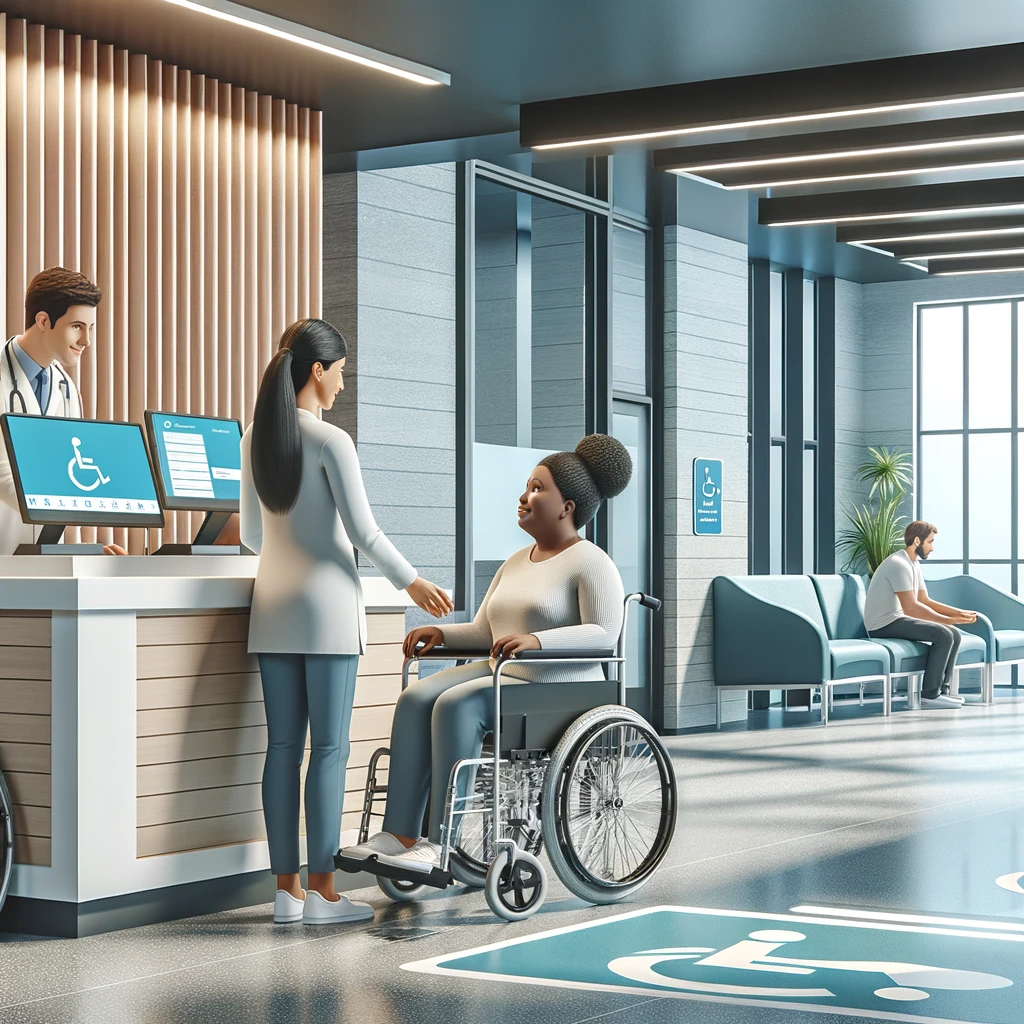
Physical access also includes waiting conditions. Long lines without seating, poor acoustics, inaccessible public restrooms, and lack of lactation space or quiet rooms can make court participation much harder for people with disabilities, older adults, and caregivers. Courts that study traffic flow, install clear signage, and train deputies and clerks on accommodation requests usually see better compliance and fewer public complaints.
Remote hearings, hybrid proceedings, and emerging access issues
Remote hearings expanded access for many people by reducing travel, childcare burdens, missed work, and transportation barriers. They also created new exclusion risks. A person may have no broadband, limited data, no private location, no webcam, or a disability-related need for a platform that supports captioning, pinning interpreters, or keyboard navigation. Hybrid proceedings add another layer, because remote participants can be sidelined if courtroom microphones are weak or exhibits are shown only to people in the room. The rule is the same as in person: participation must be meaningful.
Courts should publish remote appearance instructions in plain language and multiple languages, with screenshots, dial-in numbers, device requirements, and a troubleshooting contact that reaches a real person before the hearing starts. Judges and staff should know how to pause proceedings when interpretation fails, confirm that captions are visible, and make sure exhibits are accessible in advance. Some courts now run technology check sessions, lending programs for devices, or courthouse kiosks with private booths. Those are strong practices because they recognize a simple truth: access depends on preparation, not improvisation.
Artificial intelligence tools are starting to appear in transcription, translation, and chat support. They can help with volume and speed, but they should not replace qualified interpreters, legal review, or human oversight in high-stakes court functions. Machine translation can be useful for basic navigation content, yet errors in legal instructions can cause missed deadlines or waived rights. Courts should treat automation as assistive infrastructure, not as a substitute for due process.
How to request accommodations, solve problems, and connect this hub to civic access
Every court should have a clear accommodation request process that is easy to find online, available at clerk counters, and usable without legal representation. Best practice is simple: identify the ADA coordinator or access office, provide multiple request methods, explain deadlines while accepting late requests when possible, and describe what information is needed without demanding unnecessary medical details. Courts should also publish grievance procedures for people who believe access was denied. Fast correction matters because a perfect complaint process does not help if a hearing happens before the issue is fixed.
This hub sits within the broader public services and civic access landscape because the same barriers repeat across agencies. People who struggle with court forms often face similar problems with voting materials, benefits portals, police complaint systems, housing inspections, and public meetings. That is why internal connections across rights and protections content matter. Related topics include language access in public agencies, disability rights in government programs, accessible voting, transit access to public buildings, and digital accessibility standards for state and local services. Courts are a critical access point, but they are not the only one.
The main lesson is straightforward. Accessible court services require three things working together: effective communication, usable forms and technology, and real physical access. When one fails, equal participation fails. If you are building, auditing, or using court services, start by mapping the user journey from notice to resolution, identify barriers at each step, and request or implement fixes early. Strong access practices protect rights, reduce delays, and make the justice system more credible. Use this hub as your starting point, then review the related public services and civic access guides that address each barrier in greater detail.
Frequently Asked Questions
What does “accessible court services” actually mean in practice?
Accessible court services means more than simply opening the courthouse doors. In practice, it means the court provides the communication support, forms, and physical access people need so they can understand what is happening, respond on time, and participate meaningfully in every part of a case. That includes hearings, filings, payment processes, self-help services, mediation, treatment or diversion programs, and public counters. A person cannot truly use the justice system if they cannot read the notice, hear the judge, enter the building, communicate with staff, or complete required paperwork.
In day-to-day terms, accessibility often includes qualified sign language interpreters, real-time captioning, assistive listening systems, materials in plain language, language access services for people with limited English proficiency, forms that are readable and usable, and websites or kiosks that work with assistive technology. It also includes ramps, elevators, accessible restrooms, accessible witness stands, seating areas that accommodate mobility devices, and service processes that do not unintentionally exclude people with cognitive, sensory, literacy, or age-related needs.
The core idea is effective access, not a one-size-fits-all checklist. Different court users need different supports, and courts are generally expected to make reasonable modifications or provide appropriate auxiliary aids and services so people can engage with the legal process on equal terms. When courts focus on practical usability rather than technical compliance alone, they improve fairness, reduce missed appearances, lower confusion at the counter, and help ensure that legal rights can actually be exercised.
What communication rights do court users have if they are deaf, hard of hearing, blind, have low vision, limited speech, or need language assistance?
Court users generally have the right to effective communication, which means the court should provide communication methods that work well enough for the person to understand and participate fully. For someone who is deaf or hard of hearing, that may include a qualified sign language interpreter, CART or real-time captioning, an assistive listening device, or another aid that fits the person’s needs and the setting. For someone who is blind or has low vision, effective communication may involve large print, screen-reader-compatible digital documents, accessible PDFs, audio formats, or staff assistance in navigating forms and notices. For someone with limited speech or a communication disability, the court may need to allow the use of communication boards, speech-generating devices, or extra time to communicate clearly.
Language assistance is also a major part of access. If a person has limited English proficiency, the court may be required to provide an interpreter for hearings and, in many systems, meaningful help with critical interactions at public counters, clerk’s offices, and self-help services. Written translations may be available for important forms, notices, or instructions depending on local policy and the type of document. The goal is not just literal translation, but meaningful participation, so the person can understand deadlines, options, obligations, and consequences.
A practical point matters here: the most effective communication support is usually the one requested by the user, if it is reasonable and appropriate in context. Courts may have processes for requesting accommodations or interpreters in advance, but urgent needs can arise on the day of court as well. If communication barriers are not addressed, the result can be missed rights, procedural mistakes, or unequal treatment. That is why communication access is a fundamental service issue, not a courtesy.
How can courts make forms and written materials more accessible and easier to use?
Accessible forms are essential because forms are the gateway to nearly every court process. If a person cannot understand or complete the paperwork, they may never reach the stage where a judge can hear the issue. Courts can improve access by using plain language, clear headings, larger readable fonts, consistent terminology, and step-by-step instructions that explain what information is required and why. Dense legal phrases, unexplained abbreviations, and cluttered layouts often create barriers for people with low literacy, cognitive disabilities, limited English proficiency, or people who are under stress and trying to act without a lawyer.
Digital accessibility matters just as much as readability. Online forms should work with screen readers, support keyboard navigation, have properly labeled fields, allow sufficient contrast, and avoid inaccessible CAPTCHA or timed sessions that log people out before they can finish. PDFs should be tagged correctly, and scanned image-only documents should be replaced with accessible text-based versions whenever possible. Mobile usability also matters, because many people access court information on a phone rather than a desktop computer.
Good form design also includes alternatives and support. That can mean translated instructions, examples of completed forms, plain-language glossaries, visual cues, videos with captions, in-person assistance at self-help centers, and staff trained to explain process without giving legal advice. The most effective courts test forms with real users, including people with disabilities, older adults, and self-represented litigants. When forms are usable, error rates drop, counter traffic becomes more manageable, and more people can comply with court requirements without unnecessary delay.
What kinds of physical access should people expect at a courthouse or court-related program?
Physical access should begin before a person reaches the courtroom. Parking, curb cuts, drop-off areas, sidewalks, entrances, and security checkpoints all affect whether someone can enter the building safely and independently. Inside the courthouse, people should be able to move through public spaces, clerk’s offices, restrooms, waiting areas, service counters, courtrooms, jury assembly rooms, and program offices. That usually means accessible routes, ramps or elevators where needed, door hardware that can be used easily, adequate turning space, seating options, and signage that is visible and understandable.
True access also requires that the courtroom itself be usable. An accessible courthouse is not fully accessible if a witness, party, juror, or member of the public can enter the building but cannot reach the judge’s bench area, counsel tables, witness stand, or public seating in a meaningful way. Microphones, hearing assistance systems, lighting, acoustics, and line-of-sight can all affect participation. So can practical details such as whether a person using a wheelchair has a place to sit with family or counsel, whether a service animal can accompany them, and whether security procedures are adapted appropriately for disability-related equipment or needs.
Court-related programs and off-site services should also be considered. Mediation centers, treatment courts, parenting classes, self-help workshops, and remote service hubs must be accessible, not just the main courthouse. If a physical barrier prevents attendance, the court may need to consider relocation, remote participation, schedule adjustments, or other reasonable modifications. Physical access is not just about construction standards; it is about whether people can actually show up, move through the process, and be heard.
What should someone do if they need an accommodation or believe a court service is not accessible?
The best first step is usually to notify the court as early as possible and describe the barrier in practical terms. Instead of only saying “I need help,” it is often more effective to explain exactly what is needed: for example, a qualified ASL interpreter, large-print documents, a screen-reader-compatible form, wheelchair access to the hearing room, extra time to complete paperwork, or an interpreter for a specific language. Many courts have an ADA coordinator, access office, interpreter services unit, or accommodation request form on their website. If the issue involves an upcoming hearing, include the case number, date, location, and a way for the court to contact you quickly.
If the barrier appears at the courthouse unexpectedly, tell court staff immediately and ask who handles accessibility or accommodations. It can help to document what happened, who was contacted, and what response was given, especially if the problem affects a deadline, hearing attendance, or the ability to present your case. If a form, website, kiosk, or notice is inaccessible, mention the exact document or page and explain what made it unusable. Courts are more likely to resolve issues quickly when the problem is specific and tied to a clear service need.
If the response is incomplete or delayed, a person may be able to escalate the issue through a supervisor, court administrator, ADA or civil rights complaint process, language access complaint process, or another oversight channel within the court system. The key point is that accessibility problems can affect due process, deadlines, and equal participation, so they should be raised promptly and clearly. People should not assume they must simply work around barriers on their own. Courts function best when access needs are treated as a core part of service delivery, and raising the issue can help both the individual case and the broader court system improve.