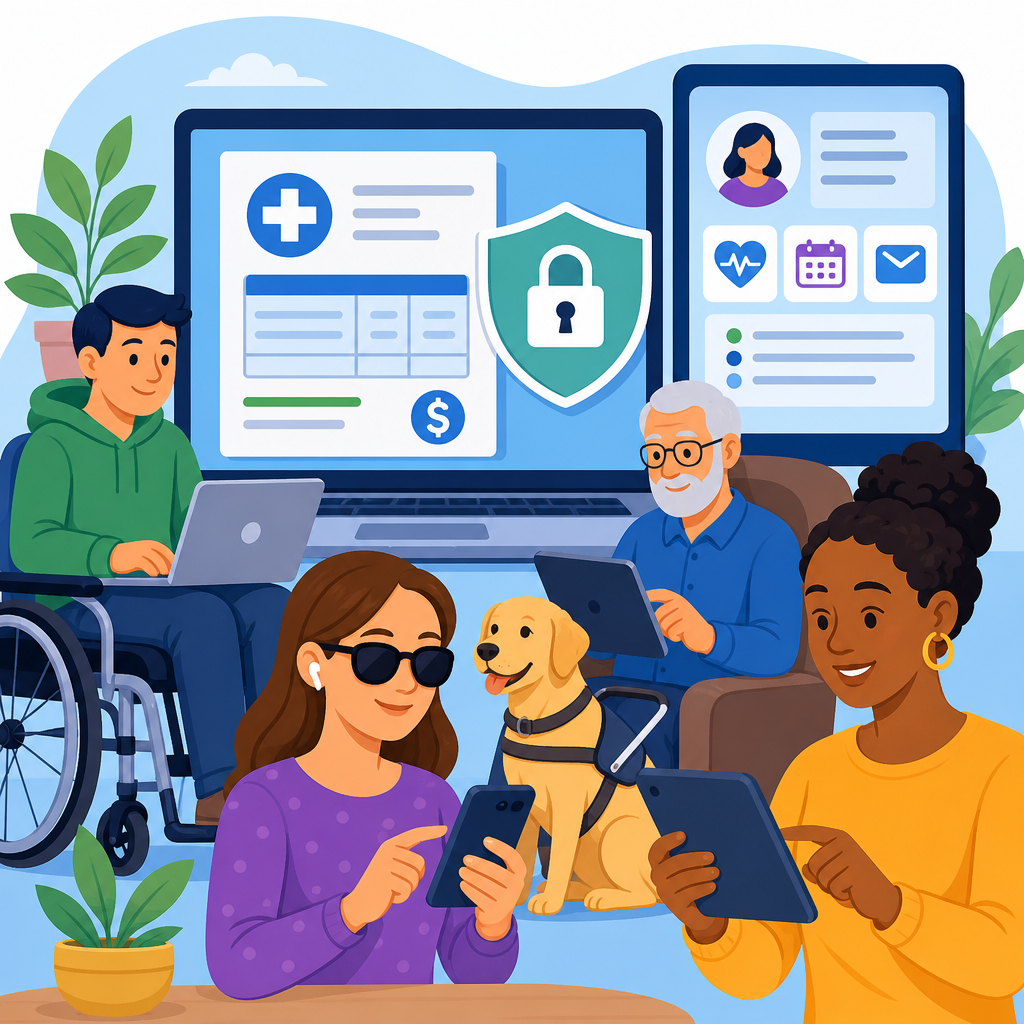
For hospitals, utilities, insurers, and local governments, the Americans with Disabilities Act now reaches far beyond ramps and reception desks into password-protected bills, patient portals, and every authenticated screen a customer must use to manage essential services. In practice, that means a login page, account dashboard, payment workflow, document viewer, and secure message center can all create legal risk if disabled users cannot access them independently. It also means accessibility is not a side issue reserved for public marketing pages. The most consequential barriers I see in audits are often inside authenticated areas where organizations assume fewer people will notice. They do notice, and when the blocked task involves paying a bill, viewing test results, requesting records, or messaging a clinician, the harm is immediate.
The ADA is the primary federal civil rights law prohibiting disability discrimination in many areas of public life. Title II applies to state and local governments, while Title III applies to businesses and nonprofit service providers that qualify as places of public accommodation, including many healthcare systems, pharmacies, insurers, banks, and retailers. Patient portals are secure websites or apps used to review appointments, medications, lab results, visit summaries, and messages. Password-protected bills are online account areas where users log in to view statements, payment plans, notices, and account history. When these systems are not coded and designed for assistive technology, they can exclude users who are blind, have low vision, are deaf or hard of hearing, have mobility impairments, cognitive disabilities, or use speech input.
This matters because protected portals increasingly control access to basic participation. A clinic may post test results only in a portal. A city may issue utility shutoff warnings through an online account. An insurer may require online prior authorization tracking. If the secure area is inaccessible, the user is effectively denied the service itself. Courts and enforcement agencies have repeatedly treated digital barriers this way, especially when no equivalent alternative exists that provides equal privacy, independence, timeliness, and scope. In healthcare, privacy rules also make the issue more complex. Organizations cannot defend a flawed portal by pushing users toward less private workarounds that require family assistance, longer phone waits, or repeated disclosure of sensitive information.
From years of reviewing registration flows, payment screens, explanation-of-benefits portals, and electronic health record front ends, I have learned that accessibility problems in authenticated systems are usually structural rather than cosmetic. Labels are missing, focus order breaks after multifactor authentication, timeouts expire too quickly, PDFs are image based, error messages are vague, and keyboard users get trapped in modals. These are not minor defects. They can stop a person from paying on time, disputing a charge, downloading a visit summary, or reading a physician message. Understanding how the ADA applies in these situations helps organizations reduce legal exposure and, more importantly, gives users an equal chance to handle urgent tasks with dignity.
How the ADA Applies to Secure Digital Accounts
The ADA does not lose force just because a service sits behind a login. If an organization offers a digital channel that customers or patients must use to obtain benefits, communicate, or complete transactions, that channel must be accessible unless doing so would fundamentally alter the service or impose an undue burden. Those defenses are narrow and fact specific. For most modern portals and billing systems, the practical question is not whether accessibility is required, but whether the implementation meets recognized accessibility standards consistently across the full user journey.
For state and local government entities, the rule is especially direct. If a resident must use a secure portal to receive notices, pay fees, request accommodations, or access records, the entity has to provide effective access. For private healthcare providers, pharmacies, and insurers, the analysis often turns on whether the portal is closely connected to the goods and services of the covered entity. In real disputes, that connection is usually obvious. A patient portal is not ancillary marketing content. It is the delivery mechanism for care information. A billing portal is not optional decoration. It is where the consumer receives and acts on a financial obligation.
Recognized technical guidance matters here. The Web Content Accessibility Guidelines, especially WCAG 2.1 Level AA and increasingly WCAG 2.2, remain the benchmark most organizations use to build and test accessible digital systems. The Department of Justice has consistently pointed to WCAG as a useful measure, even when legal obligations arise from the ADA itself rather than from WCAG as a statute. In practical compliance work, I advise teams to treat WCAG as the floor, not the ceiling, because authenticated workflows also require usability testing with screen readers, keyboard-only navigation, zoom, high contrast settings, and mobile assistive technology.
Where Password-Protected Bills Commonly Fail
Billing portals fail accessibility in recurring ways, and the consequences are easy to understand. A blind customer may log in successfully but encounter unlabeled buttons for paperless settings or payment submission. A user with low vision may be unable to read line items because color contrast is weak and text cannot reflow at 400 percent zoom. A customer with limited dexterity may be forced through small tap targets, drag interactions, or session timeouts that expire before a form can be completed. People with cognitive disabilities may confront confusing due date language, inconsistent account summaries, or error messages that identify a problem without explaining how to fix it.
The most serious failures often occur in documents. Many organizations place statements, delinquency notices, and payment plans in inaccessible PDFs generated from legacy billing software. Screen readers cannot parse scanned images without proper text recognition and tagging. Headings, tables, form fields, and reading order may be absent. If the account also blocks copy and paste or downloading accessible formats, the user is trapped. In utility billing, that can mean missed shutoff warnings. In hospital billing, it can mean inability to review itemized charges or charity care information. When the bill itself is inaccessible, the entire debt communication process becomes suspect.
Another frequent problem is inaccessible fraud prevention and verification. CAPTCHA tools without audio alternatives, one-time passcode interfaces that steal keyboard focus, and identity-proofing screens that do not announce errors can all block entry. Organizations sometimes add these controls to improve security, but accessibility and security are not opposing goals. Accessible multifactor authentication exists. Well-designed passkeys, properly labeled authenticator code fields, timeout warnings that are announced to assistive technology, and support for password managers can strengthen account protection while preserving equal access.
What Makes Patient Portals Different From Other Accounts
Patient portals raise the stakes because the content is medically sensitive, time dependent, and often emotionally charged. A patient may need to read pathology results, refill a critical medication, complete intake forms before surgery, or message a physician about a worsening symptom. If the portal is inaccessible, delay can affect treatment, not just convenience. The privacy dimension also matters. A workaround that forces the patient to rely on a relative, receptionist, or speakerphone can undermine confidentiality in ways that would be unacceptable for non-disabled users.
Healthcare systems also use complex vendor ecosystems. The visible portal may come from an electronic health record platform such as Epic MyChart, Oracle Health, athenahealth, or Meditech, while embedded billing, scheduling, telehealth, forms, and document signing may come from separate vendors. Responsibility does not disappear because a third party built the feature. Covered organizations still control procurement, implementation, configuration, testing, and complaint handling. In audits, I often find that the core portal is reasonably accessible but a linked radiology viewer, payment widget, or telehealth intake form breaks the experience entirely. From the patient perspective, that distinction is meaningless; the care journey has still failed.
Accessibility in patient portals also includes content practices, not only code. Clinical abbreviations without explanation, result displays that rely solely on color, and medication instructions presented in dense blocks can create barriers for users with cognitive disabilities or low health literacy. Secure messages must be readable by screen readers, attachments should be tagged, and appointment workflows should announce date pickers, required fields, and confirmation states clearly. In other words, compliance is not achieved by fixing the login page alone. Every step after authentication counts.
Key ADA Questions Organizations Should Answer
Leaders can assess risk by asking a short set of concrete questions. If the answer to any of these is no, the portal likely needs remediation and governance changes.
| Question | Why it matters | Practical example |
|---|---|---|
| Can every critical task be completed by keyboard alone? | Keyboard access is essential for many blind and mobility-impaired users. | A patient can log in, open test results, send a message, and pay a bill without using a mouse. |
| Do screen readers announce labels, errors, status messages, and document structure? | Missing semantics make forms and statements unusable. | An insurance member hears which field failed and how to correct it. |
| Are time limits adjustable or clearly extendable? | Short sessions can exclude users who need more time to read or type. | A billing portal warns before logout and lets the user continue securely. |
| Are PDFs, statements, and explanations of benefits accessible? | Core information is often delivered as documents rather than web pages. | A utility customer reads a shutoff notice with proper headings and table markup. |
| Do third-party tools meet the same standard? | Embedded vendors frequently create the final barrier. | A telehealth consent form works with VoiceOver and TalkBack on mobile devices. |
Enforcement Trends, Litigation, and Regulatory Direction
Organizations sometimes assume secure areas draw less scrutiny because they are not indexed by search engines. That assumption is wrong. Lawsuits and demand letters often focus on account creation, billing, and patient services precisely because those functions are essential. The Department of Justice has repeatedly stated that inaccessible websites can violate the ADA, and recent rulemaking for state and local government web and mobile services confirms a standards-based approach centered on WCAG 2.1 AA. While private-sector rules are less prescriptive at the federal level, enforcement posture and case law still push businesses toward the same technical benchmark.
Healthcare adds overlapping obligations. Section 504 of the Rehabilitation Act can apply to recipients of federal financial assistance, and Section 1557 of the Affordable Care Act prohibits disability discrimination in many health programs and activities. That means hospitals, health systems, insurers, and clinics often face more than one legal pathway for the same inaccessible portal. Even when a claim does not proceed to judgment, the cost of remediation under deadline, outside counsel review, reputational damage, and repeat testing can be substantial. Early accessibility work is almost always cheaper than reactive fixes after a complaint.
Real-world settlements commonly require an accessibility policy, designated personnel, staff training, vendor oversight, periodic audits, user testing, and a public feedback channel. Those are governance measures, not just coding tasks. They matter because inaccessible portals usually result from process failures: inaccessible design systems, untested releases, contracts without accessibility warranties, and support teams unprepared to handle disability-related complaints. Fixing one defect without changing the process guarantees regression.
How to Make Portals Accessible in Practice
The most effective approach starts with critical user journeys. Map the tasks that matter most: create account, log in, reset password, complete multifactor authentication, view statements or results, download documents, send messages, schedule appointments, and make payments. Test each task with NVDA and JAWS on Windows, VoiceOver on Apple devices, TalkBack on Android, keyboard-only navigation, browser zoom to 200 and 400 percent, and automated scanning tools such as axe, WAVE, or Accessibility Insights. Automated tools catch only part of the problem, but they quickly surface missing labels, color contrast failures, and structural issues.
Then remediate in layers. Fix semantic markup and focus management first because they unblock entire workflows. Replace inaccessible custom controls with native elements where possible. Ensure error prevention for financial and medical submissions, including clear review screens before finalizing a payment or sending a form. Make documents accessible at the source by generating tagged PDFs or, better, offering equivalent structured web pages. Review timeout settings, CAPTCHA alternatives, and authentication flows under the latest guidance on accessible authentication. Finally, establish release gates so future updates cannot ship without accessibility review.
Procurement is equally important. Contracts with portal, billing, telehealth, and document vendors should require conformance targets, testing evidence, remediation timelines, indemnity language where appropriate, and cooperation during audits. Ask for a current accessibility conformance report based on the Voluntary Product Accessibility Template format, but do not treat a vendor statement as proof. Verify with hands-on testing in your configured environment. I have seen products with favorable paperwork fail badly once branding layers, single sign-on, analytics scripts, and payment integrations were added.
Why This Hub Matters for Rights and Protections
Password-protected bills and patient portals show how disability rights operate in daily life. The issue is not abstract web compliance. It is whether a person can receive medical information privately, challenge a charge accurately, keep utilities connected, and communicate with essential service providers on equal terms. As digital self-service expands, these authenticated spaces are becoming the front door to care, finance, and public benefits. When that front door is inaccessible, the legal violation is matched by a practical injury the user feels immediately.
This hub anchors broader coverage of rights in practice and emerging issues because secure portals sit at the intersection of civil rights, privacy, procurement, cybersecurity, and user experience. Organizations that understand that intersection make better decisions: they write stronger vendor contracts, test beyond public pages, provide accessible documents, and build support channels that preserve independence rather than undermine it. Readers exploring related topics should continue into articles on accessible authentication, PDF remediation, telehealth accessibility, third-party vendor liability, and how to document an effective accommodation request when digital access fails.
The central takeaway is simple. If your organization delivers bills, benefits, records, or clinical communication through a password-protected portal, the ADA likely applies to that experience from login to completion. Accessibility must cover the whole transaction, not just the homepage. Start with the highest-risk workflows, test them with real assistive technology, fix document and authentication barriers, and build governance that prevents regression. Done well, this protects legal rights while improving service quality for everyone. The next step is practical: audit your secure accounts now, prioritize the blocked tasks, and remediate before a user is forced to fight for access.
Frequently Asked Questions
Does the ADA really apply to password-protected bills, patient portals, and other logged-in account areas?
Yes. The ADA does not stop at a public homepage or a physical front desk. If an organization offers essential services through authenticated digital spaces, those areas can fall squarely within accessibility obligations. For hospitals, utility providers, insurers, and local governments, that includes login pages, account dashboards, payment portals, document libraries, appointment tools, secure inboxes, and any other screen a customer must use after signing in. If a blind user cannot review a bill with a screen reader, if a keyboard-only user cannot complete a payment, or if a person with low vision cannot read account details because of poor contrast or broken zoom behavior, the access problem exists whether the content is public or behind a password.
That matters because these private account areas often deliver core services, not optional extras. A patient may need portal access to review test results, send a message to a care team, or pay a medical bill. A utility customer may need to update service, avoid disconnection, or set up payment arrangements online. An insured member may need to retrieve an explanation of benefits, submit documents, or appeal a claim. If those authenticated experiences are not independently usable by people with disabilities, the organization may face legal exposure, customer complaints, and operational inefficiency all at once.
Which parts of a secure portal are most likely to create ADA accessibility risk?
The highest-risk areas are usually the steps people cannot avoid: sign-in, account recovery, navigation, billing, forms, documents, and secure communications. Login screens often fail because form fields are unlabeled, error messages are vague, time limits are too aggressive, or multifactor authentication depends on inaccessible visual cues. Dashboards can become barriers when menus are not keyboard accessible, headings are disorganized, buttons are unlabeled, or dynamic content updates are not announced to assistive technology. Once users enter the portal, common trouble spots include payment flows, insurance claim forms, appointment scheduling, account settings, and document viewers that do not work well with screen readers or voice input tools.
Uploaded PDFs and statements are another major source of risk. Many organizations assume accessibility ends once a user reaches the document, but bills, explanation-of-benefit notices, lab reports, and policy documents must also be usable. An inaccessible PDF, image-only bill, or poorly structured statement can make it impossible for a user to understand balances, deadlines, or next steps. Secure message centers can create problems too, especially when they rely on icons without text labels, unreadable file attachments, inaccessible CAPTCHAs, or confusing compose-and-reply workflows. In practice, any point where the user must perceive information, enter data, understand instructions, or complete a transaction deserves careful review.
What accessibility standards should organizations use for patient portals and online billing systems?
The most widely accepted benchmark is the Web Content Accessibility Guidelines, usually referred to as WCAG. In most compliance discussions, organizations work toward WCAG 2.1 Level AA or the newer WCAG 2.2 Level AA, depending on their legal, contractual, and operational context. These standards are important because they translate the broad requirement of equal access into concrete expectations for design, development, and testing. They address whether content can be used with a keyboard, whether screen readers can identify form elements, whether color contrast is strong enough, whether error handling is understandable, and whether users can complete tasks without unnecessary barriers.
For authenticated systems, standards should be applied to the full user journey, not just isolated templates. That means reviewing login and password reset screens, one-time passcode entry, session timeout behavior, account summaries, billing statements, download links, chat tools, upload workflows, and every form tied to service management. Organizations should also pay attention to mobile responsiveness, native app behavior if applicable, and compatibility with assistive technologies such as screen readers, magnification tools, speech recognition software, and alternative input devices. Following recognized standards does not guarantee immunity from claims, but it gives organizations a strong operational framework for building and maintaining accessible digital services.
Is offering customer support or a phone number enough if the portal itself is not accessible?
Usually not. Alternative support channels can help, but they generally do not replace the obligation to provide meaningful, independent access to the digital service itself. If non-disabled users can log in at any hour, review account details privately, download records instantly, and complete payments online, disabled users should not be forced into a slower, less private, or more burdensome process just because the portal is inaccessible. Requiring someone to call customer service, wait on hold, disclose sensitive information to a third party, or depend on staff assistance to complete basic account tasks can create a very different and inferior experience.
This issue is especially serious in healthcare, insurance, utilities, and government services, where the information involved may be urgent, confidential, or legally significant. A patient should not have to call for help just to read a lab result. A customer facing utility shutoff should not need an accommodation request to access a payment arrangement page. A resident should not be blocked from reviewing notices or submitting required documents because a portal only works with a mouse. Support options are valuable as a backup and as part of an overall accessibility program, but they are not a substitute for making the digital platform itself accessible.
What should hospitals, utilities, insurers, and local governments do now to reduce ADA risk in secure online account systems?
Start by treating accessibility as an enterprise issue rather than a one-time website fix. The first practical step is to audit the full authenticated experience, including sign-in, account creation, password reset, multifactor authentication, dashboard navigation, payment workflows, document access, form submission, and secure messaging. That review should include automated scanning, expert manual testing, and testing with assistive technology across desktop and mobile environments. Organizations should document findings, prioritize barriers that block access to essential functions, and assign ownership for remediation across design, engineering, content, compliance, procurement, and customer experience teams.
Longer term, accessibility should be built into governance and daily operations. That includes adopting a clear accessibility standard, training internal teams, requiring accessible deliverables from vendors, reviewing new features before release, and monitoring for regressions after updates. It also means fixing source documents like PDFs and statements, not just portal templates. Public-facing accessibility statements, internal escalation paths, and a process for responding quickly to user complaints can further reduce risk. The organizations in the strongest position are the ones that move beyond reactive patching and instead make accessibility part of how secure digital services are designed, purchased, tested, and maintained from the start.