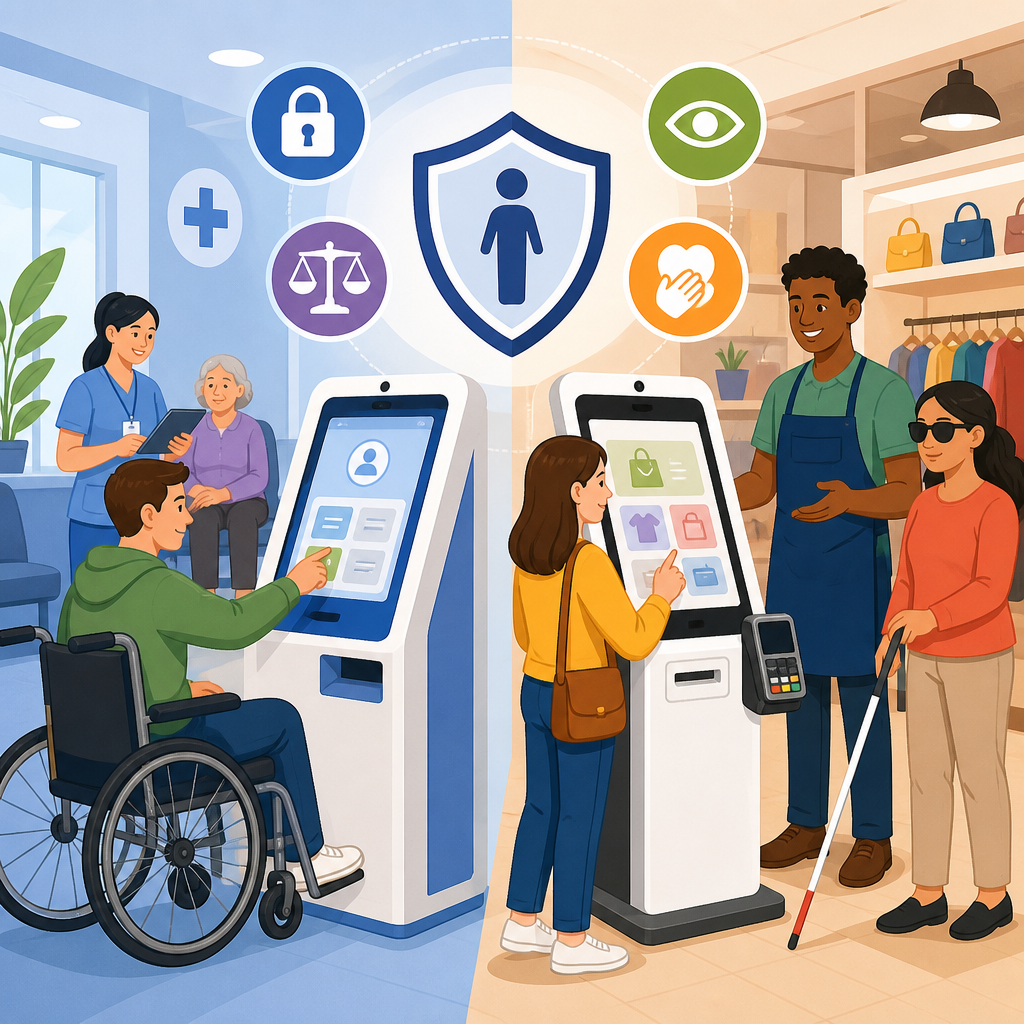
Self-service kiosks now shape routine transactions in hospitals, pharmacies, grocery stores, airports, and big-box retail, so the rights that apply to them are no longer niche accessibility questions but everyday civil rights issues. In healthcare, a kiosk may handle patient check-in, consent forms, co-pay collection, insurance verification, prescription pickup, or wayfinding. In retail, it may process orders, loyalty rewards, returns, product searches, age-gated purchases, and payment. When these systems cannot be used independently by people with disabilities, the barrier is not merely inconvenient; it can block medical care, delay medication, expose private information, or deny equal access to goods and services.
The core legal framework in the United States begins with the Americans with Disabilities Act, especially Title II for state and local government services and Title III for private businesses open to the public. Other rules can matter too, including Section 504 of the Rehabilitation Act for federally funded healthcare entities, Section 1557 of the Affordable Care Act for many health programs, and state disability laws that may go further than federal law. The basic principle is consistent across settings: if a business or provider offers a service through a kiosk, disabled users must have an equal opportunity to access that service in an effective, timely, and dignified way.
That principle sounds simple, but kiosk compliance is more complex than adding a headphone jack or placing the screen lower. I have worked on accessibility reviews where a kiosk technically had speech output yet failed real users because the privacy screen timed out too fast, the card reader was out of reach, the audio prompts did not announce mandatory fields, or the touchscreen required a drag gesture impossible for many people with limited dexterity. Rights in practice depend on the entire transaction: physical approach, screen readability, operable controls, understandable instructions, privacy, staff backup, and maintenance over time.
This article serves as a hub for understanding ADA rights in practice and the emerging issues surrounding self-service kiosks in healthcare and retail. It explains what rights users can expect, what obligations organizations typically carry, where the standards come from, and which disputes are becoming more common as kiosks expand into sensitive and high-volume environments. For hospitals and stores, getting this right reduces legal exposure and improves customer service. For patients and shoppers, knowing these rules helps turn a frustrating encounter into a concrete request for equal access.
Which legal rights apply to self-service kiosks?
Self-service kiosks are generally covered when they are part of a service offered by a public entity or a place of public accommodation. Hospitals, clinics, pharmacies, supermarkets, department stores, and chain retailers usually fall within these rules. The right at stake is equal access, not special treatment. A patient who can check in through a kiosk without assistance should not force a blind patient to disclose private information to staff just to complete the same task. A retail customer who can independently order food, print photos, or complete a return should not require a wheelchair user to leave the line and search for an employee because the controls are too high or the kiosk blocks knee clearance.
The Department of Justice has long interpreted disability law to apply to electronic and information technology used to deliver goods and services. While the ADA does not contain one kiosk-specific section that answers every design question, enforcement actions, settlement agreements, and technical standards point in a clear direction. Organizations must provide effective communication for people with vision, hearing, or speech disabilities; reasonable modifications to policies and practices when needed; and accessible routes, reaches, and operable parts. They also cannot rely on separate or lesser experiences when integration is possible.
In healthcare, these rights interact with privacy and urgency. A hospital registration kiosk may request medication history, emergency contacts, or demographic information. If a deaf patient cannot understand the instructions, or a blind patient cannot hear secure prompts through a working audio interface, the access failure can delay treatment. Under Section 1557 and Section 504, covered providers often face additional obligations to ensure meaningful access and nondiscrimination in health programs. In retail, inaccessible self-checkout or order kiosks can still create a legal violation even if a cashier is technically available, especially when the staffed lane is slower, stigmatizing, or inconsistently open.
What makes a kiosk accessible in real use?
An accessible kiosk supports independent use by people with different disabilities, and that requires more than one feature. For blind or low-vision users, common necessities include tactilely discernible controls, speech output, a standard headphone jack or reliable wireless pairing, logical focus order, meaningful labels, and enough time to complete tasks. For deaf or hard-of-hearing users, instructions and confirmations must be available visually; audio-only error cues are not enough. For users with limited mobility, the kiosk must sit on an accessible route, provide reach ranges that comply with architectural standards, avoid requiring fine motor precision, and allow enough clear floor space for approach and turning.
Cognitive accessibility also matters. In testing, I often see failures caused by cluttered screens, vague error messages, unexplained countdown timers, and forms that erase entered data after one mistake. Plain language, consistent navigation, visible progress indicators, and easy correction paths can determine whether a kiosk is functionally usable. In a pharmacy setting, for example, a screen that says “transaction failed” without explaining whether insurance, identity verification, or payment caused the issue forces unnecessary staff intervention and can increase stigma.
Accessibility also includes compatibility with assistive technology and durable operation under real conditions. A kiosk with a broken audio port is inaccessible even if the original design was compliant. A touchscreen mounted correctly can still fail if glare from overhead lighting makes the text unreadable. A signature box can create a barrier if the transaction cannot proceed without a handwritten signature and no accessible alternative exists. Equal access must be available when people actually need the service, not only in demonstration mode during procurement.
Healthcare kiosks: why the stakes are higher
Healthcare kiosks raise distinct legal and practical concerns because they often mediate access to treatment, prescription services, and protected health information. A failed retail transaction may be embarrassing; a failed medical check-in can affect triage, appointment timing, insurance processing, and continuity of care. Many healthcare organizations also receive federal funding or participate in federal programs, which can trigger additional nondiscrimination duties. In practice, this means inaccessible kiosks are not a narrow facilities issue but part of broader patient access compliance.
Common healthcare problems include inaccessible intake questionnaires, signature capture that cannot be completed nonvisually, vaccination consent forms unavailable in audio format, and payment terminals attached to registration kiosks that do not have accessible tactile keypads. Another recurring issue is “accessible only with staff assistance.” If a patient must reveal a Social Security number, diagnosis-related details, or medication list aloud because the kiosk cannot be used privately, the experience is not equivalent. Privacy is part of effective access when the service itself involves confidential information.
Emergency departments and urgent care settings create additional pressure. Any accommodation model that depends on waiting for a specially trained staff member may break down during peak volume. That is why organizations should treat kiosk accessibility as a frontline operational requirement, not a courtesy fallback. The best healthcare systems build accessible workflows end to end: appointment reminders that mention alternatives, online pre-registration that meets current web accessibility standards, lobby kiosks that support independent use, and trained staff who can intervene without forcing disclosure or delay.
Retail kiosks and self-checkout: equal access at the point of sale
Retail businesses often assume that a nearby employee solves any accessibility issue, but equal access at the point of sale requires a closer analysis. If a store has shifted core transactions toward self-service, then disabled customers should be able to use those transactions with substantially equivalent convenience, privacy, speed, and independence. Self-checkout lanes, ordering kiosks, return stations, photo-print terminals, gift registry stations, and digital loyalty signup screens all fall into this discussion.
One frequent issue is reach and positioning. Coupon scanners, bagging prompts, payment inserts, and touch targets may be placed beyond accessible reach ranges even when the main screen is low enough. Another is audio design. Some self-checkout systems provide speech output for item scanning but fail to announce unexpected bagging-area alerts, age-verification pauses, or payment confirmation. That leaves a blind customer stuck mid-transaction until an employee notices. In food ordering, inaccessible modifiers such as “no onions,” allergen filters, or combo selection screens can produce serious practical consequences, not just minor inconvenience.
Retailers also need to think about queue design and policy. If the only accessible lane is repurposed for baskets under ten items or routinely closed, the formal presence of one compliant station will not protect the customer’s rights in practice. Equal access means the accessible option must be available under ordinary operating conditions. Maintenance matters just as much. I have seen stores with accessible card readers installed correctly but tethered so tightly that customers could not reposition them, defeating the point of the hardware.
Standards, testing, and common failure points
Organizations usually look to a mix of legal requirements and technical benchmarks when evaluating kiosks. The 2010 ADA Standards for Accessible Design govern many physical elements, including route, clear floor space, and operable parts. For digital interfaces, teams often borrow from the Web Content Accessibility Guidelines, even though kiosks are not websites, because the principles of perceivable, operable, understandable, and robust design are directly relevant. In federal contexts, Section 508 and the Revised 508 Standards also influence procurement thinking. Industry groups and some settlement agreements add more detail for speech output, tactile controls, and transaction privacy.
The most reliable way to assess compliance is task-based testing with disabled users and accessibility specialists. A kiosk should be evaluated the way customers actually use it: start the session, plug in headphones, navigate categories, enter data, correct errors, complete payment, print or receive confirmation, and end securely. Lab-style reviews catch only part of the risk. Real-world testing exposes timing issues, unlabeled controls, inaccessible payment handoffs, confusing prompts, and environmental obstacles such as ambient noise or limited turning space.
| Failure point | Healthcare example | Retail example | Why it matters |
|---|---|---|---|
| No reliable speech output | Patient cannot complete check-in privately | Blind shopper cannot finish self-checkout | Blocks independent access and confidentiality |
| Improper reach range | Card reader too high for wheelchair user | Coupon scanner out of reach | Prevents basic transaction steps |
| Audio-only alerts | Consent error announced only by sound | Bagging alert not shown visually | Excludes deaf or hard-of-hearing users |
| Short timeout | Form resets before patient finishes | Order session expires during navigation | Disproportionately harms many disabilities |
| Poor maintenance | Headphone jack broken for weeks | Accessible payment terminal not movable | Accessible design fails in operation |
Emerging issues: biometrics, AI, and mobile-linked kiosks
The next generation of kiosk disputes will not be limited to screen height and audio prompts. Increasingly, healthcare and retail systems use facial recognition, ID scanning, voice interfaces, dynamic fraud checks, and mobile phone handoff flows. Each adds new accessibility and discrimination risks. Facial recognition may fail for people with certain facial differences or those who cannot position themselves within the expected frame. Voice interfaces may perform poorly for people with speech disabilities, accents, or noisy environments. QR-code handoff flows can exclude users without smartphones or with inaccessible mobile apps.
Biometric verification in pharmacies and age-restricted retail is a growing flashpoint. If a kiosk requires a face scan or government ID positioning that some users cannot complete, the organization needs a prompt, equivalent alternative that does not create extra suspicion or delay. AI-driven interfaces present another concern. Predictive prompts and automated fraud flags can misroute users, especially when disability-related behaviors fall outside training assumptions. For example, slower navigation, repeated corrections, or assistive-device use could be misread as suspicious activity if the system is poorly designed.
Remote assistance models are also expanding. A kiosk may connect a user to a support agent by video or audio. That can be helpful, but it is not a complete substitute for accessible primary design. If remote support is the fallback, it must be fast, available during all operating hours, and usable by people with vision, hearing, speech, and cognitive disabilities. Otherwise the organization has simply moved the barrier one step further down the process.
How organizations can reduce risk and improve access
The strongest compliance programs treat kiosk accessibility as procurement, design, operations, and training work combined. First, write accessibility requirements into vendor contracts. Ask for conformance documentation, but do not stop there; many documents overstate real usability. Second, test prototypes and production units with disabled users before rollout. Third, maintain an accessible alternative path that is truly equivalent when a kiosk fails, including privacy-respecting staff assistance. Fourth, create an inspection and repair process so broken audio ports, jammed printers, or blocked clear floor space are fixed quickly.
Training is often the difference between a compliant system on paper and an accessible experience in practice. Staff should know how to activate accessibility features, cleanly transfer a transaction, communicate respectfully, and avoid taking over unnecessarily. In healthcare, registration teams should understand when a kiosk issue becomes a patient access issue. In retail, floor staff should know that asking a blind customer to wait indefinitely for a manager is not an acceptable substitute for equal service. Complaint tracking is equally important. Repeated reports about one location, one vendor model, or one transaction step usually reveal a systemic problem.
For consumers, the practical lesson is to document barriers clearly. Note the date, location, kiosk type, what task you were trying to complete, what feature failed, whether staff assistance was offered, and whether privacy, delay, or denial resulted. Asking for the company’s accessibility or civil rights contact can move the issue faster than arguing at the kiosk. If the barrier affects healthcare access, mention any missed appointment, treatment delay, or disclosure of confidential information. Specific facts are far more persuasive than general frustration.
Self-service kiosks in healthcare and retail are now part of the basic infrastructure of modern services, which means disability rights must extend fully into these transactions. The governing rule is straightforward: when an organization offers check-in, payment, ordering, identity verification, or other services through a kiosk, disabled people must have an equal chance to use that service effectively, independently where possible, and with comparable privacy and speed. That obligation arises under the ADA and, in many healthcare settings, related federal nondiscrimination laws as well.
In practice, rights are tested by details. A kiosk can fail because its screen is too high, its controls are unlabeled, its speech output is broken, its timeout is too short, or its backup process is stigmatizing. Healthcare settings raise the stakes because inaccessible kiosks can interfere with treatment and confidentiality. Retail settings matter just as much because point-of-sale barriers can deny equal participation in ordinary commerce. Emerging technologies such as biometrics, AI prompts, and phone-based handoffs create new risks, but they do not change the underlying obligation to provide equal access.
This hub article gives you the framework for the wider Rights and Protections topic: know the legal basis, evaluate the full transaction, and focus on real-world usability rather than checkbox features. If you manage kiosks, audit them with disabled users and fix recurring barriers now. If you encounter an inaccessible kiosk, document the problem and escalate it through the organization’s accessibility channels. Equal access is not abstract policy; it is the right to complete everyday healthcare and retail tasks with dignity.
Frequently Asked Questions
What legal rights apply when a self-service kiosk in healthcare or retail is not accessible?
In most situations, the key rights come from disability nondiscrimination laws that require people with disabilities to have equal access to goods, services, programs, and benefits. In the United States, that often means the Americans with Disabilities Act, along with Section 504 of the Rehabilitation Act for entities receiving federal funding, and in some healthcare settings Section 1557 of the Affordable Care Act. State and local disability laws may also apply and can sometimes offer broader protections. The basic principle is straightforward: if a hospital, pharmacy, grocery store, airport retailer, or big-box chain offers a service through a kiosk, it generally cannot structure that service in a way that excludes disabled users or forces them into a lesser experience.
That matters because kiosk barriers are not just technical glitches; they can block access to essential services. In healthcare, an inaccessible check-in kiosk can delay treatment, prevent a patient from confirming insurance, interfere with privacy during registration, or make it harder to review consent materials independently. In retail, a kiosk that cannot be used by a blind customer, a wheelchair user, or a person with limited dexterity can prevent purchases, returns, loyalty transactions, or age-verified sales. The right at issue is not simply the right to ask for help. It is the right to meaningful, reasonably equivalent access to the service being offered.
Whether a kiosk violates the law depends on the facts, including the business type, the service involved, the design of the interface, and whether effective alternatives are actually available. But a common legal theme is that companies cannot shift more burden, delay, embarrassment, or loss of privacy onto disabled customers just because they rely on automated systems. If the kiosk has become the normal gateway to service, then accessibility is typically part of the civil rights analysis, not an optional convenience feature.
Does a business or healthcare provider satisfy the law by offering staff assistance instead of making the kiosk accessible?
Not necessarily. Staff assistance can be helpful and, in some situations, it may be part of an appropriate accommodation. But it is not an automatic substitute for an accessible kiosk. The law generally focuses on equal and effective access, and that includes independence, privacy, timeliness, and dignity. If a non-disabled customer can check in privately, review information on screen, sign forms, confirm benefits, or complete a purchase without involving an employee, a disabled person may have a strong argument that being required to disclose personal information out loud or wait for assistance is not an equal experience.
This is especially important in healthcare. Patients may need to enter symptoms, medication information, insurance details, emergency contacts, or consent-related information. Requiring a patient to rely on a staff member to read or input that information can raise privacy and autonomy concerns. In retail, staff assistance may also fall short if it is inconsistent, delayed, or unavailable during busy periods. A store cannot meaningfully claim equal access if the kiosk is the primary checkout or ordering method but disabled customers must search for an employee each time they need to use it.
Courts and regulators often look beyond the existence of a backup option and ask whether that option is genuinely comparable. Is it available whenever the kiosk is available? Does it allow the person to complete the transaction with similar speed and privacy? Is it reliable in practice, not just on paper? If the answer is no, then “someone can help you” may not resolve the accessibility problem. In short, assistance can support accessibility, but it usually should not be used as a blanket excuse for inaccessible design.
What kinds of accessibility barriers are most common with self-service kiosks?
The most common barriers usually involve vision, hearing, mobility, reach, dexterity, cognition, and communication. For blind or low-vision users, problems often include touchscreens with no tactile controls, no audio output, poor color contrast, small text, unlabeled controls, inaccessible on-screen keyboards, or interfaces that time out too quickly. For wheelchair users or people of short stature, barriers can include screens that are too high, card readers placed out of reach, tight floor space, or components positioned at angles that are difficult to use. For people with limited hand strength or dexterity, gestures, dragging motions, tiny touch targets, or hard-to-insert payment cards can make the kiosk unusable.
There are also barriers that are less obvious but equally serious. Cognitive accessibility problems may involve cluttered layouts, confusing instructions, inconsistent navigation, complex error messages, or fast-moving transaction steps that do not allow users enough time to understand and respond. Deaf or hard-of-hearing users may face problems if essential information is provided only through sound. People with speech disabilities can be excluded if a kiosk relies on voice input without a workable alternative. In pharmacies and age-restricted retail settings, identity or verification steps can also create barriers if the system assumes one narrow way of interacting.
In healthcare, additional risks arise because kiosk workflows can be tied to sensitive legal and medical functions. If a patient cannot independently review consent language, select forms, verify demographic details, or understand directions to care locations, the consequences may go beyond inconvenience. In retail, barriers can affect pricing, promotions, loyalty points, returns, and payment access. The larger point is that accessibility is not only about whether the screen turns on or whether a transaction can be completed eventually. It is about whether real people with different disabilities can use the kiosk effectively, independently, and with substantially equal access to the service offered.
Do privacy and independence matter when evaluating kiosk accessibility rights?
Yes. Privacy and independence are central issues, especially in healthcare but also in retail. Accessibility law is not limited to whether a person can somehow complete the transaction. It also considers whether the person can do so in a way that is effective and reasonably comparable to the experience offered to others. If a self-service kiosk allows most users to enter personal information discreetly, review details privately, and move through the process on their own, then disabled users may be entitled to a comparable level of privacy and autonomy.
In healthcare, this point can be critical. Patients may need to enter insurance information, medical history, symptoms, prescription details, contact information, or consent responses. If the kiosk is inaccessible and the only option is to state that information to a receptionist or companion, that can undermine confidentiality and patient control. A person should not have to trade away privacy just to access care. In retail, privacy concerns can also matter when customers enter payment information, loyalty credentials, personal contact details, prescription pickup information, or age-verification data. Being forced to involve an employee can create embarrassment, delay, or unwanted disclosure.
Independence matters for practical reasons too. Staff help may not be immediate, may not be trained, and may not be comfortable handling sensitive information. Some users also do not want to depend on a stranger to read on-screen prompts or navigate every step of a transaction. That is why accessible design features such as audio guidance, tactile controls, adjustable timing, clear navigation, compatible card readers, and reachable hardware are so important. They support not just legal compliance, but equal participation in everyday activities that now depend heavily on kiosks.
What should businesses, healthcare providers, and consumers do when kiosk accessibility is a concern?
For businesses and healthcare providers, the best approach is to address accessibility proactively rather than waiting for complaints. That means evaluating kiosks at the design, procurement, installation, and maintenance stages. Accessibility should be part of vendor contracts, technical specifications, user testing, and rollout decisions. Organizations should look at both the physical kiosk and the software experience: screen-reader-style audio access, tactile or non-visual navigation, captioning or visual equivalents for audio, reachable hardware, sufficient clear floor space, readable text, simple workflows, and enough time to complete tasks. They should also train staff to recognize and respond appropriately when a customer or patient encounters a barrier.
Healthcare organizations should be especially careful because inaccessible kiosks can affect treatment access, patient communications, and privacy expectations. Retailers should pay close attention when kiosks become the primary or only path for checkout, ordering, returns, or account-based transactions. If a temporary workaround is necessary, it should be truly effective, immediately available, and respectful of privacy and dignity. But long term, the stronger and safer strategy is to make the kiosk itself accessible.
For consumers, it helps to document the problem clearly. Note the date, location, kiosk function, and specific barrier encountered. If possible, record whether staff assistance was offered, how long it took, and whether it protected privacy and provided an equivalent service. Reporting the issue to the business first may lead to a faster fix, especially if the company has an accessibility or patient relations team. If the problem persists, consumers may choose to consult an attorney, advocacy organization, or relevant agency depending on the setting and jurisdiction. The main takeaway is that inaccessible kiosks are not merely customer service frustrations. In many cases, they raise serious accessibility rights issues because self-service technology now controls access to everyday healthcare and retail transactions.