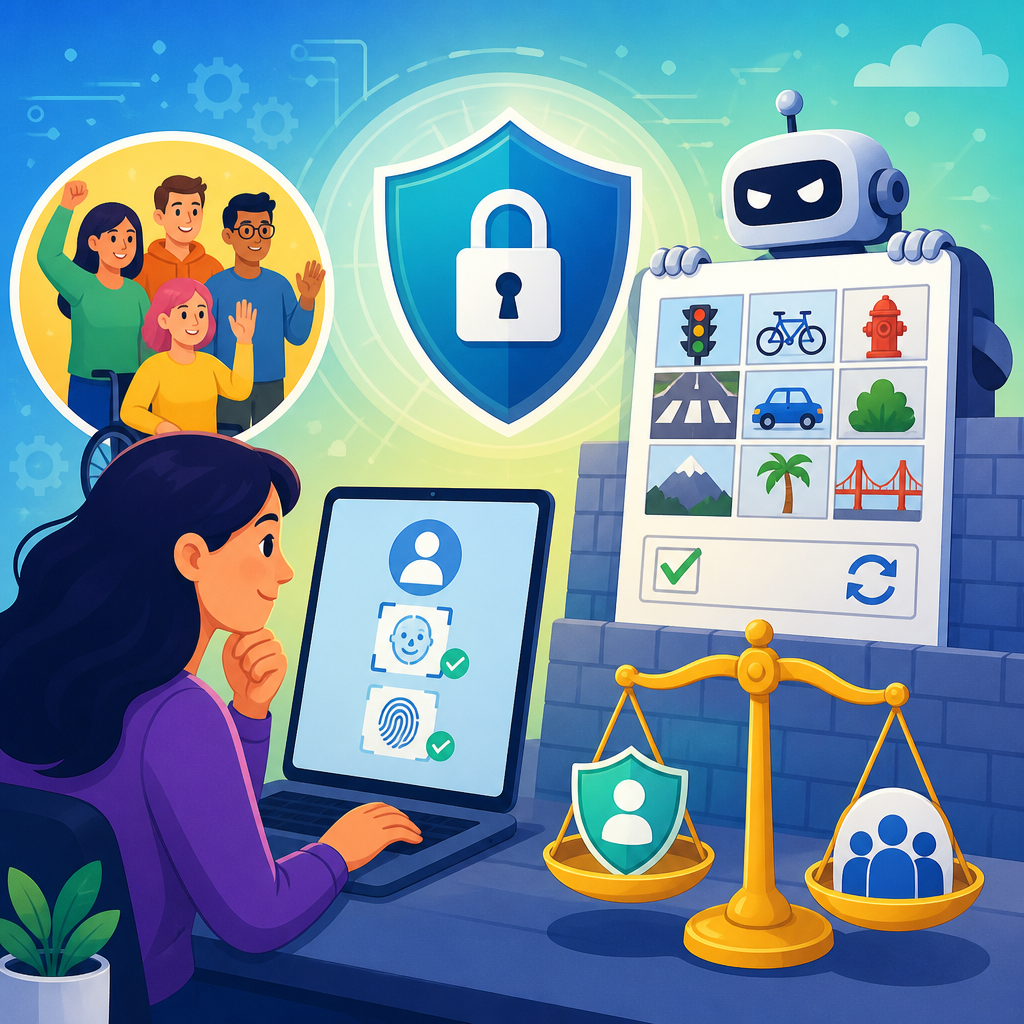
Digital authentication and CAPTCHA barriers shape whether people can bank, apply for jobs, access healthcare portals, and verify identity online, so the question of whether your rights are protected is no longer theoretical. In this context, digital authentication means the methods a website or app uses to confirm that a user is a real person or the authorized account holder, including passwords, one-time codes, biometric checks, security questions, document uploads, and CAPTCHA challenges. A CAPTCHA is a test designed to distinguish humans from automated bots, often by asking users to identify distorted text, select images, solve puzzles, or complete behavioral tasks. These systems are widespread because organizations face constant fraud, account takeover attempts, and automated abuse. Yet the same controls that improve security can exclude people with disabilities when they rely on vision, hearing, fine motor precision, memory, speech, or rapid response times.
I have worked with accessibility reviews of login flows, benefits portals, and identity proofing systems, and the pattern is consistent: teams focus on stopping bots, then discover late that they have blocked legitimate users. That conflict sits directly inside disability rights law. In the United States, the Americans with Disabilities Act, along with Section 504 of the Rehabilitation Act for federally funded programs and Section 508 for federal technology, requires equal access to programs, services, and digital tools. The Web Content Accessibility Guidelines, especially WCAG 2.1 and 2.2, provide the clearest technical benchmark for evaluating whether authentication barriers are accessible in practice. The legal standard is not that every security step must disappear. The standard is that people with disabilities must have an effective, reasonably equivalent way to complete the task without unnecessary burden, delay, or loss of privacy.
This hub page covers ADA rights in practice and emerging issues across digital authentication. It explains where barriers appear, what compliance teams should test, how major standards apply, and why newer identity tools raise fresh concerns about fairness, consent, and usability. If you need a plain answer, it is this: your rights are strongest when a service offers multiple accessible authentication options, clear instructions, adequate time, support channels that actually solve the problem, and alternatives to tests that depend on a single sense or physical ability. Your rights are weakest when the only path is a visual puzzle, an audio clip with background noise, a phone-only verification step, or a facial match system that fails without meaningful backup. Understanding these patterns helps users advocate for access and helps organizations prevent legal and operational risk.
Where digital authentication creates disability barriers
Authentication barriers often appear at the exact point where access matters most: account creation, sign-in, password reset, multifactor authentication, and identity recovery after a lockout. A simple example is a visual image CAPTCHA that asks a blind user to identify traffic lights. Even when an audio option exists, it may include distorted speech, overlapping sounds, or a timer that expires before the clip can be replayed. Users with low vision may struggle with low contrast, tiny targets, or image tiles that shift after selection. People with tremors or limited dexterity may fail drag-and-drop puzzles or click targets that demand precise cursor movement. Users with cognitive disabilities can be blocked by memory-heavy security questions, inconsistent instructions, or workflows that punish minor mistakes with repeated challenge loops.
Barriers also affect users who rely on assistive technology. Screen reader users can encounter unlabeled form fields, focus traps inside modal verification windows, or status messages that are never announced. Voice input users may not be able to activate custom controls. Keyboard-only users often find that third-party CAPTCHA widgets cannot be completed without a mouse. Time limits are another common failure. Banks, insurers, and healthcare systems may expire a session while a user is reading instructions through a screen reader or waiting for a texted code. WCAG addresses many of these issues directly through success criteria on keyboard access, labels, error identification, status messages, target size, timeouts, and accessible authentication. The legal problem is not merely inconvenience. If the barrier prevents independent access to a covered service, it can become discrimination in practice.
Identity proofing adds another layer of risk. Many systems now require a user to photograph a government ID, take a live selfie, or record a short video. These tools can fail for users with limited hand control, low-end devices, poor bandwidth, facial differences, speech differences, or photosensitive conditions triggered by flashing prompts. In my audits, the most serious failures happen when a vendor assumes a smartphone, perfect lighting, stable hands, and the ability to perform exact movements on command. That is not a safe assumption. A rights-protective design starts with recognizing that disability is normal, assistive technology is common, and no single verification method works for everyone.
What disability law and accessibility standards require in practice
The ADA does not publish a line-by-line coding checklist for CAPTCHAs, but courts, settlement agreements, and agency guidance consistently point toward effective communication and equal access. For state and local government services, Title II has become more explicit with recent digital accessibility rulemaking adopting WCAG 2.1 Level AA as a technical standard on a compliance timeline. For private businesses covered by Title III, the legal analysis still turns on whether people with disabilities can access goods and services on equal terms, and WCAG remains the most widely used benchmark in remediation plans, procurement requirements, and expert evaluations. Section 504 applies similar nondiscrimination duties to recipients of federal financial assistance, which matters for hospitals, universities, and many public-serving programs.
For authentication specifically, WCAG 2.2 includes Success Criterion 3.3.8 Accessible Authentication, which addresses cognitive function tests. In plain terms, a login process should not require a user to solve, recall, or transcribe information unless there is an alternative method or a mechanism that assists the user. Password managers and copy-paste support matter here because they reduce memory burden. Security questions such as “name your first teacher” are weak security and poor accessibility. WCAG 2.2 also adds 3.3.9 Accessible Authentication (Enhanced), pushing further by limiting object recognition and user-supplied cognitive tests. These criteria do not ban security. They require organizations to separate legitimate verification from avoidable mental hurdles.
Other criteria remain essential. Non-text Content requires text alternatives. Keyboard requires full operation without a mouse. Focus Order and Name, Role, Value support assistive technology. Status Messages ensures that “code sent” or “verification failed” announcements reach screen reader users. Timing Adjustable and related timeout guidance matter where sessions expire. If biometric authentication is offered, there should be another path that does not depend on a user’s face, voice, or fingerprint alone. Good compliance practice maps each step in the authentication flow against WCAG, tests it with assistive technologies, and asks a practical legal question: can a person with a disability complete this task privately, independently, and without disproportionate effort?
Common authentication methods and their accessibility risks
Different methods fail in different ways, so risk assessment should be specific rather than generic. The table below summarizes common patterns I see during audits and remediation projects.
| Method | Main accessibility risk | Better practice |
|---|---|---|
| Visual image CAPTCHA | Blocks blind users and many users with low vision or cognitive disabilities | Offer non-visual alternatives and a no-CAPTCHA path using risk analysis |
| Audio CAPTCHA | Often unintelligible; fails for deaf and hard of hearing users and many others | Do not rely on audio as the sole backup; provide human support or alternative verification |
| SMS one-time code | Requires phone access, signal, and time-sensitive input | Allow authenticator apps, email, hardware keys, or callback support |
| Email code or magic link | Can break with short expiry windows or inaccessible email clients | Extend time limits and clearly announce countdowns and resend options |
| Biometric face or voice match | Performance varies by disability, device, environment, and vendor model | Always provide an equally effective non-biometric route |
| Document upload and selfie proofing | Demands stable hands, camera quality, lighting, and precise motion | Permit manual review, live agent verification, or in-person alternatives |
One important trend is the shift from explicit CAPTCHA challenges to invisible fraud detection. Tools such as Cloudflare Turnstile, Google reCAPTCHA v3, and device reputation systems score risk using browser behavior, network signals, and interaction patterns rather than asking users to click buses or bicycles. This can reduce friction for many users, but it does not eliminate rights concerns. If the system silently labels assistive technology behavior as suspicious, or if it triggers a fallback challenge that is inaccessible, the barrier remains. Invisible systems also raise transparency questions because users may not know why they were blocked or escalated to manual review.
Real-world examples make the stakes clear. A blind user trying to apply for a city permit may encounter a third-party CAPTCHA that the screen reader cannot enter. A cancer patient with neuropathy may fail a financial institution’s selfie liveness test because holding the phone steady is difficult. A Deaf user may be sent to a voice-only recovery line after repeated login errors. In each case, the service is technically online, yet practically inaccessible. Rights protection depends on whether an equivalent path exists and whether staff are trained to use it without delay, disbelief, or invasive demands for medical disclosure.
Emerging issues: biometrics, AI fraud controls, and platform dependency
New authentication tools solve some older problems while creating new ones. Biometrics can be convenient because users do not need to remember passwords, but convenience for one group can become exclusion for another. Face recognition may underperform in low light, on older cameras, or for users whose facial presentation differs from vendor training assumptions. Voice authentication can be unreliable for users with speech disabilities, illness, or environmental noise. Fingerprint systems may fail for people with limb differences, skin conditions, or worn fingerprints. The accessibility rule is straightforward: biometrics may be an option, not the only door.
AI-driven fraud systems present a subtler challenge. Behavioral analytics may score typing cadence, cursor movement, device history, geolocation, or account patterns. Those signals can correlate with disability-related use of screen readers, switch devices, screen magnifiers, speech recognition, VPNs, shared devices, or caregiver assistance. When an algorithm flags those patterns as abnormal, a disabled user may be escalated again and again into harder verification loops. Organizations should validate fraud models for disparate impact, document why specific signals are used, and monitor whether disabled users experience higher challenge rates or lower completion rates.
Platform dependency is another emerging issue. Many identity vendors assume access to a current smartphone with a camera, app installation rights, and strong mobile broadband. That excludes users with older devices, limited income, institutional device restrictions, rural connectivity, or disabilities that make phone-based capture difficult. A compliant and resilient program does not force one device path. It offers desktop-compatible options, assisted verification, and escalation to trained personnel. The strongest programs treat accessibility as part of security architecture, not as a late accommodation request. That approach reduces abandonment, support volume, and legal exposure at the same time.
How organizations and users can protect rights in practice
The most effective way to protect rights is to build accessible authentication from procurement through production. Contracts with identity vendors should require conformance evidence, VPAT documentation, WCAG testing, and remediation timelines. Teams should test complete user journeys, not isolated widgets, using screen readers such as JAWS, NVDA, and VoiceOver; keyboard-only navigation; zoom and reflow; speech input; and mobile assistive features. Include disabled participants in usability testing because lab assumptions routinely miss real barriers. Measure completion rates, timeout failures, fallback usage, and support escalations by authentication method. If one path consistently fails, it is not an edge case. It is a broken control.
Support operations matter as much as code. Staff need scripts and authority to offer alternatives quickly, including email verification, live agent review, mailed codes where appropriate, branch or kiosk options, and documented exceptions. Avoid asking users to explain intimate medical details to prove they need an alternative. The better question is simpler: what accessible method will let you complete verification today? Public-facing accessibility statements should mention authentication barriers explicitly and give a direct contact route. Internally, link authentication reviews to privacy, cybersecurity, procurement, and civil rights governance so fixes are owned, funded, and audited.
For users, documenting the barrier helps. Capture the date, service, exact step that failed, device and assistive technology used, screenshots if possible, and any support interactions. Ask for an accessible alternative in clear terms. If the service is from a government entity, hospital, school, bank, employer, retailer, or other covered organization, you can reference disability access obligations and request effective communication or equal access. Escalation options vary by sector, but written complaints, internal grievance processes, disability rights organizations, legal aid, and agency complaint channels can all be effective. The core principle is simple: security is legitimate, but exclusion is not. Push for systems that verify identity without making disability the reason access is denied.
Digital authentication is now part of daily civic and economic life, which means inaccessible verification is a rights issue, not a minor usability flaw. The law increasingly expects organizations to make online services work for people with disabilities, and the technical path is well established: follow WCAG, avoid single-sense challenges, support password managers and accessible multifactor options, provide meaningful alternatives to biometrics and CAPTCHAs, and train staff to resolve failures quickly. When teams do this well, they improve both security and access because fewer legitimate users are trapped in suspicious or impossible workflows.
As a hub for ADA rights in practice and emerging issues, this page should guide how you evaluate every linked topic in the broader Rights and Protections section: account access, identity proofing, platform design, vendor procurement, public services, employment systems, healthcare portals, education tools, and complaint strategies. The key takeaway is direct. Your rights are better protected when authentication offers choice, transparency, time, and human backup; they are undermined when a single inaccessible challenge stands between you and an essential service. Review the authentication flows you use or manage, identify the barriers, and press for accessible alternatives now.
Frequently Asked Questions
1. What are digital authentication and CAPTCHA barriers, and why do they matter for individual rights?
Digital authentication refers to the tools and processes websites, apps, employers, banks, healthcare providers, and government services use to confirm that a user is who they claim to be. That can include passwords, one-time passcodes sent by text or email, authenticator apps, biometric scans such as fingerprints or facial recognition, security questions, document uploads, and identity verification checks. CAPTCHA barriers are a related but distinct layer of access control. They are designed to distinguish human users from bots, often by asking users to identify images, solve visual or audio puzzles, click checkboxes, or complete behavioral tests in the background.
These systems matter because they now sit at the gate of essential services. If a person cannot pass a login challenge, receive a code, upload identity documents, or complete a CAPTCHA, they may be locked out of online banking, job applications, insurance claims, telehealth appointments, educational platforms, or public benefit portals. That is where rights concerns become real. Access barriers can affect privacy rights, disability rights, consumer protection rights, due process expectations, equal access principles, and in some situations anti-discrimination protections.
The legal and ethical issue is not simply whether companies are allowed to verify identity. In many cases, they must do so for fraud prevention and security compliance. The key question is whether authentication tools are designed and used in a way that is fair, accessible, proportionate, transparent, and protective of personal data. A system that is highly secure but excludes users with disabilities, rejects legitimate identities, or collects excessive biometric information without meaningful notice can create serious rights concerns even if its stated purpose is legitimate.
2. Can CAPTCHA tests and identity verification systems violate accessibility or anti-discrimination rights?
Yes, they can, particularly when they are poorly designed or implemented without reasonable alternatives. CAPTCHA systems have long raised accessibility concerns because many depend on distorted text, image recognition, timed interactions, or audio challenges that may be difficult or impossible for people with visual impairments, hearing impairments, cognitive disabilities, motor limitations, language barriers, or certain neurodivergent conditions. If a user cannot complete the challenge and there is no effective alternative method to proceed, the barrier may function as a form of exclusion.
Similar problems arise with broader identity verification systems. Facial recognition tools may perform unevenly across skin tones, genders, ages, or disability-related facial differences. Document upload systems may reject people whose identification records do not match current appearance, name, address, or immigration status. One-time passcode systems may disadvantage people without reliable mobile access, those living abroad, or users in shared family phone arrangements. Even security questions can create unfair barriers when they assume stable credit history, address history, or conventional family structures.
From a rights perspective, the central issue is whether a digital gatekeeping system creates unjustified disparities or blocks meaningful access to a service that people reasonably need. Depending on the jurisdiction and the type of provider involved, disability laws, consumer laws, civil rights rules, and accessibility standards may require businesses and institutions to provide accommodations or comparable access paths. That does not always mean eliminating authentication, but it often does mean offering usable alternatives, such as accessible verification methods, live support, manual review, or nonvisual and nontimed options.
In practice, organizations are on stronger legal and ethical ground when they build authentication systems around inclusive design rather than treating accessibility as an afterthought. If access depends on one narrow form of verification and legitimate users are routinely excluded, the risk of discrimination complaints, regulatory scrutiny, and reputational harm increases substantially.
3. What privacy rights are at stake when websites or apps require biometrics, document uploads, or repeated identity checks?
Privacy is one of the biggest concerns in digital authentication because many verification systems require people to hand over highly sensitive personal information. A password is one thing. A scanned passport, a live selfie, a fingerprint, voiceprint, or behavioral profile is something else entirely. Once collected, that data can reveal identity, location patterns, device habits, financial relationships, and in some cases health-related or demographic information. The more intrusive the verification method, the higher the stakes if the data is misused, retained too long, shared too widely, or exposed in a breach.
Biometric data deserves especially close attention because it is difficult or impossible to replace. If a password is compromised, it can be changed. If a facial template or fingerprint record is compromised, the long-term risk is much harder to contain. Document uploads also create risk because they often include birth dates, ID numbers, home addresses, nationality information, and photographs. Repeated identity checks across platforms may allow profiling or tracking beyond what users reasonably expect, especially if third-party verification vendors are involved.
Rights protection in this area generally turns on a few core principles: notice, necessity, proportionality, security, retention limits, and user choice where possible. People should be clearly told what data is being collected, why it is needed, who will process it, how long it will be stored, and whether it will be shared or used for any purpose beyond authentication. Organizations should collect no more than necessary, secure it appropriately, and avoid indefinite retention. If a less intrusive method can reasonably accomplish the same goal, requiring the most invasive option may be difficult to justify.
Users should also be alert to warning signs, such as vague privacy notices, forced biometric enrollment without alternatives, unexplained third-party identity vendors, or requests for unusually broad document access. Where privacy laws apply, individuals may have rights to access, deletion, correction, limitation of use, or complaint to regulators. Even when specific legal protections vary, the general principle remains the same: authentication should protect accounts without forcing people to surrender more personal information than the situation truly requires.
4. If I am locked out by a CAPTCHA or authentication system, what protections or practical options do I have?
If you are blocked by a CAPTCHA or digital verification tool, your options depend on the service, the reason for the lockout, and the laws that apply, but you are not necessarily without recourse. The first and most practical step is to look for an alternative pathway. Many services offer backup methods such as email verification instead of text messages, customer support-assisted verification, recovery codes, device-based approval, accessible CAPTCHA alternatives, or manual document review. If the issue involves accessibility, you can specifically request an accommodation or an equally effective alternative means of access.
It is also important to document what happened. Take screenshots, note error messages, record dates and times, and keep copies of any support requests. If the barrier prevented access to something significant, such as a job application, medical portal, banking function, or government-related service, that record can matter. Documentation helps show whether the problem was a one-time technical glitch or a systemic access issue. It also strengthens any later complaint to a company, regulator, ombuds office, disability rights body, or consumer protection agency.
When communicating with the provider, be specific. Explain which step failed, why it was inaccessible or inaccurate, what device or assistive technology you were using if relevant, and what alternative you need. If the service is essential, emphasize any urgency, such as inability to access funds, medical information, benefits, or application deadlines. Companies often respond more effectively when they can identify the exact failure point rather than receiving only a general complaint that the system “didn’t work.”
If the provider does not resolve the issue, legal protections may come into play depending on the jurisdiction and type of service involved. Accessibility rules, disability accommodation requirements, consumer protection laws, financial service regulations, health privacy frameworks, and anti-discrimination laws may all be relevant. The strongest cases usually involve an essential service, repeated exclusion, absence of reasonable alternatives, or sensitive data collection without adequate explanation or safeguards. In short, being locked out is not always just a technical inconvenience; in some situations, it can amount to denial of fair access.
5. How can companies protect security without undermining user rights?
Companies can absolutely strengthen account security without creating unnecessary rights risks, but it requires thoughtful design choices. The best approach is risk-based and user-centered. That means matching the level of verification to the level of risk rather than forcing every user through the most invasive or difficult process every time. For example, viewing a basic account page may not require the same level of proof as changing payout details, opening a new financial product, or accessing sensitive medical records. When organizations calibrate authentication intelligently, they can reduce fraud while minimizing friction and exclusion.
Accessible design should be built in from the start. CAPTCHA tools should include effective nonvisual and nontimed alternatives or, better yet, rely on background fraud detection methods where possible. Multi-factor authentication should offer more than one channel, such as authenticator apps, hardware keys, backup codes, or support-assisted recovery, rather than assuming every user can receive text messages. Biometric verification should not be the only path when alternative methods can serve users who cannot or do not wish to use biometrics. Clear instructions, readable interfaces, language access, and compatibility with assistive technologies also make a major difference.
Privacy-respecting practices are just as important. Organizations should minimize data collection, avoid storing sensitive identity materials longer than necessary, vet third-party verification vendors carefully, and explain their practices in plain language. If biometrics or document scans are