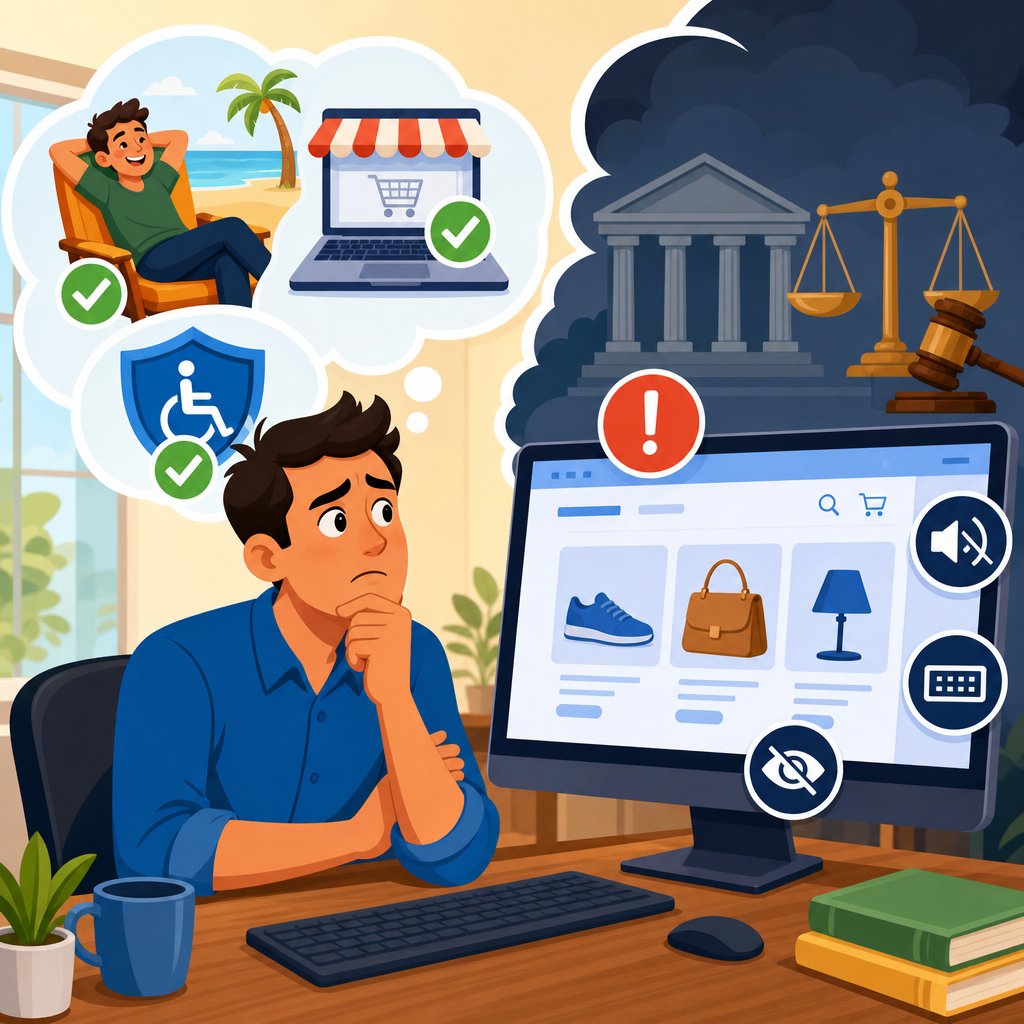
What businesses misunderstand about online-only ADA exposure is simple but costly: a company does not need a storefront, hotel lobby, or doctor’s office to face serious digital accessibility claims. If a business sells, books, educates, informs, or delivers services through a website or app, it has legal and operational exposure tied to how disabled users experience that technology. In practice, I have seen leadership teams assume accessibility rules apply only to government agencies or large retailers, then discover that demand letters, lawsuits, and remediation costs can arrive long before any regulator contacts them.
Digital accessibility litigation refers to legal claims alleging that websites, mobile apps, PDFs, checkout flows, video players, booking engines, and other digital interfaces exclude people with disabilities. The ADA is the central law most executives think about, but it is not the only source of risk. State statutes such as California’s Unruh Civil Rights Act, New York and Florida consumer-facing claims, Section 504 and Section 508 obligations for certain funded or federal-facing entities, and contractual accessibility promises all shape the real exposure picture. The misunderstanding starts when businesses treat accessibility as a narrow compliance checkbox instead of a civil rights and product quality issue.
Online-only ADA exposure matters because digital channels now perform the functions that physical locations once controlled. A user may need to complete identity verification, compare insurance plans, sign consent forms, attend telehealth visits, watch required disclosures, or manage payroll entirely online. If a blind customer cannot navigate the checkout with a screen reader, if a deaf applicant cannot access mandatory video content because captions are missing, or if a user with motor impairments cannot complete a form without a mouse, the exclusion is not theoretical. It affects revenue, customer trust, retention, and legal posture immediately.
For businesses operating in the Legal and Technological Frontiers category, this page serves as the hub for digital accessibility litigation. The core lesson is direct: online-only companies are not outside the reach of accessibility claims. They are often prime targets because their entire service model depends on digital access, and because many teams still underestimate how courts, plaintiffs’ firms, experts, and disabled users evaluate a modern web experience.
Why online-only businesses are sued
The first misconception is that the ADA only reaches businesses connected to a physical place. That argument has had mixed treatment across jurisdictions for years, and relying on the narrowest interpretation is risky strategy, not sound governance. Courts have differed on whether a website must have a nexus to a physical place of public accommodation, but plaintiffs continue filing against online-first and online-only companies because digital barriers can deny equal access to goods and services regardless of storefronts. Even where doctrine varies, litigation pressure remains real because defending the threshold issue is expensive and uncertain.
From a practical standpoint, plaintiffs’ lawyers look for websites and apps that are central to the customer relationship. Ecommerce stores, subscription platforms, fintech dashboards, education portals, streaming services, online booking systems, and telehealth products are frequent targets because access failures are easy to document. A tester using NVDA, JAWS, or VoiceOver can often identify unlabeled buttons, broken focus order, inaccessible modal windows, missing form instructions, image-only links, or CAPTCHA barriers within minutes. Those defects become the factual basis for a complaint or demand letter.
Another reason online-only businesses are sued is volume. Digital products change constantly. New landing pages, third-party widgets, coupon popups, embedded chats, and payment integrations can introduce barriers faster than legal or compliance teams can review them. I have seen organizations remediate their homepage while leaving account creation, returns, and support sections inaccessible, which is enough to sustain claims because equal access must extend through the full customer journey, not only the marketing layer.
What plaintiffs usually claim and what standards matter
Most digital accessibility complaints do not invent exotic theories. They usually allege that disabled users could not access goods, services, privileges, or advantages offered online. The technical benchmark most commonly used to assess those allegations is the Web Content Accessibility Guidelines, especially WCAG 2.1 Level AA and increasingly WCAG 2.2 Level AA. Although WCAG is not a statute, it is the recognized framework courts, settlement agreements, consultants, and enterprise procurement teams use to define accessible web and mobile experiences.
Businesses often misunderstand this point and say, “WCAG is only guidance, so we can ignore it.” In litigation, that position fails quickly. If no better technical standard is offered, WCAG becomes the yardstick for expert review, remediation scope, and settlement commitments. The Department of Justice has repeatedly signaled that the ADA applies to web accessibility and has cited WCAG as an appropriate measure in enforcement and guidance contexts. Plaintiffs know this. Defense counsel knows this. Product teams should know it too.
The most common allegations involve predictable failures: missing alternative text, inaccessible forms, keyboard traps, low color contrast, empty links, improper heading structure, status messages not announced to assistive technology, inaccessible PDFs, missing captions, and mobile gestures that cannot be performed with alternatives. These are not edge cases. They are recurring defects produced by rushed releases, untested design systems, and third-party tools purchased without accessibility review.
| Common barrier | User impact | Typical legal significance |
|---|---|---|
| Unlabeled form fields | Screen reader users cannot complete checkout or intake | Denial of core service access |
| Keyboard-inaccessible menus | Users with motor disabilities cannot navigate pages | Barrier to equal participation |
| Missing captions | Deaf or hard-of-hearing users miss required content | Exclusion from information and transactions |
| Low contrast text | Users with low vision cannot read content | Reduced usability and effective access |
| Inaccessible PDFs | Users cannot read policies, bills, or disclosures | Barrier to legally important information |
Why demand letters escalate so fast
Executives are often surprised by how quickly a website accessibility issue becomes a legal crisis. The reason is that evidence is easy to capture. A plaintiff can record a failed interaction, preserve source code, save screenshots, and document the assistive technology used. Unlike many discrimination claims, digital accessibility disputes often begin with reproducible defects. If the business ignores the demand letter or sends a vague response about future improvements, counsel for the claimant can file suit with a factual record already assembled.
Speed also comes from economics. Plaintiffs’ firms know many companies would rather settle than litigate threshold questions about standing, mootness, or public accommodation status. Even when a business believes it has strong defenses, remediation still must happen. That means legal fees and engineering work accumulate at the same time. I have watched cases become more expensive because teams debated jurisdiction for months while obvious barriers remained live in production.
Online-only brands face an additional problem: every inaccessible flow can affect users nationwide. A single account portal may be used in all fifty states, creating venue and state-law complications. California is especially important because statutory damages under the Unruh Act can intensify settlement pressure when the plaintiff relationship to the service fits the claim. The lesson is not that every demand has merit on every count. The lesson is that fragmented legal theories still produce real leverage against digital-first businesses.
Where businesses misjudge technological risk
Many organizations think accessibility exposure comes from old code alone. In reality, modern tooling often creates new barriers. Single-page applications can fail to announce updates to screen readers. Design systems may ship components with inaccessible focus states. Third-party booking engines, fraud tools, consent managers, and chat widgets frequently break keyboard navigation or reading order. Mobile apps add separate issues around touch targets, dynamic type, screen orientation, and support for VoiceOver and TalkBack.
Artificial intelligence does not solve this by default. Auto-generated alt text may be inaccurate. Overlay products marketed as instant accessibility fixes do not remediate source problems and have been criticized in litigation and by disability advocates. In my experience, overlays are one of the most misunderstood purchases in this area. They may add a toolbar, but they do not reliably repair semantic markup, keyboard behavior, focus management, error handling, or document structure. Plaintiffs’ experts generally test the underlying experience, not the marketing claims attached to a widget.
Another common mistake is separating accessibility from the software development lifecycle. If legal owns policy, design owns components, engineering owns implementation, QA owns release checks, and procurement owns vendors without a shared standard, barriers persist. Mature programs build accessibility into design reviews, code standards, automated testing, manual assistive technology testing, content publishing workflows, and vendor contracts. That governance structure reduces risk more effectively than any one-time audit.
How to reduce digital accessibility litigation exposure
The strongest response is operational, not rhetorical. Start with an attorney-directed accessibility audit to preserve privilege where appropriate, then pair legal analysis with technical testing against WCAG 2.1 or 2.2 Level AA. Use automated scanners such as axe, WAVE, or Lighthouse to identify low-hanging defects, but do not stop there. Automated tools typically catch only a portion of issues. Manual keyboard testing, screen reader testing, zoom and reflow checks, caption review, and PDF remediation assessment are essential.
Next, prioritize user-critical journeys. If resources are limited, fix login, signup, checkout, scheduling, billing, support, and legally required disclosures first. Document the remediation roadmap with owners, deadlines, and retesting criteria. Publish an accessibility statement that accurately describes standards, known limitations, and contact channels. Make sure reports sent to that channel trigger real triage. A statement with no internal process can become evidence of inattention rather than good faith.
Vendor management is equally important. Contracts should require conformance targets, cooperation in remediation, prompt notice of accessibility defects, and indemnity language where negotiating leverage allows. Procurement questionnaires should ask for VPATs based on the current Accessibility Conformance Report format, but teams must read them critically. A VPAT is a self-disclosure document, not proof of actual usability. I have reviewed many VPATs that overstated support and omitted product-specific exceptions visible in routine testing.
Training closes the loop. Designers need to understand color contrast, visible focus, and error prevention. Engineers need semantic HTML, ARIA limits, form labeling, and focus management. Content teams need accessible headings, link text, tables, and captions. Support teams need protocols for receiving and escalating accessibility complaints. Businesses that treat accessibility as an enterprise discipline consistently face lower litigation risk than those that rely on annual audits alone.
The strategic value of treating accessibility as a business function
Accessibility work reduces legal exposure, but that is not its only value. It improves conversion, search discoverability, usability, and resilience across devices. Clear headings help navigation. Proper labels improve form completion. Captions support users in noisy environments. Keyboard support benefits power users and people with temporary injuries. Semantic structure improves compatibility with browsers, assistive technology, and emerging AI retrieval systems that interpret page meaning through well-formed content.
There is also a reputational benefit. When a company responds quickly to reported barriers, engages disabled users, and shows measurable remediation progress, disputes are easier to resolve. Conversely, businesses that deny applicability, blame plugins, or hide behind unclear legal doctrine often look indifferent to exclusion. That posture increases both settlement friction and public criticism. In digital accessibility litigation, credibility matters. Courts, opposing counsel, and customers can distinguish between imperfect but serious efforts and performative compliance language.
For a sub-pillar hub on digital accessibility litigation, the central principle is clear. Online-only companies are exposed because digital products are now places where commerce, education, healthcare, employment, and communication occur. The law is still evolving in some jurisdictions, but the business risk is not speculative. It is present now, documented daily, and intensified by rapid product change, multistate operations, and weak accessibility governance.
Businesses that understand this shift make better decisions. They stop asking whether a website counts and start asking whether disabled users can complete every important task independently. They use WCAG as the working benchmark, test with real assistive technologies, control vendor risk, and create a remediation program tied to releases rather than press statements. That approach lowers lawsuit exposure and builds a stronger digital product for everyone. If your organization has not reviewed its highest-value user journeys for accessibility in the last quarter, start there now.
Frequently Asked Questions
Can an online-only business really face ADA-related legal risk without a physical location?
Yes. One of the most common and expensive misunderstandings is the belief that ADA exposure only applies to businesses with storefronts, offices, clinics, restaurants, or hotels. In reality, if a company offers goods, services, subscriptions, educational content, bookings, customer support, applications, or other commercial activity through a website or mobile app, that digital experience can become the focus of an accessibility claim. Plaintiffs and regulators do not necessarily care whether the business has a lobby or parking lot if disabled users cannot meaningfully access the company’s services online.
For many businesses, the website or app is the business. It may be the place where customers create accounts, request quotes, schedule appointments, buy products, sign agreements, watch training, submit forms, or communicate with support. When those features are not usable with screen readers, keyboards, captions, proper color contrast, or other accessibility basics, the practical result is exclusion. That exclusion is what creates exposure. The misconception that “we are digital only, so accessibility laws do not reach us” often delays action until a demand letter, lawsuit, or public complaint forces the issue.
Even where legal theories vary by jurisdiction, the operational risk is broader than a court filing. Accessibility barriers can trigger customer loss, reputational harm, complaints to agencies, contract problems with partners, and expensive remediation under tight deadlines. Businesses should think about online accessibility the way they think about privacy or security: not as a niche issue for public institutions, but as a business-wide compliance and user experience responsibility.
Do ADA accessibility expectations only apply to government agencies or very large companies?
No. Another persistent misconception is that digital accessibility is mainly a concern for federal agencies, state institutions, universities, or household-name brands. While public entities often have explicit accessibility obligations, private businesses of many sizes can also face claims if their digital properties are not accessible. Small and mid-sized companies are often surprised by this because they assume they are too small to attract attention or that enforcement is limited to major corporations with large legal budgets.
In practice, exposure does not depend only on company size. It depends on whether disabled users can access what the business offers online. A regional service provider, e-commerce startup, software platform, membership business, telehealth company, or online education provider can all be challenged if core digital functions are inaccessible. A checkout flow that cannot be completed by keyboard users, videos without captions, unlabeled form fields, inaccessible PDFs, or app navigation that does not work with assistive technology can create the same real-world exclusion at a small company that it would at a national brand.
Smaller businesses may actually be more vulnerable in some ways because they often lack internal accessibility processes, dedicated compliance staff, or strong vendor oversight. That means issues can remain undetected for years while the website grows more complex. The better approach is to stop viewing accessibility as a “big company problem” and start treating it as a baseline standard for any business that interacts with the public digitally.
If a website looks modern and works for most users, doesn’t that mean it is probably accessible?
Not at all. Visual polish and accessibility are not the same thing. Many businesses invest heavily in branding, responsive design, and conversion optimization, then assume the site must also be accessible because it appears professional and functions well for internal teams. But accessibility problems are often invisible to people who do not rely on assistive technology or alternative navigation methods.
A site can look excellent and still be difficult or impossible for disabled users to use. Common examples include menu systems that trap keyboard users, buttons without meaningful labels for screen readers, low-contrast text that is hard to read, error messages that are not announced properly, images that communicate important information without text alternatives, and video or audio content that lacks captions or transcripts. These issues may not be obvious during standard testing by marketing or product teams, especially if those teams primarily use a mouse, a large screen, and default browser settings.
Accessibility requires intentional evaluation. Automated scanning tools can help identify some issues, but they do not catch everything. Manual testing, keyboard-only review, screen reader checks, caption review, and examination of user flows such as registration, purchase, booking, and support are all important. Businesses get into trouble when they confuse aesthetics with compliance. A well-designed site can still exclude users in critical ways, and those hidden barriers are often exactly what lead to legal and operational exposure.
Is accessibility exposure mainly about avoiding lawsuits, or are there broader business consequences?
It is much broader than litigation. Lawsuits and demand letters get attention because they are urgent and costly, but they are only part of the risk picture. When a website or app is not accessible, the business may be shutting out customers, students, patients, applicants, subscribers, or users who are ready to engage but cannot complete the process. That means lost revenue, abandoned transactions, lower conversion rates, higher support costs, and damage to trust.
There are also internal and commercial consequences. Accessibility issues can disrupt procurement reviews, partnership opportunities, enterprise sales, and investor diligence. Larger customers increasingly ask vendors about accessibility, especially if the product will be used by employees, students, or the public. Inaccessible systems can also create HR and workplace concerns if employees or applicants cannot use internal tools, training platforms, or benefits portals. In other words, digital accessibility is not only a legal issue facing outward; it can affect operations, growth, hiring, and contracts across the organization.
Perhaps most importantly, accessibility problems are often more expensive to fix under pressure. When a claim arrives, teams may have to audit multiple systems, coordinate with developers and vendors, rewrite content, retest key workflows, and document remediation plans on a compressed timeline. That reactive cycle usually costs more than building accessibility into design, development, procurement, and content publishing from the start. Businesses that understand this early tend to make better decisions and reduce both legal risk and operational friction.
What should an online-only business do first if it realizes it may have accessibility exposure?
The first step is to stop treating accessibility as a one-time checkbox and start treating it as an ongoing business function. A company should begin with a practical assessment of its digital ecosystem: public website, mobile apps, login areas, checkout or booking flows, forms, PDFs, video libraries, customer support tools, and any third-party platforms embedded in the user journey. The goal is to identify where disabled users may be blocked from completing meaningful tasks, not just to produce a technical report that sits on a shelf.
Next, the business should prioritize remediation based on risk and user impact. Focus first on high-traffic, high-value, and legally sensitive functions such as navigation, account creation, purchasing, scheduling, applications, and customer communication. Automated tools can assist, but they should be paired with manual review and testing by experienced accessibility professionals. Businesses should also examine their content practices, because accessibility failures often come from routine publishing decisions such as uploading inaccessible documents, adding unlabeled images, or posting uncaptioned media.
From there, leadership should put basic governance in place. That includes assigning ownership, setting accessibility standards for design and development, training internal teams, improving vendor contracts, and creating a process for handling user feedback and complaints. If the company has already received a demand letter or complaint, it should coordinate with qualified legal counsel and accessibility experts rather than improvising. The key misunderstanding to avoid is thinking the answer is merely adding a widget or issuing a statement. Real risk reduction comes from making the digital experience meaningfully usable for disabled users and sustaining that effort over time.


