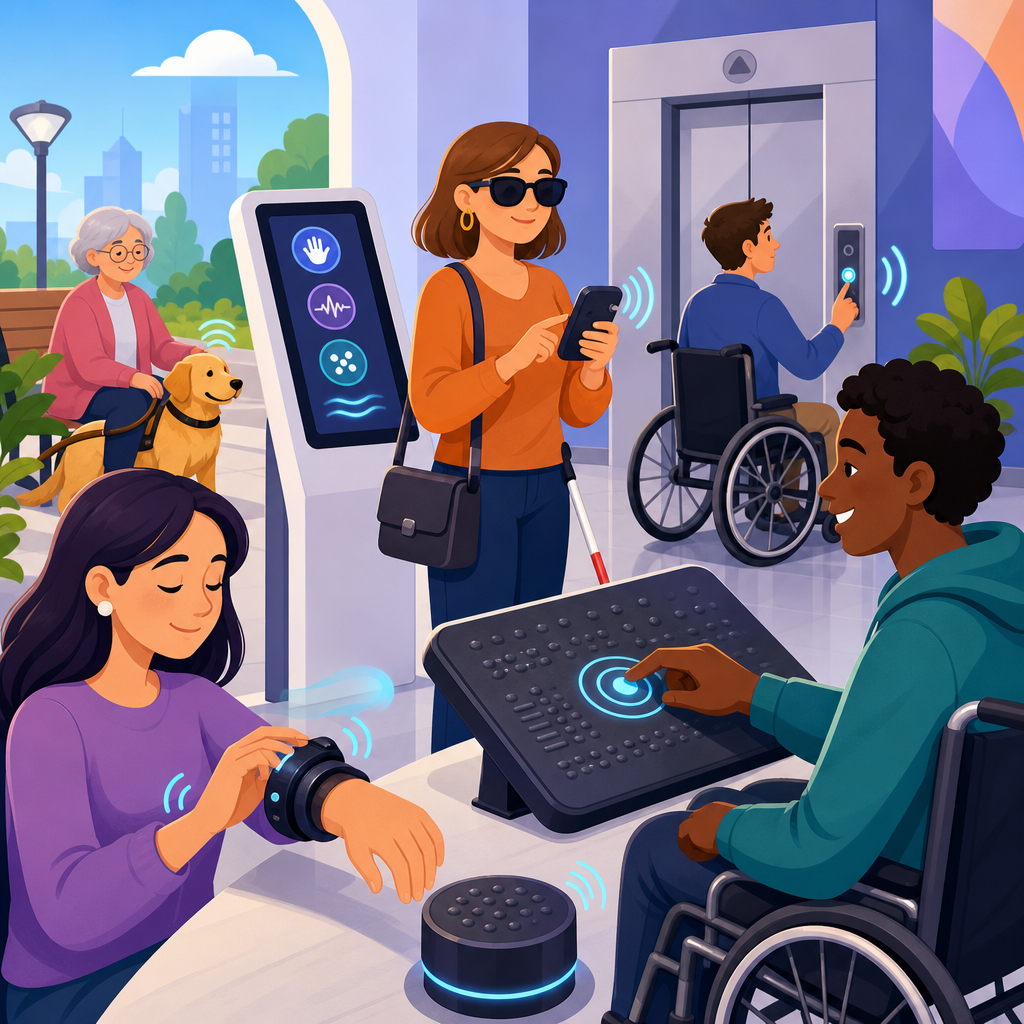
The latest trends in haptic technology for ADA compliance are reshaping how organizations design digital products, buildings, kiosks, transportation systems, and workplace tools for people with disabilities. Haptic technology refers to touch-based feedback, including vibration, force feedback, surface texture simulation, and tactile guidance that communicates information through the skin and body rather than through sight or sound alone. ADA compliance means aligning products, spaces, and services with the Americans with Disabilities Act and related accessibility expectations so that people with disabilities can access them on equal terms. In practice, I have seen haptics move from a niche feature in assistive devices to a mainstream design layer in smartphones, elevators, retail terminals, wearables, gaming controllers, and public infrastructure. That shift matters because accessibility is no longer limited to ramps, captions, and screen readers; it increasingly includes tactile signals that help users navigate, confirm actions, avoid hazards, and interact independently.
This topic sits at the center of future ADA developments because haptics can close gaps that visual and audio interfaces leave behind. A touchscreen kiosk in a noisy transit station may be unreadable to a blind traveler and inaudible to a deafblind user, but tactile orientation cues, localized vibration prompts, and force-confirmed input can make the same system usable. The same is true in workplace safety systems, hospital equipment, vehicle interfaces, and smart building controls. As regulators, courts, and procurement teams pay closer attention to accessibility outcomes, haptic design is becoming part of the broader compliance conversation alongside WCAG, Section 508, inclusive industrial design, and human factors engineering. The newest trends are not just about adding vibration. They involve multimodal design standards, AI-personalized tactile feedback, wearable navigation, touch-rich public interfaces, and measurable testing methods that can stand up to legal, technical, and usability scrutiny.
Why Haptic Accessibility Is Becoming a Core ADA Strategy
Haptic accessibility is gaining importance because it addresses real limitations in traditional interface design. Audio prompts fail in loud settings, private settings, and for users with hearing loss. Visual cues fail for users who are blind, have low vision, experience cognitive overload, or must keep their attention elsewhere. Tactile feedback offers a third communication channel, and the strongest systems use it deliberately rather than as decoration. In ADA-related projects I have worked on, the most successful haptic implementations do three things well: they signal state change clearly, they help orientation without requiring memorization, and they remain consistent across devices and contexts. For example, a long pulse can indicate an error, two short pulses can confirm completion, and directional vibration can guide a user toward a destination. Consistency matters because tactile language must be learned quickly and applied reliably.
The legal and operational pressure behind this trend is also growing. While the ADA does not prescribe a detailed haptic rulebook for every device, organizations are increasingly expected to provide effective communication and accessible interaction. Courts and settlement agreements often focus on outcomes, not excuses. That means product teams should not ask whether haptics are explicitly required in every case, but whether touch feedback is a reasonable and effective way to remove barriers. Public entities and large enterprises are also influenced by Section 508, the Rehabilitation Act, WCAG-based digital procurement, and industry standards such as ISO 9241 ergonomics guidance. As more services shift to self-service and mobile-first delivery, tactile interaction is becoming a practical compliance tool, especially where independent use is the benchmark.
Emerging Haptic Technologies Changing Accessible Design
Several technologies are driving the current wave of innovation. Advanced linear resonant actuators and piezoelectric actuators now produce more precise, localized tactile effects than older eccentric rotating mass motors. This allows developers to create distinct textures, edges, clicks, and directional prompts on flat surfaces. Electrostatic and ultrasonic haptics are also progressing, enabling screens and touch surfaces to simulate friction changes that users can feel as guides, boundaries, or controls. In accessible kiosks and automotive displays, these technologies can reduce input errors by giving the user a felt sense of where interactive zones begin and end.
Wearables are another major trend. Smartwatches, haptic belts, insoles, and wristbands can deliver route guidance, hazard alerts, medication reminders, and workplace notifications without requiring constant visual attention. I have seen navigation systems tested where a vibration on the left side of a belt indicates a left turn, while escalating pulses signal that a bus stop or doorway is close. For users who are blind or have cognitive disabilities, that is often easier to process than a stream of spoken directions. In industrial settings, haptic wearables can discreetly warn workers about restricted zones or machine states. The practical value is that tactile signals are immediate, private, and difficult to miss when designed correctly.
Another notable development is mid-air haptics, which use ultrasound arrays to create touch sensations without physical contact. Although still emerging, this approach has promising ADA implications for public interfaces, healthcare environments, and sanitation-sensitive settings. A user could feel a virtual button or directional marker in space, reducing reliance on touchscreens that provide no tactile landmarks. Mid-air systems are not yet widespread enough to replace established accessible controls, but they represent a meaningful future direction for compliance-conscious design teams seeking alternatives to purely visual interaction models.
Key Use Cases Across Public and Private Environments
Haptic technology is becoming most visible where independence, safety, and speed matter. In transportation, tactile wayfinding is expanding beyond static braille signage to include vibrating handrails, haptic navigation apps, and platform alerts delivered through phones or wearables. Transit agencies are piloting systems that guide riders through stations using vibration patterns tied to beacons and indoor positioning. In airports, haptic prompts can support check-in, queue guidance, and gate navigation, especially when paired with accessible mobile apps and staff assistance workflows.
Retail and banking are also important. Self-service checkout and payment terminals have created accessibility complaints for years because flat glass interfaces are hard to orient without sight. Newer systems address this with tactile overlays, confirmatory vibration, raised frames, headphone support, and haptic prompts tied to screen-reader modes. ATMs and kiosks can benefit from force feedback and patterned vibration that confirms secure input without exposing private information through loud speech. In healthcare, haptic alerts on infusion pumps, patient monitoring systems, and medication dispensers can improve usability for clinicians and patients alike, but the design must avoid alarm fatigue and ensure signals are distinct.
Education and workplace technology present another growth area. Interactive learning tools now use touch feedback to help students explore graphs, maps, and scientific models. In offices, haptics can support accessible conferencing equipment, desk-booking systems, and secure access controls. Smart building systems, including elevators and room controls, increasingly combine braille, audible output, and tactile confirmation. That multimodal approach is where the field is headed: not replacing one modality with another, but building systems that remain usable when one channel fails or is inaccessible.
| Environment | Current Haptic Trend | ADA-Relevant Benefit | Example |
|---|---|---|---|
| Transit | Wearable navigation cues | Independent wayfinding | Vibrating belt signals left or right turns in stations |
| Retail | Tactile kiosk confirmation | Lower input error rates | Payment terminal vibrates after card insertion and PIN entry |
| Healthcare | Distinct device alert patterns | Safer interaction under pressure | Infusion pump uses unique pulses for warning versus completion |
| Workplace | Haptic safety wearables | Discreet hazard communication | Wristband vibrates near restricted industrial zones |
| Smart buildings | Touch-guided controls | Accessible environmental control | Elevator panel provides tactile boundaries and confirmation |
Standards, Testing, and the Shift Toward Measurable Accessibility
One of the most important future trends is the move from feature checklists to measurable accessibility performance. Organizations increasingly want proof that a haptic solution works for real users, not just that it exists. That means usability testing with disabled participants, task completion metrics, error rates, learnability measures, and environmental testing in noise, motion, glare, and time pressure. In my experience, haptic features often perform well in the lab and poorly in the field unless teams account for clothing thickness, dominant hand variation, vibration desensitization, and competing stimuli. A wrist alert that feels obvious in a quiet room may disappear under a winter coat on a crowded platform.
Standards work is evolving too. WCAG does not provide a full tactile design framework, but its principles around perceivability, operability, understandability, and robustness strongly support multimodal interaction. Section 508 procurement reviews increasingly examine whether digital systems support effective communication beyond baseline web requirements. Hardware teams also look to ISO 9241 for ergonomics, EN 301 549 for ICT accessibility in procurement contexts, and human factors methods used in medical and automotive industries. The trend is clear: haptics are being evaluated as part of a broader accessible experience, with traceable requirements, documented test protocols, and remediation plans. That is exactly the direction compliance is moving in across ADA-related development work.
AI Personalization, Predictive Interfaces, and Future Adoption Risks
The next wave of haptic accessibility will be personalized. AI-driven systems can adjust vibration strength, rhythm, timing, and pattern selection based on user preferences, sensory profile, context, and device position. A navigation app could learn that one user responds best to slow, strong pulses on a smartwatch, while another needs rapid directional cues on a belt. A workplace system might suppress noncritical tactile alerts during high-load tasks and escalate only the signals that require action. Personalization matters because disabilities are not uniform, and tactile sensitivity varies widely across age, neuropathy, medication effects, and lived experience.
There are real risks, however, and compliance teams should address them early. Overpersonalization can create inconsistency, making public systems harder to learn. Proprietary tactile languages can lock users into one vendor ecosystem. Battery constraints, actuator cost, device durability, and maintenance can limit adoption in public infrastructure. There is also a training issue: if tactile cues are too subtle, too numerous, or poorly documented, users may ignore them. The best future-ready strategy is to treat haptics as one component of multimodal accessibility, define a small and repeatable tactile vocabulary, document it clearly, and validate it with diverse users in realistic conditions. Organizations that do this now will be better positioned as ADA expectations evolve around self-service technology, smart environments, and digital independence.
What Organizations Should Do Next
The central lesson from the latest trends in haptic technology for ADA compliance is straightforward: touch is becoming an essential accessibility channel, not an optional enhancement. Advanced actuators, wearables, tactile kiosks, and contactless haptic systems are expanding what accessible design can achieve in transportation, healthcare, retail, workplaces, and public spaces. The strongest implementations do not rely on novelty. They use clear tactile patterns, support independent task completion, align with established accessibility and ergonomics standards, and are tested with disabled users in real settings. That is how haptics move from interesting technology to defensible compliance practice.
As a hub for future trends and predictions in ADA developments, this topic points to a broader shift in accessibility strategy. Compliance is moving toward outcome-based, multimodal design supported by measurable evidence and adaptive tools. Haptic interfaces will play a larger role as organizations modernize kiosks, mobile apps, smart buildings, vehicles, and employee systems. If you are planning accessibility updates, audit every place where users currently depend on sight or sound alone, then identify where tactile feedback can reduce friction, increase privacy, or improve safety. Start with high-impact journeys, test early, and build a tactile design system that can scale with the next generation of ADA expectations.
Frequently Asked Questions
What is haptic technology, and why is it becoming important for ADA compliance?
Haptic technology is any technology that communicates through touch. That can include vibration alerts, force feedback, tactile buttons, textured surfaces, guided touch paths, and even advanced systems that simulate shape, pressure, or movement. In the context of ADA compliance, haptics are becoming increasingly important because they provide an additional way for people to receive information and interact with products, environments, and services without relying only on sight or sound. For many users with visual, hearing, cognitive, or mobility disabilities, touch-based feedback can make interfaces more understandable, safer, and easier to use.
The growing emphasis on haptics reflects a broader shift in accessibility design. Instead of treating accessibility as a retrofit, organizations are now looking at multisensory design from the start. In digital kiosks, public transportation systems, workplace equipment, consumer apps, and building navigation tools, haptic features can confirm selections, guide user actions, warn of errors, and reinforce critical information. This supports ADA-related goals by improving equal access, usability, and independence.
Another reason haptics matter is that many modern interfaces have moved away from physical controls toward touchscreens and flat surfaces. While sleek, these designs can create barriers for users who need tactile orientation or nonvisual confirmation. Haptic technology helps close that gap by reintroducing touch cues into contemporary products. As organizations work to reduce accessibility risks and create more inclusive experiences, haptic systems are emerging as a practical and increasingly expected part of ADA-conscious design.
What are the latest trends in haptic technology for accessible product and environment design?
One of the biggest trends is the move from simple vibration to more precise, context-aware tactile feedback. Older haptic systems often relied on generic buzzes or alerts, but newer designs can communicate different meanings through varied pulse patterns, directional cues, pressure changes, and layered feedback. For example, an accessible kiosk may use distinct tactile signals to indicate successful input, navigation direction, an unavailable option, or a need for user attention. That level of detail makes haptics more functional, not just decorative.
Another major trend is the integration of haptics into touchscreens, wayfinding systems, and smart surfaces. Designers are exploring how tactile markers, dynamic textures, and touch-responsive guidance can help users navigate digital and physical environments more confidently. In buildings and transportation hubs, this can include tactile routing aids, interactive handrails, smart elevator controls, and touch-based navigation prompts that complement visual signage and audible announcements. In workplace tools and public devices, haptic guidance is being used to reduce confusion and improve task completion for a wider range of users.
Wearable haptics are also gaining momentum. Smart bands, clip-on navigation devices, and connected mobility tools can deliver directional or situational feedback through the body, helping users receive alerts discreetly and in real time. This has strong relevance for ADA-focused applications because it supports independent navigation and communication in noisy, crowded, or visually complex settings. In addition, product teams are increasingly pairing haptic design with inclusive UX research, testing with disabled users, and universal design principles. That trend matters because the most effective haptic solutions are the ones developed with direct user input, not assumptions.
How can haptic technology improve accessibility in kiosks, transportation systems, and public spaces?
In kiosks, haptic technology can dramatically improve usability by making digital interactions easier to understand through touch. Many kiosks rely heavily on visual menus and flat glass screens, which can be difficult or impossible for some users to navigate independently. Haptic features such as tactile borders, vibration confirmations, differentiated response patterns, and guided touch zones can help users identify controls, confirm actions, and avoid mistakes. When combined with logical interface design, speech output, and accessible height and reach ranges, haptics can contribute to a much more ADA-aligned kiosk experience.
In transportation systems, haptic technology supports safer and more independent travel. Tactile feedback can be built into ticketing systems, handrails, seating alerts, pedestrian crossings, navigation devices, and station wayfinding tools. For example, directional haptic cues can help guide a rider toward a platform, indicate a stop request has been registered, or warn that a door is opening or a platform edge is near. These touch-based cues are particularly valuable in loud environments where audio may be hard to hear, or in crowded spaces where visual signage may be obstructed or overwhelming.
Public spaces also benefit from haptic design because accessibility in the built environment depends on more than ramps and signage. Touch-based systems can improve navigation, safety, and orientation across municipal buildings, campuses, healthcare facilities, museums, and workplaces. Tactile maps, responsive surfaces, and haptic-enabled information points can make spaces more intuitive for a broader population. Importantly, haptics should not be viewed as a standalone fix. The strongest accessibility outcomes come when touch-based feedback is used alongside visual, auditory, and physical accessibility features in a coordinated, user-centered design strategy.
Does using haptic technology automatically make a product or space ADA compliant?
No. Haptic technology can significantly improve accessibility, but it does not automatically make a product, service, or environment ADA compliant. ADA compliance is not based on adding a single feature or technology. It depends on whether the overall experience provides meaningful access and can be used by people with disabilities in an equitable way. A device might include vibration feedback and still be inaccessible if the controls are too small, the interface is confusing, the reach range is improper, the timing is too fast, or the tactile signals are inconsistent and unsupported by other accessible design features.
That is why haptics should be understood as one tool within a larger accessibility framework. Organizations need to evaluate how a product or environment performs across a wide range of user needs, including mobility, vision, hearing, dexterity, and cognitive access. In digital contexts, this may also involve conformance with recognized accessibility standards and best practices, such as accessible interface structure, predictable interactions, and compatibility with assistive technologies. In physical spaces, it involves considerations like placement, operability, tactile discernibility, clear pathways, and complementary communication methods.
The most responsible approach is to treat haptic technology as part of an inclusive design process rather than a compliance shortcut. That means conducting accessibility audits, involving disabled users in testing, documenting design decisions, and aligning implementation with applicable legal requirements and technical standards. When thoughtfully integrated, haptics can strengthen an organization’s accessibility posture. But compliance comes from the total design, usability, and real-world accessibility of the experience, not from the presence of haptic features alone.
What should organizations consider before adopting haptic technology for accessibility initiatives?
Organizations should start by identifying the actual accessibility barriers they are trying to solve. Haptic technology is most effective when it addresses a clear user need, such as confirming input on a touchscreen, supporting nonvisual navigation, signaling hazards, or improving orientation in a physical environment. Without that clarity, haptics can become gimmicky, confusing, or inconsistent. Teams should ask practical questions early: Who are the intended users? What environments will the technology be used in? What information needs to be communicated through touch? And how will haptic cues work alongside visual and auditory channels?
Usability testing is essential. Not all tactile feedback is equally understandable, and different user groups may interpret patterns differently. A weak vibration, poorly timed pulse, or overloaded sequence of signals may create frustration instead of access. Organizations should test haptic experiences with people who have a range of disabilities, including blind and low-vision users, Deaf and hard-of-hearing users, people with limited dexterity, and users with sensory sensitivities. Testing should focus not only on whether users can detect the feedback, but also on whether they can interpret it quickly, confidently, and independently.
Finally, organizations should consider maintenance, consistency, and long-term scalability. Haptic systems need to remain reliable over time, especially in public-facing hardware, transportation infrastructure, and workplace tools. Teams should create clear standards for tactile patterns, document how feedback is triggered, train staff on accessible operation, and ensure updates do not compromise usability. Cost is also a factor, but accessibility investments are strongest when they are built into the design process early rather than added later under pressure. When organizations approach haptic technology strategically, they are better positioned to support ADA goals, improve user experience, and future-proof their accessibility efforts.


