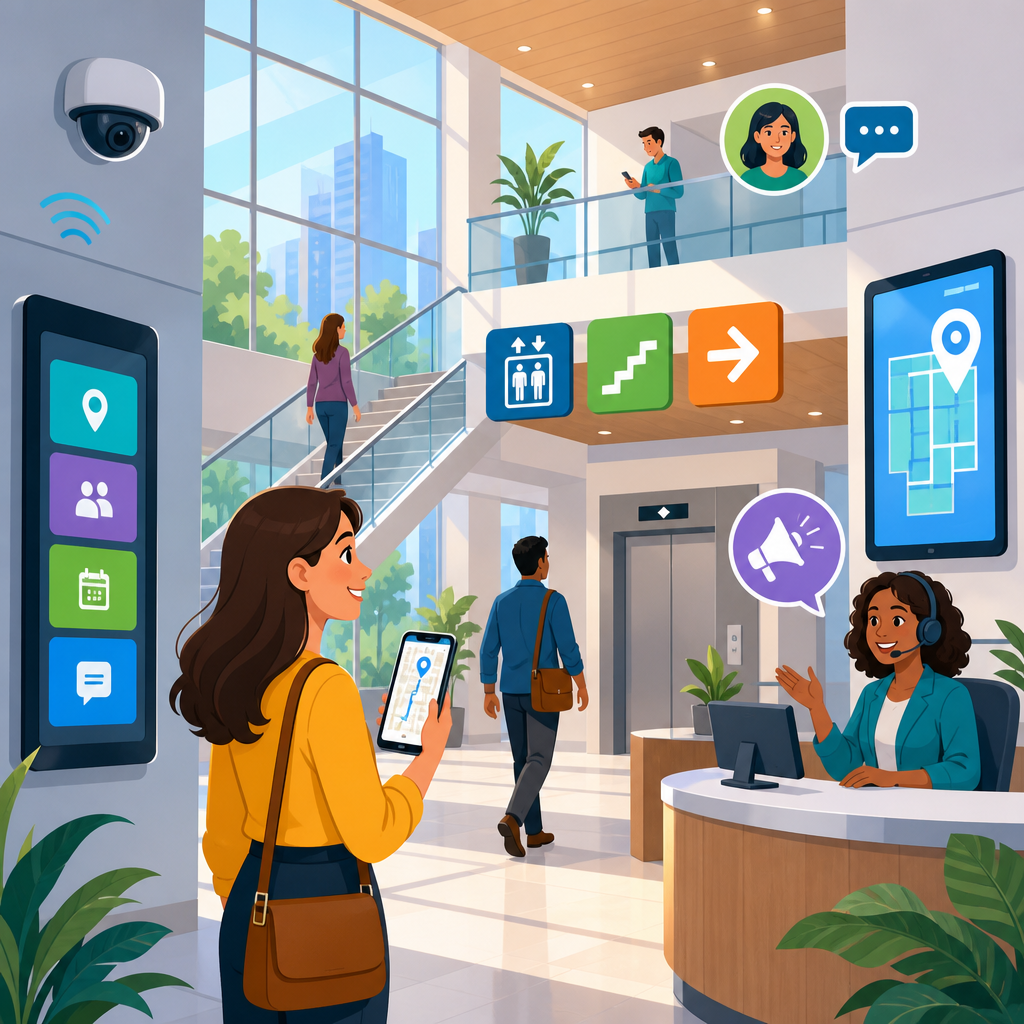
Smart building features that improve wayfinding and communication are becoming essential in offices, hospitals, campuses, airports, multifamily housing, and civic spaces because accessibility now depends as much on digital infrastructure as on ramps, elevators, and signage. In practice, wayfinding means helping people understand where they are, where they need to go, and how to get there safely and efficiently. Communication in buildings includes announcements, alerts, room information, visitor instructions, service requests, and person-to-person interactions delivered through visual, audible, tactile, and mobile channels. When these systems are designed together, buildings become easier to use for everyone, including people with mobility, vision, hearing, cognitive, and neurodivergent needs.
I have worked on projects where a building looked modern on opening day yet immediately created confusion: visitors missed reception because digital directories were poorly placed, deaf occupants could not rely on public address announcements, and wheelchair users reached elevators only after following signs that assumed stair access. Smart building design solves those failures by combining physical architecture with sensors, software, connected devices, and accessible interfaces. The goal is not novelty. The goal is predictable, understandable, inclusive navigation and reliable information delivery at every touchpoint.
This topic matters because poor wayfinding raises stress, delays appointments, increases staffing costs, and creates measurable safety risks during emergencies. In healthcare, navigation problems contribute to late arrivals and missed visits. In workplaces, confusing room booking and visitor flows waste productive time. In transport and education settings, inaccessible communication can exclude users from essential services. The strongest smart building strategies treat accessibility as a system: digital signage, indoor positioning, assistive listening, real-time occupancy data, mobile guidance, and emergency messaging all work together. This hub article explains the most important smart building features, how they support innovative solutions in technology and accessibility, and what decision-makers should evaluate before implementation.
Digital wayfinding systems and accessible indoor navigation
Digital wayfinding is the backbone of accessible smart buildings. It typically includes interactive kiosks, searchable directories, QR-linked maps, mobile apps, and turn-by-turn indoor navigation supported by Bluetooth Low Energy beacons, Wi-Fi positioning, ultra-wideband, or computer vision. The practical advantage is that information becomes dynamic. Instead of relying only on static signs that cannot adapt to renovations, temporary closures, or event traffic, building operators can update routes instantly and push changes across displays and mobile interfaces.
For accessibility, the details matter more than the screen itself. A kiosk must sit at a reachable height, support screen-reader output, present high-contrast text, avoid timeouts that rush users, and offer plain-language directions. Indoor navigation apps should provide step-free routes, elevator locations, accessible restroom information, and warnings about steep grades, heavy doors, or security checkpoints. In large hospitals, these features reduce anxiety for patients who may already be stressed, in pain, or unfamiliar with the site. On university campuses, digital routing can guide students not just to a building, but to the correct accessible entrance and floor.
The best systems also recognize that not every user wants the same route. A visitor with low vision may prefer audio directions with landmark-based prompts such as “turn right after the reception desk.” A wheelchair user may need the shortest compliant route that avoids manual doors. A neurodivergent user may choose the least crowded path. Smart buildings can support these preferences when maps are built on detailed spatial data rather than simple floor plans. That requires coordination among architects, facilities teams, IT, and accessibility specialists, but the result is a building that communicates clearly instead of forcing people to guess.
Connected signage, real-time information, and multilingual communication
Connected signage improves communication by turning displays into responsive information nodes. In a conventional building, signs are printed, mounted, and forgotten until something changes. In a smart building, conference room displays, lobby screens, elevator indicators, queue displays, and tenant directories pull from centralized content management systems. That allows operators to update room assignments, meeting schedules, service interruptions, visitor instructions, and event notices in real time.
This matters for accessibility because clarity and consistency reduce cognitive load. When a lobby screen, mobile app, and room display all show the same up-to-date information, visitors spend less time asking for help. In multilingual settings such as airports, hospitals, and municipal buildings, connected signage can cycle through major languages or present a language selector. That feature is not cosmetic. It directly improves access for people who may struggle with English-language signage during time-sensitive tasks like check-in, security screening, or emergency evacuation.
Visual presentation standards are equally important. Text should use legible sans serif fonts, strong contrast ratios, and clear hierarchy. Icons should be recognizable and paired with words when possible. Motion should be limited so it does not distract or trigger vestibular discomfort. Audio-linked signs should include captions or equivalent visual messaging, and visual alerts should not depend only on color. A common mistake I see is installing sleek displays that are bright and attractive from a distance but unusable up close because menus are dense, touch targets are small, and glare obscures content. Smart signage is only smart when people can understand it quickly under real conditions.
Audio, visual, and tactile communication features that reach more people
Inclusive communication requires redundancy across sensory channels. A building that announces information only through overhead speakers excludes deaf and hard-of-hearing occupants. A building that relies only on screens may fail people with low vision or visitors who are not looking at displays when an alert occurs. Smart buildings improve reliability by delivering the same core message in multiple formats: public address audio, captions, digital signs, mobile push notifications, desk or room indicators, beacon-triggered prompts, vibration alerts, and tactile interfaces where appropriate.
Assistive listening systems are a foundational feature in assembly spaces, reception areas, lecture halls, and service counters. Hearing loop systems compliant with IEC 60118-4, as well as infrared and FM systems, help hearing aid and cochlear implant users receive clearer sound with reduced background noise. Speech-to-text captioning on displays supports not only deaf users but also second-language speakers and anyone in noisy environments. In practice, adding captions to live announcements in transit hubs or student centers has an outsized impact because it turns partial information into complete information.
Tactile communication still matters in a digital building. Braille and raised characters on room signs remain essential, especially where mobile devices may lose connectivity or batteries die. Tactile ground surface indicators, textured handrails, and elevator buttons with clear labeling support independent movement. The strongest projects do not frame tactile tools as legacy features replaced by apps. They use physical and digital layers together so a user can choose the channel that works best in the moment.
IoT sensors, occupancy analytics, and responsive environments
Internet of Things devices give buildings the awareness needed to make wayfinding and communication more useful. Occupancy sensors, people counters, door sensors, elevator telemetry, environmental monitors, and badge data can reveal where congestion forms, which entrances are most used, and when accessible amenities are unavailable. That information can feed digital directories, navigation apps, and operations dashboards so routes and messages reflect current conditions rather than assumptions.
For example, if a main elevator is offline, a responsive system can update kiosks and mobile maps with alternate accessible routes within minutes. If a cafeteria line is unusually long, a campus app can direct users to quieter service points. If indoor air quality sensors show poor conditions in one zone, facilities teams can notify occupants and redirect traffic. In museums and event venues, occupancy data can help visitors who need lower-sensory experiences identify less crowded paths and quieter times to attend.
| Smart feature | Accessibility benefit | Common building use case |
|---|---|---|
| BLE beacons and indoor positioning | Turn-by-turn guidance with accessible route options | Hospitals, campuses, airports |
| Connected digital signage | Real-time visual updates, multilingual messaging | Lobbies, conference centers, transit hubs |
| Assistive listening systems | Clearer speech for hearing aid and cochlear implant users | Auditoriums, reception desks, classrooms |
| Occupancy and traffic sensors | Routing around congestion, lower-stress navigation | Museums, offices, healthcare facilities |
| Integrated emergency alerts | Messages delivered through audio, visual, and mobile channels | All large public and commercial buildings |
There are tradeoffs. Sensor-based systems raise privacy, cybersecurity, and data governance questions. Facilities teams should minimize personally identifiable data, define retention limits, encrypt transmissions, and segment operational technology networks from general IT traffic. Anonymous occupancy counts often provide enough value without tracking individuals. A smart building should be observant about conditions, not intrusive about people.
Mobile access, visitor management, and self-service support
Mobile-first building services have changed how people move through spaces. Digital visitor passes, app-based check-in, smartphone credentials, and mobile room guidance reduce dependence on staffed desks and printed instructions. When designed well, these tools improve access because users can receive information before arrival, save directions on their own device, and request accommodations discreetly.
A strong example is a corporate office that sends visitors a pre-arrival message with parking guidance, transit options, step-free entrance details, reception instructions, and an indoor map linked to the host’s meeting room. That single workflow can replace multiple stressful interactions. In multifamily properties, mobile resident apps can pair accessible entrance controls with package notifications and maintenance updates. In higher education, students can use one app to locate accessible study rooms, check shuttle arrival times, and receive campus alerts.
However, mobile access should never become the only path. Not everyone owns a compatible smartphone, enables Bluetooth, trusts app permissions, or reads messages in real time. Best practice is channel choice: mobile support plus kiosks, staffed assistance, printed backup maps where appropriate, and web-based access that does not require an app download. I have seen launches fail when teams assumed digital adoption would be universal. Accessible service design starts by assuming it will not be.
Emergency communication, life safety integration, and resilience
Emergency communication is where wayfinding and accessibility become mission critical. Smart buildings can integrate fire alarm systems, mass notification platforms, digital signage, access control, public address, and mobile alerts so occupants receive fast, coordinated instructions. A resilient system delivers location-specific guidance, confirms message delivery where possible, and communicates through more than one sensory channel.
In practical terms, that means a fire event might trigger strobes, audible instructions, text alerts, and directional messages on corridor screens at the same time. If one exit becomes blocked, routes can be updated digitally. Areas of refuge should be clearly identified in maps and signage, and staff should know how two-way communication devices in those areas operate. Standards and code requirements vary by jurisdiction, but alignment with the Americans with Disabilities Act, NFPA guidance, the International Building Code, and local fire authority requirements is essential.
Resilience also means planning for failure. Networks go down, batteries deplete, and touchscreens can become inaccessible during smoke, panic, or power interruptions. Smart building teams should specify battery backup, fail-safe modes, offline map access, and manual overrides. The most reliable emergency communication strategy is layered: low-tech and high-tech systems reinforce each other instead of competing.
Implementation strategy, interoperability, and measuring results
Successful smart building accessibility programs begin with user journeys, not product catalogs. Map the experience of a first-time visitor, a blind employee, a deaf student, a wheelchair user, an older adult with limited digital confidence, and a person under emergency stress. Those scenarios quickly reveal whether the building communicates effectively. From there, evaluate infrastructure: network coverage, map data quality, signage placement, elevator integrations, content governance, and device maintenance responsibilities.
Interoperability is a decisive factor. Proprietary systems that cannot exchange data create fragmented experiences, such as a mobile app showing one room name while a door display shows another. Favor platforms with documented APIs, support for common identity and security standards, and integration pathways to building management systems, calendar platforms, mass notification tools, and computerized maintenance management systems. In new construction, accessibility technology should be included during design development, not bolted on after occupancy.
Measure results with operational and user-centered metrics. Useful indicators include reduced late arrivals, fewer help-desk direction requests, lower missed appointment rates, improved visitor satisfaction, better emergency drill performance, and increased use of accessible entrances and services. Short intercept surveys, accessibility audits, and analytics from kiosks or apps can show whether people actually understand the building better. Smart building features that improve wayfinding and communication deliver their full value when organizations treat them as part of an ongoing accessibility program. Review your current touchpoints, identify the moments where occupants get lost or miss information, and prioritize upgrades that make navigation and communication clear for everyone.
Frequently Asked Questions
What are smart building features that improve wayfinding and communication?
Smart building features that improve wayfinding and communication are connected tools and systems that help people navigate a space and receive timely, relevant information while they are in it. These features often include digital directories, interactive kiosks, mobile wayfinding apps, room scheduling displays, sensor-based occupancy tools, digital signage, mass notification systems, indoor positioning technology, and integrated audio-visual communication platforms. Instead of relying only on static signs mounted on walls, smart buildings use real-time data and networked devices to guide occupants and visitors more accurately.
In practical terms, wayfinding is about helping someone understand their current location, their destination, and the safest or most efficient route between the two. Communication supports that process by delivering updates such as meeting room changes, visitor check-in instructions, emergency alerts, transit information, or accessibility guidance. When these systems work together, buildings become easier to use, especially in complex environments like hospitals, airports, college campuses, office towers, multifamily communities, and government facilities.
What makes these features especially valuable today is that accessibility and usability are no longer defined only by physical elements like ramps, elevators, and signage. Digital infrastructure now plays a major role in helping people move confidently through a space. A well-designed smart building can reduce confusion, lower stress, improve safety, and create a better overall experience for employees, residents, patients, students, and visitors.
How does smart wayfinding improve the visitor experience in large or complex buildings?
Smart wayfinding improves the visitor experience by reducing uncertainty at every stage of a visit. In a large or unfamiliar building, people often lose time trying to locate entrances, reception areas, elevators, restrooms, waiting rooms, or meeting spaces. Smart wayfinding tools solve this by offering clear, step-by-step navigation through digital kiosks, touchscreen directories, QR code-based maps, mobile apps, and dynamic signage that updates in real time.
For example, a visitor arriving at a hospital can use a kiosk in the lobby to search for a department, scan a route to their phone, and follow directions that account for elevator access, restricted areas, or temporary construction detours. In an office building, a guest may receive navigation instructions before arrival, check in digitally, and be guided to a conference room using display screens and mobile prompts. In an airport or campus environment, smart wayfinding can direct people to gates, classrooms, service desks, parking areas, or event locations while adapting to schedule changes and crowd conditions.
This has a direct impact on satisfaction and efficiency. Visitors spend less time asking for help, front-desk staff face fewer repetitive questions, and organizations present a more professional and welcoming environment. Smart wayfinding also supports accessibility by offering multilingual content, visual and audio guidance, and routes tailored for people with mobility, hearing, or vision needs. The result is a building that feels easier to understand, less intimidating, and more responsive to the people using it.
Why is communication technology just as important as physical signage in modern buildings?
Communication technology is just as important as physical signage because buildings are dynamic environments where information changes constantly. Traditional signs are still essential for permanent identification and compliance, but they cannot easily respond to changing room assignments, visitor instructions, weather disruptions, emergencies, maintenance issues, or occupancy conditions. Modern building communication systems fill that gap by delivering live information where and when people need it.
Examples include digital displays outside meeting rooms, lobby screens showing directories and announcements, tenant communication platforms, public address systems, mobile alerts, and emergency notification tools integrated with fire alarms or security systems. These technologies allow building managers to communicate in real time rather than relying on printed notices or verbal updates that may be missed or misunderstood. In a hospital, communication technology can help direct patients to the correct department and notify staff about visitor flow. In a multifamily property, it can keep residents informed about package delivery, amenity availability, maintenance schedules, or safety updates. In a civic building or campus, it can distribute public information quickly across multiple entry points and gathering areas.
Strong communication systems also strengthen safety and trust. During routine operations, they reduce confusion and keep spaces organized. During urgent situations, they can provide clear instructions that help people respond quickly and appropriately. When combined with wayfinding, communication technology creates a more coordinated building experience, where people not only know where to go, but also understand what is happening around them and what actions they need to take.
What role does accessibility play in smart building wayfinding and communication systems?
Accessibility is central to effective smart building design because a system that only works for some users is not truly effective. Wayfinding and communication features should support a wide range of physical, sensory, cognitive, and language needs so that all occupants and visitors can navigate and interact with the building independently and safely. In many cases, smart technology can significantly expand accessibility beyond what static infrastructure alone can provide.
Accessible smart building features may include voice-guided navigation, high-contrast digital displays, screen-reader compatible mobile interfaces, captioned announcements, multilingual content, tactile or audible kiosk feedback, visual alert systems for people who are deaf or hard of hearing, and route options that identify elevators, ramps, automatic doors, or accessible restrooms. In complex environments, these features can help users avoid barriers and choose paths that meet their specific needs. For someone with low vision, a mobile navigation app with audio prompts can be more useful than a wall-mounted map. For a person using a wheelchair, real-time route guidance can help avoid areas affected by outages, temporary closures, or inaccessible entrances.
Accessibility also improves the experience for everyone, not only for people with disabilities. Clearer directions, simpler interfaces, better contrast, multilingual instructions, and multiple communication formats make buildings easier to use across age groups, technical skill levels, and cultural backgrounds. As organizations focus more on inclusive design, accessible digital wayfinding and communication systems are becoming a key part of meeting both user expectations and broader compliance, equity, and service goals.
What should organizations consider when choosing smart building solutions for wayfinding and communication?
Organizations should begin by evaluating how people actually move through and use the building. The best solution depends on the type of facility, the complexity of the layout, the number of daily visitors, the needs of occupants, and the importance of real-time updates. A hospital, airport, office campus, residential tower, and municipal building all require different communication strategies and navigation tools. Understanding pain points such as missed appointments, frequent requests for directions, bottlenecks, visitor confusion, or emergency communication gaps helps define the right priorities.
It is also important to look for systems that integrate well with existing building infrastructure. Smart wayfinding and communication solutions are most effective when they connect with scheduling platforms, visitor management tools, access control, emergency systems, occupancy sensors, and digital signage networks. Integration makes it possible to present accurate, consistent information across kiosks, mobile apps, room displays, and alert channels. Scalability matters as well, especially for organizations managing multiple buildings or planning future expansions.
Other key considerations include accessibility, ease of use, content management, cybersecurity, and long-term maintenance. Staff should be able to update information quickly without relying on complex workflows, and users should be able to interact with the system without specialized training. Organizations should also think about data privacy, especially when using location-based services or mobile tools. Ultimately, the right smart building solution is one that improves clarity, safety, and user confidence while supporting operational efficiency. When chosen thoughtfully, these systems do much more than add technology to a building—they make the environment more understandable, inclusive, and responsive.


