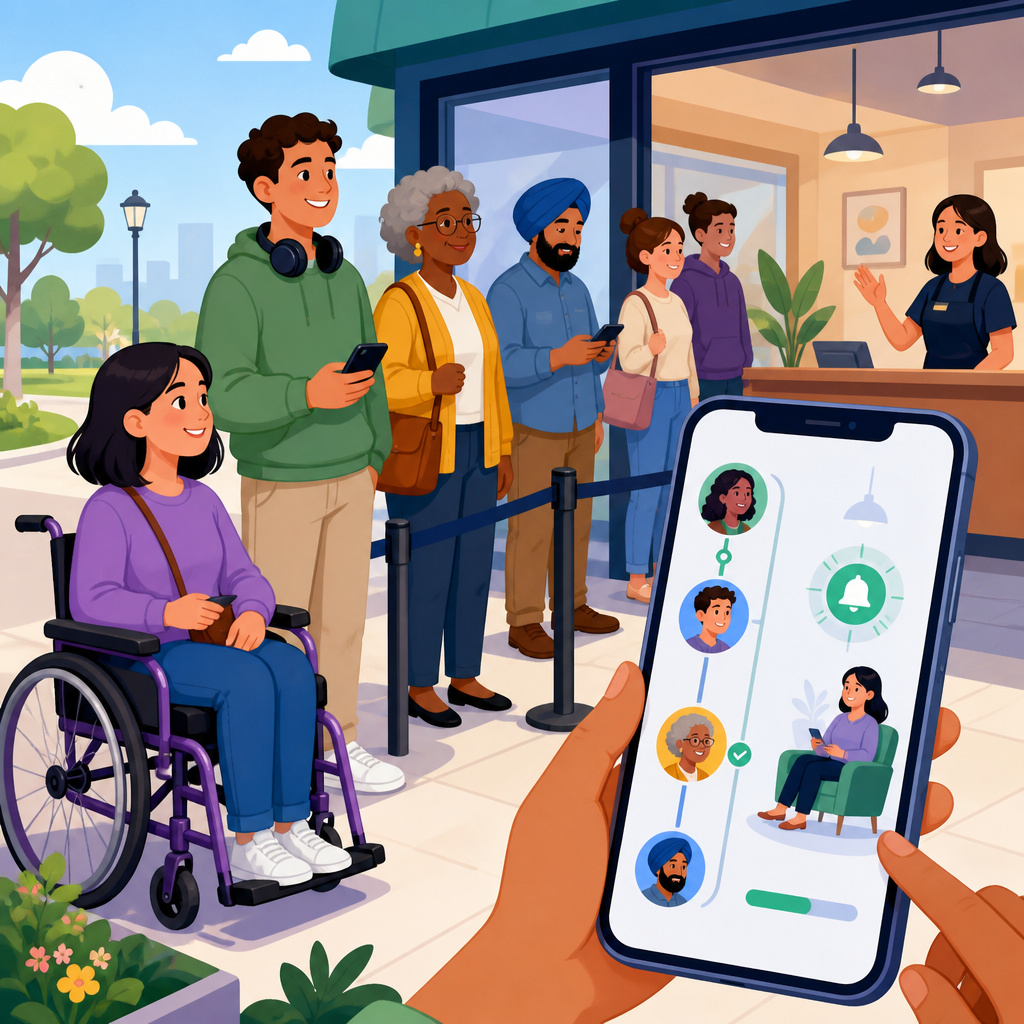
Accessible queue management and virtual waitlist systems are reshaping how organizations serve customers, patients, riders, students, and visitors by reducing physical lines and making access more equitable for people with different mobility, sensory, cognitive, and language needs. In practice, queue management refers to the methods used to organize demand, assign service order, communicate wait times, and route people to the right staff or location. A virtual waitlist system moves some or all of that process off the physical line and into digital or assisted channels such as SMS, mobile web, kiosks, voice calls, staff tablets, or integrated customer relationship platforms. When designed well, these systems do more than save time. They remove preventable barriers that often make public spaces exhausting or unusable for disabled people, older adults, caregivers, and anyone under time or stress constraints.
I have worked on accessibility reviews for appointment flows, self-service kiosks, and customer notification systems, and the same pattern appears across sectors: the queue itself is often the hidden accessibility problem. A person who cannot stand for long, who uses a screen reader, who is Deaf or hard of hearing, who has low vision, who processes information slowly, or who cannot interpret crowded signage may face friction before service even begins. That is why accessible queue management belongs within the broader field of technology and accessibility. It intersects with inclusive design, service design, digital wayfinding, assistive technology compatibility, data privacy, and operational planning. For organizations building accessible customer journeys, the queue is no longer a side issue. It is a core touchpoint that affects compliance, satisfaction, throughput, and trust.
This hub article explains the essential concepts, implementation choices, and innovation patterns that define accessible queue management and virtual waitlist systems today. It also connects this topic to the wider landscape of innovative solutions in technology and accessibility, including multimodal interfaces, real-time notifications, kiosk usability, analytics, interoperability, and staff training. If a decision maker asks what makes a queue system accessible, the concise answer is this: it must offer multiple entry and notification methods, work with assistive technologies, provide clear status updates, minimize physical and cognitive load, protect user data, and include human assistance when automation is not enough. Organizations that meet those conditions create faster, fairer service for everyone, not only for disabled users.
Why accessibility must be designed into every queue experience
Accessibility failures in queues are easy to overlook because they often sit between channels. A website may be compliant, and staff may be helpful, yet the handoff into waiting can still break down. Common examples include a restaurant waitlist that only accepts smartphone numbers, a clinic check-in kiosk with low color contrast and no tactile controls, a government office that announces names only by voice, or a transit desk that displays queue numbers on an overhead screen without audio or text-to-speech support. Each of those choices excludes people. Under standards such as the Web Content Accessibility Guidelines, digital components need perceivable, operable, understandable, and robust interactions. In physical environments, accessible design also depends on line-of-sight, acoustics, reach ranges, seating, circulation space, and staff procedures.
Accessible queue management matters because waiting is not neutral. For someone with chronic pain, ten minutes standing may be a health issue. For an autistic visitor, uncertain wait times and sensory overload can cause distress. For a blind customer, a touchscreen-only kiosk without proper labeling is a dead end. For a nonnative speaker, complex instructions can cause missed turns in the process. Good systems reduce that burden by making state changes visible and understandable: where to check in, what information is needed, how long the wait is, when the person will be called, and what alternatives exist. In every sector I have seen, the organizations that treat waiting as a service design problem get better outcomes than those that treat it as a crowd control problem.
Core components of an accessible virtual waitlist system
An accessible virtual waitlist system needs more than a text message alert. It requires inclusive intake, transparent queue logic, multimodal notifications, and flexible fulfillment. Intake should support at least three paths: self-service digital entry, assisted staff entry, and on-site kiosk or desk check-in. Requiring a smartphone app is a frequent design mistake because it excludes users with older devices, limited data plans, low digital confidence, or incompatible assistive technology. A mobile web flow is usually more inclusive than a native app for first contact, and a staffed option remains essential. Systems should also allow companions, interpreters, and caregivers to be noted in the record without exposing unnecessary sensitive data.
Queue logic must be understandable and fair. That means publishing whether service is first come, first served, triaged, appointment-based, or priority-assisted. People accept waiting better when the rules are clear. For accessibility, priority handling should not force people to publicly disclose a disability; staff should have a simple accommodation protocol that preserves dignity. Notifications should be redundant: SMS, email, voice call, screen display, printed ticket, and staff announcement all have roles depending on context. Message content must be plain language, concise, and actionable. Instead of “Proceed to station B immediately,” a stronger alert says, “It is your turn. Go to Window B on the first floor. If you need assistance, show this message to staff.”
| Component | Accessible practice | Common failure | Example setting |
|---|---|---|---|
| Check-in | Mobile web, desk, kiosk, and phone options | App-only registration | Hospital outpatient clinic |
| Identification | Queue code, name choice, and privacy-safe confirmation | Calling full names aloud | Pharmacy counter |
| Wait updates | SMS, visual display, and optional voice alerts | Single-channel announcements | Motor vehicle office |
| Wayfinding | Plain language, icons, high contrast, and staff support | Dense signage with jargon | University advising center |
| Accommodation | Seating, callback, priority protocol, interpreter notes | Informal, inconsistent exceptions | Airport service desk |
Technology patterns that improve accessibility across channels
The strongest systems use multimodal design from the start. Multimodal means people can receive and respond to queue information through more than one sensory or interaction pathway. In plain terms, a wait update might arrive as readable text, be announced through a speaker, appear on a large display, and remain available to staff on a tablet. This is especially important because assistive technology use varies widely. A blind user may depend on VoiceOver or TalkBack. A person with low vision may enlarge text and rely on high contrast. A Deaf visitor may prefer text or vibration. A person with limited dexterity may use switch access, voice input, or a stylus. A queue platform that assumes one device, one sense, or one interface will fail real users.
Kiosk accessibility remains a critical topic within technology and accessibility because many virtual waitlist deployments still begin on-site. Best practice draws from standards used in accessible self-service technology: reachable controls, screen readability under glare, headphone jack or wireless audio support where relevant, tactile orientation, timeout controls that can be extended, and software compatible with screen readers or built-in speech output. QR code entry can be helpful, but it cannot be the only path. If QR is used, the printed sign should include a short URL and direct instructions. I have repeatedly seen organizations install attractive kiosks that speed up average service while creating dead ends for people who need more time, alternative input, or staff help.
Real-time estimation engines are another innovation area. These tools use current queue length, service duration history, staffing levels, and appointment patterns to predict wait times. The accessibility benefit is not just convenience. Predictability lets people manage medication schedules, energy limits, transportation transfers, child care, and sensory load. However, estimated wait times must be framed honestly. Overpromising erodes trust quickly. A good system explains whether the estimate is approximate, updates it automatically, and warns when conditions change. In healthcare and public services, I advise teams to present ranges instead of false precision. “About 20 to 30 minutes” is often more useful than “22 minutes” if variability is high.
Sector examples: healthcare, government, retail, transit, and education
Healthcare offers some of the clearest evidence for accessible queue management. Clinics often serve older adults, people with chronic conditions, and patients under stress, so long standing times and unclear calling methods create immediate barriers. A strong outpatient flow lets patients pre-check in by phone or web, records accommodation needs, confirms arrival without requiring touch-heavy kiosks, and sends rooming updates by text or staff escort. In pharmacies, privacy matters as much as speed. Using number codes, counter displays, and optional text pickup alerts can reduce the risk of announcing personal information. Systems should also support interpreter scheduling and companion notifications, especially for pediatric and geriatric care settings.
Government offices are another high-impact use case because demand is uneven and documentation tasks are complex. Departments of motor vehicles, permitting centers, courts, and social service agencies benefit from remote place-holding that cuts physical crowding and gives residents time to gather forms. Accessibility improves when appointment and walk-in flows are clearly separated, ticket numbers are shown and spoken, counters are identified with high-contrast signage, and staff can re-route a case without sending the person back to the end of the line. Public agencies also need language access, which means queue instructions should support translation, plain language, and staff-assisted completion. Accessibility is strongest when service design acknowledges that digital literacy, disability, and economic constraints often overlap.
Retail, transit, and education each have distinct patterns. In retail, virtual fitting room queues, service counters, and returns desks can reduce congestion, but opt-in messaging must be simple and not tied to aggressive marketing consent. In transit, customer assistance lines need displays that work in noisy, low-visibility environments and should integrate with station accessibility information. In higher education, advising centers and bursar offices can use waitlists that show location details, estimated time, and document reminders. Libraries are an overlooked example as well: booking help desks, assistive technology stations, and pickup services through accessible queue tools can make campus resources easier to use. The common lesson is that the best systems adapt to context without abandoning inclusive fundamentals.
Implementation, measurement, and the broader innovation roadmap
Successful implementation starts with service mapping, not software procurement. Before selecting a vendor, organizations should document the full journey: discovery, arrival, check-in, waiting, notification, service, escalation, and exit. Each step needs accessibility review in both digital and physical form. I recommend usability testing with screen reader users, low-vision users, Deaf and hard-of-hearing participants, wheelchair users, older adults, and people with cognitive disabilities, because lab assumptions miss real friction. Teams should also audit against WCAG 2.2 for web interfaces, review kiosk hardware reach and visibility, and test operational fallback when connectivity fails. A virtual waitlist system is only as accessible as its exception handling.
Measurement should combine efficiency and equity metrics. Average wait time, abandonment rate, no-show rate, and staff utilization are standard, but they do not reveal whether the system works for everyone. Add metrics such as assisted check-in usage, notification delivery success by channel, kiosk task completion, accessibility-related complaint categories, and accommodation fulfillment time. Watch for uneven outcomes. If SMS performs well overall but older users frequently miss turn alerts, add voice options or staffed callbacks. If kiosk throughput is high but desk check-in lines grow longer, the organization may have shifted burden onto people who need assistance. Analytics platforms, customer feedback tools, and mystery-shopper testing all help, but direct observation remains invaluable.
The broader innovation roadmap for technology and accessibility points toward interoperable, user-controlled systems. Queue platforms increasingly connect with calendars, customer data systems, indoor mapping, translation tools, and digital identity services. The opportunity is powerful: a person could join a waitlist remotely, receive accessible directions, disclose only necessary accommodations, and move through service with fewer repetitive steps. Yet integration raises privacy and governance questions. Organizations should minimize data collection, separate marketing consent from service messages, define retention limits, and train staff on respectful accommodation workflows. Accessible queue management succeeds when technology, policy, and frontline behavior align. Review your current waiting experience from the perspective of someone with limited stamina, vision, hearing, language confidence, or digital access, then prioritize the gaps you can fix first.
Frequently Asked Questions
What is an accessible queue management and virtual waitlist system?
An accessible queue management and virtual waitlist system is a service workflow designed to reduce or eliminate the need for people to stand in physical lines while making the waiting experience easier to navigate for individuals with different mobility, sensory, cognitive, and language needs. Traditional queue management focuses on organizing demand, assigning service order, estimating wait times, and directing people to the right staff member, desk, room, or location. A virtual waitlist extends that process by allowing people to join, monitor, and respond to their place in line through digital or remote channels such as text messaging, mobile apps, kiosks, websites, phone systems, or staff-assisted check-in.
Accessibility is what makes the system truly inclusive. That means people should be able to join and use the waitlist whether they have a smartphone or not, whether they are Deaf or hard of hearing, blind or low vision, neurodivergent, have limited mobility, speak a different language, or simply need straightforward instructions. In practice, accessible systems offer multiple ways to enter the queue, provide clear and timely updates, support screen readers, use plain language, accommodate assistive technologies, and avoid forcing customers to rely on a single communication method.
When designed well, these systems improve both operations and equity. Customers, patients, riders, students, and visitors spend less time standing, less time feeling uncertain, and less time navigating crowded spaces. Organizations gain better visibility into demand, smoother staff allocation, and more consistent communication. The result is not just a more efficient line, but a more respectful and usable service experience for a much wider range of people.
Why is accessibility so important in queue management and waitlist design?
Accessibility matters because waiting is part of the service experience, and if the waiting process is difficult to access, the service itself becomes less equitable. A person may be fully eligible for care, support, transportation, education, or admission, but still face unnecessary barriers if joining the line requires standing for long periods, reading a small screen, hearing an audio cue, interpreting confusing instructions, or using a smartphone they do not have. In other words, the queue can become the barrier.
Accessible queue design helps remove those barriers before they turn into missed appointments, abandoned visits, escalated frustration, or unequal treatment. For someone with limited mobility, virtual waiting reduces the physical strain of standing in place. For someone who is blind or low vision, compatibility with screen readers and voice support can make check-in usable without assistance. For someone who is Deaf or hard of hearing, visual alerts and text-based updates can replace audio-only announcements. For someone with cognitive disabilities or limited digital literacy, plain-language instructions, simple decision paths, and staff-assisted options can make the process understandable and less stressful. For multilingual communities, translated prompts and notifications help people act on instructions correctly and confidently.
There is also a business and compliance dimension. Accessible systems can support customer satisfaction, reduce no-shows, improve throughput, and lower the workload associated with manually handling confusion at the front desk. At the same time, many organizations must consider legal and policy obligations related to disability access, language access, and nondiscrimination. Treating accessibility as a core design requirement rather than an optional feature helps organizations build trust, widen access, and create a wait experience that works for more people under real-world conditions.
What features should organizations look for in an accessible virtual waitlist system?
The strongest accessible virtual waitlist systems are built around flexibility, clarity, and redundancy. Flexibility means people can join the queue in more than one way, such as through SMS, web check-in, a staffed front desk, a self-service kiosk, a QR code, or a phone line. This matters because no single channel works for everyone. Some visitors may prefer texting, others may need in-person help, and some may not have access to mobile data or a modern device. A truly accessible system meets people where they are instead of forcing them into a single digital path.
Clarity means the system communicates what is happening in a way that is easy to understand. Good features include plain-language instructions, estimated wait times, updates when the estimate changes, clear next-step guidance, and simple confirmation messages. The interface should use readable fonts, strong color contrast, logical navigation, and labels that work with screen readers. Notifications should not rely only on sound or only on visuals. Ideally, organizations can send updates through multiple methods such as text, voice, email, display boards, and staff announcements, depending on user preferences and operating context.
Redundancy is especially important in accessibility. If one method fails, another should still work. For example, a person who misses a text should still be able to check their place through a kiosk or by speaking with staff. A person who cannot use a touchscreen should be able to check in with an employee. A person with limited English proficiency should be able to select a preferred language. Other valuable features include support for companion assistance, configurable buffer times before a turn is forfeited, route-to-service logic that matches people with the right desk or specialist, accessible kiosk hardware placement, ADA-conscious signage, and reporting tools that help organizations identify where delays or barriers are occurring. The best system is not simply digital; it is inclusive by design and practical in daily operations.
How do accessible virtual waitlists improve customer experience and operational efficiency?
Accessible virtual waitlists improve customer experience by reducing uncertainty, physical strain, and friction. Instead of asking everyone to stand in a visible line or remain in a crowded waiting room, the system gives people greater control over how they wait. They may be able to sit down, wait in a quieter area, remain in their vehicle, continue shopping, or move to a more comfortable location while keeping their place in line. That flexibility can make an enormous difference for people with chronic pain, fatigue, sensory sensitivities, anxiety, or caregiving responsibilities. Even for those without a disability, a more transparent and less physically demanding wait is almost always a better experience.
From an operations standpoint, the gains are equally significant. Queue management systems provide real-time visibility into arrival patterns, service demand, bottlenecks, and average handling times. Staff can see who is waiting, how long they have been waiting, what service they need, and where to send them next. This improves triage, balancing, and resource allocation. Virtual waitlists also reduce congestion at entrances, desks, counters, and service floors, which can improve safety, privacy, and overall flow. In healthcare, that may help reduce crowded lobbies. In transportation or public service settings, it can improve throughput and reduce confusion. In higher education or campus services, it can smooth peak demand during registration, advising, or financial aid periods.
Accessibility strengthens these efficiency gains because fewer people get stuck in the process. When instructions are understandable, alerts are usable, and multiple channels are available, organizations spend less time troubleshooting preventable issues. That can lead to fewer missed turns, fewer repeat explanations, fewer complaints, and lower abandonment rates. Over time, the organization can use system data to refine staffing schedules, update communication templates, redesign entry points, and identify where specific groups may still be experiencing friction. In short, accessible queueing is not just a courtesy feature; it is a practical strategy for delivering better service at scale.
What are best practices for implementing an accessible queue management system successfully?
Successful implementation starts with designing for inclusion from day one rather than trying to patch accessibility in later. Organizations should begin by mapping the full waiting journey: how people learn about the service, how they join the queue, how they receive updates, how they know it is their turn, and what happens if they need help, more time, or an accommodation. This process should account for different user needs, including mobility, vision, hearing, cognition, language access, and technology access. It is also wise to include frontline staff, accessibility specialists, and people with lived experience in the evaluation process so the system reflects real barriers rather than assumptions.
Another best practice is to maintain multiple service channels at every important stage. Do not assume every user will self-serve digitally. Keep staff-assisted check-in available. Make kiosk placement reachable and intuitive. Ensure web and mobile interfaces support assistive technology. Offer messages in plain language and in relevant languages. Use visual, text, and optional audio notifications. Provide clear signage explaining how the system works, what to expect, and where to go for help. Staff training is just as important as software configuration; employees need to know how to support someone who missed an alert, needs a communication accommodation, cannot use a mobile device, or requires extra time to transition to the service point.
Finally, measure and improve continuously. Accessible implementation is not complete at launch. Organizations should review wait-time accuracy, no-show patterns, abandonment rates, complaint themes, and feedback from users with disabilities and limited English proficiency. They should test edge cases, such as poor cellular reception, device sharing, missed messages, interpreter needs, and high-volume periods. Privacy and data handling should also be addressed carefully, especially when notifications involve healthcare, education, or public services. The most effective queue management systems are those that combine technology, process design, staff readiness, and ongoing accessibility review into one coordinated strategy. That is how a virtual waitlist becomes not only efficient, but genuinely equitable and dependable.


