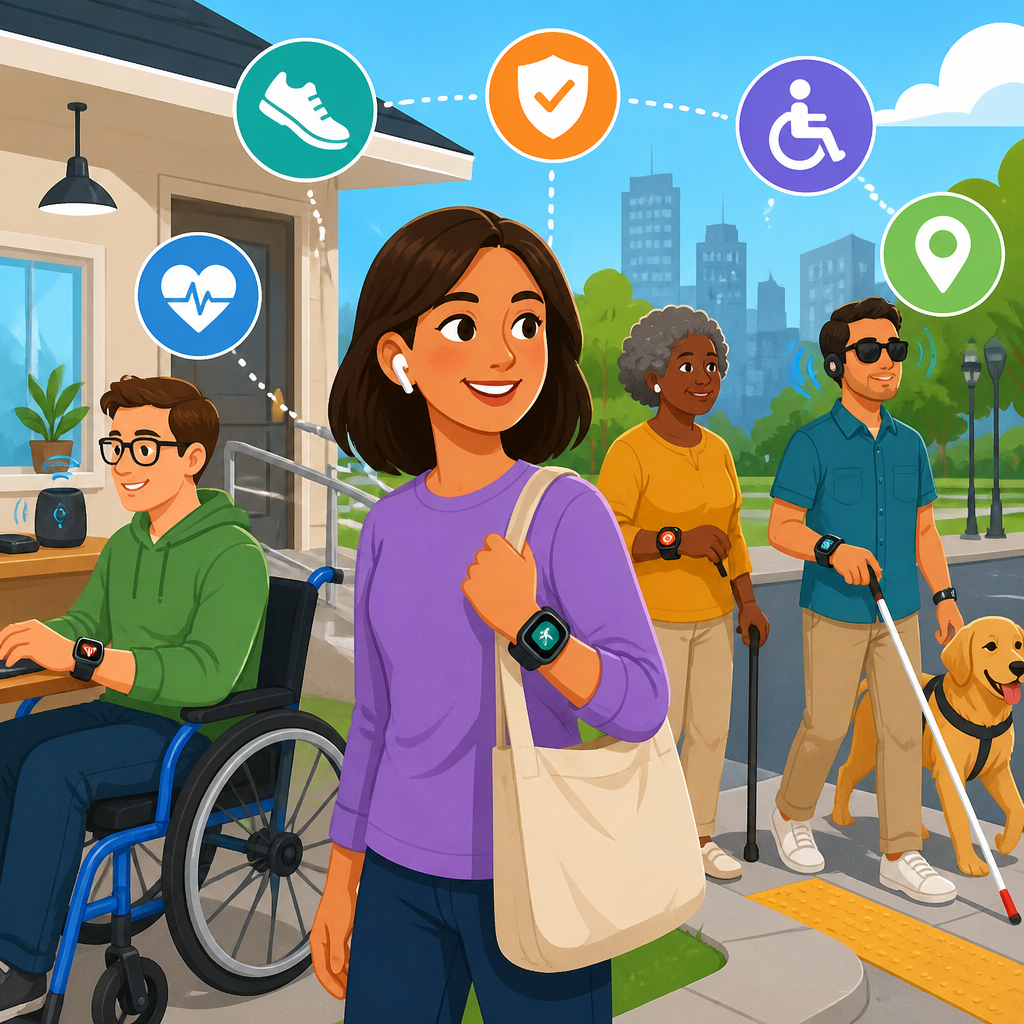
Wearable technology is changing how people with disabilities, older adults, and people managing chronic conditions maintain independence, participate in work and community life, and navigate environments that were not designed with equal access in mind. In this context, wearables include devices worn on the body such as smartwatches, hearing devices, fall detection pendants, GPS trackers, smart glasses, haptic navigation bands, biosensors, and connected medical monitors. Independent living means having practical control over daily routines, communication, mobility, safety, and decision-making without unnecessary reliance on others. ADA goals refer to the broader objectives supported by the Americans with Disabilities Act: equal access, reasonable accommodation, effective communication, non-discrimination, and full participation in public life.
I have worked with accessibility teams evaluating assistive and mainstream devices in workplaces, schools, housing, and healthcare programs, and the pattern is consistent: the best wearables do not simply add convenience. They remove friction at moments that decide whether a person can move confidently through a day. A vibration cue can replace an inaccessible audio alert. A smartwatch can surface a medication reminder privately during a meeting. A fall detector can connect someone to help in minutes rather than hours. These are small interactions with large consequences.
This topic matters because accessibility is often treated as a feature of buildings or websites alone, when in practice it is also shaped by personal technology that bridges gaps in the environment. Wearables can extend access where infrastructure remains incomplete, support accommodations in employment, and give users more control over health and communication data. They can also create new barriers if they are expensive, inaccurate for some bodies, hard to charge, or poorly integrated with assistive technology. A useful hub article must therefore explain both the promise and the limits. The most effective approach is to view wearables as part of an accessibility ecosystem that includes universal design, mobile apps, telehealth, smart home tools, accessible transportation, digital content standards, and organizational policy.
How wearables support independent living in daily life
Wearables support independent living by delivering timely information, automating routine tasks, and reducing the cognitive and physical load required to manage daily activities. For people with mobility disabilities, a smartwatch or voice-enabled wearable can handle calls, texts, reminders, and emergency contact without requiring access to a phone in a bag or wheelchair pouch. For people with low vision, smart glasses and wrist-based haptic cues can provide turn-by-turn guidance, object recognition, and notification filtering. For Deaf or hard-of-hearing users, connected watches can translate doorbells, alarms, and spoken alerts into vibration patterns or on-screen text.
Independence often depends on reliability in ordinary routines. Medication adherence is a clear example. A wearable can issue persistent reminders, log whether a prompt was acknowledged, and share adherence data with a caregiver only when the user consents. That preserves autonomy while adding a safety net. Similarly, fatigue management tools help users with multiple sclerosis, long COVID, heart conditions, or chronic pain pace exertion using heart rate, oxygen saturation, sleep trends, and exertion estimates. In practice, that can mean avoiding the energy crash that makes the next day inaccessible.
Location and safety features are another major benefit. GPS-enabled wearables can help people with cognitive disabilities, dementia, or seizure disorders move through the community with more confidence. Fall detection is now common in devices from Apple, Samsung, and specialized medical alert vendors, and modern systems can use accelerometers, gyroscopes, and barometric sensors to distinguish a hard fall from normal motion. Accuracy varies, but when configured well, these systems reduce emergency response time and help family members support independence without constant surveillance.
Where wearables align with ADA objectives
Wearables support ADA objectives when they improve access to communication, services, employment, transportation, and public accommodations. The ADA does not require a person to use wearable technology to receive equal access, but wearable tools can make accommodations more effective and practical. In employment, a worker with attention regulation challenges may use a smartwatch for discreet task prompts and transition reminders. A Deaf employee may pair hearing devices, captioning apps, and a watch that mirrors messages from a phone during meetings. An employee with diabetes may rely on a continuous glucose monitor and watch alerts to maintain safety and productivity without disruptive manual checks.
In public spaces, wearables can complement accessible infrastructure. Indoor navigation remains inconsistent in airports, hospitals, campuses, and government buildings. Smart glasses, Bluetooth beacons, and haptic wearables can provide orientation cues where signage is hard to read or where visual information alone is insufficient. For users with sensory sensitivities, wearables can help with environmental control by triggering noise management routines, tracking stress markers, or integrating with calming prompts. These are not substitutes for compliant facilities, captioning, ramps, or accessible websites, but they can narrow the gap between formal compliance and lived usability.
Education and civic participation also benefit. Students can use wearables for schedule prompting, note capture, communication support, or hearing assistance. Voters navigating crowded polling locations may benefit from navigation cues, wait-time notifications, or caregiver coordination features. The core principle is straightforward: when a device increases effective communication, reduces avoidable dependence, and supports equal participation, it advances the same outcomes accessibility law seeks to protect.
Key categories of wearable accessibility technology
The wearable market is broad, and useful evaluation starts by grouping devices by function rather than brand. Safety wearables include fall detection watches, emergency pendants, seizure alert systems, and GPS devices. Communication wearables include hearing aids, cochlear implant processors, smartwatches with live transcription links, and devices that convert sound events into haptic alerts. Navigation wearables include bone-conduction audio devices, smart glasses, and wristbands that provide directional vibration. Health monitoring wearables include continuous glucose monitors, ECG-capable watches, pulse oximeters, and sleep or heart rate trackers. Cognitive support wearables include reminder watches, routine coaching tools, and devices linked to task-sequencing apps.
Specialized assistive wearables and mainstream consumer devices increasingly overlap. Apple Watch, Pixel Watch, and Galaxy Watch offer accessibility features such as voice control, large text, haptics, fall detection, emergency SOS, and app ecosystems. Dedicated devices from companies focused on vision, hearing, or medical monitoring often go deeper in one function but may integrate less smoothly with general apps. In my experience, the choice often comes down to whether the user needs one highly specialized job done exceptionally well or several moderately strong features in one familiar ecosystem.
| Category | Primary benefit | Typical users | Key limitation to assess |
|---|---|---|---|
| Fall detection watch | Rapid emergency response after a hard fall | Older adults, mobility-impaired users | False positives and subscription costs |
| Haptic navigation band | Silent directional cues without visual overload | Blind, low-vision, neurodivergent users | Indoor mapping coverage |
| Hearing wearable | Improved speech access and environmental awareness | Deaf and hard-of-hearing users | Battery life in all-day use |
| Continuous glucose monitor | Real-time glucose trends and alerts | People with diabetes | Insurance coverage and sensor replacement |
| Reminder smartwatch | Routine prompting and discreet notifications | Users with cognitive or executive function challenges | Setup complexity and alert fatigue |
Real-world use cases across home, work, school, and travel
At home, wearables often work best when paired with smart home systems. A watch can unlock a door, trigger lights, or send a caregiver check-in if morning activity does not begin as expected. For someone with arthritis, reducing repeated reaching and button pressing can materially improve self-sufficiency. For a wheelchair user, voice and wrist-based controls can make appliances and entry systems more usable without physical retrofits in every room. In supported living programs, passive monitoring through opt-in wearable data can help staff identify sleep disruption, wandering risk, or missed medication patterns before they escalate.
At work, wearables can be effective accommodations because they are discreet and portable. I have seen teams use smartwatch timers for job transitions, haptic alerts instead of audible alarms in noisy settings, and calendar-linked prompts that reduce dependence on supervisor reminders. In field roles, lone-worker safety wearables can add protection for employees who have seizure risk, cardiac conditions, or mobility impairments. Employers should still handle accommodations through an individualized process, but wearables can expand the range of workable solutions.
During travel, the value becomes even clearer. Airports and transit systems remain difficult for many travelers due to unpredictable noise, gate changes, complex wayfinding, and inaccessible announcements. A wearable can surface changes instantly, provide turn cues, or relay important notifications through vibration. For people with anxiety or sensory overload, minimizing the need to constantly scan crowded visual environments can conserve energy. The same principle applies in hospitals and large campuses, where indoor navigation failures routinely create access problems despite formal accessibility policies.
Design, usability, and interoperability determine success
The presence of accessibility features does not guarantee useful access. Success depends on fit, comfort, charging routines, interface design, interoperability, and user control over notifications and data sharing. A fall detector that is left on a nightstand because it is bulky is not an accessibility solution. A caption-linked smartwatch that drops connection during meetings undermines effective communication. A glucose alert that cannot be felt through clothing may fail at the exact moment it is needed.
Good wearable design follows established accessibility principles. Controls should support voice, touch, and physical buttons where possible. Alerts should be available in visual, auditory, and haptic formats. Text should scale cleanly. Pairing should be simple, and apps should work with screen readers such as VoiceOver and TalkBack. Data should sync reliably across platforms and support export to health records or care systems when relevant. Battery life must match real routines; all-day wearables with six-hour battery limits often fail in practice.
Interoperability is especially important in this subtopic because users rarely rely on one tool. A blind traveler may use a phone screen reader, smart glasses, transit apps, and a haptic wearable together. A person with hearing loss may combine hearing aids, live captioning, and watch notifications. A person aging in place may use a watch, smart pill dispenser, voice assistant, and remote patient monitoring platform. The most valuable innovations are often the ones that connect systems cleanly rather than the ones that add the most features.
Privacy, equity, and implementation challenges
Wearables collect intimate data: location, movement, sleep, heart rhythm, glucose levels, stress markers, and communication patterns. That makes privacy and consent central accessibility issues, not side concerns. Users should be able to decide what is collected, who can see it, when emergency escalation occurs, and how long data is retained. In healthcare settings, HIPAA may apply to covered entities, but many consumer wearables operate outside that framework. Buyers should review vendor policies, encryption practices, breach history, and account recovery options.
Cost is another major barrier. Many advanced wearables require a smartphone, broadband access, subscriptions, replacement sensors, or accessories. Insurance coverage is uneven, especially for devices positioned as wellness tools rather than medical necessities. Public programs, vocational rehabilitation, Medicaid waivers, and employer accommodation budgets can sometimes help, but coverage remains fragmented. If accessibility technology is only available to people who can absorb recurring costs, its independent living benefits will be distributed inequitably.
There are also performance limitations. Skin tone, tattoos, movement disorders, and circulation differences can affect optical sensor accuracy. Voice interfaces may struggle with speech disabilities or accent diversity. Indoor positioning can fail in complex buildings. AI-based features such as object recognition or event detection can produce errors that matter more for disabled users because the device may be filling a critical access gap. The right implementation approach is cautious and user-centered: test in real environments, document failure modes, and keep backup methods available.
Building a future-ready accessibility technology strategy
For organizations, families, and individuals, the most effective strategy is to treat wearable adoption as part of a broader accessibility roadmap. Start with functional goals, not gadget categories. Ask what specific barrier needs to be reduced: missed alarms, unsafe transfers, inaccessible announcements, navigation confusion, medication adherence, fatigue pacing, or emergency response. Then evaluate devices against real tasks, support needs, and environmental conditions. Pilot programs should include disabled users from the start, measure outcomes such as response time or task completion, and review whether the device actually reduces dependence rather than just generating more data.
This subtopic connects naturally to related areas within technology and accessibility. Wearables are strongest when linked to accessible mobile design, inclusive procurement, telehealth, remote work practices, smart home accessibility, digital navigation, and interoperable health platforms. Standards-based procurement questions, app accessibility testing, and accommodation workflows are therefore as important as the device itself. The goal is not to chase novelty. It is to build a practical stack of tools that respects autonomy, improves safety, and supports equal participation across home, work, education, healthcare, and public life.
Wearables can support independent living and ADA goals because they turn access needs into timely, usable actions: a prompt felt on the wrist, a warning delivered before a health event escalates, a route conveyed without visual clutter, a message translated into the right sensory channel. The strongest solutions are not the flashiest ones. They are the devices that fit the user, integrate with other tools, protect privacy, and keep working under ordinary conditions. For anyone building an accessibility strategy, the next step is simple: identify one daily barrier, test one wearable solution in the real environment where that barrier occurs, and measure whether independence actually improves.
Frequently Asked Questions
What does independent living mean in the context of wearable technology?
In this context, independent living means having the tools, support, and flexibility to make everyday choices with greater safety, privacy, and control. For older adults, people with disabilities, and individuals managing chronic conditions, independence is not simply about doing everything alone. It is about being able to participate in daily life, work, transportation, communication, healthcare, and community activities with fewer barriers and less reliance on constant in-person assistance. Wearable technology can support that goal by helping people monitor health conditions, receive timely alerts, navigate unfamiliar spaces, communicate more easily, and respond faster in emergencies.
Examples include smartwatches that detect falls, hearing devices that improve access to conversation and public spaces, GPS-enabled wearables that support wayfinding, and biosensors that track heart rate, glucose, or other health indicators. These tools can help reduce avoidable risks while also expanding confidence. Someone may feel more comfortable commuting alone, attending social events, staying in the workforce, or living at home longer when they know they have real-time support on the body. The most effective wearables do not replace human support systems; they strengthen a person’s ability to direct their own life and participate more fully in it.
How can wearables help advance ADA-related accessibility goals?
Wearables can support the broader goals behind the Americans with Disabilities Act by helping reduce practical barriers to equal access, communication, mobility, and participation. The ADA is focused on ensuring people with disabilities have equal opportunity in employment, public accommodations, transportation, state and local government services, and telecommunications. While wearable devices are not a substitute for legal compliance or accessible design, they can complement accessibility efforts by helping individuals interact more effectively with environments that still fall short.
For example, hearing devices and connected captioning tools can improve communication access in meetings, classrooms, and public settings. Smart glasses and haptic navigation wearables can assist with orientation and wayfinding for people with vision or mobility-related challenges. Fall detection pendants, medication reminders, and connected medical monitors can support safer workplace participation or community engagement by reducing the impact of health-related disruptions. Wearables can also help users document patterns, such as environmental triggers, fatigue, or accessibility obstacles, which may inform accommodation requests or care planning.
It is important to understand that the ADA places responsibility on employers, businesses, and public entities to provide access. Wearables should be viewed as supportive tools, not as a reason to lower accessibility standards. A building still needs accessible entrances, a workplace still needs reasonable accommodations, and digital services still need accessible design. When paired with inclusive policies and environments, wearable technology can help people exercise their rights more fully and participate with greater consistency and confidence.
What types of wearable devices are most useful for people with disabilities, older adults, and those with chronic conditions?
The most useful wearable depends on the person’s goals, environment, and specific access needs. Smartwatches are widely used because they combine several functions in one device, such as emergency calling, medication reminders, heart rate monitoring, voice assistance, and fall detection. For older adults or people with balance concerns, a fall detection pendant or watch may be especially valuable because it can trigger alerts to caregivers or emergency contacts. For someone managing a chronic condition, connected medical wearables like glucose monitors, cardiac monitors, seizure alert systems, or biosensors may provide meaningful day-to-day support and early warning signs.
Hearing devices, including modern hearing aids and assistive listening wearables, can improve access to speech, reduce listening fatigue, and support more effective communication in work and social settings. GPS trackers and haptic navigation bands can be helpful for users who benefit from discreet guidance, location sharing, or route support. Smart glasses may offer visual enhancement, object recognition, live captioning, or navigation prompts, depending on the device and software. Some wearables are designed to support memory and routine through alerts, calendars, and task prompts, which can benefit people with cognitive disabilities or age-related changes.
When evaluating options, it helps to look at comfort, battery life, ease of use, data accuracy, compatibility with phones or assistive apps, emergency features, privacy settings, and whether the device works well in real-world environments. The best wearable is usually the one that fits naturally into daily life and solves a meaningful problem without adding unnecessary complexity. A feature-rich device is not always the best choice if it is difficult to wear, charge, read, hear, or operate consistently.
Are wearable devices reliable enough to depend on for safety and health support?
Wearables can be very helpful, but they work best as part of a larger safety and support strategy rather than as the only line of protection. Many devices offer valuable features such as fall detection, irregular heart rhythm alerts, location sharing, medication reminders, and emergency contact notifications. For many users, those functions can reduce response time during urgent situations and provide everyday reassurance. However, no wearable is perfect. Sensors can miss events, issue false alarms, lose connectivity, run out of battery, or be worn incorrectly. Accuracy can also vary by brand, device type, health condition, and how the tool is used.
For health monitoring, wearables are often excellent for spotting trends and prompting action, but they may not replace clinical-grade equipment or medical advice unless specifically prescribed and approved for that purpose. A smartwatch that detects an abnormal heart rate may encourage someone to seek care quickly, which is useful, but it is still important to confirm concerns with a healthcare professional. Similarly, a fall alert feature may improve emergency response, but users should still think about home safety, caregiver communication, backup contacts, and what happens if the device is removed or not charged.
The most practical approach is to choose devices from reputable manufacturers, review independent performance information when available, set them up carefully, test alert features, and make sure caregivers or family members know how notifications work. Reliability improves when the technology matches the user’s actual needs and routines. A wearable can be a strong support tool, but it should be one part of a thoughtful plan that includes accessible environments, medical care, and human support when needed.
What should families, caregivers, employers, and users consider before choosing a wearable?
Before choosing a wearable, it is important to start with the user’s priorities rather than the device’s marketing claims. The key question is not just “What can this technology do?” but “What barriers does this person want to reduce?” One person may need emergency support while living alone. Another may want help with hearing in meetings, navigation on public transit, symptom monitoring, or reminders that support work and daily routines. Defining the goal first makes it much easier to identify the right features and avoid paying for tools that will not actually be used.
Ease of use is one of the most important factors. The device should be comfortable, simple to operate, and realistic for the person’s dexterity, vision, hearing, cognition, and daily schedule. Battery life, charging method, screen readability, vibration strength, voice control, waterproofing, and compatibility with mobility aids or medical equipment can all matter. Privacy is also a major consideration, especially with devices that collect location, biometric data, or continuous health information. Users should understand what data is collected, who can access it, whether it is shared with third parties, and how alerts are transmitted.
Cost and ongoing support should also be evaluated carefully. Some wearables involve monthly subscriptions, app fees, replacement sensors, or cellular service plans. Families and employers may also want to consider training, technical support, warranty coverage, and whether the device can scale with changing needs over time. In workplace settings, wearables should be considered alongside accommodation processes and accessibility obligations, not instead of them. The most successful outcomes usually come from a user-centered approach: test the device when possible, involve the person who will wear it in every decision, and choose technology that supports autonomy, dignity, and real participation in everyday life.


