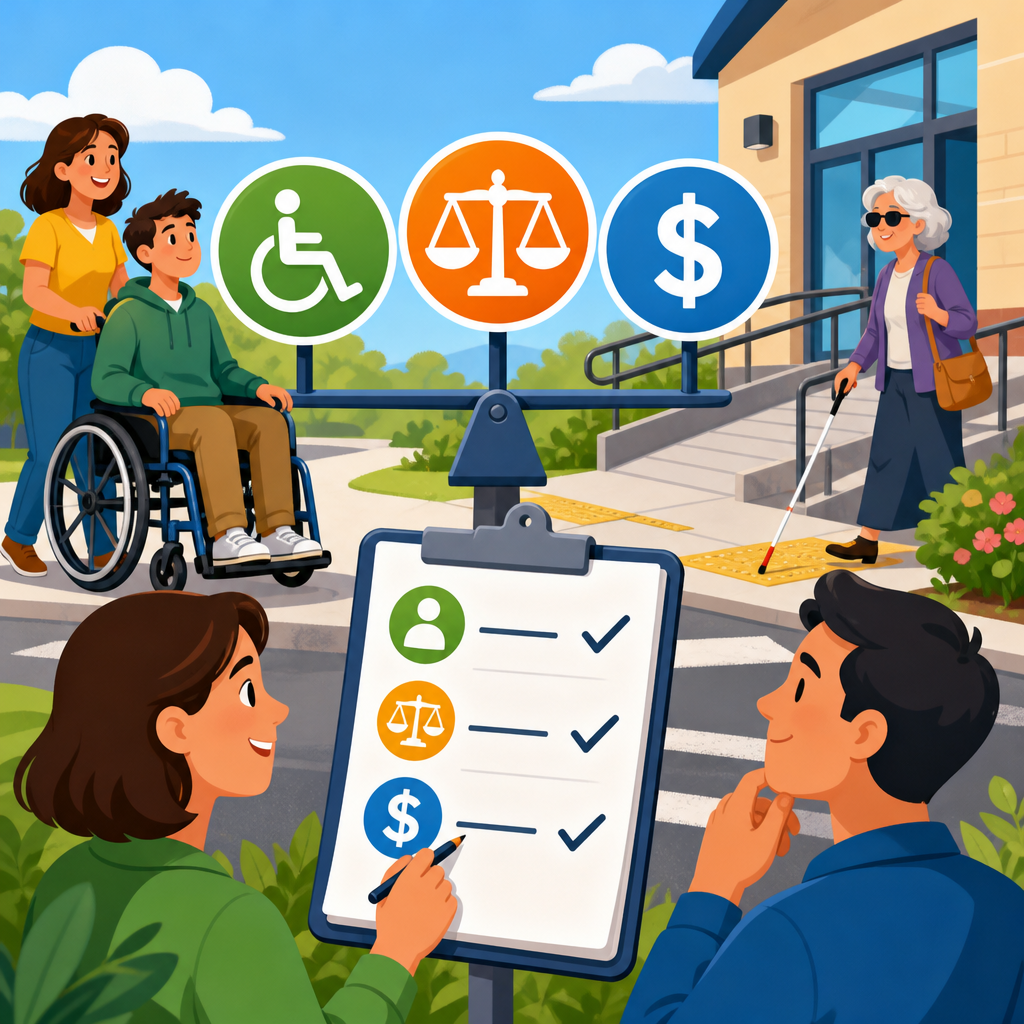
Prioritizing ADA fixes by user impact, legal risk, and cost is the most practical way to turn accessibility from an overwhelming backlog into a governed, budgeted compliance program. In accessibility work, ADA fixes are changes that remove barriers for people with disabilities, while user impact measures how severely a barrier blocks real tasks, legal risk reflects how likely the issue is to trigger complaints or violate recognized standards, and cost captures design, engineering, content, testing, and maintenance effort. I have used this framework on enterprise websites, SaaS products, and public sector services where hundreds of defects competed for limited sprint capacity. Teams that rank issues only by technical severity usually miss what matters most: whether a customer can buy, apply, register, pay, read, or contact support. A smart prioritization model connects accessibility defects to business-critical journeys, the Web Content Accessibility Guidelines, procurement requirements, and operating budgets. That matters because accessibility failures create measurable harm for users, expose organizations to demand letters and lawsuits, and often cost more to fix later when components have spread across products. This hub explains how to budget, prioritize, and govern ADA remediation so leaders can make defensible decisions, sequence work intelligently, and build an implementation roadmap that improves access quickly without losing sight of long-term compliance.
Build a prioritization model that starts with user impact
The first question should be simple: what does this issue prevent a person from doing? User impact is the strongest signal because accessibility exists to ensure equal access to tasks, information, and services. In practice, I sort issues into blocked, severely impaired, moderately impaired, and minor friction. A blocked issue stops completion entirely, such as a checkout button that cannot be reached by keyboard, a login form without accessible labels, or a document upload flow that screen reader users cannot understand. A severely impaired issue allows completion only with unusual workarounds, like a date picker that traps focus or a video without captions in a required training course. Moderate issues slow users down but do not prevent success, such as redundant alt text or low-priority heading structure errors on noncritical pages.
This approach works because it ties remediation to real user journeys. Start by identifying the top tasks on the site or application: create an account, schedule an appointment, submit a claim, complete a purchase, pay a bill, review benefits, or download required documents. Then map known defects to those tasks and the assistive technologies affected, including screen readers, screen magnifiers, speech input, keyboard-only use, switch devices, and captions. A color contrast failure on an informational blog post matters, but the same failure on error text in a loan application matters more because it directly affects comprehension and completion. Prioritization becomes clearer when teams ask, “Who is affected, what task is harmed, and can the user complete it independently?”
Quantifying user impact also helps governance. A useful score can combine task criticality, frequency of use, severity of the barrier, and number of affected user groups. For example, if the issue appears in a reusable component, its impact multiplies across many pages. A missing accessible name on a search icon inside a shared header may affect every visitor. By contrast, a single malformed table in an archived report may affect a narrow audience once. This distinction keeps resources focused on fixes that create immediate, broad improvement.
Assess legal risk using standards, complaint patterns, and context
Legal risk should be evaluated with the same discipline as security or privacy risk. In the United States, the ADA is the primary civil rights law shaping digital accessibility obligations, and settlements commonly look to WCAG 2.1 Level AA as the technical benchmark, even when the law itself does not prescribe a single coding checklist. Section 508 applies directly to federal agencies and influences contractors, while many state laws, procurement rules, and educational requirements add pressure. Courts and settlement agreements consistently focus on whether disabled users can access core services, not whether an organization fixed every minor defect instantly.
That means the highest-risk accessibility issues share recognizable traits. They affect primary transactions, account access, forms, payments, healthcare portals, employment applications, education platforms, or customer support channels. They also involve failures that are easy to demonstrate: keyboard traps, unlabeled form controls, missing error identification, inaccessible CAPTCHAs, media without captions, PDFs required for benefits or legal notices, and time limits without alternatives. If a barrier blocks a legally important or revenue-critical journey, risk rises sharply. I have seen organizations lower exposure quickly by fixing a few high-friction flows before tackling a much larger set of cosmetic defects.
Context matters too. A municipality accepting permit applications online carries different public obligations than a marketing microsite. A healthcare provider, bank, university, retailer, and government contractor each face different complaint patterns, audit expectations, and contractual requirements. Past complaints, support tickets, abandonment data, and usability testing with disabled participants should feed the risk score. If users have already reported an issue, treat it as higher risk than an unreported defect of similar technical severity. Repeat complaints show notice, and notice changes how leadership should respond.
Estimate cost realistically instead of guessing by page count
Cost is often the least accurate input because teams estimate by number of pages rather than by root cause, component reuse, content volume, and workflow complexity. In my experience, the cheapest high-value fixes usually live in design systems and templates. Correcting focus indicators, link styles, semantic headings, modal behavior, form label patterns, or component states in a shared library can remediate hundreds of instances at once. By contrast, a seemingly small document remediation project can become expensive if thousands of PDFs need tagging, reading order correction, alternate text, and quality review.
Realistic costing includes more than engineering hours. Count design review, content updates, QA, automated scanning, manual testing, assistive technology validation, legal review where necessary, training, and governance overhead. Also separate one-time remediation from ongoing operational cost. Captions for a current video library may be a finite project, but a media-heavy content program requires permanent captioning workflow and budget. Accessibility statements, issue intake, vendor management, and conformance tracking are governance costs that belong in the operating model, not hidden inside a single remediation project.
Estimating by defect type improves accuracy. Keyboard navigation fixes may require front-end development and regression testing. Color contrast fixes may require design token changes and brand approvals. Accessible authentication can involve identity vendors, security teams, and mobile application changes. PDF remediation may require source document reconstruction if the originals are poorly authored. These distinctions help leadership avoid underfunding and missed deadlines.
Use a practical scoring matrix to rank remediation work
A simple scoring model keeps decisions consistent across teams. I recommend assigning a score from one to five for user impact, legal risk, and cost, then weighting user impact highest, legal risk second, and cost as a modifier rather than the main driver. Cost should not automatically push critical barriers downward; it should help sequence them intelligently. A blocked checkout flow with a moderate fix cost should outrank a low-impact issue that is cheap to close.
| Priority factor | What to measure | High-score example | Governance action |
|---|---|---|---|
| User impact | Task blockage, audience size, assistive technology affected | Keyboard user cannot submit payment form | Fix in current sprint and validate manually |
| Legal risk | Core service, complaint history, regulated context, WCAG failure type | Uncaptioned mandatory training for employees | Escalate to compliance owner and document timeline |
| Cost | Engineering effort, content volume, vendor dependencies, retesting | Shared component update that resolves sitewide label errors | Fund centrally and release across products |
Once scored, group issues into four lanes: immediate remediation, scheduled remediation, program backlog, and monitor. Immediate remediation covers blockers on high-value flows. Scheduled remediation includes serious issues that need design or vendor coordination. Program backlog contains medium-impact defects bundled into roadmap epics. Monitor applies to low-impact items awaiting redesign or retirement. This structure gives executives a clear funding story and gives product teams predictable planning rules.
Budget by portfolio, not by isolated tickets
Budgeting works best when accessibility spending is organized into portfolios. I typically split budgets into foundational remediation, content and document accessibility, product-specific fixes, training and governance, and vendor remediation. Foundational remediation covers design systems, navigation patterns, forms, authentication, and shared templates because these produce the highest return. Content and document accessibility covers PDFs, videos, transcripts, alt text, and editorial workflows. Product-specific fixes address unique workflows in applications, such as dashboards, charts, scheduling tools, or maps. Training and governance funds playbooks, office hours, QA standards, audits, and reporting. Vendor remediation covers third-party platforms that are often among the biggest blockers.
This portfolio model prevents a common failure: spending the entire budget on one visible audit while leaving no funds for implementation and retesting. A better model reserves budget across discovery, remediation, validation, and sustainment. For example, an organization might allocate initial funds to audit the top ten user journeys, remediate shared components first, then retest those journeys before moving into lower-priority content debt. That sequence delivers visible user improvement within one or two quarters and creates measurable progress for compliance reporting.
Capital versus operating treatment also matters. Large redesign-driven remediation may be capitalized in some organizations, while recurring captioning, document remediation, and periodic audits belong in operating budgets. Finance partners should understand that accessibility is not a one-time project. Standards evolve, content changes, and new features can reintroduce defects unless governance controls exist.
Create governance that survives staff changes and release pressure
Governance turns prioritization into repeatable practice. Without it, teams fix visible issues during an escalation, then drift back into reactive mode. Strong governance assigns named owners for policy, triage, engineering standards, design standards, content standards, procurement, and exception handling. It also defines entrance and exit criteria for releases. In mature programs, no critical user journey ships without keyboard testing, screen reader spot checks, automated scan review, and confirmation that known exceptions are documented with deadlines.
I have found that an accessibility steering group works best when it includes product, engineering, design, QA, legal, procurement, support, and content operations. Each function sees different risk signals. Support hears friction first. Procurement can pressure vendors to remediate. Legal can help classify complaints and settlement obligations. Engineering can identify component-level root causes. This cross-functional model is especially important for hub-level planning under compliance and implementation because budgeting, prioritization, and governance are inseparable.
Metrics should be few but meaningful: percentage of top tasks free of critical blockers, number of critical issues older than ninety days, shared component conformance rate, document remediation backlog, and vendor issues by business owner. Avoid vanity metrics such as total issues closed without context. Closing fifty low-severity issues is less important than removing one blocker from a benefits enrollment flow.
Handle tradeoffs, exceptions, and third-party dependencies responsibly
Not every issue can be fixed immediately, and honest governance acknowledges tradeoffs. Legacy platforms may be near retirement. Third-party tools may require contractual leverage or replacement planning. Some highly customized widgets may need phased redesign rather than patching. When deferral is necessary, document the reason, interim mitigation, owner, target date, and user support path. Interim mitigation should be concrete, such as staffed phone assistance, accessible alternate formats, or a parallel accessible workflow, not a vague promise to help on request.
Third-party software deserves special attention because many accessibility failures originate outside internal codebases. Procurement should require current accessibility conformance reports using the VPAT format, but paper claims are not enough. Validate critical workflows with real testing before purchase or renewal. If a vendor platform runs admissions, payments, HR, or telehealth, accessibility terms should include remediation timelines, release-note transparency, and escalation contacts. Organizations that treat vendor accessibility as optional usually inherit the highest legal risk at the worst time.
Prioritization also requires empathy. A low-traffic page can still be high impact if it serves a vulnerable audience, such as emergency instructions, patient rights, discrimination complaint forms, or job accommodation requests. This is where governance must balance analytics with civil rights principles. Volume matters, but equal access matters more.
Prioritizing ADA fixes by user impact, legal risk, and cost gives organizations a defensible way to move from scattered remediation to disciplined accessibility operations. The core principle is straightforward: fix what blocks people first, especially on essential tasks, then account for legal exposure, and only then use cost to shape sequencing. When teams apply this method, they stop debating isolated defects and start improving complete user journeys. Budgets become clearer because work is grouped into portfolios such as shared components, documents, product workflows, governance, and vendors. Roadmaps become more credible because estimates reflect root causes, retesting, and ongoing operating needs rather than page counts alone.
For leaders responsible for compliance and implementation, this hub topic matters because budgeting, prioritization, and governance are the controls that make accessibility sustainable. A scoring matrix, top-task inventory, cross-functional steering group, and vendor oversight process will do more to reduce user harm and legal exposure than an audit sitting on a shelf. If you are building or resetting your program, start with your highest-value journeys, score barriers consistently, fund reusable fixes first, and formalize ownership across teams. Then use that structure to guide every related article and initiative in this subtopic, from audits and roadmaps to procurement and release management.
Frequently Asked Questions
What does it mean to prioritize ADA fixes by user impact, legal risk, and cost?
Prioritizing ADA fixes by user impact, legal risk, and cost means evaluating accessibility issues through three practical lenses instead of treating every defect as equally urgent. User impact focuses on how much a barrier disrupts a real person’s ability to complete essential tasks such as navigating a menu, submitting a form, reading key content, using assistive technology, or completing a purchase. Legal risk looks at how closely an issue aligns with common complaint patterns, high-visibility failures, and recognized accessibility standards such as WCAG, especially when the problem affects core journeys or public-facing services. Cost considers the resources required to remediate the issue, including design changes, engineering effort, content updates, testing, and any dependencies across platforms or templates.
This framework helps organizations move away from reactive accessibility work and toward structured decision-making. For example, a missing form label on a checkout page may affect fewer screens than a color contrast issue across a blog, but the form barrier may deserve higher priority because it blocks revenue-generating tasks and creates a stronger legal exposure. Likewise, some lower-cost improvements with broad user benefit can be addressed quickly to reduce risk and show measurable progress. The goal is not to ignore lower-priority issues, but to sequence work in a way that protects users first, reduces compliance exposure, and uses available budget intelligently.
How do you determine which accessibility issues have the highest user impact?
High user impact issues are the ones that prevent or seriously hinder people with disabilities from completing important tasks. To identify them, start by mapping the most critical user journeys on the site or application. These usually include logging in, navigating primary pages, searching, filling out forms, making purchases, accessing account information, reading essential documents, and contacting support. Then examine where accessibility barriers interrupt those journeys for users who rely on screen readers, keyboards, magnification, voice input, captions, transcripts, or other assistive tools. A barrier has especially high impact when it creates a dead end, causes repeated errors, hides important information, or forces users to depend on someone else to complete the task.
User impact should also be measured by scale and severity. An issue embedded in a shared template, navigation system, modal component, or form pattern can affect thousands of sessions and many page types at once. Severity increases when there is no workaround, when the task is time-sensitive, or when the barrier affects legally or operationally important functions such as payment, healthcare access, education, employment applications, or government services. In practice, the highest-impact fixes are often things like inaccessible menus, unlabeled buttons, keyboard traps, broken focus order, inaccessible PDFs required for key information, missing error identification, or media without captions where the media carries essential content.
Why is legal risk important when deciding which ADA fixes to address first?
Legal risk matters because accessibility remediation is not just a usability exercise; it is also part of managing compliance exposure. Certain issues are more likely to trigger complaints, demand letters, regulatory attention, or litigation, particularly when they affect core public functions or prevent equal access to goods, services, or information. Problems on homepage navigation, login flows, checkout pages, appointment systems, job application portals, contact forms, and customer support channels tend to carry more legal significance than isolated cosmetic defects on low-traffic pages. Courts and regulators may also look at whether an organization had notice of accessibility barriers and whether it took reasonable steps to address them through a documented process.
Legal risk is often highest when issues are clear violations of well-established accessibility expectations under recognized standards such as WCAG, especially if those issues are easy to detect and materially exclude users. Examples include keyboard inaccessibility, missing text alternatives, inaccessible form controls, lack of captions for essential video content, and failures that prevent screen reader users from understanding or operating the interface. Prioritizing these issues does not guarantee immunity from claims, but it does demonstrate that the organization is focusing on barriers most likely to be viewed as denying meaningful access. It also helps build a stronger governance record by showing that remediation decisions are systematic, documented, and tied to both user needs and compliance obligations.
How should cost factor into an ADA remediation plan without pushing important fixes aside?
Cost should inform prioritization, but it should not be used as a reason to defer serious barriers indefinitely. The right approach is to compare remediation effort against user impact and legal exposure, then sequence work so the organization gains the greatest accessibility improvement per dollar while still addressing critical blockers quickly. Some issues are expensive because they require design system changes, component rewrites, vendor coordination, content migration, or large-scale retesting. Others are relatively low-cost but produce major gains, such as adding labels, improving heading structure, correcting alt text, fixing focus indicators, or adjusting error messaging. Those lower-cost, high-impact fixes are often ideal early wins because they reduce real barriers and demonstrate visible progress.
At the same time, expensive fixes that affect essential workflows should not be postponed simply because they require more planning. Instead, they should be broken into phases with clear milestones, interim mitigations where appropriate, ownership assignments, and budget alignment. For example, if a custom booking tool is deeply inaccessible, the organization may need a short-term accommodation path while engineering redesigns the experience properly. This turns accessibility from an unplanned expense into a managed program. Mature teams often use remediation tiers, scoring models, and release planning to ensure that both quick wins and major structural improvements are handled responsibly rather than competing for attention in an ad hoc backlog.
What is the best way to turn an accessibility backlog into a governed, budgeted compliance program?
The best way is to replace one-off ticket fixing with a repeatable prioritization and governance model. Begin by inventorying known accessibility issues from audits, automated scans, manual testing, user feedback, customer complaints, and support data. Group issues by user journey, component, template, and standard violated so that the backlog reflects real patterns rather than isolated defects. Next, assign a consistent score or rating for user impact, legal risk, and remediation cost. This allows leaders to identify which issues should be handled immediately, which belong in scheduled releases, and which should be solved at the design system or platform level for wider long-term benefit.
From there, build operational ownership. Product managers should own prioritization, designers should address interaction and content patterns, engineers should plan implementation, QA should validate fixes, and legal or compliance stakeholders should review risk-heavy areas. It is also important to define reporting metrics such as critical barriers resolved, high-risk journeys remediated, recurring defects prevented, and percentage of shared components brought into compliance. Budgeting becomes easier when accessibility work is tied to roadmap cycles, procurement standards, vendor requirements, and content governance. In other words, accessibility becomes a managed program when remediation is documented, resourced, measured, and integrated into normal delivery practices instead of being treated as a separate emergency project every time a problem surfaces.





