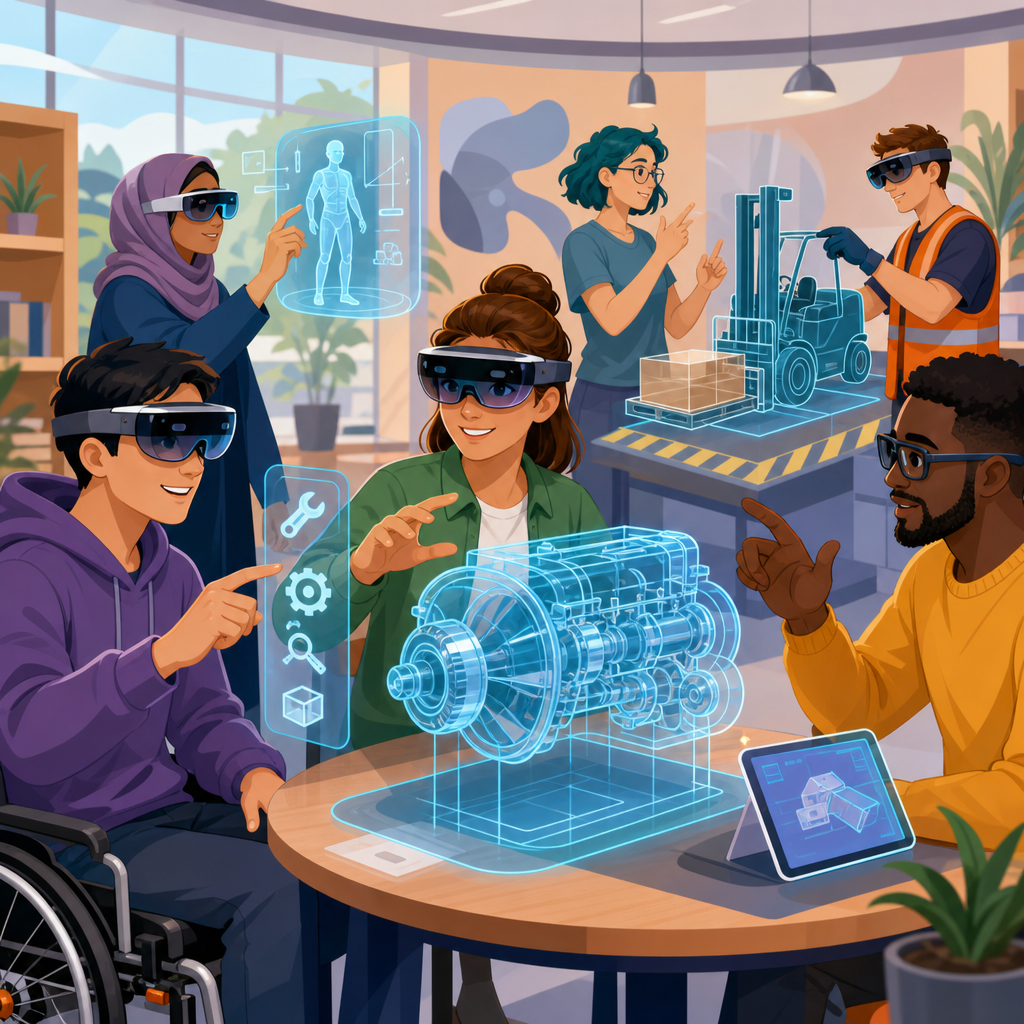
Mixed reality training tools are changing how organizations teach complex skills, and they are especially important for disability inclusion because they can adapt learning environments without lowering standards. In practical terms, mixed reality combines digital content with the physical world through headsets, sensors, spatial audio, hand tracking, and connected software. It sits between virtual reality, which fully replaces the environment, and augmented reality, which layers information onto it. When used for training, mixed reality can simulate workplaces, guide tasks in real time, and measure performance with precision. For employers, schools, healthcare systems, and public agencies, this matters because disability inclusion is not only a legal expectation but also a performance issue: people learn differently, move differently, process information differently, and need tools that meet them where they are.
I have seen training programs fail not because the learners lacked ability, but because the instructional format assumed a narrow range of vision, hearing, dexterity, reading speed, and sensory tolerance. Traditional training often depends on printed manuals, crowded classrooms, fixed schedules, and one-size-fits-all demonstrations. Mixed reality training tools can remove many of those barriers. A technician with limited hand mobility can practice procedures with voice control. A deaf employee can receive spatial prompts and captions instead of relying on spoken instruction. A worker with autism can rehearse a task repeatedly in a predictable environment before entering a noisy job site. These are not fringe use cases. They are examples of accessible design producing better outcomes for everyone.
As a hub within Emerging Technologies under Legal and Technological Frontiers, this article explains what mixed reality training tools are, how they support disability inclusion, where they work best, what legal and technical issues organizations must manage, and how this topic connects to related advances such as artificial intelligence, robotics, digital twins, adaptive interfaces, and wearable sensors. The central point is clear: mixed reality training can expand access, improve retention, and reduce preventable exclusion when it is designed around accessibility from the start rather than retrofitted after deployment.
What mixed reality training tools include and why accessibility must be built in
Mixed reality training tools usually combine hardware, software, and analytics. Common hardware includes Microsoft HoloLens 2, Magic Leap devices, Meta Quest headsets used with pass-through features, eye-tracking cameras, depth sensors, haptic controllers, and wearable microphones. Software often includes Unity or Unreal Engine applications, learning management system integration, digital twin models, remote assistance platforms, and telemetry dashboards. In accessible deployments, these tools also include captioning engines, speech recognition, adjustable contrast modes, alternative input methods, and customizable timing. The training content may cover machine operation, healthcare procedures, warehouse workflows, customer service scenarios, emergency response, or office tasks.
Accessibility must be addressed at the architecture level. If a training system requires fine pinching gestures, users with motor impairments may be excluded before the session starts. If instructions appear only in small floating text, learners with low vision will struggle. If the scenario depends on rapid sensory switching, some users with vestibular disorders, migraines, or cognitive disabilities may experience overload. The better approach is multimodal design: every key instruction should be available through more than one channel, such as text, audio, iconography, and haptic feedback. Session length, movement demands, font size, object distance, and environmental sound should all be adjustable.
Recognized standards already provide direction. The Web Content Accessibility Guidelines are not written specifically for immersive systems, but their principles of perceivability, operability, understandability, and robustness remain directly relevant. For enterprise procurement, organizations also look to Section 508 obligations in the United States, EN 301 549 in Europe, and disability accommodation duties under laws such as the Americans with Disabilities Act and the Equality Act 2010 in the United Kingdom. Mixed reality developers who ignore these frameworks create avoidable legal risk and weaker products.
How mixed reality improves training outcomes for disabled learners
The strongest case for mixed reality training and disability inclusion is practical effectiveness. People learn better when they can control pace, repeat steps safely, and receive feedback in a form they can use. Mixed reality makes all three possible. A learner can revisit a hazardous lockout-tagout sequence ten times without stopping production. A nursing student can practice patient transfer techniques while receiving positional prompts. A blind or low-vision trainee can use audio navigation and object recognition cues to build confidence in a new facility. Because the environment is structured, instructors can isolate one variable at a time instead of overwhelming the learner with every challenge at once.
Research in simulation-based learning consistently shows benefits in retention and error reduction when training is active rather than passive. In healthcare, immersive simulation has been linked to better procedural confidence and improved transfer from practice to clinical settings. In manufacturing and logistics, guided visual overlays reduce assembly errors and shorten time to competence for novice workers. For disabled learners, the same mechanisms matter even more because inaccessible instruction often compounds anxiety and fatigue. A mixed reality tool that permits shorter sessions, saved progress, and individualized prompting can turn a marginal training experience into a successful one.
There is also a dignity dimension. Inclusion is not achieved when a disabled employee is excused from core training or receives a simplified version that limits advancement. Inclusion happens when the person gets equitable access to the same competency pathway, with reasonable adjustments that preserve the actual job standard. Mixed reality is well suited to this because it changes the interface, not the objective. An aircraft maintenance trainee may still need to identify the correct inspection points; the system simply allows those points to be learned through enlarged overlays, narration, or tactile confirmation instead of a single visual cue.
High-impact use cases across sectors
Healthcare is one of the clearest examples. Hospitals use mixed reality to train on patient handling, sterile field setup, medication workflows, and emergency response. For workers with hearing loss, visual sequencing and captioned team communication can make code training more accessible. For clinicians with dyslexia or processing differences, stepwise overlays can reduce memory load during early practice. Education and vocational rehabilitation programs also use immersive simulations to teach interview skills, public transit navigation, laboratory routines, and retail operations in low-risk conditions.
Industrial employers benefit as well. In warehousing, mixed reality can guide picking, packing, forklift safety zones, and ergonomics. A worker returning after a brain injury may need more repetition and simpler interfaces during retraining; the system can supply that without slowing everyone else. In advanced manufacturing, digital twins of machines let trainees practice startup, calibration, and fault diagnosis. For employees with limited mobility, remote mixed reality sessions can provide access to equipment knowledge before any physical site visit. In construction and utilities, spatial mapping helps workers understand hazards, routes, and confined spaces, while reducing dependence on dense written briefings alone.
Public sector agencies, transit systems, and first responders are also exploring accessible immersive training. A city agency can simulate customer service interactions for staff with social anxiety or autism spectrum conditions, allowing repeated role-play with controlled escalation. Fire departments can use scenario-based training to teach radio protocols, evacuation logic, and equipment checks, while offering alternative sensory settings for participants who cannot tolerate intense audiovisual effects. The point is not to make the simulation easier. It is to make the path to competency reachable.
Core design principles for inclusive mixed reality training
Inclusive mixed reality design begins with participatory development. Disabled users should be involved in discovery, prototyping, pilot testing, and procurement review. In my experience, the most costly errors happen when teams assume accessibility can be guessed from generic checklists. Real users identify friction points quickly: straps that conflict with hearing aids, gesture requirements that trigger pain, color cues that disappear in bright light, or cognitive pacing that feels rushed. Those insights should shape product requirements before content is finalized.
Second, every training flow should support equivalent alternatives. If an interaction can be completed by gesture, it should also be available through voice, controller input, switch access, or a paired tablet. If audio is important, it needs synchronized captions and transcripts. If visual depth cues matter, designers should provide contrast, outlines, zoom, and stable anchors in space. If a scenario includes timed tasks, administrators should be able to modify timing for accommodation purposes while preserving assessment integrity. Third, comfort and safety are nonnegotiable. Cybersickness, eye strain, headset weight distribution, and heat buildup affect disabled users first, but they affect everyone eventually.
| Design area | Inclusive practice | Example in training |
|---|---|---|
| Input methods | Offer voice, controller, gaze, and switch alternatives | A maintenance learner advances steps by speech instead of hand gestures |
| Visual access | Adjust font size, contrast, object distance, and highlight style | A warehouse trainee enlarges aisle prompts and hazard markers |
| Audio access | Provide captions, transcripts, and visual equivalents for alerts | A deaf nursing student follows captioned patient handoff instructions |
| Cognitive load | Chunk tasks, save progress, and enable repetition | An autistic employee repeats a customer-service module before live practice |
| Physical comfort | Limit session length and support seated or remote participation | A user with fatigue completes machinery orientation in short sessions |
Legal, policy, and procurement issues organizations cannot ignore
Mixed reality training tools raise legal questions that sit at the intersection of employment, education, accessibility, privacy, and safety. If a training platform is required for essential job preparation, it may fall within reasonable accommodation obligations. Employers cannot simply say a headset-based system is the standard if that standard screens out qualified disabled workers and equivalent accommodations are available. Schools and universities face similar duties under disability law when immersive tools are part of coursework, clinical preparation, or campus operations training.
Privacy is another major issue. These systems can collect gaze direction, hand motion, biometrics, voice data, error rates, and spatial maps of a room. That information may reveal disability status or health conditions even when the organization did not intend to collect medical data. Procurement contracts should define data minimization, retention limits, role-based access, and whether analytics are used for support, assessment, or discipline. Security teams should review how vendors store telemetry, whether models are processed in the cloud, and how incident response works if sensitive training records are exposed.
Accessibility must also be written into procurement language, not treated as a future enhancement. Buyers should require documented conformance statements, usability testing with disabled participants, remediation timelines, and compatibility with assistive technologies. Product demonstrations should include accommodation scenarios, not just polished default workflows. If a vendor cannot explain how captions are generated, how input alternatives work, or how an instructor modifies sensory intensity, the product is not ready for broad deployment. Good policy turns inclusion from a hope into an enforceable requirement.
How mixed reality connects to the wider Emerging Technologies landscape
Mixed reality does not stand alone. It is part of a broader stack of emerging technologies that increasingly shape accessible training. Artificial intelligence supports real-time captioning, natural language guidance, object recognition, translation, and adaptive difficulty. Computer vision can detect when a learner misses a safety step and trigger corrective prompts. Digital twins make training scenarios realistic by mirroring actual equipment and facilities. Wearable sensors can monitor posture, fatigue indicators, or task completion. Robotics interfaces may let a trainee rehearse collaboration with cobots before working on a live line. Brain-computer interface research, though early, may eventually expand control options for users with severe motor impairments.
This hub matters because the best future systems will combine these tools responsibly. For example, an inclusive manufacturing academy might use a digital twin built in Unity, delivered through a pass-through headset, with AI-generated captions, remote instructor support through Microsoft Dynamics 365 Guides, and performance reporting tied to a learning platform. A rehabilitation hospital might pair HoloLens-based mobility training with wearable motion sensors and clinician dashboards. These integrations can improve outcomes, but they also multiply complexity. Every added layer introduces new accessibility, interoperability, validation, and governance questions.
Organizations planning their roadmap should treat mixed reality as a gateway topic within Emerging Technologies. It leads naturally to related articles on AI accessibility tools, assistive robotics, privacy in biometric systems, digital twin governance, human-computer interaction, and disability rights in automated workplaces. The strategic lesson is straightforward: inclusion should shape technology selection at the same level as cost, security, and performance. When it does, mixed reality training becomes a competitive advantage rather than a compliance scramble.
Implementation roadmap and common mistakes
The best implementation path starts small. Choose one training use case with measurable risk or access barriers, such as orientation for a complex facility, a repeatable equipment procedure, or a high-anxiety customer interaction. Define success metrics before launch: time to competence, error reduction, accommodation uptake, learner confidence, and completion rates across disability groups. Pilot with diverse users, including people who use screen readers, captions, mobility aids, hearing devices, alternative controllers, or simplified language supports. Train instructors as carefully as learners, because poor facilitation can undermine a technically sound tool.
Common mistakes are predictable. Teams buy hardware first and discover later that the content is inaccessible. They overuse novelty features that increase sensory load. They treat accessibility as a special mode instead of a baseline design principle. They collect detailed telemetry without a clear policy. They fail to offer non-headset alternatives for people who cannot use immersive devices safely. And they judge success by engagement alone rather than by equitable competence. In every case, the fix is disciplined planning, user testing, and governance from the beginning.
Mixed reality training tools and disability inclusion belong together because both are ultimately about access to capability. When immersive systems are built with multiple input methods, strong accessibility settings, privacy safeguards, and clear legal accountability, they open doors that traditional training often leaves closed. They help organizations teach real skills in realistic contexts without forcing every learner into the same sensory and physical mold. That is the core benefit, and it is why this topic sits at the center of Emerging Technologies within Legal and Technological Frontiers. If you are building a training strategy, start by auditing one high-impact workflow for accessibility gaps and identify where mixed reality can remove them responsibly.
Frequently Asked Questions
What are mixed reality training tools, and how do they differ from virtual reality and augmented reality?
Mixed reality training tools are learning systems that blend digital content with the physical environment so people can practice tasks in ways that feel realistic, interactive, and context-aware. In a training setting, this usually involves hardware and software such as headsets, spatial mapping, hand tracking, motion sensors, voice controls, spatial audio, and connected platforms that respond to what the learner is doing in real time. Instead of only watching a video or clicking through slides, learners can interact with digital objects, receive step-by-step guidance, and perform tasks that mirror real working conditions.
The key difference is how much of the real world remains part of the experience. Virtual reality fully replaces the user’s surroundings with a simulated environment. Augmented reality places digital overlays on top of the real world, often without deep interaction between the two. Mixed reality sits between those approaches by anchoring digital elements to physical space and allowing users to engage with them as though they are part of the environment. For example, a learner might see a virtual control panel attached to a real machine, hear directional audio instructions, and use tracked hand movements to complete a procedure. That combination makes mixed reality especially valuable for complex training because it can preserve realism while adding support, guidance, and adaptive features that improve learning access for people with different disabilities.
Why are mixed reality training tools important for disability inclusion?
Mixed reality training tools are important for disability inclusion because they make it possible to adapt how training is delivered without reducing the expectations or outcomes of the training itself. That distinction matters. Inclusive training is not about lowering standards; it is about removing unnecessary barriers that prevent capable people from demonstrating and developing skills. Mixed reality supports this by offering multiple ways to access information, practice tasks, and receive feedback.
For example, instructions can be delivered through text, audio, visual cues, symbols, haptics, or guided interaction depending on what works best for the learner. Environments can be adjusted to reduce sensory overload, increase contrast, simplify visual clutter, slow pacing, repeat steps, or provide real-time prompts. Someone with limited mobility may be able to practice procedures with customized controls. Someone who is Deaf or hard of hearing may benefit from captions, visual alerts, and spatial indicators. Someone with low vision may need enlarged interface elements, higher contrast, or audio-supported navigation. Someone with cognitive disabilities may benefit from chunked instructions, repetition, and scenario-based practice that builds confidence gradually.
Because mixed reality tools can personalize the learning experience while keeping the core task intact, they help organizations broaden participation, strengthen workforce readiness, and create more equitable access to high-value training. They also encourage a shift in mindset: instead of treating accessibility as an afterthought, organizations can build inclusion directly into training design from the start.
How can mixed reality training maintain high performance standards while still being accessible?
Maintaining high standards in accessible training depends on separating the skill being assessed from the barriers created by the training format. Mixed reality is effective here because it allows organizations to modify the pathway to learning without changing the essential competency being measured. A learner can still be expected to complete a technical procedure, follow a safety sequence, identify hazards, or operate equipment correctly, but the training system can present the information in a way that aligns with the learner’s needs.
In practice, this means a program might offer adjustable interface settings, multimodal instructions, alternative input methods, or scenario pacing controls while preserving the same learning objectives and performance criteria for everyone. A trainee may receive additional prompts during practice sessions and then gradually transition to less supported assessments as proficiency increases. This approach often improves outcomes for all learners, not only disabled learners, because clearer instructions, interactive feedback, and better-designed environments reduce confusion and support skill retention.
Organizations can also use analytics within mixed reality platforms to evaluate actual performance rather than assumptions about ability. Instead of relying solely on traditional observation or written tests, trainers can track task completion, decision-making accuracy, response time, error patterns, and procedural consistency. That makes standards more objective and helps ensure accessibility changes are improving opportunity, not diluting rigor. When designed correctly, mixed reality creates a stronger training system because it measures what matters and removes obstacles that do not.
What accessibility features should organizations look for in mixed reality training platforms?
Organizations should look for accessibility features that support a wide range of sensory, physical, and cognitive needs, while also allowing customization at the individual level. One of the most important capabilities is multimodal content delivery. A strong platform should support text, captions, narration, visual cues, symbols, spatial audio, and, where relevant, haptic feedback. It should also provide adjustable display settings such as font size, contrast, brightness, color choices, interface scaling, and clutter reduction so users can control how information appears.
Input flexibility is equally important. Not every learner will be able to use standard hand gestures or controllers comfortably, so platforms should ideally support voice commands, alternative controllers, eye gaze options, simplified interactions, seated use, and adaptable calibration. For users with cognitive disabilities, useful features include repeatable instructions, checkpoint-based learning, pacing controls, guided mode, error-tolerant practice environments, and concise feedback that explains what happened and what to do next.
Organizations should also evaluate whether the platform works with assistive technologies, supports user profiles, and allows training designers to build accessible content consistently across scenarios. Accessibility should not depend on one-off workarounds. It should be part of the system architecture. Just as important, decision-makers should ask vendors for evidence: accessibility documentation, user testing with disabled participants, conformance with relevant accessibility standards where applicable, and a roadmap for ongoing improvement. The most effective mixed reality platform is not simply impressive technology; it is technology that can be used successfully by a diverse workforce in real training conditions.
What are the best practices for implementing mixed reality training tools in an inclusive way?
The best implementations begin long before the hardware is deployed. Organizations should start by defining the training goals clearly, identifying the essential skills that must be learned, and understanding the barriers different learners may face in traditional training environments. Inclusive design works best when disabled employees, trainers, accessibility specialists, and technical teams are involved early in planning rather than being asked to review the system after it is finished. Their input can reveal practical issues related to usability, fatigue, comprehension, sensory load, and physical setup that might otherwise be missed.
Pilot testing is critical. Before rolling out a mixed reality training program at scale, organizations should run structured trials with a diverse group of users and measure both learning outcomes and accessibility outcomes. This includes collecting feedback on comfort, clarity, navigation, input methods, duration, environmental distractions, and whether the system allows users to demonstrate competence fairly. Training staff also need preparation. Even an accessible platform can fail if facilitators do not know how to configure accommodations, interpret performance data, or respond when a learner needs an alternative approach.
It is also important to treat inclusion as an ongoing process rather than a one-time feature checklist. Mixed reality systems should be reviewed regularly for usability, content relevance, and accessibility updates. Data should be used carefully to improve the training experience without making assumptions about disabled learners as a group. When organizations approach implementation strategically, mixed reality becomes more than a technology upgrade. It becomes a practical way to expand access to complex skill development, improve consistency in training delivery, and build a culture where high expectations and inclusion reinforce each other.


