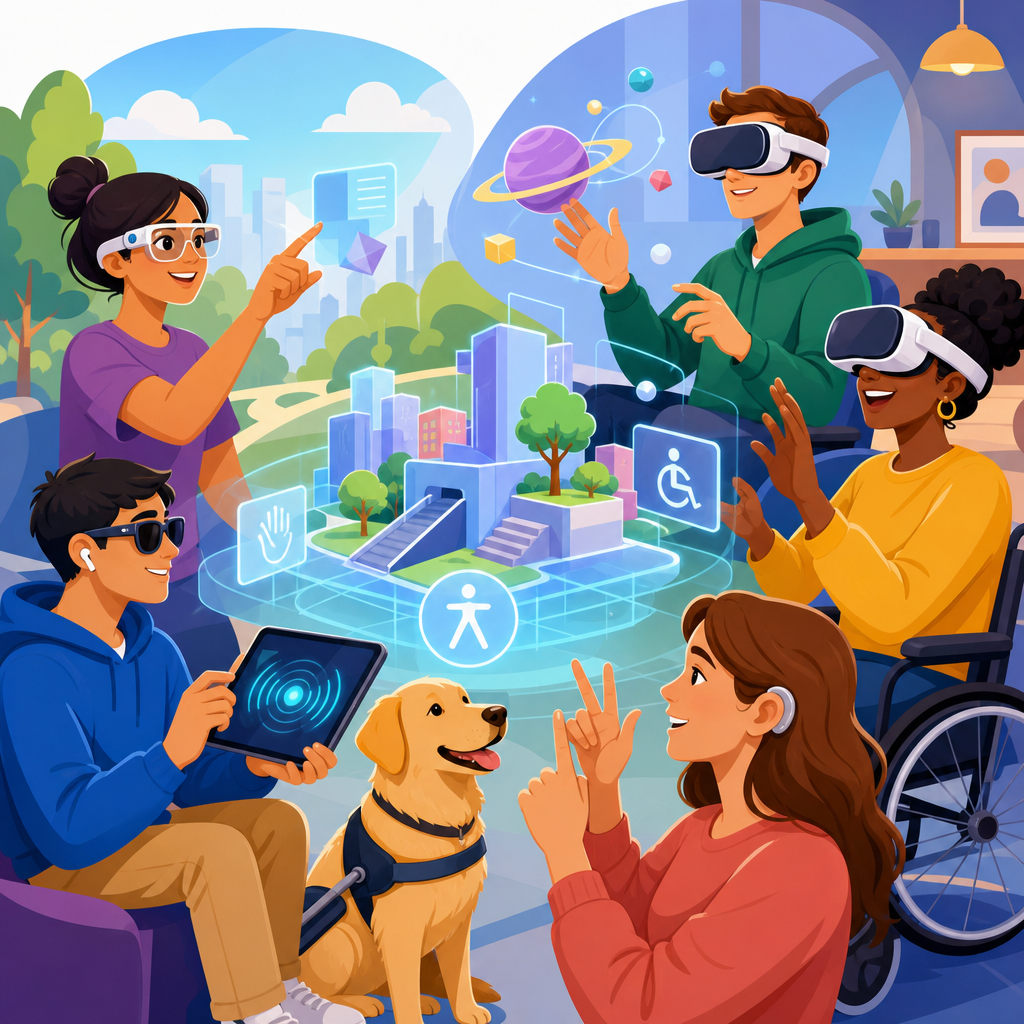
Augmented reality and virtual reality accessibility should begin with the same practical question that shaped accessible websites, buildings, and software for decades: can people with disabilities use the experience with equal independence, comparable privacy, and meaningful participation? In AR and VR, that question is urgent because immersive systems are moving from novelty to infrastructure. Retailers use AR fitting rooms, hospitals use VR for pain management and training, manufacturers use mixed reality guidance on the factory floor, and schools are piloting immersive labs. As these experiences become gateways to work, commerce, education, healthcare, and public services, accessibility can no longer be treated as an optional comfort setting.
AR overlays digital content onto the physical world through phones, tablets, glasses, or heads-up displays. VR places the user inside a fully simulated environment through a headset, controllers, sensors, and spatial audio. Accessibility in these contexts means designing for a broad range of vision, hearing, mobility, speech, cognitive, vestibular, and neurological differences. It also means accounting for assistive technology compatibility, alternative input methods, readable interfaces, safe motion design, and usable onboarding. When people refer to ADA thinking here, they usually mean applying the core civil-rights logic behind equal access, reasonable modification, effective communication, and nondiscriminatory design before products launch rather than after complaints arise.
I have worked on digital accessibility programs where teams assumed immersive products were too new for established accessibility principles to apply. That assumption is costly. The legal standards may still be evolving for specific hardware and software combinations, but the design obligations are not a mystery. If an employer delivers required training in VR, if a university offers course material in immersive formats, or if a retailer makes AR the main path to visualize products, the same accessibility reasoning used for websites, kiosks, mobile apps, and video content should guide development. The hub for emerging technologies starts here because AR and VR concentrate almost every modern access issue in one place: sensors, interfaces, media, motion, identity, and safety.
This article maps where accessible AR and VR work should start, what risks matter most, and how organizations can build an inclusive roadmap across the wider emerging-technology landscape. It is designed as a hub page, so each section answers a core question directly and points toward the operational themes that future topic pages should expand: legal exposure, design patterns, procurement, testing, workplace use, educational deployment, healthcare adoption, and governance. The central point is simple. Immersive accessibility is not a special exception to digital accessibility. It is the next major application of it.
Why ADA-style analysis belongs at the concept stage
The most effective time to address AR and VR accessibility is before the product definition is locked. In practice, early decisions about locomotion, controller dependence, spatial audio, text placement, gesture requirements, and device support determine whether later remediation is possible or prohibitively expensive. I have seen teams build polished immersive demos that could not be used by a wheelchair user because interactions assumed standing reach, by blind users because all feedback was visual, or by users with vestibular disorders because movement smoothing and teleport alternatives were never architected. Once those assumptions are embedded in the interaction model, fixes become redesigns.
ADA-style thinking starts with equal access outcomes, not technical excuses. If the core function is shopping, training, counseling, collaboration, or learning, teams should identify the essential task and ask how users with different disabilities will complete it. That framing avoids a common trap: treating accessibility as headset-specific settings rather than service-level usability. For example, a virtual safety training module may include captions and still fail accessibility if a worker must perform rapid two-handed controller actions that their disability prevents. Conversely, an AR maintenance tool may be accessible even in a physically demanding environment if it supports voice control, adjustable dwell timing, high-contrast overlays, and a nonimmersive tablet mode.
Concept-stage review should also address whether immersion is necessary at all. The accessible answer is sometimes to provide an equivalent nonimmersive path for the same objective. This is not a downgrade when designed well. It is a lawful, practical, and often user-preferred option. A university anatomy lesson can pair VR exploration with keyboard-accessible 3D models on the web. A retailer can offer AR room placement and also provide dimensioned images, comparison tools, and customer support. Equality is measured by effective access to the benefit, not by forcing identical sensory pathways.
The main accessibility barriers in immersive systems
Most AR and VR accessibility failures fall into a handful of predictable categories. Visual barriers include low-contrast text, small fixed UI panels, color-only status indicators, cluttered scenes, unreadable overlays against bright real-world backgrounds, and missing text-to-speech support. Hearing barriers include spoken instructions without captions, spatial cues that are never mirrored visually or haptically, and multiplayer communication features with no transcription. Mobility barriers appear when systems require standing, wide arm motion, pinch gestures, grip strength, timed interactions, or precise controller targeting. Cognitive barriers arise from complex onboarding, inconsistent menus, memory-heavy tasks, sensory overload, and interfaces that hide core controls inside game-like metaphors.
VR adds motion and vestibular concerns that are easy to underestimate. Artificial locomotion, acceleration, camera bob, forced perspective shifts, and sudden scene transitions can cause nausea, disorientation, headaches, and fatigue. These effects are not edge cases. They can exclude users with vestibular disorders, migraines, traumatic brain injuries, and some neurodivergent conditions. Strong accessibility programs therefore treat comfort features as baseline access requirements. Teleport movement, snap turning, adjustable field-of-view reduction during motion, pause-anytime controls, and seated-mode support are established patterns, not premium extras.
AR introduces distinct environmental complexity because digital content competes with the real world. Head-worn AR may place critical information outside a user’s visual field, create cognitive burden through persistent overlays, or assume reliable depth perception and hand tracking in variable lighting. Phone-based AR can demand one-handed device stabilization while performing touch gestures, which is difficult for many users. In industrial settings, personal protective equipment, noise, glare, and gloves further complicate access. A good accessibility review therefore studies the actual context of use, not just the demo in a lab.
Practical design principles teams should adopt first
Teams entering emerging technologies need a durable set of defaults. Start with multimodal communication. Every important cue should be available through more than one channel: text, speech, visuals, haptics, and persistent logs where appropriate. If a virtual guide speaks a direction, display it in captions and a readable text panel. If an AR alert uses color, add shape, label, and optional vibration. This principle consistently reduces exclusion.
Next, reduce compulsory physical precision. Support remappable controls, one-handed operation, voice input where reliable, dwell-based selection, larger targets, and extended timing. In enterprise deployments, support external keyboards, switches, or adapted controllers where the platform allows. Give users seated and standing modes, calibration resets, and adjustable reach zones. For text, provide scalable UI, contrast controls, plain-language help, and the ability to review instructions again without penalty.
Comfort and predictability matter just as much as controls. Keep orientation stable, avoid unnecessary animation, let users choose movement style, and clearly signal transitions before they happen. Onboarding should be short, skippable, and repeatable. Users should never have to discover accessibility settings by completing inaccessible steps first. In mobile AR, allow users to complete key tasks without continuous camera movement. In collaborative VR, provide moderation, mute, personal-space boundaries, and identity controls because harassment and social overload are accessibility issues too.
| Design area | Common failure | Accessible baseline |
|---|---|---|
| Navigation | Joystick-only locomotion | Teleport, snap turn, seated mode, pause |
| Instructions | Voice-only tutorial | Captions, transcript, replayable text panel |
| Interaction | Precise two-hand gestures | Remappable inputs, one-hand options, larger targets |
| Visual UI | Small low-contrast floating text | Scalable text, high contrast, fixed readable panels |
| Alerts | Color or sound only | Combined text, icon, haptic, and sound cues |
| Physical setup | Standing reach assumed | Seated calibration and adjustable interaction zone |
Standards, legal signals, and where compliance work connects
No single immersive-accessibility rulebook yet plays the universal role that established web guidance plays for websites, but organizations should not mistake that gap for a free pass. In the United States, the ADA, Section 504, Section 508, state disability laws, employment obligations, and procurement rules can all become relevant depending on who is offering the experience and why. Courts and regulators generally care about access to the service, program, or benefit. If immersive technology becomes the delivery mechanism, accessibility analysis follows.
For practical implementation, teams should anchor work to existing digital accessibility methods and adapt them to immersive contexts. WCAG remains highly useful for text alternatives, captions, contrast, predictable navigation, timing, input alternatives, and error prevention, even when not every criterion maps neatly to 3D space. EN 301 549 is especially important in public procurement conversations. Platform guidance from Apple, Google, Microsoft, Meta, Unity, and Unreal can help at the implementation layer, but vendor guidance is not a substitute for an organizational accessibility standard. Procurement contracts should require accessibility documentation, testing evidence, roadmap commitments, and defect remediation terms.
Documentation matters because immersive systems are ecosystems. A headset may be usable while the companion mobile app is not. The VR experience may have captions while the mandatory account-creation flow fails screen-reader use. A company may buy accessible hardware and then load inaccessible training content. Compliance work therefore has to follow the whole journey: discovery, purchase, setup, authentication, calibration, use, support, updates, and alternative access paths.
How to test AR and VR access in the real world
Testing immersive technology requires more than a quick emulator pass. Start with task-based scenarios tied to actual user goals, such as joining a class, completing a safety drill, placing a product in a room, or following maintenance instructions. For each task, identify blockers by disability category and by environment. Then combine expert review, platform-level checks, and usability sessions with disabled participants. Nothing replaces observing whether a user can independently complete the task in context.
In my experience, the most revealing tests happen outside ideal conditions. Put the AR app under glare, noise, gloves, weak connectivity, and time pressure. Test VR with seated users, users who cannot use both hands, users who rely on captions, and users sensitive to motion. Measure completion rate, error rate, time on task, request-for-help frequency, symptom reports, and abandonment points. Log whether accessibility settings persist across sessions and devices. Accessibility defects often hide in setup, calibration, permissions, and recovery flows rather than the headline experience.
Teams should also create severity models tailored to immersive risk. A mislabeled decorative icon is not equal to an inaccessible guardian-boundary warning, a locomotion mode that induces sickness, or an enterprise training module that blocks job participation. Prioritize issues that prevent entry, remove user control, create safety risk, or deny access to required information. Then retest after fixes with the same users and scenarios. Emerging technologies reward continuous testing because hardware updates, SDK changes, and new input models can silently introduce regressions.
AR and VR as the gateway to broader emerging-technology governance
This hub matters beyond immersive media because AR and VR expose the governance questions that define emerging technologies overall. Artificial intelligence, wearables, robotics, digital twins, biometric systems, and ambient computing all raise similar accessibility concerns: multimodal input, explainable feedback, sensory burden, privacy, and equitable alternatives. Organizations that build a strong AR and VR accessibility practice usually create reusable policies for procurement, human review, incident reporting, user research, and release gates. Those policies then scale into the rest of the emerging-technology portfolio.
For that reason, leaders should treat immersive accessibility as a cross-functional program, not a one-time design sprint. Legal teams should map obligations by sector. Product teams should maintain accessible design patterns. Engineering should standardize input abstraction, caption pipelines, and settings persistence. Learning teams, clinicians, faculty, and operations staff should help define equivalent alternatives where full immersion is not appropriate. Support teams need scripts and escalation paths for accessibility issues. Governance becomes credible when it is operational, budgeted, and measured.
The strongest business case is straightforward. Accessible immersive systems reach more users, reduce support costs, improve comfort for everyone, and lower remediation risk. They also produce better products. When teams design for constrained movement, noisy environments, divided attention, and variable perception, they create experiences that are clearer and more resilient for all users. That is where ADA thinking should start: not with fear of litigation, but with disciplined inclusion at the moment a new technology begins shaping access to everyday life.
AR and VR accessibility is the right starting point for any serious look at emerging technologies because it forces organizations to confront access, safety, and equality at the same time. The key lessons are consistent across industries. Begin at concept stage, define the essential user task, support multimodal interaction, reduce motion and precision demands, provide equivalent nonimmersive paths, and test with disabled users in real conditions. Treat procurement, content, hardware, onboarding, and support as one connected experience.
As this sub-pillar hub expands, the next useful deep dives are clear: sector-specific legal obligations, design patterns for immersive interfaces, enterprise procurement checklists, educational and workplace deployment models, healthcare use cases, and testing protocols for mixed-reality ecosystems. Each of those topics builds on the same foundation established here. Accessibility is not separate from innovation. It is the standard that determines whether innovation can be used fairly.
If your organization is planning or already deploying immersive tools, audit one real user journey now. Pick the highest-stakes task, identify who may be excluded, and fix the barriers before adoption scales. That single step will do more to align AR and VR with durable accessibility principles than any future retrofit campaign.
Frequently Asked Questions
What does accessibility mean in AR and VR, and why should ADA thinking start there?
Accessibility in AR and VR means designing immersive experiences so people with disabilities can use them with equal independence, comparable privacy, and meaningful participation. That standard is a practical starting point because it mirrors the logic that has guided accessible buildings, websites, kiosks, software, and other public-facing systems for years. In other words, the first question is not whether a headset, interface, or spatial app is innovative. It is whether a person who is blind, deaf, mobility impaired, neurodivergent, low vision, hard of hearing, or otherwise disabled can actually use it without unnecessary barriers or relying on someone else to make the experience work.
Applying ADA-style thinking early matters because AR and VR are no longer experimental side projects. They are increasingly used in retail, healthcare, workforce training, education, entertainment, and customer service. When a retailer offers an AR fitting room, a hospital uses VR for pain management, or an employer uses immersive training simulations, accessibility becomes a real-world access issue rather than a hypothetical design preference. If these systems are part of how people shop, learn, work, or receive care, then excluding disabled users can create the same kind of inequity that inaccessible websites or physical spaces have created in the past.
Starting with ADA thinking also helps teams avoid a common mistake: treating accessibility as a late-stage compliance checklist. In immersive technology, retrofitting access features after launch is often far more expensive and less effective than building them in from the beginning. Core decisions about movement, navigation, sensory feedback, timing, interface layout, controller dependence, and communication methods shape whether an experience can ever be broadly usable. When accessibility is part of the initial product definition, teams are more likely to create systems that work for more people from day one.
What are the most common accessibility barriers in immersive AR and VR experiences?
The most common barriers in AR and VR usually come from overreliance on a single sensory channel, a single input method, or a narrow assumption about how bodies move and process information. Many immersive experiences expect users to see visual prompts clearly, hear audio cues accurately, stand for long periods, turn their heads freely, use both hands precisely, and react quickly under time pressure. Those assumptions can immediately exclude people with visual, hearing, mobility, cognitive, vestibular, or dexterity-related disabilities.
For users with visual disabilities, barriers can include unlabeled controls, low-contrast menus, text placed too far away to read comfortably, spatial information conveyed only visually, and environments that cannot be interpreted by screen-reader-like support or alternative audio guidance. For deaf or hard-of-hearing users, problems often include missing captions, poor transcription, no visual equivalent for alerts or spoken instructions, and multiplayer environments where speech is central but not accessible. For users with mobility or dexterity disabilities, fixed standing requirements, gesture-only controls, limited seated mode support, and interfaces that require fast or precise controller movement can make the experience difficult or impossible to use.
Cognitive and neurological barriers are also significant. Complex navigation, cluttered sensory environments, confusing onboarding, overwhelming visual effects, and tasks with little error tolerance can make immersive systems inaccessible to users with intellectual disabilities, attention-related disabilities, memory impairments, autism, or brain injury. In addition, motion sickness and vestibular issues are major concerns in VR. Forced locomotion, camera movement that does not match body movement, flashing effects, and disorienting transitions can make an experience unusable or physically unsafe for some people. The lesson is straightforward: accessibility barriers in immersive systems are often structural, not cosmetic, which is why they must be addressed at the design architecture level.
How can companies build accessible AR and VR experiences from the beginning instead of retrofitting them later?
The best way to build accessible AR and VR products is to treat accessibility as a product requirement at the concept stage, not as a legal review item just before launch. Teams should begin by defining who needs to use the experience, in what context, and with what range of abilities, assistive strategies, and environmental constraints. That means including disability scenarios in discovery, user stories, design reviews, prototyping, and QA. If the immersive experience is intended for shopping, healthcare, training, education, or customer support, the team should ask early how someone with limited vision, limited hearing, limited reach, limited stamina, speech differences, cognitive fatigue, or sensitivity to motion will complete the same essential task.
From there, accessible design should be built around flexibility. Offer multiple input methods instead of only one. Provide seated and standing options. Allow users to adjust text size, contrast, audio balance, motion settings, sensitivity, timing, and complexity. Use captions and transcripts for spoken content. Pair audio cues with visual or haptic alternatives. Avoid requiring fine motor precision when broader target zones or simplified controls will work. Make navigation predictable, give users time to orient themselves, and include pause, repeat, and reset options throughout the experience. In AR, teams should also consider real-world environmental factors such as lighting, camera dependence, glare, and the physical space in which users move.
Most importantly, companies should test with disabled users, not just with internal teams imagining accessibility needs. Real user testing reveals failure points that checklists often miss. It also helps organizations understand whether users can complete tasks independently and privately, which is central to genuine accessibility. Documentation matters too: create standards for content teams, 3D designers, engineers, and procurement staff so accessibility is sustained across updates and vendor relationships. When organizations embed these practices from the start, they reduce legal risk, improve usability for everyone, and create immersive products that are more resilient as AR and VR become mainstream.
Does the ADA clearly apply to AR and VR technologies used by businesses, schools, healthcare providers, and employers?
In practical terms, organizations should assume that accessibility obligations do matter in AR and VR, especially when immersive systems are used to deliver goods, services, education, healthcare, training, or employment functions. Even when regulations do not spell out every technical detail for a specific headset or spatial interface, the underlying accessibility principle is familiar: if an organization offers an important experience to the public, students, patients, or workers, disabled people should not be shut out because the technology was designed without them in mind. That principle aligns with long-standing disability access expectations across physical and digital environments.
The exact legal analysis can vary based on the organization, the context, and the jurisdiction. A retailer using AR for customer interaction, a university using VR for coursework, a healthcare provider using immersive therapy tools, and an employer requiring VR training may each face different legal frameworks or risk profiles. But the strategic mistake is waiting for a perfect, highly specific rule before taking action. That same hesitation appeared in earlier debates about websites and mobile apps, and it did not shield organizations from accessibility scrutiny. When immersive systems become gateways to participation, inaccessible design can quickly become a legal and reputational problem.
That is why ADA thinking should start with use and impact, not with narrow technical arguments. If AR or VR is part of how people access a service or opportunity, accessibility should be addressed proactively. Organizations should work with counsel where appropriate, but they should also involve accessibility specialists, disabled users, procurement teams, and product leadership. A strong accessibility process demonstrates good-faith effort, reduces exclusion, and positions the organization much better than a wait-and-see approach. In immersive technology, legal uncertainty is not a reason to delay; it is a reason to design more carefully.
What accessibility features should teams prioritize first in AR and VR products?
The first priority should be access to core functionality. Teams need to identify the main task the experience is supposed to accomplish and make sure users can complete that task through more than one sensory and motor pathway. If the point of the product is training, shopping, communication, therapy, or learning, users should not be blocked because they cannot hear a cue, read distant text, stand for long periods, perform a gesture, or tolerate simulated motion. Core task completion is the foundation; everything else builds on it.
In most cases, high-priority features include captions for speech and audio events, readable and adjustable text, strong color contrast, alternative cues for visual or auditory information, support for seated use, remappable controls, simple navigation, adjustable timing, and the ability to reduce motion or switch locomotion modes. Clear onboarding is also critical. Users should understand where they are, what they need to do, how to get help, and how to change comfort and accessibility settings without having to search through confusing menus. For multiuser environments, teams should also prioritize accessible communication features such as text alternatives, readable speaker identification, and moderation tools that support safe participation.
Another top priority is consistency. Accessibility features only help if users can find and trust them throughout the experience. Settings should be easy to locate, saved between sessions when appropriate, and explained in plain language. Error recovery should be straightforward, and users should be able to pause or exit without penalty. Finally, teams should prioritize testing and iteration alongside feature development. The right feature list depends on the actual use case, but products become meaningfully more accessible when teams focus first on independence, privacy, comfort, and task success. That approach keeps accessibility grounded in real use rather than in abstract promises.


