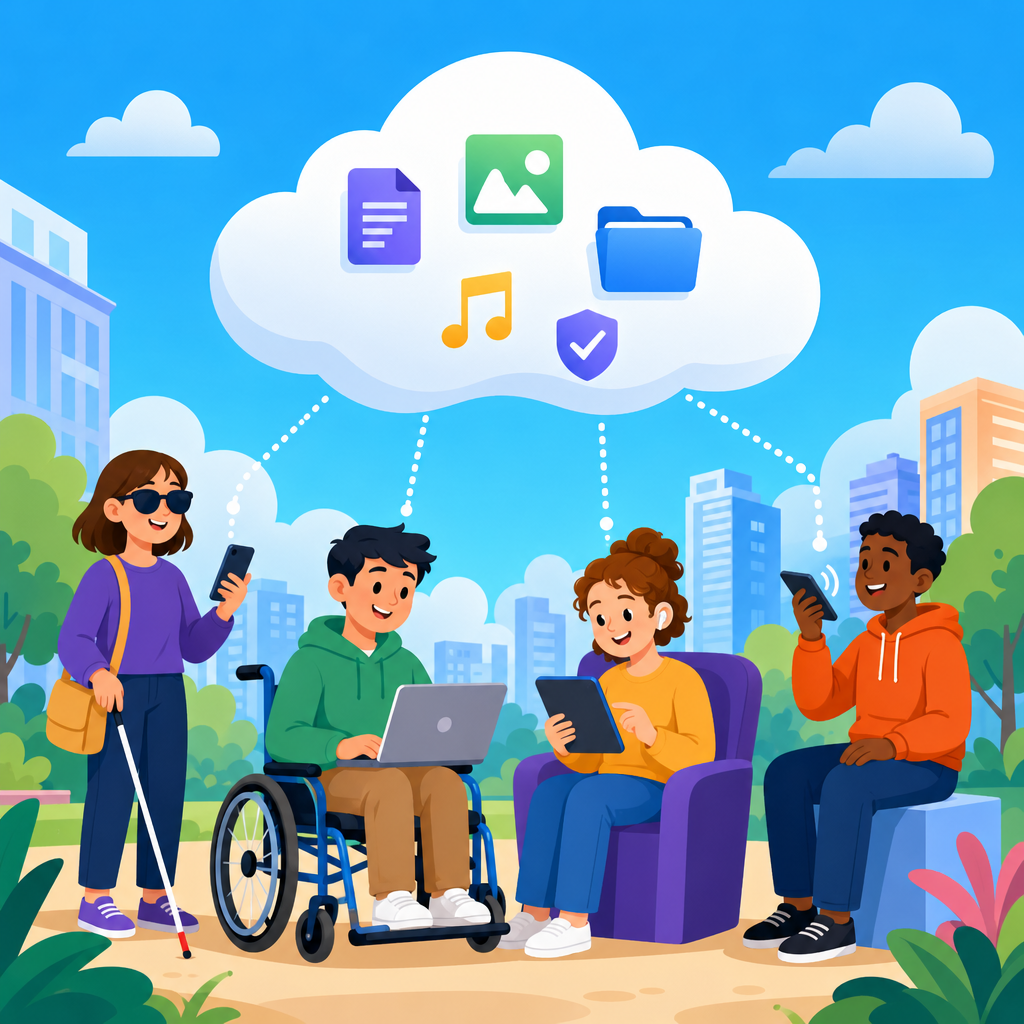
Cloud computing has become one of the most practical ways to expand accessibility because it shifts powerful software, storage, and processing from individual devices to shared online infrastructure that can be reached from almost anywhere. In accessibility work, that matters because many barriers are caused by limitations in hardware, inconsistent settings, outdated software, or missing assistive tools on the device a person happens to be using. When applications, preferences, and content live in the cloud, those barriers can be reduced. A student who relies on text to speech, a worker who needs real time captions, or a customer who uses switch input can move between devices without rebuilding their setup every time.
Accessibility refers to designing digital and physical experiences so people with disabilities can perceive, understand, navigate, and interact with them effectively. Cloud computing refers to delivering computing services such as servers, databases, software, analytics, and machine learning over the internet. Put together, cloud accessibility means using online platforms to deliver assistive features, adaptable interfaces, scalable content, and coordinated support. I have seen this change projects dramatically. Years ago, accessibility fixes often meant local installations, custom scripts, and support tickets for every workstation. Today, many organizations can deploy accessible features through centralized identity, browser based apps, managed APIs, and synchronized user settings.
This topic matters beyond compliance. Accessibility affects education outcomes, hiring, productivity, customer retention, and public service delivery. The World Health Organization estimates that more than one billion people live with some form of disability, and temporary or situational impairments broaden the audience further. A commuter in bright sunlight, a call center agent in a noisy room, and an older adult with reduced dexterity all benefit from the same accessible design choices. Cloud platforms make those improvements easier to distribute at scale. They also support the broader field of advanced technology for accessibility, including speech recognition, computer vision, language translation, personalization engines, and cross device collaboration. As a hub topic, this article explains the core opportunities, tradeoffs, and implementation priorities organizations need to understand.
How cloud computing removes common accessibility barriers
The clearest advantage of cloud computing for accessibility is consistency. In traditional desktop environments, assistive technology often depended on one machine being configured correctly. If a user changed desks, borrowed a laptop, or logged into a kiosk, their accommodations disappeared. Cloud based systems reduce that dependence by storing documents, account preferences, browser profiles, and application settings centrally. A person can sign in and recover preferred font sizes, color contrast choices, keyboard shortcuts, saved captions, and workflow tools. This continuity is especially valuable in schools, libraries, hospitals, and hybrid workplaces where device sharing is common.
Cloud delivery also lowers the hardware burden. Many accessibility features now rely on heavy processing, such as automatic speech recognition, image description generation, or real time language translation. Running those tasks locally can be slow or impossible on low cost devices. When processing happens in the cloud, a basic Chromebook, tablet, or older smartphone can access advanced features previously reserved for expensive computers. Microsoft Azure AI Speech, Google Cloud Speech to Text, and Amazon Transcribe are practical examples. They can generate captions for meetings, lectures, and videos in near real time, improving access for deaf and hard of hearing users while also helping non native speakers and anyone in a noisy environment.
Another barrier cloud tools address is version fragmentation. Accessibility teams regularly encounter environments where one user has a current browser, another has an outdated office suite, and a third cannot install anything at all because of security restrictions. Web based applications narrow those gaps because improvements ship centrally. If a design team fixes heading structure, keyboard navigation, or ARIA labeling in a cloud application, the update reaches everyone without manual deployment. That does not make web apps automatically accessible, but it does make improvement cycles faster and easier to manage.
Advanced technology for accessibility in cloud environments
Cloud computing is not just an infrastructure choice; it is the delivery model behind many advanced accessibility tools. Artificial intelligence services, remote collaboration platforms, and content automation systems depend on cloud scale to be useful in everyday settings. One major category is speech technology. Live transcription in video meetings, voicemail transcription, dictation in productivity suites, and voice controlled navigation all rely on large language and acoustic models that improve through centralized updates. In practice, this means a user can dictate notes on a phone, continue editing on a laptop, and review the same content through screen reader compatible web interfaces without file conversion.
Computer vision is another important area. Cloud based image recognition can generate alt text suggestions, detect objects in a camera feed, or extract text from photos and scanned PDFs through optical character recognition. Tools such as Google Cloud Vision, Azure AI Vision, and Adobe Acrobat’s OCR workflows can help convert inaccessible image based documents into searchable text. These systems are not perfect and always need review, especially for charts, complex diagrams, and context sensitive images. Still, they reduce the manual effort required to make large archives more usable.
Translation and language simplification services also expand accessibility. For some users, the barrier is not only disability in a strict legal sense but cognitive load, literacy level, or language mismatch. Cloud based translation can provide multilingual captions, subtitles, and interface strings quickly. Read aloud tools paired with simplified text options can improve comprehension for users with dyslexia, aphasia, attention related conditions, or limited proficiency in the source language. In public sector projects, I have found these combined supports especially useful because they help agencies serve a wider audience without maintaining completely separate systems for every communication need.
Personalization is where cloud platforms become most powerful. Instead of forcing every user into one interface, cloud systems can save interaction preferences across sessions and applications. A user might choose reduced motion, a high contrast theme, larger target sizes, caption defaults, or a preferred input method. Those preferences can follow them across customer portals, learning systems, and collaboration tools when identity and design systems are integrated properly. This is a practical expression of accessible technology maturity: not only making content compliant, but making experiences adaptable.
Core use cases across education, work, healthcare, and public services
In education, cloud computing supports accessible learning at scale. Learning management systems such as Canvas, Moodle, and Google Classroom can centralize captions, transcripts, alternative file formats, and accessible assignment workflows. A university can record lectures to cloud storage, run automatic captioning, route transcripts for human review, and publish corrected media quickly. Students who use screen readers benefit from consistent navigation if templates are designed well, while students with mobility impairments can submit work and join office hours remotely. Cloud collaboration also helps group projects because shared documents preserve comments, reading order, and revision history in one place.
Workplaces use cloud accessibility to reduce friction in communication and productivity. Microsoft 365, Google Workspace, Slack, and Zoom all include accessibility capabilities delivered through cloud services, from live captions to keyboard shortcuts and accessible document sharing. In one enterprise rollout I supported, the most immediate gain was not a single headline feature but the removal of repetitive setup tasks. Employees no longer needed separate local installs for every accommodation. Instead, many settings lived in managed accounts, and documents were stored in formats colleagues could co edit and remediate quickly. That improved both inclusion and support efficiency.
Healthcare environments benefit because cloud systems can connect accessibility with continuity of care. Patient portals can offer accessible appointment scheduling, prescription information in readable formats, telehealth captions, and multilingual communication. For blind or low vision users, digital forms designed with proper labels and logical focus order are far easier to complete than paper forms scanned into inaccessible PDFs. For deaf users, cloud based captioning and relay integration can improve telehealth visits, though accuracy must be monitored carefully for medical terminology. Security and privacy are critical here, especially under frameworks such as HIPAA in the United States.
Public services often face the biggest scale challenge, and cloud architecture helps. Government agencies may need to serve residents on mobile devices, older desktops, public kiosks, and assistive technologies they do not control. Cloud hosted content delivery, accessible design systems, and centralized document remediation workflows make that more manageable. Citizens can access forms, benefits information, and emergency updates through responsive interfaces that support zoom, screen readers, and captions. When emergencies happen, the ability to update one cloud platform rapidly is far better than patching hundreds of isolated systems.
| Sector | Cloud accessibility use case | Main user benefit | Key caution |
|---|---|---|---|
| Education | Lecture captioning and accessible LMS content | Improved comprehension and flexible participation | Auto captions need human review |
| Workplace | Shared documents, captions, synchronized preferences | Less setup friction across devices | Templates must remain accessible |
| Healthcare | Accessible portals and telehealth support | Clearer communication and remote access | Privacy and terminology accuracy |
| Public sector | Centralized forms, alerts, and service portals | Consistent access at population scale | Legacy document cleanup can be extensive |
Implementation standards, design practices, and governance
Successful cloud accessibility depends less on buying one tool and more on building a disciplined operating model. The baseline for web content remains the Web Content Accessibility Guidelines, currently most often implemented against WCAG 2.1 Level AA, with increasing attention to WCAG 2.2. In procurement and enterprise reviews, teams should also look at conformance documentation such as VPAT reports based on the Accessibility Conformance Report format. These documents are useful starting points, but they are not proof of real usability. I always pair them with hands on testing because accessibility claims often omit edge cases in workflows, mobile views, or third party integrations.
Design systems are essential in cloud environments because shared components spread quickly, for better or worse. If a button pattern lacks visible focus, that defect can multiply across dozens of applications. If a modal dialog is correctly labeled and keyboard trapped, that improvement can do the same. Teams should define accessible components for forms, navigation, tables, alerts, media players, and authentication flows, then enforce them through reusable libraries. Continuous integration can include automated checks with axe DevTools, Lighthouse, Pa11y, or equivalent scanners, but those should be supplemented by manual keyboard testing, screen reader testing with NVDA, JAWS, or VoiceOver, and usability sessions with disabled participants.
Identity and preference management deserve special attention. A cloud strategy should determine which accessibility settings are stored at the operating system level, browser level, application level, and account level. Without that planning, users end up reconfiguring the same choices repeatedly. Governance also needs content rules: document templates, captioning service levels, alt text standards, PDF remediation processes, and training for anyone who publishes content. Most accessibility failures in cloud platforms are not caused by the platform alone; they come from uncontrolled authoring and rushed updates.
Risks, limitations, and how to make cloud accessibility trustworthy
Cloud computing improves accessibility, but it does not eliminate responsibility. Internet dependence is the most obvious limitation. If access is slow, unstable, or expensive, cloud based assistive features can fail precisely when users need them. Offline options, local caching, and graceful degradation still matter. Accuracy is another issue. Automatic captions, image descriptions, and translation services have improved significantly, yet they can still misrepresent names, accents, specialized terms, and visual context. In legal, medical, and educational settings, those errors can have serious consequences. Human review remains necessary for high stakes content.
Privacy and security concerns must be addressed directly because accessibility data can be sensitive. Caption transcripts, voice samples, preference profiles, and support logs may reveal disability related information. Organizations should minimize data collection, define retention policies, secure transfers, and verify vendor controls carefully. They also need to avoid creating new exclusion through authentication hurdles, inaccessible multifactor prompts, or aggressive session timeouts. Trust is built when an accessible system is not only usable, but dependable, respectful, and transparent about how it handles personal information.
Vendor selection requires skepticism. A platform may advertise accessibility features while leaving major gaps in admin consoles, reporting dashboards, or embedded third party widgets. Pilot testing should include real tasks, not just a home page review. Ask whether captions are editable, whether keyboard shortcuts conflict with assistive technology, whether exported files preserve accessibility tags, and whether APIs expose semantic structure needed by custom interfaces. The strongest cloud accessibility programs treat vendors as partners but keep internal accountability for outcomes.
Building a hub strategy for advanced accessibility technology
As a hub within technology and accessibility, cloud computing connects many subtopics that deserve deeper treatment. Teams exploring advanced technology for accessibility should map related areas such as AI captioning quality, accessible document automation, inclusive design systems, mobile accessibility, accessible procurement, telehealth accessibility, and cloud based personalization. This hub perspective matters because accessibility problems rarely stay in one layer. A captioning issue may involve procurement, media workflows, quality assurance, and training at the same time. Cloud architecture can unify those efforts if leaders define shared standards and measures.
The most effective roadmap starts with a service inventory. Identify which platforms deliver communication, learning, customer service, document management, analytics, and identity. Then score each one for user impact, accessibility risk, and remediation effort. From there, prioritize improvements that affect many journeys at once: authentication, navigation, forms, media, and document templates. Add clear ownership, test with disabled users, and track outcomes such as task completion, support ticket volume, and content remediation backlog. When done well, cloud computing does more than host accessible services. It becomes the foundation for scalable, adaptable access across the organization.
Leveraging cloud computing for accessibility is ultimately about giving people reliable access to digital life without forcing them to fight the same barriers on every device and in every setting. Cloud platforms can deliver captions, transcription, translation, OCR, personalization, and accessible collaboration to millions of users faster than traditional local deployments ever could. They also support consistency, central governance, and rapid updates, which are essential for organizations managing large content ecosystems. The benefits are real in education, work, healthcare, and public services, especially when accessibility is treated as a design requirement rather than an optional add on.
The strongest results come from combining cloud scale with disciplined implementation. Follow established accessibility standards, test with real users, review automated outputs, protect sensitive data, and hold vendors accountable for actual usability. If you are building a technology and accessibility strategy, start by auditing your cloud platforms and identifying the accessibility features and gaps that affect core user journeys. Then create a prioritized plan that turns cloud infrastructure into a practical engine for inclusion.
Frequently Asked Questions
What does cloud computing mean in the context of accessibility?
In accessibility, cloud computing means delivering software, storage, settings, and computing power through the internet instead of relying entirely on what is installed or available on a single device. That shift is important because accessibility barriers often appear when a person uses a device that lacks the right assistive technology, has outdated software, limited storage, weak processing power, or inaccessible default settings. When applications and content are hosted in the cloud, users can often sign in from different devices and still access the tools, preferences, and information they need.
For example, a person may need screen magnification, captions, high-contrast display settings, speech-to-text, text-to-speech, or keyboard-friendly interfaces. In a cloud-based environment, many of these features can be built into the application itself or synchronized across sessions, making access more consistent. Instead of depending on whether a public computer, school device, borrowed laptop, or mobile phone has the correct setup, the user can reach a familiar and more inclusive experience through a browser or app. That portability is one of the biggest reasons cloud computing is so valuable for accessibility efforts.
How does cloud computing improve access for people using assistive technologies?
Cloud computing improves access by making digital experiences more consistent, flexible, and easier to update. People who use screen readers, refreshable braille displays, voice control, switch devices, alternative keyboards, captions, or other assistive technologies often face problems when moving between devices or locations. A tool that works well at home may be missing at school, unavailable at work, or unsupported on a shared device. Cloud-based applications reduce that friction because the service is delivered from a centralized platform and can often preserve user preferences, accessibility settings, and workflow from one session to the next.
Another major benefit is that cloud platforms can roll out accessibility improvements quickly. Instead of requiring every user to install a software update manually, developers can improve keyboard navigation, color contrast, caption support, document structure, and compatibility with assistive technologies on the server side or through web updates. That means accessibility fixes can reach more people faster. Cloud services also support collaboration features such as shared documents, live captions in meetings, automatic transcription, and synchronized notes, which can be especially helpful for users with hearing, visual, cognitive, or mobility disabilities. When implemented well, cloud computing helps create a more dependable access experience across environments.
What are the biggest accessibility advantages of moving apps and content to the cloud?
The biggest advantages are consistency, scalability, device independence, and easier maintenance. Consistency matters because users with disabilities often spend extra time personalizing their setup to make technology usable. If those preferences can follow them through a cloud account, they do not need to rebuild their environment every time they switch devices. Scalability matters because cloud infrastructure can support resource-intensive accessibility features such as real-time captioning, AI-assisted image descriptions, voice recognition, language translation, and media processing without requiring a powerful local machine.
Device independence is another major advantage. Cloud-based tools allow people to work from desktops, tablets, phones, thin clients, or public terminals while still accessing the same content and many of the same features. That can be especially important for people who do not own expensive hardware or who rely on multiple devices throughout the day. Easier maintenance is equally valuable for organizations. Accessibility features, bug fixes, and compatibility improvements can be deployed centrally, reducing the risk that users remain stuck on inaccessible versions. In practice, moving apps and content to the cloud can make accessibility more sustainable because it reduces dependence on specific hardware and enables faster, broader improvements.
Are there any accessibility challenges or risks associated with cloud computing?
Yes, cloud computing offers major accessibility benefits, but it is not automatically accessible by default. A cloud platform can still create barriers if its interface is poorly designed, if keyboard navigation is incomplete, if forms are not labeled properly, if visual contrast is too low, or if dynamic content does not work with screen readers. Accessibility must be built into the product design, development, testing, and procurement process. Organizations should evaluate whether cloud vendors conform to recognized accessibility standards, support assistive technology compatibility, and provide documentation such as accessibility conformance reports.
There are also practical concerns related to connectivity, security, and privacy. Cloud-based access depends on internet availability, so unreliable connections can interrupt work or limit access to essential services. For some users, that can be a serious barrier. In addition, accessibility features that process speech, video, or personal preferences may involve sensitive data. Organizations need to ensure that privacy protections and security controls are strong without making authentication unnecessarily difficult for people with disabilities. Multi-factor authentication, for instance, should offer accessible alternatives. The best approach is to treat accessibility as part of the overall cloud strategy, not as an add-on after deployment.
What should organizations do to use cloud computing effectively for accessibility?
Organizations should begin by choosing cloud tools and vendors with a clear, demonstrated commitment to accessibility. That means looking beyond marketing claims and reviewing accessibility testing practices, support for assistive technologies, keyboard accessibility, captioning options, document accessibility features, and compliance with standards such as WCAG. Procurement teams should ask direct questions about how accessibility is maintained over time, how updates are tested, and how users can report issues. Selecting an accessible cloud platform at the beginning is far more effective than trying to retrofit accessibility later.
Implementation also matters. Organizations should configure cloud services so accessibility features are easy to find and use, provide training for staff and end users, and create workflows that encourage accessible content creation from the start. For example, teams using cloud collaboration tools should understand how to add alt text, create accessible documents, caption videos, structure headings properly, and avoid sharing inaccessible PDFs or images of text. Regular audits, user testing with people with disabilities, and ongoing feedback channels are essential. When organizations pair strong vendor selection with inclusive policies and practical training, cloud computing becomes a powerful foundation for expanding accessibility at scale.


