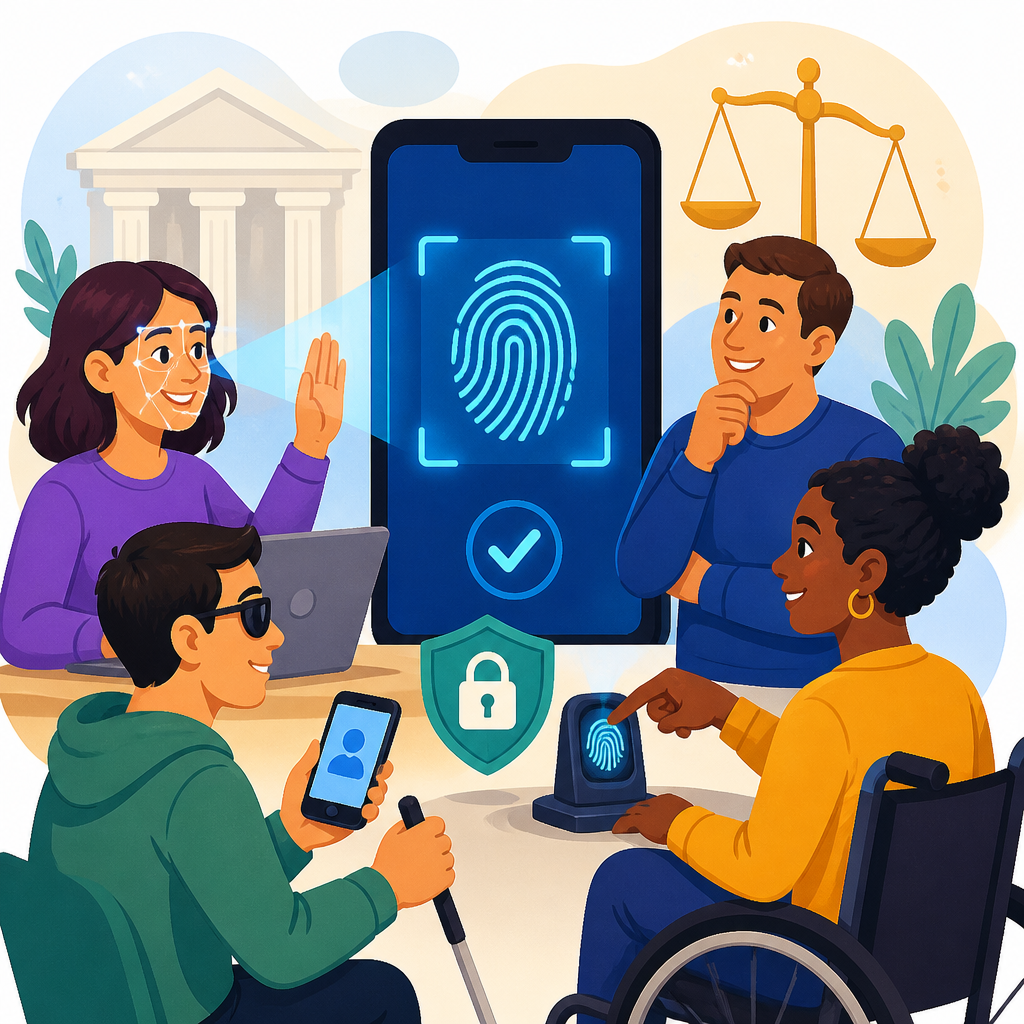
Biometric login and accessible authentication now sit at the center of digital compliance because the fastest sign-in methods often create the hardest barriers for disabled users. In plain terms, biometric login means verifying identity through physical or behavioral traits such as fingerprints, facial geometry, voice patterns, or iris scans. Accessible authentication means designing login and verification flows that people with disabilities can use independently, reliably, and with substantially equivalent privacy, security, and convenience. I have worked with product, privacy, and compliance teams on authentication reviews, and this issue repeatedly surfaces when organizations adopt passkeys, selfie verification, liveness checks, and step-up identity proofing without testing real user needs. The legal questions are no longer theoretical. They affect banks, retailers, employers, healthcare portals, universities, transportation platforms, and government contractors. They also intersect with disability law, privacy law, consumer protection rules, and security obligations.
The core challenge is straightforward: security teams want lower fraud and lower password risk, while accessibility teams need login methods that do not exclude people with visual, hearing, mobility, speech, cognitive, or neurological disabilities. A fingerprint sensor may fail for users with limb differences or worn fingerprints. Face authentication may perform poorly for some assistive device users or for people who cannot position their head predictably. Voice verification can block users with speech disabilities or degenerative conditions. CAPTCHA-style identity challenges can frustrate screen reader users and people with dyslexia or limited dexterity. When the only recovery path requires a phone call, deaf and hard-of-hearing users may face a dead end. These failures matter legally because inaccessible authentication can deny equal access to goods, services, employment systems, education, or essential accounts. Recent ADA legal developments, along with evolving federal guidance and related state privacy actions, are pushing organizations to treat authentication as a high-risk accessibility and legal design area.
Why biometric login creates distinct ADA risk
The ADA does not mention fingerprints, facial recognition, or passkeys by name, yet its core requirement of equal access applies to digital barriers that prevent meaningful use. Courts and regulators increasingly analyze inaccessible login flows as barriers to the services behind them. If a customer cannot sign in to pay bills, request accommodations, refill medication, access payroll, or complete a transaction, the login itself becomes part of the service. In practice, biometric login creates distinct ADA risk because it can screen out individuals based on disability-linked characteristics. A person with cerebral palsy may have difficulty maintaining the stillness required for a liveness check. A blind user may not be able to align their face within a camera frame using unlabeled cues. A user with a speech impairment may fail voice authentication repeatedly. A person with PTSD or traumatic brain injury may struggle with memory-heavy fallback questions after biometric failure.
For legal analysis, the key question is rarely whether biometrics are allowed at all. The question is whether the organization offers accessible alternatives that are equivalent in function, timing, security, and dignity. Equivalent does not mean identical. It means a user who cannot use a biometric method can still authenticate without unreasonable delay, extra cost, public disclosure of disability, or materially weaker account access. The Department of Justice has consistently treated inaccessible digital barriers as actionable under broader accessibility principles, and the Web Content Accessibility Guidelines reinforce this through success criteria addressing authentication, input modalities, labels, errors, and alternatives to cognitive tests. In recent compliance reviews, I have seen companies focus heavily on front-end contrast or keyboard traps while ignoring identity proofing vendors that silently block access before a user reaches the product. That omission is where many legal disputes begin.
Emerging challenges in authentication design and identity proofing
The newest legal exposure is not limited to consumer logins. It appears in account recovery, document verification, onboarding, fraud detection, and multifactor authentication. Modern identity proofing often requires users to photograph government identification, take a live selfie, complete motion prompts, and receive one-time codes through mobile channels. Each step can create a disability-specific barrier. Screen reader users may not know when the camera is active. Users with tremors may fail image capture quality thresholds. Individuals with low vision may be unable to read short-lived codes. People with cognitive disabilities may be timed out before finishing multi-step flows. If a service says “use the app” as the only fallback, that is not a neutral design choice; it can become evidence that accessibility was not built into the authentication architecture.
Another emerging challenge is fraud tooling that adapts in ways organizations do not fully control. Vendors may deploy risk engines, bot screening, or device intelligence that introduce inaccessible prompts or false positives against users who rely on assistive technologies, virtual keyboards, switch devices, or unusual navigation patterns. I have seen sessions flagged as suspicious simply because a user pasted passwords from a password manager or navigated unusually slowly with assistive software. Organizations cannot outsource this risk. Under standard vendor management principles, the company offering the service remains responsible for making sure third-party authentication components do not undermine access. This is especially important for sub-pillar hub planning because related disputes often involve a chain of tools rather than one broken page: an app sign-in widget, a customer identity platform, a fraud layer, a document scanner, and a call center script all affecting the same user journey.
| Authentication method | Common accessibility barrier | Likely legal concern | Practical mitigation |
|---|---|---|---|
| Fingerprint login | Fails for some users with limb differences, scars, or worn prints | No equivalent access if biometrics are mandatory | Offer device passcode or passkey fallback with equal account privileges |
| Face recognition | Camera alignment and liveness prompts may exclude blind or motor-impaired users | Barrier to core service access | Provide nonvisual guidance and nonbiometric recovery path |
| Voice authentication | Speech disabilities and changing vocal conditions reduce match accuracy | Discriminatory screening effect | Allow secure app, hardware key, or human-assisted alternative |
| SMS one-time code | Inaccessible for some deafblind users and users without reliable mobile access | Unequal authentication burden | Support authenticator apps, email, passkeys, and accessible support workflows |
| ID selfie verification | Complex capture steps, glare, timing, and image quality issues | Denial during enrollment or recovery | Accessible document review alternative with trained support staff |
Recent ADA legal developments shaping expectations
Recent ADA legal developments matter because they show how decision-makers evaluate digital barriers even when there is no biometric-specific statute. The strongest trend is that courts and enforcement agencies increasingly look at whether online barriers deny access to the underlying goods or services, not merely whether a website contains technical defects. Authentication barriers fit this pattern cleanly. If login is the gate to telehealth, banking, education, or employment tools, a broken or exclusionary login flow can be central to a claim. Another development is the growing role of recognized technical standards in proving what reasonable accessibility should look like. WCAG 2.1 and 2.2 are not the ADA itself, but they are persuasive benchmarks in settlements, procurement standards, expert evaluations, and internal remediation plans. WCAG 2.2 Success Criterion 3.3.8, Accessible Authentication, is especially important because it limits cognitive-function tests in authentication unless alternatives are provided.
The legal landscape is also being shaped by actions outside the ADA that influence how biometric systems are deployed. State biometric privacy laws, especially Illinois’ Biometric Information Privacy Act, have forced organizations to examine consent, retention, disclosure, and vendor handling of biometric identifiers. Those cases are usually privacy-driven rather than accessibility-driven, but in practice they push teams to inventory biometric use and document system choices. That same inventory is essential for disability risk review. In parallel, federal agencies have continued warning about algorithmic discrimination and the accessibility implications of automated decision systems. The result is a broader expectation that organizations test not only whether a biometric tool works on average, but whether it works fairly and accessibly across real populations and whether alternatives are genuine. For organizations following legal cases and precedents, the important lesson is that accessibility claims increasingly connect with privacy governance, vendor contracts, and documented user testing.
How organizations should evaluate risk across the full login journey
A defensible review starts by mapping every authentication touchpoint, not just the sign-in screen. Teams should document enrollment, login, multifactor prompts, device registration, account recovery, identity proofing, lockout handling, fraud escalation, and support-channel verification. Then test each stage with keyboard-only navigation, screen readers such as JAWS, NVDA, and VoiceOver, screen magnification, speech input, switch control, reduced motion settings, and users who need extra time. In my experience, many severe issues appear only in fallback flows. A product may support passkeys well, yet fail when a user loses a device and must complete recovery through an inaccessible call tree or image-only document upload. Legally, that still counts as a barrier to account access.
Risk evaluation should also ask whether alternatives are equivalent. If a biometric path takes ten seconds but the fallback requires mailing forms, waiting days, or disclosing medical details to support staff, the alternative is not meaningfully equal. Security tradeoffs should be analyzed honestly. Some teams resist alternatives because they fear weaker assurance, but strong nonbiometric options exist: platform passkeys, FIDO2 security keys, device-bound credentials, authenticator apps, and supervised recovery workflows with clear scripts. Contractually, organizations should require identity vendors to meet accessibility conformance targets, provide VPAT documentation, support remediation timelines, and permit independent testing. Support teams need training too. An accessible system fails in practice if agents tell users, “Just ask a friend to help with the face scan.” That response undermines independence, privacy, and dignity, and it is exactly the kind of fact pattern that escalates complaints into legal matters.
Best practices for compliant and accessible authentication
The most reliable approach is to design for user choice. Do not make any single biometric factor the exclusive route to access. Offer at least one nonbiometric method that users can set up from the start, not only after a failure. Use clear labels, persistent instructions, sufficient time limits, and error messages that explain what went wrong without forcing users into loops. Avoid knowledge-based questions that rely on memory alone. Where face or document capture is necessary, provide audio guidance, large touch targets, pause and retry options, and accessible assisted-review channels. If a live agent becomes part of the process, publish hours, expected wait times, relay-friendly contact options, and escalation paths.
Governance matters as much as interface design. Product counsel, security architects, accessibility specialists, and procurement teams should review authentication changes before launch. Maintain records of testing, user complaints, remediation decisions, and vendor commitments. Use analytics carefully to identify abandonment points, but pair metrics with qualitative testing from disabled users because drop-off data rarely explains why a person failed. Finally, update incident response and litigation readiness materials to include authentication barriers. When complaints arise, the organizations that respond best are the ones that can show a documented decision process, recognized standards, real alternatives, and prompt remediation. If you manage digital compliance under the broader Legal Cases and Precedents topic, treat biometric login and accessible authentication as a standing risk area, then connect this hub to deeper pages on case law, WCAG authentication requirements, biometric privacy statutes, vendor contracting, and remediation strategy. That structure helps teams move from awareness to action, which is what current ADA developments now demand.
Frequently Asked Questions
What legal issues arise when biometric login is offered as the primary way to sign in?
When biometric login is the primary or default sign-in method, the main legal concern is not simply privacy, but equal access. Fingerprint scans, facial recognition, voice authentication, and similar tools may work well for many users, yet they can exclude people with mobility impairments, limb differences, low vision, blindness, deafness, speech disabilities, neurological conditions, facial differences, or fluctuating medical conditions. If a user cannot complete the login process independently because the system assumes everyone can present a face, finger, voice, or eye scan in the same way, the organization may create an accessibility barrier that raises compliance risks under disability rights laws and digital accessibility obligations.
In practice, legal exposure often comes from design choices rather than the presence of biometrics alone. A company is in a stronger position when biometrics are optional, clearly explained, and paired with effective alternatives that provide comparable security and convenience. Problems arise when the backup method is hidden, significantly slower, more burdensome, or impossible to use with assistive technology. For example, requiring a biometric scan first and only later revealing a fallback that depends on solving a visual CAPTCHA, receiving a code through an inaccessible app, or speaking with a live agent during limited business hours can undermine accessibility. Regulators and courts generally look at the actual user experience, not just whether a theoretical alternative exists.
There are also data protection and consent issues because biometric data is highly sensitive. Depending on the jurisdiction, collecting and processing biometric identifiers may trigger specific notice, retention, storage, and deletion requirements. But from an accessibility perspective, the central rule is straightforward: organizations should not force users into a biometric pathway that they cannot use. A compliant authentication system typically offers multiple secure methods, works with assistive technologies, and avoids penalizing users who need a non-biometric option.
Do accessibility laws require companies to provide a non-biometric alternative?
In many cases, yes, that is the practical result of accessibility law even if a statute does not use the exact phrase “non-biometric alternative.” The legal principle is that people with disabilities must be able to access digital services in a way that is effective, independent where possible, and substantially equivalent to the experience offered to others. If a biometric method cannot be used by some individuals, an alternative authentication path is usually necessary to avoid discrimination or unlawful inaccessibility. That alternative should not be treated as an afterthought. It should be available at the same point in the workflow, clearly labeled, and designed to work with screen readers, keyboard navigation, switch access, speech input tools, magnification software, and other assistive technologies.
The quality of the alternative matters as much as its existence. A company cannot realistically argue that it has solved the problem if the fallback is confusing, delayed, less secure in a way that stigmatizes users, or so inconvenient that disabled users are effectively pushed away from the service. A strong accessible alternative might include device passkeys, accessible one-time code delivery, authenticator app support, hardware security keys, or a well-designed magic-link flow, depending on the service and risk level. The important legal point is that users should not have to disclose unnecessary medical information or navigate extraordinary hoops just to avoid a biometric they cannot use.
Accessibility frameworks and best practices increasingly reinforce this expectation. Modern compliance analysis often looks to recognized technical standards and whether the login process imposes cognitive, sensory, speech, or motor burdens that could have been avoided. If a business relies on biometrics, it should assess whether every step of enrollment, setup, error recovery, and account re-entry remains accessible. That is often where legal risk becomes most visible.
How do privacy laws and disability access laws intersect in biometric authentication?
Biometric authentication sits at the intersection of two sensitive legal areas: protection of personal data and equal access for disabled users. Privacy laws focus on whether biometric information is collected lawfully, stored securely, used for limited purposes, and retained only as long as necessary. Accessibility laws focus on whether the sign-in process can be used by people with diverse disabilities without exclusion or unequal treatment. These two bodies of law are not in conflict, but they do require careful system design. A company can satisfy one and still fail the other if it is not paying attention.
For example, a business may obtain valid consent for a facial scan and implement strong encryption, yet still create legal trouble if users who cannot present a face have no practical alternative. On the other hand, a company might provide multiple accessible login methods but still violate privacy obligations if it collects biometric templates without adequate notice, retention controls, or security safeguards. A legally sound approach usually includes data minimization, transparency about how biometric data is used, strict controls on sharing and storage, and equally usable alternatives for people who cannot or do not want to use biometrics.
There is also a deeper design issue here: some accessibility accommodations can increase privacy if done well. Giving users a choice of authentication methods can reduce forced collection of highly sensitive data. Similarly, allowing local device-based biometric authentication rather than transmitting biometric data to a central database may lower privacy risks, provided the overall workflow remains accessible. The best legal strategy is usually to treat privacy and accessibility as parallel design requirements from the start, not as separate compliance checklists handled at the end.
What makes an accessible authentication method “substantially equivalent” to biometric login?
“Substantially equivalent” does not mean identical, but it does mean the alternative should offer a comparable ability to access the service without unreasonable delay, dependency, confusion, or loss of dignity. If one user can unlock an account in seconds with a fingerprint while another user must call support, wait on hold, answer complex questions, and repeat the process regularly, those experiences are not substantially equivalent. The law generally looks beyond technical availability and asks whether disabled users can achieve the same practical result with similar independence and reliability.
Several factors help determine equivalence. First is timing: the alternative should be available when the biometric option is offered, not buried behind multiple failed attempts. Second is usability: it should function with assistive technologies and not rely solely on memory tests, visual challenges, precise gestures, or spoken responses. Third is security parity: organizations should avoid treating accessible alternatives as weaker or more suspicious by default unless a genuine, evidence-based risk requires extra controls. Fourth is recovery: if a user loses access to a device or changes their assistive setup, account recovery must also be accessible.
In real-world terms, substantially equivalent authentication is usually flexible authentication. It gives users meaningful choice. It avoids assuming that every customer can see a screen, hear a prompt, speak clearly, hold a device steadily, or remember a sequence under stress. It also respects the reality that some disabilities are situational or variable. A voiceprint may work one day and fail the next because of illness, fatigue, medication, or environment. Legal and accessibility best practices therefore favor systems that let users switch methods easily without penalty.
How can organizations reduce legal risk when implementing biometric login and accessible authentication?
The most effective way to reduce legal risk is to treat accessibility, security, and privacy as connected parts of the same product decision. Start by asking whether biometric login is necessary, optional, or merely one convenience among several. If biometrics are offered, pair them with non-biometric methods that are easy to locate, easy to use, and equally supported throughout enrollment, routine login, step-up verification, and account recovery. That means testing not only the main sign-in screen, but also consent flows, error messages, timeout behavior, identity proofing, customer support escalation, and device change scenarios.
Organizations should also conduct accessibility reviews with disabled users and assistive technology testers, not just automated scans. Many legal failures happen because a workflow looked compliant on paper but broke down in practice. A good audit will examine whether the system works for users who are blind, low vision, deaf or hard of hearing, have speech disabilities, have limited dexterity, use alternative input devices, or experience cognitive fatigue. It should also consider language clarity, the readability of instructions, and whether users can understand why a biometric attempt failed and how to choose another method.
From a governance perspective, businesses should maintain clear policies on biometric data handling, retention, consent, security controls, and vendor responsibilities. Contracts with authentication providers should address both privacy compliance and accessibility performance. Internal teams should document why specific authentication choices were made, what alternatives are available, how those alternatives were tested, and how complaints or accommodation requests are resolved. This kind of documentation is often valuable if regulators, litigants, or enterprise customers ask how the company balanced user safety with equal access.
Finally, the safest long-term strategy is continual improvement. Authentication technology changes quickly, and so do legal expectations. Organizations that monitor complaints, review failure rates across authentication methods, update interfaces based on accessibility findings, and revisit their biometric practices regularly are much better positioned than those that deploy a single sign-in model and assume it will remain compliant. In this area, legal risk usually decreases when user choice increases.


