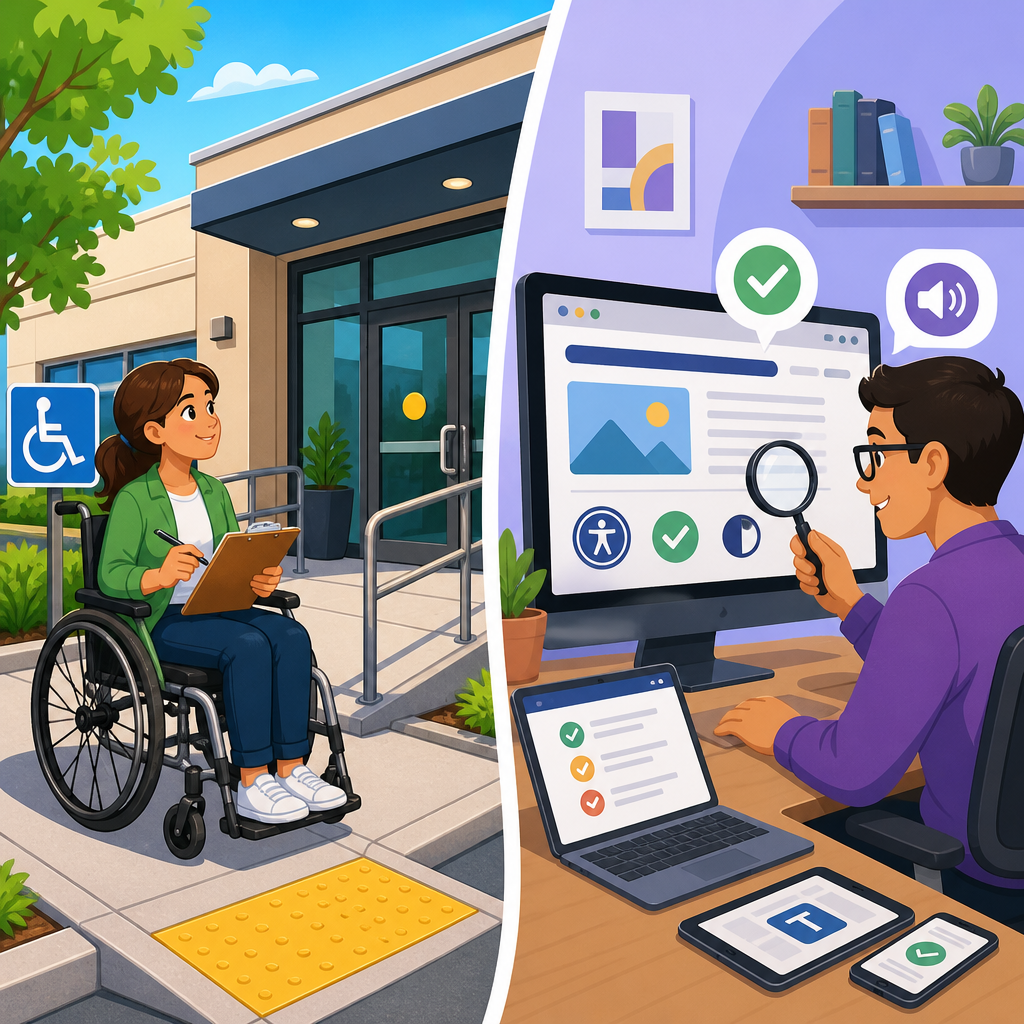
Facility ADA audits and digital accessibility audits serve the same legal and practical goal—equal access—but they examine very different environments, risks, and remediation paths. A facility ADA audit reviews the built environment, such as parking, entrances, restrooms, signage, service counters, and routes through a property, against standards in the 2010 ADA Standards for Accessible Design and related scoping requirements. A digital accessibility audit evaluates websites, mobile apps, PDFs, kiosks, and other digital touchpoints against technical criteria, most commonly the Web Content Accessibility Guidelines, to determine whether people with disabilities can perceive, operate, understand, and reliably use the content.
This distinction matters because organizations often assume that compliance in one domain covers the other. It does not. I have worked with teams that spent heavily upgrading ramps, door hardware, and restroom clearances, then discovered their appointment scheduler could not be used with a keyboard or screen reader. I have also seen the reverse: a company with strong web accessibility controls still failed a site visit because accessible parking signage, slopes, and entrance hardware did not meet requirements. Accessibility is ecosystem-wide. Customers, patients, students, tenants, and employees move between physical and digital channels constantly, and barriers in either space break the experience.
Understanding what each audit covers is essential for risk management, budgeting, procurement, and implementation. An ADA audit is not a single checklist. It is a structured review of assets, standards, user journeys, exceptions, and remediation priorities. In practice, strong compliance programs treat facility accessibility and digital accessibility as connected workstreams under one governance model. That approach creates cleaner policies, better vendor accountability, and faster fixes. This hub article explains the scope of facility ADA audits, the scope of digital accessibility audits, the tools commonly used, where organizations make mistakes, and how to decide what to audit first. If you manage compliance and implementation, this is the foundation page for understanding ADA audits and compliance tools across the full customer experience.
What a facility ADA audit covers
A facility ADA audit examines whether a physical site can be approached, entered, navigated, and used by people with a wide range of disabilities. The review usually starts outside the building. Auditors assess accessible parking counts, access aisles, signage placement, curb ramps, passenger loading zones, exterior routes, surface conditions, and slope measurements. They then move to entrances, checking door clear widths, threshold heights, maneuvering clearance, opening force where applicable, hardware operability, and whether an accessible route connects arrival points to primary entrances.
Inside the building, the audit expands to circulation paths, elevators, stairs, reception desks, transaction counters, restrooms, fitting rooms, assembly seating, drinking fountains, alarms, and wayfinding signage. Measurements matter. Small deviations can create substantial barriers: a toilet paper dispenser in the wrong location, a sink with insufficient knee clearance, or a protruding object in a corridor can all affect usability and compliance exposure. Depending on the site type, the audit may also include guest rooms, patient rooms, classrooms, employee work areas, dining areas, recreational amenities, or self-service machines.
Facility audits typically rely on field measurements, plan review, photographs, interviews, and observations of use conditions. In my experience, this is where context is critical. A technically compliant feature can still be ineffective if daily operations undermine it. For example, an accessible route may be blocked by merchandise, a lowered counter may be used for storage, or an automatic door may be switched off to manage HVAC costs. A useful audit therefore documents both construction conditions and operational barriers.
What a digital accessibility audit covers
A digital accessibility audit evaluates whether digital content and software can be used by people who rely on assistive technologies or alternative input methods. The scope usually includes public websites, authenticated portals, web applications, mobile apps, documents such as PDFs, online forms, media players, and sometimes hardware interfaces like kiosks. The benchmark most often used is WCAG 2.1 or 2.2 at Level A and AA, because those criteria provide the clearest testable standard for digital accessibility programs.
The audit checks issues such as keyboard access, focus order, visible focus indicators, semantic headings, alternative text, form labels, error identification, color contrast, resize and reflow behavior, captioning, transcripts, link purpose, status messages, modal dialog behavior, and compatibility with screen readers such as JAWS, NVDA, and VoiceOver. Mobile reviews also consider screen orientation, target size, gesture alternatives, and support for platform accessibility features on iOS and Android. Document audits examine tagged PDF structure, reading order, heading hierarchy, table markup, form fields, bookmarks, and image descriptions.
Automated scanning is part of the process, but never the whole process. Tools like axe, WAVE, Lighthouse, Accessibility Insights, and Siteimprove catch recurring code-level patterns quickly, yet they do not determine whether a checkout flow is understandable, whether alt text is meaningful, or whether focus management makes sense in a single-page application. Manual testing remains essential. On mature audits, teams pair code inspection with user journey testing and assistive technology testing so findings reflect real barriers, not just abstract defects.
Key differences in standards, methods, and outputs
The biggest difference between the two audit types is the nature of the standard and evidence. Facility audits are grounded in architectural and scoping requirements: dimensions, mounting heights, turning radius, clear floor space, route continuity, and specific fixture placement. Digital audits are grounded in interaction design and code behavior: whether content can be perceived, whether controls are operable, whether workflows are understandable, and whether interfaces remain robust across browsers and assistive technologies.
That leads to different audit methods. A facility audit requires tape measures, digital levels, slope meters, camera documentation, construction drawings, and knowledge of alterations, safe harbor concepts, and barrier removal priorities. A digital audit requires browser dev tools, code inspection, accessibility scanners, screen readers, keyboard-only navigation, mobile accessibility settings, and component-level testing in states such as hover, focus, error, success, and timeout conditions. One assesses the built environment; the other assesses interaction architecture and content implementation.
The outputs differ too. Facility reports typically include site maps, annotated photos, measured deficiencies, applicable citation references, and remediation recommendations tied to capital planning. Digital reports often include issue severity, affected templates, code snippets, WCAG references, replication steps, screenshots, and development guidance for designers, developers, QA teams, and content authors. Both should prioritize risk, but digital findings usually lend themselves to sprint-based fixes, while facility findings often depend on budgets, permits, construction sequencing, and lease responsibilities.
| Area | Facility ADA Audit | Digital Accessibility Audit |
|---|---|---|
| Primary assets reviewed | Parking, entrances, routes, restrooms, counters, signage, amenities | Websites, apps, PDFs, forms, media, portals, kiosks |
| Main standards used | 2010 ADA Standards, applicable code and scoping rules | WCAG 2.1/2.2 Level A and AA, platform guidance |
| Core methods | On-site measurements, observation, plan review, photos | Automated scans, manual testing, screen readers, keyboard testing |
| Typical findings | Slope, clearance, signage, reach range, fixture placement issues | Contrast, focus, labels, alt text, heading, error handling issues |
| Remediation path | Construction, reconfiguration, maintenance, operational changes | Code fixes, design changes, content updates, vendor remediation |
Where the two audits overlap in real operations
Although the scopes differ, facility and digital accessibility audits overlap in the way people actually experience services. Consider a medical clinic. A patient may reserve an appointment online, complete intake forms on a phone, arrive by car, use accessible parking, locate signage, check in at a kiosk, and review discharge instructions in a PDF. If any one of those touchpoints fails, access is interrupted. The clinic therefore needs an accessibility program, not isolated projects.
Overlap is especially visible in service design. A retail store may have a compliant entrance but an inaccessible digital coupon app. A university may offer captioned lectures online but require students to navigate a confusing wayfinding system on campus. A hotel may provide roll-in showers in some rooms but publish inaccessible booking flows that do not expose room features clearly. These are not edge cases. They are common implementation gaps caused by separate ownership: facilities, IT, marketing, procurement, and operations often manage accessibility independently.
The most effective organizations create one governance structure with two technical tracks. They standardize issue intake, assign accountable owners, use shared severity definitions, and maintain one remediation roadmap. That model helps procurement too. Lease language, construction contracts, CMS implementations, third-party widgets, and software purchasing decisions should all include accessibility requirements and testing expectations. Accessibility failures often enter through vendors, not internal teams.
Common compliance tools and how to use them well
Compliance tools are only as useful as the process around them. For facility audits, common tools include digital levels for ramp and cross-slope measurement, laser distance meters, door force gauges where relevant, plan markups, and photographic documentation software. Teams also use prioritized remediation matrices that rank findings by life safety, route continuity, customer impact, employee impact, cost, and whether the barrier can be removed through maintenance rather than construction. A good facility toolset supports consistency across sites, especially for chains, campuses, and multi-tenant portfolios.
For digital audits, scanners such as axe DevTools, WAVE, Siteimprove, Deque WorldSpace, and Lighthouse help identify missing labels, contrast failures, empty buttons, and structural errors at scale. They are valuable for continuous monitoring and regression detection, but they should feed into a broader testing protocol. Manual scripts should cover key user journeys: account creation, search, filtering, purchase, scheduling, form completion, document download, video playback, and customer support contact. Design systems should also be tested component by component so defects are removed upstream before teams replicate them across pages.
Reporting matters as much as detection. The best audit programs tie findings to owners, standards, assets, deadlines, and proof of remediation. In practice, that means using ticketing systems like Jira or Azure DevOps for digital issues and capital planning systems or facilities work-order platforms for built-environment fixes. Evidence should be clear enough that a developer or contractor can act without guesswork. Vague findings delay remediation and increase retesting costs.
How to prioritize audits and build a practical roadmap
If an organization has never audited accessibility comprehensively, the first step is scoping by risk and volume. Start with the highest-traffic facilities and the highest-value digital journeys. For a hospital, that means emergency entrances, parking, registration, patient portals, appointment scheduling, and discharge documents. For a retailer, focus on store entrances, restrooms, fitting rooms, checkout counters, ecommerce navigation, product pages, cart, and checkout. For a university, audit admissions, course registration, financial aid, classroom buildings, residence halls, and campus wayfinding together.
Then separate quick wins from structural remediation. Quick wins in facilities might include replacing signage, adjusting furniture placement, correcting blocked routes, or lowering accessories where feasible. Structural issues such as restroom reconfiguration or ramp reconstruction require design and capital planning. Quick wins in digital work may include fixing alt text, labels, headings, and contrast within weeks, while platform-level issues such as inaccessible date pickers, custom dropdowns, or PDF generation workflows need deeper engineering changes.
A practical roadmap also defines cadence. Facilities should be reassessed after renovations, tenant changes, or policy changes that affect use. Digital properties require more frequent review because code changes constantly; quarterly monitoring plus release-based testing is common. The core principle is simple: audit what people use most, fix what blocks access first, and institutionalize accessibility in design, procurement, and maintenance so the same issues do not return.
Facility ADA audits and digital accessibility audits are complementary, not interchangeable. One measures whether people can access and use physical spaces; the other determines whether they can access and use digital services, content, and tools. Both are essential because modern customer journeys cross parking lots, front desks, websites, mobile apps, kiosks, and documents without clear boundaries. Treating accessibility as only a facilities issue or only a web issue leaves preventable gaps.
The most reliable compliance programs understand scope, use the right standards, and apply the right tools. Facility audits depend on precise field measurement, operational observation, and remediation planning tied to the built environment. Digital audits depend on automated testing, expert manual review, assistive technology checks, and repeatable workflows inside design and development. When these efforts are governed together, organizations reduce legal exposure, improve usability, and create more resilient service delivery across every channel.
If you are building a compliance and implementation program, use this page as your hub: inventory your physical and digital assets, identify the highest-risk journeys, and schedule both types of audits with clear ownership. That is how accessibility moves from reactive fixes to durable operational practice.
Frequently Asked Questions
What is the main difference between a facility ADA audit and a digital accessibility audit?
A facility ADA audit focuses on the physical, built environment, while a digital accessibility audit examines online and software-based experiences. In a facility audit, the reviewer looks at things people encounter on-site, such as accessible parking, curb ramps, exterior and interior routes, door clearances, reception areas, restrooms, signage, seating, service counters, and other architectural features. The goal is to determine whether the property aligns with the 2010 ADA Standards for Accessible Design and applicable scoping and technical requirements.
A digital accessibility audit, by contrast, evaluates how accessible a website, mobile app, PDF, kiosk interface, or other digital asset is for people with disabilities. That includes reviewing keyboard access, screen reader compatibility, heading structure, form labels, color contrast, captions, alternative text, focus order, error identification, and document accessibility. In practice, both audits support the same broader objective of equal access, but they address very different environments, barriers, testing methods, and remediation workflows.
Another important distinction is how barriers are discovered and documented. Physical audits often involve measurements, site observations, photos, and comparisons to dimensional standards. Digital audits typically combine automated scanning with manual expert testing and assistive technology testing. So while both are compliance and risk-management tools, one is centered on the property itself and the other on the user experience across digital platforms.
What does a facility ADA audit typically cover?
A facility ADA audit typically covers the paths and features a person uses to arrive at, enter, move through, and use a property. That usually starts with the site exterior, including parking lots, access aisles, passenger loading zones, curb ramps, sidewalks, and the route from parking or public transportation stops to the entrance. Auditors review whether these elements are provided in the right quantity, location, slope, width, and configuration, and whether they remain usable in real conditions.
From there, the audit generally moves to entrances and interior circulation. That includes door hardware, opening force, thresholds, vestibules, hallways, ramps, elevators, stairs, floor surfaces, protruding objects, and route continuity. Public-facing spaces are also reviewed, such as lobbies, reception desks, waiting areas, dining areas, meeting rooms, retail aisles, dressing rooms, restrooms, drinking fountains, and service counters. Signage, including room identification and directional signage, is commonly evaluated as well.
A thorough facility audit does more than identify obvious issues. It typically distinguishes between readily achievable barrier removal in existing facilities, alterations that may trigger additional obligations, and areas where design, construction, or maintenance conditions create usability problems. The final report often prioritizes findings by severity and legal significance, includes photos and measurements, and outlines corrective actions so owners, operators, architects, and facilities teams can plan remediation in a practical sequence.
What does a digital accessibility audit usually include?
A digital accessibility audit usually includes a structured review of websites, mobile applications, web-based tools, forms, and digital documents such as PDFs. The audit is often benchmarked against recognized accessibility standards, most commonly the Web Content Accessibility Guidelines, and it evaluates whether users with disabilities can perceive, operate, understand, and robustly interact with the content. Unlike a simple scan, a true audit looks beyond code errors to actual usability barriers.
Key review areas often include keyboard navigation, screen reader compatibility, semantic structure, page titles, headings, landmarks, link purpose, image alternative text, form instructions and error messaging, modal dialogs, dropdown menus, carousels, media captions, transcripts, color contrast, reflow on smaller screens, zoom behavior, and touch target accessibility on mobile devices. For PDFs and downloadable documents, the audit may examine tagging, reading order, heading hierarchy, table structure, alt text, form fields, and whether the document is usable with assistive technology.
Most digital accessibility audits combine automated testing tools with manual expert review because automated tools can only detect a portion of issues. Auditors often test with assistive technologies such as screen readers and keyboard-only navigation to confirm real-world usability. The resulting deliverable typically includes issue descriptions, affected pages or templates, severity levels, references to relevant success criteria or technical standards, and recommended fixes for developers, designers, content teams, and document authors.
Why would an organization need both types of audits instead of just one?
An organization may need both because equal access obligations rarely stop at either the front door or the homepage. Many businesses, schools, healthcare providers, hospitality groups, municipalities, and multi-location brands serve people through a blend of physical spaces and digital channels. A customer might reserve services online, complete forms on a mobile device, arrive at a property, navigate signage, use a restroom, and interact with staff at a service counter. If only one environment is audited, major access barriers can still remain in the overall customer journey.
There is also a risk-management reason to address both. Facility barriers and digital barriers can each create legal exposure, customer complaints, lost business, reputational harm, and operational inefficiencies. For example, a hotel may have accessible guest rooms but an inaccessible booking engine, or a medical office may have an accessible website but inaccessible parking and restrooms. In either case, the organization has not delivered meaningful access from start to finish.
From a practical standpoint, conducting both audits helps leadership prioritize resources more intelligently. It allows teams to see where problems are architectural, technological, procedural, or content-related, and to assign remediation to the right internal owners or outside specialists. The result is a more complete accessibility strategy—one that supports compliance, improves user experience, and reduces the chance that accessibility work happens in silos.
What should you expect in the audit report and remediation process for each?
For a facility ADA audit, you should expect a report that identifies barriers by location and building element, explains why each issue matters, and ties the finding to relevant accessibility standards. Strong reports usually include photos, measurements, notes about existing conditions, and a prioritized remediation roadmap. Some findings may be simple maintenance or operational fixes, while others may require design changes, construction work, permitting, or coordination with architects and contractors. Costs, sequencing, and feasibility are often important parts of the conversation after the audit is complete.
For a digital accessibility audit, the report should clearly document each issue, where it occurs, which users may be affected, and how it relates to specific accessibility requirements or best practices. Detailed remediation guidance is especially important because digital fixes often involve multiple teams, including developers, UX designers, QA testers, content editors, and PDF creators. In mature programs, findings are grouped by severity, component, template, or platform so teams can resolve root causes rather than patching isolated pages one by one.
In both cases, remediation is not just about producing a list of defects. The most effective process includes prioritization, assignment of responsibility, timelines, verification testing, and follow-up review. For facilities, that may mean re-inspection after construction or barrier removal. For digital assets, that usually means retesting after code and content updates. Organizations should also expect recommendations for sustaining accessibility over time, such as maintenance practices, procurement standards, staff training, and periodic re-audits to prevent barriers from returning.





