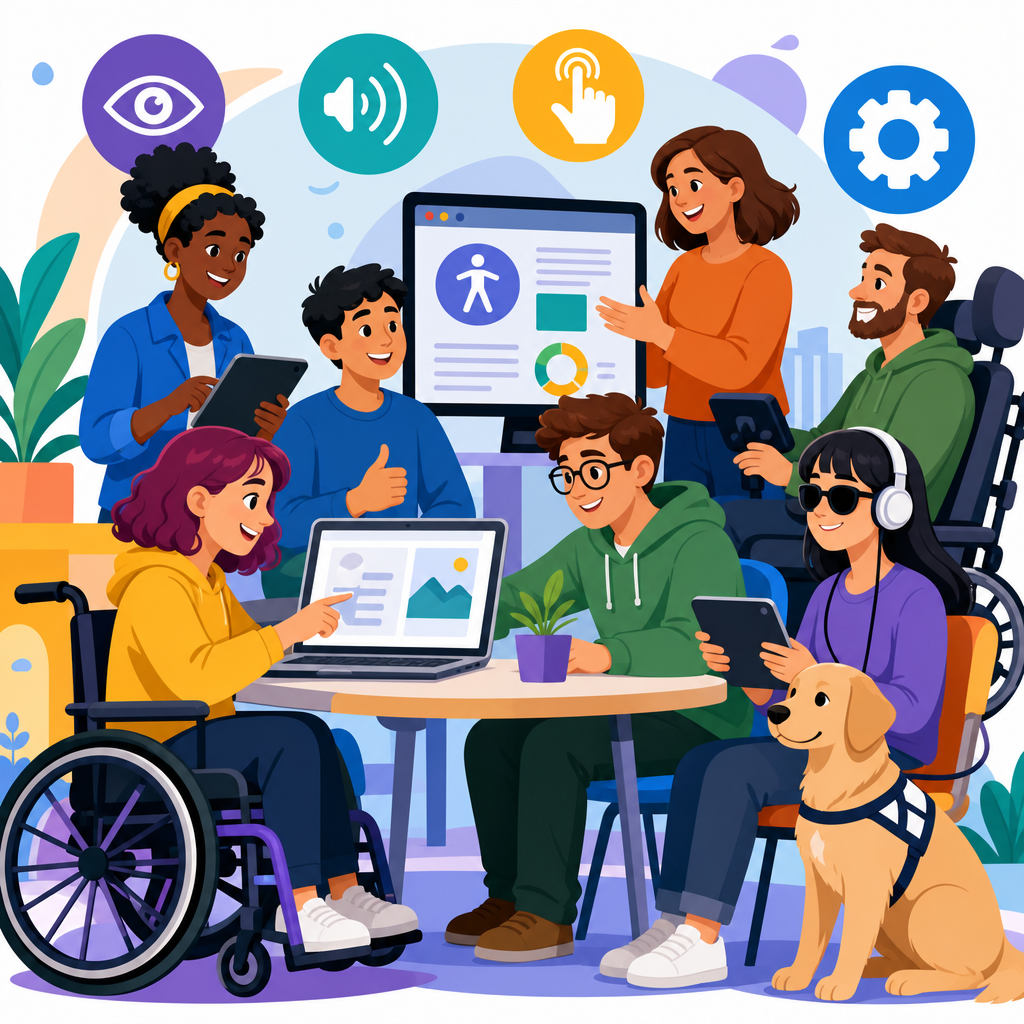
Accessible technology succeeds when teams design for real human variability instead of an imaginary average user. In practice, that means products, services, and digital environments that people with disabilities can perceive, understand, navigate, and operate with dignity and independence. The field spans software, hardware, public kiosks, classrooms, workplaces, transport systems, healthcare devices, and consumer apps. When I have worked on accessibility programs, the most effective projects did not begin with compliance checklists alone. They began with a sharp question: what barrier prevents a person from completing a task, and how can technology remove it without creating a new one?
That question matters because disability is common, permanent for some users, temporary for others, and situational for nearly everyone. A broken arm, bright sunlight, a noisy train, cognitive overload, aging vision, and limited bandwidth can all turn thoughtful accessibility features into mainstream usability wins. Standards such as the Web Content Accessibility Guidelines, Section 508 in the United States, EN 301 549 in Europe, and platform guidance from Apple, Google, and Microsoft provide the technical baseline. Yet the strongest evidence comes from case studies: projects that improved access, adoption, satisfaction, and business performance at the same time.
This hub article examines successful accessible technology projects across major contexts and explains why they worked. It also serves as a map for the broader topic of innovative solutions in technology and accessibility, connecting product design, procurement, testing, training, governance, and measurement. You will see recurring patterns: early involvement of disabled users, executive sponsorship, clear success metrics, and iterative delivery. You will also see an important truth that teams sometimes miss: accessibility is not a feature added at the end. It is a quality attribute that shapes architecture, content strategy, component libraries, and support models from the start.
By the end, you should understand what distinguishes cosmetic accessibility efforts from durable, scalable programs. If you are planning a redesign, evaluating assistive technology, building a design system, or modernizing a public service, these examples show where innovation creates measurable value.
Public sector and civic services: designing for inclusion at scale
Government services are a revealing test of accessible technology because the audience is broad, the tasks are high stakes, and exclusion has legal and social consequences. One of the clearest case studies is the GOV.UK design system and service model. The United Kingdom’s Government Digital Service standardized accessible components, plain language patterns, and iterative user research across departments. Instead of every team inventing forms, error messages, accordions, and navigation independently, GOV.UK created reusable patterns tested with assistive technologies and real users. That reduced duplicated effort and made accessibility a shared infrastructure decision rather than a last minute patch.
The success factors were concrete. Teams used semantic HTML first, preserved keyboard operability, defined color contrast requirements, wrote descriptive labels, and validated task completion through moderated testing that included screen reader users and people with cognitive impairments. The result was not simply a more compliant website. It was faster completion of essential tasks such as applying for services, checking guidance, and submitting forms. Public service organizations that adopted similar design system models repeatedly found lower maintenance costs because fixes made once in the component library improved many services at once.
A related civic example comes from transit agencies deploying accessible ticketing kiosks and mobile trip planning tools. Agencies that paired tactile controls, text to speech output, high contrast screens, captioned help content, and reliable wheelchair routing data saw stronger self service usage. In one procurement I evaluated, the crucial lesson was that kiosk hardware and software had to be specified together. A perfectly accessible interface on paper failed in the field when headphone jacks were badly placed and reach ranges ignored wheelchair users. Successful projects translated standards into operational acceptance tests performed in stations, not just labs.
Education technology: accessible learning improves outcomes for everyone
Education technology projects often expose the difference between retrofitting and inclusive design. A strong case study pattern comes from universities that replaced fragmented course tools with learning platforms configured for accessible content creation from the start. When institutions deploy captioning workflows, accessible document templates, structured headings, keyboard friendly discussion tools, and math content that works with screen readers, students stop relying on individual accommodations for problems that should never have existed. That shift matters because accommodation alone is reactive, while accessible course design is preventive and scalable.
Microsoft’s Immersive Reader is a useful example of innovation that crossed from disability support into mainstream adoption. Its line focus, read aloud, spacing controls, translation, and grammar highlighting were designed to reduce reading barriers for learners with dyslexia, emerging language skills, or attention differences. In practice, teachers also used it for students without diagnosed disabilities because it improved comprehension and reduced friction. The lesson is important for any technology and accessibility strategy: features built for edge cases often become widely valued when integrated cleanly into the core experience.
Another instructive example involves automatic captioning in lecture capture systems. Institutions that treated auto captions as final output frequently failed quality expectations, especially for technical vocabulary, names, and accented speech. The successful projects built an editing step into the workflow, prioritized high enrollment and public facing content, and trained staff on transcript correction. Accuracy rose, search within video improved, and students gained study materials they could skim quickly. Accessibility delivered direct educational benefit while also supporting retention and flexible learning.
Workplace technology and enterprise systems: accessibility as operational resilience
Enterprise accessibility is often judged by whether employees can complete everyday work in the tools the organization requires. A practical case study comes from companies that remediated internal design systems and productivity workflows rather than chasing one application at a time. When buttons, form fields, modals, charts, and notifications are accessible in the shared component library, product teams ship usable interfaces faster and with fewer regressions. I have seen organizations cut remediation backlogs substantially once accessibility requirements were embedded in Figma libraries, coded components, linting rules, and continuous integration checks.
Microsoft’s steady integration of accessibility across Windows, Office, Teams, and Azure demonstrates why platform level investment matters. Features such as Narrator improvements, live captions, accessibility checkers, dictated input, keyboard shortcuts, and contrast themes are not isolated add ons. They are operational enablers that help employees collaborate in meetings, review documents, and manage cloud systems. The broader business case is straightforward: if internal tools exclude staff, productivity, recruitment, retention, and legal risk all suffer.
Call centers and customer support platforms provide another revealing example. Teams that introduced real time transcription, accessible knowledge bases, and agent desktops optimized for keyboard use reduced average handling time for some tasks while making work more sustainable for employees with hearing, motor, or vision impairments. The best programs tracked metrics that leaders already respected: task completion, error rates, support ticket volume, training time, and employee satisfaction. Accessibility gained traction because it was measured as business performance, not charitable intent.
Consumer products and mobile apps: innovation that reaches millions
Some of the most influential accessible technology projects are consumer facing because they normalize inclusive features at scale. Apple’s VoiceOver, Switch Control, Magnifier, AssistiveTouch, and Live Speech show how deep platform integration can unlock whole categories of use. The company’s strength has been consistency: accessibility settings are discoverable, available across devices, and supported by developer APIs that encourage third party adoption. That ecosystem effect matters. When platform conventions are clear, app teams can build accessible experiences without reinventing every interaction pattern.
Google’s Lookout, Live Transcribe, TalkBack, and Guided Frame offer a complementary model grounded in computer vision, speech recognition, and Android reach. Live Transcribe, for example, transformed spoken conversation into on screen text with low latency, helping deaf and hard of hearing users in shops, classrooms, and meetings. The innovation was not speech recognition alone; it was packaging that capability into a mobile interaction simple enough for daily use. Similarly, camera based object recognition becomes valuable only when output is timely, understandable, and respectful of confidence limits.
Be My Eyes is another standout case study because it connects human assistance with accessible interface design. Blind and low vision users can reach volunteers or company support teams through a streamlined mobile experience. The app succeeded because it solved a narrow, urgent problem well: getting quick visual help in real contexts such as reading labels, checking appliance settings, or navigating unexpected obstacles. As generative AI and image description features expand, the lesson remains the same. Users trust systems that clearly communicate what the tool can and cannot do.
Healthcare and assistive technology: high stakes, higher standards
Healthcare projects reveal accessibility’s ethical and safety dimensions. Patient portals, telehealth systems, home monitoring devices, and hospital kiosks all influence whether people can obtain care independently. Successful telehealth accessibility programs addressed basics that many early platforms missed: keyboard support, captioned video, compatibility with screen readers, interpreter workflows, and pre visit technical checks in plain language. During rapid pandemic deployment, some providers learned the hard way that a video platform is not accessible simply because it supports video. Appointment reminders, consent forms, waiting rooms, and after visit summaries all had to be usable too.
Assistive technology case studies also show the importance of interoperability. Modern hearing aids that stream audio from smartphones, eye tracking communication devices linked with tablets, and refreshable braille displays connected to mainstream computers succeed when standards and platform support align. Procurement teams sometimes focus narrowly on device features, but long term success depends on updates, battery life, training, repair logistics, and compatibility with the broader digital environment.
| Project type | Key innovation | Why it succeeded | Main lesson |
|---|---|---|---|
| Government services | Accessible design system | Reusable tested components reduced repeated errors | Build accessibility into shared infrastructure |
| Education platforms | Captioning and reading supports | Helped both disabled and non disabled learners | Inclusive features often become universal benefits |
| Enterprise tools | Accessible component libraries and checks | Improved delivery speed and reduced remediation backlog | Operationalize accessibility in the workflow |
| Mobile consumer apps | Platform integrated assistive features | Consistency and developer support drove adoption | Ecosystems matter as much as features |
| Healthcare systems | Accessible telehealth and interoperable devices | Protected independent access to essential services | High stakes contexts require end to end testing |
What successful accessible technology projects have in common
Across sectors, the same implementation patterns appear again and again. First, successful teams involve disabled users early and repeatedly. They do not wait for final acceptance testing. Discovery research, prototype reviews, beta programs, and support feedback all surface different issues. Second, strong projects define accessibility in measurable terms: task success, severity thresholds, compatibility matrices, reading level targets, caption accuracy, and defect resolution times. Third, they integrate accessibility into governance through procurement language, design reviews, automated testing, and release criteria.
Tooling helps, but tools are not enough. Axe, Lighthouse, Accessibility Insights, WAVE, JAWS, NVDA, VoiceOver, TalkBack, and browser developer tools catch many issues, yet they cannot judge whether instructions are understandable, whether focus order matches user intent, or whether a voice prompt makes sense in a noisy station. The best teams combine automated checks, expert audits, and hands on usability testing. They also maintain a clear exception process so unresolved issues are documented, prioritized, and revisited rather than quietly ignored.
Another common factor is content discipline. Many failed projects had technically sound code but inaccessible documents, vague link text, unlabeled charts, image only PDFs, or videos without captions. Successful programs treat content operations as part of accessibility, not an afterthought owned by no one. Editorial teams use templates, alt text guidance, glossary control, and readability standards because users experience the whole service, not just the interface shell.
How to apply these lessons in your own technology and accessibility strategy
If you are building a hub around innovative solutions in technology and accessibility, start with an honest maturity assessment. Review policies, procurement requirements, design standards, testing coverage, support processes, and training. Identify the highest impact user journeys, especially those tied to revenue, legal obligations, learning outcomes, employment, or health. Then prioritize foundational investments: accessible design systems, captioning workflows, document standards, research panels that include disabled participants, and issue tracking that records accessibility defects visibly.
Next, create linked topic clusters around your core needs. For example, deeper articles can cover accessible mobile app development, assistive technology compatibility, inclusive content design, procurement checklists, WCAG testing methods, accessible AI interfaces, and case studies by sector. That structure helps readers move from strategy to execution while reinforcing the authority of the hub page. Most importantly, assign ownership. Accessibility programs fail when everyone supports them in theory and no one controls timelines, budgets, and acceptance criteria in practice.
The strongest case studies prove that accessible technology is not a niche concern or a branding exercise. It is a disciplined way to build products and services that work better for more people under more conditions. Organizations that treat accessibility as a core quality standard gain wider reach, lower friction, stronger compliance, and better user trust. Use these examples as a blueprint, then test relentlessly in your own context. The next successful accessible technology project should be yours.
Frequently Asked Questions
What makes an accessible technology project truly successful?
A successful accessible technology project does more than pass a checklist or meet a compliance requirement. It solves real problems for real people in ways that are usable, dependable, and respectful. The strongest case studies usually share a few traits: accessibility is considered from the beginning, disabled users are involved throughout the process, and teams measure success by outcomes such as task completion, independence, satisfaction, and reduced friction. In other words, success is not just whether a feature exists, but whether people can actually use it confidently in everyday contexts.
Another defining factor is that the project is built around human variability instead of an assumed “average” user. That means acknowledging differences in vision, hearing, mobility, cognition, speech, language, attention, and sensory processing. Successful teams design systems that work across screen readers, keyboard-only navigation, captions, voice control, alternative input devices, high-contrast settings, and flexible content layouts. They also recognize that accessibility improves resilience for everyone, including people in noisy environments, low-light conditions, temporary injuries, or high-stress situations.
The best projects also treat accessibility as an operational practice, not a one-time fix. In strong examples, design systems include accessible components, developers follow tested patterns, content teams write clearly, QA validates assistive technology support, and leadership allocates budget and accountability. When these elements are in place, accessibility becomes sustainable. That is why the most compelling case studies are rarely about a single heroic redesign; they are about teams building repeatable ways to create inclusive products over time.
Why are user-centered case studies so important in accessible technology?
User-centered case studies matter because they show what accessibility looks like in practice rather than in theory. Standards and guidelines are essential, but they do not fully capture the lived experience of using a product with a screen reader, switch device, magnifier, captions, or cognitive support needs. A case study grounded in real users reveals the gap between technical intent and actual usability. It demonstrates whether people can complete meaningful tasks, recover from errors, understand instructions, and maintain dignity and independence while using the technology.
These case studies are especially valuable because they surface problems teams often miss when designing in isolation. For example, an online form may appear compliant but still become exhausting if error messages are vague, focus order is confusing, or time limits create stress. A public kiosk may have an audio mode, yet still fail if headphone jacks are hard to locate or physical controls are positioned awkwardly. By documenting these details, user-centered case studies give organizations practical insight into what changes made the biggest difference and why.
They also help stakeholders connect accessibility to business and social outcomes. A strong case study can show reduced support requests, higher task completion rates, broader customer reach, improved employee productivity, or smoother service delivery. Just as importantly, it can show the human impact: students participating more fully in class, patients understanding health information independently, transit riders navigating with greater confidence, or employees using workplace tools without unnecessary barriers. That combination of evidence and lived experience makes user-centered case studies one of the most persuasive tools in accessibility work.
What types of accessible technology projects tend to produce the most compelling case studies?
The most compelling case studies usually come from projects where accessibility has a direct, visible effect on participation in daily life. Digital products such as websites, mobile apps, and enterprise software are common examples because improvements can be measured clearly through navigation success, content comprehension, and completion of important tasks. Projects involving customer portals, banking tools, e-commerce flows, educational platforms, and telehealth systems often stand out because accessibility barriers in these contexts can prevent people from learning, working, purchasing, or managing their health.
Physical and hybrid systems also produce powerful case studies. Public kiosks, ticketing systems, workplace devices, classroom technologies, transportation interfaces, and healthcare equipment can demonstrate how accessibility functions across touch, sound, visuals, spacing, posture, and environmental conditions. For instance, a transit information system with multimodal announcements, tactile controls, readable typography, and intuitive wayfinding can show how inclusive design reduces confusion for many different riders at once. These stories are compelling because they illustrate accessibility beyond the browser and into the full service experience.
Projects are especially strong when they involve systemic change rather than isolated patches. A redesign of a design system, a procurement policy that requires accessible vendor products, or a company-wide accessibility program can create a ripple effect across many teams and services. Those case studies are useful because they show how organizations move from reactive fixes to durable, scalable inclusion. Readers gain not just inspiration, but a model for implementation: governance, testing methods, cross-functional collaboration, training, and the metrics used to evaluate success over time.
How do successful teams measure the impact of accessible technology projects?
Successful teams measure impact using a combination of qualitative and quantitative evidence. On the quantitative side, they may track task completion rates, error frequency, abandonment rates, support ticket volume, time on task, conversion rates, employee efficiency, or adoption of assistive features. These metrics help show whether accessibility improvements are reducing friction and making key workflows easier to complete. For example, if a redesigned form results in fewer input errors and fewer calls to customer support, that is a meaningful indicator that the experience has become more usable.
Qualitative evidence is just as important because accessibility is not only about speed or efficiency. Teams often conduct usability studies with disabled participants, gather interview feedback, review satisfaction surveys, and document how people describe their confidence and comfort using the product. This feedback can reveal whether users feel in control, whether language is understandable, whether interaction patterns are predictable, and whether the overall experience supports independence. A product can technically function while still feeling stressful or demeaning; qualitative research helps teams identify and correct those gaps.
Mature organizations also evaluate process metrics. They examine whether accessibility was addressed in design reviews, whether reusable components meet standards, whether content authors follow clear guidance, and whether testing covers real assistive technology use. These internal measures are critical because they show whether improvements are likely to last. In strong case studies, impact is not framed as a one-time before-and-after story. It is presented as a continuing capability: the team has developed better methods, stronger accountability, and a clearer understanding of how to design for a wider range of users.
What lessons do the best accessible technology case studies usually teach other organizations?
The best case studies repeatedly teach that accessibility works best when it is integrated early and treated as a shared responsibility. When teams wait until the end of a project, they often discover expensive structural issues that are much harder to fix. By contrast, organizations that include accessibility in research, requirements, prototyping, design systems, development workflows, and quality assurance can address barriers before they become embedded. One of the most consistent lessons is that accessibility should not belong to a single specialist alone; product managers, designers, engineers, writers, testers, and leaders all shape the outcome.
Another major lesson is that direct involvement from disabled users is indispensable. Assumptions are unreliable, even when made with good intentions. Case studies often show that features expected to be helpful did not perform as intended, while smaller changes such as clearer headings, better focus management, simpler language, or more flexible timing had enormous impact. This is why participatory design, usability testing, and feedback loops are central to successful projects. Organizations learn that accessibility improves fastest when users are treated as expert contributors rather than after-the-fact validators.
Finally, the strongest case studies show that accessibility creates broader value. It improves clarity, consistency, resilience, and ease of use for many people beyond the original target audience. It can strengthen brand trust, reduce legal and operational risk, increase market reach, and improve employee and customer satisfaction. But the deepest lesson is cultural: accessible technology is not a niche effort or a special add-on. It is a practical and ethical approach to building products and services that recognize human diversity as normal. Organizations that understand this tend to produce the most sustainable and meaningful results.


