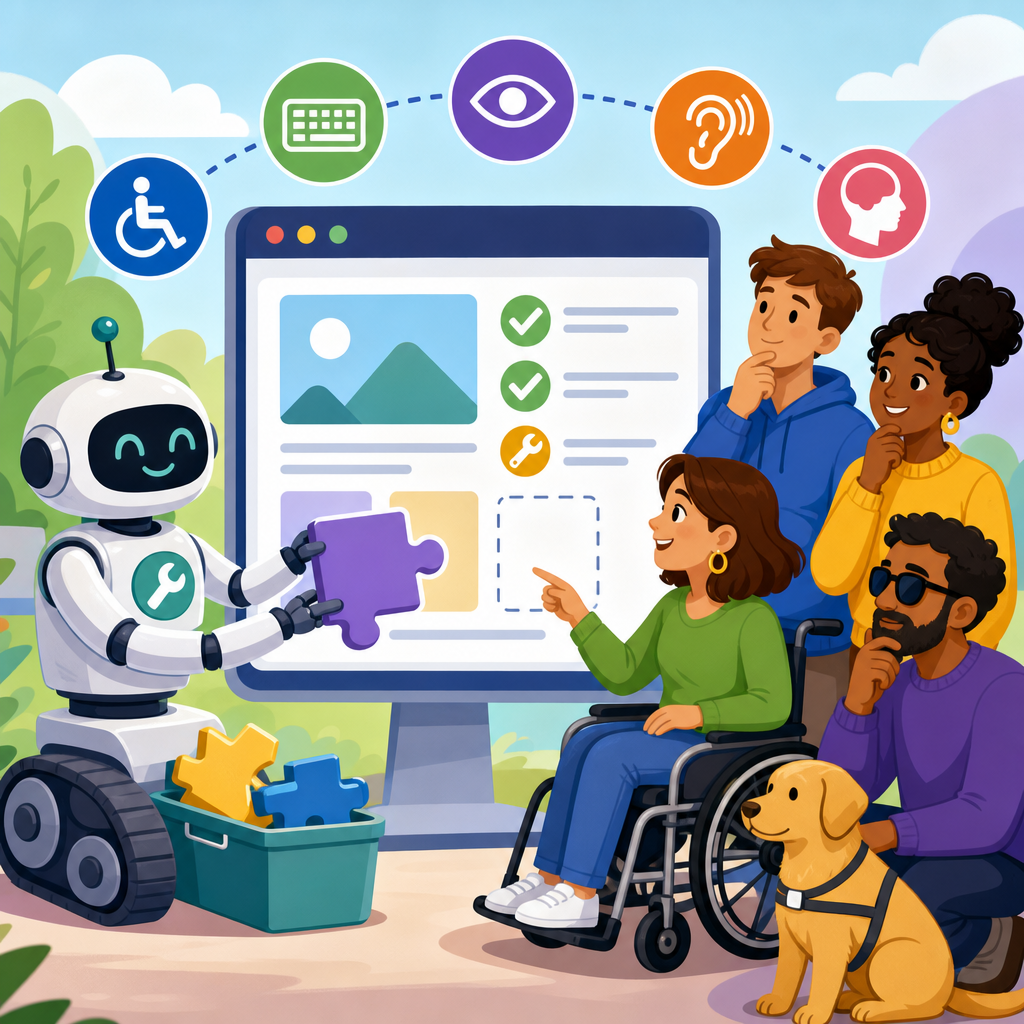
Automated accessibility remediation tools are now marketed as fast answers to digital compliance, yet the central legal and practical question remains the same: can software overlays, AI scanners, and one-click widgets satisfy accessibility duties under the ADA and related rules? In my experience auditing public websites, SaaS products, ecommerce stores, universities, and healthcare portals, the honest answer is no, not by themselves. They can help identify patterns, accelerate fixes, and support ongoing monitoring, but they do not replace accessible design, manual testing, or organizational responsibility. For companies evaluating AI and ADA risk, this distinction matters because regulators, plaintiffs, and disabled users judge outcomes, not marketing claims.
To discuss the issue clearly, it helps to define the main terms. Automated remediation tools generally fall into three groups: scanners that detect code errors, overlays that inject interface controls or alter presentation in the browser, and AI systems that attempt to rewrite labels, alt text, focus behavior, or semantic structure automatically. Accessibility duties refers to the obligation to provide equal access to goods, services, information, and digital experiences. In the United States, the ADA is the core federal civil rights law, while Section 508, state statutes, settlement agreements, and procurement rules often shape the practical benchmark. The benchmark most frequently used in audits, policies, and litigation is WCAG, especially WCAG 2.1 or 2.2 Level AA.
This topic matters because digital accessibility has moved from niche compliance work to board-level risk management. Courts continue to hear website accessibility claims. The Department of Justice has repeatedly stated that the ADA applies to the websites of public accommodations. The Department of Health and Human Services and the Department of Transportation have also increased attention to accessible digital services. At the same time, AI vendors are promising scalable accessibility improvements at a moment when design systems, headless CMS platforms, and rapid release cycles can produce thousands of pages and components. Decision-makers need a realistic framework: what automation can do well, where it fails, and how to build a defensible accessibility program that includes AI without delegating legal responsibility to it.
What automated remediation tools actually do
Most automated accessibility products combine three capabilities: detection, prioritization, and browser-side modification. Detection engines scan markup for known patterns such as missing form labels, empty buttons, color contrast failures, duplicate IDs, skipped heading levels, or missing document language. Prioritization layers then rank defects by severity, page traffic, or template reuse so teams can fix common components first. Some products stop there and behave like testing tools. Others go further by injecting JavaScript that changes the user interface after the page loads, for example by adding an accessibility toolbar, altering font size or contrast, attempting to trap focus in modals, or assigning ARIA attributes to elements dynamically.
AI-driven systems add another layer. They may generate alternative text for images using computer vision, classify page elements to infer intended semantics, or create natural-language labels for controls. In a recent ecommerce audit I worked on, an AI tool correctly identified decorative icons and suggested null alt attributes, which saved time. On the same site, however, it misread a product configuration button as a static label and created a role conflict that made the chooser harder to use with a screen reader. That pattern is common. Automation is strong at repetitive, deterministic checks and weak when the correct accessible behavior depends on business context, user intent, or custom interaction logic.
The practical takeaway is simple. Automated tools are useful instruments, not autonomous compliance agents. They can reduce backlog, spotlight regressions, and surface common failures across large codebases. They cannot reliably decide whether a checkout flow is understandable, whether focus order matches visual order after a responsive breakpoint, whether error messaging is meaningful, or whether a drag-and-drop interface has an equivalent keyboard method. Those issues require human judgment, code changes, and direct testing with assistive technologies.
The legal baseline: what the ADA requires in digital access
The ADA does not contain a line that says a website passes if an overlay is installed or fails if no scanner is used. The legal duty is broader: people with disabilities must have effective, equal access to covered goods and services. For web and app teams, that means the question is not whether a tool exists, but whether users can independently complete tasks such as searching products, booking appointments, filling forms, reading disclosures, viewing account data, or contacting support. If a remediation product leaves core journeys blocked, the organization still faces exposure.
Courts and enforcement agencies often look to WCAG as the technical yardstick because it offers testable success criteria around perception, operability, understandability, and robustness. WCAG is not perfect law in every context, but it is the dominant benchmark in settlements, consent decrees, procurement requirements, and corporate policies. That matters when evaluating vendor claims. A statement like “AI makes your site ADA compliant in 48 hours” should be treated skeptically because no tool can guarantee that every page, state, and user interaction satisfies WCAG Level AA, much less the broader civil rights obligation of equivalent access in practice.
There is also a responsibility issue that buyers sometimes overlook. Delegating remediation to a vendor does not transfer the duty to provide access. If the underlying product is inaccessible, or if the overlay breaks a screen reader workflow, the site owner remains accountable. This is similar to privacy and cybersecurity governance: third-party software may support compliance, but it does not absorb the legal obligation. For teams asking whether automated remediation tools satisfy accessibility duties, the dependable answer is that they may support compliance efforts, yet they do not discharge the duty on their own.
Where automation helps, where it fails, and how to use it safely
The strongest use cases for automation are broad scanning, regression detection, and component-level hygiene. Tools such as axe DevTools, WAVE, Lighthouse, Pa11y, and enterprise platforms can catch recurring defects early in development. They are especially effective when integrated into CI/CD pipelines, design system review, and issue tracking. I have seen teams cut repeat failures dramatically by blocking pull requests when obvious violations appear, then pairing those alerts with clear coding standards. Automation also works well for inventory management on large sites, helping teams identify which templates, PDFs, or forms create the greatest user impact.
The weakest use cases are the ones most often exaggerated in sales pitches. Automated tools cannot determine if generated alt text is accurate enough for a legal notice image, whether captions preserve speaker identification in training content, whether a symptom checker uses plain language, or whether a payment timeout warning is timed and announced appropriately. They also struggle with single-page applications that use custom controls, virtualized lists, and dynamic state changes. Browser overlays are particularly risky because they may conflict with assistive technology shortcuts, alter expected keyboard behavior, or mask source-code defects instead of fixing them.
| Task | Automation value | Human review still needed |
|---|---|---|
| Detect missing labels or low contrast | High | Confirm context, severity, and fix quality |
| Generate alt text for routine images | Medium | Verify accuracy, purpose, and exceptions |
| Repair keyboard flow in custom widgets | Low | Design, code, and screen reader testing required |
| Validate checkout, booking, or intake journeys | Low | Manual task testing with assistive technology required |
| Monitor regressions across releases | High | Review trends and prioritize remediation |
Using automation safely means keeping it in the right lane. Treat scanners as early warning systems and AI suggestions as drafts, not final truth. Require human acceptance criteria before production release. Test with keyboard only, screen readers such as NVDA, JAWS, and VoiceOver, and zoom and reflow conditions. Include disabled users in research for high-impact journeys. Most important, fix underlying code and design patterns rather than layering temporary browser tricks on top of inaccessible components.
Building an AI and ADA program that stands up to scrutiny
A durable accessibility program starts with governance, not widgets. Assign ownership across product, engineering, design, QA, procurement, legal, and customer support. Adopt a published standard, usually WCAG 2.2 Level AA for web content, then map that standard into design system requirements, coding checklists, procurement terms, and release gates. If AI tools are used, document exactly what they do, what they do not do, and how their output is reviewed. This record matters when responding to demand letters, customer complaints, or internal audit questions.
Training is equally important. Designers need to understand focus order, visible labels, target size, and color contrast. Engineers need to know semantic HTML, ARIA authoring practices, name-role-value requirements, and accessible error handling. Content teams need guidance on headings, link purpose, transcripts, and meaningful alt text. QA teams need repeatable keyboard and screen reader test scripts. When these disciplines work together, automated remediation becomes a support function instead of a false promise. In practice, the fastest path to lower risk is often fixing a small set of reusable components rather than running an overlay across thousands of pages.
Metrics should reflect user access, not just scan scores. Useful indicators include the percentage of critical user journeys manually tested each release, the number of open Level A and AA defects in production, mean time to remediate severe issues, component conformance rates in the design system, and complaint resolution time. Add procurement controls for third-party platforms, since inaccessible chat tools, payment providers, and document viewers often undermine otherwise solid programs. Finally, publish an accessibility statement with contact options and a process for prompt assistance. That does not replace compliance, but it demonstrates seriousness and helps surface real barriers quickly.
What organizations should do next
Automated remediation tools can play a meaningful role in digital accessibility, but they cannot, by themselves, satisfy accessibility duties. The ADA asks whether people with disabilities can actually use the service. WCAG provides the operational benchmark most organizations follow. Automation is valuable for finding recurring defects, accelerating triage, and monitoring change. It is not reliable as a stand-alone cure for inaccessible design, complex interactions, or content that requires context and judgment. That is the central lesson for any organization navigating AI and ADA obligations across websites, apps, documents, kiosks, and emerging digital interfaces.
If you are building the legal and technological frontiers roadmap for your organization, use this article as the hub principle: automate detection, not accountability. Start with a baseline audit, identify high-traffic and high-risk journeys, fix reusable components, and integrate testing into design and development workflows. Evaluate vendors carefully, ask for evidence, and reject absolute compliance guarantees. When AI is used, require human review and document your process. The benefit is not just reduced litigation risk. Accessible digital systems perform better for more users, support clearer design decisions, and create stronger, more resilient products. Review your current tools, compare them against your actual duties, and close the gap with code, process, and testing.
Frequently Asked Questions
Can automated remediation tools by themselves satisfy ADA accessibility duties?
No. Automated remediation tools, overlays, AI scanners, and one-click widgets generally do not satisfy accessibility duties on their own. They may help with certain technical issues, but they do not replace the underlying responsibility to make a website, application, or digital service genuinely accessible to people with disabilities. Under the ADA and related accessibility expectations, the real question is whether users with disabilities can access content, complete tasks, and use core functions effectively. A tool that sits on top of an inaccessible website does not automatically fix poor heading structure, broken keyboard flows, confusing forms, inaccessible documents, weak color contrast in custom components, missing focus management, or content that requires human judgment to remediate properly.
In practice, automated tools are best understood as assistive supports for an accessibility program, not as legal shields or full compliance solutions. They can detect recurring issues, speed up triage, and flag known code patterns, but they cannot reliably evaluate context, meaning, usability, or the lived experience of disabled users. If a checkout flow still traps keyboard users, a healthcare intake form still fails with screen readers, or a university portal still contains inaccessible PDFs and unlabeled controls, the presence of an overlay will not change the accessibility outcome. From both a legal and practical standpoint, organizations still need manual auditing, code remediation, design review, content governance, and testing with assistive technologies to meet their duties in a credible way.
What can automated accessibility tools actually do well?
Automated accessibility tools can be very useful when they are used for the right jobs. They are good at identifying repeatable, machine-detectable issues such as missing alternative text fields, empty links, certain color contrast failures, duplicate IDs, unlabeled form inputs in some cases, heading-order problems, and missing ARIA attributes where a rule engine can verify them. They can also help teams monitor large digital properties more efficiently, prioritize common defects, and catch regressions during development. For organizations managing large public websites, ecommerce platforms, SaaS applications, universities, or healthcare portals, this kind of automation can save real time and support a more scalable workflow.
They are also valuable in continuous integration and quality assurance. When integrated into design systems, development pipelines, and content publishing workflows, scanners can alert teams before known accessibility defects reach production. That is a meaningful benefit. However, their strength is pattern recognition, not full accessibility judgment. They cannot reliably determine whether alternative text is meaningful, whether link text makes sense out of context, whether a complex workflow is understandable, whether focus order matches user expectations, or whether a screen reader user can successfully complete a transaction. In other words, automation is helpful for detection and acceleration, but it is not sufficient for full evaluation or complete remediation.
Why are overlays and one-click accessibility widgets often criticized?
Overlays and one-click widgets are often criticized because their marketing claims can suggest a level of legal protection and functional accessibility that they do not consistently deliver. Many of these products promise fast compliance, instant fixes, or broad conformance through a script added to the site. In reality, many accessibility barriers exist in the source code, design patterns, content structure, and application logic. A surface-level widget cannot fully repair those deeper problems. If navigation is not keyboard accessible, modal dialogs are not announced properly, custom controls are coded incorrectly, or time-sensitive interactions create barriers, a widget usually cannot resolve the issue in a dependable way for all users.
Another reason for criticism is that some overlays can introduce new usability problems. They may interfere with native assistive technology, create duplicate controls, alter expected behavior, or shift responsibility away from fixing the actual product. Some users with disabilities actively avoid these tools because they prefer their own screen reader, browser settings, magnification tools, voice commands, or operating system accommodations. When an overlay forces a separate interface or changes behavior inconsistently, it can frustrate rather than help. The core concern is not that every automated feature is useless, but that no shortcut should be mistaken for real accessibility engineering, user-centered design, and direct remediation of barriers in the product itself.
If automation is not enough, what does a defensible accessibility strategy look like?
A defensible accessibility strategy is layered, ongoing, and rooted in actual product improvement. It usually begins with a recognized technical standard, most commonly WCAG, combined with a clear internal policy, ownership across teams, and a realistic remediation plan. Organizations should perform manual audits of key user journeys, including navigation, forms, authentication, purchasing, account management, document access, video playback, and mobile responsiveness. They should test with keyboard-only navigation, screen readers, zoom and reflow, color contrast tools, and other assistive technology scenarios relevant to their users. For high-impact environments such as education, healthcare, government-related services, and ecommerce, this level of review is especially important.
From there, the strategy should include fixing code issues at the source, improving component libraries and design systems, training developers and content authors, and creating governance so new barriers are not constantly reintroduced. Automated scans should still be part of the process, but as one layer among several. Organizations should also maintain an accessibility statement, provide a working feedback channel, respond to reported barriers promptly, and document remediation efforts over time. Perhaps most importantly, they should validate important workflows with disabled users or experienced accessibility testers. A strong accessibility posture is not built on a single tool; it is built on evidence that the organization is identifying barriers, fixing them, and making accessibility part of normal operations.
How should organizations talk about automated remediation tools without overstating their value?
Organizations should describe automated remediation tools honestly and precisely. A responsible message is that these tools can support accessibility efforts by identifying some issues, monitoring trends, and helping teams work faster, but they do not guarantee compliance, conformance, or usability on their own. Avoid statements that imply an overlay or scanner makes a site fully ADA compliant, instantly accessible, or lawsuit-proof. Those claims are difficult to defend and can create unnecessary risk if users continue to encounter barriers. Clear language builds credibility with customers, regulators, procurement teams, and disability communities.
The better approach is to position automation as one part of a broader accessibility program. For example, an organization can say it uses automated scanning to detect common issues, combines that with expert manual auditing, prioritizes fixes based on user impact, and tests important experiences with assistive technologies. That framing is accurate and much more sustainable. It reflects the reality that accessibility is an operational discipline rather than a one-time software purchase. When organizations are candid about what tools can and cannot do, they are more likely to invest in the practices that actually reduce barriers and better serve users.


