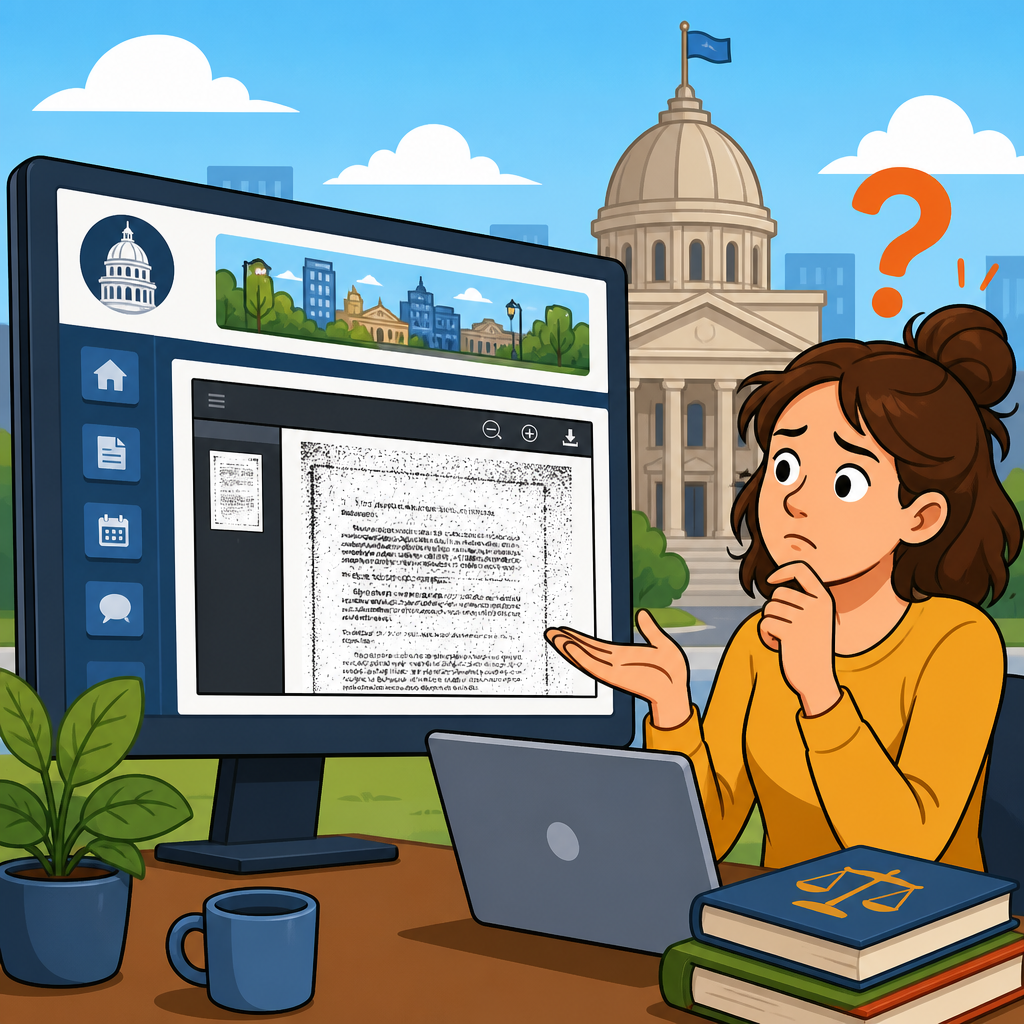
When a city website posts essential information only in unreadable scanned PDFs, the problem is not merely inconvenient design; it can be a legal access barrier that blocks residents from civic participation, public benefits, and equal treatment. In practice, I have seen this issue surface with meeting agendas, permit forms, police policies, zoning notices, and transportation updates. A scanned PDF is often just a picture of text. If it lacks optical character recognition, proper tagging, searchable text, headings, form labels, or keyboard support, many users cannot read or navigate it. That includes blind residents using screen readers, people with low vision who enlarge text, people with mobility impairments who rely on keyboard navigation, and users with cognitive disabilities who need predictable structure.
The rights that apply usually come from disability nondiscrimination law, public records and transparency rules, and in some cases language access and due process principles. For U.S. local governments, the Americans with Disabilities Act is central, especially Title II, which governs state and local government services, programs, and activities. Section 504 of the Rehabilitation Act may also apply when the city receives federal funding. Recent Department of Justice regulations have sharpened expectations for web and mobile accessibility, and courts have long treated inaccessible digital documents as potential barriers when they prevent meaningful access. This matters because cities increasingly deliver core functions online. If the only posted budget, application packet, or emergency order is unreadable, the digital barrier can have the same effect as a locked physical door.
This article serves as a hub for rights in action: how legal standards work in real municipal scenarios, what residents can document, where agencies often fail, and what practical remedies are available. The focus is not abstract compliance language. It is real-world application: a resident trying to review a council agenda before speaking, a parent needing a school transportation form, a tenant checking inspection rules, or an older adult reading a trash collection schedule. The key question is simple: if a city communicates online, must that communication be accessible? In most cases, yes. The harder questions involve scope, timelines, defenses, and how to push effectively for correction. Understanding those answers helps residents protect access and helps public entities avoid preventable legal risk.
What makes a scanned PDF unreadable, and why does that matter legally?
An unreadable scanned PDF is usually an image-based file created by scanning paper pages without converting the image into machine-readable text. Screen readers cannot reliably interpret image-only text unless optical character recognition has been applied well, and even then the document may still fail if it lacks tags, heading levels, reading order, alt text for figures, table structure, bookmarks, and labeled form fields. In Adobe Acrobat Pro, accessibility tools can quickly reveal common failures, but many municipal workflows still involve copier-to-PDF uploads with no remediation step. I have reviewed city document libraries where hundreds of forms were named only by date, had no titles, and were impossible to navigate by keyboard.
Legally, the issue matters because disability law focuses on equal and effective access, not just formal availability. A city may argue that the document exists online for everyone, but if a blind resident cannot read the file independently, access is not equal in any meaningful sense. The Department of Justice has repeatedly taken the position that public entities must ensure communications with people with disabilities are as effective as communications with others, subject to limited defenses such as fundamental alteration or undue financial and administrative burdens. Those defenses are narrow and require more than a vague claim that remediation takes time.
Scanned PDFs also create secondary barriers. Search engines cannot properly index image-only text, residents cannot search within the file for deadlines or addresses, and translation tools perform poorly. During emergencies, that delay can be serious. Imagine evacuation routes, boil-water notices, or cooling center information posted only as image scans. The legal analysis then intersects with public safety obligations and the city’s duty to provide program access in a timely way.
Which laws and standards usually apply to a city website?
For most U.S. city websites, the primary source of rights is Title II of the ADA, which covers all services, programs, and activities of state and local governments. The core rule is broad: a public entity cannot exclude qualified people with disabilities from participation in or deny them the benefits of its services. Courts and federal agencies have applied that principle to digital services for years. If the website is how residents obtain forms, read ordinances, pay bills, comment on planning proposals, or learn about public meetings, the website is part of the city’s program access obligations.
Section 504 of the Rehabilitation Act is often equally important because many local governments receive federal funds, directly or through agencies. Section 504 prohibits disability discrimination by recipients of federal financial assistance. In enforcement, Section 504 and the ADA often operate together. Depending on the city function involved, additional rules may matter. Public transit information may implicate transportation regulations. School district materials may raise education-specific obligations. Voting materials can trigger state election law requirements as well as federal disability access rules.
Technical standards are not themselves the whole law, but they are the clearest benchmark. The most commonly used yardstick is WCAG 2.1 Level AA, developed by the World Wide Web Consortium. Recent federal rules have moved decisively toward that standard for state and local government web content and mobile apps, with limited exceptions. In practical terms, if a scanned PDF fails basic text recognition, heading structure, contrast, focus order, and form labeling, it is almost certainly inconsistent with accepted accessibility practice.
| Issue on city site | Rights likely implicated | Typical fix |
|---|---|---|
| Image-only council agenda PDF | ADA Title II, possibly Section 504 | OCR, tagging, proper headings, accessible reposting |
| Permit application form without labels | ADA Title II, effective communication duties | Accessible HTML form or remediated tagged PDF |
| Budget table posted as scanned pages | Program access, transparency participation concerns | Accessible spreadsheet or tagged PDF with table structure |
| Emergency notice in unreadable PDF | ADA Title II, public safety access concerns | Accessible web page, plain text alert, mobile-accessible posting |
How rights apply in real city scenarios
The strongest way to understand these rights is through common municipal situations. Start with public meetings. If agendas, backup materials, and minutes are posted as unreadable scans, a blind resident may be unable to know what the council will vote on or what documents support the decision. That affects not only information access but the resident’s chance to participate before action is taken. In several investigations, inaccessible meeting materials have been treated as barriers to civic engagement because timing matters; posting an accessible copy days later is not equal access when the meeting has already happened.
Consider permits and licensing. A contractor with low vision may need to zoom text substantially, or a resident with a motor disability may need keyboard-only navigation. If the city’s permit packet is a scanned bundle requiring printing, handwriting, and rescanning, the barrier compounds. The better practice is an accessible web form or at minimum a properly tagged PDF with fillable labeled fields. When that is absent, residents can request accommodation, but the law generally favors integrated access over forcing each person to ask individually for help.
Police accountability and housing enforcement create another pattern. Cities often publish complaint procedures, disciplinary matrices, rental inspection rules, nuisance notices, or code enforcement policies in document archives. If those archives are image scans, residents who most need the information may be excluded from understanding their rights or deadlines. I have seen records request portals return scanned scans of scans, where text was crooked, low-contrast, and impossible for OCR to interpret accurately. Even when a records law permits electronic delivery, the format can still violate disability access obligations if it is unusable.
Public utilities and benefits are similar. Water shutoff notices, assistance program applications, senior tax exemption forms, and paratransit eligibility materials are often delivered as PDFs. If unreadable, the barrier may affect basic needs. Agencies sometimes argue that a phone number is enough as an alternative. It can help, but it is rarely a complete substitute. Equal access includes independence, privacy, accuracy, and timeliness. A resident should not have to disclose personal circumstances to a staff member just to read a form that others can review privately online.
What a resident should document before making a complaint
Good documentation changes outcomes. Start by saving the exact URL, the file name, and the date and time you accessed the document. Take screenshots showing where the PDF appears on the city site and note what service, program, or deadline is tied to it. Describe the barrier in functional terms: “screen reader announces blank,” “text cannot be selected or searched,” “tab order skips fields,” or “magnified text becomes pixelated.” If you use a tool such as NVDA, JAWS, VoiceOver, Adobe Acrobat accessibility checker, WAVE, or axe, record the results, but keep the explanation plain enough that a nontechnical official can understand the harm.
Then document impact. Did you miss a hearing deadline? Need help from another person? Spend extra money printing and rescanning? Lose the chance to comment on a zoning change? Functional harm often matters more than a long list of technical defects. If the document concerns a recurring issue, save prior examples. Patterns show that the problem is systemic, not a one-time upload mistake.
When contacting the city, ask for both immediate access and a permanent fix. Immediate access may mean an accessible HTML version, a remediated PDF, or direct assistance before a deadline. The permanent fix should address the template, posting workflow, staff training, and procurement rules for document creation. Cities often solve the single file but leave the broken process untouched. That is why hub-level thinking matters in rights-and-protections work: the remedy should extend beyond one resident and one document.
How cities commonly respond, and where those responses fall short
The most common weak response is, “Call us and we will read it to you.” That may satisfy a narrow emergency need, but it usually fails as a durable solution because it does not provide equal convenience, privacy, or independence. Another common response is that the file is from a third party or from old archives. Yet if the city chooses to host the content as part of a current service, residents still experience the barrier as city action. Legacy content can raise difficult remediation questions, but frequently used forms and active policy documents should be prioritized quickly.
Cities also point to cost. Accessibility work does require staff time, document cleanup, and governance. But many fixes are operational, not extravagant: stop scanning when source files exist, export tagged PDFs from Word, use accessible templates, require OCR at intake, train staff, and publish HTML for high-demand content. The cost of ignoring the issue can exceed remediation. Complaints, consent decrees, emergency manual workarounds, reputational damage, and repeated resident frustration all carry real administrative expense.
A stronger response includes an accessibility statement, a monitored contact channel, published timelines, procurement standards, and a documented inventory of high-priority documents. The best municipal teams treat accessibility as part of records management and digital service delivery, not as a side project owned by one overburdened staff member.
Enforcement options, remedies, and practical next steps
Residents typically start with an informal notice to the city’s ADA coordinator, clerk, webmaster, department head, or civil rights office. Many local governments have grievance procedures under the ADA, and using them can create a clear record. If the issue is unresolved, options may include complaints to the U.S. Department of Justice, the funding agency responsible under Section 504, a state human rights agency where applicable, or litigation seeking injunctive relief. The exact path depends on the jurisdiction, the urgency, and whether damages are available under the claims at issue.
Remedies usually focus on access, not punishment. Common outcomes include remediating the specific documents, posting accessible alternatives, adopting WCAG-based policies, training staff, conducting audits, appointing responsible personnel, and monitoring compliance. In urgent matters, request a deadline-specific accommodation first, then pursue broader reform. If a hearing is tomorrow, the immediate goal is to obtain accessible materials today.
The central takeaway is straightforward: a city cannot satisfy its public obligations by uploading image scans that large groups of residents cannot use. Unreadable scanned PDFs can violate disability rights when they block access to government information, forms, meetings, and benefits. The practical path is to identify the barrier, connect it to the city service involved, document the impact, and ask for both prompt access and systemic correction. If you are building a broader understanding of rights in action, use this hub as your starting point for related case studies on meetings, records, benefits, housing, education, transit, and emergency communications. Then take the next step: review the city document you need, document what fails, and make a focused written request for an accessible version and a permanent fix.
Frequently Asked Questions
What is wrong with a city posting important information only as scanned PDFs?
When a city posts essential information only in scanned PDF format, the problem is often far more serious than poor web design. Many scanned PDFs are simply images of printed pages, which means the text cannot be read properly by screen readers, searched by keyword, copied, highlighted, translated reliably, or navigated efficiently by people using assistive technology. If the file also lacks optical character recognition, heading structure, tags, bookmarks, or meaningful reading order, the document may be effectively unusable for residents with disabilities.
That matters because city websites are not just informational brochures. They are often the primary way people learn about public meetings, permit requirements, police policies, zoning changes, transportation notices, emergency updates, and application deadlines. If a resident cannot access those materials in a usable format, they may be blocked from participating in civic life, obtaining public benefits, commenting on local decisions, or complying with city rules. In legal terms, unreadable scanned PDFs can function as an access barrier, not merely an inconvenience.
This issue can also affect many people beyond screen reader users. Poorly scanned documents can frustrate mobile users, residents with low vision who need reflowable text, people with cognitive disabilities who benefit from clear structure, individuals using translation tools, and anyone trying to search for a specific passage in a long policy or agenda packet. In short, when a city chooses image-based documents for essential public information, it may be excluding residents from timely and equal access to government services and decision-making.
What laws may require a city to make website PDFs accessible?
Several legal frameworks may apply, depending on the city, the program involved, and the way the information is offered. In the United States, one of the most important is Title II of the Americans with Disabilities Act, which generally requires state and local governments to provide people with disabilities an equal opportunity to benefit from services, programs, and activities. A city website is often part of how those services and programs are delivered. If key documents are posted in a format that residents with disabilities cannot access, that can raise Title II concerns.
Section 504 of the Rehabilitation Act may also apply, especially if the city or a related agency receives federal financial assistance. Section 504 prohibits disability discrimination in covered programs and activities. If a city distributes notices, forms, policy documents, or meeting materials online in a way that denies meaningful access to people with disabilities, that may implicate Section 504 as well.
State accessibility laws, public records laws, open meetings laws, and local nondiscrimination rules may add further obligations. In some situations, inaccessible online posting can undermine requirements for public notice or equal participation, especially if agendas, ordinances, or hearing materials are technically available but not meaningfully accessible to part of the public. The exact legal analysis depends on the facts, but the core principle is consistent: a city generally cannot satisfy its public-facing obligations by posting information in a format that many residents with disabilities cannot use.
Accessibility standards such as the Web Content Accessibility Guidelines, often called WCAG, are also highly relevant. While the legal rule is not always phrased as “follow WCAG,” these standards are commonly used to evaluate whether digital content is accessible. For PDFs, that usually means text must be machine-readable, the document must have proper semantic tagging and reading order, images need text alternatives where appropriate, and the file must support keyboard and assistive technology navigation.
Do residents have a right to ask for an accessible version of a city document?
Yes, in many circumstances residents can request an accessible version of a city document, and cities generally should have a process for providing effective communication and reasonable modifications where needed. If a scanned PDF is unreadable, a resident may ask the city to provide the same information in an accessible format, such as an HTML webpage, a properly tagged PDF, a Word document, large print, braille, or another format that works with the person’s disability-related needs. The city’s obligation is not merely to respond eventually, but to provide access that is timely and effective.
Timing matters a great deal. If the document concerns an upcoming hearing, application deadline, permit process, public benefits issue, or transportation change, a delayed response may be almost as harmful as no response at all. An accessible copy sent after the deadline or after the meeting may not provide equal access in any meaningful sense. That is why residents should be clear about urgency when making the request and should identify the specific document, the accessibility barrier, and the format needed if they know it.
It is often helpful to keep the request simple and specific. A resident might identify the page URL, the document title, the date posted, and a short description of the problem, such as: “This PDF appears to be an image-only scan and is not readable with screen reader software.” The resident can then ask for an accessible version and, if relevant, request an extension of any deadline or another interim accommodation. Written requests are usually best because they create a record.
If the city has an ADA coordinator, accessibility office, clerk’s office, or web services contact, those may be good places to start. But a resident does not necessarily lose their rights by contacting the wrong department first. If the city knows that a core public document is inaccessible, it should work to correct the barrier rather than push the person from office to office. In practice, many problems are resolved faster when the request is polite, concrete, and tied to a specific need and timeframe.
What should someone do if the city ignores the problem or refuses to fix inaccessible scanned PDFs?
If the city does not respond, delays unreasonably, or refuses to provide an accessible version, the resident should consider documenting everything carefully. Save the webpage, the PDF, screenshots, dates, email requests, and any responses. Note what made the file inaccessible, such as inability to select text, lack of searchability, incorrect reading order, or screen reader failure. Also record the practical harm: missing a meeting, being unable to complete a permit application, losing time to find information, or being blocked from understanding a policy that affects daily life. That evidence can be very important.
The next step is often to escalate within the city. That may include contacting the ADA coordinator, city attorney, clerk, public information office, or elected officials. If the issue relates to a public meeting, permit, benefits application, or public safety matter, make that connection explicit. Framing the issue as a barrier to equal access to a government program or activity is usually more effective than describing it only as a technical website complaint.
Residents may also consider filing an administrative complaint under applicable disability rights laws or pursuing other enforcement channels, depending on the jurisdiction and the facts. Some situations justify contacting a legal aid office, disability rights organization, civil rights agency, or private attorney with experience in digital accessibility and public entity compliance. These advocates can help assess whether the city’s conduct violates Title II, Section 504, state law, or related notice and participation requirements.
Just as important, the requested solution should be broader than fixing one file. If a city has posted one inaccessible scanned PDF, there may be dozens or hundreds more. A meaningful remedy may include remediating archived documents, changing internal publishing practices, training staff, requiring accessible source documents, using OCR properly, and adopting procedures to ensure that new agendas, forms, notices, and policy documents are accessible from the start.
Can inaccessible scanned PDFs affect civic participation, public benefits, and equal treatment?
Absolutely. This is one of the most important points. Inaccessible scanned PDFs can interfere directly with democratic participation and day-to-day interactions with local government. If a meeting agenda is unreadable, a resident may not know when a controversial item will be discussed. If a zoning notice is inaccessible, a neighbor may lose the chance to understand and respond to a proposed development. If a permit form is image-only, a business owner or homeowner may be unable to apply on equal terms. If transportation updates are posted in inaccessible files, riders with disabilities may be left without timely notice of route changes or service disruptions.
The consequences can be especially serious for low-income residents, older adults, blind and low-vision users, people with print disabilities, and community members who rely heavily on public systems. Access barriers on a city website can ripple outward into housing, employment, education, health care access, mobility, and public safety. A resident who cannot independently review police policies, sanitation schedules, emergency orders, or benefits instructions may be denied the same practical opportunity to understand and respond as other members of the public.
Equal treatment under the law is not satisfied by saying the information technically exists somewhere online. The question is whether people can actually use it. A city cannot realistically claim full public access if key materials are posted in a form that excludes residents who use screen readers or other accessibility tools. Meaningful access requires more than upload-and-forget publication. It requires usable digital communication.
That is why accessible design is not merely a best practice. In the context of government information, it is often central to transparency, accountability, and civil rights. When cities provide readable HTML pages, properly tagged PDFs, searchable text, and accessible document structure, they are not giving special treatment. They are meeting the basic expectation that all residents should be able to obtain public information, participate in decisions that affect them, and