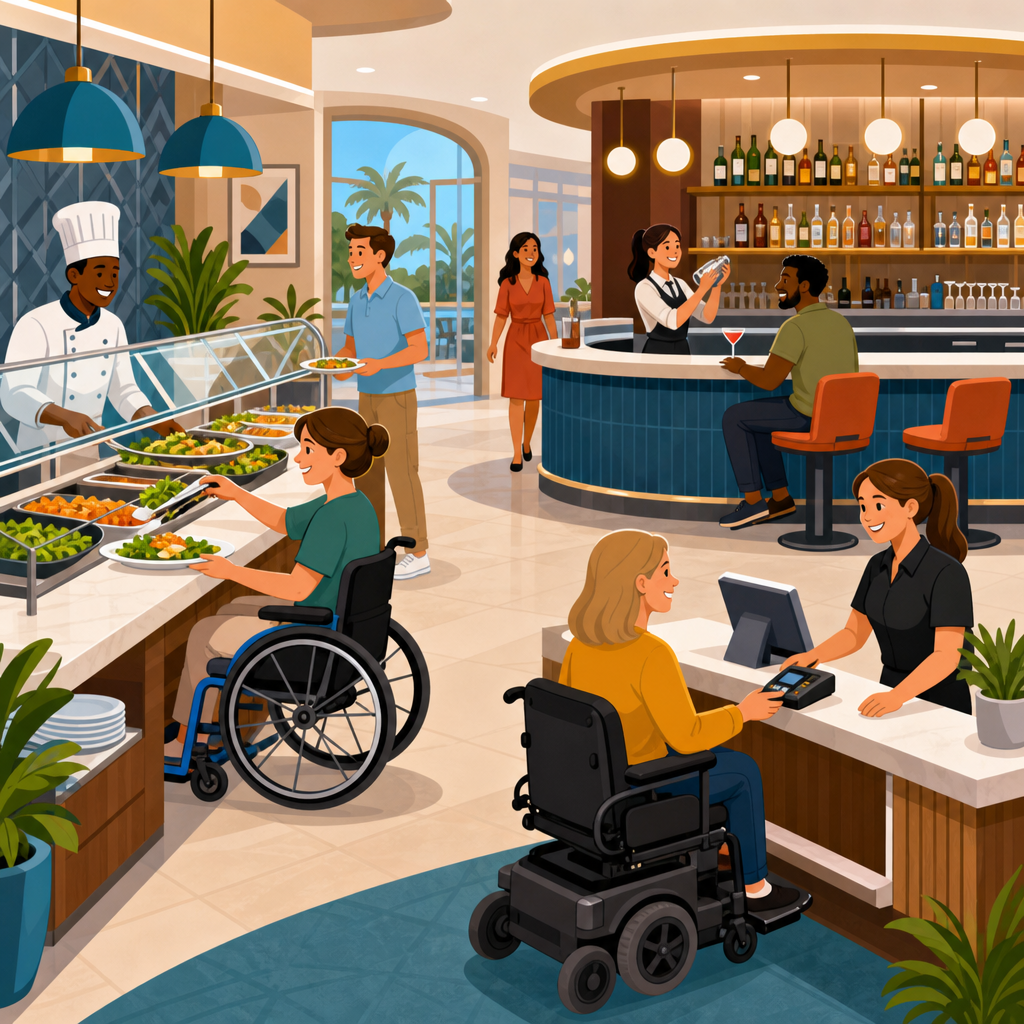
Accessible buffet, bar, and counter service design in hospitality shapes whether guests can dine, order, and socialize independently, safely, and with dignity. In hotels, restaurants, cafés, resorts, conference venues, and entertainment spaces, these service zones are where circulation, communication, reach ranges, queuing, payment, and staff interaction all collide. When they are designed well, they support more guests, reduce staff friction, and strengthen compliance. When they are designed poorly, they create bottlenecks, confusion, and exclusion that are immediately visible to customers and costly to fix later.
In practical terms, accessible design means creating buffet lines, bars, cashier stations, coffee counters, self-service beverage areas, and food pickup points that can be used by people with varied mobility, sensory, cognitive, and dexterity needs. That includes wheelchair users who need adequate clear floor space and lower transaction surfaces, guests with low vision who need legible menus and strong contrast, people who are Deaf or hard of hearing who need clear communication at ordering points, and older adults who benefit from better lighting, stable circulation, and seating support. The core idea is not special accommodation after the fact. It is mainstream hospitality design that works for the broadest range of users from the start.
This matters because hospitality is built on service access. A beautiful dining room does not compensate for a buffet a wheelchair user cannot reach, a bar rail that blocks approach, or a point-of-sale screen that forces awkward communication. In my work reviewing service layouts, I have repeatedly seen operators focus on back-of-house efficiency while underestimating front-of-house usability. The result is often a venue that looks premium in photographs but performs badly during real service. Accessible buffet, bar, and counter service design corrects that mismatch by treating usability as an operational requirement, not a decorative extra.
For this hospitality and food service hub, the goal is to map the full topic clearly. That means understanding regulatory baselines, dimensional planning, guest journey design, menu presentation, assistive service methods, and maintenance practices that keep access working after opening day. It also means recognizing that accessible design improves business performance. Wider circulation reduces spills and collisions. Better queue design speeds throughput. Clearer menus reduce ordering errors. Lower counters serve children and standing adults carrying trays as well as wheelchair users. Inclusive design is not a niche strategy; it is a more disciplined way to run service environments.
Regulatory foundations and hospitality-specific access planning
Accessible service design starts with code compliance, but it should never stop there. In the United States, the ADA Standards for Accessible Design establish critical requirements for dining surfaces, sales and service counters, accessible routes, turning space, clearances, and related elements such as restrooms and entrances that affect the full guest journey. Local building codes, state accessibility provisions, fire egress rules, and health department requirements also shape the final layout. In the United Kingdom, Approved Document M and BS 8300 are common reference points. In other regions, operators should use national accessibility standards alongside local code review. The principle is consistent everywhere: service must be reachable, understandable, and usable.
For hospitality projects, planning should begin with a service map rather than a fixture schedule. Trace the path from arrival to seating, ordering, payment, food collection, condiment access, beverage refill, and exit. Then test that path for independent use. Can a wheelchair user approach the host stand, navigate the queue, reach the sneeze guard opening, carry a tray, pay at the terminal, and find an accessible table without staff improvisation? Can a guest with low vision identify stations and read labels in real lighting conditions? Can a guest with hearing loss communicate an allergy request in a noisy bar? Those are the operational questions that expose hidden barriers before construction documents are issued.
Hospitality owners should also distinguish between minimum legal access and functional excellence. A single compliant section of counter hidden at the end of a long bar may technically satisfy a rule but still fail the guest experience. Likewise, a buffet with one reachable shelf is not truly usable if plates, cutlery, condiments, and beverage taps are all out of reach. The strongest projects apply universal design logic across the entire service sequence. That approach lowers reliance on staff intervention, which matters during peak periods when even well-trained teams cannot constantly leave stations to assist.
Buffet design: circulation, reach, visibility, and independent use
Buffets are complex because they combine self-service, carrying, decision-making, and movement in tight spaces. The first design priority is circulation. A buffet line should provide enough width for wheelchairs, scooters, walkers, guests carrying trays, and two-way traffic where needed. Tight turns around decorative millwork, planter boxes, and island stations are common failure points. I recommend mocking up aisle widths with actual service carts and wheelchairs during design review because dimensions that seem adequate on paper often feel constricted once guests and staff share the same zone.
Reach is the next critical issue. Plates, bowls, cutlery, napkins, beverages, and condiments should be placed within usable reach ranges and at heights that do not force excessive stretching. Deep counters are especially problematic. If the food pan is set behind a thick stone ledge or under a poorly positioned sneeze guard, a seated guest may be able to see the item but not serve it. The same applies to cereal dispensers, juice taps, coffee urns, and waffle stations. Designers should locate controls, handles, and utensils near the front edge where practical and verify knee and toe clearances at selected points.
Visibility and comprehension matter just as much as dimensions. Buffet labels need large, high-contrast text, plain language, and consistent placement. If allergen information is provided, it should be legible without leaning over hot equipment. Lighting should avoid glare on acrylic tag holders and polished stone. Station sequencing should be intuitive: plates first, then food categories, then condiments and beverages, with separate bypass space for guests who do not need every station. Real-world examples include hotel breakfast buffets that split hot and cold items onto parallel runs to reduce crowding and create shorter, more manageable decision points.
| Service element | Common barrier | Better design response |
|---|---|---|
| Buffet line | Narrow aisles and sharp turns | Provide wider circulation and simple turning paths |
| Sneeze guard zone | Food set too far back to reach | Bring pans and utensils closer to the guest edge |
| Bar counter | Only high transaction surface available | Integrate a lower accessible service section |
| POS station | Card reader fixed too high or too far away | Use movable or dual-height payment devices |
| Menu display | Low contrast and small type | Use large text, strong contrast, and clear hierarchy |
Independent use also depends on how much carrying is required. A self-service concept that expects guests to hold a plate, operate a beverage dispenser, open condiment packets, and manage payment in one sequence creates challenges for many users, not only disabled guests. Practical fixes include tray slides at usable heights, nearby landing surfaces, staff-assisted pickup options, and mobile ordering tied to an accessible collection point. These features improve buffet accessibility without slowing service. In high-volume hospitality settings, that balance between dignity and throughput is what separates token compliance from genuinely inclusive operations.
Bar and lounge service: integrating social access with functional access
Bars present a distinct accessibility challenge because they are social spaces first and service counters second. The design must support ordering, payment, and consumption while preserving the atmosphere that makes bars attractive. A common mistake is treating the accessible portion of the bar as an afterthought, placed at a remote end near a server station or corridor. That placement isolates the guest from the social core of the space. A better solution is to integrate lower counter sections into the primary bar frontage so disabled guests can order and participate in the same experience as everyone else.
Counter height alone is not enough. Bar design should account for knee clearance, clear floor space, and approach without obstruction from decorative foot rails, loose stools, rope lines, or ice wells that project into circulation. Payment should be possible at the accessible position, with card readers that can be handed to the guest or mounted on flexible bases. Menu access also matters. Backlit bottle walls and dim ambient lighting often make printed lists hard to read, so operators should provide large-print menus, digital QR menus that work with screen readers, and staff trained to describe offerings clearly without rushing the interaction.
Acoustics are another major issue in lounges and cocktail bars. Hard surfaces, music, and crowd noise make communication difficult for many people, especially guests who are Deaf, hard of hearing, neurodivergent, or processing information in a second language. Practical responses include sound-absorptive finishes, quieter ordering zones away from speakers, visual confirmation of orders on POS displays, and straightforward drink menus organized by category. In one hotel lobby bar redesign I reviewed, simply relocating the speaker array and adding an accessible service point with direct sightlines reduced repeated orders and payment confusion during evening peaks.
Accessible bar service also includes seating variety. Provide some tables with appropriate clearances, some lower lounge surfaces reachable from seated positions, and routes that do not require weaving through tightly packed furniture. If the bar offers food pickup, ensure the collection shelf is visible and reachable. If happy-hour service becomes standing-room only, maintain an accessible route and avoid using portable signage or crowd-control devices that block the lower counter section. Access in bars is dynamic, not static. The design has to keep working when the room is busy, dim, loud, and constantly reconfigured.
Counter service, payment, wayfinding, and staff operations
Counter service environments include cafés, quick-service restaurants, concession stands, bakery cases, coffee bars, hotel grab-and-go markets, and reception-linked food points. These spaces live or die by queue clarity and transaction speed. From an accessibility standpoint, the essentials are straightforward: at least one usable service position, accessible approach, readable menus, reachable payment devices, and a pickup process that does not rely on shouted names in a noisy room. Yet many venues still miss basics by fixing card terminals too high, placing impulse displays where mobility devices need turning space, or using menu boards with tiny type and poor contrast.
Wayfinding should be designed into the architecture and graphics package, not patched in with paper signs. Guests need to know where to order, where to wait, where to collect food, where to get condiments, and where accessible seating is located. Visual hierarchy helps: strong headings, simple icons, consistent terminology, and color contrast that remains effective under warm hospitality lighting. Tactile and audible support may also be appropriate depending on the venue. For larger hotel food halls or conference catering zones, digital wayfinding kiosks should be mounted at usable heights and paired with staff assistance protocols.
Payment deserves special attention because it often creates the most awkward accessibility failures. Chip readers mounted on rigid poles can be impossible to reach. Signature screens may time out before a guest can position themselves. Mobile wallet prompts may be hidden by glare. The best practice is flexible payment hardware, enough cable length or wireless capability for handoff, and staff trained never to pull a device away mid-transaction. Where self-order kiosks are used, accessible screen height, touch targets, speech output compatibility, and alternative ordering methods are essential. Kiosks can improve efficiency, but only when a fully equivalent path exists for users who cannot or do not want to use them.
Finally, staff operations must support the physical design. Training should cover disability etiquette, allergy communication, alternate service methods, queue management, and what to do when an accessible route is blocked by deliveries, high chairs, or promotional displays. Maintenance matters too. A compliant lower counter is useless if it becomes the place where menus, flower vases, and tip jars are permanently stored. Hospitality teams should include access checks in opening and closing routines, just as they do temperature logs and cash controls. Consistency is what turns design intent into daily service quality.
Building an accessible hospitality program that scales across properties
For multi-unit operators, accessible buffet, bar, and counter service design should become a repeatable standard, not a one-off project. Start with a prototype checklist covering routes, counter heights, POS reach, queue widths, menu readability, lighting, acoustics, and pickup procedures. Test the checklist during design, pre-opening, and live operation. Photograph recurring problem points, such as blocked lower counters or condiment stations placed too high, and feed those lessons back into brand standards. This is especially important for hotel groups, stadium concessions, airport hospitality, and senior living dining programs where service models repeat across many sites.
The business case is clear. Accessible service lowers friction for disabled guests, older adults, families with strollers, international travelers, and staff carrying loads. It reduces reliance on ad hoc assistance and lowers the risk of complaints, negative reviews, and expensive retrofit work. More importantly, it aligns hospitality with its core promise: welcome. If this hub is your starting point, use it to audit every service touchpoint in your hospitality and food service portfolio, then prioritize fixes that improve independent use first. Better access is not a side initiative. It is a measurable upgrade to service, reputation, and operational resilience.
Frequently Asked Questions
What makes a buffet, bar, or service counter truly accessible in hospitality settings?
A truly accessible buffet, bar, or service counter does more than meet a minimum code requirement. It allows guests with different mobility, sensory, cognitive, and dexterity needs to approach, understand, use, and enjoy the space with as much independence as possible. In practical terms, that means providing clear circulation routes, adequate turning space, stable and slip-resistant flooring, accessible heights for ordering and payment, and service points that do not force guests to stretch, twist, or rely on staff for every step of the interaction.
Accessibility also depends on how the guest experience unfolds. A buffet may technically have enough aisle width, but if plates are stacked too high, labels are hard to read, or utensils require two-handed use, the setup still creates barriers. The same is true at bars and counters where guests cannot make eye contact with staff, hear ordering prompts over background noise, or reach card readers comfortably. Good design considers the full journey: arrival, queuing, viewing options, making selections, completing payment, carrying items, and finding a place to sit or dine.
In hospitality environments, the best accessible service zones are integrated rather than segregated. Instead of creating a separate experience for disabled guests, designers should aim for inclusive layouts that work better for everyone, including older adults, families with strollers, guests carrying luggage, and staff moving through busy peak periods. When accessibility is built into the overall service concept, these areas become safer, more efficient, and more welcoming for all.
How should buffet layouts be designed so guests can serve themselves safely and independently?
Accessible buffet design starts with circulation and reach. Guests need enough room to move along the line without being squeezed by furniture, decorative elements, or opposing traffic. Routes should be intuitive, with clear entry and exit points and enough width for wheelchair users, guests using walkers, and people moving more slowly to navigate without pressure from those behind them. Turning space at corners, islands, and stations is especially important, because cramped transition points are where independence often breaks down.
Reach range is another critical issue. Food, beverages, plates, napkins, and condiments should be placed where seated and standing guests can access them without overreaching. Deep counters, elevated displays, and items placed at the back of chilled wells often make self-service difficult or unsafe. Wherever possible, designers should avoid high vertical stacking and should position the most commonly used items at accessible heights and depths. Serving utensils should be easy to grip and operate with one hand, and sneeze guards should protect food without blocking visibility or usable reach.
Safety and communication also matter. Flooring around buffets should resist slips, especially near beverage stations and hot food wells. Labels should be legible, consistently placed, and easy to distinguish, helping guests identify menu items, allergens, and dietary options without needing to ask for help. Good lighting reduces glare and improves visibility for everyone. If the buffet is complex or spread across multiple stations, simple wayfinding cues and logical grouping of items can reduce confusion and congestion. The goal is to let guests move through the experience comfortably, confidently, and with dignity.
What are the key accessibility considerations for bar design and guest interaction at the bar?
Accessible bar design requires attention to both the physical counter and the social function of the space. A bar is not just a transaction point; it is also a place where people gather, converse, wait, and participate in the atmosphere of the venue. To support inclusive use, at least part of the bar should be designed at an accessible height with knee and toe clearance where appropriate, so a wheelchair user or someone who needs to remain seated can order, dine, or have a drink without being isolated from the main bar experience.
Circulation around and up to the bar is equally important. Guests should be able to approach without encountering tight passageways, high stools blocking access, or standing-room layouts that eliminate maneuvering space. Designers should think about how a guest enters the bar area, where they wait, how they get staff attention, and whether they can remain part of the social scene while doing so. In many venues, an accessible section exists in theory but is placed at the end of the bar near service equipment or away from the main energy of the room. That undermines inclusion even if dimensional requirements are technically met.
Communication is often overlooked in bar environments. Background music, dim lighting, crowd noise, and fast-paced service can make ordering difficult for guests who are deaf, hard of hearing, neurodivergent, or who simply need a clearer interaction. Menus should be easy to read, staff should be able to communicate visually as well as verbally, and payment devices should be positioned so guests can see and use them independently. The most successful accessible bars balance compliance, comfort, and social inclusion, creating a setting where more guests can participate fully rather than being accommodated as an afterthought.
How can service counters and payment areas be designed to improve accessibility and operational efficiency?
Accessible service counters work best when they support both guest independence and staff workflow. Counter heights should allow a wide range of users to order, ask questions, sign receipts, or complete payment without awkward reaching or strained posture. If every transaction surface is too high, guests who use wheelchairs or scooters may struggle to see products, communicate with staff, or operate payment terminals. Providing an accessible portion of the counter with appropriate clear floor space helps ensure that the transaction can happen directly and respectfully.
Payment areas deserve special focus because they are often where otherwise functional designs fail. Card readers, cash trays, QR code displays, and digital ordering tablets should be positioned within accessible reach and oriented so guests can use them privately and independently. Glare, poor screen contrast, and cords that limit mobility can all create avoidable barriers. In busy hospitality settings such as cafés, hotel grab-and-go markets, and quick-service outlets, designers should also consider queue management so that guests are not forced into narrow lanes or unclear waiting zones that create stress and bottlenecks.
From an operational standpoint, inclusive counters usually perform better. Clear sightlines improve communication between guests and staff. Better spacing reduces collisions and confusion during rush periods. Thoughtful placement of pickup shelves, condiments, and order status displays can reduce repeated staff intervention. When accessibility is built into the counter and payment design, the result is not just better compliance. It is a smoother service process, fewer friction points, and a guest experience that feels more polished and professional.
Why is accessible buffet, bar, and counter service design important for compliance, guest satisfaction, and business performance?
Accessible design in hospitality service zones matters because these are the places where inclusion becomes visible. A guest may be able to enter a venue and use an accessible restroom, but if they cannot comfortably order a meal, reach food at a buffet, pay at the counter, or sit at the bar with friends, the overall experience still falls short. These moments shape whether guests feel welcomed, respected, and likely to return. Inaccessible service areas can also put staff in the uncomfortable position of having to improvise assistance for tasks guests should be able to manage independently.
There is also a serious compliance dimension. Hospitality businesses operate in environments shaped by building codes, accessibility standards, risk management concerns, and brand expectations. While exact requirements vary by jurisdiction, poorly designed service areas can expose owners and operators to complaints, retrofits, reputational damage, and legal risk. Addressing accessibility early in planning and renovation is typically more cost-effective than correcting barriers after opening, especially when millwork, utilities, and circulation patterns are already fixed.
From a business perspective, accessible design expands usability for a broader guest base and often improves efficiency for staff. Spaces that are easier to navigate and understand tend to handle peak demand better, reduce congestion, and support a more consistent service experience. They also send a strong message about hospitality itself: that the venue is designed for real people with varied needs, preferences, and abilities. In that sense, accessible buffet, bar, and counter service design is not only about compliance. It is a core part of guest satisfaction, operational quality, and long-term brand strength.





