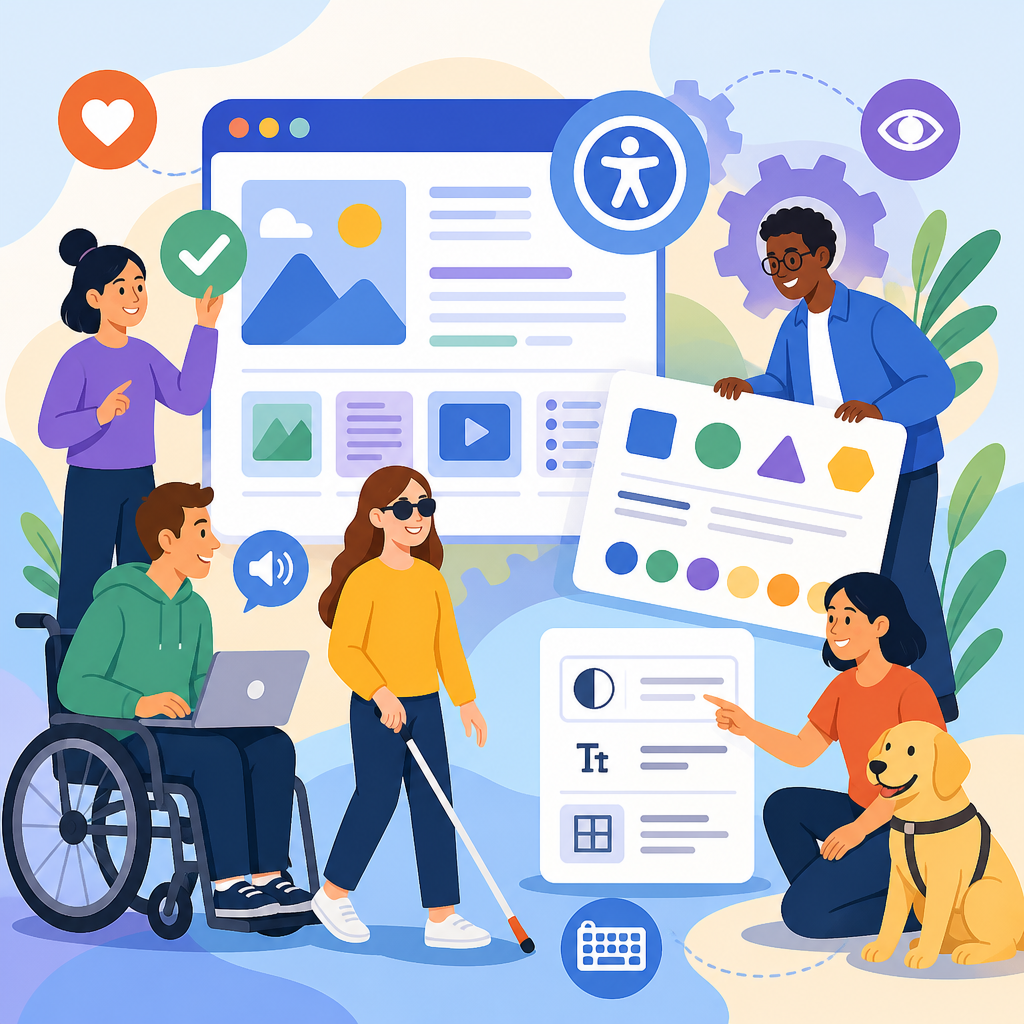
Accessibility benefits of structured content and design systems are practical, measurable, and increasingly central to modern digital product work. In plain terms, structured content is information broken into reusable, clearly labeled parts such as headings, summaries, captions, product specs, and calls to action. A design system is the shared library of components, standards, patterns, and governance that teams use to build websites, apps, and software consistently. When these two disciplines work together, they improve usability for people with disabilities, reduce content chaos, and create digital experiences that are easier to navigate, understand, maintain, and scale.
I have seen this firsthand on enterprise redesigns where accessibility fixes kept failing because content models were inconsistent and interface patterns changed from team to team. A button labeled one way in marketing pages behaved differently inside account flows. Headings skipped levels because authors styled text visually instead of using semantic structure. Images lacked meaningful alternative text because there was no field for it in the content model. Once we introduced structured content rules and a governed design system, the same teams could ship faster while producing cleaner markup, better keyboard behavior, and more predictable screen reader output.
This matters because accessibility is not a layer added at the end. It is the result of decisions about information architecture, semantics, interaction design, editorial workflow, component engineering, and quality assurance. The Web Content Accessibility Guidelines, now commonly referenced through WCAG 2.1 and WCAG 2.2, define expectations around perceivable, operable, understandable, and robust experiences. Structured content supports those goals by giving information a meaningful hierarchy. Design systems support them by standardizing accessible components such as buttons, dialogs, forms, tables, navigation menus, and alerts. Together they form one of the strongest foundations for innovative solutions in technology and accessibility.
As a hub topic, this subject connects many related areas: content management systems, assistive technology support, inclusive design, semantic HTML, ARIA usage, localization, documentation, automation, user research, and accessibility governance. If an organization wants durable accessibility improvements rather than isolated bug fixes, this is where the work starts. Structured content and design systems create repeatable patterns that help every future page, campaign, and feature inherit better accessibility by default.
Why structured content improves accessibility at the source
Structured content improves accessibility because it separates meaning from presentation. Instead of storing a page as one large block of formatted text, teams define content types and fields with clear purposes: title, intro, body, quote, warning, step list, chart description, transcript, and related links. That structure makes it easier to output proper heading levels, list semantics, landmark regions, captions, and labels across devices and channels.
For screen reader users, the payoff is immediate. Heading navigation works when titles and subheads are authored as actual headings, not larger bold paragraphs. Lists are announced correctly when grouped as lists. Figure captions remain associated with images. Summary text can be surfaced in search results, voice interfaces, or preview cards without losing context. In one migration I supported, support articles became dramatically easier to navigate after we converted legacy rich text into structured sections with mandatory H2 and H3 rules. Users no longer had to listen through long uninterrupted paragraphs to find troubleshooting steps.
Structured content also helps people with cognitive and learning disabilities. Predictable content chunks reduce memory load. Consistent labels improve comprehension. Reusable patterns mean the same type of information appears in the same place each time. A medication instruction page, for example, is easier to understand when dosage, warnings, side effects, and refill guidance are always presented in dedicated fields instead of improvised by each author.
Another often overlooked benefit is content portability. When information is structured, teams can publish it to websites, mobile apps, kiosks, email, and voice assistants while preserving meaning. That is increasingly important for accessible omnichannel experiences. A well-modeled FAQ can power web accordions, chatbot answers, and smart speaker responses without requiring teams to rewrite content in inaccessible formats.
How design systems make accessible behavior repeatable
A design system turns accessibility from good intentions into repeatable implementation. At minimum, it includes coded components, design tokens, documentation, usage guidance, accessibility notes, and contribution processes. Mature systems also define content guidance, quality criteria, and testing requirements. The accessibility advantage is consistency: when a form field, button, modal, breadcrumb, or tab pattern is built once to an acceptable standard and reused broadly, teams avoid reintroducing known failures.
Consider a button component. In a strong system, it has sufficient color contrast, visible focus styles, minimum target size, keyboard operability, accessible name support, disabled-state guidance, and clear rules for when to use a button versus a link. Without a system, different product squads often build their own versions. One relies on color alone, another removes outlines, another nests interactive elements improperly. Users encounter unpredictable behavior, and accessibility debt multiplies.
I have repeatedly found that the biggest gains come from system-level fixes. Updating one shared date picker to support keyboard input, announcement of selected dates, and error messaging can improve dozens of product areas at once. The same is true for alerts, pagination, autocomplete, and toast notifications. This is why design systems are among the most effective innovative solutions in technology and accessibility: they create leverage.
Design systems also support governance. Documentation can specify semantic HTML first, ARIA only when necessary, and testing expectations using tools such as Axe, Lighthouse, Storybook accessibility add-ons, and manual keyboard checks. Pattern libraries can reference WAI-ARIA Authoring Practices for complex components while still preferring native elements where possible. That combination of standards and implementation detail gives teams something clear to follow instead of treating accessibility as subjective opinion.
Where structured content and design systems work best together
The strongest results appear when content models and interface components are designed together. A content model may define fields for accordions, callouts, data tables, event details, product features, and step-by-step instructions. The design system provides the corresponding components and rules for rendering those fields accessibly. This alignment prevents the common disconnect where a CMS allows authors to create content that no front-end pattern can present well.
Take an event page. Structured fields might include event name, date, time zone, venue, accessibility accommodations, speaker list, registration link, cost, and cancellation policy. The design system then ensures those fields appear with proper heading hierarchy, machine-readable dates, clear form labels, focus management, and sufficient spacing. Because the content is structured, the same event data can also feed calendar exports, reminder emails, and mobile cards. Because the design is systematized, every event page behaves predictably.
This partnership also improves editorial quality. When authors select from approved content types instead of ad hoc formatting options, they are less likely to create accessibility issues. When designers use shared components instead of inventing layouts from scratch, they preserve semantics and interaction patterns. Engineering benefits too, because APIs and templates become more predictable. The result is not only compliance support but better operational efficiency.
For organizations building a technology and accessibility content hub, this joint model is especially valuable. Hub pages, guides, glossaries, case studies, and resource libraries all need strong taxonomy, internal linking logic, and accessible navigation. Structured content makes those relationships explicit. Design systems make them legible and usable for everyone.
Innovative solutions in technology and accessibility across the workflow
Innovative solutions in technology and accessibility are most effective when they address the full workflow rather than isolated screens. Artificial intelligence can assist by flagging missing alt text, vague link text, or reading complexity, but it must be constrained by editorial review. Headless CMS platforms can enforce required accessibility fields such as transcript availability, caption status, and image description. Design token pipelines can propagate contrast-safe color values across web and native products. Component testing in continuous integration can catch regressions before release.
The best organizations combine these methods. They create content schemas with accessibility metadata. They map components to user needs, including keyboard users, screen reader users, people with low vision, and people using zoom or speech input. They test with assistive technologies such as NVDA, JAWS, VoiceOver, TalkBack, and Dragon. They maintain issue backlogs tied to component ownership rather than leaving fixes scattered across teams.
| Area | Structured content contribution | Design system contribution | Accessibility outcome |
|---|---|---|---|
| Articles and guides | Headings, summaries, related links, transcripts | Readable typography, skip links, landmarks | Faster navigation and better comprehension |
| Forms | Field purpose, error text, help content | Labels, validation states, focus order | Lower form abandonment and fewer input errors |
| Media | Captions, alt text, audio descriptions | Accessible players and controls | Equivalent access to video and audio content |
| Commerce and product data | Specs, pricing, availability, variants | Tables, selectors, status messaging | Clearer decisions for all users |
Real progress is visible in public-sector services, higher education, health systems, and large retailers. Government teams use content design standards to simplify critical tasks such as benefit applications. Universities rely on component libraries to make course catalogs and registration interfaces more consistent. Healthcare providers structure appointment, billing, and patient education content so that essential instructions are not buried in visual layouts. Retailers model product information carefully so screen reader users can compare sizes, prices, and stock status without guesswork.
None of these solutions eliminate the need for human judgment. Automated checks catch only part of the problem. Complex charts still need meaningful descriptions. Error prevention still requires thoughtful form design. Language still must be plain, accurate, and culturally aware. Innovation helps most when it reinforces proven accessibility practices instead of pretending to replace them.
Implementation challenges, governance, and measurement
The main barriers are rarely technical alone. Legacy CMS setups may allow unrestricted rich text that destroys semantic consistency. Product teams may resist design system adoption because they fear reduced flexibility. Content authors may not understand why visual formatting choices create assistive technology problems. Leadership may fund audits but not the governance needed to prevent recurrence. I have seen all of these issues slow progress more than code defects.
Successful implementation starts with audits of both content and components. Inventory what patterns exist, where accessibility defects repeat, and which templates drive the most traffic or critical tasks. Then define priorities: fix high-impact components first, simplify content models, and remove authoring options that invite misuse. Establish contribution standards so new components require accessibility acceptance criteria, keyboard interaction definitions, and documented screen reader expectations before release.
Measurement should include more than compliance scores. Track reduction in duplicate components, percentage of pages using approved templates, caption coverage, form completion rates, support ticket themes, and issue recurrence. For content, monitor heading structure validity, descriptive link text, reading level, and completeness of alt text or transcript fields. For design systems, measure adoption by product area and test coverage in CI pipelines. These metrics show whether accessibility is becoming systemic.
Governance works best when shared. Content strategists own models and editorial guidance. Designers own interaction patterns and tokens. Engineers own semantic implementation and test automation. Accessibility specialists provide standards interpretation, training, and validation. Product managers align delivery with risk and user impact. When those roles collaborate, accessibility becomes durable infrastructure rather than a reactive checklist.
Building a stronger technology and accessibility hub
As a sub-pillar hub under technology and accessibility, this topic should connect readers to practical next steps. Useful related articles include semantic HTML for content teams, accessible component libraries, WCAG testing methods, accessible forms, inclusive content design, captioning and transcription workflows, accessibility in headless CMS environments, design tokens and contrast management, accessibility governance models, and assistive technology testing. The hub page should introduce each area clearly, then guide readers toward deeper implementation details.
The central lesson is straightforward: accessibility scales when structure and systems are built in from the start. Structured content gives information meaning, consistency, and portability. Design systems give interfaces dependable patterns, tested behaviors, and governance. Together they reduce friction for disabled users while making digital operations more efficient for everyone involved. That combination is one of the most effective paths to innovative solutions in technology and accessibility.
If you are planning a redesign, launching a content platform, or modernizing product UX, begin by auditing your content model and component library together. Identify where meaning is lost, where patterns diverge, and where users face avoidable barriers. Then standardize what works, document it well, and test it with real assistive technologies and real users. That is how accessibility improvements stop being temporary fixes and become a lasting advantage.
Frequently Asked Questions
What does “structured content” mean, and why does it matter for accessibility?
Structured content is content that is organized into clearly defined, reusable parts instead of being treated like one large block of text. For example, a page might separate a title, summary, body copy, image caption, product specifications, author information, and call to action into distinct fields. That structure matters for accessibility because assistive technologies rely on predictable relationships and meaningful labels to help people understand and navigate content efficiently. When information is consistently broken into logical components, screen readers can interpret headings more reliably, users can scan pages more easily, and content is less likely to become confusing when viewed on different devices or through different interfaces.
From a practical standpoint, structured content supports accessibility by improving hierarchy, clarity, and adaptability. A properly structured article can be transformed into a mobile layout, voice interface, search result, or simplified view without losing meaning. That is especially important for users with cognitive disabilities, low vision, or those using screen magnification, because they benefit from clean organization and predictable patterns. Structured content also reduces the chance that important information gets buried in decorative layouts or embedded in inaccessible formats such as images of text. In short, it helps ensure that meaning is preserved no matter how the content is delivered.
How do design systems improve accessibility across websites, apps, and digital products?
A design system improves accessibility by giving teams a shared foundation of tested components, standards, and usage guidance that can be applied consistently across products. Instead of each team inventing buttons, forms, menus, alerts, and navigation patterns from scratch, they use a common library built with accessibility requirements in mind. That means keyboard interaction, focus states, color contrast, touch target size, semantic markup, and error messaging can be addressed once at the system level and then reused widely. This approach reduces inconsistency, prevents repeat mistakes, and makes accessibility more scalable.
The real benefit is not just technical compliance, but a better user experience. When users encounter the same accessible interaction patterns across different pages and tools, they spend less effort relearning how things work. That consistency is especially valuable for people who use screen readers, keyboard-only navigation, switch devices, or other assistive technologies. A mature design system also helps teams document what “good” looks like, including content guidance, component behavior, and accessibility do’s and don’ts. As a result, accessibility becomes part of day-to-day product delivery rather than a last-minute audit item.
What are the measurable accessibility benefits of combining structured content with a design system?
When structured content and design systems work together, the accessibility benefits become more visible and measurable. Teams often see fewer heading order issues, more consistent use of labels and landmarks, improved keyboard usability, and a reduction in duplicate accessibility defects across pages and products. Because content fields are defined and components are standardized, it becomes easier to validate whether pages include essentials like descriptive headings, accessible form instructions, alt text support, caption areas, and properly labeled actions. This can improve audit outcomes and reduce the amount of remediation needed later.
There are also measurable operational benefits that directly affect accessibility quality. Teams can publish accessible content faster because authors and designers are working within clearer constraints. QA teams can test fewer one-off patterns because many experiences are built from the same accessible components. Governance improves because updates to the system can benefit multiple products at once. Over time, this often leads to lower accessibility maintenance costs, better consistency scores in audits, improved task completion for users with disabilities, and fewer support issues caused by confusing or inaccessible interfaces. In other words, the combination is efficient not only from a production standpoint, but from an inclusion standpoint as well.
How does structured content help people using screen readers, keyboards, or other assistive technologies?
Structured content helps screen reader users by giving information a meaningful order and semantic shape. Clear heading levels allow users to jump between sections quickly rather than listening to an entire page line by line. Lists, tables, captions, summaries, and labeled controls provide additional context that makes information easier to interpret. When content is authored in distinct, purposeful fields, it is more likely to be rendered correctly in assistive technologies and less likely to rely on visual placement alone for meaning. This is crucial because many users navigate by structure first and detail second.
Keyboard users benefit when structured content is paired with well-defined interface patterns, because the path through a page becomes more predictable. If related information is grouped logically and actions are presented consistently, users can move more efficiently without getting trapped in repetitive or confusing navigation. People with cognitive disabilities also benefit from structured content because it reduces ambiguity, supports chunking of information, and makes tasks easier to follow. Even users in temporary or situational constraints, such as someone using a phone in bright light or multitasking with voice tools, gain from content that is organized clearly and delivered through accessible components.
What are the best practices for teams that want to make structured content and design systems more accessible?
The best starting point is to treat accessibility as a shared responsibility across content, design, development, and governance. Teams should define content models that reflect meaning, not just presentation. That means creating fields for things like headings, descriptions, captions, instructions, and metadata instead of forcing authors to improvise structure visually. At the same time, design systems should include accessible components with documented behavior, semantic expectations, and content guidance. A button, accordion, modal, or form field should come with clear rules for labeling, focus management, error handling, and keyboard support. This makes it easier for teams to create accessible experiences by default.
It is also important to test with real users and real workflows, not just automated tools. Automated checks can catch useful issues such as missing labels or poor contrast, but they cannot fully evaluate clarity, comprehension, or usability. Teams should review how structured content appears across channels, verify that component patterns remain accessible in context, and establish governance so accessibility standards do not drift over time. Training matters as well: content authors need to understand hierarchy and plain language, designers need to understand inclusive interaction patterns, and developers need to understand semantic HTML and ARIA usage. The strongest results come when structured content and design systems are maintained as living practices that evolve with user needs, technology changes, and accessibility standards.


