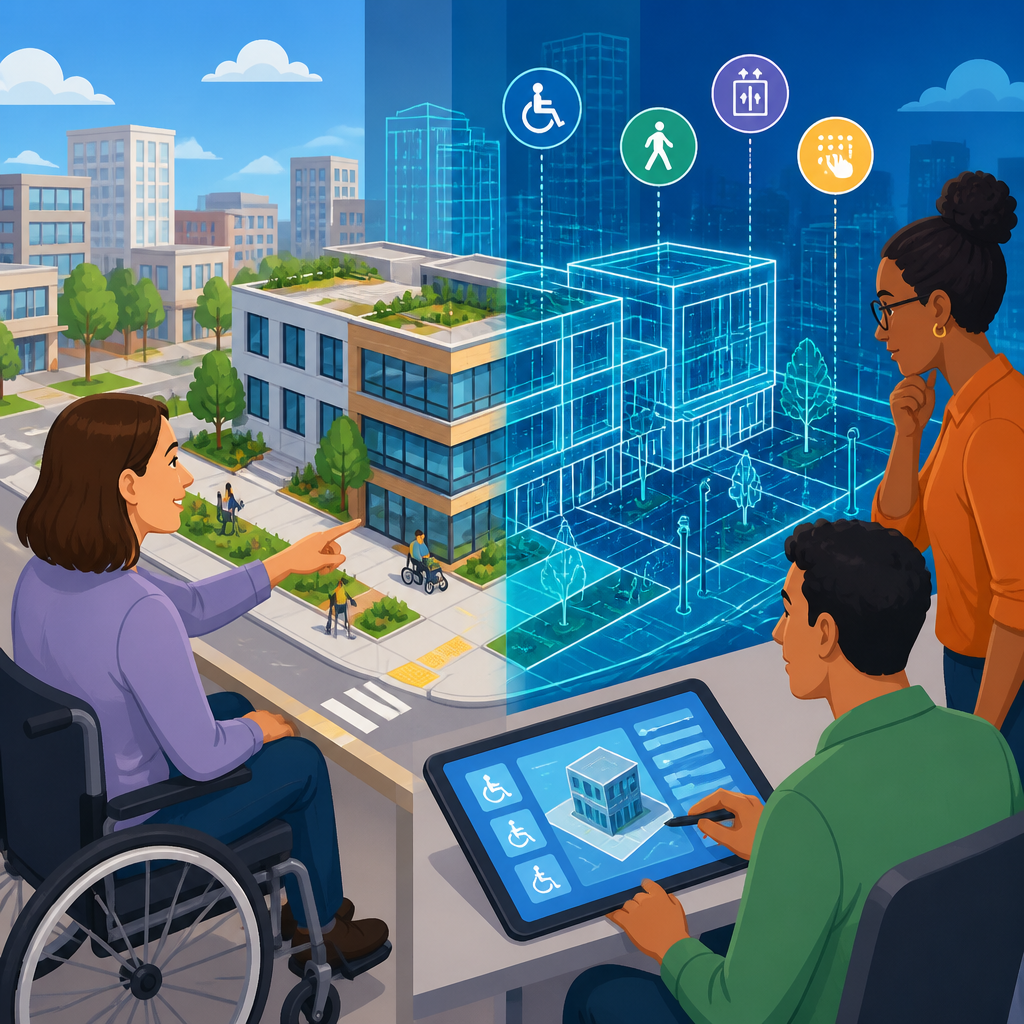
Digital twins are becoming one of the most practical ways to plan accessible built environments because they let designers test how real people will move, perceive, and use spaces before concrete is poured or renovations begin. A digital twin is a live virtual model of a physical asset, such as a station, hospital, office, campus, street corridor, or housing development, connected to design files, sensor data, operational information, and user feedback. In accessibility planning, the term built environment covers the human-made settings where daily life happens: entrances, sidewalks, elevators, toilets, classrooms, transport interchanges, parks, retail floors, and wayfinding systems. When these places are designed without disabled people in mind, barriers become embedded and expensive to remove. When accessibility is evaluated early, outcomes improve for wheelchair users, blind and low-vision people, Deaf and hard-of-hearing users, neurodivergent occupants, older adults, parents with strollers, delivery workers, and anyone navigating fatigue, injury, or temporary limitation.
I have worked on digital planning projects where accessibility reviews happened late, often at the point when teams were arguing about door schedules and signage locations instead of fundamental circulation problems. That sequence nearly always costs more. Digital twins change the timing of the conversation. They allow architects, engineers, facility managers, disability advocates, and public agencies to evaluate gradients, turning radii, lift capacity, glare, queueing, acoustics, emergency egress, and route clarity in one shared environment. They also support scenario testing: what happens if one elevator is out of service, if a platform is crowded, or if a reception desk relies only on speech? This matters because accessibility is not a compliance checkbox. It is a performance requirement tied to dignity, safety, independence, and equitable access to public life. As a hub for innovative solutions in technology and accessibility, this article explains how digital twins work, why they are useful, where they fit among related tools, and what organizations need to do to use them well.
What a digital twin adds beyond BIM, CAD, and static accessibility audits
Many project teams already use CAD drawings, BIM models, GIS maps, and occasional site audits, so the obvious question is what digital twins add. The answer is continuity and behavior. A CAD file shows geometry. A BIM model can hold rich object data. A GIS layer can place assets in geographic context. A digital twin links these sources with current operational conditions and enables repeated testing against human needs. In practice, that means a station twin can combine platform widths, lift locations, passenger flows, maintenance records, lighting levels, and incident reports. A hospital twin can connect room layouts, bed movements, staff routes, acoustic conditions, and patient transport paths. Accessibility review becomes dynamic rather than static.
This distinction is critical in built environment accessibility because barriers are rarely only dimensional. A corridor may meet minimum width on paper yet still fail in use if it bottlenecks at a card reader, if glare washes out signs, or if a heavy fire door requires one-handed operation that some users cannot perform. Standards such as the ADA Standards for Accessible Design in the United States, Approved Document M in England, BS 8300, and ISO 21542 set essential baselines, but baselines do not capture every lived experience. Digital twins help teams test whether a compliant design is also legible, resilient, and equitable in operation. They make interactions visible: wheelchair passing space at peak times, hearing loop coverage at a service point, tactile wayfinding continuity between transit and street, or sensory load in a waiting area.
That broader view also makes digital twins a strong hub concept within technology and accessibility. They intersect with indoor navigation, smart buildings, assistive wayfinding apps, computer vision audits, IoT sensing, pedestrian simulation, and facilities management. If an organization is exploring innovative accessibility solutions, the digital twin is often the layer that integrates them.
How digital twins can improve accessibility at every project stage
Digital twins are most valuable when used across the full lifecycle of a place rather than as a one-off visualization. During concept design, teams can compare entrance strategies, drop-off points, slopes, and vertical circulation options before a scheme hardens. In developed design, they can test the detailed geometry of toilets, reception counters, seating layouts, and refuge areas. Before opening, operators can rehearse staffing models, passenger movement, and emergency procedures. After occupation, the twin can absorb maintenance events, complaint data, occupancy patterns, and retrofit proposals. That continuity prevents a common failure: accessible features being designed correctly but managed poorly.
Consider a civic building with two public entrances. On plans, both may appear equivalent, but a digital twin can reveal that one route exposes users to wind, pooled rainwater, and a steeper crossfall, while the other has better shelter but confusing wayfinding and heavier demand from security screening. If the twin includes pedestrian simulation, teams can see how wheelchair users or visitors with assistance dogs move relative to queuing crowds. If it includes lighting and acoustic data, teams can identify whether a hearing-impaired visitor will struggle to communicate at a glass-fronted reception desk beside a reverberant lobby. These insights are difficult to extract from disconnected documents.
I have seen this lifecycle approach matter particularly in transport and healthcare. In transport interchanges, accessible routes often fail when lifts are taken out of service, signs are hidden by temporary works, or crowd management plans ignore mobility diversity. In hospitals, accessibility depends not only on room dimensions but also on transfer routes, waiting times, rest points, and sensory stress. A living twin lets operators test and improve these conditions continuously.
Which accessibility issues digital twins can measure and simulate
Digital twins can support many accessibility questions if the model is built with the right data and with disabled users in mind. The most useful categories include physical access, sensory access, cognitive access, and operational reliability. Physical access includes slopes, thresholds, clear widths, reach ranges, turning circles, accessible parking paths, curb ramps, and elevator coverage. Sensory access includes lighting uniformity, glare, color contrast, audible announcements, induction loop performance, reverberation time, and the intelligibility of service counters. Cognitive access includes route simplicity, sign placement, icon consistency, landmark visibility, dwell time, and overload triggers in busy environments. Operational reliability includes maintenance of lifts and doors, blocked routes, construction diversions, and staff response during disruption.
Simulation matters because people do not experience buildings as static diagrams. A blind traveler may rely on predictable edges, tactile cues, and consistent landmarking. A wheelchair user may need not just an accessible entrance, but an entrance that remains open during events and has a reachable intercom. An autistic visitor may need low-stimulation waiting options and clear transition spaces. A Deaf visitor may need visual call systems and unobstructed sightlines for communication. A digital twin can represent these needs through scenario rules, user personas informed by real participation, and service workflows. The strongest projects pair model-based analysis with co-design sessions involving disabled people, occupational therapists, access consultants, and frontline staff.
| Accessibility focus | What the twin can test | Example decision |
|---|---|---|
| Mobility access | Route width, gradients, lift redundancy, queue interference | Move security gates to preserve turning space |
| Visual access | Contrast, glare, sign legibility, tactile path continuity | Reposition signs away from backlit glazing |
| Hearing access | Counter acoustics, loop coverage, visual announcement backup | Add sound absorption and visual queuing displays |
| Cognitive access | Decision points, route complexity, sensory intensity | Simplify circulation and create quiet waiting zones |
| Operational resilience | Lift outages, blocked paths, emergency evacuation options | Provide alternative staffed route during downtime |
Real tools, data sources, and methods used in accessible digital twins
Accessible digital twins are built from a stack of technologies rather than a single platform. Common inputs include BIM authoring tools such as Autodesk Revit, Archicad, and Bentley OpenBuildings; reality capture from LiDAR scanners, photogrammetry, and mobile mapping; GIS platforms such as ArcGIS; and IoT systems that feed occupancy, air quality, lighting, or equipment status. Operational data may come from CMMS platforms like IBM Maximo, CAFM systems, help-desk tickets, or transport control systems. Simulation may use pedestrian modeling tools such as MassMotion or Legion, while visualization layers can sit in game engines like Unreal Engine or in specialist twin platforms from Bentley, Autodesk, Siemens, or Dassault Systèmes.
The accessibility value comes from how teams structure and query this data. For example, point-cloud scans can verify whether as-built door clearances match design intent. Sensor feeds can show whether automatic doors are failing during peak use. Beacon or Wi-Fi analytics can reveal where users hesitate, backtrack, or cluster, which may indicate wayfinding confusion. Acoustical models can predict speech intelligibility in atriums and service areas. Daylight analysis can identify where low winter sun creates disabling glare on polished floors or digital kiosks. Computer vision can support audits of obstruction patterns, though it must be governed carefully to avoid privacy risks.
Open standards are important. IFC supports data exchange across building tools. CityGML and digital mapping standards help connect buildings to streets and transit. When clients lock accessibility data inside isolated vendor environments, the twin loses long-term value. The best practice is to define an accessibility information requirement early: which attributes matter, who owns them, how they are validated, and how they will support operations after handover.
Where digital twins deliver the strongest real-world benefits
Digital twins offer the biggest accessibility gains in complex, high-traffic, and high-consequence environments. Transport hubs are prime examples because accessibility depends on interdependence. A lift outage can break an entire route. A platform change can confuse travelers who rely on routine. A crowded concourse can turn a compliant path into an unusable one. By modeling disruption and passenger flow, operators can improve redundancy, signage, staffing positions, and real-time traveler information. Network Rail, Transport for London, and major airport operators have all expanded digital asset and spatial data use because static drawings are not enough for live operations.
Healthcare is another strong fit. Patients arrive with varying mobility, stamina, vision, hearing, cognition, and anxiety levels. A digital twin can map journey times from parking to clinic, identify rest points, assess the accessibility of self-check-in kiosks, and test bed or wheelchair movement around pinch points. Universities and schools can use twins to improve campus navigation, teaching room access, acoustics, and emergency planning. Municipalities can connect street design, crossings, bus stops, and public buildings into one environment, which matters because accessibility breaks often occur at transitions between assets managed by different departments.
Commercial real estate also benefits, especially as tenants evaluate buildings against inclusion goals. A landlord that can show reliable step-free access, adaptable work settings, better meeting-room acoustics, and maintainable inclusive toilets has a stronger proposition. In my experience, the most persuasive business case combines social value with reduced rework, fewer complaints, faster maintenance response, and better occupancy performance.
Limitations, governance risks, and what good implementation requires
Digital twins are not automatically inclusive. A high-resolution model can still reproduce poor assumptions if disabled people are not involved, if the data is incomplete, or if teams chase visualization over decision quality. The first limitation is representational bias. Many models treat users as average pedestrians and miss the diversity of wheelchair dimensions, cane techniques, stroller behaviors, fatigue patterns, or sensory sensitivities. The second limitation is false precision. A simulation can imply certainty even when the underlying assumptions about user behavior or maintenance reliability are weak. The third is governance. Twins often aggregate location, movement, and building-use data, which raises privacy, consent, cybersecurity, and procurement issues.
Good implementation starts with inclusive scope. The project brief should name accessibility outcomes, not just compliance checks. It should specify user groups, scenarios, standards, and operational metrics. It should also include participatory review with disabled people from early concept through post-occupancy. Validation matters just as much as modeling. If a twin predicts that a route works, teams should verify it through physical mock-ups, access audits, and user testing. For existing buildings, reality capture should be updated when changes occur, because stale models quickly lose credibility.
Organizations also need governance discipline: clear data ownership, maintenance workflows, version control, privacy impact assessments, and interoperability rules. Start with a defined use case such as station wayfinding, hospital outpatient journeys, or civic building emergency egress, then expand. The goal is not to create a perfect virtual city on day one. It is to solve meaningful access problems with trustworthy data and repeatable methods.
Digital twins could help plan accessible built environments because they make access measurable, testable, and manageable across the life of a place rather than at isolated design checkpoints. They connect geometry with operations, standards with lived experience, and construction decisions with day-to-day reality. When used well, they help teams identify barriers earlier, compare alternatives more intelligently, and maintain inclusive features after opening. That is why they deserve a central place in any discussion of innovative solutions in technology and accessibility.
The key lesson is straightforward. Accessibility improves when organizations stop treating it as a late review and start treating it as a core performance outcome supported by data, simulation, and participation. Digital twins are powerful because they can bring architects, engineers, operators, disability advocates, and public clients into the same evidence base. They can show whether a route remains usable during disruption, whether a sign can actually be read, and whether a compliant layout works for real people under real conditions.
For teams responsible for campuses, transport systems, healthcare estates, public buildings, or urban districts, the next step is simple: choose one high-impact accessibility journey, build the data foundation around it, and test it with disabled users. That approach turns the digital twin from a buzzword into a practical accessibility tool.
Frequently Asked Questions
What is a digital twin, and why is it useful for planning accessible built environments?
A digital twin is a dynamic virtual model of a real or proposed physical place, such as a transit hub, hospital, office building, campus, housing development, or streetscape. Unlike a static 3D rendering, a digital twin can be connected to architectural drawings, BIM models, GIS data, sensor inputs, operational records, maintenance information, and even user feedback. That makes it especially valuable for accessibility planning, because teams can evaluate how a space may actually function for people with different mobility, sensory, and cognitive needs before construction begins or renovations are completed.
In the context of accessible built environments, digital twins help decision-makers move beyond minimum code compliance and toward real-world usability. Designers can test wheelchair routes, gradients, door clearances, elevator access, turning radii, rest points, acoustics, lighting, signage visibility, wayfinding clarity, and the interaction between indoor and outdoor circulation paths. They can also explore how people with low vision, hearing loss, neurodivergence, or fatigue may experience a space under different conditions. Because these issues can be modeled early, teams are more likely to catch barriers when changes are still affordable and practical.
Another major benefit is that digital twins support collaboration. Architects, planners, accessibility consultants, facilities teams, transport operators, and community stakeholders can review the same model and discuss tradeoffs using a shared visual reference. This often leads to better decisions, because accessibility becomes part of the core planning process rather than a late-stage checklist item. In short, digital twins are useful because they make accessibility more testable, measurable, and visible at the point where design choices matter most.
How can digital twins help identify accessibility barriers before a project is built?
Digital twins allow project teams to simulate movement and use patterns long before a site is opened to the public. Instead of waiting until a building or public space is finished to discover that a ramp is too steep, a toilet room is too tight, a drop-off zone is confusing, or a platform transfer is impractical, designers can identify those issues in the virtual model. This early detection is important because fixing accessibility problems during design is usually far less expensive and disruptive than retrofitting them after construction.
For example, a digital twin can be used to evaluate whether accessible routes are continuous from arrival to destination, including parking, curb cuts, sidewalks, entrances, reception areas, elevators, seating, and exits. It can also reveal hidden friction points, such as heavy door sequences, poorly placed security gates, long walking distances without rest opportunities, cluttered corridors, or conflicting pedestrian flows. In more complex environments like hospitals, stations, and campuses, digital twins can help planners understand whether wayfinding is intuitive for first-time visitors and whether accessible amenities are located where people actually need them.
These models are also useful for testing conditions that are often overlooked in conventional drawings. Teams can analyze visibility in low-light settings, glare on signs, sound behavior in busy halls, bottlenecks during peak occupancy, and emergency egress scenarios for people with disabilities. If the twin incorporates operational or sensor data from comparable sites, it can provide even stronger insight into how layouts perform over time. The result is a more evidence-based process that helps eliminate barriers proactively instead of reacting to complaints after the space is already in use.
Can digital twins support inclusive design for people with different types of disabilities?
Yes. One of the strongest advantages of digital twins is that they can support a broader, more inclusive view of accessibility than traditional compliance reviews alone. Built environment accessibility is not only about wheelchair access, although that remains essential. People interact with spaces in very different ways depending on mobility, vision, hearing, cognition, stamina, sensory sensitivity, age, and temporary or situational limitations. A well-developed digital twin gives planners a structured way to test for that diversity and make better-informed design choices.
For people with mobility disabilities, teams can model route continuity, lift access, slope changes, transfer points, maneuvering space, and the usability of amenities such as counters, seating, toilets, and ticketing areas. For people who are blind or have low vision, the twin can be used to evaluate contrast, lighting consistency, signage placement, tactile guidance strategy, landmarking, and potential wayfinding confusion. For Deaf or hard-of-hearing users, planners can consider sightlines, visual alerts, captioning locations, acoustic conditions, and areas where background noise may interfere with communication. For neurodivergent users or people with cognitive disabilities, digital twins can help assess complexity, sensory load, predictability of circulation, cue clarity, and the ease of understanding how to move through a space.
Importantly, inclusive design improves when digital twins are paired with lived-experience input. A model can show geometry and performance, but it becomes much more valuable when disability advocates, user groups, and accessibility specialists review scenarios and point out issues that a purely technical team might miss. In that sense, digital twins are not a replacement for engagement; they are a tool that makes engagement more concrete. They help convert abstract accessibility goals into visible, testable design decisions that better reflect the needs of a wider population.
What kinds of data make a digital twin more effective for accessibility planning?
The most effective digital twins combine multiple data sources so accessibility can be assessed from both a design and operational perspective. At a basic level, this includes architectural and engineering models, dimensions, material choices, topography, circulation layouts, and information about entrances, vertical transport, toilets, seating, service points, and emergency systems. These foundational inputs allow teams to review physical access conditions accurately and compare alternatives before anything is built.
Digital twins become even more powerful when they include contextual and live operational data. Sensor information about pedestrian flows, dwell times, queueing, occupancy, lighting, temperature, noise, or lift performance can reveal how environments work in practice. GIS and streetscape data can help assess the journey beyond the building line, such as crossings, gradients, transit stops, and curb conditions. Maintenance records are also relevant, because accessibility often fails not only in design but in operation, for example when elevators are unreliable, tactile surfaces degrade, automatic doors malfunction, or temporary obstructions narrow accessible routes.
User feedback is another critical layer. Complaints, access audits, post-occupancy evaluations, and community consultations can be incorporated into the twin to show where recurring barriers exist. Over time, this helps organizations build a more realistic picture of accessibility performance rather than relying on assumptions. The best accessibility planning happens when geometric accuracy, environmental conditions, operational reliability, and lived experience are all brought together. That combination enables digital twins to inform decisions that are not just technically compliant, but genuinely usable and equitable.
Are digital twins replacing accessibility consultants, codes, or public engagement?
No. Digital twins are best understood as decision-support tools, not substitutes for professional judgment, legal standards, or community participation. Accessibility consultants remain essential because they bring specialized expertise in regulations, universal design principles, disability inclusion, and practical problem-solving. Building codes and accessibility standards still provide the formal baseline that projects must meet. Public engagement remains equally important because people with lived experience can identify challenges that may not be obvious in drawings, simulations, or datasets.
What digital twins do exceptionally well is improve the quality of those processes. They give consultants a richer environment for testing ideas, showing risks, and explaining recommendations. They help project teams interpret code requirements in relation to actual user journeys rather than isolated dimensions. They also make engagement more productive by allowing stakeholders to react to something specific: a route, a waiting area, a crossing sequence, an entrance condition, or an emergency scenario. That often leads to more useful feedback and stronger design outcomes.
There are also limits to keep in mind. A digital twin is only as good as the data, assumptions, and governance behind it. If accessibility criteria are weak, if disability perspectives are absent, or if operational realities are ignored, the model may create false confidence. For that reason, the strongest approach is to combine digital twins with access audits, interdisciplinary review, regulatory compliance, and direct participation from disabled people and advocacy groups. Used this way, digital twins do not replace the human side of accessibility planning; they make it more informed, transparent, and actionable.


