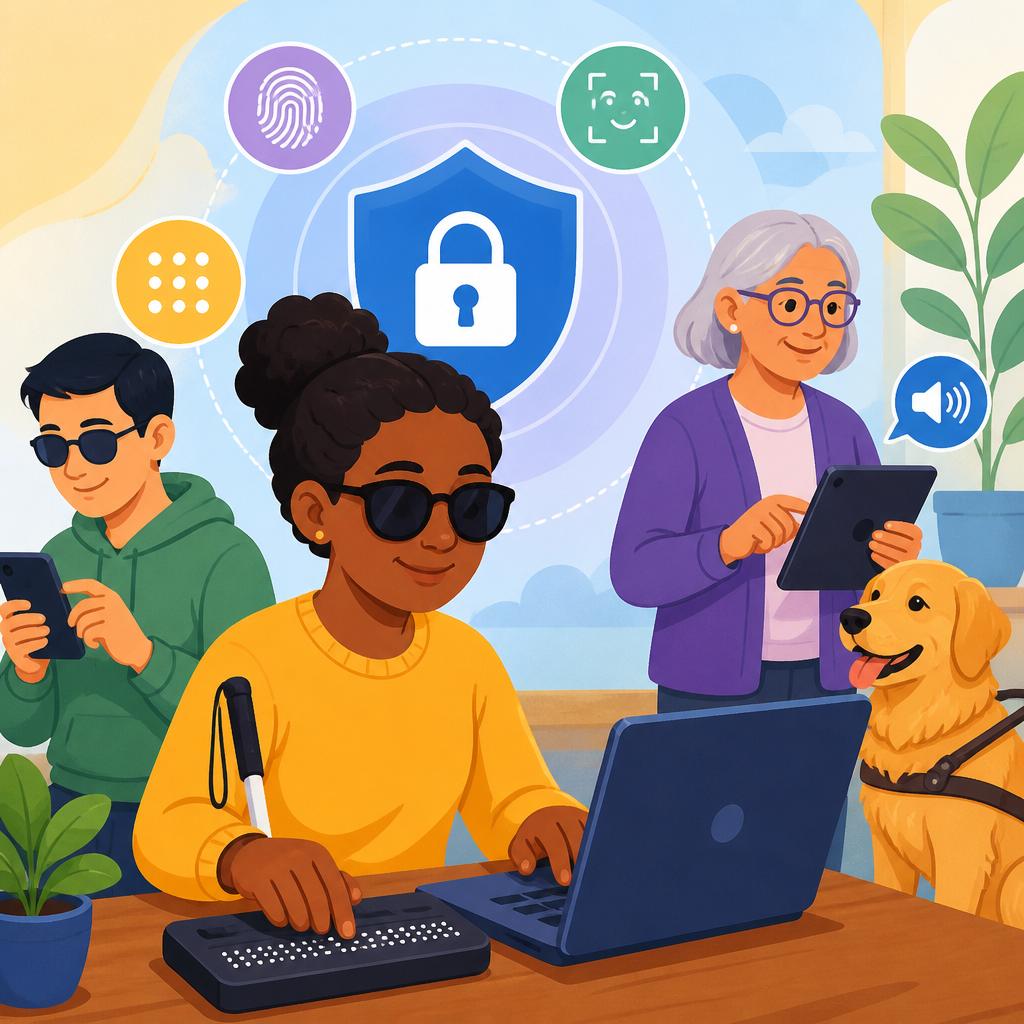
Inclusive authentication for blind and low-vision users is the practice of designing sign-in, identity verification, and account recovery flows that can be completed independently with screen readers, magnification, braille displays, voice control, and other assistive tools. In practical terms, it means removing barriers from passwords, one-time codes, biometric prompts, CAPTCHA challenges, device trust checks, and support workflows. I have audited many authentication journeys over the years, and the pattern is consistent: the strongest security controls often fail when they assume every user can see a screen, read distorted text, align a face in a camera frame, or react to a timed visual prompt. Accessibility is not a cosmetic layer added after release. In authentication, it is a core security requirement because a control that some users cannot complete is not truly protecting the whole account base.
Blind users typically interact through screen readers such as JAWS, NVDA, VoiceOver, or TalkBack, often paired with keyboard navigation or braille displays. Low-vision users may rely on zoom, high contrast settings, larger text, reduced motion, or OCR tools. Authentication includes login, multi-factor authentication, password reset, account enrollment, identity proofing, consent screens, and fraud detection checkpoints. Inclusive design matters because account access gates everything else: banking, healthcare portals, payroll systems, education platforms, and public services. The World Wide Web Consortium’s Web Content Accessibility Guidelines, especially perceivable, operable, understandable, and robust principles, apply directly here, but teams also need to understand mobile platform behaviors, identity standards such as FIDO2 and WebAuthn, and call-center fallback procedures. When these parts work together, users gain both security and autonomy.
This article serves as a hub for innovative solutions in technology and accessibility by focusing on authentication as the high-stakes intersection of usability, privacy, and compliance. It covers common barriers, modern sign-in methods, inclusive identity verification, testing practices, and procurement considerations so readers can use it as a starting point for deeper work across related accessibility topics. The central idea is straightforward: the best authentication systems offer equivalent outcomes through multiple accessible paths, rather than forcing everyone through one fragile, visually dependent method.
Why authentication fails for blind and low-vision users
Most failures stem from hidden visual assumptions. A password field may not announce requirements clearly to a screen reader. An SMS code may auto-advance focus in a way that interrupts speech output. A push notification may contain unlabeled buttons. A CAPTCHA may require identifying traffic lights in tiny images. A facial verification step may instruct the user to center their face without providing spoken guidance, haptic feedback, or a nonvisual alternative. I regularly see teams mark a login page as accessible because the form labels are correct, then overlook that the reset link opens a modal trap, the OTP expires before speech finishes, or the recovery call center demands sighted assistance. These are not edge cases; they are design flaws in the complete authentication journey.
Timing is a frequent barrier. Screen reader users process serial audio, not a full visual layout at once, so short timeouts create unequal friction. Error handling is another weak spot. If a system says only “invalid input” without associating the message to the field, users must hunt for the problem. Low-vision users face contrast issues, reflow failures at 400 percent zoom, hidden focus indicators, and text embedded in images. On mobile, developers often break native accessibility by drawing custom PIN pads or biometric dialogs instead of using platform controls. Security teams sometimes assume stricter controls are automatically safer, yet inaccessible controls push users toward risky workarounds like sharing credentials with family members or storing passwords in plain text.
Principles of inclusive authentication design
Inclusive authentication design starts with equivalence, not sameness. Equivalent access means every user can create, enter, verify, and recover credentials privately, independently, and with reasonable effort. In practice, that requires multiple modalities. Instructions must be programmatically associated with fields. Focus order must match task order. Every step needs a clear name, role, and value so assistive technologies can announce it correctly. Error messages should identify what went wrong, where, and how to fix it. Time limits should be generous, extendable, or avoided altogether. Session expiration notices must be announced accessibly before state is lost.
There is also a security architecture dimension. Good inclusive design reduces cognitive load while preserving assurance. Password managers are a major example. When forms support autofill correctly with standard input types, labels, and predictable markup, blind users gain both speed and stronger unique credentials. When passkeys are implemented with native operating system prompts, users benefit from device-level accessibility features they already know. Conversely, when organizations block paste, disable autofill, require arbitrary complexity rules, or force secret questions, they create barriers without meaningful security gains. NIST SP 800-63B has long discouraged knowledge-based authentication and arbitrary password composition rules in favor of length, breach screening, and user-friendly verifiers.
Modern methods that improve both access and security
Not every authentication method is equally accessible, but several modern options are markedly better than older patterns. Passkeys based on FIDO2 and WebAuthn are among the strongest candidates because they reduce reliance on memorized secrets and phishing-prone OTPs. On Apple, Google, and Microsoft platforms, the credential prompt is handled by the operating system, which means VoiceOver, TalkBack, Narrator, switch access, magnification, and braille support are usually inherited automatically. A user can authenticate with a device PIN, fingerprint, or face unlock they already use daily. The key requirement is to offer fallback choices when biometrics or a particular device setup does not work for that individual.
Authenticator apps can also work well when they support accessible labels, account naming, and easy code retrieval. Push approvals are often better than SMS, but only if notifications are actionable and clearly announced. Email magic links can be accessible when the message subject is specific, the link purpose is explicit, and the browser returns users to a stable page after sign-in. Hardware security keys are powerful for some blind users because tactile orientation is simple, but NFC pairing and USB-C placement can still create friction depending on the device. Inclusive programs never assume one method is universally best.
| Method | Accessibility strengths | Common risks or barriers | Best use |
|---|---|---|---|
| Passkeys | Native prompts, supports screen readers, reduces typing | Device ecosystem confusion, recovery planning needed | Primary sign-in for consumer and workforce accounts |
| Authenticator app | Works offline, avoids carrier delays, clear account labels possible | Poor app labeling, short code expiry, device switching issues | MFA backup or primary for managed users |
| SMS OTP | Familiar and widely deployed | SIM swap risk, message timing, focus disruption, number changes | Fallback only |
| Email magic link | No code entry, readable with assistive tech | Email account dependency, phishing lookalikes | Low-friction access with strong email security |
| Hardware key | Tactile action, phishing resistant | Port access, enrollment complexity, loss handling | High-assurance users and admins |
Biometrics, identity proofing, and nonvisual alternatives
Biometrics can be empowering or exclusionary depending on implementation. Device biometrics such as Touch ID, Face ID, Android fingerprint unlock, and Windows Hello are usually more accessible than app-built capture flows because the operating system provides established prompts and fallback to a device PIN. Problems arise during remote identity proofing, where vendors ask users to photograph an identity document and record a selfie video. Blind users may struggle to frame the document, reduce glare, and follow liveness prompts. Low-vision users may encounter tiny overlays and poor contrast. If the only path is visual capture, the verification process is discriminatory.
A better model uses layered alternatives matched to risk. For moderate assurance, organizations can combine verified possession of a device, known account history, and secure document review by trained support staff. For higher assurance, they can offer video relay or agent-assisted verification with explicit accessibility protocols, or permit in-person verification at branches or partner locations. The key is that alternatives must deliver comparable account outcomes, not a reduced service tier. Vendors should be asked detailed questions about screen reader support, camera guidance audio, retry limits, and documented completion rates for disabled users before procurement. If a provider cannot answer, it is a warning sign.
Designing accessible account recovery and support channels
Account recovery is where many accessible programs quietly collapse. A polished login page does little good if recovery depends on inaccessible CAPTCHAs, printed backup codes, or support scripts that reveal sensitive data aloud in public. Recovery should be treated as a first-class product flow with the same design rigor as enrollment and sign-in. Users need more than one recovery factor, clear explanations of how each method works, and warnings about tradeoffs. Backup codes, for example, should be available in accessible digital formats and easy to store securely in a password manager or braille note device. Secret questions should be retired because answers are guessable, socially discoverable, and hard to remember consistently.
Support channels require training as much as technology. Agents must know how to authenticate a caller without demanding sighted help or forcing the user to read visual prompts they cannot access. Secure callback procedures, accessible identity checks, and documented accommodations are essential. I advise teams to script for privacy and dignity: speak directly to the customer, describe each step plainly, and avoid assumptions about capability. Live chat can be excellent if the widget is keyboard accessible and transcripts are preserved. Video support can help some low-vision users, but it should never be mandatory. The goal is resilient recovery that preserves both security assurance and independent access.
Testing methods, standards, and product governance
Reliable inclusive authentication does not come from a single audit at the end of development. It requires governance, standards, and repeated testing across browsers, devices, and assistive technologies. Start with recognized accessibility criteria, then translate them into authentication-specific acceptance tests: can a user complete signup, MFA enrollment, login, reset, recovery, and logout using only a keyboard and screen reader; at 400 percent zoom; in high contrast mode; with reduced motion; on iOS and Android; and with a temporary network interruption? Automated tools such as axe, WAVE, Accessibility Insights, and Lighthouse can catch basic issues, but they do not verify spoken context, timing pressure, or support-channel failures. Manual testing is mandatory.
The most valuable practice is involving blind and low-vision participants in moderated usability and security testing before launch and after major changes. Measure completion rate, time on task, error rate, abandonment points, and recovery success, then compare them with the general population. Track defects by severity and route them jointly to design, engineering, security, and customer operations, because authentication spans all four. Procurement language should require conformance reporting, accessibility defect remediation timelines, and compatibility with assistive technologies. Product teams should also document exception handling, because outages and fraud events tend to trigger ad hoc controls that bypass accessibility unless plans are already in place.
Inclusive authentication for blind and low-vision users is not a niche enhancement. It is foundational digital infrastructure for technology and accessibility work across consumer apps, enterprise systems, public services, healthcare, and finance. The most effective programs share a few traits: they avoid visually exclusive hurdles, provide more than one secure verification method, use native platform capabilities where possible, design recovery as carefully as login, and test the full journey with real assistive technology users. These choices improve security outcomes because people can authenticate independently instead of relying on unsafe workarounds.
As a hub topic, innovative solutions in technology and accessibility should always include identity and access, since every downstream service depends on them. If you are planning new accessibility initiatives, begin with your authentication stack: inventory current methods, remove inaccessible blockers, add equivalent alternatives, and set measurable testing standards. That work delivers immediate value, lowers support costs, and opens every other digital experience to more users. Start by reviewing one sign-in flow end to end this week and fix the first barrier you find.
Frequently Asked Questions
What does inclusive authentication mean for blind and low-vision users?
Inclusive authentication means building sign-in, verification, and account recovery experiences that blind and low-vision users can complete independently, reliably, and with dignity using their preferred assistive technology. In practice, that includes screen readers, screen magnifiers, braille displays, voice control, keyboard-only navigation, high-contrast settings, and zoom tools. An inclusive flow does not assume that users can see visual instructions, interpret distorted text, read tiny time-sensitive codes, align their face in a camera frame, or recover an account through inaccessible support channels.
A truly inclusive authentication journey pays attention to every step, not just the login form. Password fields need clear labels, error messages must be announced properly, focus order has to make sense, and one-time passcode inputs should work well with autofill and assistive technology. Security prompts, CAPTCHA alternatives, device recognition checks, and identity verification screens all need to be understandable without relying only on sight. If a user gets locked out, the recovery process should be equally accessible, with support options that do not force phone calls, visual document uploads without guidance, or inaccessible chat widgets.
The goal is not to create a separate “accessible version” of authentication. It is to design one robust experience that works for a wide range of users from the start. When authentication is inclusive, it reduces abandonment, lowers support costs, improves trust, and helps organizations meet legal and ethical accessibility expectations while maintaining strong security.
What are the most common accessibility barriers in login and verification flows?
Some of the most common barriers appear in places teams often overlook because they are treated as routine security components. CAPTCHA is a major example. Visual challenges, image selection tasks, and poorly implemented audio alternatives can block blind and low-vision users entirely. Another frequent issue is unlabeled or ambiguously labeled form controls, especially when password visibility toggles, remember-me checkboxes, and verification code fields are not announced correctly by screen readers.
Time pressure is another serious problem. One-time codes that expire too quickly, automatic session timeouts with no warning, and security steps that refresh unexpectedly can make authentication frustrating or impossible for users navigating with speech output, magnification, or braille. Low-vision users may also struggle with poor contrast, small text, unclear focus indicators, and layouts that break when zoomed. If the interface shifts unexpectedly during code entry or error handling, the user can lose context and start over repeatedly.
Biometric and device-based checks can also introduce barriers when they depend on visual positioning cues, inaccessible modal dialogs, or insufficient fallback options. Account recovery is especially problematic when it relies on inaccessible identity proofing, visual document capture instructions, or customer support channels that do not work well with relay services, text communication, or assistive technology. Many organizations secure the front door but forget that the backup entrance, the intercom, and the help desk must be accessible too. That is why auditing the full authentication journey is so important.
How can passwords, one-time codes, and multi-factor authentication be designed more accessibly?
Accessible design starts with clarity and predictability. Password fields should have explicit labels, useful instructions, and error messages that explain exactly what needs to be fixed. If password rules exist, they should be visible before submission rather than revealed only after a failed attempt. Show-password controls need accessible names and clear state changes so screen reader users know whether the password is currently hidden or exposed. Password managers should be supported rather than disrupted by unnecessary field tricks or anti-paste restrictions.
For one-time codes, the best experience is usually the simplest one. Let users enter a code in a single field or ensure that segmented fields behave correctly with keyboards, screen readers, and paste actions. Support autofill where possible, provide enough time before expiration, and make it easy to request a new code without losing focus or context. Delivery choices matter too. Some users may prefer email, authenticator apps, passkeys, or accessible push notifications over SMS, particularly if phone access is inconsistent or messages are delayed.
With multi-factor authentication, accessibility improves when users can choose from more than one secure method. Biometrics, authenticator apps, hardware keys, passkeys, backup codes, and trusted-device approaches should be offered with accessible setup and fallback paths. No single factor should become a dead end. For example, if a face scan fails because visual alignment instructions are inaccessible, there should be an easy alternative that does not require starting the entire process over. The best MFA systems balance security with flexibility, giving users secure options that match their devices, abilities, and environments.
Are passkeys and biometrics better for accessibility than passwords?
They can be, but only when implemented carefully. Passkeys often reduce cognitive load because users do not need to create, remember, or type complex passwords. For many blind and low-vision users, that can make sign-in faster and less error-prone. Platform-integrated authentication methods may also work well with screen readers and other assistive technology because they use familiar operating system dialogs rather than custom web components. In many cases, that consistency improves both usability and security.
Biometrics can also help, especially fingerprint authentication, which may be more straightforward than typing credentials or retrieving a code. However, biometrics are not automatically inclusive. Face recognition flows can fail if they rely on visual framing cues, unclear camera instructions, or inaccessible feedback. Some users may have privacy concerns, device limitations, environmental constraints, or disabilities that make certain biometric methods unreliable. Accessibility problems often appear not in the biometric itself, but in enrollment, error recovery, or fallback authentication.
The right approach is to treat passkeys and biometrics as valuable options, not mandatory replacements. Users should be able to choose an authentication method that works for them and switch methods if circumstances change. Strong fallback paths are essential. If a passkey is tied to a lost device or a biometric prompt cannot be completed independently, the alternative path must still be secure and fully accessible. Inclusive authentication is about resilient choice, not betting everything on a single “modern” method.
How should organizations test and improve authentication for blind and low-vision users?
Start by testing the full journey, not isolated screens. That means account creation, sign-in, password reset, MFA enrollment, code entry, suspicious-login checks, account recovery, and support escalation. Authentication often passes basic accessibility checks on the first page but fails in edge cases such as expired codes, lockouts, CAPTCHA triggers, device changes, or fraud review steps. These are exactly the moments when users are under pressure and cannot afford confusing or inaccessible experiences.
Use a combination of methods. Manual keyboard testing is essential, as is screen reader testing with common tools such as NVDA, JAWS, VoiceOver, and TalkBack where relevant. Test at high zoom levels, with browser reflow, with increased text spacing, and in high-contrast or dark mode settings. Review labels, announcements, focus management, status messages, and error handling. Check whether time limits can be extended, whether instructions remain visible, and whether users can recover from mistakes without losing progress. Automated testing can help catch some structural issues, but it will not reveal many of the real-world barriers people encounter during authentication.
Most importantly, include blind and low-vision users in research and usability testing. Their feedback will uncover problems that compliance checklists and internal QA often miss. Once issues are identified, prioritize remediation in security roadmaps rather than treating accessibility as a separate stream of work. Inclusive authentication improves completion rates, trust, and resilience for everyone. When organizations commit to testing with real users, maintaining accessible patterns, and reviewing changes over time, authentication becomes both stronger and more humane.


