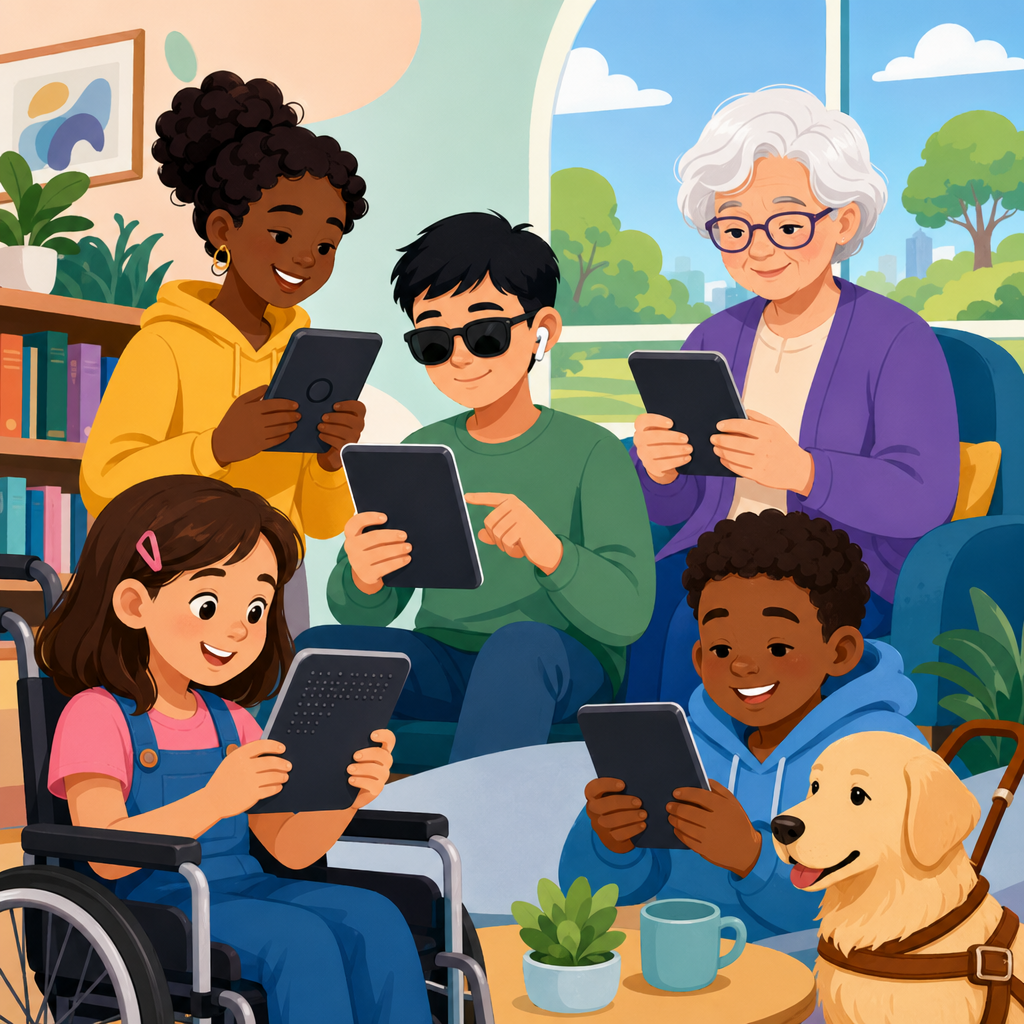
Accessibility and e-readers have moved from niche assistive technology concerns to a central question of equal access, educational opportunity, and digital civil rights. An e-reader is any device, app, or software environment designed for reading digital books, documents, and long-form text, while accessibility means that people with disabilities can perceive, operate, understand, and benefit from that reading experience without unnecessary barriers. In practice, that includes screen reader support, text-to-speech, adjustable fonts, contrast controls, keyboard navigation, captioned multimedia, accessible file formats, and purchasing systems that do not exclude users before they even reach the book itself.
I have worked with libraries, content teams, and disability advocates reviewing digital reading platforms, and the same pattern appears repeatedly: the legal right to access content means little if the app crashes with VoiceOver, if a protected PDF blocks text-to-speech, or if a student cannot annotate a chapter using only a keyboard. That is why this topic matters under rights and protections. Accessibility is not an optional feature layer added after publication. It is the mechanism that turns formal rights into lived reading access for students, workers, older adults, and anyone navigating print disabilities, learning disabilities, visual impairments, mobility limitations, or temporary injuries.
This hub focuses on rights in action through case studies and real-world applications because policy alone rarely shows people what good access looks like. Readers need concrete examples: how a public library fixed inaccessible lending workflows, how a university remediated textbook files, how publishers adopted EPUB Accessibility specifications, how procurement language changed vendor behavior, and how disabled readers used complaint processes to secure practical improvements. These examples help families, educators, compliance teams, and advocates move from abstract compliance to repeatable action.
The legal and standards landscape is broad but not vague. In the United States, the Americans with Disabilities Act, Sections 504 and 508 of the Rehabilitation Act, and state procurement rules shape expectations for digital reading access. Internationally, the Marrakesh Treaty supports cross-border access to works for people who are blind, visually impaired, or otherwise print disabled. Technical standards such as WCAG, EPUB 3, and the EPUB Accessibility specification define what accessible reading content and platforms should do. Together, these rules and standards establish a practical baseline: if people cannot independently obtain, read, navigate, and interact with digital texts, the system is not delivering equal access.
What accessible e-reading looks like in real use
Accessible e-reading is not just about enlarging text. A genuinely accessible reading system supports the full reading journey: discovery, borrowing or buying, downloading, reading, navigating, annotating, and returning or sharing within lawful limits. For a blind reader using NVDA or JAWS on a Windows laptop, that means semantic headings, proper landmarks, alt text for meaningful images, logical reading order, and controls exposed to assistive technology. For a dyslexic reader, it may mean font customization, line spacing controls, synchronized text and audio, and clean page layouts without visual clutter. For a reader with limited hand mobility, it means every function works with a keyboard, switch device, or voice control.
When I audit platforms, I separate content accessibility from platform accessibility because they fail in different ways. An EPUB file may be well tagged and navigable, yet the reading app may trap keyboard focus or label buttons poorly. The reverse also happens: a polished app may support dark mode and screen readers, but the book file itself is image-based, with no structural markup, making chapter navigation impossible. Rights in action starts with recognizing that both layers matter. If either one breaks, the user experiences exclusion.
Real-world implementation also depends on procurement and workflow choices. Libraries and schools often license platforms from third-party vendors, then discover that accessibility statements were generic and unsupported by testing. The most successful organizations I have seen require a current VPAT, conduct hands-on testing with disabled users, and include remediation deadlines in contracts. Those steps create accountability before a problem becomes a discrimination complaint.
Rights in action: case studies that turn policy into access
Case studies matter because they show how institutions respond when legal obligations meet operational reality. One common scenario involves a university that adopted a major e-textbook platform quickly during a shift to digital learning. Blind students reported that chapter links were unlabeled, page navigation required a mouse, and math content was rendered as inaccessible images. The university’s disability services team, procurement office, and instructional technology staff reviewed the platform against WCAG and EPUB requirements, then negotiated a remediation plan with the vendor. In the short term, the school provided accessible alternate files and human support. In the longer term, it changed purchasing policy so inaccessible core course materials could not be adopted without an approved accommodation path and a vendor fix timeline.
A public library case often looks different. Library systems may offer accessible devices and inclusive programming, yet rely on lending apps with inaccessible authentication or checkout workflows. In one project I advised on, older patrons with low vision could use text resizing inside books but could not complete the sign-in sequence because form labels and error messages were not exposed consistently to screen readers. The library documented failures, escalated them through consortium channels, and created a temporary assisted-registration process while pressing the vendor to correct the login experience. The key lesson was simple: access fails upstream as often as it fails on the reading screen.
Publishers provide another important set of examples. Several major trade and education publishers now build born-accessible EPUB files by including semantic structure, page-list navigation, image descriptions, and compatibility testing across reading systems. That shift reduces the need for expensive post-production remediation and improves outcomes for all readers, not only disabled readers. In practice, it also lowers legal risk, because accessibility is embedded in editorial and production workflows instead of treated as an exception.
| Scenario | Typical barrier | Action taken | Practical result |
|---|---|---|---|
| University e-text adoption | Keyboard traps and unlabeled navigation | Vendor remediation plan plus alternate accessible files | Students gained independent chapter access |
| Public library lending | Inaccessible sign-in and checkout forms | Documented defects, temporary assistance, contract pressure | Patrons could register and borrow with fewer barriers |
| Publisher production workflow | Image-based or poorly structured EPUB content | Born-accessible publishing standards | Lower remediation cost and wider compatibility |
| Workplace learning platform | Protected files blocking text-to-speech | Revised DRM settings and accessible distribution | Employees could complete required training independently |
Where rights are enforced: schools, libraries, workplaces, and courts
Accessibility and e-reader rights are enforced through multiple channels, and each setting has different pressure points. In K-12 schools and higher education, the central issue is equal access to instructional materials. If a reading platform delays access for disabled students while others begin immediately, that is not a minor inconvenience; it can be a denial of equal educational opportunity. Office for Civil Rights resolutions and private settlements have repeatedly emphasized timely access, not delayed accommodation after harm occurs.
Libraries are shaped by public service obligations and procurement realities. They may not create the apps or digital rights management systems they license, but they still influence outcomes through vendor selection, contract language, public feedback channels, and local support practices. Strong library systems build accessibility review into digital collection strategy, train staff on assistive features, and maintain clear escalation paths when patrons report barriers.
In workplaces, e-readers and digital reading platforms appear in compliance training, employee handbooks, technical manuals, and professional development materials. If those materials are inaccessible, disabled employees may be excluded from mandatory training or advancement pathways. Employers can reduce risk by ensuring file formats support assistive technology, avoiding inaccessible image-only documents, and testing platforms before enterprise rollout.
Courts and regulators usually enter the picture after institutions fail to act voluntarily. Litigation and administrative complaints can drive change, but they are slow, stressful, and resource intensive. The better path is preventive compliance grounded in real user testing. In my experience, organizations that wait for a formal complaint end up paying more in emergency remediation, consulting costs, and reputational damage than they would have spent on accessible design from the start.
Technical standards that make digital reading usable
The strongest rights claims are often supported by technical evidence. WCAG remains the core reference for digital interfaces, covering perceivability, operability, understandability, and robustness. For e-books specifically, EPUB 3 and the EPUB Accessibility specification matter because they define navigable structure, text alternatives, metadata, reading order, and compatibility expectations. DAISY standards and accessible media practices also remain important, especially for synchronized audio and specialized educational materials.
Specific requirements translate directly into reader outcomes. Proper heading hierarchy lets screen reader users jump by section instead of swiping line by line through entire chapters. Reflowable text helps readers enlarge content without horizontal scrolling. Descriptive link text clarifies where navigation controls lead. MathML or accessible math rendering allows scientific and technical texts to be interpreted by assistive tools. Media overlays and read-aloud synchronization support some readers with dyslexia or cognitive disabilities, though they do not replace robust structural accessibility.
Testing should combine automated tools with manual review. Axe, WAVE, Accessibility Insights, and platform-specific screen readers can catch many issues, but no automated scanner can fully verify reading order, alt text quality, or meaningful usability in long-form content. The most reliable reviews include keyboard-only testing, magnification testing, screen reader testing on multiple operating systems, and direct feedback from disabled readers performing common tasks such as opening a title, finding chapter three, creating a bookmark, and exporting notes.
How to evaluate an e-reader or platform before problems arise
If you are selecting an e-reader platform, start with user tasks rather than marketing claims. Ask whether a blind user can independently search, purchase or borrow, open, navigate, annotate, and return a title. Ask whether a low-vision user can adjust font size, contrast, spacing, and brightness without losing content or controls. Ask whether a user with limited dexterity can complete every action with a keyboard or switch. Those questions reveal more than feature lists.
Vendor documentation should include a recent accessibility conformance report, but never stop there. Require a product demonstration using assistive technology. Test with your own materials, especially if you rely on textbooks, image-heavy publications, or protected documents. Review support channels and remediation commitments. If the vendor promises future fixes, get dates, named contacts, and contract language. Good intentions do not help a student on the first day of class.
This hub supports deeper articles on procurement checklists, legal complaint strategies, library implementation, educational accommodations, and accessible publishing workflows. Used together, those resources help institutions build an evidence trail, compare platforms consistently, and correct barriers before they become systemic. That is the practical value of rights in action: it equips decision-makers to move from awareness to enforceable, measurable access.
Conclusion: building reading access that works in everyday life
Accessibility and e-readers are ultimately about whether digital reading systems honor the promise of equal participation. Rights and protections establish the framework, but real-world applications show whether that framework delivers results. The clearest lesson from case studies across schools, libraries, workplaces, and publishing is that access succeeds when organizations treat accessibility as a product requirement, a procurement standard, and an ongoing quality practice. It fails when they rely on after-the-fact accommodations for preventable design defects.
For readers, advocates, and institutions, the path forward is practical. Use recognized standards. Test real workflows. Involve disabled users early. Document barriers carefully. Demand contractual accountability from vendors and publishers. Build born-accessible content wherever possible. When those steps are followed, e-readers become what they should be: flexible, efficient tools that expand reading for everyone rather than gatekeeping it for many.
Use this hub as your starting point for the full subtopic of rights in action. Review the linked case-study articles, apply the evaluation methods to your own platforms, and turn digital reading rights into everyday access people can actually use.
Frequently Asked Questions
What does accessibility mean in the context of e-readers?
In the context of e-readers, accessibility means that digital reading platforms, devices, and apps are designed so people with disabilities can use them effectively, independently, and with dignity. That goes far beyond simply making text appear on a screen. A truly accessible e-reader allows users to perceive content through multiple formats, operate the interface with different input methods, understand navigation and controls clearly, and engage with books or documents without avoidable obstacles. For readers who are blind or have low vision, that may include compatibility with screen readers, text-to-speech support, refreshable braille displays, adjustable font sizes, high-contrast viewing modes, and flexible spacing or color settings. For readers with mobility disabilities, accessibility can involve keyboard navigation, switch access, voice control, and simplified gestures. For readers with dyslexia, cognitive disabilities, or learning differences, useful features may include readable fonts, predictable layouts, synchronized audio, and tools that reduce visual clutter.
Accessibility also includes whether the content itself is structured properly. Even the best e-reader software cannot fully compensate for poorly formatted ebooks. Headings, page landmarks, image descriptions, navigable tables of contents, and properly tagged text all help users move through material efficiently. This is especially important in education, where inaccessible reading systems can limit participation, delay assignments, and create unequal learning conditions. In that sense, accessibility is not just a technical feature set; it is a matter of equal access, educational opportunity, and digital inclusion. When e-readers are built and tested with accessibility in mind from the beginning, they expand reading access for everyone, not only for disabled users.
Which accessibility features are most important in an e-reader?
The most important accessibility features in an e-reader are the ones that remove common barriers across a wide range of disabilities, and the strongest platforms usually offer several of them together rather than treating accessibility as a single option. Screen reader compatibility is one of the most essential features because it enables blind and low-vision users to navigate menus, open books, move by headings or pages, access annotations, and read content aloud through assistive software. Text-to-speech is also highly valuable, especially for users with visual impairments, dyslexia, fatigue-related conditions, or print disabilities. Adjustable visual settings matter just as much: scalable font sizes, line spacing controls, margin adjustments, customizable typefaces, brightness controls, dark mode, and high-contrast themes can significantly improve readability.
Navigation features are another major priority. An accessible e-reader should let users move predictably through chapters, headings, footnotes, bookmarks, search results, and the table of contents. Keyboard support is critical for people who cannot rely on touchscreens, and voice command integration or switch access can make reading possible for users with limited dexterity. Support for image descriptions is important when books contain charts, illustrations, or instructional graphics. For academic and professional reading, annotation tools should also be accessible so users can highlight text, add notes, and review passages without encountering interface barriers. In addition, accessible DRM implementation matters more than many people realize; digital rights protections should not block read-aloud functions or interfere with screen readers. The best e-readers combine these features into a reading experience that is flexible, consistent, and usable in real-world situations, not just in product marketing claims.
How do accessible e-readers support education and equal opportunity?
Accessible e-readers play a powerful role in education because reading is central to nearly every learning environment, from elementary school classrooms to universities and professional training programs. When digital reading tools are accessible, students with disabilities can obtain textbooks, articles, handouts, and assigned readings in formats they can actually use at the same time as their peers. That timing matters. Equal opportunity in education is not only about whether material is technically available at some point; it is about whether students can participate in class, complete assignments, prepare for exams, and engage in research without delays caused by inaccessible technology. If an e-reader does not work with a screen reader, does not allow proper text scaling, or traps users in confusing navigation, it can turn a routine reading assignment into a serious access barrier.
Accessible e-readers also support different learning preferences and reduce the need for costly, time-consuming accommodations after the fact. Features such as text-to-speech, synchronized audio, adjustable display settings, dictionary tools, and structured navigation can help students with visual impairments, dyslexia, attention-related disabilities, processing differences, and temporary injuries. These same features often benefit multilingual learners, older adults, and anyone reading in difficult environments. In that way, accessible design aligns with broader principles of universal design for learning by giving readers multiple ways to access and engage with content. On a larger scale, accessible e-readers help advance digital civil rights by recognizing that participation in education, employment, and public life increasingly depends on digital reading access. When institutions choose accessible platforms, they are not merely adding convenience; they are helping ensure that disabled readers are fully included in the modern information ecosystem.
What are the biggest accessibility challenges facing e-readers today?
One of the biggest challenges is inconsistency. An e-reader may offer strong accessibility features on one device or operating system but perform poorly on another. A reading app might work well with a built-in screen reader on a tablet yet become difficult or impossible to use on a desktop platform. Similarly, one ebook title may be carefully structured and easy to navigate, while another in the same store may have broken headings, unlabeled images, or text presented as inaccessible images. This inconsistency creates uncertainty for readers who depend on accessible features every day. It also makes it difficult for schools, libraries, and employers to evaluate whether a platform is truly usable at scale.
Another major challenge is the gap between compliance and usability. Some products meet basic technical standards on paper but still create frustrating real-world experiences. For example, menus may technically be labeled for screen readers, yet the reading workflow may be inefficient, confusing, or filled with unnecessary steps. Proprietary formats, restrictive digital rights management, inaccessible annotation tools, poor support for mathematical notation, and weak handling of complex layouts such as tables or footnotes can all interfere with meaningful access. There are also broader market issues: accessibility testing may happen too late in development, disabled users may not be included in product design decisions, and publishers may not provide properly tagged source files. As digital publishing grows, these challenges highlight an important truth: accessibility is not solved by a single feature or checklist. It requires coordinated attention across hardware design, software engineering, content production, legal compliance, procurement standards, and ongoing user feedback.
How can readers, educators, and organizations choose a truly accessible e-reader platform?
Choosing a truly accessible e-reader platform starts with looking beyond marketing language and evaluating how the product performs in actual use. Readers and organizations should first identify the access needs that matter most for their audience. For some users, screen reader compatibility and braille display support will be essential. For others, text customization, dyslexia-friendly presentation, keyboard-only navigation, or captioned multimedia integration may be the deciding factors. Once those needs are clear, the next step is to test the platform directly whenever possible. A vendor’s accessibility statement can be helpful, but it should not be the only source of information. Real testing with assistive technologies, including screen readers, magnification tools, voice control, keyboard navigation, and mobile accessibility settings, is far more reliable.
Educators, libraries, and institutions should also examine the entire reading ecosystem, not just the app interface. That includes the accessibility of purchased or borrowed titles, the checkout process, account management, note-taking tools, search features, and export options. Ask whether the platform supports properly structured EPUB files, whether image descriptions are preserved, whether read-aloud functions are available, and whether DRM restrictions interfere with assistive technology. It is also wise to look for evidence of ongoing accessibility maintenance, such as published conformance reports, regular updates, responsive support teams, and documented collaboration with disabled testers. For schools and public institutions in particular, procurement decisions should treat accessibility as a core requirement, not a bonus feature. The most trustworthy e-reader platforms are those that demonstrate both technical accessibility and a genuine commitment to inclusive reading over time. That combination helps ensure that digital reading remains a tool for access and empowerment rather than another barrier to information.