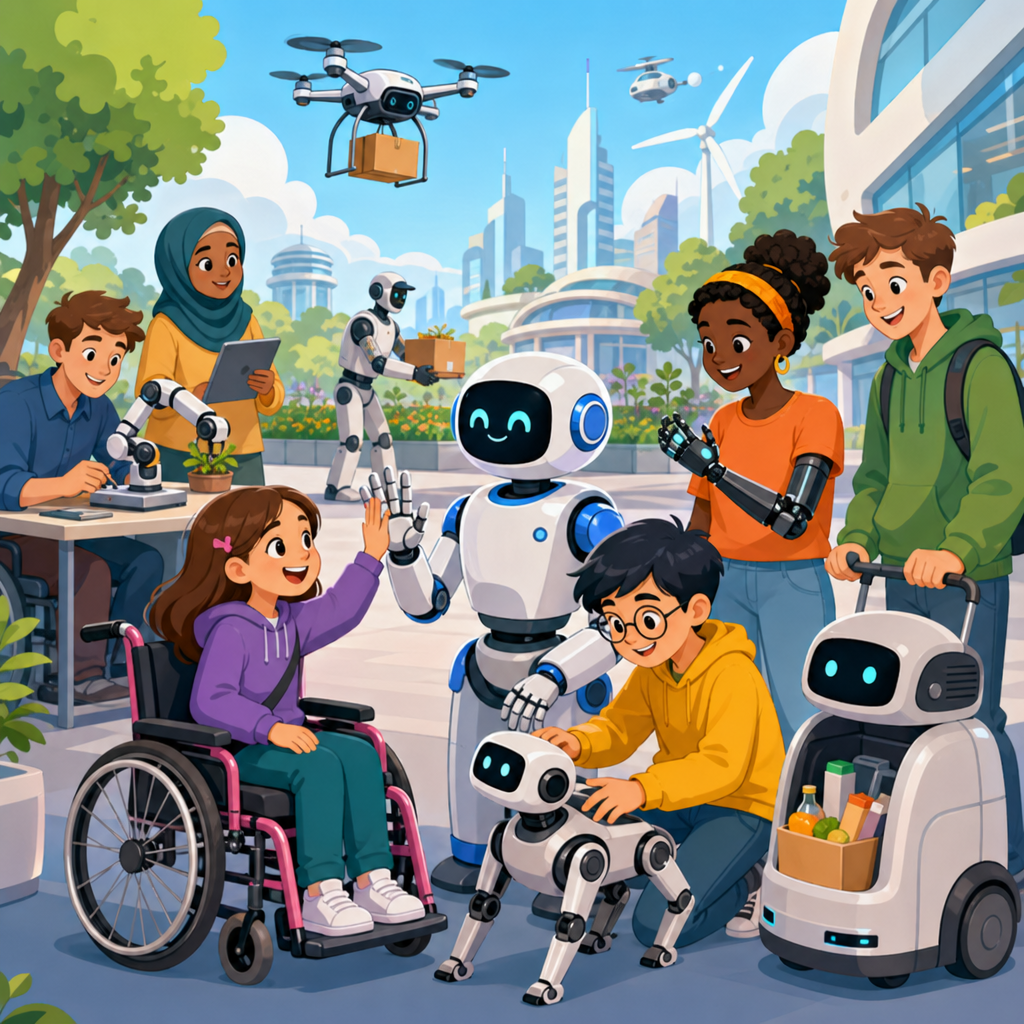
Accessible robotics is reshaping how people with disabilities live, learn, work, and move through the world. In practical terms, accessible robotics means designing robots, robotic devices, and automation systems so they can be used by people with diverse physical, sensory, cognitive, and communication needs. That includes powered exoskeletons that support walking, robotic arms controlled through switches or eye tracking, navigation robots that guide blind users indoors, social robots that assist with communication practice, and smart home robots that reduce reliance on caregivers for routine tasks. As someone who has worked with assistive technology teams evaluating device fit, training time, and long-term usability, I have seen one consistent truth: the best robotic solution is not the most advanced one, but the one that fits a person’s goals, environment, and budget.
The topic matters because disability affects more than one billion people globally, according to the World Health Organization, and many accessibility barriers remain stubbornly physical. A ramp helps at one doorway; a robot can help across dozens of daily activities. Robotics can extend reach, improve precision, reduce fatigue, support independent mobility, and create new ways to interact with digital and physical environments. This article serves as a hub for advanced technology for accessibility, connecting the major applications, design principles, implementation choices, and future possibilities that shape accessible robotics today. It also answers the core questions readers usually ask: what accessible robots are, where they are used, how much they help, what limitations remain, and what developments are likely next.
What Accessible Robotics Includes
Accessible robotics is broader than many readers expect. It covers rehabilitation robots used in clinics, assistive robots used at home or school, collaborative robots adapted for inclusive workplaces, robotic prosthetics, robotic wheelchairs, telepresence robots, and environmental control systems linked to robotic functions. Some systems are fully autonomous, such as robot vacuums that reduce strenuous housework. Others are semi-autonomous, like robotic feeding arms that need user approval before each movement. The key idea is functional access: technology should enable a user to perform a task safely, effectively, and with dignity.
In accessibility projects, I separate solutions into four categories. First, mobility support includes exoskeletons, robotic walkers, stair-climbing wheelchairs, and autonomous navigation aids. Second, manipulation support includes robotic arms, gripping devices, feeding systems, and page turners. Third, communication and cognition support includes social robots, telepresence units, and reminder robots. Fourth, environmental access includes robots integrated with smart doors, lights, beds, appliances, and emergency systems. Thinking in categories helps organizations choose the right pilot project and helps families avoid buying a flashy device that solves the wrong problem.
Standards and design methods matter. Universal design principles improve baseline usability, but robotics also requires human factors engineering, safety validation, and interoperability testing. In practice, teams often rely on ISO 13482 for personal care robot safety, WCAG-aligned interfaces for companion apps, and user-centered design methods that involve disabled users from concept through deployment. Without that process, robotics quickly becomes impressive in a demo and frustrating in daily life.
Current Applications in Mobility and Daily Living
Mobility is one of the most visible areas of accessible robotics. Robotic exoskeletons from companies such as Ekso Bionics, ReWalk, and Wandercraft are used in rehabilitation and, in some cases, personal mobility. They can support gait training after spinal cord injury or stroke by delivering repeatable movement patterns and measurable intensity. Their value is not just standing up. Clinicians track step count, symmetry, endurance, and engagement, which helps tailor therapy. However, exoskeletons still involve tradeoffs: they are expensive, require supervision or training, and do not replace wheelchairs for many users.
Robotic wheelchairs and intelligent navigation systems are often more practical. Power chairs with obstacle detection, path assistance, and docking support can reduce collisions and cognitive load. Research groups and commercial vendors have also developed indoor wayfinding robots and robotic canes using lidar, computer vision, and haptic feedback. For blind and low-vision users, the best systems combine robotics with audio prompts, tactile cues, and maps of buildings such as hospitals, airports, and campuses. The result is not only safer movement but less dependence on staff escorts.
Daily living support is equally important. Robotic feeding devices like Obi and Neater Eater help users with limited upper-limb function eat more independently. Robotic arms mounted on wheelchairs, such as Kinova’s JACO series, assist with reaching shelves, opening doors, pressing elevator buttons, and handling lightweight household items. In trials and home assessments I have observed, the major success factor is not arm strength or speed; it is interface matching. Some users do best with joystick control, others with switch scanning, head arrays, sip-and-puff, or eye gaze. A sophisticated arm with a poor control method becomes abandonware.
| Application | Typical Users | Main Benefit | Common Limitation |
|---|---|---|---|
| Robotic exoskeleton | People with spinal cord injury, stroke, rehab patients | Gait training and supported standing | High cost, training demands, limited everyday portability |
| Robotic wheelchair assistance | Users with mobility or navigation challenges | Safer driving and easier route planning | Indoor mapping and maintenance requirements |
| Robotic feeding arm | Users with limited arm and hand function | Independent eating | Setup time and positioning sensitivity |
| Wheelchair-mounted robotic arm | Users needing reach and grasp support | Object manipulation in home and community settings | Slow task completion and learning curve |
Education, Communication, and Workplace Access
Accessible robotics is not limited to physical assistance. In education, telepresence robots allow students with chronic illness, immune compromise, or severe mobility limitations to attend class remotely with greater agency than a standard video call. They can move between rooms, turn toward speakers, and participate socially in ways that static screens do not support. Social robots have also been used in speech practice, autism support, and structured learning routines. The strongest outcomes appear when robots are integrated into a broader teaching plan rather than treated as novelty devices.
For communication access, robotics intersects with augmentative and alternative communication. A social or service robot can act as a physical extension of an AAC system by moving toward a conversation partner, presenting text or symbols, or executing a requested action like fetching an item or alerting a caregiver. This is especially useful for users with complex communication needs who benefit from a visible, responsive interface that links words to actions. In therapy settings, predictable robot behavior can reduce anxiety and create repeatable interaction scenarios.
Workplace access is an emerging but underreported application. Collaborative robots, or cobots, can make manufacturing and light assembly roles more inclusive by handling heavy lifting, repetitive motion, or precision tasks beyond a worker’s physical endurance. In office environments, mobile robots can transport materials, support mail distribution, or connect remote employees to physical spaces. I have seen successful pilots where a simple robotic cart made a bigger accessibility difference than a costly custom workstation because it removed the need to carry files, tools, or stock across long distances. The lesson is clear: accessible robotics succeeds when it targets a measurable barrier in a real workflow.
Design Principles That Make Robotics Truly Accessible
The phrase accessible by design must be taken literally. A robot is not accessible just because it serves disabled users. It must be operable through multiple input methods, understandable in its feedback, physically reachable, safe around mobility aids, and adaptable to changing needs. Multimodal interaction is essential. Good systems support voice, touch, switches, joysticks, eye tracking, and programmable routines. They also provide feedback through speech, text, lights, haptics, or simplified status icons so users with different sensory profiles can monitor what the robot is doing.
Reliability is another design requirement, not a luxury. If a robotic transfer aid fails once a month, that may be enough to make a user and caregiver stop trusting it. That is why robust accessible robotics uses fail-safe states, emergency stop controls, battery health alerts, and clear recovery steps. Environmental fit matters too. A robot that works well in a lab may fail in a narrow apartment, on thick carpet, or in a cluttered classroom. Accessibility assessments should include doorway widths, turning radius, Wi-Fi stability, lighting conditions for cameras, and the user’s posture and endurance over time.
Privacy and autonomy deserve equal weight. Robots in homes often collect video, audio, location, and behavioral data. That creates benefits for safety monitoring but also real risks. Users should know what data is stored, who can access it, and how long it is retained. More importantly, robotics should increase personal control, not simply automate decisions around the user. The right balance is adjustable autonomy: the system can assist, suggest, or automate routine steps, but the user can override actions, set preferences, and define acceptable risk levels.
Barriers to Adoption: Cost, Training, and Policy
If accessible robotics is so promising, why is adoption still limited? The first barrier is cost. Advanced robotic systems can range from several thousand dollars for feeding devices to tens of thousands for robotic arms and far more for exoskeletons. Beyond purchase price, there are mounting costs, software updates, batteries, service contracts, and clinician or technician time. Funding is fragmented. Some devices qualify as durable medical equipment, some fall under education budgets, some are classed as workplace accommodations, and many fit nowhere neatly enough to secure coverage.
Training is the second barrier. Successful use depends on setup, calibration, personalization, and repeated practice. Caregivers, therapists, teachers, and employers often need training as much as the primary user. In one implementation pattern I have seen repeatedly, enthusiasm is highest on delivery day, but usage drops sharply if support ends after the first session. The strongest programs include onboarding, home or workplace assessment, scheduled follow-ups, and metrics that define success, such as meals completed independently, trips navigated without assistance, or hours of productive work gained.
Policy and procurement can also slow progress. Public institutions may buy robotics through general technology contracts that ignore accessibility requirements. Employers may hesitate because they are unsure about liability, maintenance, or accommodation rules. Health systems may reimburse therapy sessions but not the home device that would extend gains into daily life. These problems are solvable, but they require clearer evaluation frameworks. Decision-makers should ask: what activity limitation is being addressed, what evidence supports the device, what training is required, what backup plan exists, and how will outcomes be measured at three, six, and twelve months?
Future Possibilities in Advanced Technology for Accessibility
The future of accessible robotics will be shaped by better sensing, lower-cost hardware, and smarter software. Computer vision models are improving object recognition, scene understanding, and gesture detection, which will make robotic helpers more practical in unstructured homes and public spaces. Soft robotics is producing lighter grippers, wearable supports, and hand-assist devices that conform more naturally to the body. Brain-computer interface research, while still early for everyday use, is expanding control options for people with severe motor impairments. Combined with adaptive robotics, these systems could let users trigger high-level intentions while the robot handles low-level movement planning.
Another major shift will come from connected ecosystems rather than standalone devices. A future accessible home may combine a robotic arm, autonomous mobile platform, smart door system, fall detection, voice assistant, and personalized routines in one coordinated environment. Instead of treating every activity as a separate assistive product, designers will build interoperable systems around daily goals such as getting dressed, preparing meals, taking medication, joining a meeting, or evacuating during an emergency. Open standards and application programming interfaces will matter because no single vendor can solve every accessibility use case well.
Still, the future should be approached with discipline. Not every task needs a robot, and not every user wants automation in intimate parts of daily life. Advanced technology for accessibility works best when it preserves dignity, saves effort, and respects preference. The strongest path forward is co-design with disabled users, rigorous field testing, and procurement models that reward real outcomes instead of novelty. For readers building an accessibility roadmap, start with a specific problem, review existing assistive tools, pilot one robotic solution, and measure what changes. Accessible robotics is no longer experimental at the edges; it is becoming a practical engine of independence.
Frequently Asked Questions
What is accessible robotics, and how is it different from general robotics?
Accessible robotics refers to robots, robotic devices, and automated systems that are intentionally designed so people with disabilities can use them safely, effectively, and independently. While general robotics often focuses on efficiency, speed, or technical performance, accessible robotics adds another essential layer: usability across a wide range of physical, sensory, cognitive, and communication needs. That means designers must consider factors such as adjustable controls, multiple input methods, clear feedback, customizable interfaces, safe physical interaction, and compatibility with assistive technologies.
In practice, accessible robotics can include powered exoskeletons that support mobility, robotic arms controlled with switches or eye tracking, indoor navigation robots for blind or low-vision users, and social or service robots that help with daily routines, communication, education, or workplace tasks. The goal is not simply to create advanced machines, but to remove barriers that might otherwise prevent someone from participating fully in everyday life.
The key difference is that accessible robotics is grounded in inclusive design. Instead of assuming every user can see a screen clearly, press small buttons, hear spoken prompts, or process information quickly, accessible systems offer alternatives. A well-designed robot may provide voice control, tactile signals, visual cues, simplified step-by-step guidance, and adaptable settings all at once. This makes the technology more inclusive, and in many cases, it also improves usability for everyone.
How are accessible robots being used today in daily life, education, and work?
Accessible robots are already making a meaningful impact across many environments. In daily life, they can support mobility, personal care, household tasks, and independent living. For example, robotic feeding devices can help users eat independently, robotic arms can assist with reaching and grasping objects, and smart mobility systems can make movement easier for people with limited strength or coordination. Some systems are designed to help with opening doors, retrieving items, or supporting transfers and walking through powered mobility aids or wearable robotics.
In education, accessible robotics can help students participate more fully in both learning and social settings. Telepresence robots allow students who cannot physically attend school due to disability or health needs to join classes remotely and interact with classmates in real time. Classroom robots can also support communication, engagement, and skill development, particularly when interfaces are adapted for students who use eye gaze, switches, alternative keyboards, or augmentative and alternative communication systems. When robotics tools are designed accessibly, they can also become part of STEM learning, giving more students the opportunity to build, program, and explore robotics themselves.
In the workplace, accessible robotics can reduce physical strain, increase task access, and open new forms of employment. Collaborative robotic systems can assist with lifting, sorting, assembly, packaging, and repetitive tasks, helping workers with mobility limitations or chronic pain perform job functions more comfortably. Robotic workstations may also be customized with adaptable controls and interfaces, allowing employees to use voice commands, switch access, touchless inputs, or other assistive methods. In many cases, accessible robotics does not replace workers; it enhances human capability, increases independence, and supports more equitable participation in professional environments.
What features make a robot truly accessible for people with different disabilities?
A robot becomes truly accessible when it is designed to accommodate a wide variety of user needs rather than relying on a single “standard” way of interacting. One of the most important features is multimodal control. Users should be able to operate the robot through different methods such as touch, voice, switches, joysticks, head tracking, eye tracking, or assistive communication devices. This flexibility is essential because no single interface works for everyone.
Equally important is multimodal feedback. Accessible robots should communicate clearly through visual, auditory, and tactile signals whenever possible. For example, a navigation robot might provide spoken directions, vibration cues, and high-contrast on-screen prompts so users can choose the format that works best for them. Adjustable speed, sensitivity, language, volume, contrast, and interaction complexity also matter. A robot that can be personalized is far more likely to be usable in real-world situations.
Physical design plays a major role as well. Buttons should be easy to reach and press, screens should be readable, and components should be usable from seated or standing positions. Safety systems must account for diverse movement patterns, reaction times, and spatial awareness. Cognitive accessibility is another critical factor: instructions should be clear, predictable, and broken into manageable steps, while alerts and system states should be easy to understand. Ideally, accessible robots are also interoperable with screen readers, AAC devices, hearing support systems, and other assistive technologies. The most effective designs are usually created with direct input from disabled users throughout the development process, not added later as an afterthought.
What are the biggest challenges facing accessible robotics right now?
Although the field is advancing quickly, accessible robotics still faces several major challenges. Cost is one of the biggest. Many robotic systems, especially those involving mobility support, manipulation, or advanced sensing, are expensive to develop, purchase, maintain, and customize. That can place them out of reach for individuals, schools, smaller employers, and healthcare providers unless insurance coverage, public funding, or institutional support is available.
Another challenge is that accessibility is not always integrated from the beginning of the design process. Some products are built for a general market first and only later modified for disabled users, which often results in limited usability and poor fit. Truly inclusive robotics requires co-design with people who have lived experience of disability, as well as testing in realistic environments such as homes, classrooms, workplaces, and public spaces.
Technical complexity also creates barriers. Robots must work reliably in unpredictable real-world conditions, and that is especially important when users depend on them for mobility, communication, or safety. Systems need to be accurate, durable, easy to learn, and simple to troubleshoot. Privacy and data security are growing concerns too, particularly for robots that use cameras, microphones, location tracking, or cloud-based services. In addition, there are broader issues involving standards, training, repair support, and long-term adoption. A robot may be impressive in a demonstration, but if it is difficult to maintain, hard to personalize, or unsupported after purchase, it may not deliver lasting value. Overcoming these challenges will require collaboration among engineers, clinicians, educators, employers, policymakers, and disabled communities.
What does the future of accessible robotics look like?
The future of accessible robotics is likely to be more personalized, more intelligent, and more deeply integrated into everyday environments. As artificial intelligence, sensors, computer vision, and adaptive interfaces continue to improve, robots will become better at understanding user preferences, responding to changing needs, and assisting with a wider range of tasks. Instead of requiring users to adapt to rigid systems, future accessible robots will increasingly adapt to the user. That could mean robotic devices that learn preferred movement patterns, recognize fatigue, switch automatically between control methods, or provide assistance only when needed.
We are also likely to see growth in wearable robotics, assistive manipulation systems, smart navigation aids, and collaborative robots that support participation at home, in school, and at work. Advances in soft robotics and lightweight materials may lead to devices that are more comfortable, less intrusive, and easier to use for longer periods. Improved connectivity could allow robots to work alongside smart home technology, wheelchairs, communication tools, and environmental controls, creating a more seamless support ecosystem.
Just as important, the future of accessible robotics will depend on whether innovation is guided by equity and inclusion. The most promising path forward is one in which disabled people are not only end users, but also researchers, designers, testers, entrepreneurs, and decision-makers shaping the technology itself. If development continues in that direction, accessible robotics could significantly expand independence, safety, employment access, educational participation, and social inclusion. The long-term possibility is not simply better assistive devices, but a world in which robotics helps build environments that are more responsive, inclusive, and accessible by design.


