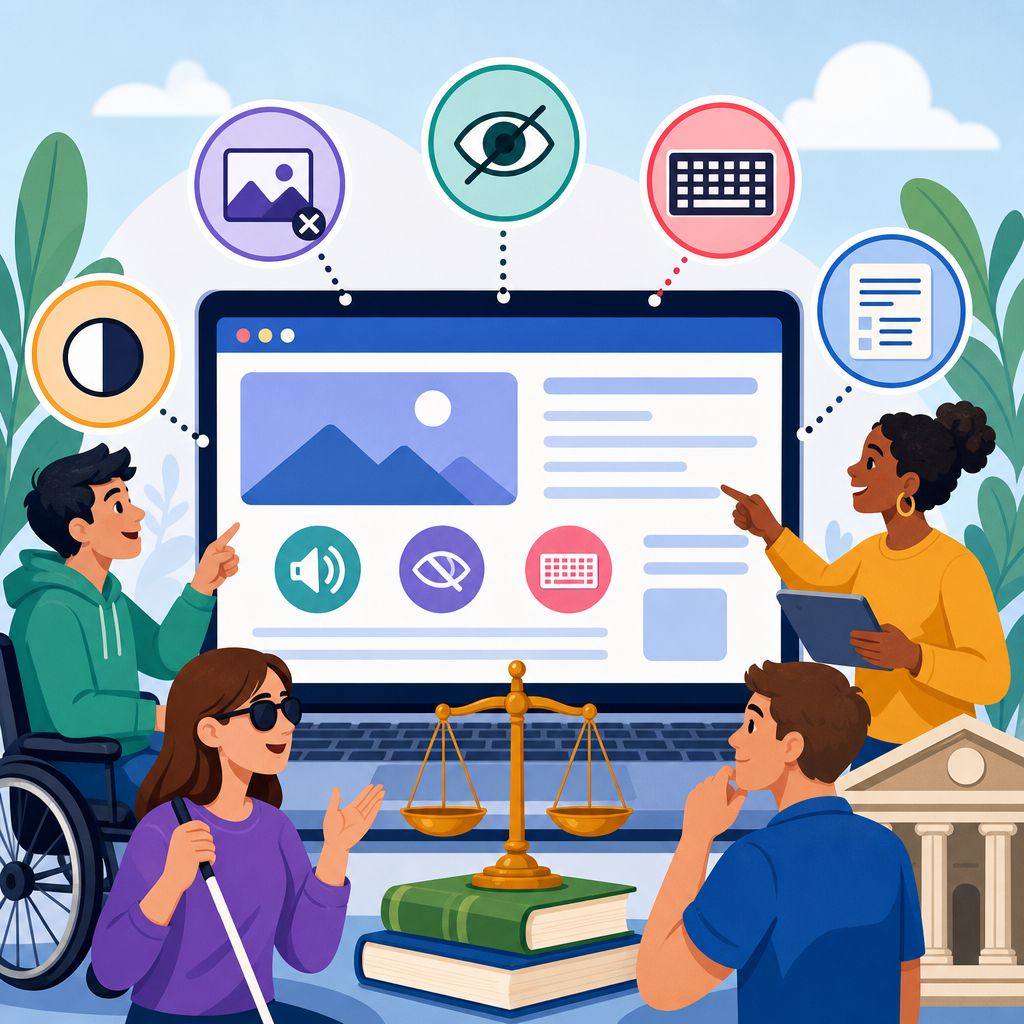
Digital accessibility litigation has become one of the fastest-growing areas of civil rights enforcement because websites, mobile apps, PDFs, kiosks, and online video now function as gateways to everyday commerce, education, healthcare, and government services. When those digital experiences are not usable by people with disabilities, plaintiffs often allege violations under the Americans with Disabilities Act, alongside related state statutes such as California’s Unruh Civil Rights Act or New York State and City human rights laws. In practice, digital ADA cases usually focus on a straightforward question: can a blind, deaf, mobility-impaired, or cognitively disabled user access the same information, complete the same transactions, and receive the same services as everyone else without unreasonable barriers?
Understanding what plaintiffs allege most often in digital ADA cases matters for legal teams, compliance leaders, developers, and content owners because the complaints tend to repeat the same technical and operational failures. After reviewing demand letters, complaints, settlement terms, and remediation projects over many years, I have seen the same patterns surface regardless of industry. Retailers are sued over checkout flows that do not work with screen readers. Restaurants face allegations that online ordering is inaccessible. Healthcare providers are challenged when patient forms or telehealth portals exclude disabled users. Universities are targeted for inaccessible course materials, while banks, insurers, and travel companies are challenged over account access, booking engines, and identity verification steps.
At the center of most cases is the relationship between legal obligations and technical standards. The ADA itself does not list coding requirements for websites, yet plaintiffs frequently use the Web Content Accessibility Guidelines, usually WCAG 2.1 Level AA and increasingly WCAG 2.2 Level AA, as the benchmark for measuring barriers. Courts, regulators, and settlement agreements commonly look to WCAG because it translates accessibility into testable criteria, including keyboard operability, text alternatives, sufficient color contrast, proper headings, captions, form labels, and predictable navigation. A digital accessibility lawsuit therefore rarely hinges on one isolated bug. More often, it alleges a pattern of barriers that collectively deny equal access and independent use.
This hub article explains the allegations that appear most often in digital ADA cases, why they recur, how they are framed in complaints, and what organizations can do to reduce legal exposure while improving usability. It also serves as a foundation for deeper articles across digital accessibility litigation, including website accessibility standards, mobile app barriers, remediation strategy, vendor contracting, governance, testing, and settlement implementation.
The legal theory plaintiffs rely on most
The most common legal theory in digital ADA cases is that an organization operates a website, app, or other digital service that is a place of public accommodation, or is sufficiently connected to a physical place of public accommodation, and that disabled users are denied full and equal enjoyment because of inaccessible design. Title III claims dominate suits against private businesses open to the public, while Title II applies to state and local governments. Plaintiffs usually plead that they personally encountered barriers, were deterred from returning, and intend to use the service again if it becomes accessible. That deterrence allegation is important because it supports standing and injunctive relief.
Complaints often describe a user journey in detail. A blind plaintiff might allege that she visited a retailer’s website with JAWS or NVDA, tried to navigate product categories, could not identify unlabeled buttons, and was unable to complete checkout without sighted assistance. A deaf plaintiff may allege that training videos or product demonstrations lacked captions, preventing access to material information. A mobility-impaired plaintiff may describe being trapped in a menu, slider, or date picker that could not be operated by keyboard alone. These factual allegations are not random. They are crafted to connect a concrete disability, an assistive technology, a business function, and an equal-access denial.
The barriers named most often in complaints
Plaintiffs most often allege barriers that block core tasks: learning about goods or services, creating an account, booking, ordering, paying, filling out forms, accessing documents, contacting support, and receiving post-purchase information. In the complaints I have worked through, several defects appear repeatedly because they are both common and easy to explain to a court. Missing alternative text prevents screen-reader users from understanding images, icons, and linked graphics. Empty or vague button names such as “click here” or “button” make functions impossible to identify. Improper heading structure disrupts page navigation. Missing form labels, unlabeled error messages, and inaccessible CAPTCHA tools can stop registration or checkout entirely.
Keyboard inaccessibility is another frequent allegation because many users cannot operate a mouse. If menus, modal windows, carousels, accordions, dropdowns, date pickers, or payment widgets do not respond correctly to tab, enter, arrow keys, or escape, a plaintiff can credibly allege exclusion from the service. Focus indicators also matter. I regularly see cases where users technically can tab through a page, but the visible focus state is absent or obscured, so they cannot tell where they are. That is a real barrier, not a minor design issue. Plaintiffs also commonly cite low color contrast, text that cannot be resized without loss of content, autoplay media, inaccessible PDFs, and broken screen-reader announcements in dynamic content.
| Allegation | Typical user impact | Common business context |
|---|---|---|
| Missing alt text or unlabeled controls | Blind users cannot identify images, buttons, or links | Product pages, search results, image carousels |
| Keyboard traps or incomplete keyboard support | Users cannot navigate or complete tasks without a mouse | Menus, checkout, calendars, pop-ups, chat widgets |
| Unlabeled forms and inaccessible errors | Users cannot submit orders, appointments, or applications | Registration, billing, intake, account recovery |
| Missing captions or transcripts | Deaf users cannot access audiovisual information | Training videos, product demos, webinars, telehealth |
| Insufficient contrast and zoom failures | Low-vision users struggle to read or use content | Brand-heavy interfaces, dashboards, embedded tools |
Why screen reader and keyboard claims dominate
Screen reader and keyboard allegations dominate digital accessibility litigation because they are tied to essential interaction models and are straightforward to document. A plaintiff using JAWS, NVDA, or VoiceOver can record the exact text announced by the software, show where navigation breaks down, and explain why a task could not be completed independently. Likewise, keyboard-only testing can reveal in minutes whether critical features are operable without a mouse. Courts and opposing counsel understand these examples because they connect directly to the experience of trying and failing to perform a transaction.
These claims also dominate because organizations frequently introduce regressions during redesigns. A compliant HTML button is replaced with a styled div. A form field loses its programmatic label when a component library changes. A modal opens without focus management. A single-page application updates content visually but does not notify assistive technologies through appropriate ARIA states and live regions. In audits, I often find that companies passed an accessibility scan months earlier, then deployed marketing widgets, personalization scripts, or payment modules that reintroduced barriers. Plaintiffs know this. Many complaints allege ongoing failures, not one historical issue, and they emphasize that inaccessible design persists despite the organization’s notice of the problem.
Content-based allegations: media, documents, and educational material
Not every digital ADA case is about code. Many center on content assets that organizations publish at scale without accessibility controls. Video and audio are major examples. Plaintiffs often allege missing captions, inaccurate captions, lack of transcripts, or video players that do not expose controls properly to assistive technology. In higher education, public sector, and workplace training contexts, these allegations can be especially significant because the inaccessible media may contain required instructional content. A caption file that omits speaker identification or key sound cues can still leave a deaf user without equal access to the full meaning of the material.
PDFs remain another frequent source of claims. A scanned image PDF with no text layer is effectively silent to a screen reader. Even text-based PDFs can fail when they lack tags, reading order, headings, bookmarks, table structure, or descriptive link text. Healthcare systems, courts, school districts, insurers, and financial institutions often publish forms, notices, and disclosures in PDF format, so inaccessible documents can block highly important tasks. Plaintiffs may allege that they could not read policy terms, complete intake paperwork, review lab instructions, or access educational handbooks. The legal risk increases when the inaccessible document is the only available format or when the accessible alternative depends on calling support during limited hours.
Mobile app litigation and the expansion beyond websites
Digital accessibility litigation no longer stops at websites. Mobile apps are now a regular target because many companies direct users to app-only discounts, account tools, boarding passes, loyalty rewards, or telehealth features. Plaintiffs commonly allege that app controls are unlabeled for VoiceOver or TalkBack, gesture-dependent features lack accessible alternatives, screen orientation is locked in a way that impairs use, or authentication and payment flows fail with assistive technologies. An inaccessible app can be especially problematic when it is the primary channel for time-sensitive tasks such as banking alerts, prescription refills, ride requests, or appointment check-in.
Apps also create a more complex evidence trail. Native iOS and Android components may be accessible by default, but custom controls often are not. I have seen cases where a company’s website was largely remediated, yet its mobile app still failed basic accessibility expectations because the app team used separate design systems and release cycles. Plaintiffs will often plead both website and app barriers to show systemic governance failures rather than isolated defects. As more organizations shift services into authenticated ecosystems, digital accessibility litigation will continue expanding into apps, kiosks, embedded checkout experiences, smart TV interfaces, and other software-driven customer touchpoints.
How plaintiffs frame repeat-visit, deterrence, and standing allegations
One recurring feature of digital ADA complaints is the allegation that the plaintiff not only encountered a barrier but also intends to return once access is provided. This language is aimed at standing, especially in federal court, where defendants often challenge whether the plaintiff faces a real and immediate threat of future harm. Plaintiffs therefore describe prior visits, current interest in the goods or services, geographic proximity where relevant, and plans to use the digital property again. They may also allege deterrence: that they were discouraged from returning because they reasonably expected the same barriers to persist.
For businesses, this matters because the legal dispute is rarely limited to whether one person had one bad experience. The complaint often positions the issue as an ongoing denial of equal access to a broad class of users with disabilities. Plaintiffs may add allegations that the defendant lacks an accessibility policy, has not trained employees, does not perform regular audits, and failed to test with assistive technology users. Those governance allegations are common because they support the argument that barriers are systemic and likely to recur. In settlement negotiations, that is why remediation commitments usually go beyond bug fixes and require policies, monitoring, training, and third-party verification.
Industries that face the highest volume of digital accessibility claims
Retail, hospitality, food service, healthcare, higher education, banking, insurance, and entertainment consistently face the highest volume of digital accessibility claims because they depend heavily on self-service digital transactions. Retailers are frequent targets because shopping flows involve dense product imagery, filters, variant selectors, carts, coupons, and payment integrations, all of which can create accessibility failures. Hotels and travel companies face similar issues with booking engines, room descriptions, calendars, and fare disclosures. Restaurants are often challenged over online ordering, gift cards, and loyalty platforms.
Healthcare and education carry additional risk because inaccessible digital systems can affect privacy, safety, and legally important rights. If a patient cannot access a portal, refill medication, or review instructions, the harm is more than inconvenience. If a student cannot use learning management systems, course documents, or recorded lectures, equal participation is compromised. Financial services firms also face strong exposure because identity verification, account management, statements, and disclosures are increasingly digital-first. Across these sectors, digital accessibility litigation tends to follow business dependence: the more essential the online service, the more likely plaintiffs are to challenge barriers that block independent use.
What organizations should do before a claim arrives
The most effective response to digital accessibility litigation is not a better demand-letter template. It is a mature accessibility program. Organizations should adopt WCAG 2.2 Level AA as the operating target, inventory public and authenticated digital assets, test with both automated tools and manual methods, and prioritize fixes based on user impact. Automated scanners such as axe, WAVE, and Lighthouse are useful for detecting obvious issues, but they do not replace expert review or assistive technology testing. In every serious program I have led, the highest-risk defects were found through keyboard testing, screen-reader review, document remediation checks, and task-based usability sessions.
Governance is equally important. Contracts with vendors should define accessibility requirements, conformance expectations, remediation timelines, indemnity positions where appropriate, and delivery of current accessibility conformance reports. Design systems should embed accessible components by default. Content teams should be trained on headings, link text, alt text, captions, and document accessibility. Release processes should include regression testing. Organizations also need a public accessibility statement and a working intake channel for users to report barriers. None of these steps guarantees immunity from digital accessibility litigation, but they materially improve usability, reduce recurring defects, and create credible evidence that accessibility is being addressed in good faith.
Digital accessibility litigation is growing because digital services are now essential infrastructure, and plaintiffs most often allege barriers that prevent equal, independent use of core tasks. The recurring themes are clear: inaccessible forms, unlabeled controls, missing alt text, keyboard failures, poor screen-reader support, inaccessible media, and unusable documents. Complaints usually connect those barriers to specific disabilities, assistive technologies, and failed transactions, then frame the problem as ongoing through deterrence and lack of governance. That pattern explains why the same industries, technical defects, and remediation obligations appear again and again.
For organizations, the practical lesson is equally clear. Treat accessibility as an operational discipline, not a one-time legal fix. Use recognized standards, test real user journeys, monitor third-party tools, and build accountability across design, engineering, content, procurement, and legal teams. This hub on digital accessibility litigation is the starting point for deeper work on standards, audits, mobile apps, PDFs, settlements, and governance. If your organization relies on digital channels to serve the public, review your highest-value user flows now and fix the barriers plaintiffs are most likely to allege before they become the basis of a claim.
Frequently Asked Questions
What do plaintiffs allege most often in digital ADA lawsuits?
The most common allegations in digital ADA cases focus on barriers that prevent people with disabilities from accessing websites, mobile apps, online documents, video content, self-service technology, and other digital tools on equal terms. Plaintiffs often claim that a business or organization failed to make core functions usable with screen readers, keyboard-only navigation, voice input tools, captions, or other assistive technologies. In practice, that can mean inaccessible menus, unlabeled form fields, missing alternative text for images, poor color contrast, video without captions, PDFs that cannot be read by assistive software, or checkout and scheduling systems that break when a user does not rely on a mouse.
Many complaints are built around the idea that digital platforms now serve as gateways to goods and services that are otherwise available to the public. If a customer cannot browse products, complete a purchase, book an appointment, fill out an intake form, access account information, submit an application, or obtain important notices because of accessibility barriers, plaintiffs typically argue that the digital experience denies meaningful access. They may also allege that the business knew or should have known about these problems yet failed to adopt and maintain accessibility policies, training, testing, and remediation practices.
In addition to the ADA, plaintiffs frequently pair these claims with state-law causes of action. In California, for example, the Unruh Civil Rights Act is often included because it can provide statutory damages in some cases. In New York and other jurisdictions, plaintiffs may rely on state and city human rights statutes. As a result, the allegations usually go beyond technical errors and frame the issue as a civil rights problem: the digital barrier is not just inconvenient, but an unlawful obstacle to equal participation in modern life.
Are website accessibility claims limited to websites, or do they also involve apps, PDFs, kiosks, and video?
They are not limited to websites. Although website cases receive the most public attention, digital ADA claims commonly extend to mobile applications, downloadable PDFs, online forms, telehealth platforms, e-commerce tools, customer portals, digital menus, ticketing systems, kiosks, and prerecorded or live video content. The broader theme in these lawsuits is that digital access points now shape whether a person can fully participate in commerce, education, healthcare, employment, and government services. If the platform is part of how the public obtains information or completes a transaction, it can become the subject of accessibility allegations.
Mobile app claims often focus on features that are unusable with iOS VoiceOver, Android TalkBack, screen magnification, switch control, or keyboard alternatives. PDF-related allegations usually involve scanned documents with no readable text layer, missing heading structure, incorrect reading order, unlabeled form fields, or inaccessible tables. Kiosk cases may involve touch-only interfaces, absent tactile controls, speech output problems, or design choices that block independent use by individuals who are blind, have low vision, or have limited dexterity. Video claims often center on missing captions, inaccurate captions, lack of transcripts, or inaccessible media players that cannot be controlled without a mouse.
This wider scope matters because plaintiffs do not usually view each digital asset in isolation. A complaint may describe a pattern across several channels, such as an inaccessible website paired with an inaccessible mobile app and unreadable billing PDFs. That kind of allegation strengthens the argument that the access issue is systemic rather than accidental. For businesses and institutions, the takeaway is simple: digital accessibility risk extends across the full technology ecosystem, not just the homepage of a website.
Do plaintiffs have to identify specific technical problems, or is it enough to say the site was hard to use?
Most plaintiffs do identify concrete barriers, and many complaints describe them in fairly specific terms. A lawsuit might point to missing alternative text on product images, empty or vague button labels, menus that cannot be opened by keyboard, error messages that are not announced to screen readers, inaccessible date pickers, low-contrast text, or CAPTCHA tools with no accessible alternative. The reason for that specificity is practical: courts and defendants need to understand what allegedly blocked access and how the barrier affected the plaintiff’s attempt to use the service.
That said, plaintiffs do not always need to present a line-by-line technical audit at the pleading stage. The central issue is usually whether the person encountered real access barriers that interfered with equal use and whether those barriers relate to disability. In many cases, the complaint combines functional allegations with technical examples. For instance, a plaintiff may allege that they were unable to complete an online purchase because the checkout form fields were unlabeled and the payment workflow was inaccessible to screen-reader users. That ties a human impact to a technical defect, which is often more persuasive than listing code errors alone.
Accessibility standards and guidelines, especially the Web Content Accessibility Guidelines, are frequently referenced because they offer a common benchmark for evaluating barriers. Even so, most digital ADA cases are not simply disputes over abstract compliance scoring. Plaintiffs typically argue that the barriers had a direct effect: they prevented independent access, required outside assistance, caused delay or humiliation, or blocked the plaintiff from obtaining the same goods or services available to others. In that sense, specific technical problems matter most when they help show meaningful exclusion.
Why are checkout systems, forms, scheduling tools, and account portals mentioned so often in these cases?
These features are mentioned repeatedly because they are where access problems become impossible to ignore. A business might argue that an informational page is imperfect but not critical. That argument becomes much harder when the inaccessible feature is the one customers must use to buy a product, request a service, schedule care, pay a bill, download records, submit a school application, refill a prescription, or communicate with support. Plaintiffs often focus on these high-value pathways because they show that the accessibility problem affects the core purpose of the digital service, not just its appearance.
Forms and transactional tools are also common targets because they are technically complex and often break in predictable ways for assistive technology users. Labels may be missing, fields may not announce errors properly, required steps may be presented only visually, session timeouts may expire without warning, and pop-ups or overlays may trap keyboard focus. In e-commerce, inaccessible product filters, shopping carts, coupon fields, payment screens, and order confirmation pages are recurring issues. In healthcare and education, the same pattern appears in patient intake forms, portals, class registration tools, and learning resources.
From a litigation standpoint, these allegations are powerful because they connect digital barriers to tangible harm. A plaintiff does not need to rely solely on the abstract idea that a website should be accessible; instead, the complaint can say, in effect, “I tried to do the thing the business invited the public to do, and I could not do it because the digital system excluded me.” That framing is one reason transactional functions appear so prominently in digital ADA complaints.
How do related state laws like California’s Unruh Act or New York civil rights laws affect digital ADA claims?
Related state laws can significantly change the stakes of a digital accessibility lawsuit. The ADA itself is often associated with injunctive relief, meaning a court order requiring barriers to be fixed, along with attorneys’ fees for a prevailing plaintiff. State statutes may add other remedies, including damages in some circumstances, which can make a claim more financially consequential. In California, the Unruh Civil Rights Act is frequently pleaded alongside ADA allegations because it can provide a route to statutory damages when accessibility discrimination is established. In New York, plaintiffs often rely on state and city human rights laws that can broaden the legal framework surrounding digital access claims.
These parallel claims matter because they can influence everything from case valuation to settlement posture to the urgency of remediation. A business facing only a request to improve accessibility may assess risk differently than one facing claims that include damages exposure under state law. They also matter because state and local statutes may be interpreted through slightly different lenses, even when they overlap with federal disability access principles. As a result, digital accessibility litigation is often not just an ADA issue but a multi-statute issue, particularly in high-volume jurisdictions.
For readers trying to understand why these cases are so common, this combination of federal and state claims is a major reason. Plaintiffs often allege that inaccessible digital experiences violate both national civil rights protections and local anti-discrimination laws. That layered approach reinforces the broader legal message behind these cases: digital access is increasingly treated as an essential part of equal participation, and organizations that fail to address common barriers may face claims from more than one direction at once.


