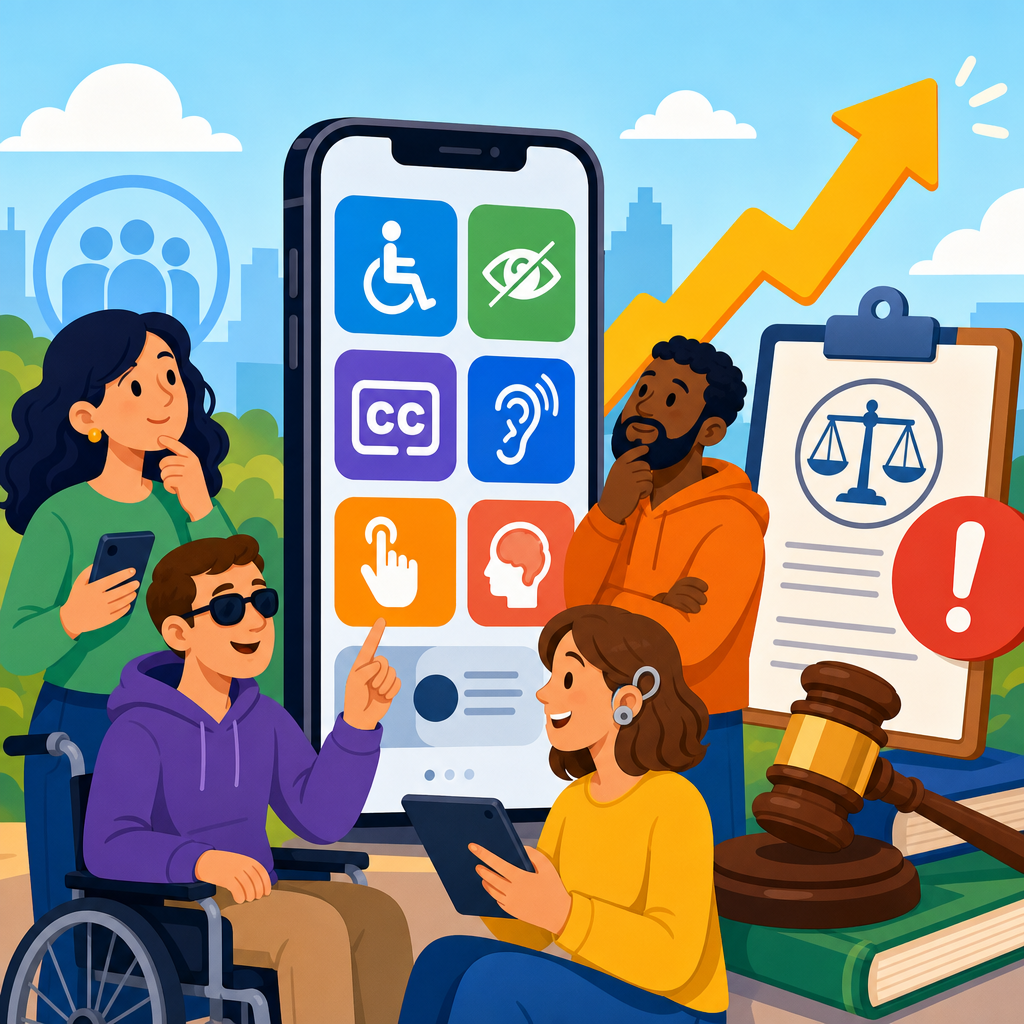
Mobile app accessibility claims are rising because smartphones have become the default gateway to banking, shopping, healthcare, education, and public services, yet many apps still exclude users with disabilities at critical points in the journey. In legal, technical, and product terms, digital accessibility litigation refers to claims alleging that websites, mobile apps, kiosks, documents, or software are not usable by people with disabilities under laws such as the Americans with Disabilities Act, Section 504, Section 508, state civil rights statutes, and similar rules in other jurisdictions. I have worked with product, compliance, and engineering teams responding to these complaints, and the pattern is consistent: organizations often invest heavily in design polish and growth features while basic accessibility foundations lag behind. That gap matters because mobile apps are not side channels anymore; for many brands they are the primary customer interface, the place where identity is verified, purchases are completed, appointments are booked, and support is requested.
The rise in claims is not driven by one cause. It reflects broader awareness of disability rights, stronger expectations from courts and regulators, more sophisticated plaintiff firms, and the reality that inaccessible code leaves a clear trail of evidence. A screen reader user can document unlabeled buttons, broken focus order, inaccessible CAPTCHA flows, or missing error messaging in minutes. Those barriers are not minor inconveniences. They can prevent someone from refilling a prescription, transferring money, or checking in for a flight. As a hub for digital accessibility litigation, this article explains why mobile app claims are increasing, which legal theories are being used, what technical defects most often trigger disputes, and how organizations can reduce exposure while building products that work better for everyone. It also frames the practical overlap between legal risk management, inclusive design, and software quality, because in the mobile context those issues are inseparable.
Why mobile apps have become a major accessibility litigation target
Mobile apps now concentrate the most important user actions. Retailers push account creation, loyalty rewards, one-click checkout, and customer service into apps. Banks use apps for remote deposit capture, two-factor authentication, and card controls. Hospitals route appointment management and test results through patient portals. When the most important functions move from desktop websites to apps, litigation follows the user journey. Plaintiffs and their counsel increasingly test whether those functions can be completed with VoiceOver on iOS, TalkBack on Android, switch control, screen magnification, captions, color contrast adjustments, and keyboard alternatives. If they cannot, the app becomes a visible barrier to equal access.
Another reason claims are rising is that mobile accessibility failures are often easier to reproduce than companies assume. On websites, issues can vary by browser, plugin, or third-party embed. In apps, defects are commonly tied to specific components, operating system behaviors, and design patterns, which makes repeated testing straightforward. During audits I have seen the same categories appear across industries: icon-only controls without accessible names, custom carousels that trap screen reader focus, bottom sheets that fail to announce state changes, and biometric login flows that do not expose fallback methods clearly. Because app stores, screenshots, and version histories are public, plaintiffs can also show ongoing publication and distribution of inaccessible experiences.
Demand letters and lawsuits also increase when organizations market convenience while ignoring usability for disabled users. If an app advertises faster service, exclusive discounts, digital tickets, or mobile-only account management, inaccessibility looks less like a technical oversight and more like denial of equal participation. That framing is powerful in litigation. Courts and regulators look at whether a digital service is tied to a place of public accommodation, a government program, an educational offering, or a core commercial function. Mobile apps increasingly satisfy those conditions.
The legal foundations behind digital accessibility litigation
In the United States, the ADA remains central, particularly Title III for private businesses open to the public and Title II for state and local governments. The exact treatment of standalone digital services can vary by jurisdiction, but the trend is clear: where an app connects users to goods, services, privileges, or advantages, accessibility is a live legal issue. For federally funded entities and public sector organizations, Section 504 and Section 508 add further obligations. California’s Unruh Civil Rights Act and similar state statutes can increase exposure by allowing damages or fees beyond federal remedies. Outside the United States, the European Accessibility Act, EN 301 549, the Equality Act 2010 in the United Kingdom, and accessibility rules in Canada and Australia shape parallel expectations.
Although statutes do not always prescribe line-by-line mobile coding requirements, courts, settlement agreements, and enforcement actions regularly rely on recognized technical standards to define reasonable accessibility expectations. The Web Content Accessibility Guidelines, especially WCAG 2.1 and WCAG 2.2 Level AA, are the benchmark most often referenced. For mobile apps, those standards intersect with platform-specific guidance from Apple and Google. Apple’s Human Interface Guidelines and Accessibility Programming Guide, along with Android accessibility documentation and Material Design guidance, translate legal expectations into development practices such as proper semantic labeling, logical focus navigation, sufficient target sizes, and support for system text scaling.
One common misunderstanding is that litigation only targets public websites. In practice, claims frequently extend to native iOS and Android apps, hybrid apps, embedded web views, PDFs inside apps, chatbot interfaces, and transactional flows delivered through software development kits from third parties. If the inaccessible component is part of the service your organization offers, outsourcing does not eliminate responsibility. Contracts, indemnities, and vendor diligence matter, but they do not replace accessible implementation.
The technical defects that most often trigger claims
Most mobile accessibility cases revolve around recurring, testable defects rather than obscure edge cases. Screen reader compatibility is the leading area. Buttons without accessible names, controls announced with meaningless labels like “image” or “button,” and headings that are visually obvious but not programmatically exposed make navigation slow or impossible. Focus management is another frequent problem. When a modal opens and focus does not move into it, or when focus jumps unpredictably after an action, users lose context. Forms create a large share of complaints because placeholders are used instead of labels, errors are shown only in color, and required fields are not announced clearly.
Gesture dependence also creates legal risk. If a core feature requires dragging, swiping, pinching, or a time-sensitive motion without an accessible alternative, users with motor disabilities may be blocked. Low vision users encounter issues when apps ignore system font scaling, clip text at larger sizes, or use insufficient contrast in thin gray typography over white backgrounds. Deaf and hard of hearing users face barriers when videos lack captions or when audio instructions have no visual equivalent. Cognitive accessibility is often overlooked as well: inconsistent layouts, dense alerts, unclear error recovery, and aggressive session timeouts can make a service unusable even when it technically passes some automated checks.
| Common defect | User impact | Typical litigation argument | Practical fix |
|---|---|---|---|
| Unlabeled buttons and icons | Screen reader users cannot identify actions | Core functions are unavailable independently | Add accurate accessibility labels and roles |
| Broken focus order in modals | Users lose context or cannot complete tasks | Navigation barriers deny effective access | Program focus movement and trap correctly |
| Text that does not resize | Low vision users cannot read content | App fails to support standard assistive settings | Respect dynamic type and responsive layouts |
| Color-only error messages | Users miss validation problems | Forms are not equally usable | Provide text cues and accessible alerts |
| Captionless media | Deaf users miss essential information | Content is not effectively communicated | Add synchronized captions and transcripts |
Automation helps detect some of these issues, but it is not enough. Tools such as axe DevTools Mobile, Accessibility Scanner on Android, Xcode Accessibility Inspector, and Espresso or XCTest integrations can catch missing labels, touch target problems, and some contrast issues. They cannot reliably judge task completion, meaning, or the quality of alternative text. That is why serious accessibility programs combine automated testing, manual expert review, and testing by disabled users performing real tasks such as account registration, search, checkout, booking, and support escalation.
Why plaintiff activity is increasing now
The plaintiff bar has become more sophisticated in digital accessibility matters, and mobile apps offer a concentrated set of high-value targets. A single inaccessible flow can affect thousands or millions of users and can be documented with recordings, device logs, and app version numbers. As more businesses shift incentives and services into apps, demand letters naturally follow. There is also a network effect: each settlement, consent decree, or public complaint raises awareness among advocacy groups, consumers, and lawyers about where barriers commonly appear and which arguments succeed.
Regulatory momentum contributes to this rise. The Department of Justice has consistently taken the position that the ADA applies to digital services covered by the statute, and its rulemaking and enforcement posture have pushed organizations to treat accessibility as an operational requirement rather than a nice-to-have. Public entities face even sharper scrutiny because digital barriers can implicate civic participation, benefits access, emergency information, and education. Health systems, universities, transportation providers, and financial institutions have seen elevated exposure because the consequences of inaccessibility in those sectors are concrete and immediate.
There is also a practical reason claims continue: many organizations still have not embedded accessibility into the mobile development lifecycle. They perform a one-time audit after launch, fix a few visible issues, and then reintroduce defects with every sprint. Design systems lack accessible components, quality assurance teams are not trained on assistive technology, and release gates do not include accessibility acceptance criteria. From a litigation perspective, repeated regressions weaken the argument that an organization is exercising due care.
How mobile app claims are investigated, defended, and settled
Most matters begin with a demand letter identifying barriers and requesting remediation, policy changes, testing commitments, and attorneys’ fees. Some proceed quickly to litigation, especially where the plaintiff alleges repeated attempts to use the service. Defense strategy usually starts with triage. Counsel needs to know whether the app is native or hybrid, which platforms and versions are affected, whether the barriers are reproducible, what standards the organization follows, and whether accessible alternatives exist. Technical teams should preserve evidence, map the complained-of flows, and avoid making unsupported statements such as “our app is fully compliant,” which are rarely defensible.
In my experience, the strongest defenses do not rely on denial alone. They combine factual investigation with a credible remediation plan. If an issue exists, prompt correction matters. Courts and plaintiffs both look for concrete actions: engaging qualified auditors, adopting a written accessibility policy, assigning executive ownership, training designers and engineers, and establishing timelines for fixes. Settlement terms often include periodic testing, conformance targets aligned to WCAG Level AA, a feedback channel for users, and reporting obligations over one to three years. Those terms can be manageable when an organization already has mature product governance. They become costly when accessibility debt is widespread.
Mootness arguments sometimes arise when issues are fixed after filing, but relying on post-complaint remediation is risky because plaintiffs may allege remaining barriers or likely recurrence. The more durable approach is prevention: treat accessibility defects like security defects, with ownership, severity ratings, service levels, and release controls. That mindset reduces both litigation risk and support costs.
What organizations should do now to reduce exposure
Start with governance, not just scanning. Assign a senior owner for digital accessibility, adopt a standard such as WCAG 2.2 Level AA for mobile-relevant experiences, and define how compliance will be measured across design, development, procurement, and quality assurance. Inventory every customer-facing and employee-facing app, including embedded web views, SDK-driven features, document viewers, and authentication flows. Then prioritize by legal and operational risk: payments, healthcare access, account recovery, identity verification, transportation, and education should move to the front of the queue.
Next, build accessibility into the design system. Use native controls where possible because they inherit semantics and platform behaviors more reliably than custom widgets. For custom components, document accessible names, roles, states, focus order, error handling, target sizes, and support for dynamic type, dark mode, reduced motion, and orientation changes. Add accessibility criteria to pull requests and definition-of-done checklists. Run automated tests in continuous integration, but require manual review before release on key user journeys. Include disabled testers in usability studies; no static checklist replaces observing a real user complete a real task.
Vendor management is essential. Require accessibility representations in contracts, ask for current audit reports or VPATs where relevant, test third-party SDKs before deployment, and maintain escalation paths when defects are found. Finally, create an accessible feedback mechanism inside the app and on the support site. A clear way for users to report barriers can surface issues early and demonstrate good-faith responsiveness. Legal risk falls fastest when accessibility becomes routine engineering discipline instead of emergency cleanup after a complaint.
Mobile app accessibility claims are rising because the app is now the front door to modern life, and barriers at that door are easier to detect, harder to excuse, and more consequential than ever. The legal landscape spans federal disability law, state statutes, sector-specific obligations, and influential technical standards, but the practical message is straightforward. If users cannot navigate, understand, and complete essential tasks with assistive technology, the organization faces both customer harm and litigation exposure. The most common problems are also the most preventable: missing labels, broken focus, unreadable text, inaccessible forms, gesture-only controls, and media without captions.
As the hub for digital accessibility litigation, this page should guide your next steps across policy, engineering, design, procurement, and dispute response. The organizations that handle this well do not wait for a demand letter. They audit regularly, test with real users, document remediation, and treat accessibility as a release requirement. That approach improves usability for everyone while creating a stronger legal position grounded in evidence, not promises. Review your highest-risk mobile flows now, fix the barriers users encounter first, and build accessibility into every future sprint.
Frequently Asked Questions
Why are mobile app accessibility claims increasing so quickly?
Mobile app accessibility claims are rising because apps now sit at the center of everyday life. People use smartphones to manage bank accounts, book medical appointments, order groceries, attend classes, apply for jobs, and access government or public services. When an app is not usable with screen readers, voice control, captions, keyboard alternatives, sufficient color contrast, or scalable text, users with disabilities can be blocked from essential tasks at critical moments. That turns accessibility from a nice-to-have feature into a question of equal access.
Another major reason claims are increasing is that businesses have invested heavily in mobile experiences, but accessibility practices often have not kept pace. Many organizations have mature web accessibility workflows yet treat apps as separate products, with different teams, release cycles, and testing methods. As a result, common barriers persist in mobile apps, including unlabeled buttons, gesture-only interactions, inaccessible authentication flows, timeouts, poor focus order, and dynamic content that assistive technologies cannot interpret properly. As apps become the primary customer touchpoint, these failures are more visible, more consequential, and more likely to trigger complaints or legal action.
What kinds of mobile app accessibility problems most often lead to claims?
The most common claims involve barriers that prevent users with disabilities from completing core tasks independently. In mobile apps, that often means screen reader users cannot identify controls because buttons, icons, or form fields are unlabeled. It can also mean users with low vision cannot read content because text does not scale properly, contrast is too low, or interface elements disappear in dark mode or when device accessibility settings are enabled. For users with mobility disabilities, claims may involve controls that require precise gestures, small touch targets, or interactions that cannot be completed with switch access, voice input, or external keyboards.
Claims also frequently arise from inaccessible steps in high-risk journeys such as login, multi-factor authentication, checkout, appointment scheduling, document review, chat support, and account management. An app might work reasonably well on a home screen but fail at the exact point where the user must upload a document, confirm a transaction, accept terms, or read a statement. In sectors like healthcare, finance, education, and public services, those failures can have serious real-world consequences. That is why accessibility issues in mobile apps are increasingly viewed not just as usability defects, but as barriers to participation and equal access.
How does digital accessibility litigation apply to mobile apps?
Digital accessibility litigation generally refers to legal claims alleging that digital products are not usable by people with disabilities under applicable laws, including the Americans with Disabilities Act and similar state or international requirements. While many early accessibility cases focused on websites, the same basic principles increasingly extend to mobile apps because apps are often a primary channel for accessing goods, services, information, and benefits. If a company offers essential functions through an app, courts and claimants may view that app as part of the customer experience that must be accessible.
From a practical standpoint, legal claims do not usually turn only on whether an organization meant to exclude anyone. They focus on whether people with disabilities can actually use the app in a meaningful, comparable way. That means technical failures can become legal risk when they prevent access to core functions. In many matters, the legal analysis overlaps with product and engineering realities: was accessibility considered in design, built into development, tested with assistive technology, and maintained over time? Organizations that treat mobile accessibility as a continuous compliance and quality issue are generally in a stronger position than those reacting only after complaints appear.
Which industries are most exposed to mobile app accessibility risk?
Industries with high user dependency and essential services tend to face the greatest exposure. Banking and financial services are a prime example because customers increasingly rely on apps to check balances, transfer funds, deposit checks, pay bills, and receive fraud alerts. If those functions are inaccessible, the impact is immediate and significant. Healthcare is similarly exposed because patient portals, telehealth features, prescription tools, provider directories, and appointment scheduling are now commonly mobile-first. Education platforms, retail apps, travel tools, insurance services, and public sector applications also face heightened risk because they often deliver services that users cannot realistically avoid or easily obtain elsewhere.
That said, accessibility risk is not limited to traditionally regulated or high-profile sectors. Any organization that uses a mobile app to sell products, deliver services, manage accounts, or communicate with customers can face scrutiny. Claims often increase when a company pushes users away from accessible alternative channels and into the app for discounts, support, verification, or exclusive functionality. The more central the app is to the customer journey, the more important accessibility becomes from both a legal and business perspective.
What should companies do now to reduce the risk of mobile app accessibility claims?
Companies should start by treating mobile accessibility as an ongoing product requirement, not a one-time legal exercise. That means establishing standards for iOS and Android design and development, aligning teams around recognized accessibility guidance, and building testing into every release cycle. Automated tools can help catch some issues, but they are not enough on their own. Effective risk reduction requires manual testing with native assistive technologies such as VoiceOver and TalkBack, review of key user flows, and validation that accessibility features still work after updates, redesigns, or third-party integrations.
It is also important to prioritize the tasks that matter most to users and to legal exposure: registration, login, account access, payments, forms, document handling, customer support, and any feature tied to essential services. Organizations should maintain clear issue tracking, remediation timelines, and governance so accessibility problems are not repeatedly reintroduced. Involving people with disabilities in research and usability testing is especially valuable because it reveals real-world barriers that checklists alone may miss. The companies best positioned to reduce claims are the ones that connect legal awareness, technical execution, and product ownership into a continuous accessibility program.


