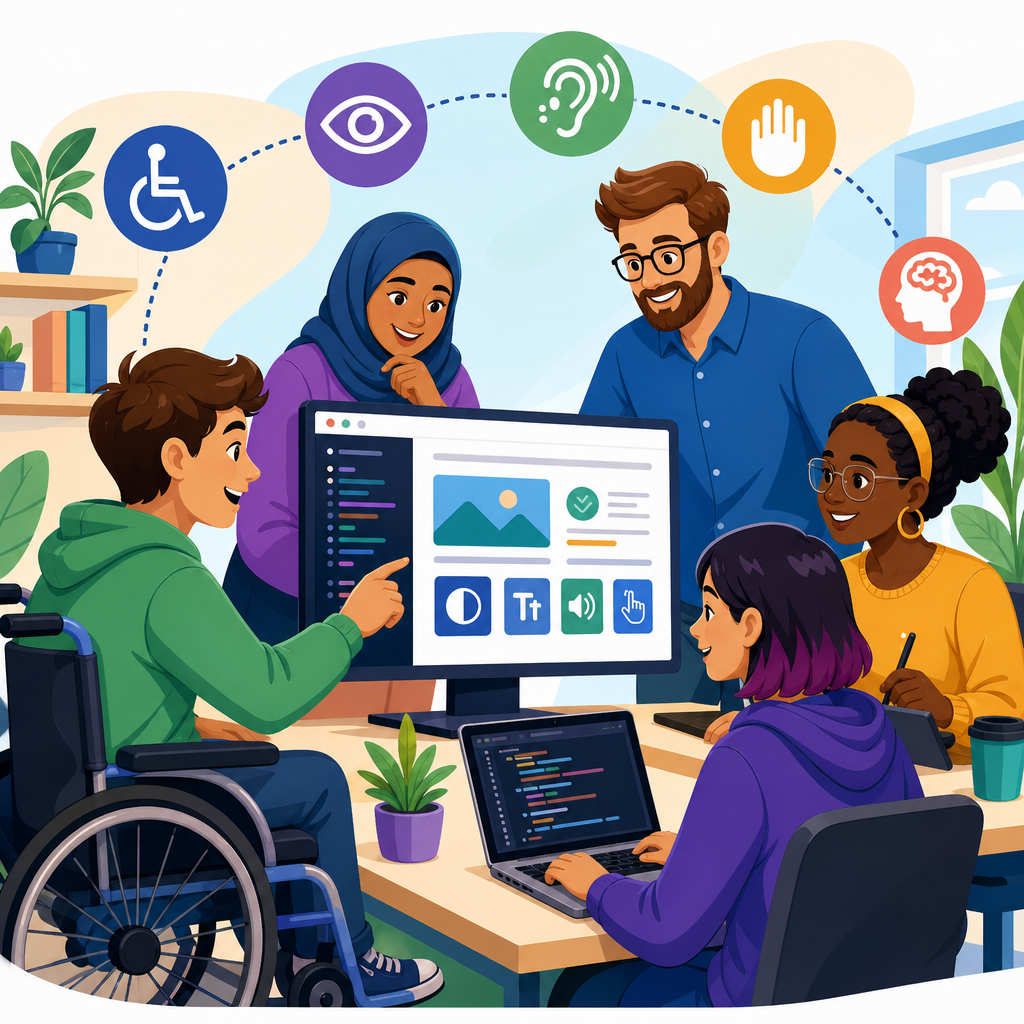
Accessible technology shapes whether people can study, work, shop, travel, and participate online without unnecessary barriers. For developers, it is not a side requirement or a late-stage checklist item. It is the practical discipline of designing and building software, websites, devices, and digital services that people with disabilities can use effectively, efficiently, and with dignity. When teams talk about advanced technology for accessibility, they usually mean the modern combination of standards-based engineering, assistive technology support, adaptive interfaces, automation, artificial intelligence, connected devices, and inclusive testing practices that extend access far beyond basic compliance.
In day-to-day product work, accessible technology covers a wide range of needs. A screen reader user depends on semantic markup, meaningful labels, and predictable navigation. A keyboard-only user needs visible focus order, skip links, and controls that work without a mouse. People with low vision may rely on zoom, high contrast, reflow, and scalable text. Deaf and hard-of-hearing users need accurate captions, transcripts, and visual alternatives to audio alerts. Users with cognitive disabilities benefit from plain language, consistent patterns, and interfaces that reduce memory load. Developers influence all of these outcomes through architecture, component design, quality assurance, and release practices.
This matters because accessibility has moved from a niche concern to a core engineering expectation. The Web Content Accessibility Guidelines, commonly referred to as WCAG, provide the most widely used benchmark for digital accessibility. Regulations such as the Americans with Disabilities Act, Section 508 in the United States, and the European Accessibility Act have pushed organizations to treat inclusive technology as a legal, operational, and reputational priority. Just as important, accessible products perform better for everyone. Clear structure improves search visibility, captions help people in noisy environments, keyboard support helps power users, and robust code works more reliably across browsers, devices, and assistive tools.
I have seen the difference firsthand on product teams. The expensive path is retrofitting accessibility after launch, when a design system is already entrenched and hundreds of components need repair. The cheaper path is treating accessibility as part of definition, design, development, and QA from the beginning. Teams that do this avoid common failures such as unlabeled form fields, inaccessible modal dialogs, broken focus traps, image-only buttons, and custom widgets that ignore ARIA authoring patterns. They also create a stronger foundation for advanced accessibility technology, including voice interfaces, real-time captioning, accessible mobile experiences, and AI-assisted adaptation.
Standards, semantics, and the engineering foundation
The foundation of advanced technology for accessibility is still basic engineering done correctly. Developers often search for a sophisticated tool when the real solution is semantic HTML, correct heading hierarchy, accessible names, sufficient color contrast, and predictable interaction. Native elements should be the default choice because browsers and assistive technologies already understand them. A real button communicates role, state, and keyboard behavior automatically. A div with click handlers does not. The same principle applies to links, inputs, tables, lists, and landmarks. When native elements are impossible, use ARIA carefully and follow the WAI-ARIA Authoring Practices.
WCAG 2.2 remains the most practical standard for web and application teams. Its success criteria are organized around being perceivable, operable, understandable, and robust. For developers, that translates into tangible implementation work: text alternatives for non-text content, captions for prerecorded media, adaptable layouts, minimum contrast, full keyboard access, enough time for tasks, clear labels, error identification, and compatibility with current and future user agents. On complex products, I advise teams to map each criterion to design system components and user journeys. That prevents the familiar pattern of passing isolated page checks while failing real workflows like checkout, registration, or document upload.
Accessibility should also be embedded in architecture. Design tokens can enforce contrast-safe color pairs. Component libraries can include focus styles, reduced-motion settings, and form field descriptions by default. Linting with eslint-plugin-jsx-a11y, static checks with axe DevTools, and CI pipelines that run Pa11y or Lighthouse can catch regressions before code reaches production. These tools are useful, but they detect only part of the problem. Automated testing usually finds around one-third of issues, not all of them. Manual testing with keyboards, screen readers, zoom, and actual assistive technology users remains essential.
Assistive technologies developers must support
Developers building accessible technology need a working understanding of the tools people actually use. Screen readers such as JAWS, NVDA, VoiceOver, and TalkBack convert on-screen content into synthesized speech or braille output. Their behavior differs across browsers and operating systems, which is why cross-platform testing matters. Magnification software enlarges content but can expose layouts that break at 200 percent or 400 percent zoom. Speech recognition tools such as Dragon NaturallySpeaking rely on clear labels and actionable controls. Switch devices, alternative keyboards, eye-tracking systems, and sip-and-puff hardware enable input for users with limited mobility, but only if interfaces expose consistent focus order and keyboard equivalents.
Mobile accessibility deserves separate attention because touch interfaces introduce their own patterns. iOS developers should test with VoiceOver, Dynamic Type, Switch Control, and AssistiveTouch. Android developers should test with TalkBack, Select to Speak, accessibility scanner tools, and display settings such as larger text and high contrast. On both platforms, tap targets should be generous, gestures should have alternatives, orientation changes should not break functionality, and status changes should be announced accessibly. A common failure is hiding meaningful instructions in placeholder text that disappears when typing begins, leaving screen reader and cognitive support users without context.
Documents, media players, kiosks, and connected devices are part of the same ecosystem. PDFs need tagged structure, reading order, alt text, and accessible form fields. Video players need keyboard controls, captions, transcripts, and audio description support when visuals carry essential meaning. Self-service kiosks should include tactile controls, headphone jacks, screen reader output, and sufficient reach range. Internet of Things products, from thermostats to smart speakers, need multimodal feedback so critical information is not locked into a single sensory channel. Advanced technology for accessibility succeeds when developers think beyond the browser and consider the entire user journey.
Artificial intelligence, automation, and adaptive interfaces
Artificial intelligence is expanding what accessible technology can do, but developers should understand both its strengths and its limits. Real-time speech-to-text now powers meeting captions in products like Microsoft Teams, Zoom, and Google Meet. Computer vision can generate draft image descriptions, detect objects, and read text in the environment. Predictive text and grammar assistance reduce writing effort for users with motor or cognitive challenges. Voice assistants can simplify task completion when visual interaction is difficult. On the hardware side, AI-driven noise suppression and gaze tracking are improving communication access in classrooms and remote work settings.
Yet AI does not remove developer responsibility. Auto-generated alt text often misses context, brand names, humor, or essential action. Captioning systems still struggle with specialist vocabulary, accented speech, and overlapping speakers. Language models can simplify dense text, but they may omit nuance or introduce factual errors. I recommend treating AI outputs as assistive drafts, not final accessibility guarantees. The reliable pattern is human review plus user testing. If an e-commerce image shows “red waterproof child’s jacket with reflective strips,” an acceptable description depends on why the image appears: catalog identification, safety feature comparison, or lifestyle marketing. Context determines accessibility quality.
Adaptive interfaces are another important area of advanced accessibility technology. These systems respond to user preferences, device settings, or observed interaction needs. Examples include honoring prefers-reduced-motion, retaining chosen text size, allowing spacing and contrast adjustments, and presenting alternative layouts for simplified reading. Some enterprise products now use personalization engines that shorten workflows for keyboard users or save input methods for repeat sessions. This can improve efficiency, but developers must design ethically. Systems should ask for consent when personal data is involved, avoid opaque profiling, and always let users override automated choices. Accessibility should increase user control, not reduce it.
How to build accessible products in the real development lifecycle
Teams usually fail at accessibility for process reasons more than technical reasons. Requirements are vague, designs omit states, stories lack acceptance criteria, and QA is asked to “check accessibility” days before release. The better model is to assign clear responsibilities across the lifecycle. Product managers define inclusive requirements and target standards. Designers specify focus order, error handling, contrast, and component behavior. Developers implement semantic structure, accessible interactions, and responsive layouts. QA validates with assistive technologies and edge cases. Content teams write meaningful labels, instructions, and alternative text. Procurement and vendor management should also evaluate accessibility when third-party widgets or platforms are involved.
The practices below are the ones I have found most effective on large, fast-moving teams:
| Development stage | Accessibility practice | Example outcome |
|---|---|---|
| Discovery | Map disability-related user needs and high-risk journeys | Registration and checkout are prioritized for keyboard and screen reader testing |
| Design | Use accessible components, contrast-safe tokens, and state specifications | Modal dialogs include focus management and clear error messaging before build starts |
| Development | Favor native elements, test with keyboard only, run automated checks in CI | Buttons, forms, and navigation work with NVDA, VoiceOver, and zoom |
| Quality assurance | Run manual assistive technology tests and document defects by severity | Screen reader announcement bugs are fixed before release instead of after complaints |
| Maintenance | Monitor regressions, train teams, and review third-party updates | Accessibility debt stays visible and does not compound across sprints |
For web applications, build a repeatable test matrix. At minimum, verify keyboard navigation, visible focus, heading structure, landmarks, form labels, error recovery, zoom and reflow, contrast, and screen reader announcements for dynamic updates. For single-page applications, test route changes, dialog open and close behavior, live regions, and state changes that JavaScript introduces. For mobile apps, include screen rotation, text resizing, touch target size, and accessible gestures. For design systems, ship guidance with code examples and anti-patterns. A component is not accessible simply because it passed one isolated test once.
Advanced domains: AR, VR, voice, gaming, and smart environments
Some of the most exciting work in advanced technology for accessibility is happening in domains that go beyond conventional websites. Augmented reality and virtual reality can improve access by layering instructions, navigation cues, and contextual information into a user’s environment. They can also create new barriers if interaction depends only on fine motor gestures, spatial audio, or uncaptioned speech. Developers working in immersive environments should provide seated and standing options, captioned and visual equivalents for audio cues, remappable controls, motion comfort settings, and interfaces that do not assume a narrow range of vision, dexterity, or height.
Voice interfaces are useful when hands-free interaction is needed, but they cannot be the only path. Smart speakers, in-car systems, and voice assistants should provide companion screens, text confirmations, and alternative input methods. Accents, speech impairments, background noise, and multilingual contexts all affect recognition quality. Gaming offers another strong model for innovation. Microsoft’s Xbox Adaptive Controller helped normalize modular input design by supporting external buttons, switches, joysticks, and mounts. Modern games increasingly include subtitle customization, aim assistance, narrated menus, colorblind options, and control remapping. Those features are not special extras; they are examples developers in all sectors can learn from.
Smart buildings and connected workplaces are also becoming accessibility platforms. Wayfinding apps can pair indoor positioning with spoken directions. Meeting rooms can combine occupancy sensors, caption displays, and hearing loop systems. Wearables can deliver haptic alerts instead of audio-only alarms. Public transit apps can merge real-time service data with step-free route guidance and elevator status. In each case, the technical lesson is consistent: provide information in multiple modes, expose state changes clearly, and build fallback paths for users whose devices, settings, or abilities vary from the default assumptions of the system.
Business value, measurement, and common mistakes
Accessible technology delivers measurable business value when teams treat it as product quality. It expands market reach to the more than one billion people globally estimated by the World Health Organization to live with some form of disability. It reduces legal risk and support costs. It improves task completion, retention, and customer satisfaction because clearer interfaces help everyone. It also strengthens search performance because semantic structure, descriptive headings, link clarity, and media alternatives make content easier for machines to interpret. In practice, the organizations that benefit most are the ones that connect accessibility goals to product metrics rather than isolating them as compliance paperwork.
Measure what matters. Track defect rates by severity, percentage of critical flows tested manually, caption accuracy for published media, component compliance in the design system, and time to remediate high-impact issues. Include user research with disabled participants, because analytics alone cannot reveal whether an experience is understandable or exhausting. Common mistakes are predictable: relying on overlays instead of fixing source code, using ARIA to patch broken semantics, removing focus outlines for visual polish, assuming color is enough to convey status, and shipping inaccessible third-party chat, payment, or document tools without review. Good accessibility work is disciplined, visible, and continuous.
Accessible technology is a guide for better development, not a constraint on innovation. The strongest products are built on standards, tested with real assistive tools, and improved through direct feedback from disabled users. Advanced technology for accessibility includes AI, adaptive interfaces, immersive environments, mobile support, connected devices, and robust design systems, but none of it works well without semantic foundations and accountable process. If you are building this subtopic into your broader technology and accessibility strategy, start with critical user journeys, strengthen your component library, establish a practical test matrix, and review every new feature for inclusive interaction before release. Then keep going. Accessibility improves when teams treat it as everyday engineering practice.
Frequently Asked Questions
What does accessible technology mean in practice for developers?
Accessible technology means building digital products that people with disabilities can use reliably, independently, and with confidence. In practice, that includes websites, mobile apps, software interfaces, kiosks, documents, and connected devices that work with assistive technologies such as screen readers, screen magnifiers, switch controls, voice input tools, captioning systems, and alternative keyboards. For developers, accessibility is not a separate layer added after launch. It is a core quality attribute, much like security, performance, and usability.
In day-to-day development, this means writing semantic HTML, ensuring full keyboard access, labeling form controls clearly, providing sufficient color contrast, supporting text resizing, exposing meaningful names and roles to assistive technology, and avoiding interaction patterns that depend on a single sense or input method. It also means designing interfaces that are predictable, forgiving, and understandable for people with cognitive, visual, auditory, motor, and speech-related disabilities. A feature is not truly accessible if it technically exists but is confusing, inconsistent, or impossible to complete without workarounds.
Accessible technology also depends on decisions made across the stack. Front-end code must communicate structure and state correctly. Back-end systems must support flexible content delivery, accessible error messaging, and compatible data handling. Design systems must include reusable accessible components. Product teams must write clear copy and workflows that do not create unnecessary friction. When developers approach accessibility this way, they create products that work better for everyone, including users on mobile devices, users in noisy or low-light environments, and users dealing with temporary limitations such as injury or fatigue.
Why should accessibility be built into a project from the start instead of added later?
Accessibility is far more effective and far less expensive when it is built in from the beginning. When teams wait until late in the process, they usually discover that accessibility issues are not isolated bugs but structural problems. Navigation patterns may be unusable by keyboard, forms may lack the right semantic relationships, custom components may not expose roles or states properly, and workflows may rely on visual cues alone. Fixing those issues after design and development are complete often requires rework across design files, component libraries, content models, test plans, and engineering implementation.
Starting early allows teams to make better foundational decisions. Developers can choose native elements before reaching for custom widgets, establish heading hierarchy and landmark structure, define accessible interaction models, and create components that work correctly across devices and assistive technologies. Designers can account for contrast, focus indicators, spacing, responsive layout, and readable content from the outset. Product managers can set accessibility acceptance criteria so the team treats it as a release requirement rather than a nice-to-have.
There is also a business and risk-management reason to prioritize accessibility early. Inaccessible products can exclude customers, reduce conversion rates, create support burdens, damage trust, and expose organizations to legal and regulatory challenges. More importantly, they prevent people from participating fully in education, employment, healthcare, commerce, and communication. Building with accessibility in mind from the start leads to cleaner code, more resilient interfaces, and a more inclusive user experience that benefits a broader audience.
What are the most important accessibility practices every developer should know?
Every developer should begin with the basics that have the greatest impact. First, use semantic HTML wherever possible. Native buttons, links, headings, lists, tables, and form elements come with built-in behavior and accessibility support that custom code often fails to replicate. If a control triggers an action, use a button. If it navigates, use a link. Structure content with proper headings and landmarks so users can understand and navigate the page efficiently.
Second, make everything usable with a keyboard. Many users cannot rely on a mouse or touch gesture alone, so all interactive elements should be reachable, operable, and visible in focus order. Focus indicators should be clear and unobstructed. Dialogs, menus, carousels, and other dynamic components need deliberate focus management so users do not get lost. Third, ensure that names, labels, instructions, and error messages are explicit. Forms should connect labels to inputs, explain required formats, and identify errors in a way that users can perceive and correct without guesswork.
Developers should also pay close attention to screen reader compatibility, color contrast, scalable text, motion sensitivity, and multimedia accessibility. Images need appropriate alternative text when they convey meaning. Audio and video should include captions, transcripts, and where relevant, audio descriptions. Status updates, validation messages, and dynamic content changes must be announced properly to assistive technology. Finally, developers should test with real tools, not just assumptions. Automated scanners are useful, but they do not replace keyboard testing, screen reader testing, zoom testing, and review against standards such as WCAG. The most effective developers treat accessibility as an ongoing engineering practice supported by repeatable checks, reusable patterns, and continuous improvement.
How do modern and advanced technologies support accessibility today?
Modern accessibility work increasingly involves a combination of standards-based development, assistive technology compatibility, automation, and intelligent personalization. Advanced technology for accessibility often includes AI-assisted captioning, speech recognition, computer vision, predictive text, personalized interface settings, and tools that adapt content presentation based on user needs. These innovations can significantly improve access when they are implemented carefully. For example, real-time captions can help deaf and hard-of-hearing users in meetings and media experiences, while voice control can support users with motor impairments in navigating software and completing tasks hands-free.
At the same time, advanced technology is only helpful when it rests on a solid accessible foundation. AI-generated alt text, automated remediation, or smart interface adaptation cannot fully compensate for poor semantics, broken keyboard behavior, inaccessible authentication flows, or inconsistent component design. Developers should view advanced accessibility technology as an enhancement, not a substitute for accessible engineering. The best results come from combining standards such as HTML, ARIA, WCAG, and platform accessibility APIs with modern tools that improve efficiency and personalization.
Developers should also be realistic about the limitations of emerging technology. Automated systems can make mistakes, especially with context-dependent content, complex data visualizations, or nuanced user intent. Accessibility features powered by machine learning should be tested rigorously, provide user control, and avoid forcing a single interaction model on everyone. A strong accessibility strategy uses innovation to reduce barriers while preserving reliability, transparency, privacy, and user choice. That balance is what turns advanced technology into practical inclusion rather than just a promising feature.
How can developers test and maintain accessibility over time?
Accessibility testing should be continuous, not a one-time milestone. A strong process starts during design and development with clear requirements and component-level checks, then continues through QA, release, and post-launch maintenance. Developers should combine automated testing with manual evaluation because each catches different kinds of issues. Automated tools can quickly identify missing labels, low contrast in some cases, empty buttons, and other detectable errors. Manual testing is essential for keyboard flow, screen reader usability, logical reading order, focus behavior, meaningful announcements, and the overall clarity of user tasks.
In practical terms, developers should test with a keyboard only, review pages at high zoom levels, check responsive behavior, verify support for reduced motion settings, and run through critical user journeys such as registration, search, checkout, account management, and document download. They should also test with common assistive technologies where possible, such as screen readers on major operating systems and mobile platforms. If a team uses a design system, each shared component should have documented accessibility behavior, test coverage, and usage guidance so the same mistakes are not repeated across products.
Long-term accessibility maintenance depends on process discipline. Teams should include accessibility in code reviews, definition of done, release criteria, and regression testing. Content editors should receive guidance on headings, links, alt text, and plain language. Product teams should monitor feedback channels for real-world barriers and fix issues promptly. Most importantly, organizations should involve disabled users in research and testing whenever possible. Real user feedback reveals friction that tools and internal reviews often miss. Accessibility is not a finish line. It is an ongoing commitment to building technology that remains usable, inclusive, and trustworthy as products evolve.


