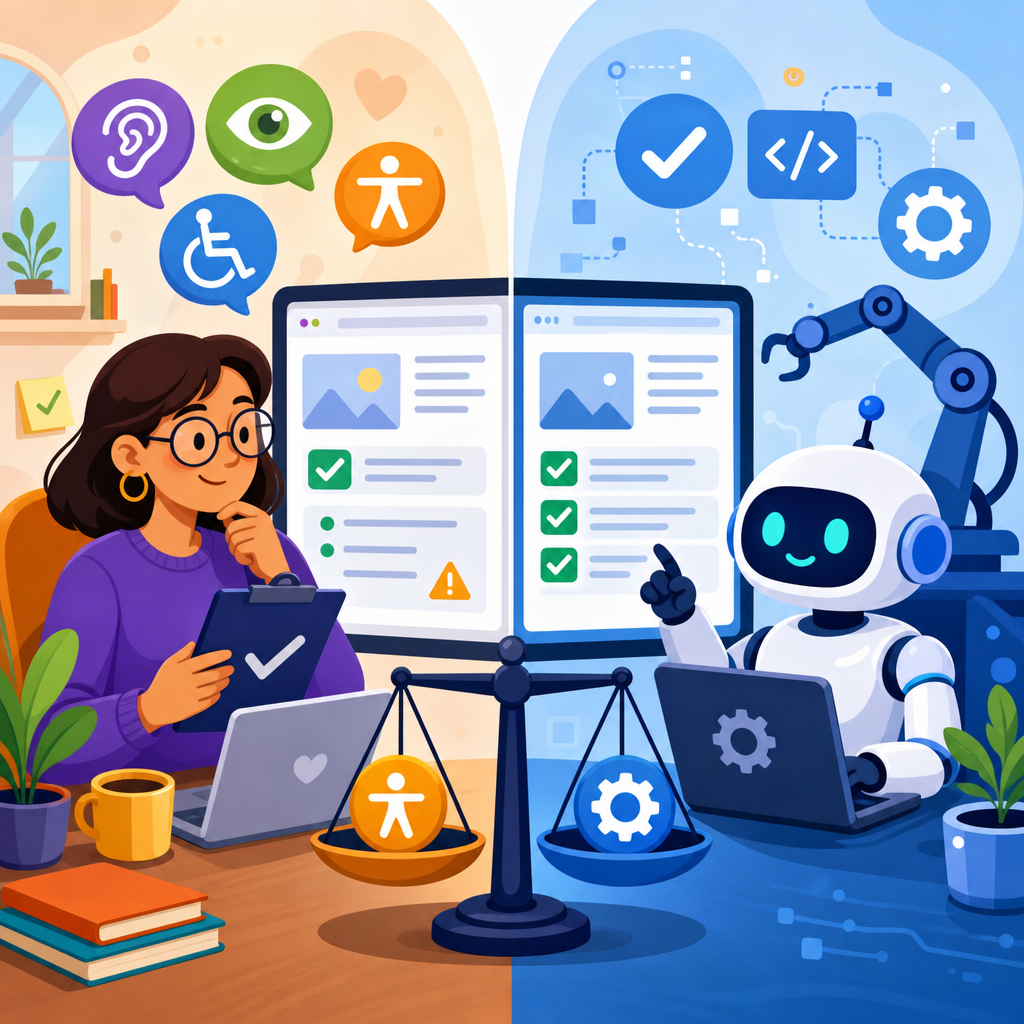
Human review and automation in accessibility remediation are often framed as opposing approaches, but in practice the most effective programs use both to reduce legal risk, improve usability, and scale compliance work across fast-moving digital products. In the AI and ADA context, accessibility remediation means identifying and fixing barriers that prevent people with disabilities from using websites, apps, documents, kiosks, and conversational interfaces. Human review refers to expert testing by accessibility specialists, designers, developers, QA analysts, and disabled users. Automation includes rules-based scanners, CI/CD checks, browser extensions, design linting, document remediation tools, and newer AI systems that generate code fixes, alt text, transcripts, summaries, or issue prioritization.
This topic matters because digital accessibility is no longer a niche concern handled late in a release cycle. It is now tied to civil rights enforcement, procurement requirements, customer experience, brand trust, and engineering efficiency. In the United States, the Americans with Disabilities Act, Section 504, Section 508, and related state laws shape expectations for accessible digital services, while the Web Content Accessibility Guidelines remain the dominant technical benchmark. AI has expanded both sides of the equation. It can accelerate testing and repair, but it can also introduce fresh barriers through inaccessible chatbots, image generators, personalization engines, and automated content pipelines. I have seen organizations cut issue backlogs dramatically with automation, then stall when unresolved keyboard traps, confusing focus order, and misleading AI-generated labels still blocked real users. That gap explains why the human review versus automation debate matters.
For this hub article, AI and ADA should be understood broadly. It includes how organizations use AI to remediate accessibility defects, how AI products themselves must be accessible, how disability law applies when automated systems mediate services, and how governance teams document good-faith efforts. The central question is not whether automation can replace human judgment. It cannot. The real question is where automation is reliable, where human evaluation is indispensable, and how to combine both in an operational model that stands up to legal scrutiny and everyday user needs.
What automation can do well in accessibility remediation
Automation is strongest where requirements can be expressed as deterministic rules or high-confidence heuristics. Modern scanners such as axe DevTools, WAVE, Accessibility Insights, Siteimprove, and Pa11y can reliably catch missing form labels, empty buttons, low-contrast text under specific conditions, absent document language declarations, duplicate IDs, missing table headers, and many ARIA misuse patterns. In a mature pipeline, these tools run during design handoff, local development, pull requests, end-to-end tests, and scheduled production crawls. That continuous feedback loop prevents known defects from reappearing after they are fixed.
Automation also shines at scale. A human auditor can deeply review a handful of representative templates, but a crawler can scan tens of thousands of URLs overnight and surface recurring component failures. In one enterprise remediation program I worked on, a single inaccessible modal component affected more than 8,000 pages. The scanner identified the pattern quickly, engineering fixed the component once in the design system, and coverage improved across every dependent property. That is where automation creates outsized value: repeatable detection of repeatable defects.
AI-based tools extend this advantage further, especially for content operations. They can suggest alt text drafts, flag likely reading-order problems in PDFs, cluster duplicate issues, estimate severity based on user flow, and recommend code changes. Used carefully, these systems reduce triage time. They are especially helpful for teams managing large volumes of images, product descriptions, support articles, and user-generated content. Yet speed should not be mistaken for certainty. An AI tool can produce plausible alt text that misses the image’s purpose, or rewrite copy in a way that changes meaning for screen reader users.
Where automation fails and human review is essential
Automation cannot fully evaluate usability, context, or intent. A scanner may confirm that an image has alt text, but it cannot reliably judge whether the text communicates the function or meaning users need. It may verify that ARIA attributes exist, while missing that a custom widget behaves unlike the control it claims to be. It may detect color contrast mathematically, yet fail to tell you that error messaging is vague, instructions are buried, or cognitive load is excessive. Those are not edge cases. They are common reasons supposedly compliant experiences still frustrate users.
Keyboard access is a clear example. Automated testing can flag some focusable element problems, but expert manual review is still required to verify logical tab order, visible focus indication, escape behavior, focus return after dialogs, and interaction consistency across browsers and assistive technologies. Screen reader testing is even more dependent on humans. NVDA, JAWS, VoiceOver, and TalkBack may announce the same interface differently depending on markup, browser, and operating system. Only hands-on testing reveals whether a checkout form, healthcare portal, or AI chatbot actually makes sense when heard sequentially.
Human review is also indispensable for disability-specific edge cases. People with low vision may zoom to 400 percent and navigate with screen magnification. People with motor disabilities may rely on switch access, speech input, or alternative keyboards. People with cognitive disabilities may need simplified flows, predictable navigation, and clear recovery from mistakes. No scanner can fully evaluate those lived experiences. When organizations include disabled testers in moderated sessions, they uncover barriers that automated reports never mention. In my experience, those sessions often reshape priorities faster than any dashboard because stakeholders can see real task failure rather than abstract issue counts.
AI and ADA: legal exposure, documentation, and governance
From an ADA perspective, the biggest mistake is assuming that using AI or automated scanners demonstrates compliance by itself. It does not. Courts and regulators generally focus on whether users can access goods, services, and information, not on whether an organization bought a popular tool. Technical conformance to WCAG is highly influential, but legal exposure often turns on actual barriers in key user journeys such as account creation, scheduling, checkout, application submission, and customer support. If an AI-assisted remediation workflow leaves those journeys broken, the presence of automation offers little defense.
This is why documentation matters. Strong programs keep audit reports, defect logs, prioritization criteria, remediation tickets, retest evidence, exceptions registers, and procurement records for third-party tools. They map issues to recognized criteria such as WCAG 2.1 or 2.2 success criteria, note whether the issue was found by scanner, manual audit, or user testing, and record when it was fixed and verified. For AI systems, they also document training data limitations, human review checkpoints, and escalation paths when generated fixes are uncertain. That paper trail supports internal governance and demonstrates sustained effort if complaints arise.
Governance should also address procurement and vendor management. Many organizations now rely on AI chat interfaces, personalization engines, and embedded widgets supplied by third parties. If those tools are inaccessible, the customer still experiences the barrier on your property. Procurement teams should request current accessibility conformance reports, test critical workflows before launch, and contract for remediation obligations. Accessibility should be part of model governance too. If an AI assistant answers service questions but cannot be operated with a keyboard or provides inaccessible visual-only output, it creates both usability and legal risk.
How to build a hybrid remediation model that works
The most effective accessibility remediation model is layered. Start with prevention in design systems and content workflows, add automated checks throughout development, and reserve human expertise for high-risk, high-impact, or ambiguous issues. This is not theory; it is how teams reduce backlog without sacrificing quality. Design teams should use accessible component libraries, tokenized color systems, semantic patterns, and content standards before code is written. Developers should run linting, unit tests, and browser scans locally, then enforce gates in CI/CD for known failure types. QA should include manual keyboard and screen reader smoke tests on critical paths for every release.
Human specialists then focus where they add the most value: representative audits, issue validation, assistive technology testing, usability review, and coaching teams on root causes. Disabled user testing should be scheduled for major redesigns, transactional workflows, and AI-mediated interactions. For example, if an insurer launches an AI claims assistant, the review should test not just the chatbot shell but authentication, disclosures, file uploads, error handling, transcript access, and handoff to human support. The goal is to evaluate the complete service experience, not a narrow technical slice.
| Remediation task | Best lead | Why |
|---|---|---|
| Missing labels, duplicate IDs, basic contrast failures | Automation | Rule-based detection is fast, repeatable, and scalable |
| Keyboard order, focus management, screen reader meaning | Human review | Requires contextual judgment and real interaction testing |
| Large image libraries and document triage | AI-assisted automation | Speeds first-pass classification and draft remediation |
| Critical user journeys and legal-risk workflows | Hybrid model | Automation finds patterns; humans verify actual usability |
A practical operating rule is simple: automate detection, standardize fixes, and require human signoff for anything affecting task completion, meaning, or assistive technology behavior. That rule keeps teams from over-testing trivial items manually while preventing false confidence from scanner scores alone.
Common AI use cases in accessibility and their tradeoffs
Several AI use cases are now common in accessibility remediation. Automatic alt text generation is the most visible. It helps content teams process large media libraries, but it should be treated as a draft, not a final answer, especially for product imagery, charts, medical images, educational diagrams, and images used as controls. Another use case is code-fix suggestion. Generative tools can propose semantic markup, ARIA adjustments, and focus management patterns, which is useful for junior developers, but the output must be reviewed because AI frequently introduces invalid roles, redundant labels, or inaccessible custom interactions.
AI transcription and captioning have improved substantially and can be excellent for turnaround time, yet accuracy still varies with speaker overlap, domain vocabulary, accents, and audio quality. For legal, healthcare, education, and financial contexts, human correction remains important. Document remediation is another area of rapid change. AI can infer headings, tag structures, and reading order in PDFs, but complex tables, forms, footnotes, and multi-column layouts still require expert verification in Acrobat, CommonLook, or similar tools. Likewise, AI summarization can help simplify dense content, but simplification should not remove legally required details or change plain-language intent.
There is also a less discussed tradeoff: AI can generate accessibility debt faster than teams can fix it. Marketing platforms now create landing pages, product text, images, and emails at high speed. If those outputs bypass accessible templates and review standards, the organization scales defects, not inclusion. The answer is governance embedded upstream: approved prompts, constrained component libraries, policy checks, and mandatory review for sensitive content types.
Metrics that show whether remediation is actually working
Teams often track the wrong metrics. Raw issue counts and scanner scores are easy to collect, but they can create a false sense of progress. A better measurement model combines coverage, severity, task success, and recurrence. Coverage asks what percentage of templates, pages, documents, native screens, and AI interfaces are being tested. Severity weights issues by impact on completing important tasks. Task success measures whether disabled users can finish actions such as registering, paying, scheduling, or requesting support. Recurrence tracks whether the same defect type keeps returning, which usually points to a design system or content process failure.
Time-to-remediate is another useful operational metric. If severe barriers remain open across multiple releases, the program has a prioritization problem, not just a testing problem. I also recommend measuring escaped defects: issues discovered in production, by customers, or in legal demand letters after release. High escaped-defect rates usually mean manual review is too late, automated checks are too shallow, or AI-generated changes are entering production without validation. For AI and ADA programs specifically, measure accessibility of the AI experience itself, including prompt input, streamed responses, citation links, audio output, and transcript retention.
When leadership asks which approach is better, human review or automation, the most honest answer is that the best metric is user success with efficient evidence behind it. Automation increases breadth and speed. Human review protects accuracy and real-world usability. If your metrics show both lower recurrence and higher task completion for disabled users, the balance is probably right.
Human review versus automation in accessibility remediation is not a binary choice, and organizations that treat it as one usually underperform on both compliance and user experience. Automation is indispensable for scale, consistency, regression prevention, and early detection of rule-based failures. Human review is indispensable for meaning, usability, assistive technology behavior, and legal-risk workflows where actual access matters more than tool output. AI adds real value when it accelerates triage, drafts fixes, and supports content operations, but it also introduces new failure modes that must be governed carefully.
For an AI and ADA strategy, the winning model is clear: build accessibility into design systems, enforce automated checks in delivery pipelines, validate critical experiences with expert manual testing, and involve disabled users before launch and after major changes. Document the work, hold vendors accountable, and measure success by whether people can complete important tasks without barriers. That approach is practical, defensible, and scalable.
If you are building this topic into your broader legal and technological frontiers program, use this hub as the starting point for deeper work on AI chat accessibility, automated captioning, document remediation, procurement controls, and ADA-focused governance. Review your highest-risk journeys first, map where automation helps, and put human expertise where it matters most.
Frequently Asked Questions
What is the difference between human review and automation in accessibility remediation?
Automation and human review serve different but complementary roles in accessibility remediation. Automated testing uses software tools, scanners, rules engines, and AI-assisted systems to detect certain types of accessibility issues quickly and at scale. These tools are especially useful for finding repeatable, code-level problems such as missing alternative text, empty links, color contrast failures, form labeling errors, heading structure problems, and some ARIA misuse. Because automation can scan large volumes of pages, screens, or components in a short period of time, it is often the fastest way to identify obvious defects across a digital ecosystem.
Human review goes further by evaluating whether a digital experience is actually usable by people with disabilities in real-world conditions. Experts manually test with keyboards, screen readers, zoom, voice input, and other assistive technologies to assess workflows, context, clarity, error handling, focus order, dynamic updates, and interaction patterns that automation frequently misses. Human reviewers also determine whether a technically “passing” experience is understandable and efficient. For example, an automated tool may confirm that a button has a label, but a human reviewer can tell whether that label is vague, misleading, or impossible to understand in context.
In practice, the strongest accessibility programs do not choose one over the other. They use automation for broad coverage and continuous detection, then rely on human review for interpretation, validation, prioritization, and deeper usability insight. This combined approach is especially important for websites, apps, documents, kiosks, and conversational interfaces, where accessibility barriers can arise from design decisions, content choices, custom interactions, and assistive technology behavior that no scanner can fully evaluate on its own.
Can automation alone make a website or app ADA compliant?
No. Automation can support compliance efforts, but it cannot by itself make a website or app fully accessible or reliably ADA-aligned. Automated tools only detect a subset of possible accessibility barriers, and even the best platforms are limited by what can be measured through programmed rules. Many issues that affect compliance risk and user experience require human judgment, including whether instructions are clear, whether focus moves predictably, whether interactive elements are usable with a screen reader, whether error messages are understandable, and whether a multistep process can actually be completed by someone using assistive technology.
This matters because ADA risk is not based only on whether code passes automated checks. It is tied to whether people with disabilities can access goods, services, content, and core functions effectively. A site may score well in an automated scan and still create serious barriers during checkout, account registration, appointment scheduling, document download, customer support, or chatbot interaction. In litigation and demand letter contexts, these kinds of practical barriers are often central because they affect meaningful access, not just technical conformance metrics.
Automation should therefore be viewed as one layer of a broader remediation and governance strategy. It helps organizations monitor large digital inventories, catch regressions, and improve development efficiency, but human testing is necessary to confirm usability, investigate edge cases, and evaluate whether fixes actually work for end users. For organizations concerned about legal exposure, operational maturity, and customer experience, relying on automation alone is usually an incomplete and risky approach.
Why is human review still necessary when AI and automated accessibility tools keep improving?
Human review remains necessary because accessibility is not purely a detection problem. It is also an interpretation, usability, and decision-making problem. AI and automated tools have improved significantly in recognizing patterns, surfacing likely defects, prioritizing findings, and accelerating workflows. They can help teams identify recurring issues, flag potential noncompliance, generate remediation suggestions, and monitor changes continuously. Those are real advantages, particularly for large organizations managing fast-moving digital products.
Even so, accessibility often depends on context that machines cannot fully understand. A tool may detect that an image has alt text, but not whether the alt text is meaningful. It may recognize that a modal dialog exists, but not whether focus behavior is intuitive during a complex task. It may identify a chatbot interface, but not whether the exchange is understandable for users with cognitive disabilities, compatible with screen readers, or workable without precise timing and visual cues. In documents and kiosks, the gap is often even wider because user success depends on sequencing, instructions, navigation logic, and physical or environmental constraints that require nuanced review.
Human experts also play a critical role in false-positive and false-negative analysis. Automated systems can overreport issues that are not actual barriers and underreport problems that are serious in practice. Experienced reviewers know how to validate findings, connect them to standards such as WCAG, translate them into developer-ready fixes, and prioritize remediation based on legal risk and user impact. Most importantly, human review helps ensure that accessibility work serves real people rather than just improving scan scores. As AI advances, its best role is not replacing human expertise but making that expertise more efficient, focused, and scalable.
What does an effective accessibility remediation program look like when it uses both automation and human review?
An effective program combines automation and human review across the full lifecycle of design, development, testing, remediation, and maintenance. Typically, automation is embedded early and often. Teams use linters, CI/CD checks, design system validation, and scheduled scans to catch common issues before they spread. This reduces the volume of preventable errors entering production and gives product teams fast feedback during everyday work. Automation is also valuable for enterprise-wide monitoring, helping organizations identify high-risk templates, recurring defects, and regressions introduced by updates.
Human review is then used strategically where it adds the most value. Experts conduct manual audits of representative user journeys, template types, mobile screens, documents, or conversational flows. They test with assistive technologies, evaluate keyboard support, review dynamic behavior, assess content clarity, and verify whether barriers affect task completion. In mature programs, this review is risk-based: critical transactional paths, public-facing content, and high-complaint areas receive deeper attention. Findings are then translated into actionable remediation guidance, severity levels, acceptance criteria, and retesting steps.
The strongest programs also include governance, not just testing. That means assigning ownership, setting accessibility requirements for vendors and internal teams, training designers and developers, documenting decisions, and using metrics that go beyond raw scan counts. Good metrics may include issue recurrence rates, time to remediation, assistive technology success on priority tasks, and reduction of barriers in core workflows. In the AI and ADA context, organizations should also evaluate newer interfaces such as chatbots and conversational systems, since these can introduce accessibility concerns that traditional web scans do not fully capture. Overall, the goal is not to treat automation and human review as competing methods, but to build a sustainable operating model where each strengthens the other.
Which approach better reduces legal risk: human review or automation?
If the goal is reducing legal risk, the better answer is not one or the other, but the right combination of both. Automation helps demonstrate that an organization is actively monitoring its digital properties, identifying common defects, and maintaining an ongoing process rather than treating accessibility as a one-time project. That kind of continuous oversight can be operationally important because it reduces the chance that obvious issues remain unaddressed across large numbers of pages, screens, or assets.
Human review, however, is often more directly connected to the kinds of barriers that trigger complaints, demand letters, and litigation. Legal exposure tends to increase when people with disabilities cannot complete important tasks or access essential information. Manual testing is far better at uncovering these task-level barriers, especially in areas like checkout flows, account access, scheduling, forms, mobile app interactions, PDFs, kiosks, and AI-driven conversational interfaces. Human reviewers can also provide evidence of reasoned evaluation, prioritized remediation, and practical usability analysis, which is valuable when demonstrating the seriousness and credibility of an accessibility program.
From a risk perspective, the most defensible position is usually an established process that includes automated monitoring, expert manual assessment, documented remediation efforts, retesting, and continuous improvement. Organizations that rely only on automation may miss the very issues users experience most acutely. Organizations that rely only on manual review may struggle to keep pace with constant product changes and large digital inventories. A blended approach is generally the most effective way to reduce both compliance gaps and real-world access barriers, which is ultimately what lowers legal risk over time.


