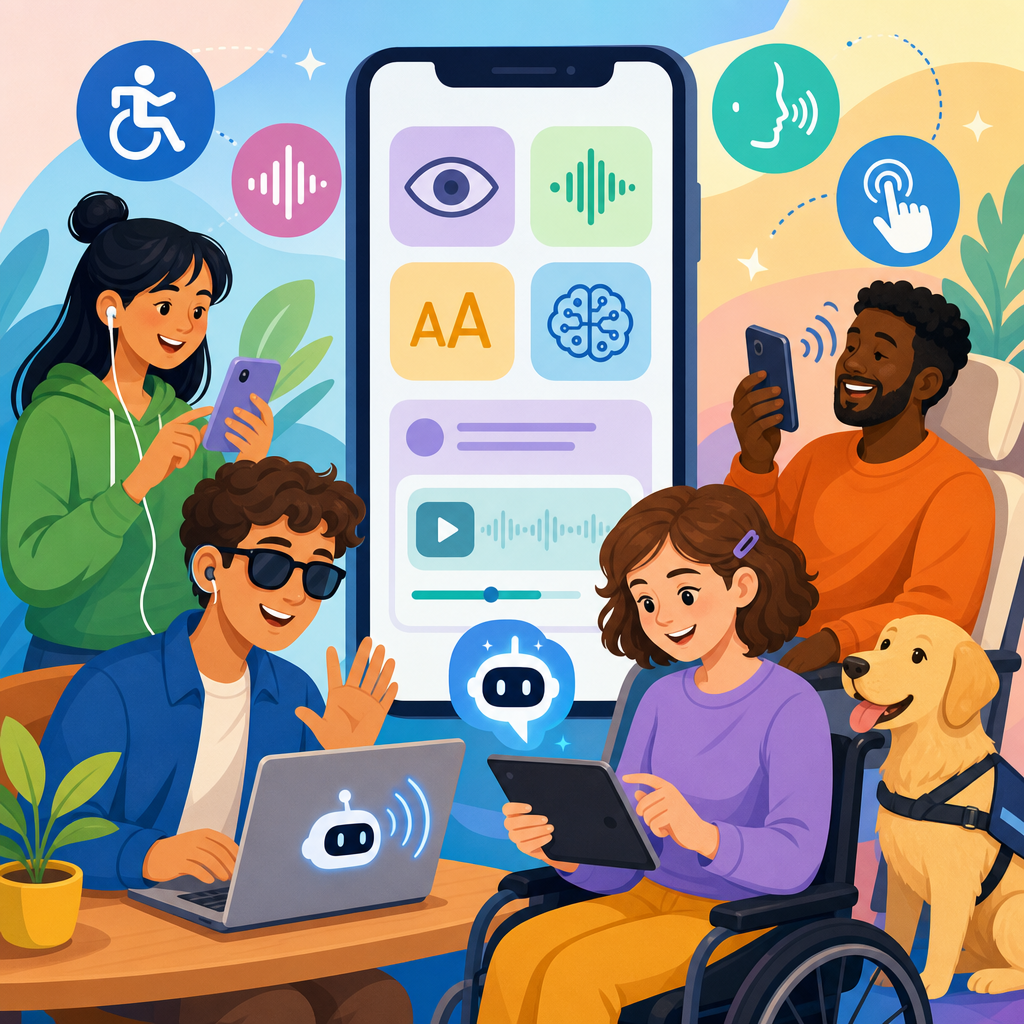
What the ADA means for assistive AI features in consumer apps is no longer a niche compliance question; it is a product, legal, and design issue that affects nearly every company shipping software to the public. The Americans with Disabilities Act, or ADA, is the primary U.S. civil rights law prohibiting disability discrimination in places of public life, while assistive AI features are software functions that use machine learning or related techniques to help people perceive, understand, navigate, communicate, or complete tasks. In consumer apps, that can include live captions, image descriptions, voice control, reading support, conversational interfaces, predictive text, and personalized accessibility settings. I have worked with product, legal, and accessibility teams on launches where these features were treated first as innovation and only later as accommodation. That order creates risk. The ADA matters because an app can improve access for one user while excluding another, and because “AI powered” does not excuse failures in usability, accuracy, privacy, or equal access. For companies building in the legal and technological frontiers, understanding AI and ADA together is essential to product strategy, procurement, support, and governance.
At a practical level, the ADA requires organizations to think beyond whether a feature exists and ask whether a person with a disability can actually use the app with substantially equivalent ease, independence, and dignity. Titles II and III are usually the most relevant frameworks for digital products that reach the public, covering state and local government services and private businesses that function as public accommodations. Courts and regulators have increasingly treated websites and apps as part of those services, especially when they are tightly connected to retail, banking, travel, education, healthcare, entertainment, or communications. The ADA does not contain detailed technical coding rules for apps, so teams often look to the Web Content Accessibility Guidelines, platform accessibility APIs, and Department of Justice positions for concrete direction. That creates a common misunderstanding: if AI helps some disabled users, the product is compliant. In reality, an assistive AI feature can support accessibility and still violate expectations if it is unreliable, impossible to activate with screen readers, unavailable in core workflows, or offered only at extra cost. The central question is not whether AI is impressive. It is whether AI and ADA obligations are aligned in design, deployment, and support.
How the ADA applies to consumer apps with assistive AI
For consumer apps, ADA analysis usually starts with equal access to goods, services, privileges, or advantages offered to the public. If an app is the primary way to order groceries, manage a bank account, book transportation, watch media, or message customer support, accessibility is not an optional enhancement. It is part of the service itself. Assistive AI features can strengthen access by enabling speech input, summarizing dense text, identifying objects in images, translating spoken audio into captions, or simplifying navigation for cognitive disabilities. But these same features can create barriers when they replace conventional controls, make unsupported assumptions about users, or perform unevenly across accents, dialects, disability types, and environmental conditions.
In practice, I advise teams to separate two questions. First, is the base app accessible through established platform features such as VoiceOver, TalkBack, keyboard access, focus order, contrast controls, captions, and semantic labeling? Second, do the AI features preserve or expand that accessibility rather than undermine it? The ADA does not require magical perfection, but it does require meaningful access. If a blind user can technically open a shopping app yet cannot complete checkout because the AI-generated product labels are vague, the service is not meaningfully accessible. If an auto-captioning feature is the only way to access short-form video content and it consistently fails for deaf users during live events, the company has a legal and reputational problem. Equal access turns on end-to-end experience, not isolated feature claims.
Which assistive AI features raise the biggest ADA questions
Some AI features create especially visible ADA issues because they sit directly in the path of core tasks. Automatic captions and transcripts are one example. They can dramatically improve access for deaf and hard-of-hearing users, but quality matters. Error rates rise with overlapping speakers, domain-specific vocabulary, background noise, and nonstandard pronunciation. If a telehealth app uses AI transcription for appointment instructions, mistakes can affect health outcomes. Image description is another area. Generated alt text can help blind users scan photos or marketplace listings, yet generic descriptions such as “may contain text” or incorrect object recognition can make critical information useless. Voice agents, biometric login, emotion detection, reading assistants, and AI moderation tools also raise questions because they often infer user intent or capability rather than letting users choose explicit controls.
Generative assistants inside apps deserve special attention. They are increasingly used to explain bills, summarize legal terms, guide onboarding, or answer support questions. For users with cognitive disabilities, dyslexia, low vision, limited dexterity, or speech impairments, this can be genuinely empowering. However, if the assistant hallucinates, omits an important fee, or routes a user away from a human support path, the product may become less accessible, not more. The same is true for “smart” interfaces that reorder menus or hide options based on behavioral predictions. Personalization can reduce friction, but unexpected layout changes can disorient screen reader users and people relying on motor memory. Under the ADA, consistency, predictability, and effective communication still matter even when the interface is adaptive.
| Feature | Accessibility benefit | Common ADA risk | Good practice |
|---|---|---|---|
| Auto captions | Improves access to audio and video | High error rates in live or noisy contexts | Offer edits, transcripts, and human escalation |
| Image descriptions | Helps blind users understand visuals | Vague or incorrect descriptions | Use structured labels and user reporting |
| Voice control | Supports hands-free navigation | Poor recognition of accents or speech disabilities | Provide manual alternatives and training options |
| Reading simplification | Assists cognitive and language access | Omitting legally important details | Pair summaries with full text and plain-language review |
| Chat assistants | Guides users through complex tasks | Hallucinated answers or inaccessible widgets | Limit scope, log failures, and keep human support available |
Legal standards, guidance, and what compliance really looks like
Because the ADA is principles based, teams need to translate broad nondiscrimination duties into operational standards. The most widely used technical benchmark remains WCAG 2.1 or 2.2 Level AA, even though WCAG was not written specifically for AI systems. It covers perceivability, operability, understandability, and robustness, which remain directly relevant when AI is embedded in an app. The Department of Justice has repeatedly signaled that businesses and public entities must provide accessible digital services. Settlements across industries have also emphasized testing with assistive technology, accessible procurement, user feedback channels, and timely remediation. For apps using AI, these expectations extend naturally to model outputs and interface behaviors.
Compliance in this area is not a one-time audit. It is a governance process. That process should include accessibility acceptance criteria in product requirements, design reviews that evaluate disability impact, prelaunch testing with disabled users, and postlaunch monitoring of complaints and telemetry. I have seen companies pass a manual screen reader audit while still creating ADA exposure because a recommendation model renamed buttons dynamically, broke focus announcements, or inserted unsupported controls after release. A strong compliance posture therefore treats AI changes like material product changes. Model updates, prompt changes, ranking changes, and policy toggles can affect accessibility just as much as frontend code changes. Legal review should be tied to release management, not left as an afterthought after a complaint arrives.
Risk areas: bias, accuracy, privacy, and effective communication
The hardest part of AI and ADA is that accessibility gains and discrimination risks often arrive together. Speech recognition may help many users but underperform for people with cerebral palsy, stutters, or atypical speech patterns. Facial analysis used for attention monitoring or identity verification can misread disability-related expressions or fail for users with facial differences. Text simplification can improve comprehension but may strip nuance from financial, medical, or legal disclosures. Recommendation systems can inadvertently steer disabled users toward inferior options if proxies for engagement correlate with disability-related behavior. These are not abstract edge cases. They are foreseeable harms that product teams can test for before deployment.
Privacy is equally important. Assistive AI often depends on highly sensitive signals: voice samples, accessibility preferences, health-adjacent inferences, camera feeds, or behavioral data that reveal disability status. The ADA is not a privacy law, but a product that conditions access on invasive data collection can still create discriminatory effects and trigger scrutiny under other laws and platform policies. Effective communication also remains a core obligation. If an AI system gives safety instructions, billing explanations, or account restrictions, the message must be understandable and available in accessible formats. A “good enough on average” model is not sufficient when a user needs accurate information to exercise rights or avoid harm. Trustworthy implementation means defining when AI is appropriate, when humans must review outputs, and when non-AI alternatives are mandatory.
How product teams should design assistive AI features
The best way to reduce ADA risk is to design assistive AI as part of inclusive product architecture rather than as a marketing layer. Start with user journeys, not models. Identify critical tasks such as sign-up, login, purchase, messaging, support, settings, and cancellation. Then map barriers for blind, low-vision, deaf, hard-of-hearing, mobility-impaired, neurodivergent, and speech-disabled users. Only after that should the team decide where AI can help. This order matters because it prevents the common mistake of using AI to patch a fundamentally inaccessible workflow. A readable receipt, proper labels, and keyboard access usually do more for legal defensibility than an experimental chatbot that explains the receipt after the fact.
Implementation details make the difference. Give users clear controls to turn AI features on or off. Preserve stable navigation and semantic structure even when content is personalized. Label generated content as generated, especially when it may contain errors. Provide confidence indicators or lightweight disclaimers where appropriate, but do not hide behind warnings while shipping broken output. Build fallback paths: manual captions, direct text entry, standard menus, human support, and accessible help documentation. Test with native assistive technologies on iOS, Android, and the web, including VoiceOver, TalkBack, switch access, magnification, captions, and external keyboards. Most importantly, include disabled participants in research and QA. In my experience, nothing surfaces design failures faster than observing real users try to complete a high-stakes task under realistic conditions.
Procurement, vendor management, and operational accountability
Many consumer apps do not build assistive AI from scratch. They license speech engines, generative APIs, OCR services, translation tools, or identity verification products from third parties. That does not transfer ADA responsibility away from the app provider. If a vendor model powers a critical customer workflow, the company deploying it still owns the user experience. Procurement should therefore require accessibility documentation, testing evidence, data handling terms, service-level commitments, and remediation obligations. Ask vendors how they evaluate performance for users with disabilities, what failure modes they have identified, whether they support user corrections, and how often models or thresholds change.
Operational accountability also means tracking real outcomes. Complaints should be categorized in a way that distinguishes interface defects, model output errors, support failures, and policy barriers. Accessibility bug triage should include legal and product stakeholders, not just engineering. Incident review should ask whether the harm blocked access to a core service, whether a workaround existed, and whether the affected population was predictable. Teams that do this well create a repeatable record showing they took accessibility seriously before and after launch. That record matters. It improves products, strengthens negotiations with vendors, and can be crucial if regulators, plaintiffs’ counsel, or enterprise partners ask how the company evaluates AI and ADA compliance.
Assistive AI can expand access, independence, and convenience in consumer apps, but only when it is governed as part of civil rights compliance rather than treated as novelty. The ADA does not ban AI, and it does not require perfect outputs. It requires meaningful access, effective communication, and nondiscriminatory design choices across the full customer journey. For product leaders, that means building on accessible foundations, testing with disabled users, monitoring model behavior after release, and preserving non-AI alternatives for critical tasks. For legal teams, it means treating model updates, vendor dependencies, and adaptive interfaces as accessibility events that deserve review. For designers and engineers, it means measuring success by whether users can actually complete important tasks with reliability and dignity.
The strongest consumer apps do not ask whether an assistive AI feature sounds helpful in a demo. They ask whether it performs consistently in the messy reality of accents, assistive technologies, low bandwidth, noisy rooms, confusing disclosures, and urgent support needs. That is where ADA compliance becomes product quality. If you are building under the legal and technological frontiers, use this page as your hub: evaluate each feature against core access, accuracy, privacy, and fallback requirements, then connect that analysis to your testing, procurement, and release processes. Start with one critical workflow this week and assess it end to end. That single review will reveal where AI is truly assisting users and where it is quietly creating barriers.
Frequently Asked Questions
1. Does the ADA apply to assistive AI features in consumer apps?
Yes, in many situations it does. The ADA is a broad anti-discrimination law that requires people with disabilities to have equal access to goods, services, and experiences offered by covered entities. For consumer apps, the key issue is usually not whether a feature is labeled “AI,” but whether the app functions as a gateway to services that members of the public use in everyday life. If an app is part of how a business delivers communication, commerce, entertainment, transportation, education, healthcare, or customer support, accessibility obligations can become highly relevant. Courts and regulators have increasingly treated digital experiences as serious accessibility concerns, especially when apps play a central role in public-facing services.
When assistive AI features are added to an app, the legal question becomes more specific: do those features expand access, limit access, or create unequal access for disabled users? For example, AI-generated captions, image descriptions, voice controls, reading simplification, predictive text, and conversational navigation tools can significantly improve usability. But if those features are inaccurate, hard to activate, incompatible with screen readers, or available only to some users or devices, they may not meaningfully satisfy accessibility expectations. In other words, a company cannot assume that adding an AI layer automatically makes a product compliant or accessible.
It is also important to understand that the ADA focuses on real-world access, not just technical intent. If an assistive AI feature routinely mislabels content, misunderstands speech from users with disabilities, fails in noisy environments, or produces inaccessible outputs, users may still face barriers. That is why companies should evaluate assistive AI features as part of a larger accessibility program that includes design reviews, user testing, fallback options, support channels, and ongoing monitoring. The ADA does not provide a one-line rule for every AI feature, but it clearly supports the principle that disabled users should be able to access and benefit from consumer apps on equal terms.
2. If a company offers AI-powered accessibility tools, is that enough to satisfy ADA obligations?
No. AI-powered accessibility tools can be helpful, but they are rarely enough on their own. A common mistake is treating assistive AI as a substitute for accessible design rather than as one part of it. The ADA is concerned with whether a person with a disability can actually use the app effectively, independently where possible, and without being shut out from core functions. If the app’s navigation, forms, payment flows, media, customer service, or authentication systems remain inaccessible, an AI assistant layered on top will not erase those barriers.
For example, an app might include AI-generated image descriptions but still have unlabeled buttons, poor color contrast, inaccessible CAPTCHA flows, or videos without reliable captions. In that case, the AI feature may improve one narrow aspect of the experience while leaving major obstacles untouched. Similarly, an app may include a voice-based AI helper, but if it does not work well for users with speech disabilities, hearing disabilities, cognitive disabilities, or users who rely on text-based interaction, it could create a new access problem instead of solving one. Equal access usually requires multiple modes of interaction, not a single “smart” accessibility tool.
Companies should think of assistive AI as a supplement to strong accessibility fundamentals. That means semantic structure, keyboard support, readable layouts, screen reader compatibility, clear error handling, controllable timing, and predictable interactions still matter. It also means users should have options when AI fails. If auto-captioning is offered, users may need correction tools or human-reviewed captions in high-stakes contexts. If AI summaries are used, the original content should remain available. If AI chat is part of support, accessible non-AI support paths should exist too. The strongest ADA posture comes from combining inclusive design, tested accessibility standards, and carefully governed AI features rather than relying on automation as a complete defense.
3. What are the biggest ADA-related risks when consumer apps use assistive AI features?
The biggest risks usually fall into four categories: inaccuracy, exclusion, inconsistency, and overreliance. Inaccuracy is a major concern because many assistive AI tools are probabilistic. Captioning may mishear words, image description may omit critical details, summarization may distort meaning, and voice interfaces may fail to recognize diverse accents, speech patterns, or disability-related speech differences. If those errors interfere with access to essential information or transactions, the feature may not provide meaningful accessibility in practice.
Exclusion happens when AI tools work better for some disabilities than others, or when they assume a narrow type of user. A feature designed for blind users may not help deaf users. A voice-first assistant may not serve users who cannot speak clearly or who need text interaction. A cognitive support tool may simplify content in ways that remove important legal or transactional details. When product teams do not test across disability types, they can unintentionally create uneven experiences that raise both legal and trust concerns.
Inconsistency is another serious risk. AI behavior can vary across devices, operating systems, network conditions, languages, and contexts of use. A feature that performs well in a demo may fail in everyday use, especially if it depends on cloud processing, third-party models, or rapidly changing updates. For ADA purposes, consistency matters because users need dependable access to core app functions. If an assistive feature works only intermittently, or only in premium versions, or only on the latest hardware, disabled users may still be denied equal use of the service.
Overreliance is the strategic risk that ties everything together. Companies sometimes assume assistive AI can compensate for inaccessible content, weak QA, or the absence of human support. That can backfire quickly. If AI is used to generate accessibility outputs at scale without verification, errors can multiply. If users are forced into AI-mediated support channels without alternatives, the company may create new barriers. A better risk approach is to identify high-impact user journeys, document where AI is used, test failure modes, provide accessible fallbacks, and involve legal, accessibility, product, and engineering teams in shared governance. The ADA risk is often less about using AI at all and more about deploying it without adequate safeguards.
4. How should app teams design assistive AI features to better align with ADA expectations?
App teams should start from the idea that accessibility is a product requirement, not a post-launch patch. That means assistive AI features should be designed around user needs, measurable outcomes, and known limitations from the beginning. Teams should ask practical questions early: What barrier is this AI feature meant to reduce? Which disability groups may benefit? Where could it fail? What happens if its output is wrong? Can users correct, ignore, or replace the AI output? This kind of planning leads to systems that are more defensible legally and more useful in real life.
Good ADA-aligned design also depends on choice and control. Users should be able to discover assistive AI features easily, understand what they do, and decide when to use them. Features should not unexpectedly replace original content or lock users into a single interaction mode. If an AI system rewrites text, describes images, reads content aloud, or automates navigation, the user should still have access to the source material and conventional controls. Transparency matters here: users benefit from knowing whether an output is AI-generated, how reliable it is likely to be, and when human review is unavailable.
Testing is equally important. Teams should evaluate assistive AI features with people who have a range of disabilities, not just internal staff or generic usability panels. They should test with screen readers, voice control tools, keyboard-only navigation, switch devices, captions, magnification, and mobile accessibility settings. They should also test edge cases such as poor audio quality, unusual layout structures, multilingual content, and complex visual scenes. The goal is to see whether the AI feature improves access under realistic conditions rather than under ideal lab assumptions.
Finally, teams should build operational processes around these features. That includes documenting known limitations, monitoring complaints, auditing updates, setting quality thresholds, and offering accessible support when the AI does not work. High-impact contexts such as healthcare, finance, education, employment, or legal services may call for stricter review and more reliable fallback mechanisms. ADA alignment is strongest when assistive AI is treated as part of an accountable accessibility lifecycle, with clear ownership and continuous improvement, rather than as a one-time innovation announcement.
5. What practical steps can companies take now to reduce ADA risk while still innovating with assistive AI?
The most practical first step is to conduct an accessibility and feature-risk inventory. Companies should identify where assistive AI is already being used or planned, what user problems it is intended to solve, and whether those functions affect access to core services. This includes obvious tools like captions, chat assistants, and image descriptions, but also less obvious systems such as recommendation engines that drive navigation, moderation tools that shape visibility, or summarization features that alter how information is presented. Once the inventory exists, teams can prioritize the highest-impact areas for legal review, accessibility testing, and product refinement.
Next, companies should establish standards for procurement, development, and deployment. If third-party AI models or APIs are involved, accessibility performance should be part of vendor evaluation, not an afterthought. Internal product requirements should address compatibility with assistive technologies, clarity of user controls, output quality expectations, fallback paths, and complaint handling. It is also wise to


