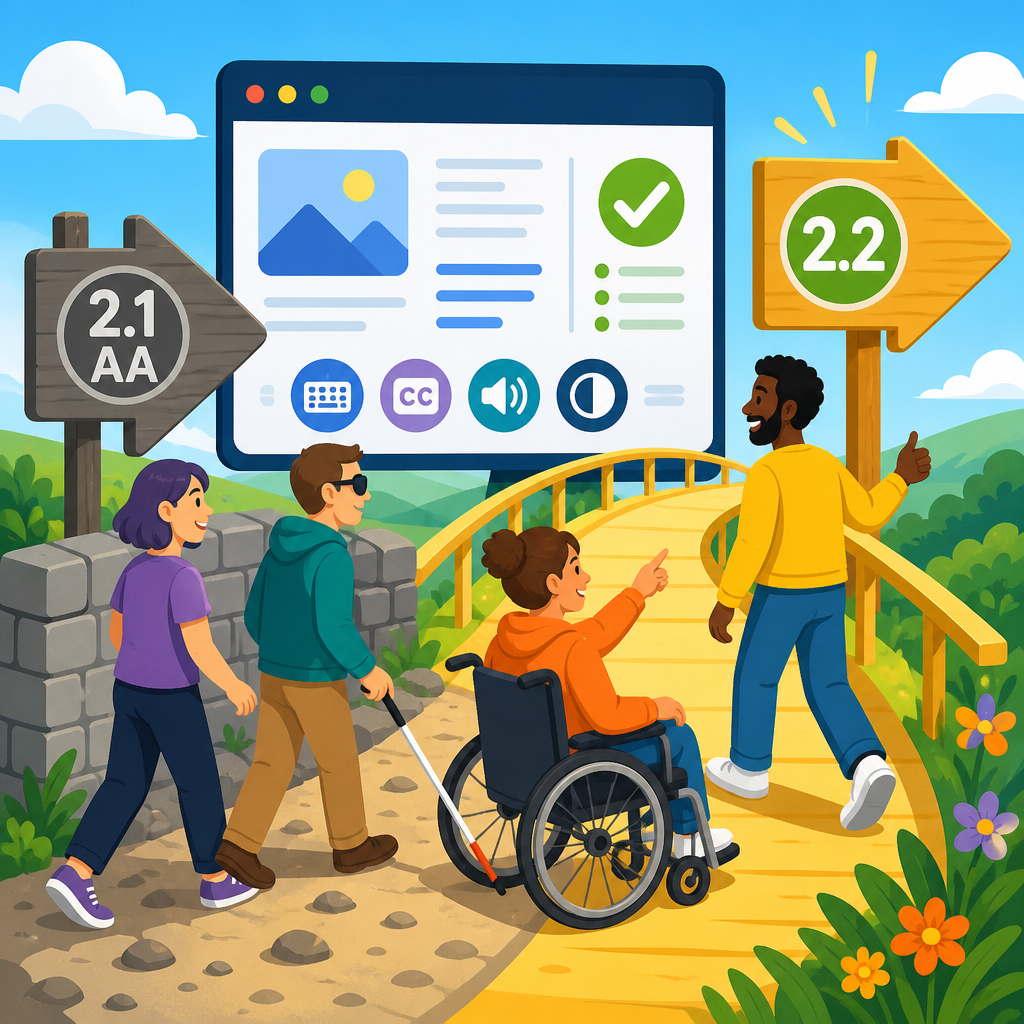
When a statute, settlement, or procurement rule still names WCAG 2.1 AA, many accessibility teams are asking a practical question: should they stop at 2.1, or move to WCAG 2.2 anyway? The short answer is that adopting WCAG 2.2 is usually the smarter path because it strengthens conformance without discarding the legal baseline most organizations already recognize. In day-to-day consulting, I have seen this issue surface in audits, product roadmaps, vendor reviews, and legal discussions, especially when teams want to reduce risk while keeping accessibility work aligned with current standards.
WCAG, or the Web Content Accessibility Guidelines, is the technical framework published by the World Wide Web Consortium through the W3C Web Accessibility Initiative. “2.1 AA” refers to version 2.1 at Level AA, the conformance target most often cited in policy and litigation. WCAG 2.2 builds on 2.1 rather than replacing it with an entirely different model. That distinction matters. If a site conforms to 2.2 AA, it also covers the success criteria in 2.1 AA, except for the nuanced treatment of one criterion removed from 2.2 due to redundancy with modern platform behavior.
This topic matters because accessibility law and accessibility practice do not evolve at the same speed. Regulations often lag behind the state of the art. Courts, enforcement agencies, procurement officers, and enterprise customers may still reference 2.1 AA, yet users encounter newer interaction patterns every year: complex authentication, drag-and-drop tools, sticky menus, mobile gestures, and persistent help widgets. WCAG 2.2 addresses several of those patterns directly. For an updates-and-developments hub focused on ADA developments in technology and accessibility, that makes 2.2 adoption a strategic issue, not just a technical footnote.
Organizations also need clarity on what this means operationally. Accessibility is no longer limited to a website compliance review. It touches design systems, native apps, SaaS procurement, document workflows, ecommerce checkout, customer support channels, and internal tools used by employees with disabilities. As a result, the question is not merely “What does the law require today?” but “What standard should guide design, engineering, testing, governance, and vendor accountability over the next release cycle?”
Why organizations are moving to WCAG 2.2 before laws catch up
The primary reason to adopt WCAG 2.2 when the law still names 2.1 AA is straightforward: newer standards better reflect current barriers. Legal references establish a minimum floor, but accessibility programs work best when they follow the most relevant technical guidance available. I have advised teams that initially treated 2.2 as optional, only to discover that its new criteria addressed recurring usability failures for keyboard users, people with low vision, users with cognitive disabilities, and people who rely on alternative input methods.
Another reason is defensibility. In accessibility disputes, organizations benefit when they can show a documented, good-faith effort to follow recognized standards and current best practice. Conforming to 2.2 demonstrates that accessibility is embedded in product quality rather than approached as a one-time legal checklist. That does not guarantee immunity from complaints, but it helps show diligence, maturity, and responsiveness to known barriers.
Procurement and contracts also drive adoption. Large enterprises, universities, and public entities increasingly ask vendors whether they support WCAG 2.2, even if their formal policy documents still reference 2.1 AA. The market often moves first. If your accessibility conformance report, testing protocol, and product roadmap account for 2.2, you are better prepared for security reviews, VPAT requests, and competitive evaluations where accessibility capability influences buying decisions.
Finally, adopting 2.2 now reduces technical debt. Retrofitting accessibility after design patterns are entrenched is slower and more expensive than incorporating updated requirements into design components, acceptance criteria, and QA workflows. That is especially true for focus indicators, target size, authentication flows, and dragged interactions, which often span multiple templates or shared interface libraries.
What changed from WCAG 2.1 to WCAG 2.2
WCAG 2.2 retains the same structure: principles, guidelines, and testable success criteria at Levels A, AA, and AAA. For most teams, the important point is that 2.2 adds new success criteria intended to address gaps identified through years of implementation experience. These additions focus heavily on interaction design and common stumbling points in modern interfaces.
The most discussed additions include Focus Not Obscured, Dragging Movements, Target Size (Minimum), Consistent Help, Accessible Authentication (Minimum), Accessible Authentication (Enhanced), Focus Appearance, Redundant Entry, and Findable Help. Not all of these are at the same conformance level, and not all will apply equally to every product. But together they push teams to design interfaces that are more operable, especially for users navigating by keyboard, voice input, switch control, screen magnification, or memory support strategies.
For example, Focus Not Obscured addresses a frequent problem I still see in audits: sticky headers, cookie banners, or floating chat buttons covering the active focused element. A keyboard user tabs through a form, but the visible focus lands under a persistent toolbar. Technically the element has focus; practically the user cannot see where they are. WCAG 2.2 makes that issue far harder to ignore. Accessible Authentication tackles another common barrier: login flows that depend on solving cognitive-function tests, remembering copied strings, or completing steps without an alternative path. As multifactor authentication expands, this criterion becomes increasingly relevant.
| WCAG 2.2 area | What it addresses | Typical real-world example |
|---|---|---|
| Focus visibility and obstruction | Ensures keyboard focus is visible and not hidden by overlays or sticky UI | A fixed promo bar covering the active checkout field |
| Dragging alternatives | Requires a non-drag method unless dragging is essential | A kanban board card movable by buttons as well as drag-and-drop |
| Target size | Improves tapping and clicking for users with limited dexterity or tremor | Small icon-only buttons enlarged in a mobile navigation menu |
| Authentication support | Reduces memory and cognition barriers in login and verification flows | Password managers and copy-paste allowed for one-time codes |
| Help consistency and findability | Makes support access predictable across steps and pages | Contact options placed consistently in account recovery screens |
How WCAG 2.2 fits into ADA developments in technology and accessibility
Within the broader landscape of ADA developments in technology and accessibility, WCAG 2.2 is part of a bigger shift from static page compliance to end-to-end digital accessibility governance. Courts and regulators are dealing with increasingly complex digital services, not just brochure sites. That includes mobile apps, online learning platforms, telehealth portals, streaming interfaces, HR systems, payment terminals, kiosks, and AI-assisted customer service tools. Accessibility standards must therefore keep pace with interaction complexity.
The ADA itself does not contain a technical appendix for websites or apps. In practice, recognized standards fill that gap. That is why WCAG references matter so much in demand letters, consent decrees, contracts, and internal policies. When technology changes faster than legal text, organizations need a reliable benchmark that reflects current user barriers. WCAG 2.2 serves that role better than 2.1 in several areas relevant to present-day products.
This hub topic also intersects with other developments accessibility leaders should watch: Department of Justice rulemaking affecting digital services in the public sector, state procurement updates, European accessibility requirements with global product impact, and revisions to platform guidance from Apple, Google, and Microsoft. Even when your immediate legal obligation points to 2.1 AA, your software ecosystem is already being shaped by newer expectations from partners, platforms, and customers.
In practical terms, this means accessibility programs should treat WCAG 2.2 as part of a living standards approach. A mature program tracks updates, revises design patterns, retrains teams, refreshes test scripts, and updates vendor language. That makes this article a hub topic by design: it connects legal developments, product design decisions, engineering implementation, procurement expectations, and user impact into one framework for ongoing action.
What adoption means for websites, apps, and design systems
For websites, adopting WCAG 2.2 typically starts with templates and shared components. Navigation bars, modal dialogs, accordions, form fields, search overlays, and help widgets are common sources of new 2.2 issues. If your header becomes sticky on scroll, you need to verify that keyboard focus remains visible. If your mobile interface uses tightly packed icons, target size deserves review. If users drag items to reorder content, provide buttons or menus that accomplish the same result.
For mobile apps, 2.2 has special significance because touch target size, gesture alternatives, and authentication friction affect app usability directly. Native patterns can help, but they do not automatically solve accessibility. I routinely see mobile teams assume that using standard controls guarantees conformance, then miss custom overlays, low-contrast focus treatments on external keyboard navigation, or tiny actionable regions embedded in cards and carousels. Testing on iOS and Android with VoiceOver, TalkBack, switch access, and zoom remains essential.
Design systems are where 2.2 adoption becomes scalable. If your component library defines focus rings, hit areas, error handling, support links, and authentication patterns centrally, each product team benefits. This is also where governance matters most. Add WCAG 2.2 checks to component definition of done, Figma annotation standards, Storybook documentation, automated tests where feasible, and accessibility review gates for major releases. A single corrected component can remove hundreds of downstream defects.
Teams should also update content and support workflows. Consistent Help and Findable Help are not solved by code alone. They depend on where organizations place contact links, chat access, knowledge base shortcuts, and recovery instructions. Accessibility often breaks at the boundary between product and operations, so ownership must be explicit.
Risk management, compliance strategy, and implementation priorities
Adopting WCAG 2.2 does not mean rebuilding everything at once. The sound approach is to map 2.2 criteria against your digital inventory, legal exposure, traffic, transaction importance, and known complaint history. Start with high-impact journeys: login, checkout, account management, support, scheduling, and any workflow required to access core goods, services, education, or employment functions. That is where both user harm and legal risk tend to concentrate.
Use a layered testing method. Automated scanners such as axe DevTools, WAVE, or Lighthouse can surface some code-level issues, but they will not reliably detect focus obstruction, redundant entry problems, cognitive barriers in authentication, or practical drag alternatives. Manual keyboard testing, screen reader checks, magnification review, mobile testing, and task-based usability sessions remain necessary. In mature programs, I pair technical audits with user-journey walkthroughs because conformance is most meaningful when tied to task completion.
Documentation should also evolve. Accessibility policies, design standards, procurement clauses, issue severity matrices, and VPAT narratives should reflect whether the organization is targeting 2.1 AA as a minimum legal baseline and 2.2 AA as the operating standard. That distinction helps legal, procurement, engineering, and executive stakeholders stay aligned. It prevents the common problem where one team says “we are compliant” while another team is still shipping avoidable barriers that newer guidance clearly addresses.
There are tradeoffs. Some legacy platforms cannot fully support ideal focus appearance without substantial front-end refactoring. Some enterprise authentication vendors impose constraints on login flows. Some third-party widgets remain difficult to remediate quickly. The right response is not to ignore 2.2, but to document exceptions, prioritize feasible fixes, pressure vendors, and provide accessible alternatives where possible. Accessibility strategy is strongest when it is candid about constraints and disciplined about remediation.
What leaders should do next across this updates-and-developments hub
Executives, counsel, product owners, and accessibility leads should view WCAG 2.2 adoption as an update to governance, not merely a checklist revision. Begin by confirming your current baseline: which laws, contracts, or policies name WCAG 2.1 AA; which teams own compliance; which channels are in scope; and which products create the greatest business and public-facing risk. Then decide, formally, whether WCAG 2.2 AA will become your internal target for new development and major redesigns.
Next, update the machinery around the standard. Revise design system guidance, issue intake categories, procurement language, QA protocols, and training materials. Audit critical user journeys against 2.2. Ask vendors for current accessibility conformance reports and clarification on 2.2 support, especially for authentication, support widgets, and embedded application frameworks. If you maintain an accessibility statement, make sure it accurately describes the standard you aim to meet and the channels users can use to report barriers.
As a hub for ADA developments in technology and accessibility, this topic should lead readers into related work: legal updates on digital accessibility enforcement, practical guides to accessible authentication, mobile app testing methods, design system governance, and vendor management for third-party tools. The key takeaway is simple. If the law names WCAG 2.1 AA, treat that as the floor. Adopting WCAG 2.2 helps you address newer barriers, reduce avoidable risk, and build digital products that more people can actually use. Make the shift deliberately, document it clearly, and turn it into your standard for future releases.
Frequently Asked Questions
1. If the law or contract still names WCAG 2.1 AA, why would an organization adopt WCAG 2.2 anyway?
Because WCAG 2.2 is generally the most practical way to strengthen accessibility without abandoning the legal reference point your organization already works from. In most cases, statutes, settlements, and procurement standards that cite WCAG 2.1 AA establish a minimum compliance floor, not a ceiling. Adopting WCAG 2.2 usually means you are building on that baseline rather than replacing it. That matters in real operational settings, where accessibility teams are not just trying to satisfy a line in a policy document, but also reduce user barriers, improve consistency in audits, and avoid rework later.
From a risk management perspective, moving to 2.2 is often the smarter long-term choice. It helps teams address newer accessibility expectations now instead of waiting until regulations, customers, or procurement partners catch up. That can be especially helpful in product roadmaps, where design systems, component libraries, templates, and development workflows are expensive to revisit. If your team already has active remediation work underway, it is often more efficient to incorporate relevant 2.2 success criteria while updating code and content than to finish to 2.1 and then reopen the same work later.
There is also a credibility benefit. Organizations that adopt WCAG 2.2 can show that they are taking accessibility seriously as a living practice rather than a narrow checkbox exercise. For leadership, legal, procurement, and vendor management teams, that creates a clearer internal standard: yes, the named legal benchmark may still be 2.1 AA, but the organization’s implementation target is 2.2 where feasible. That approach tends to produce stronger outcomes for users and fewer internal debates about whether doing more than the minimum is “required.”
2. Does adopting WCAG 2.2 create new legal exposure if a policy or regulation still references WCAG 2.1 AA?
Usually, no. In most situations, adopting WCAG 2.2 does not create legal exposure simply because you are choosing to follow a newer technical standard than the one explicitly named in law or contract. The key issue is how your organization documents and communicates its conformance target. If a regulation requires WCAG 2.1 AA, you still need to be able to demonstrate that you meet WCAG 2.1 AA. Choosing to also align with 2.2 is typically a voluntary strengthening of your accessibility program, not a legal substitution that erases the original requirement.
That said, the details matter. If your public statements, internal policies, vendor agreements, or accessibility conformance reports say that you “conform to WCAG 2.2 AA,” then you should be prepared to support that claim. The legal concern is not that 2.2 is newer; it is that any conformance claim should be accurate and defensible. Overstating compliance is always risky. A sound approach is to frame 2.2 as the operational target while still acknowledging the formally named legal baseline. For example, many organizations benefit from language that says they are committed to meeting applicable legal requirements based on WCAG 2.1 AA and are actively aligning implementation practices with WCAG 2.2 AA.
This is why accessibility, legal, and procurement teams should stay coordinated. The objective is to avoid a disconnect where the engineering team is building to 2.2, the contract still names 2.1, and public-facing statements are vague or inconsistent. With clean documentation, adopting 2.2 usually strengthens your position because it shows forward-looking effort, continuous improvement, and attention to barriers that affect real users.
3. How should accessibility teams handle audits, testing, and remediation when 2.1 is the legal baseline but 2.2 is the practical target?
The most effective approach is to treat WCAG 2.1 AA as the required compliance baseline and WCAG 2.2 AA as the active working standard for audits and remediation. In practice, that means your testing methodology should clearly identify which issues are failures under 2.1 and which additional issues arise under 2.2. This distinction is useful for legal review, executive reporting, and budgeting because it lets stakeholders see both the minimum compliance picture and the broader accessibility maturity picture.
For example, audit reports can be structured to label findings by guideline version and level, while remediation plans can prioritize items that satisfy both immediate risk reduction and long-term usability improvement. This prevents confusion when stakeholders ask, “Do we have to fix this now?” If an issue fails 2.1 AA, the answer is usually straightforward. If it is new under 2.2, the discussion may involve roadmap timing, release cycles, and the relative effort of addressing it while related code is already being touched. That is often where 2.2 becomes especially valuable: it gives teams a disciplined way to improve accessibility during normal product evolution instead of postponing known barriers.
It is also wise to update test plans, design QA checklists, and acceptance criteria so they reflect 2.2 where appropriate. If your organization uses internal auditors, external consultants, or automated tooling, make sure everyone is working from the same version assumptions. Inconsistent versioning is one of the most common causes of confusion in vendor reviews and remediation tracking. A dual-framing model works well: legal conformance measured against 2.1 AA, operational quality measured against 2.2 AA. That gives teams clarity without losing sight of the formal requirement.
4. What does WCAG 2.2 change in a practical sense for product teams, designers, and developers?
Practically speaking, WCAG 2.2 tends to sharpen attention on interaction details that are easy to overlook but highly important for usability, especially for people with motor, cognitive, and low-vision disabilities. For product teams, this means accessibility work becomes less abstract and more embedded in everyday design and engineering choices. Instead of thinking only about broad issues like color contrast or image alt text, teams also need to look closely at focus appearance, target size, drag alternatives, authentication flows, and the clarity of repeated help mechanisms where applicable.
For designers, that often translates into updates to component libraries, spacing rules, control sizing, and focus indicator styling. For developers, it may mean revisiting custom widgets, gesture-based interactions, login processes, and error-prevention patterns. For QA teams, it means expanding test cases so keyboard, touch, zoom, and task completion scenarios are examined more rigorously. None of this requires throwing away WCAG 2.1 work. In fact, organizations that already have a reasonably mature 2.1 program are often in a good position to absorb 2.2 incrementally.
The larger point is that WCAG 2.2 often aligns better with how modern digital products are actually used. Many teams discover that once they review the newer success criteria in the context of their own interfaces, the decision to adopt 2.2 becomes less about legal interpretation and more about product quality. It helps teams catch friction points that affect conversion, customer satisfaction, support burden, and overall usability. That is why 2.2 adoption often shows up not just in compliance conversations, but also in product strategy, design system governance, and vendor acceptance criteria.
5. How should organizations talk about WCAG 2.2 adoption with executives, legal counsel, procurement teams, and vendors?
The best message is simple: WCAG 2.1 AA remains the recognized legal baseline in many contexts, but WCAG 2.2 is the smarter operational target because it improves accessibility and helps future-proof the organization’s work. Executives usually respond well when this is framed as a governance and efficiency issue rather than a purely technical preference. Building to the newer standard where practical reduces the chance of duplicated remediation, improves consistency across products, and signals that accessibility is being managed proactively rather than reactively.
For legal counsel, the discussion should emphasize precision. The organization is not ignoring the named requirement; it is meeting that requirement while choosing to implement a stronger internal standard. Legal teams often want clear language for policies, statements, and contracts so that conformance claims are accurate and do not unintentionally promise more than the organization can support. That is where disciplined documentation matters. Internal standards, audit scopes, exception processes, and public accessibility language should all align.
For procurement and vendor management, adopting 2.2 can be especially valuable. It gives buyers a more current benchmark for evaluating third-party products and helps prevent the organization from purchasing technology that technically aligns with an older requirement but still contains avoidable accessibility barriers. Vendor questionnaires, VPAT review practices, and contract terms can all be updated to reflect the organization’s preference for 2.2 alignment while still acknowledging any formal 2.1-based obligation. This creates a clearer market signal and often leads to better accessibility outcomes across the supply chain. In short, the conversation should not be “Are we allowed to do more than 2.1?” It should be “How do we use 2.2 strategically while staying grounded in the legal baseline?”


