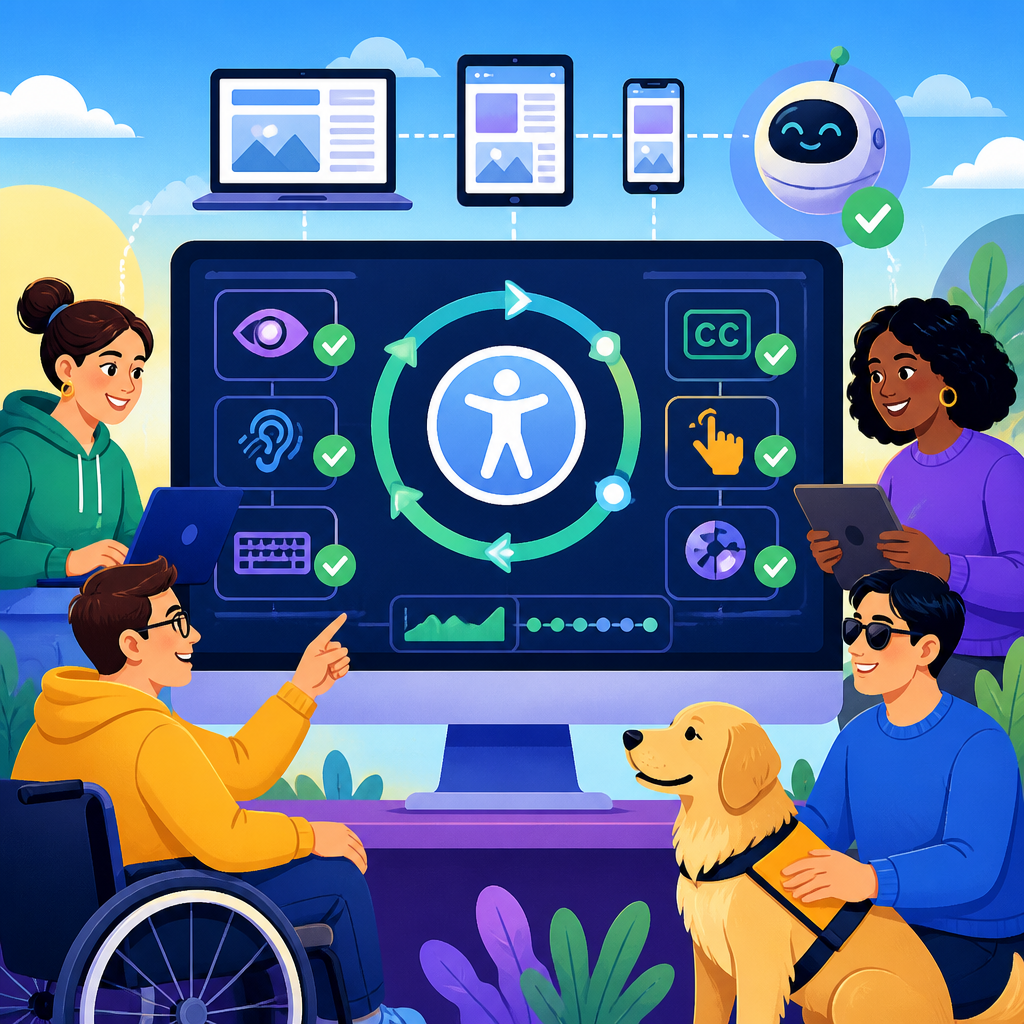
Accessibility testing has moved from occasional compliance checks to continuous monitoring woven into everyday software delivery, and that shift is reshaping how organizations respond to ADA developments in technology and accessibility. In practical terms, accessibility testing means evaluating websites, mobile apps, documents, kiosks, and software interfaces to confirm that people with disabilities can perceive, operate, understand, and robustly use them. Continuous monitoring means those evaluations happen repeatedly through automation, manual review, issue tracking, and production observability instead of as a one-time audit before launch.
This matters because accessibility obligations are no longer abstract. The Americans with Disabilities Act increasingly intersects with digital experiences, while courts, regulators, procurement teams, and customers expect accessible design as a baseline requirement. The Department of Justice has repeatedly affirmed that the ADA applies to websites and digital services, and organizations now face pressure from several directions at once: legal exposure, reputational risk, customer retention, and operational efficiency. In my work with product teams, the biggest change has been cultural as much as technical: teams no longer ask whether to test for accessibility, but how to monitor it continuously without slowing releases.
As a hub for ADA developments in technology and accessibility, this article explains the most important trend behind modern compliance programs: less guesswork, more evidence. That means using standards such as WCAG 2.1 and 2.2, embedding checks in design systems and CI pipelines, prioritizing user-impact defects, and validating results with assistive technology testing. It also means understanding where automation helps, where human judgment remains essential, and how accessibility programs connect to broader updates and developments in digital governance. For teams building accessible products, continuous monitoring is now the clearest path to reducing risk while improving real user experience.
Why continuous accessibility monitoring is replacing periodic audits
Periodic audits still have value, especially for benchmarking, litigation response, or major redesigns, but they leave long gaps where regressions can slip into production. A form label disappears during a sprint. A modal traps keyboard focus after a library update. A color token changes and drops contrast below minimum thresholds. By the time the annual audit catches these issues, users have already encountered barriers and support teams have already absorbed the cost. Continuous accessibility monitoring closes that gap by checking for defects during design, coding, testing, deployment, and post-release maintenance.
The shift mirrors the evolution of security and performance engineering. Mature teams do not wait for a yearly penetration test to think about vulnerabilities, and they no longer treat page speed as a final polish task. Accessibility is following the same path because modern products change constantly. Feature flags, A/B experiments, third-party scripts, CMS updates, and component library changes can all create new barriers after an initial audit passes. Continuous monitoring gives teams a running picture of conformance and usability rather than a static snapshot that starts aging the moment the report is delivered.
There is also a business reason for the trend. Accessibility debt compounds. When organizations delay testing, defects become embedded in templates, design patterns, content workflows, and procurement decisions. Fixing them later is slower and more expensive because teams must unwind dependencies across code, content, and vendor contracts. Continuous monitoring catches patterns early, before they spread. In practice, that means fewer emergency remediations, cleaner release cycles, and better documentation for legal, procurement, and governance stakeholders.
How ADA developments are influencing technology and accessibility programs
ADA developments in technology and accessibility are shaped by enforcement trends, public expectations, and the increasing centrality of digital services in daily life. Courts have continued to hear cases involving inaccessible websites, mobile experiences, and self-service technologies. Meanwhile, state and local governments, educational institutions, healthcare providers, retailers, financial services firms, and software vendors are all under pressure to show that digital access is part of normal operations. The result is a stronger expectation that accessibility be measurable, documented, and sustained over time.
One important practical development is the widespread use of WCAG as the technical benchmark for digital accessibility programs. The ADA itself does not list detailed coding requirements for websites, but organizations commonly rely on WCAG criteria to define conformance targets because the guidelines are specific, testable, and internationally recognized. Teams increasingly align policies with WCAG 2.1 AA or WCAG 2.2 AA, then build monitoring around those success criteria. This creates a common language across legal, design, engineering, quality assurance, and procurement groups.
Another development is the expansion of accessibility beyond public-facing webpages. Product teams now examine native mobile apps, PDFs, online forms, kiosks, video players, authentication flows, and software purchased from third parties. In real programs, this broad scope changes testing strategy. A company may need browser-based scanning for web pages, VoiceOver and TalkBack testing for mobile, PDF remediation workflows for documents, and VPAT review for enterprise tools. The organizations making progress are the ones treating accessibility as a cross-channel operational discipline rather than a narrow website checklist.
What continuous monitoring looks like in practice
Continuous accessibility monitoring combines automated scanning, manual testing, issue management, and governance. Automation usually starts with tools such as axe-core, WAVE, Lighthouse, Pa11y, or Accessibility Insights. These tools are effective at catching detectable issues like missing alternative text, empty buttons, duplicate IDs, insufficient form labels, heading structure problems, and some color contrast failures. Teams integrate them into local development, pull request checks, end-to-end tests, and scheduled production scans so common defects are flagged quickly and consistently.
Manual testing fills the gaps automation cannot cover. A scanner cannot reliably determine whether link text is meaningful in context, whether focus order matches user expectations, whether instructions are understandable, or whether a screen reader experience is coherent during a multistep workflow. That is why experienced testers still use keyboard-only navigation, NVDA, JAWS, VoiceOver, TalkBack, zoom and reflow checks, reduced motion settings, and real task-based scenarios. The strongest programs pair machine checks with human evaluation and treat disagreement between the two as a signal to investigate, not an excuse to ship.
Issue management is where many programs either mature or stall. Findings need severity definitions, ownership, service-level expectations, and root-cause tagging. In strong workflows, issues enter Jira, Azure DevOps, or similar systems with the affected WCAG criterion, reproduction steps, screenshots, code references, and user impact notes. Teams can then report trends: which component causes the most defects, which squad resolves issues fastest, and which pages have the highest barrier density. That data turns accessibility from guesswork into operational intelligence.
| Monitoring layer | Primary purpose | Common tools or methods | What it catches best | Main limitation |
|---|---|---|---|---|
| Developer checks | Catch defects before merge | axe DevTools, eslint-plugin-jsx-a11y, Storybook add-ons | Missing labels, ARIA misuse, semantic errors | Limited workflow context |
| CI pipeline scans | Prevent regressions during release | Pa11y CI, Cypress with axe, Playwright accessibility tests | Template-level issues across builds | Can miss dynamic user states |
| Manual expert review | Validate real usability | Keyboard testing, NVDA, JAWS, VoiceOver, zoom checks | Focus order, announcements, task completion barriers | Requires specialized skill and time |
| Production monitoring | Track live environment drift | Scheduled scans, synthetic journeys, content audits | New issues from CMS edits or third-party changes | Needs triage to avoid noisy results |
The role of WCAG 2.2, design systems, and component governance
Recent accessibility work is increasingly component-driven, and that matters because most defects do not begin on individual pages. They start in reusable building blocks such as accordions, dialogs, form fields, date pickers, carousels, and navigation menus. If a modal component has a focus trap bug, every team using that modal inherits the same problem. Continuous monitoring therefore works best when tied to a design system with accessibility acceptance criteria, coded examples, documented keyboard behavior, and regression tests for each component.
WCAG 2.2 has reinforced this approach by adding criteria that sharpen attention on interactive usability, especially for forms and input workflows. Teams are paying closer attention to focus appearance, target size, drag alternatives, and accessible authentication patterns. Those updates are especially relevant to ecommerce, banking, healthcare, and government services where users must complete transactions independently. In my experience, component libraries that explicitly document these requirements prevent far more defects than downstream page audits ever can.
Governance is the mechanism that keeps those gains from eroding. Mature organizations assign ownership for component accessibility, require review before publishing new patterns, and maintain changelogs when accessible behavior changes. They also connect internal guidance to external standards from the W3C, browser support documentation, and assistive technology behavior notes. This is not bureaucracy for its own sake. It is the only reliable way to ensure that a widely used component remains operable as frameworks, browsers, and business requirements evolve.
Why automation alone is not enough for ADA compliance
One of the most persistent misconceptions in accessibility testing is that a clean automated scan equals compliance. It does not. Industry research has long shown that automated tools detect only a portion of WCAG issues, and that limitation is easy to see in real products. A checkout flow may pass a scanner while still confusing screen reader users with repetitive announcements. A support chatbot may expose technically labeled controls but create keyboard traps once embedded by a vendor. An online learning module may include captions yet still fail users because focus disappears during timed interactions.
Automation is essential, but it works best as a floor, not a ceiling. It is excellent for scale, consistency, and fast feedback. It is not excellent at interpreting meaning, context, or task success. That distinction matters under the ADA because the ultimate question is access, not merely code validity. Organizations that rely only on scans often end up with dashboards that look healthy while users continue to hit barriers in registration, billing, scheduling, and support.
The better model is layered assurance. Automated testing handles broad coverage and regression detection. Manual expert review evaluates usability against standards. Usability sessions with disabled participants reveal the lived experience of key journeys. Governance ensures defects become process improvements instead of recurring tickets. When those layers work together, teams stop guessing whether a product is accessible and start collecting durable evidence.
Building an accessibility hub strategy across content, products, and vendors
Because this page serves as a hub for ADA developments in technology and accessibility, it is useful to see accessibility testing as an ecosystem rather than a single task. Content teams need guidance on headings, alt text, transcripts, plain language, and document accessibility. Product teams need accessible components, CI checks, and defect workflows. Procurement teams need VPAT review, contract language, and vendor accountability. Legal and compliance teams need policies, exception handling, and remediation records. Leadership needs metrics that show risk reduction and user impact.
Internal linking and topic ownership support that ecosystem. A strong hub usually connects out to deeper articles on ADA website compliance, WCAG 2.2 updates, mobile app accessibility testing, PDF remediation, accessible design systems, procurement checklists, and assistive technology testing methods. That structure helps readers move from strategy to execution and helps organizations organize accountability by discipline. It also reflects how accessibility work really happens: no single team owns everything, but every team owns something material.
If you are updating your own program, start with a simple operating model. Define the standard you are using, identify your highest-risk user journeys, instrument automated checks in development and production, schedule manual reviews for critical flows, and make remediation status visible to decision makers. Then expand outward to content, documents, mobile apps, and vendors. The organizations making the fastest progress are not the ones chasing perfection. They are the ones replacing assumptions with repeatable monitoring, clear ownership, and steady improvement.
Accessibility testing trends point in one direction: continuous monitoring, stronger governance, and less guesswork. For organizations tracking ADA developments in technology and accessibility, that shift is more than a testing preference. It is the foundation of a credible digital accessibility program. The old model of periodic audits and reactive fixes cannot keep pace with agile releases, third-party dependencies, evolving WCAG expectations, and growing legal scrutiny. Teams need ongoing visibility into defects, regressions, and user-impact barriers across websites, apps, documents, and software ecosystems.
The practical lesson is straightforward. Use automation aggressively, but never treat it as the whole answer. Anchor your program in WCAG, validate critical journeys with manual and assistive technology testing, and manage findings through normal engineering workflows. Build accessibility into components, content operations, procurement, and leadership reporting so improvements survive beyond a single project. When accessibility becomes continuous, compliance gets easier, remediation gets cheaper, and disabled users get a measurably better experience.
If this topic is a priority for your team, use this hub as the starting point for deeper work across updates and developments in digital accessibility. Review your current testing process, identify where monitoring is still episodic, and move one layer closer to continuous coverage this quarter. That single operational change usually delivers the fastest gains in both ADA risk reduction and product quality.
Frequently Asked Questions
1. What does continuous accessibility monitoring mean, and how is it different from traditional accessibility testing?
Continuous accessibility monitoring is the practice of checking digital experiences for accessibility issues on an ongoing basis instead of waiting for a one-time audit, a redesign milestone, or a compliance deadline. Traditional accessibility testing often happened periodically: a team would launch a website, mobile app, document library, kiosk interface, or software platform, then bring in specialists to review it after most of the work was already complete. That approach can still uncover important issues, but it also tends to surface problems late, when fixes are more expensive, timelines are tighter, and teams are forced into reactive decision-making.
By contrast, continuous monitoring weaves accessibility into everyday software delivery. It uses repeatable checks throughout design, development, QA, content publishing, and release cycles so teams can identify regressions and emerging barriers much earlier. For example, automated scans may run during code commits, build processes, staging reviews, and production monitoring, while manual testing and assistive technology validation are performed at planned intervals for higher-risk or more complex user flows. This creates a living feedback loop rather than a snapshot.
The biggest difference is not just frequency; it is mindset. Continuous monitoring shifts accessibility from a compliance event to an operational discipline. Instead of asking, “Are we accessible enough for this audit?” organizations begin asking, “How do we keep accessibility stable as content, features, and legal expectations evolve?” That change reduces guesswork, improves accountability, and helps organizations respond more confidently to ADA-related accessibility expectations in technology.
2. Why are organizations moving away from occasional compliance checks and toward ongoing accessibility testing?
Organizations are making this shift because digital products now change constantly. Websites publish new content every day, mobile apps update frequently, software interfaces add new workflows, and customer-facing systems often rely on third-party components that can introduce new barriers without much warning. A one-time accessibility review cannot realistically keep pace with that rate of change. Even if a product passes an audit at one moment, it may become less accessible after the next release, content update, or design refresh.
There is also growing recognition that accessibility risk is not limited to legal exposure. Poor accessibility affects usability, customer trust, brand reputation, employee productivity, and overall digital quality. If a form stops working with a screen reader, captions are missing from media, keyboard navigation breaks in a checkout flow, or a PDF is unreadable to assistive technology users, the issue is not merely technical. It directly affects whether people with disabilities can participate, purchase, learn, apply, or communicate. Continuous testing helps catch these problems before they become entrenched or widely experienced.
Another reason is operational efficiency. Fixing accessibility defects early is usually much less expensive than remediating them after launch. When teams monitor accessibility continuously, they can spot patterns, prioritize recurring defects, and build better design systems, templates, and coding practices that prevent the same errors from reappearing. This creates more predictable workflows and reduces the scramble that often follows last-minute audits. In short, organizations are moving toward continuous accessibility testing because it aligns better with modern development speed, supports better user outcomes, and provides a more durable strategy for meeting accessibility expectations over time.
3. Does continuous monitoring replace manual accessibility testing and real user validation?
No. Continuous monitoring is extremely valuable, but it does not replace manual accessibility testing, expert review, or feedback from people with disabilities. Automated tools are excellent at detecting certain classes of issues, such as missing alternative text, improper heading structures, color contrast failures, unlabeled form fields, or ARIA misuse. They are especially useful for identifying problems at scale and for catching regressions quickly. However, automation cannot fully determine whether an experience is understandable, logically structured, efficient to navigate, or functionally usable with assistive technology in real-world scenarios.
For example, a tool may confirm that an image has alt text, but it cannot always judge whether that text is meaningful. It may detect a button label, but not whether the label makes sense in context. It may verify technical markup, while missing confusion caused by focus order, timing, modal behavior, dynamic content changes, error handling, or inconsistent navigation patterns. Accessibility is not just about code validity; it is about actual human access.
That is why the strongest accessibility programs combine automated monitoring with manual testing across keyboards, screen readers, screen magnifiers, voice input tools, mobile accessibility settings, and other assistive technologies. They also involve accessibility specialists and, ideally, users with disabilities who can reveal friction that tools and internal teams might overlook. Continuous monitoring should be viewed as an always-on safety net and early warning system, not as a full substitute for expert judgment and lived user experience.
4. What are the most important accessibility testing trends shaping software delivery today?
One of the most important trends is the integration of accessibility checks directly into development pipelines. Instead of treating accessibility as a separate workstream at the end of a project, teams are embedding testing into design reviews, component libraries, pull requests, CI/CD workflows, and release gates. This allows organizations to detect accessibility defects closer to where they are introduced and to assign ownership more clearly to designers, developers, QA professionals, and content creators.
Another major trend is the increased use of component-based and design-system-driven accessibility. Teams are recognizing that when buttons, forms, navigation patterns, modals, tables, and other common interface elements are built accessibly at the design-system level, they create a strong foundation across many products at once. This reduces repeated errors and makes continuous monitoring more effective because there are fewer inconsistent patterns to chase across the ecosystem.
A third trend is broader scope. Accessibility testing is no longer focused only on websites. Organizations are evaluating mobile apps, enterprise software, PDFs, multimedia, self-service kiosks, e-commerce platforms, customer portals, and other digital touchpoints. They are also paying closer attention to user journeys rather than isolated pages, meaning testing is increasingly centered on complete tasks such as account creation, payment, onboarding, form submission, appointment scheduling, and document access.
Finally, there is a stronger emphasis on measurable reporting and risk-based prioritization. Teams want dashboards, benchmarks, severity tracking, and remediation workflows that help leadership understand progress over time. Rather than guessing where problems might be, organizations are using continuous monitoring to identify trends, focus on high-impact barriers, and make smarter decisions about resource allocation. This move toward observable, repeatable accessibility operations is one of the clearest signs that the field is maturing.
5. How can a company build an effective continuous accessibility testing program without creating unnecessary complexity?
The most effective approach is to start with structure, not volume. A company does not need to monitor everything at once to make meaningful progress. It should begin by identifying its highest-impact digital assets, such as public websites, critical application flows, mobile experiences, customer support tools, document repositories, or transaction paths. From there, it can define accessibility standards, assign ownership, select testing methods, and determine where automated checks should be placed in the workflow.
A practical program usually includes several layers. First, accessible design and content standards help prevent defects before they reach development. Second, automated scans in development and QA environments catch common issues early. Third, scheduled manual reviews cover complex interactions, assistive technology behavior, and task-based usability. Fourth, production monitoring helps detect newly introduced issues after deployment. Together, these layers create a balanced system that supports speed without sacrificing quality.
It is also essential to establish clear governance. Teams should know who is responsible for remediation, what severity levels mean, how issues are tracked, when releases should be blocked, and how exceptions are handled. Training matters as well. Developers need implementation guidance, designers need accessible pattern requirements, QA teams need accessibility test cases, and content teams need publishing standards. Without education, monitoring can generate reports without leading to better outcomes.
Most importantly, the program should focus on improvement over time rather than perfection on day one. Accessibility is an ongoing operational commitment. When organizations use continuous monitoring to create visibility, strengthen accountability, and support informed remediation, they replace uncertainty with a repeatable process. That is the real advantage of this trend: less guesswork, faster correction, and more consistent access for users with disabilities across every release cycle.


