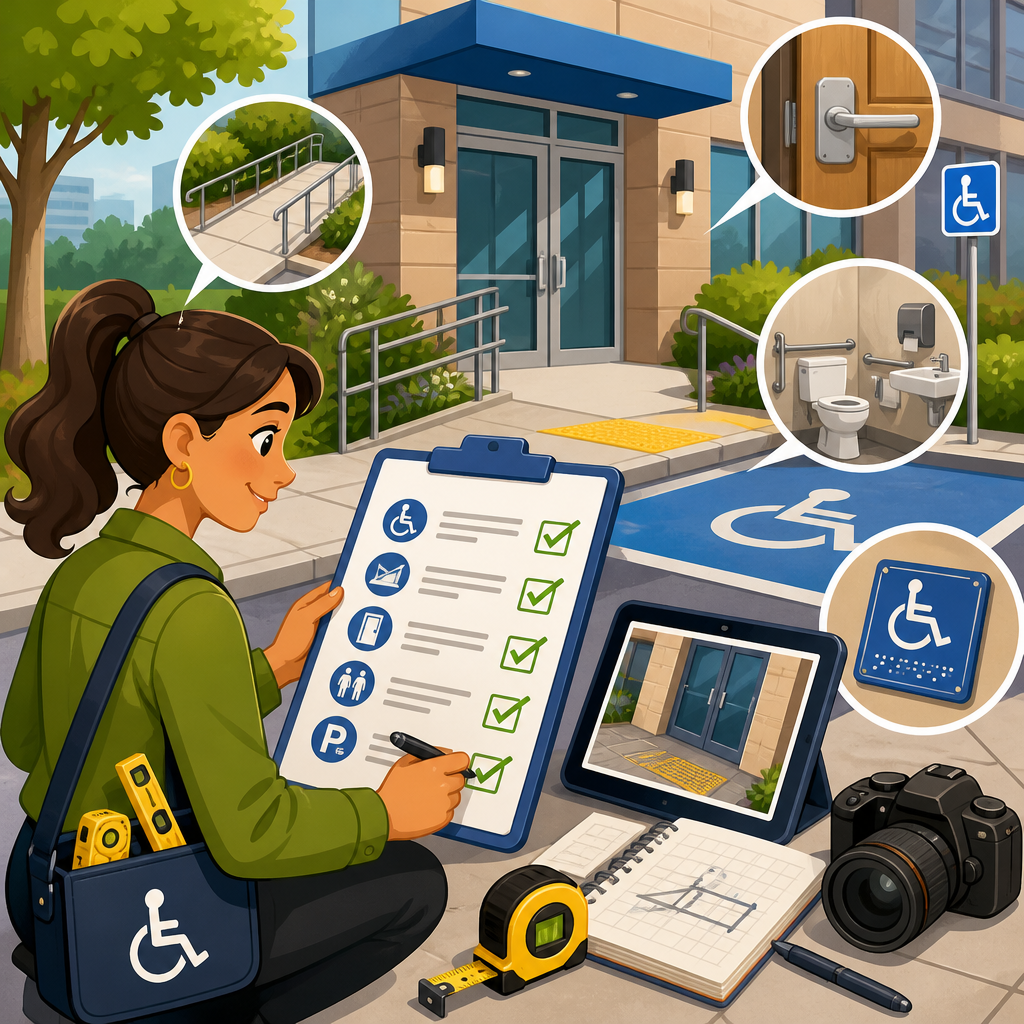
An ADA audit report is only useful if it shows clear, verifiable evidence of accessibility barriers, explains their impact, and gives a defensible path to remediation. In practice, that means documenting what was tested, how it was tested, which standards were applied, what failed, who may be affected, and what proof supports each finding. For organizations managing digital properties, facilities, documents, or customer workflows, the quality of the evidence in the report often determines whether the audit becomes a practical compliance tool or an expensive PDF that nobody can act on.
When people say “ADA audit,” they may be referring to several related assessments. A digital accessibility audit reviews websites, mobile apps, PDFs, kiosks, and software interfaces against recognized accessibility criteria, most commonly the Web Content Accessibility Guidelines, usually version 2.1 or 2.2 at Level A and AA. A built-environment audit evaluates physical spaces such as parking, routes, entrances, restrooms, seating, and service counters against the 2010 ADA Standards for Accessible Design and related technical requirements. Some organizations also use broader operational audits that examine policies, procurement, customer service practices, communication methods, and accommodation workflows. Because these scopes differ, the evidence required in the final report must match the actual compliance risk being assessed.
This matters because accessibility is not judged by intention alone. Regulators, courts, plaintiffs’ experts, procurement teams, and internal stakeholders all look for evidence. If a report says an image lacks alternative text, it should include the page, the element, the user impact, and the standard violated. If a restroom lacks turning space, the report should include measurements, photos, location details, and the exact dimensional requirement. I have seen organizations delay remediation for months because a report listed high-level concerns without screenshots, code references, measurements, or severity rankings. I have also seen the opposite: a well-structured report with reproducible evidence allowed a web team to fix hundreds of issues quickly, track closure, and prove good-faith progress.
For a hub page on ADA Audits & Compliance Tools, the central principle is simple: evidence must be specific enough to validate the finding, actionable enough to support remediation, and organized enough to support prioritization. A strong report also creates internal linking value across the broader compliance and implementation program because each section can point naturally to related workstreams such as policy updates, document remediation, mobile testing, procurement reviews, training, and ongoing monitoring. The rest of this article explains exactly what evidence an ADA audit report should include, how that evidence differs by audit type, and which tools and methods make the report credible.
Core evidence every ADA audit report should contain
Every defensible ADA audit report starts with a testing methodology section. This should identify the standards used, the date range of the assessment, the environments tested, the sample selection method, the assistive technologies or measurement tools used, and any limitations. For digital audits, that usually includes browsers, operating systems, screen readers such as JAWS, NVDA, or VoiceOver, keyboard-only testing, automated scanners like axe, WAVE, or Accessibility Insights, and any manual code inspection. For physical audits, it includes the facility locations, route maps, measuring tools, camera documentation, applicable standards, and whether conditions were observed during normal operations. Without methodology, findings are harder to reproduce and easier to challenge.
The next essential evidence is a complete finding record for each issue. Each finding should have a unique identifier, a concise title, an exact location, the barrier description, the affected users, the standard violated, and proof. In digital work, proof generally includes screenshots, snippets of the relevant code, the accessible name or focus behavior observed, and steps to reproduce. In physical accessibility work, proof includes photos, measurements, elevations, route descriptions, and notes on obstructions or usability barriers. Reports that lump multiple defects together under a broad heading like “navigation issues” force teams to investigate from scratch and usually slow remediation.
Severity and business impact should also be documented as evidence, not guesswork. A report should explain whether the barrier blocks task completion, creates a serious hardship, degrades usability, or presents a lower-priority conformance issue. For example, a checkout button that cannot receive keyboard focus is a critical barrier because a keyboard-only user may be unable to complete a purchase. A missing form instruction may be moderate if users can still proceed with extra effort. For facilities, an inaccessible entrance used as the primary public entry may be critical, while a noncompliant mirror height in an otherwise accessible restroom may be lower priority. Good reports tie severity to user impact and legal exposure, not personal preference.
| Evidence Type | What It Should Show | Example |
|---|---|---|
| Standard Reference | The exact requirement used to evaluate compliance | WCAG 2.1 AA 1.1.1 Non-text Content or ADA 604.3 Toilet Clearance |
| Exact Location | Where the issue appears so teams can find it quickly | Checkout page, payment form, CVV field; Building A, first-floor east restroom |
| Proof Artifact | Objective documentation of the barrier | Screenshot, HTML snippet, screen reader output, photo with tape measurement |
| User Impact | Who is affected and how the task is impaired | Blind users cannot identify button purpose; wheelchair users lack turning radius |
| Remediation Guidance | A practical fix tied to the root cause | Add programmatic label; widen route and remove protruding obstruction |
Finally, every report should include remediation guidance and a validation approach. A finding without a fix recommendation leaves implementation teams guessing. A fix recommendation should name the root cause, not just the symptom. If color contrast fails, the report should identify the foreground and background values and specify a compliant target ratio. If a door opening force is excessive, the report should state the observed force, the allowed requirement where applicable, and the adjustment needed. Validation should explain how closure will be confirmed, whether by retesting, user acceptance testing, updated measurements, code review, or assistive technology checks.
Evidence required in digital ADA audits
Digital ADA audit reports need especially detailed evidence because web and software barriers are often invisible to nontechnical reviewers. The report should specify the tested URLs, templates, user flows, and states such as modals, errors, logged-in dashboards, and mobile views. A homepage-only review is not enough for a real compliance picture. In my work, the most expensive misses usually occur in account registration, search filters, checkout, scheduling, document downloads, and embedded third-party tools. Reports should note whether representative sampling was used and why those pages or components were selected.
Each digital finding should show the failing component and the user interaction that exposes the problem. Screenshots help visual teams, but they are not sufficient by themselves. The strongest evidence includes the DOM element, the computed accessible name, ARIA attributes if present, keyboard focus order, and screen reader behavior. For example, if a button is announced only as “click here,” the report should capture that output and identify the source of the naming failure. If a modal traps focus incorrectly, the report should outline the keystrokes required to reproduce it. This level of detail turns a complaint into an engineering task.
Automated scan results can support the report, but they should never be the whole report. Tools like axe DevTools, Siteimprove, Pope Tech, and Tenon can quickly detect missing labels, low contrast, duplicate IDs, and some ARIA misuse, yet they cannot reliably judge reading order, meaningful sequence, error prevention, alternative text quality, or whether link purpose is clear in context. A credible report distinguishes automated detections from manually verified findings. It also records false positives and inaccessible patterns missed by scanners. That distinction is important if the report is reviewed during litigation, procurement, or executive reporting.
For documents and multimedia, evidence should be equally concrete. A PDF finding should identify whether the issue relates to tags, heading structure, reading order, form fields, tables, link annotations, language settings, or image descriptions. The report should note the test tools used, such as Adobe Acrobat Accessibility Checker, PAC, CommonLook, or manual screen reader review. For video and audio, evidence should indicate whether captions, transcripts, audio description, and player controls were assessed. If a training video lacks synchronized captions, the report should name the file or URL, state the duration, and explain the specific communication barrier.
Evidence required in physical accessibility audits
Physical accessibility audit reports need a different kind of precision: dimensions, conditions, routes, and operational context. The report should begin with the facility address, date of inspection, weather if relevant, areas reviewed, inaccessible areas that could not be inspected, and the standards applied. It should then document the accessible route from site arrival through the primary services offered. An audit that checks isolated features without assessing the usable path between them misses how disabled people actually navigate a property.
For each issue, measurements should be explicit and tied to exact locations. Instead of saying “parking signage is noncompliant,” a solid report would state that at the northeast accessible parking space, the sign bottom edge was mounted at a measured height below the required level, or that the access aisle slope exceeded the allowed ratio. Photos should include enough surrounding context to verify where the condition exists. Where dimensions matter, the photo should be accompanied by a readable measurement image or a written measurement log. This is especially important for door clearances, ramp slopes, turning spaces, fixture heights, and protruding objects.
Operational barriers should also be recorded, because not all ADA issues are fixed with construction. I have seen compliant counters blocked by merchandise, accessible routes narrowed by temporary displays, and automatic doors left inoperative for weeks. A report should note whether barriers are structural, maintenance-related, or operational. That classification affects remediation cost, urgency, and accountability. If a portable sign repeatedly obstructs a corridor, the evidence should document the obstruction and recommend an operational control, not a capital project.
The best physical audit reports also distinguish between technical noncompliance and equivalent facilitation or program accessibility considerations. Older facilities may have obligations shaped by alteration history, readily achievable barrier removal analysis, or alternate accessible service methods. That does not reduce the need for evidence; it increases it. The report should clearly separate observed conditions from legal conclusions and explain any assumptions. This balanced approach makes the document more useful to counsel, facilities teams, and capital planners.
How compliance tools strengthen an ADA audit report
Compliance tools do not replace expert judgment, but they make evidence stronger, more consistent, and easier to act on. In digital programs, issue trackers such as Jira, Azure DevOps, or Asana help convert audit findings into assigned remediation tasks with screenshots, code references, due dates, and status history. Enterprise monitoring tools like Deque WorldSpace, Siteimprove, Monsido, or AudioEye dashboards can help teams identify recurring patterns across templates and verify whether fixes hold over time. Browser-based inspection tools and accessibility trees provide the technical evidence developers need to diagnose root causes quickly.
For physical accessibility, teams often use mobile inspection apps, calibrated digital levels, door force gauges, laser distance meters, and centralized facilities management systems. The value of these tools is not novelty; it is traceability. If a ramp is measured at a noncompliant slope, the report should note the tool used and where the measurement was taken. If work orders are opened from findings, the audit trail should show when corrections were requested, completed, and rechecked. That record can support internal governance and demonstrate ongoing compliance efforts.
A hub article on ADA Audits & Compliance Tools should also recognize where tools fall short. Automated website scanners do not tell you whether the purchasing journey is understandable. A digital level does not explain whether a route remains usable during peak traffic. Templates and checklists improve consistency, but poor scoping can still hide serious barriers. The strongest audit reports combine tools, standards, human testing, and informed prioritization. They also connect naturally to adjacent implementation topics: accessibility statements, training, vendor management, design system governance, and periodic re-audits.
How to organize evidence so remediation actually happens
The most effective ADA audit reports are built for implementation, not just documentation. Findings should be grouped in ways that match how organizations fix problems: by severity, by template or component, by facility zone, by owner, and by dependency. For example, if twenty pages share the same inaccessible date picker, the report should identify the reusable component as the root cause. If multiple restrooms repeat the same grab bar spacing problem, the report should flag a standards issue that may affect renovation specifications. Pattern-based reporting reduces duplicated effort and supports faster remediation.
Executive summaries should present high-level risk without stripping away evidence. Decision-makers need counts, trends, and priorities, but they also need enough specificity to fund the right work. A good summary will state how many critical issues were found, which core services are affected, what legal or customer risks are most significant, and what timeline is realistic for closure. It will not overpromise instant compliance. Accessibility is a program, not a one-time event, and the report should say so plainly.
Retesting evidence is another often-missed element. Once fixes are made, the report or its follow-up should show what was re-evaluated, by whom, on what date, and with what result. Closure should be based on validation, not assumption. I recommend keeping the original finding ID, recording the fix applied, attaching updated proof, and noting any residual limitations. That creates a credible compliance history and helps teams avoid regression in future releases or renovations.
An ADA audit report should include evidence that is objective, reproducible, and directly tied to user impact. That means naming the applicable standard, documenting the exact location of each barrier, preserving proof through screenshots, code excerpts, photos, measurements, or assistive technology output, and explaining severity in plain language. Whether the audit covers a website, a mobile app, a PDF library, a storefront, or an office campus, the same rule applies: vague findings create delay, while specific evidence creates action.
As the hub for ADA Audits & Compliance Tools within a compliance and implementation program, this topic connects technical testing, operational governance, remediation planning, and ongoing monitoring. The best reports do more than list defects. They map barriers to business processes, identify root causes, support budgeting, and create a record of good-faith progress. They also acknowledge limitations, distinguish automated results from human verification, and set up a repeatable retesting process. That is how an audit report becomes useful to legal teams, facilities managers, developers, designers, procurement leaders, and executives at the same time.
If you are reviewing or commissioning an ADA audit report, use a simple standard: every finding should answer what failed, where it failed, who it affects, which rule applies, what proof supports it, and how to fix it. Start there, and your audit will serve as a working compliance tool rather than a static deliverable.
Frequently Asked Questions
1. What core evidence should every ADA audit report include?
Every ADA audit report should include enough evidence to show exactly what was reviewed, what standard was used, what failed, and why the finding matters. At a minimum, that means a clear inventory of the assets or environments evaluated, such as websites, mobile apps, PDFs, kiosks, physical entrances, restrooms, service counters, or customer workflows. The report should identify the date of testing, the version or location of the item reviewed, and the methodology used, including whether the audit relied on automated tools, manual inspection, assistive technology testing, user journey reviews, measurements, interviews, or document sampling.
It should also cite the applicable accessibility benchmark for each finding. Depending on the context, that may include ADA design requirements, WCAG success criteria, document accessibility expectations, internal policy standards, or operational access requirements. For each issue, the report should provide direct proof, such as screenshots, code snippets, photographs, field measurements, error logs, form behavior examples, keyboard traps, missing labels, inaccessible document tags, or observed barriers in a customer process. Strong reports also explain the practical effect of each issue by identifying who may be excluded or burdened, such as screen reader users, keyboard-only users, people with low vision, deaf or hard-of-hearing users, or individuals with mobility limitations. In short, the best evidence is specific, reproducible, tied to a known standard, and strong enough that another reviewer could independently confirm the same result.
2. How should an ADA audit report document testing methods so the findings are defensible?
A defensible ADA audit report should describe testing methods in a way that removes guesswork. Readers should be able to understand not just what failed, but how the reviewer reached that conclusion. That means naming the tools used, the environments tested, and the scope of the review. For digital properties, the report should identify browsers, operating systems, devices, screen readers, magnification tools, speech input tools, keyboard-only testing procedures, and any automated scanners used. For facilities, it should document site inspection methods, measuring tools, reference dimensions, route tracing, signage review, and observed service interactions. For documents and workflows, it should explain sampling logic, file types reviewed, template analysis, and transaction steps tested from start to finish.
Good reports also distinguish between automated testing and manual evaluation. Automated tools can surface patterns, but they do not prove full compliance or fully capture usability barriers. Manual testing is often necessary to validate focus order, alternative text quality, document reading order, form instructions, dynamic interface behavior, caption accuracy, physical route usability, or the availability of effective communication and accommodations. If the report includes severity ratings, those ratings should be defined. If issues were confirmed in production, staging, or both, that should be stated clearly. The more transparent the methodology, the more credible the findings become. That level of detail matters because audit reports are often used by legal teams, compliance officers, developers, facilities managers, procurement teams, and leadership making remediation decisions.
3. What kind of proof should be attached to each accessibility finding?
Each accessibility finding should be supported by concrete proof that shows the issue exists and helps the organization understand how to fix it. For digital audits, useful proof often includes annotated screenshots, URLs, page titles, step-by-step reproduction instructions, code excerpts, accessibility tree observations, keyboard testing notes, screen reader output summaries, and before-and-after examples where available. If a form field lacks a programmatic label, the report should show where the field appears, how assistive technology interprets it, and what standard is implicated. If a PDF is inaccessible, the report should point to missing tags, incorrect reading order, unlabeled tables, or absent document language settings rather than simply labeling the file “noncompliant.”
For physical environments, strong evidence may include photographs of barriers, route diagrams, measured dimensions, notes on slopes, reach ranges, maneuvering clearances, inaccessible service points, parking access observations, and signage deficiencies. For customer workflows, the proof should show where the process breaks down, such as an inaccessible online scheduling step, a phone-only accommodation process with no relay-friendly alternative, or a document request system that cannot be completed without visual cues. The best reports do more than state conclusions; they build an evidence trail. That trail should show the exact barrier, where it appears, how it was verified, who may be affected, and what change would likely resolve it. This is what makes the report actionable rather than merely descriptive.
4. Why is it important for an ADA audit report to explain impact and affected users, not just list violations?
Listing violations without explaining their impact creates a weak audit report. Decision-makers need to understand why a finding matters in practical terms, not just that it conflicts with a requirement. When a report explains impact, it connects the technical issue or physical condition to real access barriers. For example, missing form labels do not just violate a standard; they can prevent screen reader users from knowing what information is required. Poor color contrast does not just fail a visual test; it can make critical content unreadable for users with low vision. A step at an entrance without an accessible alternative is not simply a design defect; it can block independent entry for wheelchair users and others with mobility limitations.
Explaining impact also helps organizations prioritize remediation. Some issues are minor inconveniences, while others prevent completion of essential tasks such as applying for a job, paying a bill, requesting service, obtaining a document, entering a facility, or communicating with staff. A strong report should identify whether the barrier affects a core business function, a high-traffic area, a legally sensitive interaction, or a safety-related process. It should also note whether a workaround exists and whether that workaround is effective, timely, and comparable. This user-centered framing makes the report more useful to executives, legal counsel, operations leaders, and implementation teams because it translates compliance language into business risk, customer experience, and equitable access.
5. Should an ADA audit report include remediation guidance, prioritization, and next steps?
Yes. An ADA audit report is far more valuable when it goes beyond identifying problems and provides a defensible path to remediation. Findings should be organized in a way that helps teams act on them, typically by asset, location, workflow, severity, affected population, and applicable standard. For each issue, the report should include a clear description of the recommended fix or corrective direction. That does not always require prescribing exact code or construction details, but it should be specific enough that the responsible team understands what needs to change. For example, a report might recommend adding programmatic labels to form controls, correcting heading hierarchy, remediating PDF tags and reading order, providing captions and transcripts, adjusting counter height or clear floor space, or modifying a customer intake workflow to offer an accessible equivalent path.
Prioritization is equally important. The report should distinguish between critical barriers that block access, moderate issues that significantly degrade usability, and lower-priority items that still require correction but may be scheduled into a broader remediation plan. Effective next steps often include assigning ownership, estimating effort, identifying dependencies, documenting temporary alternative measures where necessary, and setting timelines for verification. The report should also explain that remediation is not complete until fixes are retested and validated. In many organizations, the strongest audit reports serve as both an evidence record and a working roadmap. They help show good-faith effort, support budgeting and planning, reduce ambiguity for implementers, and create a traceable process for improving accessibility over time.





