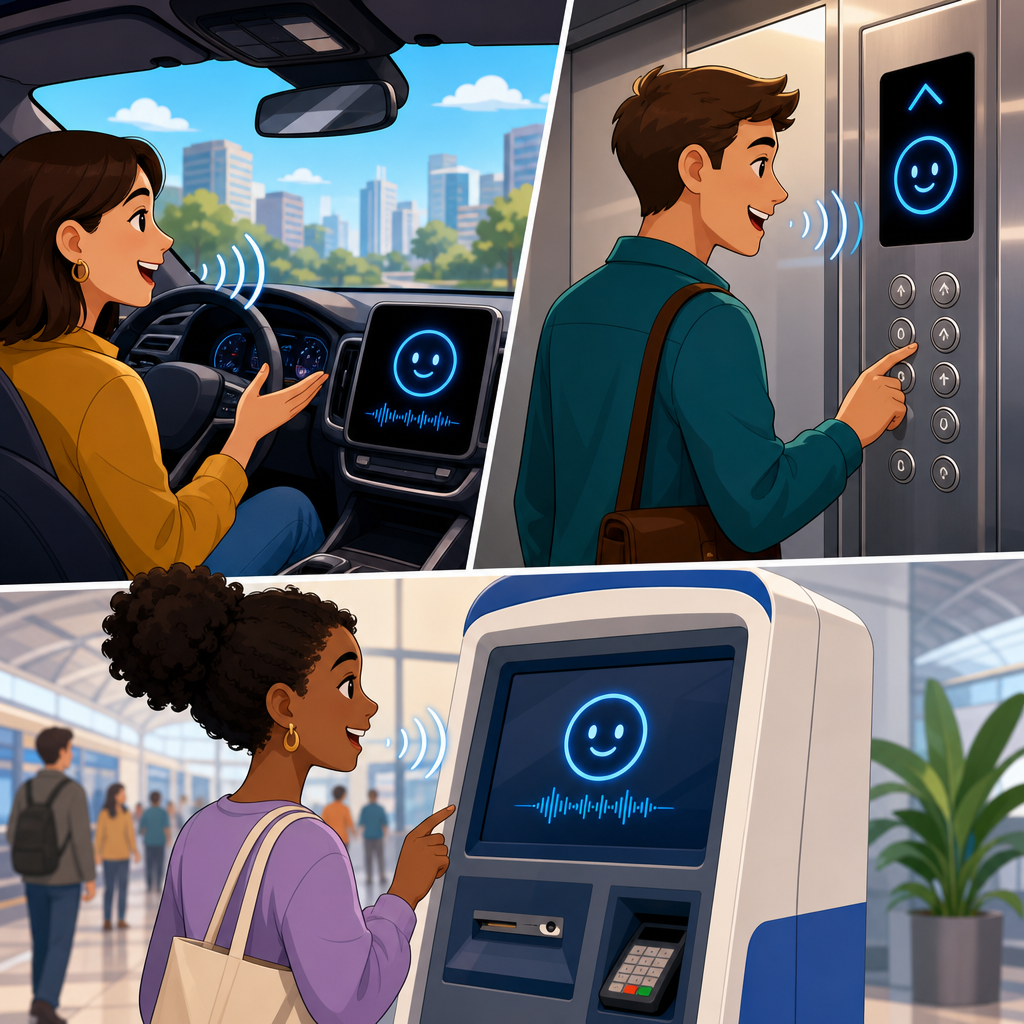
Speech interfaces are moving from novelty to infrastructure in cars, elevators, ticket kiosks, parking meters, and other public machines. A speech interface is a system that lets a person control software or hardware through spoken language, usually with automatic speech recognition, natural language understanding, dialogue management, and text-to-speech. In practice, it is the layer that turns “navigate to the nearest charger,” “go to floor twelve,” or “print my receipt” into machine action. Under the broader legal and technological frontiers conversation, this emerging technologies hub matters because voice is no longer confined to phones and smart speakers. It now shapes mobility, accessibility, safety, privacy, and liability in places where mistakes can carry physical consequences.
I have worked on voice deployments where the challenge was not getting a demo to work in a quiet lab, but making it survive road noise, elevator fans, accents, mixed languages, and impatient users who speak before prompts finish. That practical reality is why speech interfaces deserve careful treatment. They combine machine learning, embedded systems, cloud services, human factors engineering, and regulatory compliance. They also sit at the edge of public trust. A broken screen is frustrating; a misunderstood spoken command in a moving vehicle or in a building emergency can be dangerous. As a hub article for emerging technologies, this page maps the technical foundations, legal constraints, design patterns, and operational issues that connect voice systems across transportation and public infrastructure.
Three terms define the field. Automatic speech recognition converts acoustic signals into text. Natural language understanding extracts intent, entities, and context, such as identifying that “main station” is a destination or that “open the left door” refers to a specific actuator. Wake words, push-to-talk buttons, and microphone arrays control when the system listens and how it isolates a speaker from noise. These details matter because the same core architecture appears in a dashboard assistant, a voice-enabled elevator panel, and a municipal kiosk. The hardware differs, but the hard questions remain consistent: who is allowed to speak, what commands are permitted, how errors are handled, what data is stored, and who is accountable when the interface fails.
How speech interfaces work in vehicles and public machines
Most production systems follow a pipeline. Microphones capture audio, digital signal processors apply beamforming and noise suppression, a wake mechanism or button triggers listening, and an automatic speech recognition engine produces a text hypothesis with confidence scores. A language model and intent parser decide what the user wants. A dialogue manager then asks clarifying questions, rejects unsafe actions, or confirms an instruction before execution. Finally, the machine performs the action and usually gives spoken or visual feedback. In a car, that action may launch navigation, place a call, or adjust climate settings. In an elevator, it may register a floor selection or request assistance. In a parking machine, it may start a payment flow and read out fees and time limits.
The performance bottlenecks vary by environment. Cars must cope with engine vibration, open windows, tire noise, music playback, and multiple passengers speaking at once. Elevators face reverberation from metal walls, short interaction windows, and emergency conditions where stress changes speech patterns. Public machines add vandalism risk, weather exposure, and unpredictable distance between speaker and microphone. These constraints explain why near-field voice, where the speaker is close to the microphones, is typically easier than far-field voice, where the system must isolate speech several feet away. They also explain why mature deployments combine speech with screens, physical controls, confirmation chimes, and fallback paths rather than relying on voice alone.
Hybrid processing is now standard. Some commands run fully on-device for speed and resilience, especially safety-sensitive ones like “call emergency services” or “cancel route.” More complex requests may be sent to the cloud, where larger language models and updated vocabularies can improve recognition. Automotive vendors such as Mercedes-Benz, BMW, and General Motors have steadily expanded cloud-assisted assistants, while still retaining local functions for low-latency tasks and poor-connectivity conditions. Public infrastructure operators make the same tradeoff. A transit ticket machine in a station with weak connectivity cannot require a round trip to a remote server for every utterance. System design succeeds when the split between edge and cloud is intentional, documented, and tested against outages.
Cars: safety, convenience, and the limits of hands-free control
In vehicles, the strongest case for speech is reducing manual distraction. Voice can let drivers keep their eyes closer to the road while initiating navigation, choosing media, dictating messages, or asking about range and charging stops. The keyword is can. A poor dialogue system creates cognitive distraction even when the driver never touches a screen. The National Highway Traffic Safety Administration has long emphasized that task duration, complexity, and attention demand matter as much as physical input. In my experience, the safest in-car voice interactions are short, constrained, and recoverable. “Navigate home” works well. “Find a moderately priced restaurant with outdoor seating, then text Anna our arrival time” is possible, but often too complex for the driving context.
Automakers have learned that command design matters more than marketing claims. The better systems support natural language but narrow the action space when safety is involved. For example, allowing “I’m cold” to raise cabin temperature is useful because the consequences are minor and reversible. By contrast, opening advanced vehicle settings or authorizing payments should require stronger confirmation, a paired device, or a parked state. Tesla, Apple CarPlay, Android Auto, and embedded assistants from major OEMs all illustrate the same principle: voice works best when mapped to frequent tasks with clear intents and unambiguous outcomes. Misrecognition is inevitable, so the interface must surface what it heard and make cancellation effortless.
Electric vehicles add a new voice use case: energy and routing. Drivers ask where to charge, whether they can reach a destination, and how weather affects range. A competent assistant should combine battery state, traffic, elevation, charger availability, and dwell time. That requires not just speech recognition but live data integration. It also raises liability questions. If the system recommends a charger that is offline, inaccessible, or incompatible, the issue is not merely inconvenience. For this reason, manufacturers increasingly treat spoken guidance as one layer in a verified navigation stack rather than a standalone oracle. Good systems disclose uncertainty, offer alternatives, and keep the visual route available for confirmation.
Elevators and public machines: accessibility becomes core design
Speech interfaces in elevators and public machines are often discussed as convenience features, but accessibility is the deeper reason they matter. A voice-capable elevator can help riders with limited vision, reduced reach, temporary injury, or occupied hands. A kiosk that speaks prompts and accepts spoken responses can expand access for users who struggle with small touch targets or low literacy. Standards and laws shape these choices. In the United States, the Americans with Disabilities Act influences accessibility obligations in public accommodation, while elevator codes such as ASME A17.1 and related guidance shape operational expectations. Accessibility also extends beyond disability law. In airports, hospitals, and government buildings, clear multimodal interaction improves throughput for everyone.
Elevators present a distinctive interaction model. Users need very short, high-confidence exchanges: floor selection, door control requests, alarm initiation, or destination dispatch instructions. There is little tolerance for conversational wandering. If the building uses destination control, the system must identify the floor, assign a car, and communicate the result immediately. That communication should be both spoken and visual, because a purely audible instruction can be missed in a noisy lobby. Emergency handling demands even stricter rules. Voice can assist a trapped passenger in contacting help or can deliver instructions, but it should never obscure the presence of mandatory physical alarm controls. In this environment, voice supplements compliance-critical hardware; it does not replace it.
Public machines broaden the challenge. A parking meter must cope with street noise and short transactions. A ticket vending machine must read fares, explain discounts, and confirm payment steps without exposing personal data aloud. A pharmacy kiosk may need speech output but restricted speech input because health information is sensitive. Designers should assess each machine by task criticality, privacy exposure, and dwell time. The right question is not “can this machine have voice,” but “which parts of this workflow benefit from voice, and where are the boundaries.” That disciplined scoping prevents the common failure mode of adding a microphone to a workflow that was never simplified enough to support spoken interaction.
Core design principles, privacy rules, and operational tradeoffs
Across deployments, the winning pattern is multimodal design with explicit guardrails. Voice should accelerate routine steps, while touch, buttons, visual prompts, and human assistance remain available. Confirmation should scale with risk. Low-risk actions can execute immediately; medium-risk actions should be restated; high-risk actions should require a second factor or a non-voice control. Logs should capture intents, outcomes, and system confidence for debugging, but retention must be tightly governed because voice data can contain biometric and personal information. In Europe, the GDPR can apply when recordings or transcripts identify a person. In the United States, state privacy laws, biometric statutes, wiretapping rules, procurement requirements, and sector-specific obligations may all be relevant depending on the machine and location.
| Environment | Best voice uses | Main risks | Recommended safeguards |
|---|---|---|---|
| Cars | Navigation, calling, media, climate, EV range questions | Driver distraction, unsafe execution, connectivity failure | Short intents, parked-state restrictions, on-device fallbacks |
| Elevators | Floor requests, accessibility prompts, help requests | Misheard floors, emergency confusion, reverberation | Visual confirmation, physical backups, limited command set |
| Public machines | Prompt reading, payment guidance, wayfinding, language support | Privacy leakage, ambient noise, vandalism, queue delays | Directional microphones, masked speech output, easy human fallback |
Testing must match the real environment, not the procurement script. I have seen systems pass factory acceptance and then fail in lobbies with reflective surfaces or in vehicles with regional accents the training set barely covered. Robust evaluation includes word error rate, intent accuracy, task completion rate, latency, barge-in performance, and recovery from no-match events. It also includes fairness testing across dialects, ages, and speech impairments. A legally defensible deployment documents these tests, records model updates, and defines escalation paths when errors appear in production. Operators should plan for microphones to degrade, speakers to distort, and cloud endpoints to time out. Maintenance is not an afterthought; it is part of the safety case and the customer experience.
The emerging technology roadmap for this hub
Speech interfaces connect directly to the wider emerging technologies landscape. Large language models are making voice systems better at handling free-form requests, clarifications, and mixed-language inputs. Edge AI chips from Qualcomm, NVIDIA, and automotive silicon vendors are improving on-device inference, which helps latency and privacy. Sensor fusion is expanding context awareness by combining voice with cameras, occupancy sensors, telematics, and building management systems. That creates opportunities, such as a car assistant that knows charging status or an elevator that coordinates with access control, but it also raises governance issues around surveillance, consent, and data minimization. The frontier is not simply better recognition. It is trustworthy orchestration between voice, context, and machine authority.
As the hub page for emerging technologies in this legal and technological frontiers subtopic, this article should anchor deeper coverage on conversational AI, biometric voice identification, accessibility law, mobility platforms, autonomous vehicles, smart buildings, and public sector procurement. The central lesson is straightforward. Speech interfaces work best when teams treat them as safety-relevant, accessibility-relevant, and privacy-relevant systems from the start. Cars, elevators, and public machines each impose different acoustic and legal constraints, yet the same fundamentals apply: constrain high-risk actions, provide multimodal fallback, test in real conditions, and govern data carefully. Organizations that follow those rules deliver interfaces people actually trust and use. If you are planning or auditing a deployment, map the tasks, risks, and regulations first, then design the voice layer around that reality.
Frequently Asked Questions
What is a speech interface, and how does it work in cars, elevators, and public machines?
A speech interface is the voice layer that allows people to operate a machine or software system using natural spoken language instead of buttons, touchscreens, or physical controls alone. In practical terms, it connects what a person says to what a machine does. In a car, that might mean saying “navigate to the nearest charger” or “call home.” In an elevator, it could mean “go to floor twelve.” At a ticket kiosk or parking meter, it may be as simple as “print my receipt” or “pay for two hours.”
Behind the scenes, most speech interfaces rely on several connected components. Automatic speech recognition converts the audio signal into text. Natural language understanding interprets the meaning and intent behind the words. Dialogue management determines what the system should do next, including whether it has enough information to act or needs to ask a follow-up question. Text-to-speech then delivers a spoken response back to the user when needed. Together, these layers create an interaction model that feels more like a conversation than a sequence of button presses.
What makes speech interfaces especially important in infrastructure settings is that they reduce friction in moments where hands, eyes, mobility, or time are limited. Drivers often need to keep their attention on the road. Elevator riders may want a more accessible way to select floors. People using kiosks in busy stations or parking facilities often benefit from a quicker, more intuitive interaction path. As speech moves from novelty to infrastructure, its value is less about sounding futuristic and more about making common tasks faster, safer, and more inclusive.
Why are speech interfaces becoming more important in public and transportation-related environments?
Speech interfaces are gaining importance because they solve real usability problems in environments where traditional interfaces can be inefficient, distracting, or inaccessible. In cars, voice interaction supports safer operation by reducing the need to look away from the road or manually navigate menus. In elevators and public machines, speech can help people complete tasks without relying entirely on touch input, which matters for accessibility, convenience, and speed.
Another reason is that public machines increasingly handle more complex workflows. A parking meter may need to process time selection, payment confirmation, receipt options, and account linking. A transit kiosk may need to explain routes, fares, discounts, and printing choices. As these systems grow more capable, layered menus can become harder to use, especially for first-time users or people under time pressure. Speech offers a more direct path by letting users express their goal in plain language rather than learning the machine’s interface logic first.
There is also a broader infrastructure shift taking place. Organizations now see voice as part of operational design, not just a feature added for marketing appeal. Better microphones, improved speech recognition, faster on-device and cloud processing, and stronger multilingual support have made speech interfaces more practical in noisy and varied environments. For public systems, that means voice can now contribute to accessibility compliance, customer service, throughput, and user satisfaction all at once. When implemented well, speech becomes a useful interface layer that supports people who want faster, simpler, and more natural interaction with everyday machines.
What are the biggest design challenges for speech interfaces in cars, elevators, kiosks, and other public machines?
One of the biggest challenges is environmental noise. Cars have road noise, music, passengers, and open windows. Public spaces have crowds, announcements, echoes, and machinery. Elevators can create acoustic issues in enclosed spaces. A speech interface must be able to capture and interpret speech accurately despite these conditions, which requires strong microphone design, noise suppression, speaker separation, and well-tuned recognition models.
Another major challenge is designing for short, goal-oriented interactions. Most people do not want long conversations with a parking meter or elevator. They want to complete a task quickly and move on. That means the system must recognize intent efficiently, avoid unnecessary prompts, and recover gracefully when it mishears something. In many public contexts, the ideal voice experience is not expressive or chatty. It is fast, predictable, and reliable.
Accessibility and inclusivity create additional design complexity. Speech interfaces should work for people with different accents, speech patterns, languages, and levels of technical comfort. They also should not assume that voice works for everyone in every moment. Some users may be nonverbal, hard of hearing, in a noisy environment, or simply uncomfortable speaking in public. The best systems therefore treat speech as part of a multimodal interface rather than the only path. Voice should complement touch, screens, physical buttons, and visual feedback.
Privacy, security, and error handling are also critical. Public machines must avoid exposing personal information aloud or creating confusion around transactions and permissions. In a car, a mistaken navigation command can be frustrating; in a payment kiosk, it can undermine trust. Designers need clear confirmations, well-defined command scopes, sensible fallback flows, and interfaces that let people correct mistakes easily. The challenge is not just making the system understand speech. It is making the entire experience dependable in real-world conditions where accuracy, speed, and user confidence matter every time.
How do speech interfaces improve accessibility and user experience in these settings?
Speech interfaces can significantly improve accessibility by giving people another way to interact with machines when touchscreens, buttons, or visual menus are difficult to use. For someone with limited mobility, reaching controls on a kiosk or selecting a floor in an elevator may be inconvenient or impossible without assistance. For users with low vision, a speech interface can reduce dependence on visual navigation and provide spoken guidance through a task. In cars, voice can help drivers keep their hands on the wheel and their attention on driving while still accessing navigation, communication, and entertainment features.
From a user experience standpoint, speech can make interactions feel more direct and less procedural. Instead of stepping through multiple screens to find a destination, payment option, or machine setting, a person can state the goal immediately. That reduces cognitive load and shortens time to completion, especially for infrequent users who do not know the menu structure. In public environments where people may be rushed, distracted, carrying bags, or unfamiliar with the machine, that simplicity can make a measurable difference.
That said, the best accessibility outcomes come from thoughtful multimodal design. Speech should not replace every other input method. It should work alongside on-screen text, tactile controls, visual cues, and confirmations that fit different user needs and contexts. For example, a kiosk might allow spoken commands while also displaying the recognized request on-screen before completing a payment. An elevator might announce floor selections verbally while still offering physical buttons and braille labels. Good speech interface design improves usability not by forcing voice interaction, but by expanding the number of effective ways people can complete the same task.
What should companies consider before adding speech interfaces to cars, elevators, ticket kiosks, parking meters, or similar machines?
Companies should start by asking whether speech genuinely improves the task flow rather than adding it because it seems modern. The strongest use cases usually involve hands-busy, eyes-busy, mobility-limited, or time-sensitive situations. If voice can reduce steps, improve safety, or make a service more accessible, it is likely worth serious consideration. If the interaction is already faster with a single button press, a speech layer may need to be optional or narrowly scoped to avoid becoming unnecessary complexity.
They also need to define exactly what the system should understand and do. Public and embedded speech interfaces work best when they are built around clear intents, limited ambiguity, and specific high-value tasks. In a car, that may include navigation, calling, media control, and climate settings. In an elevator, it may mean floor selection, door control requests, and assistance prompts. In a kiosk or parking meter, it may focus on payment steps, receipts, language selection, and wayfinding. Strong intent design keeps the experience efficient and reduces failure rates.
Technical decisions matter as well. Organizations must evaluate microphone placement, noise conditions, latency tolerance, on-device versus cloud processing, multilingual support, and integration with existing hardware and software systems. They should also consider privacy policies, data retention, compliance requirements, and how the interface will behave when connectivity is poor or recognition confidence is low. A reliable fallback path is essential. Users need a seamless way to switch to touch, buttons, or human assistance if voice fails.
Finally, companies should invest in real-world testing with diverse users in actual operating environments, not just in controlled demos. Accents, background noise, rushed speech, unfamiliar phrasing, and edge cases will quickly reveal whether a speech interface is genuinely usable. Success depends less on adding voice as a standalone feature and more on integrating it into the broader service experience with clear goals, resilient design, and practical measures of performance such as task completion rate, error recovery, accessibility outcomes, and user trust.


