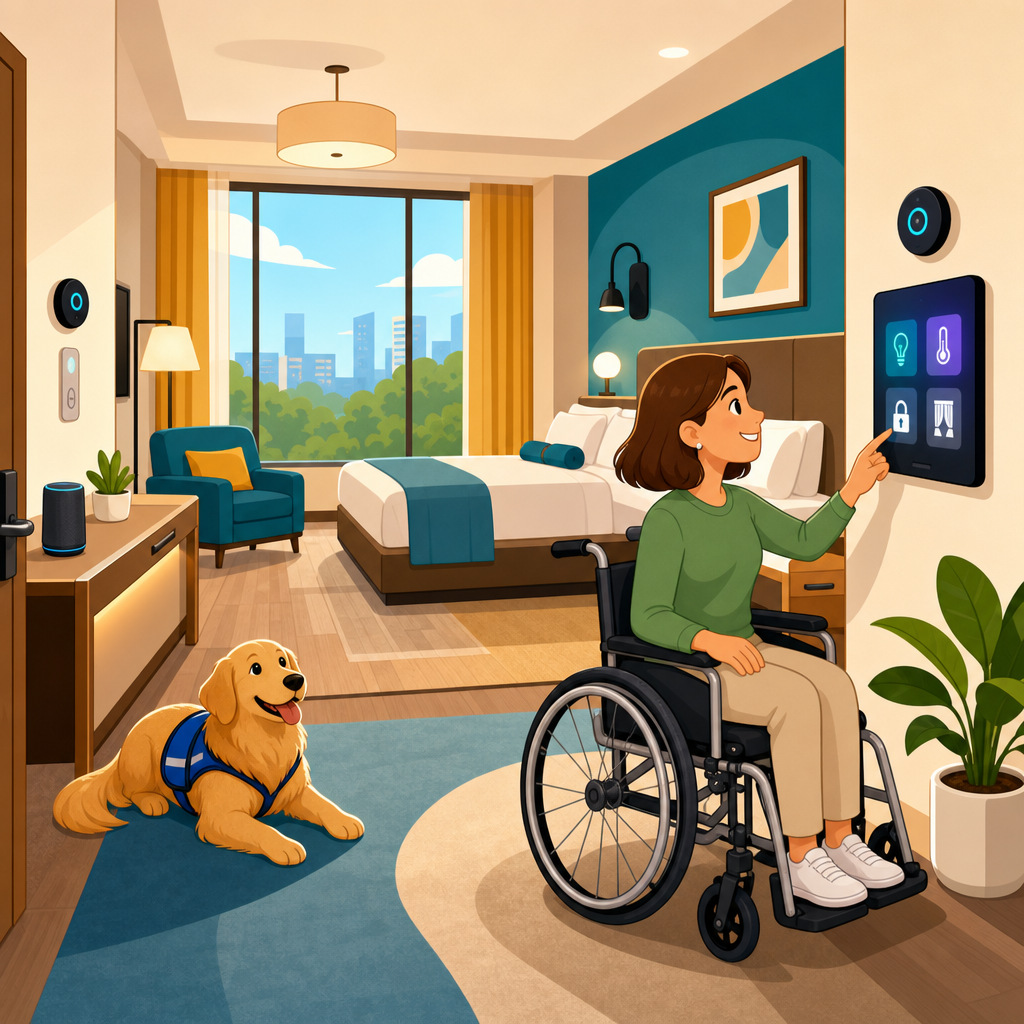
Accessible design for connected home and hotel rooms is no longer a niche consideration reserved for specialist projects; it is becoming a core requirement wherever digital controls, smart devices, and guest-facing automation shape the built environment. In practical terms, accessible design means creating spaces, interfaces, and services that people with different physical, sensory, cognitive, and speech needs can use safely, independently, and with dignity. Connected rooms add another layer: lighting, climate, entertainment, locks, curtains, alarms, and service requests are increasingly controlled through apps, voice assistants, touch panels, QR codes, and cloud platforms. When those systems are not designed accessibly, barriers multiply quickly. A door lock that relies only on a smartphone gesture, a thermostat with poor contrast, or a voice system that fails to understand speech differences can turn convenience into exclusion.
I have worked on digital accessibility reviews for smart building interfaces and hospitality booking flows, and the pattern is consistent: teams often think about ramps, grab bars, and room dimensions, yet overlook the software layer that now governs the room experience. That gap matters because the legal and technological frontiers of emerging technologies are converging. Building codes, disability rights laws, procurement standards, cybersecurity rules, and platform design guidelines increasingly intersect. Standards such as the Web Content Accessibility Guidelines, EN 301 549, and portions of the Americans with Disabilities Act influence how connected room systems should be specified, tested, and maintained, even when the product is not a traditional website. For property owners, operators, developers, and product teams, accessible design reduces complaint risk, broadens the user base, improves guest satisfaction, and creates more resilient systems for everyone.
This hub article explains the full emerging technology landscape for accessible design in connected home and hotel rooms. It covers smart controls, voice interfaces, mobile room keys, IoT interoperability, privacy, AI personalization, assistive technology integration, procurement, testing, and operational governance. It also points to the central question every decision-maker should ask: can a guest or resident with a disability complete key room tasks without needing workarounds or staff intervention? If the answer is no, the system is not truly smart. The goal is not simply compliance. The goal is a connected room that performs reliably across different devices, abilities, contexts, and failure conditions, from a luxury hotel suite to a multifamily apartment or senior living residence.
Why connected room accessibility is now a strategic design issue
Connected room accessibility matters because room control has shifted from fixed physical hardware to layered digital ecosystems. A traditional hotel room once depended on wall switches, a thermostat dial, a phone, and a television remote. A connected room may now combine occupancy sensors, a property-management-system integration, Bluetooth or NFC mobile access, bedside tablets, streaming platforms, chatbot support, and voice control. In homes, the same pattern appears through Matter-compatible devices, smart speakers, app-controlled lighting, video doorbells, and energy dashboards. Each touchpoint can help or hinder accessibility.
The strategic issue is that barriers rarely exist in isolation. For example, a blind guest may be able to enter using a mobile key, but then face an inaccessible touch panel for lighting and climate. A Deaf guest may receive emergency instructions only through audio alerts. A traveler with limited dexterity may struggle with gesture-heavy mobile interfaces but succeed with large tactile controls. A neurodivergent resident may need predictable automation and the ability to disable disruptive routines. Accessibility in connected rooms is therefore a systems problem, not a single feature request.
Hotels face additional pressure because accessibility affects booking transparency, on-property operations, and brand trust. A room advertised as accessible can still fail if the connected controls are not usable. In housing, inaccessible smart systems may limit independent living, especially for older adults and residents with disabilities who rely on environmental controls as daily support tools. The strongest programs treat accessible connected design as part of digital transformation, risk management, and customer experience all at once.
Core technologies shaping accessible home and hotel rooms
The main emerging technologies in this space include Internet of Things devices, interoperable device standards, mobile room controls, voice assistants, AI-driven personalization, sensor systems, digital identity, and cloud management platforms. IoT devices provide the control points: smart locks, thermostats, motorized blinds, leak detectors, switches, and entertainment hubs. Interoperability frameworks matter because inaccessible workarounds often arise when systems from different vendors do not communicate cleanly. Matter, Thread, Zigbee, Z-Wave, Bluetooth Low Energy, and Wi-Fi all appear in connected room deployments, but the user experience depends less on the protocol name than on whether controls stay consistent across apps and hardware.
Mobile control is especially influential. Hotels use branded apps for check-in, keyless entry, room preference settings, and service requests. Homes and multifamily buildings use resident apps for access, deliveries, visitor management, and shared amenity booking. Accessibility failures here are common: unlabeled buttons, poor focus order, low-contrast states, tiny hit targets, timeout-heavy flows, and inaccessible CAPTCHA or identity verification steps. Good design starts with native accessibility APIs on iOS and Android, support for screen readers such as VoiceOver and TalkBack, and keyboard compatibility for tablets and kiosks.
Voice systems offer genuine benefits when implemented correctly. They can reduce the need for precise hand movements and support eyes-free control of lighting, curtains, temperature, and media. Yet voice alone is never enough. Accents, speech impairments, background noise, privacy preferences, and multilingual contexts all limit reliability. Every voice-controlled action should have an equivalent tactile and visual method. The same principle applies to AI assistants that summarize room options or automate preferences. They should simplify tasks, not become the only path.
Design principles that make connected rooms actually usable
Accessible connected room design begins with equivalent access. Every critical task must be achievable through more than one input and output mode. A guest should be able to unlock the room, control lighting, request help, view emergency information, and operate entertainment through combinations of tactile controls, voice, accessible mobile interfaces, and staff-supported alternatives. Equivalence does not mean identical interfaces; it means reliable, dignified completion of the same task.
Clarity is the next principle. Smart room interfaces should use plain language, persistent labels, consistent icons, and predictable navigation. Avoid vague commands such as “scene one” when “reading lights on” is clearer. State changes must be obvious. If blinds are moving or the thermostat has switched modes, the interface should confirm that status visually and, where appropriate, audibly or through haptic feedback. Error recovery is equally important. If a mobile key fails because Bluetooth is disabled, the system should explain the issue and provide an immediate alternate method, not a generic error message.
Physical-digital coordination is where many projects succeed or fail. A wall switch should not become unusable because automation has reassigned its behavior without explanation. Bedside controls should be reachable from seated and lying positions. Hotel tablets need stands that reduce glare and permit easy touch access. QR code menus or room guides must never replace accessible printed, digital, or spoken options. When I review mockups and room pilots, the most successful designs treat hardware placement, software language, and service procedures as one accessibility workflow.
Common barriers and practical solutions across devices and interfaces
The following comparison reflects issues seen repeatedly in connected room audits and remediation projects.
| Connected feature | Common accessibility barrier | Practical design response |
|---|---|---|
| Mobile room key | Small controls, time-limited activation, inaccessible identity checks | Large buttons, screen reader support, longer timeout windows, staffed fallback key issuance |
| Voice assistant | Speech recognition errors, no quiet mode, privacy concerns | Alternative tactile controls, local mute button, clear consent and data settings |
| Touch panel thermostat | Low contrast, no tactile markers, ambiguous status | High-contrast display, physical up/down option, audible or haptic confirmation |
| Motorized blinds and lights | Controls hidden in app menus or unnamed scenes | Dedicated room controls with plain-language labels and consistent grouping |
| In-room entertainment | Streaming interfaces ignore captions or screen reader access | Captions enabled by default options, accessible remote, spoken navigation where available |
| Emergency alerts | Audio-only warnings or inaccessible evacuation instructions | Multimodal alerts with visual strobes, vibration, text instructions, and staff protocol |
These issues are solvable when teams test full user journeys rather than isolated screens. A mobile key may pass a basic app review yet still fail in a dim corridor with weak connectivity and a traveler carrying bags. Likewise, a voice assistant demo may work in a lab but struggle with regional accents or television noise. Practical accessibility requires field testing in realistic conditions, including low vision scenarios, one-handed use, wheelchair reach ranges, hearing-related alerting needs, and limited network availability.
Legal, standards, and procurement considerations
Accessible connected room design sits at the intersection of disability law, product liability, cybersecurity, and vendor procurement. In the United States, the ADA shapes obligations for places of public accommodation, including hotels, while the Fair Housing Act influences residential contexts. Section 508 applies to federal procurement, but its technical logic often informs broader accessibility buying practices. Internationally, EN 301 549 is increasingly relevant for ICT products and services, especially where public sector procurement or multinational operations are involved. WCAG 2.1 and 2.2 remain the most practical baseline for screen-based interfaces, even when the product extends beyond the web.
The key procurement lesson is simple: accessibility cannot be bolted on after vendor selection. Requirements should appear in requests for proposals, technical specifications, acceptance criteria, and service-level agreements. Ask vendors for accessibility conformance reports, testing methodology, roadmap commitments, and evidence that updates will not break compatibility with assistive technologies. If a hotel brand standard requires mobile-first room control, the contract must also require equivalent non-mobile access. If a housing operator adopts smart locks, battery failure procedures and emergency override methods should be documented and tested.
Emerging technologies also raise data governance questions. Voice logs, occupancy patterns, accessibility preferences, and device identifiers can all become sensitive information. Operators should minimize collection, define retention periods, and explain how data is used. Personalization can help, but only when consent is meaningful and settings are easy to review or delete.
AI, personalization, and the next generation of assistive room experiences
Artificial intelligence is expanding from chatbots into environmental control, predictive maintenance, and adaptive personalization. In accessible connected rooms, AI can be valuable when it reduces friction without removing user control. Examples include remembering a guest’s preferred caption settings, increasing text size on in-room tablets, suggesting lower-sensory lighting scenes, or detecting that a resident typically uses voice control in the morning and simplifying that routine. In senior living and supported housing, machine learning can also identify anomalies, such as unusual inactivity or appliance patterns, that may indicate a welfare concern.
There are real limitations. Personalization based on disability-related preferences can become intrusive if the system assumes too much or shares data too widely. Algorithmic systems may also misclassify behavior. A guest who disables bright lighting may be seeking rest, not disclosing a medical condition. For that reason, the best accessible AI systems are transparent, adjustable, and reversible. They offer recommendations, not hard-coded assumptions. They log actions clearly, provide manual overrides, and avoid making emergency or service decisions without human review.
Looking ahead, the most promising emerging technologies are multimodal interfaces and interoperable accessibility profiles. A connected room should be able to recognize a user’s chosen settings across channels, such as captions on the television, higher contrast on the tablet, longer timeout periods on the mobile app, and tactile confirmation on the bedside control. That continuity is where accessibility stops being a patch and becomes a product advantage.
How this hub connects the wider emerging technology landscape
As a sub-pillar hub under legal and technological frontiers, this topic links several related article paths. One path examines smart locks, digital identity, and the legal implications of biometric or mobile credentials. Another focuses on voice assistants, speech recognition bias, and privacy controls in hospitality and residential spaces. A third covers IoT interoperability, including Matter and platform fragmentation, with emphasis on how procurement choices affect long-term accessibility. Additional articles should address accessible entertainment systems, connected emergency notification, AI personalization governance, and testing methods that combine usability research with disability-inclusive quality assurance.
The practical takeaway is that accessible design for connected home and hotel rooms is not a future trend. It is the present operating standard for emerging technologies that touch everyday living and travel. Start with the core room journeys, require equivalent access across control methods, write accessibility into procurement, and test with disabled users in real environments. When connected rooms are designed this way, they are easier to use, safer to operate, and more valuable to every occupant. Review your current room technology stack, identify the barriers hiding in apps and devices, and make accessibility the requirement that guides every upgrade.
Frequently Asked Questions
What does accessible design mean in connected home and hotel rooms?
Accessible design in connected home and hotel rooms means creating spaces and digital experiences that can be used by people with a wide range of physical, sensory, cognitive, and speech needs. In a traditional room, accessibility may focus on circulation space, bathroom layouts, door widths, lighting levels, and reach ranges. In a connected room, that definition expands to include smart thermostats, automated blinds, voice assistants, mobile apps, digital check-in systems, touch panels, entertainment controls, and other connected devices that shape how a person interacts with the environment.
The goal is not simply to comply with a checklist. It is to make the room understandable, usable, and comfortable for as many people as possible without requiring extra effort, specialist knowledge, or assistance. For example, if a guest must use a tablet to control the lighting, the interface should have clear labels, readable text, strong contrast, logical navigation, and compatibility with assistive technologies. If voice control is offered, it should be optional rather than the only way to perform tasks, since not all users can rely on speech. If motion sensors automate functions, the system should account for users who move slowly, use wheelchairs, or remain still for longer periods.
In both homes and hotels, accessible connected design also supports independence and dignity. Residents and guests should be able to adjust room settings, request services, access information, and manage comfort and safety features without unnecessary barriers. That means providing multiple ways to complete the same action, reducing complexity, and ensuring that technology improves the experience instead of creating confusion or exclusion.
Why is accessibility especially important when smart technology is added to rooms?
Smart technology can make rooms significantly more usable, but it can also introduce new barriers if accessibility is not considered from the start. In a connected environment, tasks that were once simple and physical, such as turning on lights or adjusting temperature, may shift to touchscreens, apps, sensors, or voice commands. If those systems are poorly designed, people may lose access to basic room functions rather than gain convenience.
This matters because connected technology increasingly controls essential parts of the environment. A guest may need to use a bedside panel to call for assistance, open curtains, control lighting scenes, set an alarm, or operate climate settings. A resident may rely on automation to manage daily routines safely and independently. If the text on a control panel is too small, the app times out too quickly, the voice assistant misunderstands speech, or the system requires fine motor precision, the technology becomes a barrier instead of a benefit.
Accessibility is also important because the range of users is broad and constantly changing. It includes people with permanent disabilities, older adults, people recovering from injury, travelers experiencing fatigue or stress, and anyone navigating unfamiliar technology in an unfamiliar space. In hotel settings, guests may have only a short time to understand the room controls, so intuitive and accessible design is critical. In homes, the stakes can be even higher because connected systems may be tied to long-term independence, comfort, and safety.
When accessibility is built into smart room design, the result is better for everyone. Controls become clearer, interfaces become simpler, feedback becomes more useful, and fallback options become more reliable. That improves usability for all users, not just those who identify as disabled.
What features make a connected room more accessible in practice?
Accessible connected rooms typically include a combination of physical, digital, and service-level features. In practice, one of the most important principles is offering multiple ways to control the same function. Lighting, temperature, blinds, door access, entertainment, and service requests should ideally be available through physical switches or buttons, accessible digital interfaces, and where appropriate, voice control. Redundancy matters because no single method works for everyone in every situation.
On the physical side, controls should be placed within reachable heights, positioned consistently, and designed with tactile clarity where possible. Buttons should be large enough to operate comfortably, with good contrast and understandable labeling. Pathways, furniture layouts, and bedside access should support wheelchair users and people with limited mobility. Audible alerts should be paired with visual indicators, and visual alerts should be paired with sound or vibration where suitable.
On the digital side, accessible design includes readable typography, high color contrast, plain language, predictable navigation, screen reader support, captioned media, and interfaces that do not depend on complex gestures or fast reaction times. Time-sensitive interactions should allow users to pause, extend, or repeat steps. Instructions should be simple, visible, and easy to revisit. For hotel rooms in particular, it helps to provide quick-start guidance in multiple formats, such as on-screen instructions, printed summaries, and staff support.
Good connected room design also considers feedback and error recovery. Users should know whether a command was received, whether an action is in progress, and what to do if something fails. For example, if a blind does not respond, the system should indicate why and offer another control path. Emergency communication, maintenance requests, and assistance calls should always be easy to locate and operate. The most accessible rooms are not those with the most technology, but those where the technology is flexible, understandable, and dependable.
How can hotels and residential developers balance innovation with accessibility?
Hotels and residential developers can balance innovation with accessibility by treating accessibility as a design requirement from the beginning rather than a last-minute adjustment. The most effective projects do not ask whether a smart feature can be made accessible after it has been selected. Instead, they ask whether the feature is accessible before it is specified, integrated, and deployed. That shift in timing makes a major difference in cost, quality, and user experience.
A practical approach starts with inclusive planning. Teams should map common user journeys such as entering the room, controlling lights at night, setting room temperature, using entertainment systems, requesting help, and responding to alarms. For each journey, they should identify possible barriers for people with different needs, including mobility limitations, low vision, hearing loss, cognitive differences, and speech impairments. This helps prevent situations where a room looks advanced on paper but is difficult to use in reality.
Developers and operators should also evaluate products carefully. Not all smart room platforms are equally accessible, and visual polish does not guarantee usability. Procurement decisions should consider standards support, assistive technology compatibility, alternative input methods, customization options, reliability, and the availability of accessible documentation. Pilot testing with diverse users is especially valuable because it reveals issues that internal teams often miss.
Training and operations are part of the balance as well. Even well-designed systems need staff who understand how to explain them, troubleshoot them, and offer alternatives without delay or discomfort. In hotels, front desk and guest services teams should know which accessible features are available and how to activate or support them. In residential settings, property managers and service providers should understand both the technology and the accessibility outcomes it is meant to support. Innovation works best when it is paired with consistency, clarity, and a strong commitment to inclusive use.
What are the biggest mistakes to avoid in accessible connected room design?
One of the biggest mistakes is assuming that advanced technology automatically improves accessibility. Automation can help enormously, but only when users can understand it, trust it, and override it when needed. A room that relies entirely on a tablet, app, or voice assistant may seem modern, yet it can exclude users who cannot see the screen clearly, do not use smartphones, have limited dexterity, or cannot rely on speech. Removing simple physical controls without offering equivalent accessible alternatives is a common and serious design error.
Another major mistake is treating accessibility as a feature for a small group rather than a foundation for everyone. This often leads to inconsistent solutions, such as one accessible room with different controls than the rest of the property, or a smart interface that meets technical requirements but remains confusing in practice. Accessibility should be integrated into mainstream room design so that systems are coherent, predictable, and easy to learn across the entire building or portfolio.
Projects also run into problems when they overlook real-world use conditions. Guests may arrive tired, residents may be under stress, lighting may be dim, Wi-Fi may be unstable, and staff may not be immediately available. If the room only works well under ideal conditions, it is not truly accessible. Systems should fail gracefully, provide clear status information, and offer backup methods for critical functions such as entry, lighting, climate control, and emergency communication.
Finally, a costly mistake is failing to involve disabled users and accessibility specialists in evaluation and testing. Many barriers are not obvious until people try to perform everyday tasks in a real environment. User testing reveals where instructions are unclear, controls are hard to reach, feedback is insufficient, or workflows are unnecessarily complicated. The strongest connected room designs come from listening early, testing thoroughly, and refining continuously rather than assuming compliance alone will guarantee a good experience.


