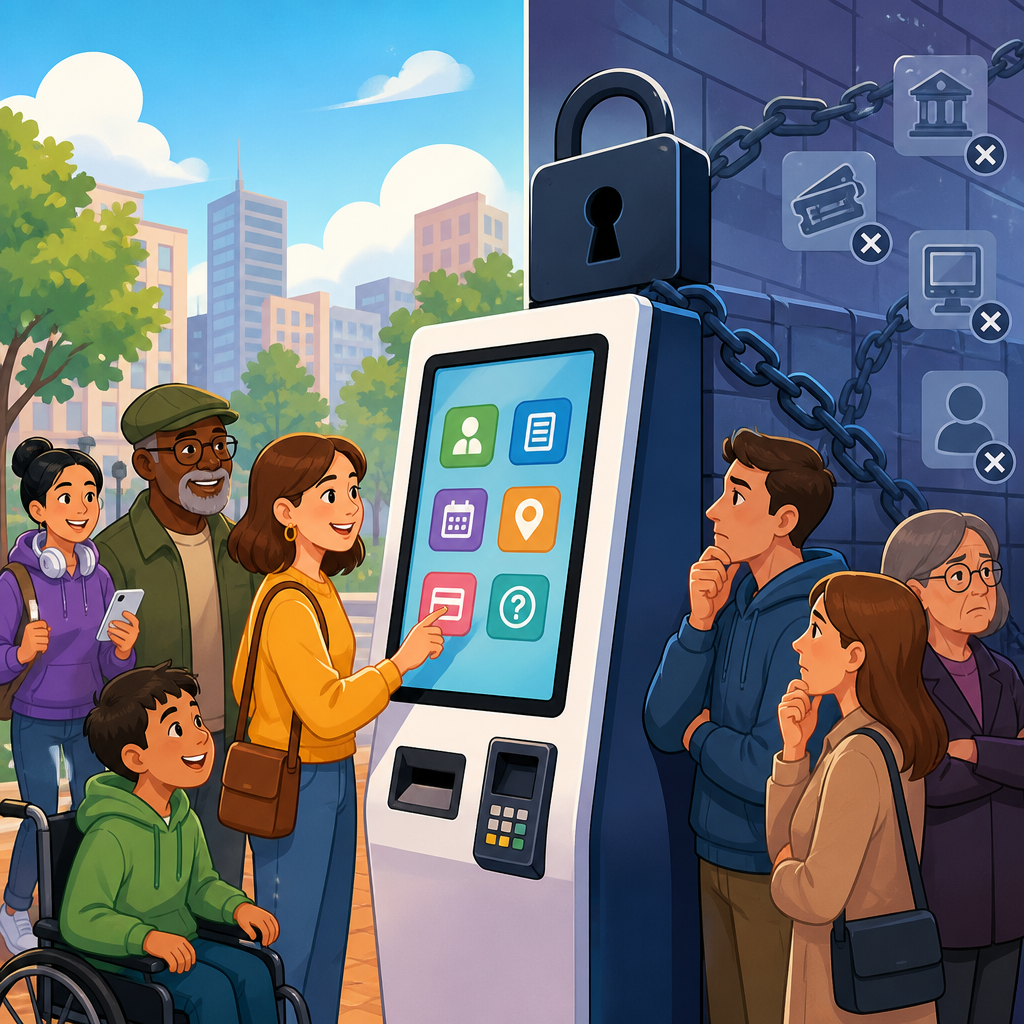
Kiosks, closed functionality, and digital access are rapidly becoming one of the most important fronts in accessibility because more essential services now happen on self-service machines than on staffed counters or public websites. In practical terms, a kiosk is a physical device with a screen, software, and integrated hardware that lets a customer complete a task independently, such as ordering food, checking in for a flight, paying a bill, or registering at a clinic. Closed functionality means the user cannot attach or run their own assistive technology, including screen readers, alternative keyboards, switch devices, magnification tools, or speech software. That distinction matters because a phone or laptop can often be adapted by the user, while a kiosk usually cannot. Across transportation, retail, healthcare, hospitality, and government, organizations are replacing human assistance with automated stations, and that shift is forcing a new level of attention on ADA developments in technology and accessibility. I have worked on accessibility reviews for interactive terminals, and the recurring lesson is simple: if an interface is inaccessible and no equivalent independent option exists, the barrier is immediate, public, and often impossible to work around discreetly.
This issue sits at the center of a larger transition in disability rights enforcement. Earlier accessibility discussions focused heavily on websites and mobile apps, but the current landscape is broader and more operational. Businesses now deploy fleets of kiosks, smart lockers, ticketing terminals, point-of-sale tablets, and digital wayfinding displays, often through third-party vendors and cloud-managed software platforms. Each deployment raises questions about tactile input, speech output, privacy, timeout settings, card insertion guidance, reach range, and whether a blind, low-vision, deaf, hard-of-hearing, or mobility-impaired user can complete the same transaction with substantially equivalent independence. Regulators, advocates, and courts are increasingly treating these machines not as futuristic edge cases but as mainstream public accommodations technology. For anyone tracking ADA developments in technology and accessibility, kiosks are now a hub topic because they combine hardware design, software design, procurement, policy, and civil rights compliance in a single customer interaction.
Why kiosks have become the next major accessibility flashpoint
Self-service technology expanded for obvious business reasons: shorter lines, lower staffing pressure, standardized workflows, and better data capture. During the pandemic, touchless and low-contact interactions accelerated adoption even further. Fast-food chains scaled self-ordering stations, airports pushed digital check-in, hospitals moved intake to tablets and kiosks, and big-box retailers normalized self-checkout. Those systems are efficient for many users, but efficiency breaks down when the only available path assumes vision, hearing, fine motor control, standing posture, or familiarity with gesture-based interfaces. When I assess these systems in the field, the most common failure is not one dramatic flaw; it is a stack of small assumptions that together make the transaction unusable.
Consider a medical check-in kiosk that requires on-screen signature capture, displays low-contrast insurance prompts, times out after thirty seconds, and announces nothing through a headphone jack. A blind patient may be unable to navigate the screen at all. A patient with limited dexterity may not complete the signature box. A wheelchair user may not reach the top controls or privacy shielded scanner. A deaf user may miss audio-only status alerts. If staff assistance is required every time, the organization has not delivered equal independent access. That is why closed functionality is receiving greater attention than many organizations expected. The problem is not merely inconvenience; it can affect healthcare intake, voting information, transit access, and financial transactions.
Accessibility standards have been moving in this direction for years. The 2010 ADA Standards for Accessible Design addressed physical reach, floor space, operable parts, and related built environment requirements that often apply to kiosks as objects. At the information and communication technology level, Section 508 standards and the Revised 508 rule incorporated by reference technical requirements aligned with WCAG and platform accessibility expectations. The U.S. Access Board’s guidance on self-service transaction machines has also helped frame the conversation, especially around speech output, tactilely discernible controls, and privacy for audio use. The legal and technical trend is consistent: if a device replaces staff or traditional access channels, accessibility cannot be bolted on later.
What closed functionality means in practice
Closed functionality exists when the product does not permit a user to install, connect, or activate their own assistive technology. That condition changes the design burden. On a personal smartphone, a blind user may rely on VoiceOver or TalkBack, a low-vision user may zoom or invert colors, and a mobility-impaired user may pair adaptive switches or keyboards. On a kiosk, those tools are usually unavailable because the operating system is locked down, ports are disabled, peripherals are unsupported, or the environment is physically constrained. As a result, the kiosk itself must provide the accessibility features the user would otherwise bring.
For compliance and usability, that usually means built-in speech output, tactilely identifiable controls, visible focus indicators, adequate color contrast, non-time-dependent interaction patterns, captioned multimedia where relevant, and compatibility with assistive listening or standard headphones. It also means making nonvisual operation complete, not partial. A kiosk that reads only the first screen aloud but fails at payment, terms acceptance, or receipt delivery is not accessible in any meaningful sense. I have seen deployments where vendors proudly demonstrated an accessibility mode, yet the barcode scanner instructions, card reader prompts, and printed receipt status were still visual only. Those are not edge defects; they are transaction blockers.
| Accessibility area | Common kiosk failure | Practical fix |
|---|---|---|
| Nonvisual access | No speech output or headphone jack | Add private audio guidance with complete screen-reader style coverage |
| Input | Touchscreen only | Provide tactile keys, keypad navigation, or accessible alternative input |
| Visibility | Low contrast and small text | Meet contrast standards and support text resizing without loss of function |
| Timing | Short session timeout | Allow extensions and warn users before reset |
| Physical reach | Controls too high or recessed | Design to ADA reach ranges and clear floor space requirements |
| Privacy | Audio output through speakers only | Support headphones so personal data is not exposed publicly |
ADA developments in technology and accessibility: the standards landscape
The standards picture is complex because kiosks sit at the intersection of civil rights law, procurement requirements, and technical specifications. The ADA does not provide a single kiosk checklist, but enforcement analysis often draws from multiple sources: ADA title obligations, the 2010 Standards for physical accessibility, WCAG principles for perceivable and operable interfaces, Section 508-derived requirements for information and communication technology, and guidance from the U.S. Access Board. Internationally, EN 301 549 has become influential because it translates accessibility expectations for ICT procurement across many product categories, including software, hardware, web, and documents. Vendors serving enterprise and government buyers increasingly map their products to these frameworks.
The most important practical point is that organizations should stop treating kiosk accessibility as a narrow hardware issue. A compliant deployment depends on procurement language, user interface design, hardware enclosure measurements, peripheral selection, testing methodology, maintenance procedures, and staff fallback protocols. For example, a kiosk may pass an initial accessibility review, then fail in the field because software updates remove keyboard focus order, the headphone jack breaks and is never inspected, or privacy audio instructions are disabled by a remote configuration template. Accessibility in this context is operational. The legal risk emerges not only from design decisions but from maintenance failures and inaccessible support processes.
Recent ADA developments in technology and accessibility also show a stronger expectation that digital systems provide equivalent access without segregating disabled users into slower or more stigmatizing channels. A business cannot simply say, “Ask an employee for help,” if the mainstream service model is self-service and independence is feasible. Assistance can be part of the solution, but not the substitute for accessible design. That principle has become clearer across settlements, demand letters, and organizational policies. It also aligns with a broader market reality: accessible kiosks serve more than people with recognized disabilities. They help older adults, people with temporary injuries, users under glare, and customers navigating unfamiliar environments or languages.
Sector-by-sector examples shaping the battleground
Healthcare is one of the clearest examples because kiosks are now embedded in patient intake, wayfinding, payments, and records requests. When registration moves to a self-service terminal, inaccessibility can delay treatment, expose private data, or force a patient to disclose disability-related needs publicly. Hospitals and clinics also face overlapping obligations under disability law, privacy rules, and patient experience standards. A well-designed check-in system includes accessible audio prompts, clear form labels, flexible timing, and staff trained to provide immediate accessible alternatives without penalty or embarrassment.
Transportation presents a similar but more time-sensitive challenge. Ticket vending machines, airport check-in kiosks, parking pay stations, and rail information terminals often operate in noisy, crowded spaces where users are under pressure. Here, accessibility defects become travel disruptions. If a blind traveler cannot independently retrieve a boarding pass, or a wheelchair user cannot reach a payment terminal after waiting in line, the service failure is immediate. The Air Carrier Access Act has shaped parts of aviation accessibility, but airport and transit environments also illustrate the broader ADA developments in technology and accessibility because they combine public accommodation, infrastructure, and digital interaction in one place.
Retail and food service have become the most visible mainstream examples. Self-order kiosks and self-checkout stations promise speed, but many still rely on visual menus, drag-and-drop gestures, inaccessible payment flows, or scanning tasks with poor feedback. Some leading vendors now provide speech-enabled ordering and tactile navigation, proving the barriers are solvable. The gap is usually not technical impossibility; it is whether accessibility was specified early, funded properly, and tested with disabled users before rollout. Government service centers, libraries, hotels, and entertainment venues face the same pattern. As more transactions move to unattended stations, inaccessible kiosks increasingly function like inaccessible websites did a decade ago: common, preventable, and legally consequential.
How organizations should respond now
The smartest response is to treat kiosk accessibility as a lifecycle discipline, not a one-time remediation project. Start with procurement. Contracts should require conformance evidence, accessibility documentation, defect response timelines, and the right to test before acceptance. Ask vendors specific questions: Does the interface support complete nonvisual operation? Can every step, including payment and confirmation, be completed without sight? Are tactile controls available? What happens during timeout warnings, signature capture, and error recovery? General promises are not enough. Require demonstrations tied to real task flows.
Next, test with both standards and real users. Automated checks can catch contrast issues or missing labels in web-based kiosk interfaces, but field testing reveals what matters most: headphone jacks hidden behind molding, scanners with no audible confirmation, card slots that are hard to locate by touch, or privacy screens that block seated users. Include disabled participants in usability sessions. In my experience, a one-hour moderated test with blind, low-vision, mobility-impaired, and deaf users uncovers more operational truth than weeks of theoretical review. Also inspect the environment around the machine, including queue layout, lighting, ambient noise, and staff intervention procedures.
Finally, connect the kiosk program to your broader accessibility governance. This hub topic, ADA developments in technology and accessibility, is not just about one device category. It covers policy shifts, digital product convergence, and how organizations build accessible systems across web, mobile, hardware, and support channels. If your team already audits websites against WCAG, extend that maturity to kiosks, smart devices, and embedded interfaces. Build release management checks, maintenance inspections, and incident reporting for accessibility defects. Map ownership across facilities, IT, procurement, legal, and customer experience. The organizations that do this well stop reacting to complaints and start delivering technology that more people can use on the first attempt.
Kiosks and closed functionality represent the next digital access battleground because they concentrate every accessibility decision into a high-stakes moment of service. If the machine is accessible, independence is preserved. If it is not, the barrier is immediate, visible, and often exclusionary. The larger lesson from current ADA developments in technology and accessibility is that digital compliance no longer lives only on websites or apps. It now extends to every customer-facing endpoint where software and physical design meet. That includes healthcare intake stations, airport check-in terminals, self-order screens, hotel registration desks, and government service machines.
For organizations, the path forward is clear. Define closed functionality early, procure against recognized standards, test complete task flows, involve disabled users, and maintain the deployment after launch. For readers using this page as a hub, that framework will guide every related topic in this sub-pillar, from legal updates and technical standards to vendor management and field testing. The benefit is not merely risk reduction. Accessible kiosks improve independence, privacy, speed, and service quality for a wider range of people. Review your self-service technology now, identify the blocked interactions, and make accessibility a release requirement rather than a retrofit.
Frequently Asked Questions
1. What is a kiosk, and why is it becoming such an important accessibility issue?
A kiosk is a self-service machine that combines a screen, software, and built-in hardware so a person can complete a task without needing staff assistance. Common examples include restaurant ordering stations, airport check-in machines, ticketing terminals, parking payment devices, hospital registration systems, retail self-checkout units, and bill-payment terminals. What makes kiosks especially important in accessibility conversations is that they are no longer optional conveniences. In many industries, they are becoming the primary or only path to essential services.
That shift matters because accessibility barriers at a kiosk can immediately block a person from completing a real-world task: ordering a meal, checking in for a flight, accessing medical care, paying for transportation, or receiving government or financial services. Unlike a website, where a user might try a different browser or assistive technology setup, a kiosk presents a fixed physical and digital environment. If that environment is inaccessible, the user often has no practical workaround in the moment.
Kiosks also introduce challenges that blend digital accessibility with physical usability. A person may need to see the screen, hear audio prompts, reach controls, understand time limits, operate card readers or scanners, and navigate a user interface while standing in a noisy, public space. That means accessible kiosk design must account for visual, auditory, motor, cognitive, and speech-related disabilities all at once. As more organizations move everyday transactions from staffed counters to self-service devices, kiosks are becoming one of the most consequential battlegrounds in digital access.
2. What does “closed functionality” mean in the context of kiosk accessibility?
Closed functionality refers to systems that do not allow users to install, connect, or rely on their own assistive technology the way they might on a personal computer or smartphone. On a traditional computer, a user might run a screen reader, magnification software, speech recognition, alternative input tools, or customized accessibility settings. A kiosk usually does not permit that level of user control. It is designed as a locked-down, purpose-built device with a limited interface and restricted software environment.
That distinction is critical. When a system has closed functionality, accessibility cannot be treated as something the user brings with them. The accessibility features must be built directly into the machine itself. If a blind user cannot plug in familiar software, then the kiosk must already provide usable speech output, tactile controls, headphone support, and a navigable interface. If a user cannot attach an alternative keyboard or pointing device, then the kiosk must already support accessible input methods and operable controls.
In practical terms, closed functionality raises the stakes for design, procurement, and compliance. Organizations cannot assume that a kiosk is accessible simply because its software resembles a web application or because the vendor says it follows general UX best practices. If the device is closed, every essential accessibility feature has to be intentionally included, tested, and maintained within the system. That is why closed functionality has become such a central concept in accessibility standards and legal risk discussions around self-service technology.
3. Why are kiosks and closed-function devices considered the next major digital access battleground?
They are considered the next major battleground because they sit at the intersection of two powerful trends: the expansion of digital self-service and the reduction of staffed alternatives. Businesses, healthcare providers, transportation systems, and public agencies increasingly use kiosks to improve efficiency, reduce labor costs, speed up transactions, and standardize customer interactions. From an operational perspective, that makes sense. From an accessibility perspective, it creates a serious point of exposure if those systems are not inclusive.
The issue is no longer theoretical. When a company replaces a staffed counter with a kiosk, accessibility becomes a question of equal access to the service itself, not just equal access to a digital interface. A website with poor accessibility may frustrate users; an inaccessible kiosk can strand them at the point of service. If a patient cannot register at a clinic, a traveler cannot check in at an airport, or a customer cannot independently complete payment, the consequences are immediate and visible.
Another reason this area is gaining urgency is that many organizations underestimated kiosk accessibility for years. Some treated the machine as hardware rather than as a digital service channel. Others focused only on visual design or assumed compliance would be similar to basic web accessibility. In reality, kiosks involve software accessibility, hardware integration, physical reach and operability, audio privacy, environmental conditions, and user support. That complexity means many deployments still have significant accessibility gaps.
As legal expectations, technical standards, and public awareness continue to evolve, kiosks are drawing more attention from regulators, advocates, and risk-conscious organizations. The underlying message is simple: if essential services are migrating to closed, self-service devices, then accessibility has to migrate with them. That is why kiosks are becoming one of the most important fronts in the broader fight for digital inclusion.
4. What accessibility features should an inclusive kiosk include?
An inclusive kiosk should be designed so people with a wide range of disabilities can use it independently, privately where appropriate, and with a comparable level of convenience to other users. That generally starts with multimodal access. For users who are blind or have low vision, the kiosk may need speech output, a standard headphone jack or equivalent audio connection, tactilely identifiable controls, clear focus indication, sufficient contrast, scalable text, and layouts that remain understandable when magnified. Touch-only interaction is often a major barrier, so alternative input methods are usually essential.
For users with limited dexterity or mobility impairments, the kiosk should support controls that can be operated without precise gestures, tight pinching, rapid tapping, or extended reach. Hardware placement matters just as much as software design. Screens, card readers, printers, signature pads, barcode scanners, and receipt dispensers all need to be within usable reach ranges and positioned thoughtfully for wheelchair users and others with mobility limitations. Time limits should be flexible or extendable so users are not penalized for needing more time to complete a task.
For deaf or hard-of-hearing users, systems should never rely on audio alone to convey critical instructions, status updates, or error messages. Important information should be available visually and presented clearly. For users with cognitive disabilities, the interface should avoid unnecessary complexity, use plain language, present steps in a predictable order, provide clear feedback, and minimize confusing branching paths. Error recovery is especially important: if a user makes a mistake, the kiosk should help them correct it rather than forcing them to start over.
Privacy and context also matter. In healthcare, finance, and government settings, accessible audio cannot come at the expense of confidentiality, so headphone-based output and discreet interaction methods are important. In noisy, bright, or crowded environments, accessibility can break down quickly if the design assumes ideal conditions. A truly inclusive kiosk is not just technically accessible on paper; it remains usable in the real world, under real conditions, by real people with different needs.
5. How can organizations reduce legal, operational, and reputational risk when deploying kiosks?
The most effective approach is to treat kiosk accessibility as a core requirement from the beginning, not as a retrofit after installation. That starts with procurement. Organizations should ask vendors detailed questions about accessibility support, built-in features for closed functionality, conformance with relevant standards, testing methods, and ongoing maintenance responsibilities. Vendor claims should not be accepted at face value. Accessibility needs to be documented, contractually addressed, and independently evaluated whenever possible.
Testing is equally important. A kiosk should be reviewed not only for software accessibility but also for hardware placement, operability, audio access, physical approach, environmental usability, and real task completion. Ideally, testing includes people with disabilities performing common workflows in realistic settings. That kind of evaluation often uncovers problems that checklists alone miss, such as inaccessible payment flows, unlabeled peripheral devices, confusing audio prompts, or physical components that are technically installed but practically unusable.
Organizations should also plan for accessibility over the full lifecycle of the device. Software updates, hardware replacements, content changes, and third-party integrations can all introduce new barriers. Accessibility therefore needs governance, not just a one-time review. Staff should know how to assist users appropriately without undermining independence or privacy, and there should be a clear process for reporting and fixing issues quickly.
Finally, organizations should understand that accessible kiosks are not only about compliance. They directly affect customer satisfaction, service equity, operational efficiency, and brand trust. When a self-service channel works for more people, lines move better, staff interventions decrease, and users are more likely to complete transactions successfully. In other words, accessibility is not just a defensive strategy against legal exposure. It is a practical business decision and a visible commitment to equal access in a world where more essential interactions are happening through machines.


