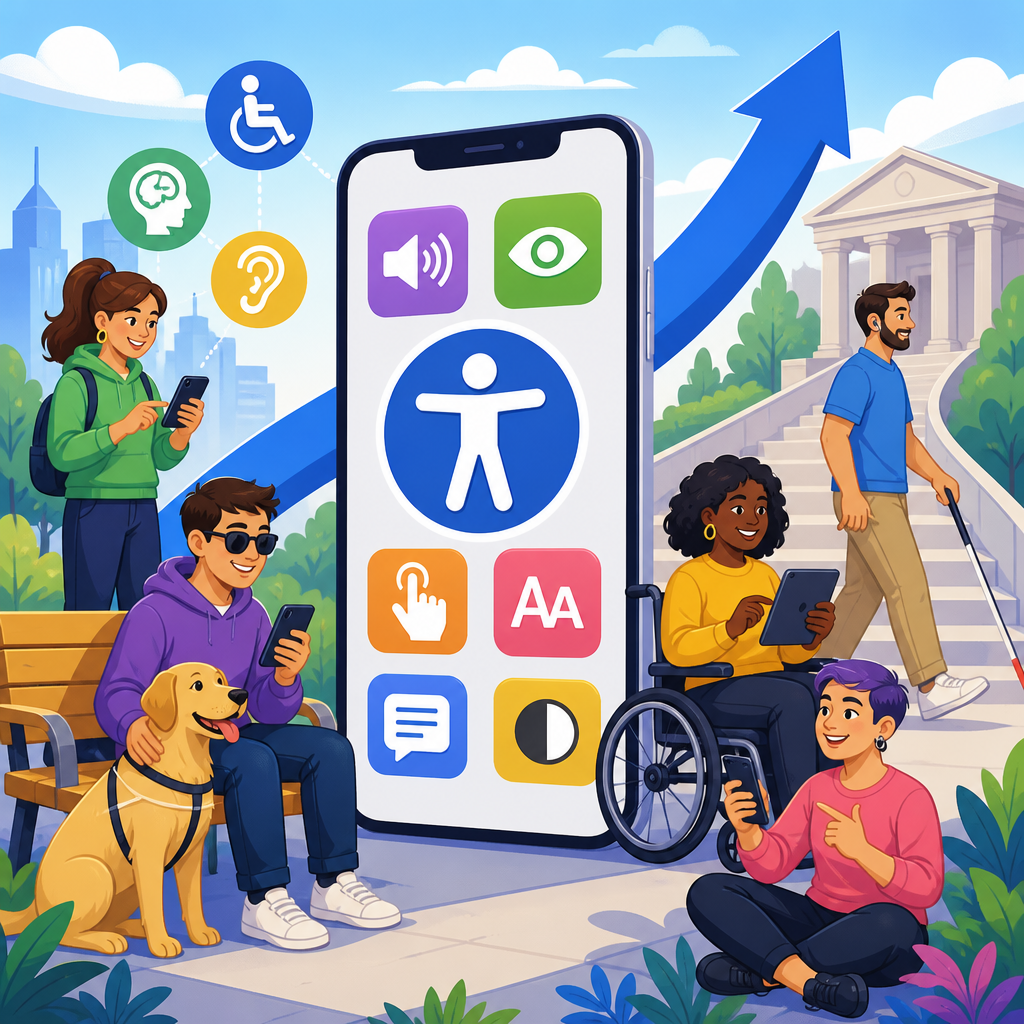
Mobile app accessibility has moved from a niche design concern to a central ADA compliance priority because smartphones now mediate banking, shopping, healthcare, education, transportation, and government services for millions of people every day. In practical terms, mobile app accessibility means building iOS and Android applications so people with disabilities can perceive content, operate controls, understand workflows, and complete tasks using assistive technologies such as VoiceOver, TalkBack, switch control, screen magnifiers, captions, and voice input. The ADA, or Americans with Disabilities Act, predates app stores, yet its core principle is technology-neutral: when a business or public entity offers goods, services, programs, or benefits, disabled users must have meaningful access. That principle now lands directly on mobile interfaces.
I have watched this shift accelerate in audits, product reviews, and remediation projects. A few years ago, many legal and product teams treated mobile accessibility as secondary to website accessibility. Today, that assumption is no longer defensible. Plaintiffs increasingly challenge inaccessible apps, regulators consistently frame digital access as part of equal access, and consumers expect to manage essential tasks on phones without barriers. The issue also matters operationally. If a user cannot log in with a screen reader, complete identity verification without seeing a countdown timer, or submit a healthcare form because labels are missing, the organization has created a functional exclusion, not a minor usability flaw.
This article serves as a hub for ADA developments in technology and accessibility, with mobile apps at the center. It explains why apps now sit high on compliance agendas, what legal and technical standards shape expectations, where common failures appear, how organizations should test and govern accessibility, and which related subtopics deserve deeper exploration. For teams responsible for product, legal risk, procurement, or digital operations, the main takeaway is clear: mobile app accessibility is no longer optional polish. It is part of core ADA readiness, customer service quality, and modern digital governance.
Why mobile apps became an ADA priority
Mobile apps became an ADA priority because user behavior changed faster than many compliance programs. In retail, customers often shop through apps for saved payment methods, loyalty rewards, and push notifications. In healthcare, patient portals rely on apps for appointment scheduling, test results, telehealth check-ins, and prescription management. In banking, mobile deposit, account alerts, fraud verification, and peer-to-peer transfers happen primarily on phones. When the primary path to service is mobile, equal access must be mobile too.
The legal logic is straightforward. Title II applies to state and local government services, while Title III applies to places of public accommodation and, in many cases, the digital services that extend those businesses. Courts have not been perfectly uniform on every digital issue, but the practical compliance trend is unmistakable: organizations should assume that inaccessible apps create ADA exposure when those apps are used to deliver services to the public. The Department of Justice has repeatedly emphasized that digital access obligations cover modern technology, and settlement agreements across industries have reinforced that expectation.
Another reason for urgency is platform dependence. Many companies now release features in their apps before their websites, or only in their apps. Airlines push boarding passes to mobile wallets. Grocers reserve digital coupons in apps. Universities distribute campus safety notifications through apps. Employers use apps for scheduling and benefits enrollment. If those workflows exclude users with low vision, blindness, deafness, mobility impairments, cognitive disabilities, or speech disabilities, the barrier is immediate and measurable. Accessibility therefore became not just a legal topic, but a product availability issue.
The standards shaping accessible mobile development
The ADA itself does not prescribe app coding rules, so organizations need recognized technical benchmarks. The most common benchmark remains the Web Content Accessibility Guidelines, especially WCAG 2.1 and increasingly WCAG 2.2 Level AA. Although WCAG was developed for web content, its principles map well to native and hybrid apps: text alternatives, adaptable layouts, sufficient color contrast, keyboard or alternative input access, predictable navigation, and error prevention. In audits, WCAG provides the clearest shared language among legal counsel, developers, designers, and testers.
Native mobile ecosystems also publish platform-specific requirements. Apple provides Human Interface Guidelines and accessibility APIs for labels, traits, Dynamic Type, VoiceOver support, reduced motion, and semantic grouping. Google documents Android accessibility principles around content labeling, touch target size, focus order, heading structure, color contrast, and TalkBack behavior. These resources matter because passing a generic checklist is not enough. A control can meet a theoretical requirement yet still fail if it does not expose the right role, state, and name to the operating system.
For organizations managing the full technology stack, accessibility standards extend beyond design. Procurement policies should require accessible software development kits, analytics overlays, identity verification tools, chat modules, and payment components. Quality assurance should include manual testing, not just automated scans. Governance should define severity levels, remediation timelines, and release blockers for critical barriers. When these controls are absent, accessibility becomes reactive and expensive. When they are built into the software development lifecycle, teams prevent recurring defects and reduce legal risk.
Common barriers that make mobile apps inaccessible
The most common mobile app accessibility failures are not obscure edge cases. They are repeated implementation mistakes that block basic tasks. Missing accessible names on buttons are still widespread, especially when designers rely on icon-only controls. Screen readers then announce “button” with no function. Incorrect focus order confuses navigation, particularly in modal dialogs, bottom sheets, and custom carousels. Poor color contrast makes text unreadable outdoors or for users with low vision. Small touch targets frustrate users with tremors, limited dexterity, or those using switch access.
Forms are another major source of barriers. I regularly see placeholder text used as the only label, which disappears when a field receives focus. Error messages may be shown only in red text, without programmatic association to the field. Time-limited verification steps can expire before a screen reader user finishes listening to instructions. CAPTCHA and biometric verification can create exclusion when there is no accessible alternative. Onboarding flows often break text resizing, causing clipped text, overlapping buttons, or hidden consent language.
Media and dynamic content add more complexity. Videos without captions exclude deaf and hard-of-hearing users. Audio-only alerts fail for deaf users and can also be missed by blind users if they are not exposed to assistive technology. Custom widgets built without native controls may not announce selection state, expanded state, or progress changes. Gesture-only interactions, such as swipe to reveal actions, can be inaccessible unless equivalent buttons are available. These defects are critical because they often interrupt high-value journeys like checkout, account access, prescription refill, and ticket purchase.
Where enforcement and litigation are heading
Enforcement and litigation trends make one point plain: mobile apps are now part of the digital accessibility risk map. Lawsuits that once focused almost entirely on websites increasingly reference apps, either alongside websites or as standalone barriers. Financial services, retail, hospitality, healthcare, education, food delivery, and transportation are frequent targets because their apps support essential transactions. Plaintiffs often document barriers using built-in screen readers and identify failures that can be replicated quickly, which strengthens claims and shortens the path to settlement pressure.
Government activity reinforces that momentum. The Department of Justice has made clear that public entities must provide accessible digital services, and private businesses should not assume they are exempt simply because regulations are less prescriptive for Title III. State laws can add pressure, especially where disability rights statutes or consumer protection laws create parallel claims. Procurement requirements for public contracts are also tightening, pushing vendors to demonstrate accessibility conformance through VPAT documentation and actual testing evidence.
Organizations should not treat litigation risk as the only reason to act. The stronger business case is continuity of access. When inaccessible design blocks account recovery, payment, scheduling, or customer support, users abandon tasks and call centers absorb avoidable demand. Accessibility defects also surface during app store reviews, public complaints, social media escalation, and enterprise sales diligence. In practice, the companies that respond best are those that treat accessibility like security: an ongoing discipline with standards, owners, testing, and executive visibility.
How leading teams build accessible apps at scale
Accessible mobile development works best when it is systematic, not heroic. The process starts with policy and design requirements, continues through engineering implementation, and ends with testing, documentation, and monitoring after release. Product teams need clear acceptance criteria for accessible names, heading structure, focus management, error handling, contrast, reflow, motion settings, and assistive technology compatibility. Designers should provide annotations for states and interaction patterns, not just visual comps. Engineers should use native components whenever possible because native controls usually expose accessibility information more reliably than custom-built widgets.
Testing must combine automation and manual review. Automated tools such as Accessibility Scanner on Android, Xcode Accessibility Inspector, axe DevTools Mobile, and platform linting can catch missing labels, contrast issues, and touch target problems. But automation cannot verify whether a checkout journey is understandable with VoiceOver, whether reading order makes sense in a complex form, or whether a custom date picker traps focus. Manual testing on real devices is indispensable. Teams should test with screen readers, external keyboards where supported, switch control, larger text, reduced motion, and color filters.
| Practice | What it means | Example |
|---|---|---|
| Design system standards | Reusable accessible components with documented behavior | A primary button component ships with proper labels, states, and minimum touch target size |
| Release gating | Critical accessibility defects block production releases | A login screen cannot ship if TalkBack cannot reach the submit button |
| Manual assistive tech testing | Human review validates real task completion | A tester completes password reset using VoiceOver only |
| Vendor controls | Third-party tools must meet accessibility requirements | An identity verification SDK is rejected until it supports screen reader guidance |
Mature programs also involve disabled users in research and usability testing. Conformance is not the same as usability. An app may technically expose labels and roles, yet still impose excessive cognitive load through confusing wording, inconsistent gestures, or noisy announcements. Direct user feedback closes that gap. Teams that invest in accessibility champions, pattern libraries, and recurring audits usually see faster remediation cycles and fewer regressions across releases.
Related ADA technology developments this hub connects
As a hub under updates and developments, this topic connects to several adjacent areas of ADA developments in technology and accessibility. Website accessibility remains foundational because many organizations share design systems, content, and authentication flows across web and mobile. Public sector digital services deserve close attention because government forms, transit tools, and emergency information increasingly rely on apps. E-commerce accessibility is another major branch, covering product discovery, coupons, cart flows, payment, and post-purchase support. Healthcare technology warrants its own focus because patient safety and privacy intersect with accessible telehealth, portals, and device pairing.
Emerging technologies also affect this landscape. Artificial intelligence can improve accessibility through live captions, image descriptions, and voice interfaces, but it can also introduce risk when automated summaries are inaccurate or when AI chat interfaces are not screen reader compatible. Wearables, connected kiosks, and in-app biometric verification raise questions about multimodal access and equivalent alternatives. Cross-platform frameworks such as React Native and Flutter can support accessible apps, but only when teams understand how accessibility semantics bridge from shared code into native controls on each operating system.
The unifying principle across these subtopics is simple: accessibility must follow the user, not the channel. If a service begins on a website, continues in an app, sends alerts through a push notification, and ends in a kiosk or support chat, each touchpoint must preserve equal access. That is why mobile app accessibility now sits at the center of ADA technology strategy rather than at the edge of it.
Mobile app accessibility is now an ADA priority because the mobile device has become the front door to essential services. When organizations make app access equal, they reduce legal exposure, improve customer experience, and strengthen digital operations at the same time. The core requirements are well understood: use recognized standards, build with platform accessibility APIs, test with real assistive technologies, govern third-party components, and treat critical barriers as release-blocking defects. Companies that still view accessibility as a website-only issue are behind the reality of how people interact with modern services.
For leaders responsible for updates and developments in technology and accessibility, this hub should frame the broader agenda. Mobile apps connect directly to related topics including website accessibility, public sector compliance, e-commerce transactions, healthcare tools, AI-driven interfaces, and procurement controls. The organizations making the most progress are not waiting for a complaint letter to force action. They are building accessibility into roadmaps, design systems, QA workflows, and vendor management now. That approach is more efficient, more defensible, and more aligned with how the ADA is being applied in digital environments.
The practical next step is to assess your app ecosystem honestly. Inventory public-facing and employee-facing apps, map high-risk user journeys, test them on current iOS and Android devices with assistive technology, and prioritize remediation where access to core services breaks down. Then connect those findings to broader ADA technology planning so future updates do not reintroduce the same barriers. Mobile accessibility is no longer a side project. It is a defining part of responsible digital access, and now is the time to treat it that way.
Frequently Asked Questions
Why has mobile app accessibility become such a major ADA priority?
Mobile app accessibility has become a major ADA priority because mobile devices now serve as the main gateway to everyday life for millions of people. Consumers use apps to manage bank accounts, refill prescriptions, schedule medical appointments, attend classes, request rides, order groceries, apply for jobs, and access government services. When those apps are not accessible, people with disabilities can be excluded from essential activities in ways that are immediate and significant. That shift has changed accessibility from a secondary design preference into a core civil rights, usability, and compliance issue.
From an ADA perspective, the key concern is equal access. If a business or public-facing organization provides important services through a mobile app, that app increasingly functions as an extension of its physical location, website, customer service channel, or public accommodation. Inaccessible navigation, unlabeled buttons, gesture-only controls, poor color contrast, missing captions, and forms that do not work with screen readers can prevent users with disabilities from completing tasks independently. As a result, organizations are paying much closer attention to whether their iOS and Android experiences are usable with assistive technologies such as VoiceOver, TalkBack, switch control, screen magnification, captions, and voice input.
There is also a practical business reason behind the increased focus. Accessibility problems in mobile apps often create customer frustration, higher support costs, reputational harm, and legal risk. By contrast, accessible apps tend to be easier for everyone to use because they offer clearer labels, more predictable navigation, better touch targets, and stronger content structure. In other words, the rise of mobile accessibility reflects both the ADA’s promise of equal participation and the reality that mobile apps are now central to modern commerce, communication, and public life.
What does mobile app accessibility actually mean in practice?
In practice, mobile app accessibility means designing and developing an app so people with a wide range of disabilities can successfully perceive content, operate controls, understand information, and complete tasks without unnecessary barriers. That includes users who are blind or have low vision, users who are deaf or hard of hearing, users with mobility limitations, and users with cognitive, learning, or neurological disabilities. Accessibility is not a single feature. It is a quality standard that affects layout, code structure, interaction design, media, language, timing, and testing.
For screen reader users, accessibility often depends on whether interface elements have meaningful labels, proper roles, logical reading order, and clear status announcements. A button must be identified as a button, a search field must be recognized as an editable field, and dynamic updates such as error messages or confirmation notices must be announced in a usable way. For users with low vision, text must remain readable, contrast must be sufficient, and the interface should respond well to zoom, larger text settings, and display accommodations. For users with limited dexterity, controls should be large enough to tap, gesture alternatives should exist, and the app should work without requiring precise or complex movements.
Accessibility also includes clear instructions, consistent workflows, and error prevention. If a checkout process, appointment form, or login sequence is confusing or unforgiving, users with cognitive disabilities may struggle even if the app technically works with assistive technology. Captions and transcripts support users who are deaf or hard of hearing, while plain language and predictable navigation improve comprehension for a broad audience. In short, mobile app accessibility means building apps that work reliably with built-in platform accessibility tools and that allow users with disabilities to complete the same core tasks with comparable independence and dignity.
Which mobile app accessibility issues most often create ADA-related risk?
Some of the most common accessibility failures in mobile apps are also the ones most likely to create ADA-related risk because they block core transactions. Unlabeled icons are a frequent example. If a screen reader announces only “button” instead of “Transfer Funds,” “Book Appointment,” or “Submit,” a blind user may be unable to move forward. Another common issue is incorrect focus order, where assistive technology jumps unpredictably around the screen rather than following the visual and logical sequence of the interface. This can make even simple workflows confusing or impossible to complete.
Forms are another major problem area. Many apps include input fields with missing labels, unclear instructions, inaccessible date pickers, or error messages that appear visually but are never announced to screen reader users. Authentication features can also create barriers, especially when apps rely on time-sensitive codes, drag-and-drop verification, image-based prompts, or gesture-heavy interactions without accessible alternatives. Multimedia content without captions, controls that depend only on color, text that cannot scale properly, and poor contrast ratios can further limit access for users with sensory disabilities.
Gesture reliance is especially important on mobile. If an app requires swiping, pinching, dragging, or long pressing without offering another way to perform the same function, users with mobility impairments or those using assistive technology may be locked out. Custom interface components can also introduce serious issues when they are not built with native accessibility APIs in mind. These barriers matter legally because they interfere with meaningful access to services. They matter operationally because they often affect exactly the tasks organizations want users to complete, such as signing in, making payments, scheduling services, or receiving critical information.
How can organizations make iOS and Android apps more accessible?
Organizations can make iOS and Android apps more accessible by treating accessibility as part of the product lifecycle rather than a last-minute fix. The strongest approach starts early in design, where teams establish accessible patterns for navigation, typography, contrast, form controls, media, and error handling. Designers should consider how screens will behave with larger text sizes, screen readers, dark mode, reduced motion settings, and keyboard or switch navigation where applicable. Developers should then implement those designs using platform-native accessibility features and semantic structure instead of relying on visual appearance alone.
For iOS, that means taking full advantage of accessibility support for VoiceOver, Dynamic Type, proper accessibility labels and traits, focus management, and announcements for changing content. For Android, it means comparable attention to TalkBack compatibility, content descriptions, heading structure, touch target size, and support for user display preferences. Across both platforms, teams should ensure that every interactive element has a programmatically determinable name and purpose, that workflows are consistent, and that users receive clear feedback when actions succeed or fail. Video content should include captions, audio-only content should have transcripts when appropriate, and important instructions should never be conveyed by color alone.
Testing is essential. Automated tools can identify some issues, but they cannot replace manual review. Teams should test on actual devices with assistive technologies turned on, including VoiceOver and TalkBack, and should evaluate whether real users can independently complete key tasks such as registration, search, checkout, scheduling, and account management. Many organizations also benefit from usability testing with people with disabilities because it reveals friction that technical scans miss. The most successful programs combine policy, training, accessible design systems, code review, quality assurance, and periodic audits to create a sustainable accessibility process rather than a one-time remediation effort.
Does improving mobile app accessibility only help with ADA compliance, or are there broader benefits?
Improving mobile app accessibility delivers much more than ADA compliance. Compliance is important because it reduces legal exposure and supports equal access obligations, but the broader benefits are often just as compelling. Accessible apps are usually easier to navigate, easier to understand, and more reliable across different devices and user contexts. Clear labels, logical structure, larger touch targets, readable text, and predictable flows improve the experience not only for users with disabilities but also for older adults, people with temporary injuries, users in low-light or noisy environments, and anyone trying to complete a task quickly.
Accessibility can also expand market reach. A significant portion of the population lives with some form of disability, and many more experience situational limitations that make accessible design valuable. An app that works well with screen readers, captions, voice input, and scalable text is more inclusive and more likely to retain users who would otherwise abandon the experience. That can improve conversion rates, customer satisfaction, and brand trust. In sectors such as healthcare, finance, education, transportation, and government, accessibility also supports mission-critical service delivery by ensuring that essential functions are not limited to users who interact with technology in only one way.
There is also a long-term operational advantage. Teams that build accessibility into their design systems and development practices often produce cleaner code, more consistent interfaces, and more disciplined product decisions. Accessibility encourages organizations to think carefully about content hierarchy, interaction states, error handling, and user feedback. Those improvements tend to make apps more resilient and easier to maintain over time. So while the rise of mobile app accessibility is rightly framed as an ADA priority, it is equally accurate to see it as a smart product strategy that supports usability, inclusion, customer loyalty, and digital quality at scale.


