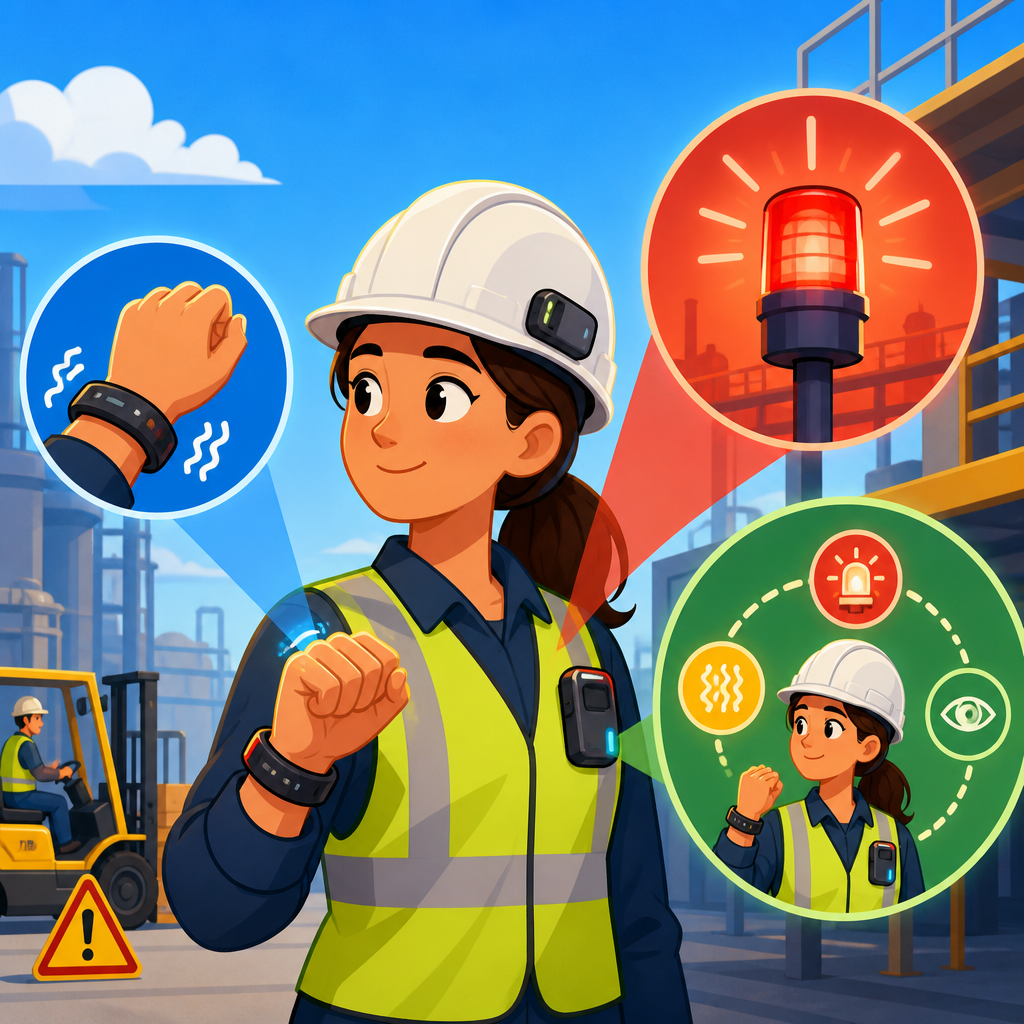
Haptic alerts, visual alerts, and multimodal safety systems are changing how people receive critical information, especially in environments where sound alone fails. In accessibility work, a haptic alert is a message delivered through touch, such as vibration in a phone, smartwatch, seat, or wearable band. A visual alert uses light, text, icons, color, or motion to signal an event. A multimodal safety system combines two or more channels, typically touch, sight, and sound, so the message can still be understood when one channel is blocked by noise, distraction, hearing loss, low vision, language barriers, or stress.
This matters because safety information is only useful when it reaches the right person at the right moment in a form they can perceive and act on. I have worked on accessibility reviews for mobile products, public kiosks, and workplace notification systems, and the same pattern appears every time: teams often start with audible alarms, then add visual indicators later, and only after user testing do they realize that touch-based cues can close major gaps. In hospitals, transit stations, warehouses, classrooms, vehicles, and homes, alert design affects response time, comprehension, fatigue, and trust. It is not a niche concern. It is core infrastructure for inclusive technology.
As a hub within Technology and Accessibility, this article maps the most important ideas, standards, use cases, design methods, and implementation choices behind innovative solutions in technology and accessibility. It explains how multimodal systems support people who are deaf or hard of hearing, blind or low vision, neurodivergent, aging, or temporarily impaired by context, such as wearing gloves, driving, running machinery, or standing in bright sunlight. It also covers practical tradeoffs, from battery life and sensor accuracy to color contrast and alarm prioritization, so teams can make informed decisions rather than adding accessibility as an afterthought.
Why multimodal safety systems are now essential
Single-channel alerts are fragile. A beeping oven cannot help a deaf user. A flashing light can be missed by someone looking away. A phone vibration may go unnoticed if the device is on a desk instead of in a pocket. Multimodal safety systems solve this by adding redundancy with purpose. The goal is not to overwhelm users with every possible cue. The goal is to deliver the same meaning through complementary signals that work under different conditions.
Modern environments make this more urgent. Open-plan offices are noisy. Cities create constant visual clutter. Vehicles increasingly rely on driver assistance systems that must warn people without causing confusion. Industrial settings demand fast reactions, often while workers wear hearing protection, eye protection, or thick gloves. Accessibility law and procurement policies are also raising expectations. In the United States, the Americans with Disabilities Act and Section 508 shape public-sector requirements. Digital product teams often align mobile and web interfaces with WCAG 2.2, while consumer hardware teams look to platform guidance from Apple Human Interface Guidelines, Google Material Design, and Microsoft Inclusive Design.
There is also a strong usability case. Features designed for disabled users routinely help everyone else. Vibration patterns improve navigation for cyclists who should not stare at a screen. Visual doorbell alerts help parents in loud households. Seat vibrations in cars can communicate lane departure without adding dashboard clutter. In practice, accessible alerting is simply better human factors engineering.
Core components of haptic, visual, and combined alert design
Effective alerts depend on signal clarity, urgency mapping, discoverability, and consistent meaning. Signal clarity means the cue is perceptible in realistic conditions. Urgency mapping means the pattern matches the severity of the event. Discoverability means users can learn what the signal means and where to configure it. Consistent meaning means the same pattern should not indicate unrelated events. These principles sound basic, but many products still fail them.
Haptic design is more complex than “make it vibrate.” Frequency, amplitude, duration, rhythm, and location all affect recognition. A short double pulse can indicate a message, while a long escalating pattern may suit a safety escalation. High-end phones use linear resonant actuators or haptic engines that produce crisp, differentiated textures, not just buzzing. Wearables add spatial relevance because they are in direct contact with the body. In testing, users often identify distinct wrist patterns faster than they identify small on-screen icons during motion.
Visual alert design requires attention to contrast, luminance, motion sensitivity, icon recognition, and reading load. Relying on color alone is a common failure because users may have color vision deficiency or be in poor lighting. Critical information should pair color with shape, text, or placement. Flashing also requires care. Overly aggressive flashing can trigger discomfort and, in rare cases, photosensitive seizures. That is why teams should respect platform guidance and WCAG limits on flashing content while still providing noticeable signals.
Combined systems work best when channels reinforce the same message rather than compete. A smartwatch fall alert might show large text, a red outline, and a strong repeating vibration, while also offering spoken output for users who enable it. The user should not have to interpret three unrelated signals. The system should say one thing, three ways.
Where these systems are delivering real accessibility gains
Consumer devices provide some of the clearest examples. Smartphones now support vibration patterns, LED flash alerts, captioned notifications, emergency SOS workflows, and wearable mirroring. Apple Watch taps can signal navigation turns, irregular rhythm notifications, and workout milestones. Android phones can use camera flash notifications and custom vibration patterns. These features are not decorative. They extend access when users cannot hear tones, cannot look continuously at the screen, or need discreet cues during meetings, class, or transit.
Transportation is another major area. Modern cars use steering-wheel or seat vibration for lane departure warning, dashboard icons for system state, and tones for immediate hazards. The strongest systems tier urgency: information on screen, caution through visual plus soft haptic feedback, and imminent danger through multimodal escalation. Public transit systems increasingly combine platform displays, induction loops, mobile notifications, tactile paving, and onboard visual stop announcements. When these systems are coordinated, they reduce missed stops and improve independent travel for riders with different needs.
In buildings, accessible alarm systems increasingly integrate strobe lights, vibrating pillow pads in hotels, wearable staff alerts in hospitals, and smart home automations that trigger lights, phone notifications, and haptic wearables simultaneously. Workplace safety systems use connected badges that vibrate during evacuation or proximity alerts around vehicles and restricted zones. Warehouses deploying ultra-wideband location systems can warn workers when forklifts approach blind corners. The value is immediate: faster reaction, fewer missed warnings, and lower dependence on one sensory channel.
Education and healthcare also benefit. Students can receive visual timers, quiet haptic reminders, and captioned prompts that support executive function without disrupting classmates. Hospitals use silent paging, bed-exit alerts, infusion pump displays, and wearable notifications to reduce alarm fatigue while preserving urgency. The lesson across sectors is clear: accessibility features become operational advantages when they are designed into the workflow.
How to choose the right alert method for each context
Choosing among haptic alerts, visual alerts, and multimodal safety systems starts with task analysis. Ask four questions. What is the user doing? What could block perception? How urgent is the event? What action should follow? A driver needs low-glance warnings. A sleeping hotel guest needs a cue strong enough to wake them. A warehouse worker wearing hearing protection may need vibration plus a high-visibility beacon. A blind pedestrian using wayfinding needs audio or haptics, not a screen-only warning.
| Context | Primary risk | Best alert mix | Design note |
|---|---|---|---|
| Driving | Eyes off road | Haptic plus brief visual | Use seat or wheel vibration for immediate directional cues |
| Warehouse | High noise and PPE | Haptic plus visual beacon | Ensure alerts cut through hearing protection and obstructed sightlines |
| Hospital | Alarm fatigue | Prioritized multimodal alerts | Match escalation to clinical urgency and recipient role |
| Home | Distance from device | Visual plus mobile haptic | Mirror doorbell, smoke, and appliance alerts to wearables |
| Transit | Crowding and distraction | Visual plus haptic plus optional audio | Support stop awareness without requiring constant screen attention |
The best systems also allow personalization. Some users prefer strong haptics and minimal flashing. Others need large visual text because subtle icons are easy to miss. Personalization is not a luxury feature. It is a core accessibility mechanism. At minimum, products should let users adjust intensity, repeat behavior, color dependence, text size, and whether alerts mirror across linked devices.
Teams should also distinguish between notification and alarm. A notification informs. An alarm demands action. Conflating the two creates stress and trains users to ignore signals. In every project I have reviewed, the products that earn trust are the ones that reserve the strongest multimodal patterns for events that truly matter.
Design standards, testing methods, and implementation pitfalls
Good design needs measurable criteria. For digital interfaces, WCAG 2.2 remains the baseline for contrast, timing, focus visibility, reflow, and non-color identification. For hardware and built environments, standards vary by sector, but the principles are stable: perceptibility, redundancy, consistency, and safe escalation. ISO 9241 ergonomics guidance, IEC alarm standards in clinical environments, and transportation-specific regulations all reinforce the same idea that warning systems should be understandable under real operating conditions.
User testing must include disabled participants and context-based testing, not just lab demos. Test a vibration while the phone sits on a desk, inside a backpack, and on the wrist. Test visual alerts in sunlight, darkness, and peripheral vision. Test comprehension under motion, fatigue, and multitasking. Measure detection rate, recognition accuracy, time to respond, false alarm tolerance, and user confidence. Analytics can reveal whether people disable a pattern, but only interviews explain why.
Implementation pitfalls are predictable. First, teams rely on color alone or on tiny icons without text. Second, they use haptics that feel identical across message types. Third, they trigger too many alerts, causing habituation and alarm fatigue. Fourth, they forget device placement. A brilliant vibration pattern fails when a tablet is mounted off-body. Fifth, they ignore maintenance. Dead batteries, disabled permissions, or disconnected wearables can silently break the alert chain.
The most reliable path is systems thinking. Map each safety event from detection to delivery to action. Define fallback behavior if one channel fails. Log delivery states when possible. Provide a history view so users can confirm what happened. Clear documentation, sensible defaults, and periodic testing are what turn a feature list into dependable accessible infrastructure.
The future of innovative solutions in technology and accessibility
The next wave of innovative solutions in technology and accessibility will be more adaptive, more wearable, and more context-aware. Machine learning is already improving signal prioritization by reducing nuisance alerts and tailoring thresholds to behavior. Vehicles are using driver monitoring to decide when to escalate from a dashboard icon to seat vibration. Smart homes can trigger different combinations of lights, watch taps, and phone banners depending on whether a person is asleep, in another room, or wearing a device. This is useful when it remains transparent and user-controlled.
New hardware is expanding possibilities. Better actuators create richer haptic vocabularies. Bone-conduction wearables, smart rings, tactile belts, connected insoles, and spatial computing devices add new paths for discreet and situationally relevant feedback. Computer vision and environmental sensors can detect smoke, falls, approaching objects, or missed door knocks and route that information across multiple channels. For users with combined sensory loss, integrated ecosystems matter more than any single gadget.
The long-term direction is clear. Accessibility is moving from one-off accommodations to mainstream system design. Products that treat haptic alerts, visual alerts, and multimodal safety systems as foundational will be safer, more inclusive, and more resilient in messy real-world conditions. If you are building a technology and accessibility roadmap, start by auditing every critical alert in your product or environment, identify where one channel can fail, and redesign those moments as intentional multimodal experiences.
Frequently Asked Questions
What is the difference between haptic alerts, visual alerts, and multimodal safety systems?
Haptic alerts, visual alerts, and multimodal safety systems all serve the same broad purpose: delivering important information quickly and clearly. The difference is in how that information reaches the user. A haptic alert communicates through touch, usually with vibration, pulses, or patterned movement in a phone, smartwatch, seat, wearable band, or other connected device. A visual alert communicates through sight, using flashing lights, color changes, on-screen text, icons, motion, or other visible cues. A multimodal safety system combines two or more communication methods, most often touch, sight, and sound, so the message can still be detected even if one channel is missed or unavailable.
That distinction matters in real-world safety and accessibility design. Sound-based alerts alone can fail in noisy factories, while driving, in quiet settings where audio is muted, or for people who are deaf or hard of hearing. Visual alerts can be overlooked if a person is not facing the display, is in bright sunlight, or has limited vision. Haptic alerts can be highly effective, but they may be less noticeable if the device is not being worn or touched. Multimodal systems reduce these gaps by layering channels together. For example, an emergency notification might flash on a dashboard, vibrate a wrist device, and sound an alarm at the same time. That redundancy improves the chance that the alert is noticed, understood, and acted on quickly.
Why are haptic alerts becoming so important in safety and accessibility systems?
Haptic alerts are becoming more important because they offer a direct, immediate way to reach people when audio or visual signals may not be reliable enough on their own. In accessibility work, touch-based communication is especially valuable because it does not depend on hearing and can work even when someone is not looking at a screen. A vibration pattern on a phone, a pulse from a smartwatch, or a tactile cue in a vehicle seat can cut through distractions and deliver critical information without adding noise to the environment.
They are also useful in settings where situational demands are high. Someone operating machinery, cycling in traffic, walking in a crowded area, or navigating a public space may not be able to monitor a display constantly. In those moments, a haptic signal can provide an immediate warning with less cognitive interruption than a loud alarm or a flashing message. Good haptic design can also communicate urgency. A short single pulse may indicate a routine update, while a strong repeating pattern can signal a hazard that requires fast action. This ability to differentiate message types through touch makes haptics more than a simple notification feature; it makes them part of a structured communication system.
From an accessibility standpoint, haptics also support more inclusive design. They help extend access to alerts for people with hearing loss and can complement visual supports for many others. The strongest systems do not treat haptics as a novelty. They use touch intentionally, with consistent patterns, tested timing, and clear links to the action the user should take. That is why haptic alerts are now central to modern safety planning rather than just an optional convenience.
When are visual alerts more effective than sound or vibration?
Visual alerts are often more effective when information needs to stay visible long enough for the user to process details. Unlike a brief sound or vibration, a visual message can remain on a screen, panel, sign, or indicator until the user notices it and responds. That makes visual alerts especially useful for instructions, status changes, directions, and warnings that require more context than a simple “pay attention now” signal. For example, a flashing icon paired with text such as “door open,” “low oxygen,” or “evacuate stairwell B” gives users both the alert and the meaning in a single channel.
Visual alerts are also valuable in environments where audio would be disruptive, impractical, or easy to miss. Hospitals, libraries, offices, classrooms, industrial control rooms, and shared homes often need quieter ways to communicate urgent information. Light-based cues, color-coded indicators, digital signage, and high-contrast notifications can provide that communication clearly. In transportation and workplace settings, visual systems can also broadcast the same message to multiple people at once, which is harder to do with a private haptic alert alone.
That said, visual alerts work best when they are designed for real conditions, not ideal ones. Factors such as glare, distance, clutter, color contrast, font size, motion sensitivity, and line of sight all affect usability. People may also have low vision, color blindness, or reduced attention due to stress. For that reason, visual alerts are most effective when they are clear, simple, persistent, and reinforced by another channel when the stakes are high. In other words, visual alerts are powerful, but they are strongest when they are part of a broader multimodal strategy.
What makes a multimodal safety system more reliable than a single-channel alert system?
A multimodal safety system is more reliable because it does not assume that every user will notice every alert in the same way under every condition. Real environments are unpredictable. People get distracted, devices are covered, rooms are noisy, displays are out of view, and individual sensory abilities vary widely. By combining channels such as vibration, light, text, icons, and sound, multimodal systems create redundancy. If one signal fails, another can still carry the message. This dramatically increases the chance that a critical warning will be detected in time.
Reliability is not just about being noticed. It is also about being understood. A short haptic pulse may grab attention, but a visual display can explain the problem, and an audio cue can communicate urgency to the wider area. Together, those channels support both detection and comprehension. For example, in a connected vehicle, a lane departure warning might vibrate the steering wheel, show a directional symbol on the display, and issue an audible alert. Each cue supports the others, reducing ambiguity and speeding up reaction time.
Another key advantage is inclusivity. Multimodal systems are better suited to people with different sensory profiles, temporary limitations, or changing environments. Someone who is deaf may rely on haptic and visual cues. Someone with low vision may respond first to sound or touch. Someone wearing hearing protection may miss an alarm but still notice a flashing beacon and body-worn vibration. Well-designed multimodal systems account for that variability from the start. They do not force users into a single communication path. Instead, they create layered, flexible access to the same critical information, which is exactly what strong safety design should do.
What should designers and organizations consider when implementing haptic, visual, and multimodal alerts?
Implementation should begin with the context of use. Designers and organizations need to ask where the alert will happen, what type of event it represents, how quickly the user must respond, and what barriers may interfere with detection. A hospital, warehouse, public transit system, smartphone app, and industrial plant all have different risk profiles and user behaviors. An effective alert in one setting may be inadequate in another. The first goal is not simply to add more signals, but to match the signal method to the actual task, environment, and user needs.
Clarity and consistency are essential. Alert patterns should be standardized so that users can learn them. If one vibration pattern means caution and another means immediate danger, those differences must remain stable over time. The same is true for visual language such as colors, icons, and message placement. Alerts should also communicate priority without overwhelming the user. Too many notifications, overly aggressive flashing, or constant vibration can lead to fatigue and desensitization, causing people to ignore even important messages. Strong systems reserve the most intense signals for the highest-risk events and make lower-priority notifications less intrusive.
Accessibility testing is equally important. Organizations should evaluate alerts with people who have different hearing, vision, sensory, and cognitive needs rather than assuming a single design works for everyone. Contrast, readability, vibration strength, pattern recognition, timing, and device placement all need validation in realistic conditions. Privacy and comfort may matter too, especially with wearables and personal devices. Finally, the best implementations include fail-safes and maintenance planning. Batteries die, screens break, connections drop, and hardware can shift out of position. A safety system should be monitored, updated, and tested regularly so that multimodal protection remains dependable when it is needed most.


